HomeNavigation arrowBlogNavigation arrow
Current page
Feature Updates

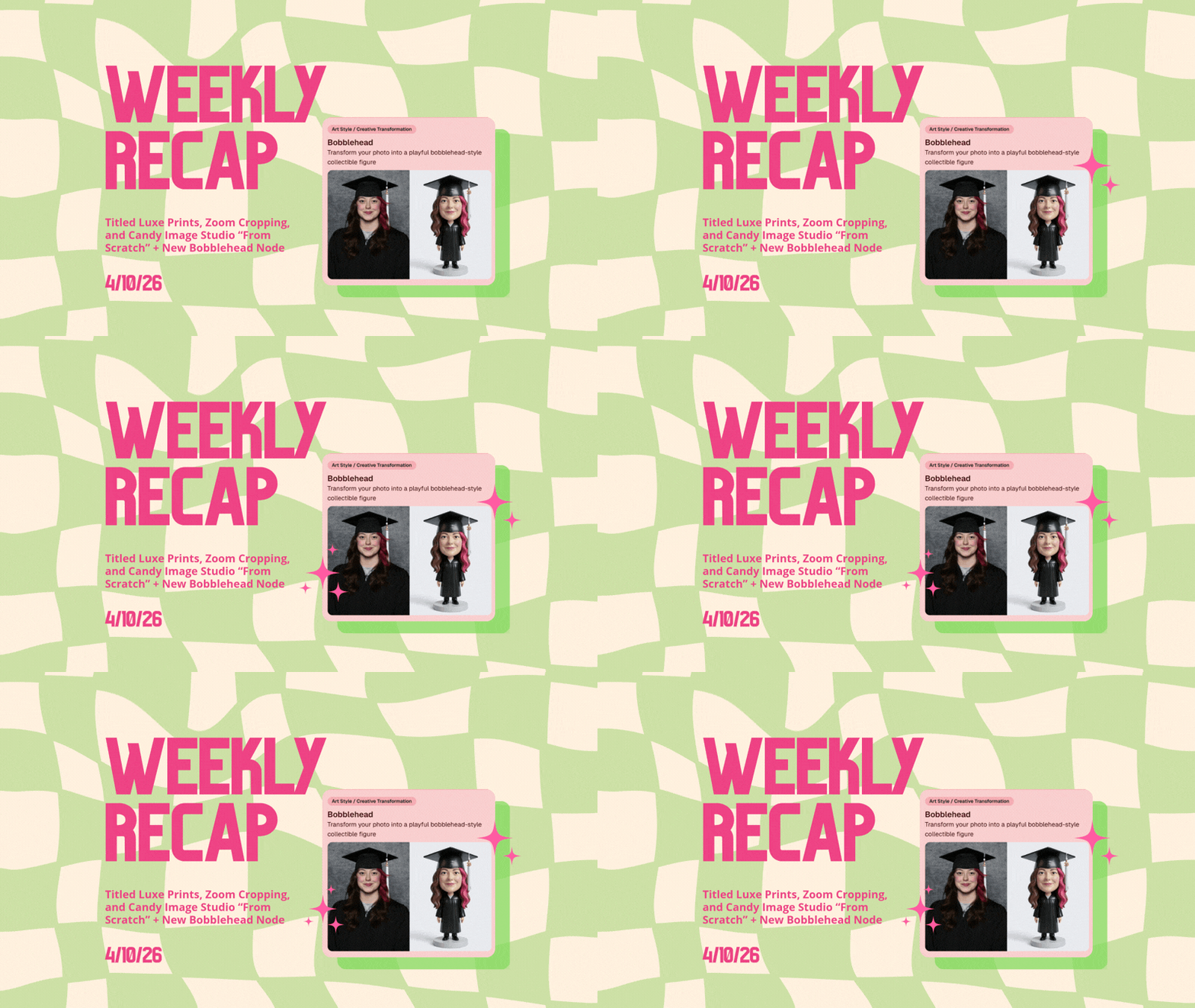
Weekly Recap: Titled Luxe Prints, Zoom Cropping, and Candy Image Studio “From Scratch”

Weekly Recap: Titled Luxe Prints, Zoom Cropping, and Candy Image Studio “From Scratch”
Hey photo friends! 👋

This week’s updates are a fun mix of new products, new visual workflows, and small-but-important fixes that make day-to-day work smoother—especially across Candy Image Studio, retail packages, and PhotoRoster/PhotoTag downloads.

Let’s jump in. ✨

📣 Dashboard: Client Outreach + Workflow Quality-of-Life

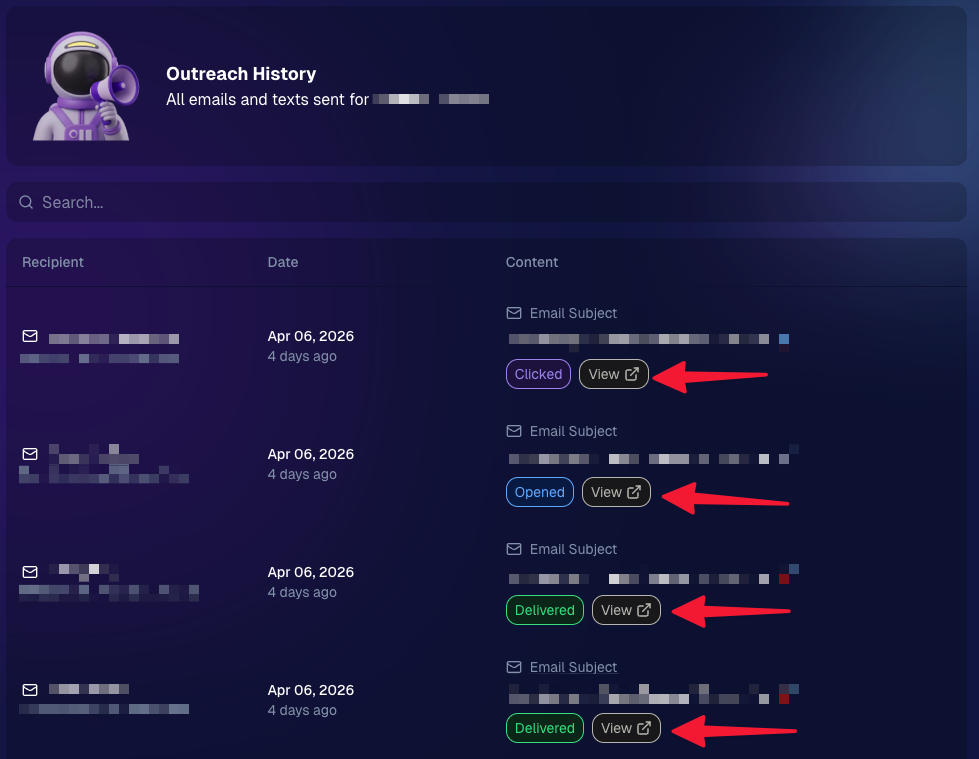
Client Outreach email history is easier to use and more reliable:

  • Added a “View” button in Client Outreach email history so you can open the sent email in a new tab (similar to how order receipts work).
  • Fixed an issue where email status didn’t always show for all emails in the status list.
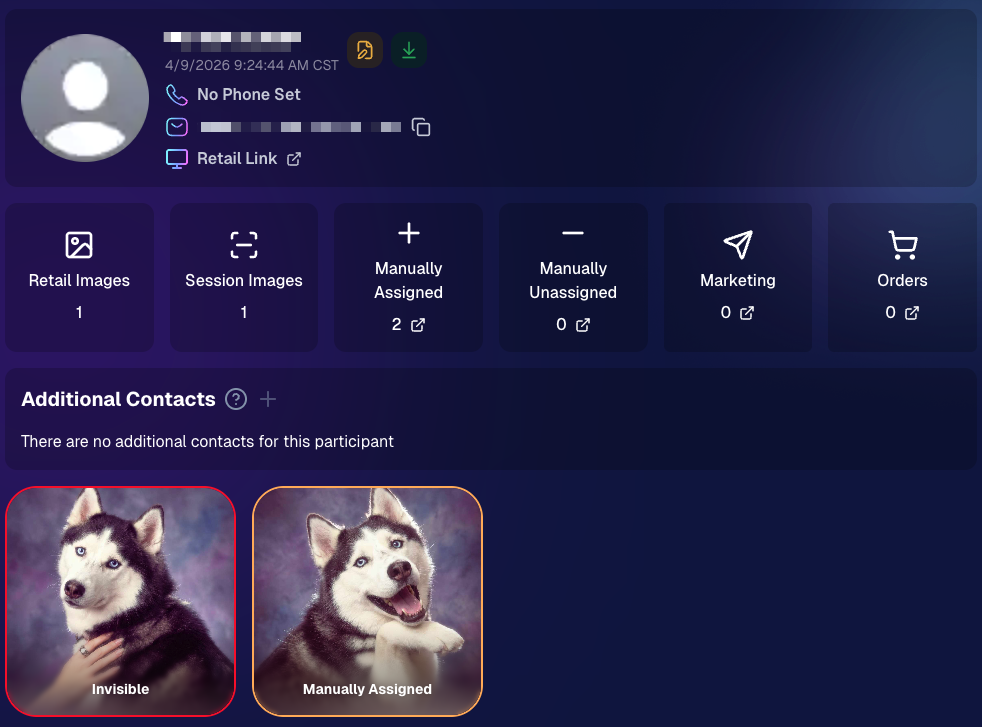
More clarity when reviewing participant galleries:

  • The Participant Details page now shows invisible images, clearly marked in red with an “Invisible” label—so you can understand what’s hidden without guessing.
PhotoTag participant gallery downloads got safer:

  • Fixed PhotoTag participant gallery downloads overwriting images when multiple files shared the same frame.
  • Fixed the download count displayed on the download button being off.

🎨 Candy Image Studio: Create Without an Input + A New Node

Candy Image Studio has two notable upgrades this week:

🧠 No input image required (generate from scratch!)
Candy Image Studio no longer requires an input image to get started. You can generate from scratch using the “From Scratch” node (at the very bottom), or by starting from custom text or a custom image—great for things like creating portrait backgrounds or creative assets.

🆕 New “Bobblehead” node
A brand-new Bobblehead node is now available inside Candy Image Studio.

🏈 Jersey Jotter + Event Settings Cleanup

Jersey Jotter settings were removed from the Create/Edit Event popup.
Since Jersey Jotter now has its own dedicated page, we pulled those settings out of the event popups to keep Create Event as minimal (and fast) as possible—and keep Edit Event aligned with Create.

New: “Auto Enhance” can be turned off in Create/Edit Event.
Important clarity here:

  • Auto Enhance isn’t new — it has always been enabled by default.
  • What’s new is the ability to turn it off from the Create/Edit Event popup.
  • It’s labeled “Auto Enhance” (not “Retail Enhancement”) because it affects more than retail, including things like LiveLoop, Dashboard previews, Shareable Download Gallery, and more.
  • Note: this setting only impacts images uploaded after you change it. (So anything already uploaded keeps whatever enhancement state it had at upload time.)

🛍️ Retail: Package Backgrounds + Fixes

A few retail improvements landed to reduce confusing edge cases:

  • When selecting a PNG (without a faux background render) during the “Next Package Item Image Picker” step, the chosen background will now default to the first background in the background picker list (instead of the purple default).
  • Fixed an issue where the background selector step didn’t always appear for non-faux BGR images.
  • Fixed a crash related to having Wall Clings in packages.
  • Updated the Free Download description to: “Free simple, full-resolution download of your image.” (Previously it implied lower resolution.)

🔍 NEW: Zoom Cropping “Z-Cropping” (Dashboard + Retail)

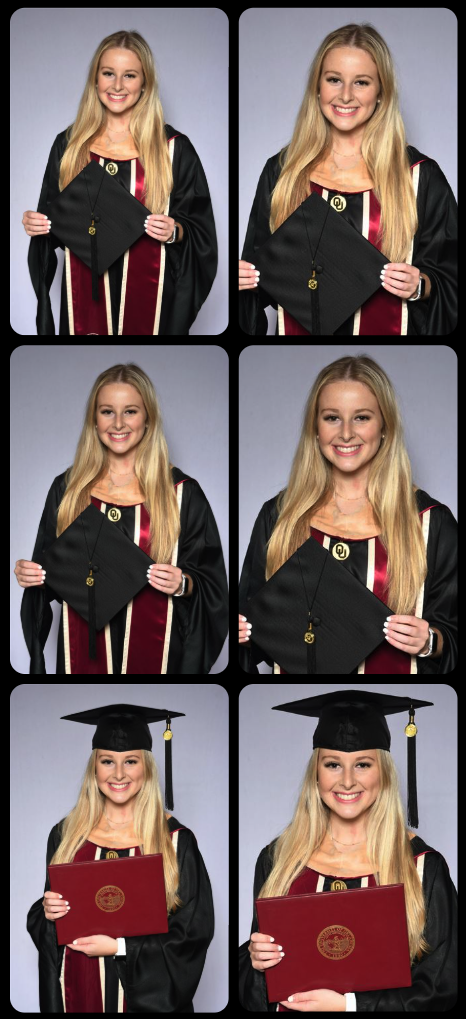
In Advanced Offer Settings, you can now enable Zoom Cropping, which automatically adds an additional image into the customer’s gallery that is zoom-cropped toward their face.

Details & rules:

  • ✅ Works on Face Matching Events
  • ✅ Works only on images with one face
  • ✅ All default graduation offers/price levels now have Zoom Cropping enabled
  • Behind the scenes, it applies a ~30% zoom toward the face, with an additional ~30% pull from the center of the image toward the face (clamped to avoid cropping beyond image bounds)

This is a great “quiet upgrade” for grads and portrait-style moments where customers love a tighter crop—without you needing to manually create it.
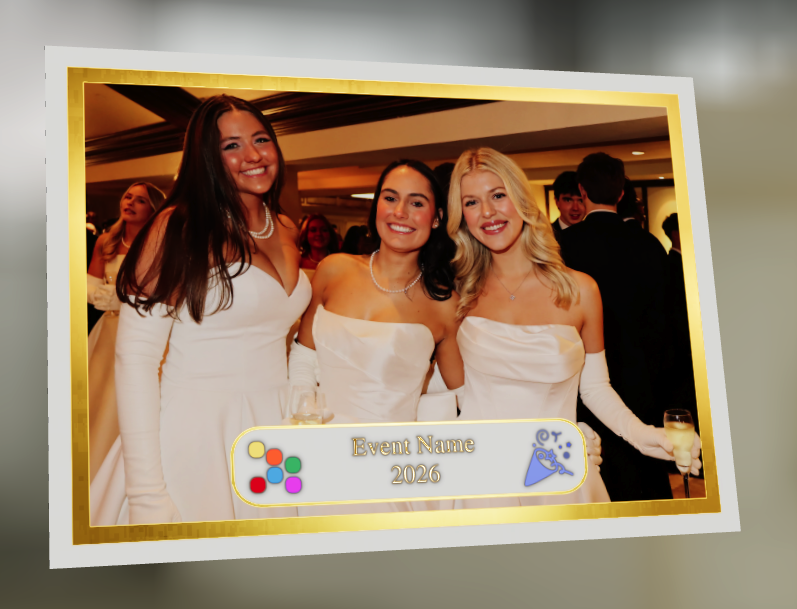
🖼️ New Products: Titled Luxe Prints (Dashboard + Retail)

Two new products just landed:

  • 5×7 Titled Luxe Print
  • 8×10 Titled Luxe Print

Want to see the 3D preview?
https://app.nowcandid.com/3d/titled-luxe-print

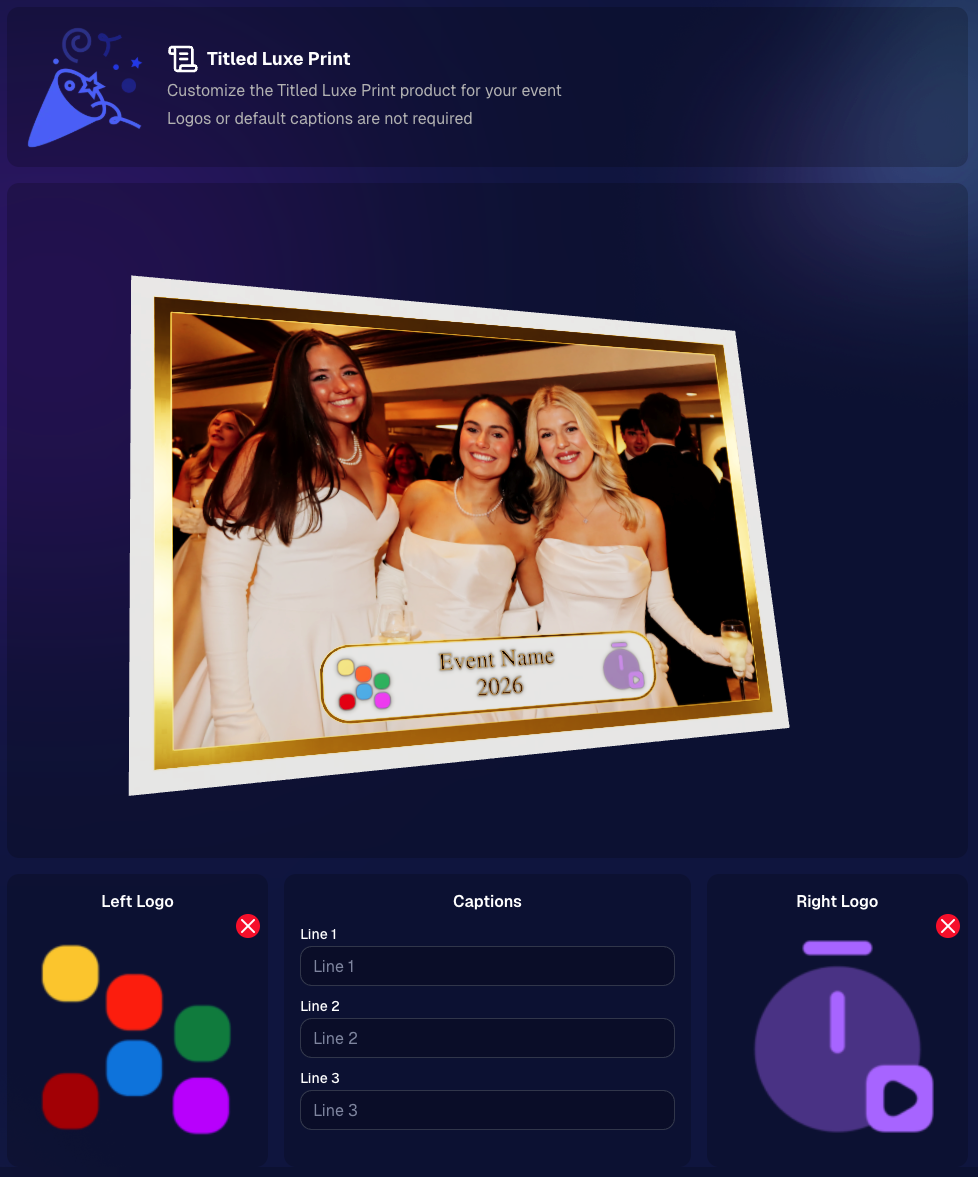
New: “Edit Titled Luxe Print” Page (per event)
There’s a new event-level page available in the Dashboard sidebar only if one of the new titled products is included in the event’s offer. From there, you can:

  • Set default captions
  • Select left/right logos
  • Preview the 3D render
  • (Easter egg: rotate the render and you can spot your business name on the backprinting.)
Notes:

  • Default captions and logos are optional
  • Retail shoppers can change captions when ordering
  • Logo requirements: upload/import a 650×650 transparent PNG
  • Retail supports both 2D + 3D renders, including your custom logos
  • Order Details pages now display the selected logos, similar to how we show captions and colors

That’s the week! 💫

Between Zoom Cropping, Titled Luxe Prints, and Candy Image Studio’s new From Scratch flow (plus a pile of cleanup across retail + downloads), this update adds a lot of power without adding extra complexity.

Keep creating magic,
— Candy 🍬

Related articles

Update Alert: NowCandid's Capture & Upload Hits Version 3.14!
Feature Updates
February 1, 2024

Update Alert: NowCandid's Capture & Upload Hits Version 3.14!

6
 minutes read
Hello, NowCandid family! 🌟

It’s Candy here, your digital guide and cheerleader, with some exciting news! We’ve had a whirlwind of updates from versions 3.11 through 3.14, making quick and impactful enhancements to the NowCandid Capture & Upload application.

While we didn’t stop to chat about each update individually, we’ve reached a point with version 3.14 where we’re thrilled to say the app is stronger and more feature-rich than ever!

So, let’s get everyone up to speed with version 3.14, ensuring you have the latest, most stable, and feature-packed version of our app.

Version 3.14 - The Latest & Greatest:

  • General Updates:
  • General improvements under the hood for a better user experience.

  • Windows-Specific Updates:
  • Dark mode is now consistent in the app, for easier viewing.
  • Helpful reminders to check your taskbar for app notifications.
  • Overall app performance boost, making it faster and more efficient.
  • Increased app memory usage for smoother operation.

Version 3.13:

  • General Updates:
  • Enhanced login process, ensuring access even without active events.
  • Improved user interaction for a smoother experience.

  • Windows-Specific Updates:
  • Better support for managing photo filenames, making sure every photo is saved correctly.

Version 3.12:

  • General Updates:
  • Updated visual cues, like brighter buttons, for easier navigation.
  • Quicker response times when interacting with the app.

  • Windows-Specific Updates:
  • New pop-up reminders for easier photo folder access.
  • Optimizations for camera connectivity and photo saving.

Version 3.11:

  • General Updates:
  • Simplified version numbering for easy tracking.
  • NowCandid logo now comes with version info for quick reference.

  • Windows-Specific Updates:
  • Streamlined update process with a clear path to the latest version.
  • Minor fixes and tweaks for an improved app experience.

We're thrilled with the journey from versions 3.11 to 3.14 and all the positive changes each update has brought!

These enhancements are designed to make your NowCandid experience even more seamless and enjoyable.

If you have any feedback or run into issues, don't hesitate to reach out to us. Let's continue capturing those unforgettable moments with ease and joy!

Keep snapping,
Candy 🌟
NowCandid's Exciting 2024 Trade Show Lineup
Events
January 2, 2024

NowCandid's Exciting 2024 Trade Show Lineup

5
 minutes read
Photography enthusiasts, get ready!

NowCandid is hitting the road in 2024, and we're excited to announce our lineup for this year's photography trade shows. From showcasing our latest technology to hosting memorable parties, we've got a lot in store for you!

Our 2024 Trade Show Lineup:

SPAC 2024
  • January 24-27, Las Vegas, Nevada

Imaging USA 2024
  • January 25-30, Louisville, Kentucky

Photo Booth Expo 2024
  • February 19-22, Las Vegas, Nevada

SYNC 2024
  • February 22-25, Orlando, Florida

WPPI 2024
  • March 3-7, Las Vegas, Nevada

What We're Bringing to the Shows:

Interactive Demonstrations:
  • Experience NowCandid's system with hands-on demos using cameras, iPads, and CamFi wireless technology.

Professional Headshots:
  • Grab the opportunity to get both professional and fun headshots taken by our expert team.

Fun Swag:
  • We're bringing a variety of cool and fun swag for you to take home.

Beginner Booklets:
  • New to NowCandid? Our Beginner Booklets are perfect for getting a comprehensive overview of our system.

Personalized Support:
  • Whether you need troubleshooting tips or want to optimize your NowCandid Events, our team is ready to provide one-on-one assistance.

Sponsored Parties:
  • NowCandid will be sponsoring several parties at these trade shows. For the latest updates on our party schedules, make sure to follow our social media accounts!

Let's Make 2024 Unforgettable Together!

We're geared up to make 2024 a landmark year in photography. Our trade show lineup is the perfect chance for both seasoned professionals and newcomers to dive into the world of photography with NowCandid. Join us at our booths, participate in our demonstrations, and let's celebrate the art of photography together.

Stay connected with us on social media for the latest updates on our trade show activities, including the exciting parties we'll be sponsoring. See you at the shows!
NowCandid's 2023 Year in Review! 🌟
Feature Updates
December 31, 2023

NowCandid's 2023 Year in Review! 🌟

7
 minutes read
Hello, Fantastic Photographers!

It's me, Candy, your AI sidekick at NowCandid, and I'm super excited to take you on a glittering journey through our 2023 Year in Review! 📸✨

A Year of Growth and Glitter!

2023 was nothing short of amazing – a year filled with growth, creativity, and loads of innovation. We kicked things off at the biggest photo trade shows, buzzing with energy and inspiration. Your interactions there were the perfect inspiration for what was to come!

Tech Magic: Programming and App Development 🚀

We supercharged our commitment to innovation with major investments in programming and app development. And oh boy, did it pay off!

Reporting Dashboard: Your Business, On-The-Go!

Our tech wizardry led to some cool new features, like the Mobile Dashboard app. Managing your NowCandid Events has never been easier – or more mobile!

Meet Me, Candy! Your AI Chatbot Assistant 🌈

2023 was also the year you met me – Candy, your AI Chatbot Assistant! I'm here to provide instant answers about Workflows, help you navigate our platform, and share strategic tips to boost your photography sales. 📈

Smooth Payments with Apple Pay 💳

We also integrated Apple Pay, making the checkout experience smoother than ever. Quick, easy, and secure – just how we like it!

App Development: Strong and Steady 📱

Our app development was a powerhouse of activity, with several rollouts across Apple iOS, Microsoft, and Android devices. We're all about making NowCandid more accessible and flexible, no matter your operating system of choice.

Wireless Tether Solutions: Goodbye Cables!

2023 was a game-changer with our pursuit of wireless tether solutions. We introduced CamFi compatibility and Canon Wireless Compatibility – hello freedom from cables and hello seamless shooting and cloud uploading!

LiveLoop: Bringing Events to Life! 🔄

One of my personal favorites – LiveLoop! A live-slideshow for your NowCandid Events, updating in real-time. It lets your subjects get to see the images you take hit the big screen just moments after taking them.

Wrapping Up a Dazzling Year 🎉

We achieved so much in 2023, and guess what? We're just getting started! I can’t wait to see what 2024 has in store for us.

Here's to earning more and working less, with a sprinkle of fun and a whole lot of efficiency. Stay tuned for more adventures with NowCandid!

Stay fantastic,

Candy 🌟📷

Let’s get in touch

If you’re a photographer looking to add NowCandid services to your wheelhouse – set up a call by clicking the button below.

How to customize formatting for each rich text

How to customize formatting for each rich text

How to customize formatting for each rich text

How to customize formatting for each rich text

How to customize formatting for each rich text

What’s a Rich Text element?

The rich text element allows you to create and format headings, paragraphs, blockquotes, images, and video all in one place instead of having to add and format them individually. Just double-click and easily create content.

A rich text element can be used with static or dynamic content. For static content, just drop it into any page and begin editing. For dynamic content, add a rich text field to any collection and then connect a rich text element to that field in the settings panel. Voila!

Headings, paragraphs, blockquotes, figures, images, and figure captions can all be styled after a class is added to the rich text element using the "When inside of" nested selector system.

  • List One
  • List Two
  • List Three
  • List Four
  • List Five

This is a link

This is bold text