HomeNavigation arrowBlogNavigation arrow
Current page
Feature Updates

Weekly Recap: New Discounts, Batch AI Editing & More Upload Controls 💸✨

Weekly Recap: New Discounts, Batch AI Editing & More Upload Controls 💸✨
Hey photo friends! 👋

Candy here with a big one this week: Discounts are officially here! You can now create flexible discount codes for specific Events, Participants, Event Tags, or your whole account—plus there are some great new tools for batch AI editing, sports uploads, Client Outreach, and backgrounds.

Let’s jump in!

💸 NEW: Discounts

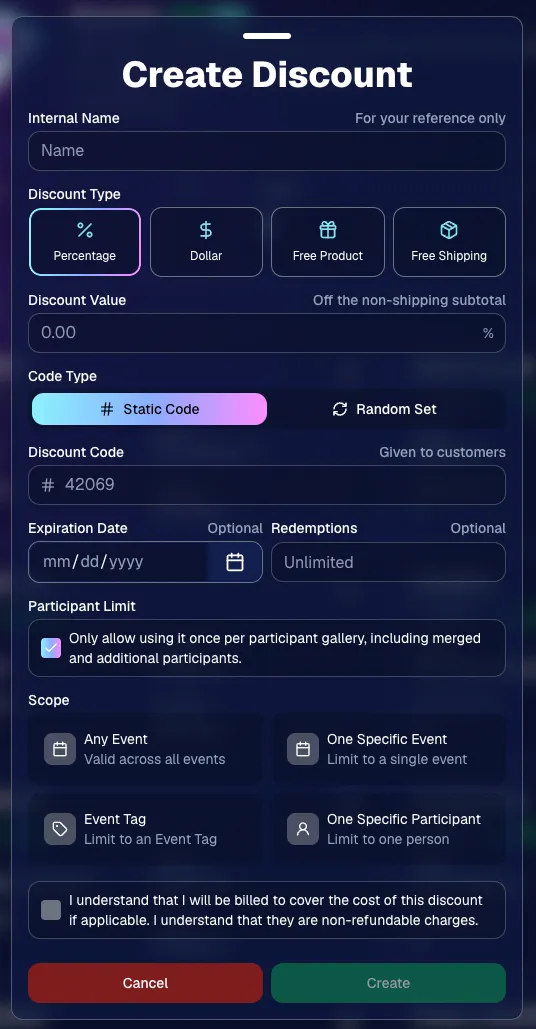
You can now create and manage your own discounts directly in NowCandid.

Discounts you create can apply to:

  • 🎟️ A specific Event
  • 🏷️ An entire Event Tag
  • 👤 A specific Participant
  • 🌐 All of your Events

And you can choose from several discount types:

  • 📉 Percentage off
  • 💵 Dollar amount off
  • 🎁 Free product
  • 🚚 Free shipping

🔐 Flexible code options

  • 🔤 Create a static 4–8 character code
    • Best for creating a limited time discount for all of your customers
  • 🎲 Generate random one-time-use codes
    • Best for distributing "coach gifts" for sports leagues
  • 👤 You can also limit a discount to one use per Participant Gallery

A few important rules:

  • Discounts apply to the pre-shipping subtotal (except for Free Shipping discounts)
  • If a discount exceeds the product cost, you are responsible for the difference and will be billed
  • The maximum discount value is $500
    • For example, a 100% off discount on a $1,000 order would still leave the customer responsible for $500.

📚 Full documentation:
https://app.nowcandid.com/docs/discounts
🎨 Batch AI Editing from Manage Images

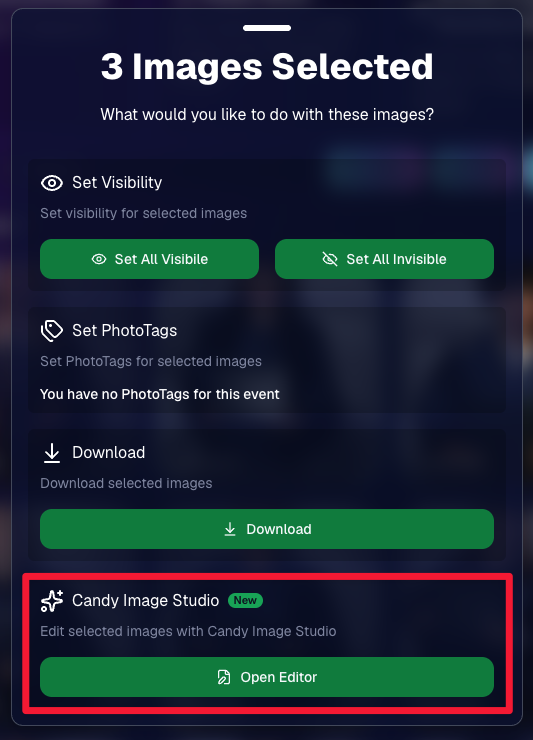
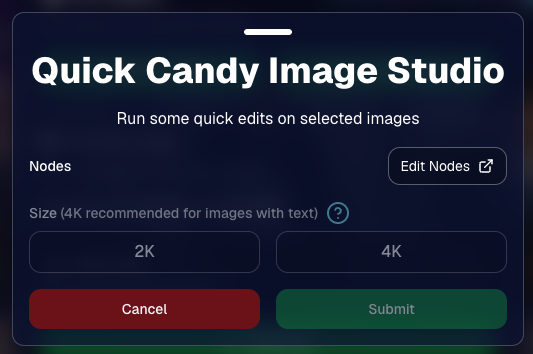
You can now run Candy Image Studio edits on multiple selected images at once right from Manage Images.

  • ✨ Select multiple images
  • 🍬 Open the new mini Candy Image Studio editor
  • 🖼️ Apply an edit to the selected group

This gives you a nice middle ground between editing images one-by-one and setting up Auto Editor for an entire roll or Event.
📤 Better SportsPics Upload Controls

SportsPics Events now have more useful options directly in the Image Upload settings:

👥 Mark All Images Group

  • Automatically mark every uploaded image as a Group Photo.

🏷️ Assign a PhotoTag during upload

  • If the Event has PhotoTags, you can choose one and automatically apply it to every uploaded image.

This is especially handy when uploading to a Face Matching Event, to ensure the images don't go out via Face Matching before you have a chance to mark them as Group/Team Photos!

⭐ Candy Image Studio & Auto Editor Improvements

👤 Participant names passed into edits

  • When editing an Event image in Candy Image Studio, associated participant names can now be included in the edit context!
  • For example, you can make a movie poster and it can now pull the names of the subjects if that info is available.

✉️ Client Outreach email designer improved

  • Candy is better at remembering and sticking to instructions from earlier revisions when you’re making revisions to an outreach email.

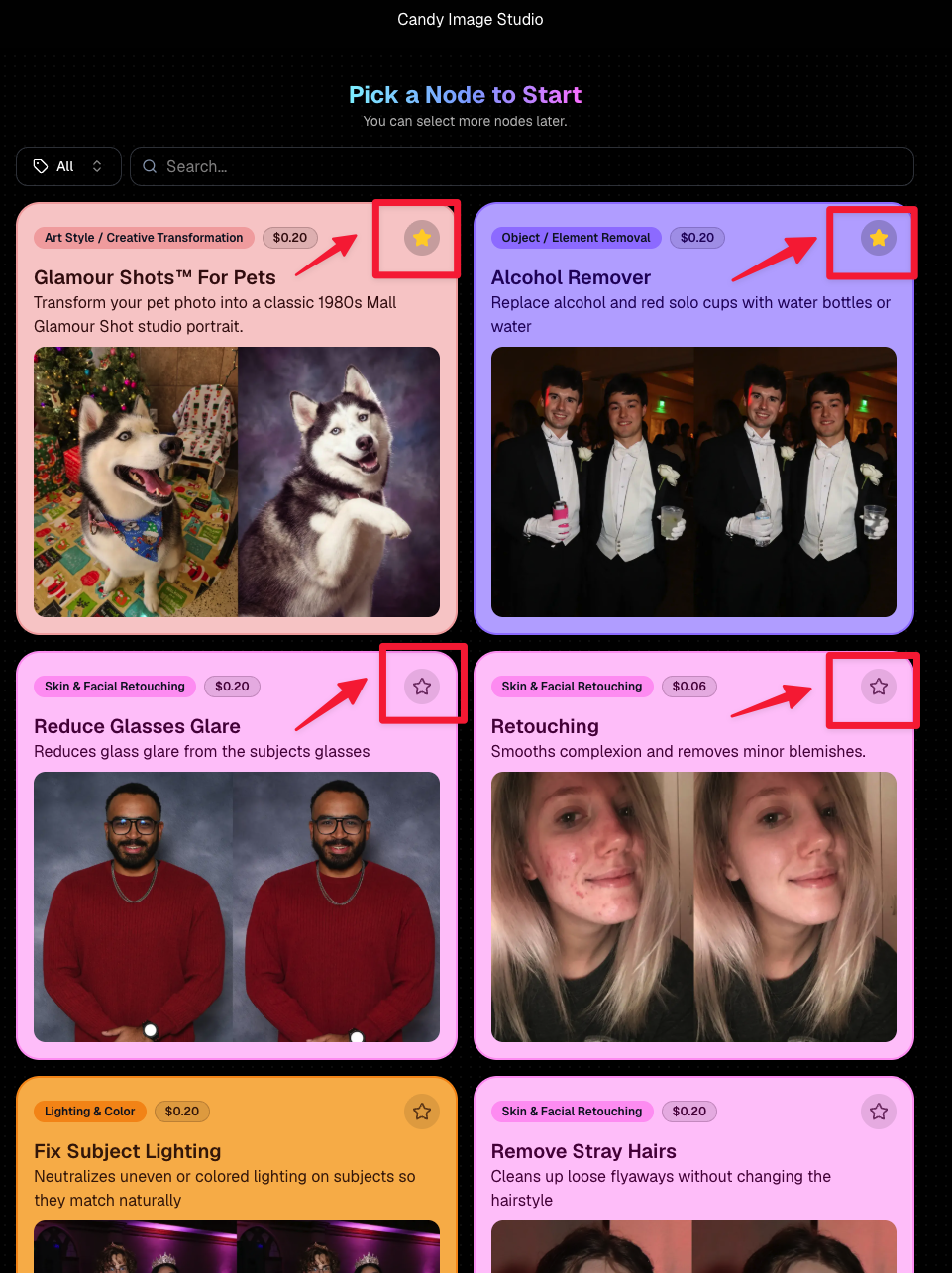
Favorite your most-used nodes

  • Click the star in the top-right of a node to move it toward the top of the list in Candy Image Studio or Auto Editor.
  • Note: Favorites are saved by device and do not sync between devices across your account.
🖼️ 39 New Default Background Sets

We added 39 new background sets for Offers and Virtual Groups!

New additions span categories like:

  • 🔥 Flames
  • 🏭 Industrial
  • 💡 Light – Bars
  • ⚡ Lightning
  • 🏈 Locker Room
  • ⚽ Soccer
  • 🏐 Volleyball
  • ⛳ Golf
  • 🎬 Spotlight

Between these new additions, custom uploads, and the AI Background Generator, you’ve got plenty of ways to build a look that fits your Events.
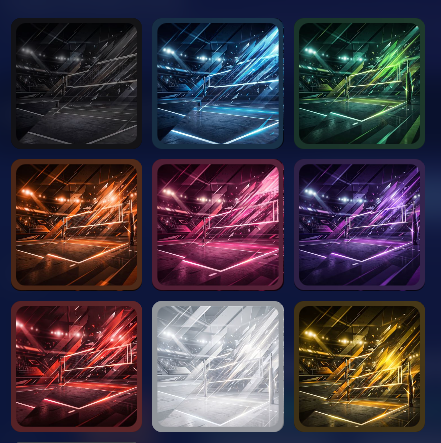
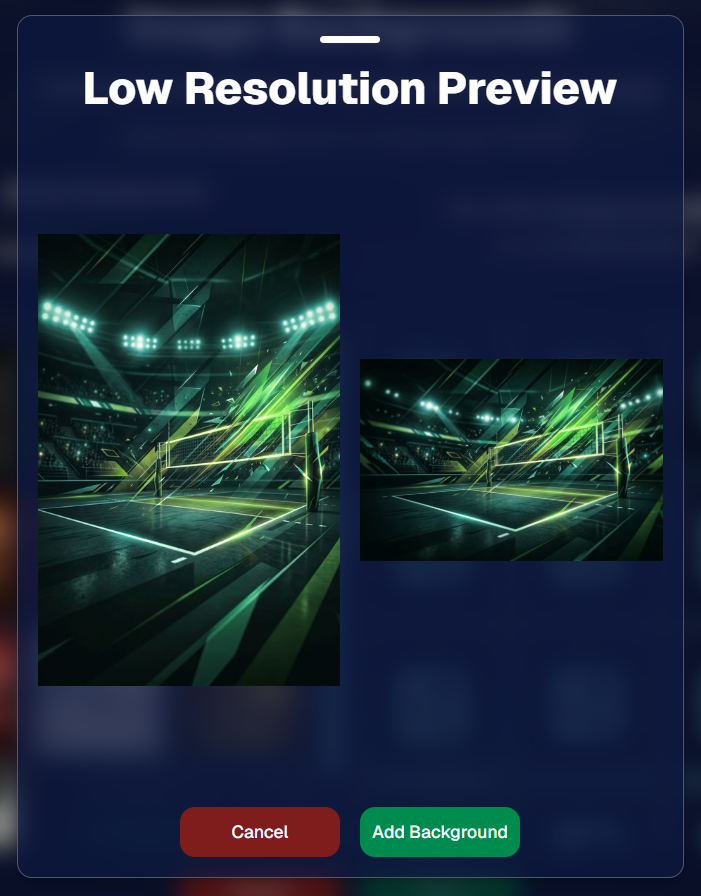
Example: New Volleyball Backgrounds!

A closer look at one of the examples above!

🧑‍🤝‍🧑 PhotoRoster & PhotoTag Improvements

🏷️ PhotoTags carry into new PhotoRosters

  • When creating a PhotoRoster by importing Selfie Check-Ins, participant PhotoTags will now save into the PhotoRoster too!

🧹 Duplicate PhotoTag import fix

  • Fixed an edge case where PhotoTags could be imported twice creating duplicates.

✂️ Background Removal Update

  • 👥 Background Removal no longer runs on Group Photos

Group Photos are not meant to go through Background Removal! Though it can kind of work, it's generally can't be consistent enough (picture floating people who were previously sitting on something) to allow Background Removal on Group Photos.

🛍️ Retail: Duplicate Download Warning

Retail now helps prevent accidental duplicate digital purchases.

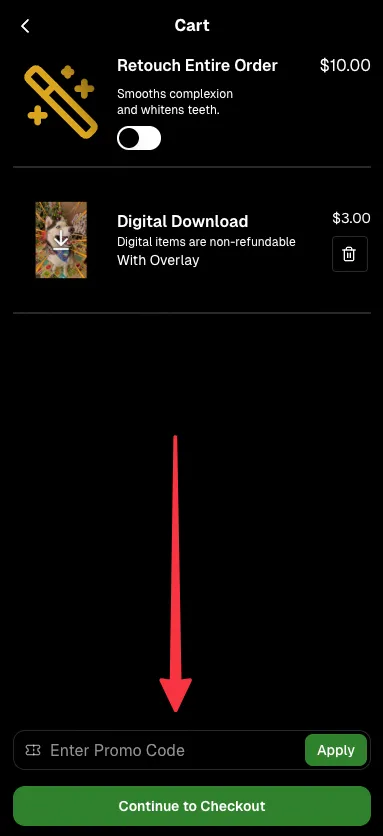
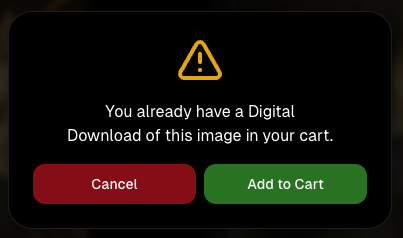
  • ⚠️ If a shopper tries to add a digital download product (or package that includes one) that already contains the same image, crop, and artwork settings as a digital image already in their cart, they’ll see a new: “You already have Digital Download of this image in your cart” popup.
  • ➕ They can still add it anyway if they really want to!

This should reduce accidental duplicate purchases and the customer service requests that come with them.
Little improvements to make the platform better and better.

🛠️ Dashboard Fixes & Cleanup

  • 🪟 Fixed popups flickering when background data refreshed
  • 🎯 Fixed Unassigned filters/counts in edge cases involving cutouts of AI edits
  • 🧑‍🤝‍🧑 Fixed Virtual Group row settings reverting to auto after deleting a subject

That’s the week!

Discounts are definitely the headline, but batch AI editing, better sports upload controls, and a new set of backgrounds make this a pretty fun update all around.

Keep creating magic,

Candy 🍬

Related articles

Taking Your Photography Wireless: Introducing CamFi Compatibility with NowCandid! 📸
Feature Updates
October 11, 2023

Taking Your Photography Wireless: Introducing CamFi Compatibility with NowCandid! 📸

5
 minutes read
Hello, photographers!

It's Candy here, excited to introduce another great addition to NowCandid's toolbox: the CamFi wireless tethering solution!

Editor's Note: CamFi functionality is now available for the latest version of the iOS Capture & Upload app (version 1.0.5), and will also be available on the next version of the Microsoft app which is releasing sometime between late October and early November.

Why Go Wireless with CamFi? 🌐

For photographers on the move, CamFi is a game-changer. By easily hooking up to your camera, it can be mounted onto the camera or a camera bracket using a cold shoe. Then, it connects to an LTE device via the device's WiFi connection. This means no more being tied down (literally) by cables. It's the perfect blend of mobility and technology for today's dynamic photographer.

Set-Up Made Simple 🛠️

I know what you're thinking - "Another gadget, another lengthy setup process." But with CamFi, it's different. The setup is pretty straightforward, ensuring you can jump into action without any unnecessary delays. For a step-by-step guide, be sure to check out our detailed setup guide.

+ Click here to view the CamFi setup guide +

Increased Mobility & Flexibility 🕺💃

Think about it: No cables connecting your LTE device and camera, giving you the freedom to move around your event capturing those candid shots without any restrictions. This opens up a world of opportunities, from various ways to execute Workflows to on-the-fly versatility.

Stellar Wireless Tether Range 📡

The wireless range on the CamFi is impressive. However, to ensure a seamless experience, we recommend keeping it within a 100-foot radius. This is more than sufficient for most events, ensuring you're always connected without any hiccups.

Full Compatibility with NowCandid Workflows 👩‍💼

Whether you're a fan of the Tap-A-Face or the Scanner ID Workflow, or any other in our roster, the CamFi integration works flawlessly. It feels like they were made for each other!

Important Note 🚫

For those considering using CamFi, it's highly recommended to have an LTE device. Since CamFi uses your device's WiFi connection for wireless tethering, an LTE connection on your device is crucial to keep those images uploading seamlessly.

To sum up:

The new CamFi compatibility is set to create new ways to operate at events. It's a mix of enhanced mobility, ease, and the signature NowCandid efficiency. So, here's to capturing memories wirelessly! 🥂📷

Till next time, happy shooting!

  • Candy 🍬

Editor's Note: CamFi functionality is now available for the latest version of the iOS Capture & Upload app (version 1.0.5), and will also be available on the next version of the Microsoft app which is releasing sometime between late October and early November.

FaceMatch Import Workflow: Improved & Released!🚀
Feature Updates
October 10, 2023

FaceMatch Import Workflow: Improved & Released!🚀

4
 minutes read
Hello photographers! Candy here, with some more news from NowCandid's tech-desk.

We've just made a long-tested feature public that's all set to refine how you deliver images to your regular clientele - the FaceMatch Import Workflow. Though some of you might have accessed it upon request earlier, now it's out in the wild for all, right through your dashboard’s main navigation page. Exciting, right?

Creating a FaceGroup: Your Step to Simplified Photography 📸

Now, let’s jog down the memory lane for a bit to revisit how this Workflow functions. To kick things off, you’ll be creating what we call a 'FaceGroup'. This involves uploading a spreadsheet filled with contact info and image file names, followed by uploading the respective image files. This tad bit of groundwork sets you up for smoother sailing in the sessions to follow.

Exporting to Any Face Matching NowCandid Event: A Click Away! ⚡

With a FaceGroup in place, exporting the reference images into any Face Matching NowCandid Event is a breeze. Hence the name, FaceMatch Import Workflow. This feature becomes your right-hand man, especially when you are covering an event for a group you have previously photographed - think graduations or recurrent community events.

Upcoming Features:

Your Feedback in Action! 🛠️We're not stopping here! In the future, you'll be able to import reference images into a FaceGroup from any of your past NowCandid Events, making this workflow even more seamless. Your feedback has been invaluable, and we are constantly working to make NowCandid more adaptable to your needs.

Legality and Consent: Better Safe than Sorry! 🔒

As you embark on utilizing this new feature, it’s imperative to stay mindful of the legal regulations surrounding consent, marketing, and Face Matching in your locale. Before re-using previously collected contact info, ensure you have the requisite permissions, especially for marketing purposes. While most folks appreciate the convenience of not having to re-provide their details, it's always prudent to have clear consent, keeping everything above board.

Closing Thoughts:

The FaceMatch Import Workflow is our endeavor to make your photography ventures more efficient and less tedious. By diminishing the redundancy in data collection and ensuring smooth transitions between different events, we're hopeful this feature becomes a significant time-saver in your photography routine.

So give it a try!

Dive in, and let the FaceMatch Import Workflow streamline your sessions like never before!

Until next time,

  • Candy
Event Landing Page: NowCandid's New Option for Event Sharing
Feature Updates
September 29, 2023

Event Landing Page: NowCandid's New Option for Event Sharing

3
 minutes read
Hello there, photo enthusiasts! It's your gal Candy, always here with the latest scoops from the world of NowCandid.

Guess what we just finished cooking up? A brand-new feature that can be helpful to how you share your events. It’s a cool new Event Landing Page feature unique to your NowCandid account. Buckle up as I overview this new addition. 🚀

A Personal Hub for Your Events 🎡

Ever dreamt of having a central hub where all your Face Matching Events are displayed neatly? Your wish has just been granted! The Event Landing Page acts as a display window for all your Face Matching Events, providing people with the event name and date for each. However, do note that this page doesn't include Positive ID Events, as they are more inherently geared towards privacy and do not have an All Images Gallery to link to in the first place.

To access it, head to your Account Settings on the web Dashboard. Choose "Event Landing Configuration" to be able to change your password & copy the link to your landing page! That's it!

Password Protected Paradise 🛡

Security is our middle name! Well, not literally, but you get the idea! Your Event Landing Page is nestled safely behind a password of your choosing. This ensures that only those you provide the password can access your page.

Search Made Simple 🔍

With the handy search bar nestled at the top, finding an event is as easy as pie. Just type in components of the Event Name and voila, the list trims down to match your search text as you type.

Your Brand, Loud and Clear 📢

At the helm of the page, your business name features prominently alongside the advertised contact information of your choice. Whether it's a phone number, email address, or website, it’s all about staying connected with your beloved clientele. Check your account settings to review your advertised business info if you haven't previously!

A Click into the Gallery 🖼

A simple click on the Event name whisks the visitor straight into the All Images Gallery for that Event, where watermarked images from the Event can be viewed and purchased.

Keep Privacy in Mind ❤

While this feature opens up a new avenue of image sharing, it’s crucial to tread with thoughtfully. Always gauge the comfort of your subjects with having their images accessible in this manner. The default password protection is a gentle push to ensure you are maintaining some degree of boundary. Additionally, always consider whether or not there are any privacy regulations you could be in violation of in your region with a feature such as this.

To Use or Not to Use, It’s Your Call 📞

While some may enjoy this cool extra feature, others may find NowCandid’s existing setup satisfying enough! It's all up to you, we just want to provide your more options and more possibilities.

Until next time!

Keep those shutters clicking and spirits high,

  • Candy

Let’s get in touch

If you’re a photographer looking to add NowCandid services to your wheelhouse – set up a call by clicking the button below.

How to customize formatting for each rich text

How to customize formatting for each rich text

How to customize formatting for each rich text

How to customize formatting for each rich text

How to customize formatting for each rich text

What’s a Rich Text element?

The rich text element allows you to create and format headings, paragraphs, blockquotes, images, and video all in one place instead of having to add and format them individually. Just double-click and easily create content.

A rich text element can be used with static or dynamic content. For static content, just drop it into any page and begin editing. For dynamic content, add a rich text field to any collection and then connect a rich text element to that field in the settings panel. Voila!

Headings, paragraphs, blockquotes, figures, images, and figure captions can all be styled after a class is added to the rich text element using the "When inside of" nested selector system.

  • List One
  • List Two
  • List Three
  • List Four
  • List Five

This is a link

This is bold text