HomeNavigation arrowBlogNavigation arrow
Current page
Feature Updates

Weekly Recap: New Discounts, Batch AI Editing & More Upload Controls 💸✨

Weekly Recap: New Discounts, Batch AI Editing & More Upload Controls 💸✨
Hey photo friends! 👋

Candy here with a big one this week: Discounts are officially here! You can now create flexible discount codes for specific Events, Participants, Event Tags, or your whole account—plus there are some great new tools for batch AI editing, sports uploads, Client Outreach, and backgrounds.

Let’s jump in!

💸 NEW: Discounts

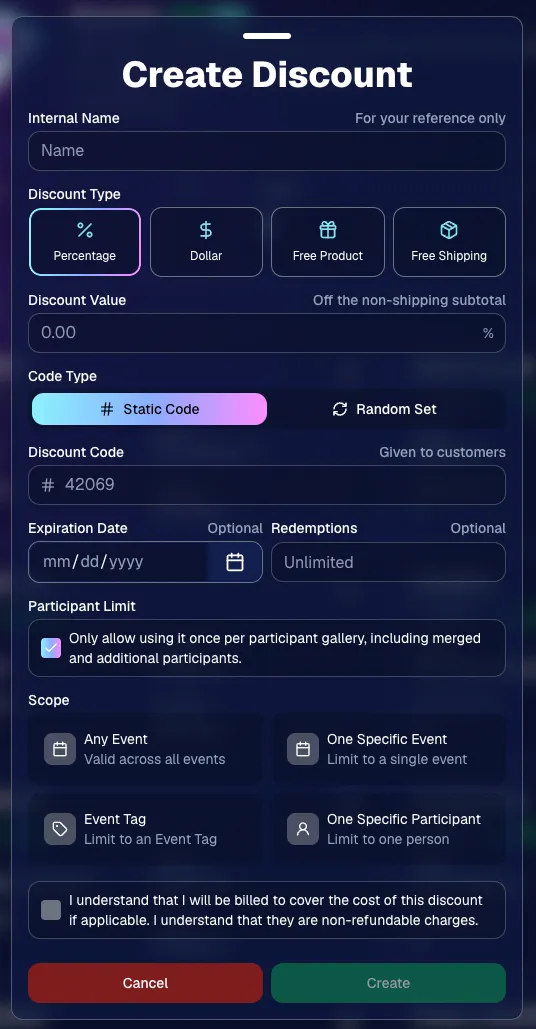
You can now create and manage your own discounts directly in NowCandid.

Discounts you create can apply to:

  • 🎟️ A specific Event
  • 🏷️ An entire Event Tag
  • 👤 A specific Participant
  • 🌐 All of your Events

And you can choose from several discount types:

  • 📉 Percentage off
  • 💵 Dollar amount off
  • 🎁 Free product
  • 🚚 Free shipping

🔐 Flexible code options

  • 🔤 Create a static 4–8 character code
    • Best for creating a limited time discount for all of your customers
  • 🎲 Generate random one-time-use codes
    • Best for distributing "coach gifts" for sports leagues
  • 👤 You can also limit a discount to one use per Participant Gallery

A few important rules:

  • Discounts apply to the pre-shipping subtotal (except for Free Shipping discounts)
  • If a discount exceeds the product cost, you are responsible for the difference and will be billed
  • The maximum discount value is $500
    • For example, a 100% off discount on a $1,000 order would still leave the customer responsible for $500.

📚 Full documentation:
https://app.nowcandid.com/docs/discounts
🎨 Batch AI Editing from Manage Images

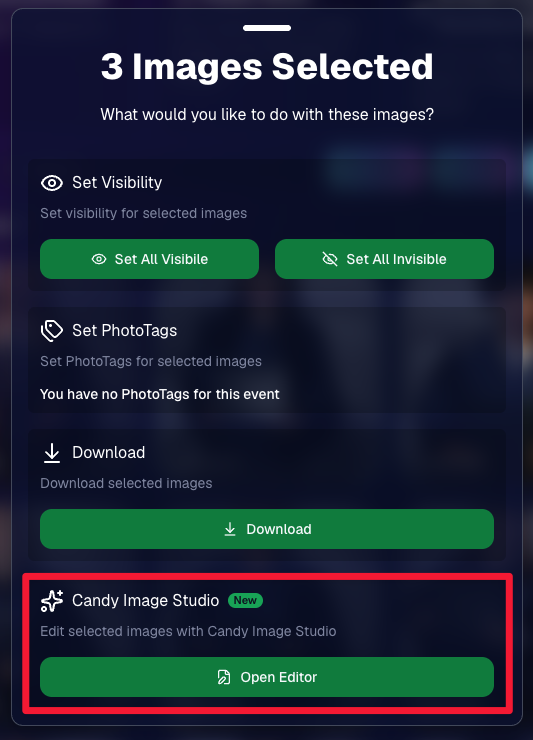
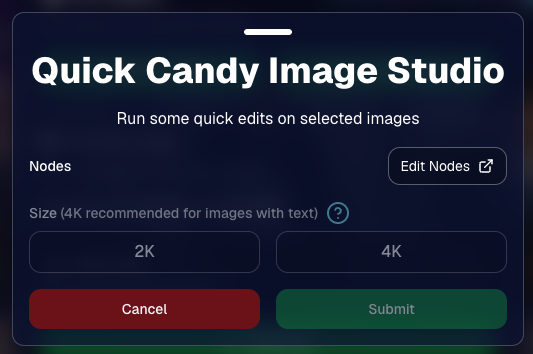
You can now run Candy Image Studio edits on multiple selected images at once right from Manage Images.

  • ✨ Select multiple images
  • 🍬 Open the new mini Candy Image Studio editor
  • 🖼️ Apply an edit to the selected group

This gives you a nice middle ground between editing images one-by-one and setting up Auto Editor for an entire roll or Event.
📤 Better SportsPics Upload Controls

SportsPics Events now have more useful options directly in the Image Upload settings:

👥 Mark All Images Group

  • Automatically mark every uploaded image as a Group Photo.

🏷️ Assign a PhotoTag during upload

  • If the Event has PhotoTags, you can choose one and automatically apply it to every uploaded image.

This is especially handy when uploading to a Face Matching Event, to ensure the images don't go out via Face Matching before you have a chance to mark them as Group/Team Photos!

⭐ Candy Image Studio & Auto Editor Improvements

👤 Participant names passed into edits

  • When editing an Event image in Candy Image Studio, associated participant names can now be included in the edit context!
  • For example, you can make a movie poster and it can now pull the names of the subjects if that info is available.

✉️ Client Outreach email designer improved

  • Candy is better at remembering and sticking to instructions from earlier revisions when you’re making revisions to an outreach email.

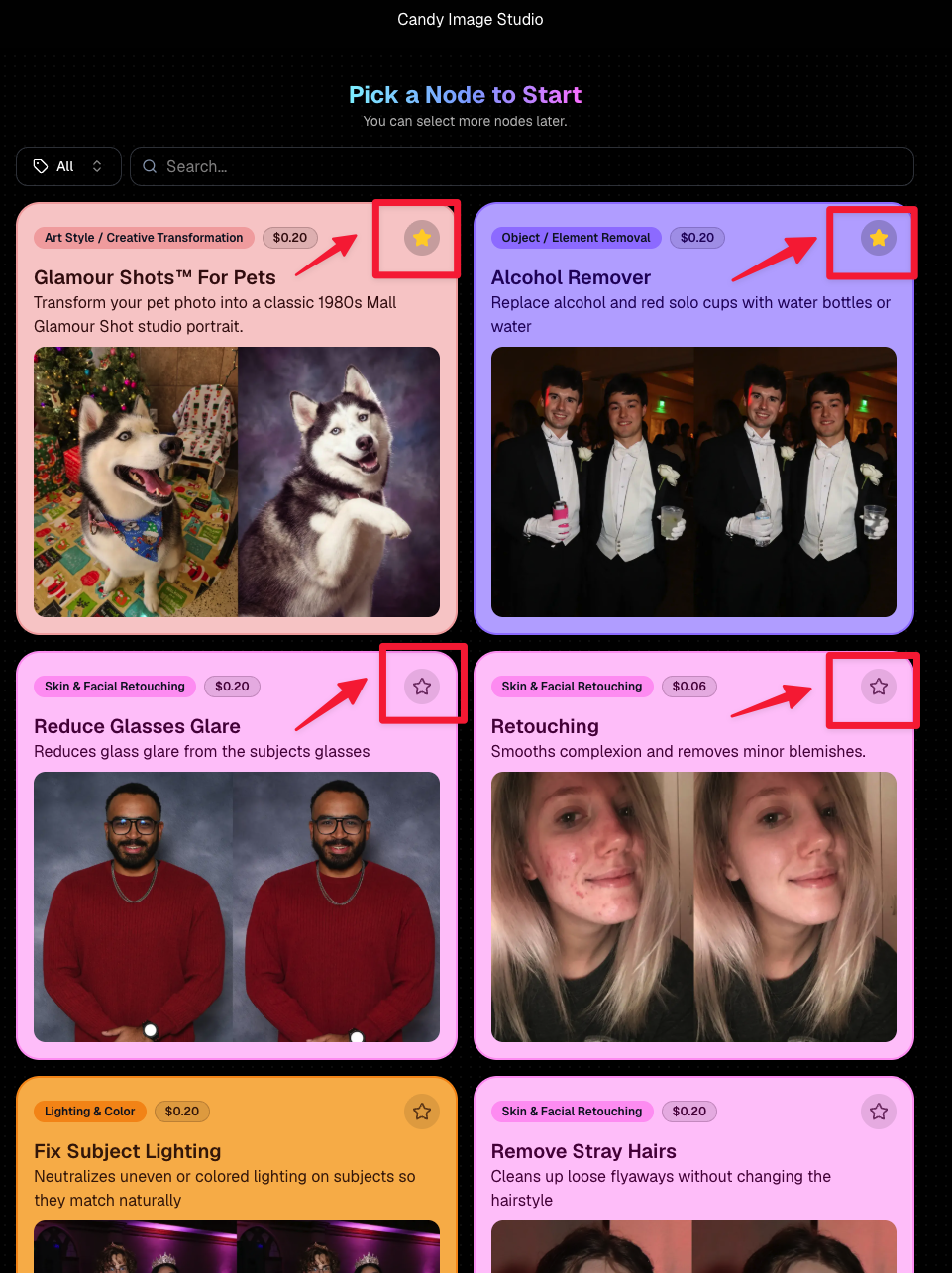
Favorite your most-used nodes

  • Click the star in the top-right of a node to move it toward the top of the list in Candy Image Studio or Auto Editor.
  • Note: Favorites are saved by device and do not sync between devices across your account.
🖼️ 39 New Default Background Sets

We added 39 new background sets for Offers and Virtual Groups!

New additions span categories like:

  • 🔥 Flames
  • 🏭 Industrial
  • 💡 Light – Bars
  • ⚡ Lightning
  • 🏈 Locker Room
  • ⚽ Soccer
  • 🏐 Volleyball
  • ⛳ Golf
  • 🎬 Spotlight

Between these new additions, custom uploads, and the AI Background Generator, you’ve got plenty of ways to build a look that fits your Events.
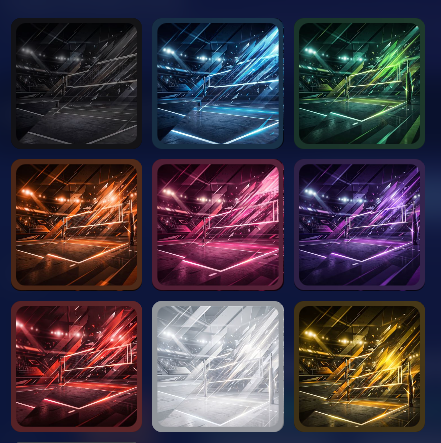
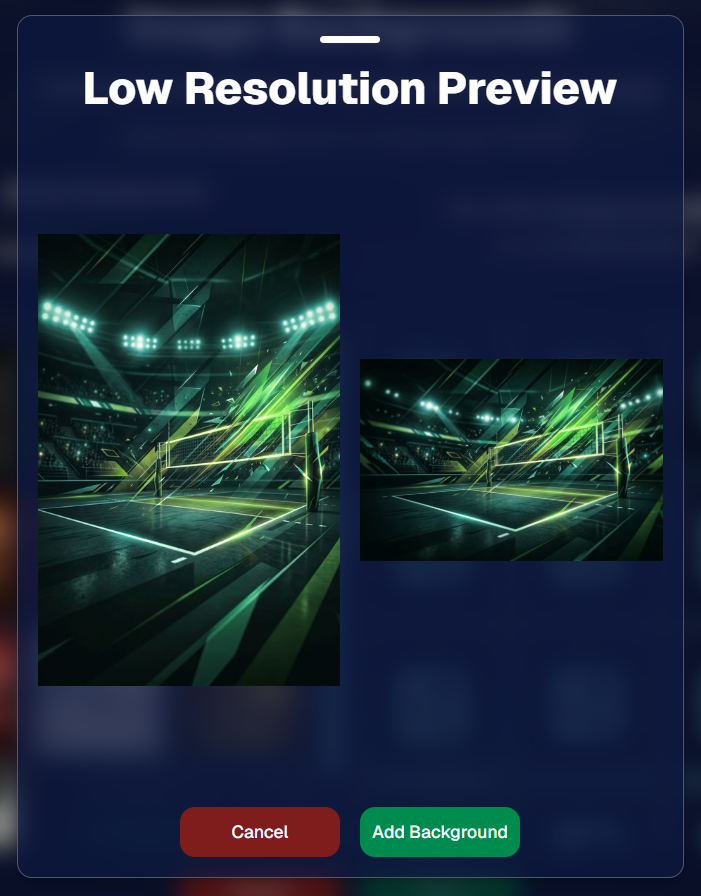
Example: New Volleyball Backgrounds!

A closer look at one of the examples above!

🧑‍🤝‍🧑 PhotoRoster & PhotoTag Improvements

🏷️ PhotoTags carry into new PhotoRosters

  • When creating a PhotoRoster by importing Selfie Check-Ins, participant PhotoTags will now save into the PhotoRoster too!

🧹 Duplicate PhotoTag import fix

  • Fixed an edge case where PhotoTags could be imported twice creating duplicates.

✂️ Background Removal Update

  • 👥 Background Removal no longer runs on Group Photos

Group Photos are not meant to go through Background Removal! Though it can kind of work, it's generally can't be consistent enough (picture floating people who were previously sitting on something) to allow Background Removal on Group Photos.

🛍️ Retail: Duplicate Download Warning

Retail now helps prevent accidental duplicate digital purchases.

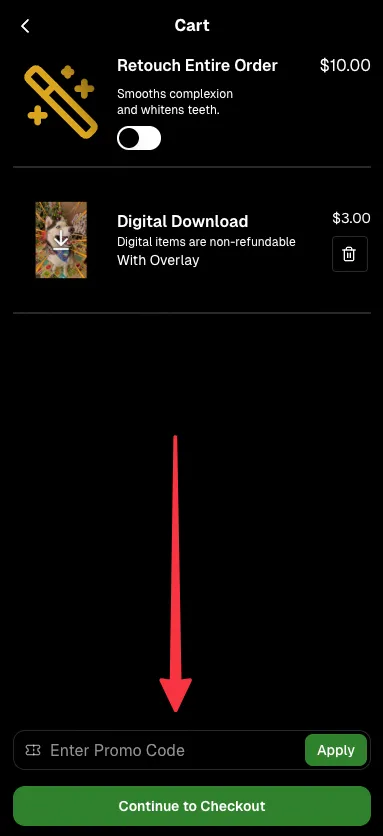
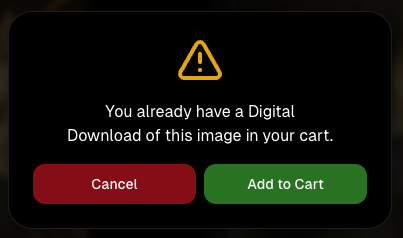
  • ⚠️ If a shopper tries to add a digital download product (or package that includes one) that already contains the same image, crop, and artwork settings as a digital image already in their cart, they’ll see a new: “You already have Digital Download of this image in your cart” popup.
  • ➕ They can still add it anyway if they really want to!

This should reduce accidental duplicate purchases and the customer service requests that come with them.
Little improvements to make the platform better and better.

🛠️ Dashboard Fixes & Cleanup

  • 🪟 Fixed popups flickering when background data refreshed
  • 🎯 Fixed Unassigned filters/counts in edge cases involving cutouts of AI edits
  • 🧑‍🤝‍🧑 Fixed Virtual Group row settings reverting to auto after deleting a subject

That’s the week!

Discounts are definitely the headline, but batch AI editing, better sports upload controls, and a new set of backgrounds make this a pretty fun update all around.

Keep creating magic,

Candy 🍬

Related articles

QuicPics: Lowering Fees & Trying Something New
QuicPics
September 21, 2023

QuicPics: Lowering Fees & Trying Something New

7
 minutes read
Change is in the air at NowCandid!

It's all about creating more value for you the photographer and enhancing the customer experience! Here's a detailed look at the latest changes we're rolling out for QuicPics and what they mean for you.

1. More Room to Click with Reduced Fees:

The upload fee for each image on QuicPics is getting a significant trim, dropping from $0.31 to just $0.20. Our aim? To offer photographers greater flexibility, letting you focus on capturing plenty of shots without being overly conscious about the associated costs.

2. Unique Price Levels Tailored for QuicPics:

QuicPics is donning a fresh identity with its Price Levels. No longer a reflection of PartyPics Now, these new levels are designed to specifically enhance the QuicPics experience. There's now an expansive range of specialty products, including blankets, canvas wraps, metal prints, and much more. We've created fun themed packages, set very reasonable prices on premium items, and provided enticing discounts on the full-resolution digital downloads & packages. And here's the cherry on top - to the end consumer, all products come with free shipping!

+ Click here to check out the new Price Levels. +

3. Lowered Margin:

With QuicPics' new pricing strategy, photographers can anticipate margins ranging between 10% to 30%. While this is much lower than our other programs, our goal is to bolster the overall volume of sales through reasonable pricing on specialty items. QuicPics sales have been almost non-existent thus far, given you're providing "free" social media size image files of all images to all participants. We think these changes will help bolster the sales of QuicPics Events a bit. And remember, a smaller percentage of a bigger pie can often be more substantial than a larger slice of a smaller pie.

4. Continuing to Market with a Gentle Touch:

While we're working hard to boost sales, we're committed to keeping our marketing approach gentle and unobtrusive. With the new QuicPics Price Levels, the removal of weekly price hikes reflects this ethos, ensuring there's zero undue pressure on the end consumer to make a purchase.

5. The Bigger Picture:

Our new strategy aims to strike a balance. By nurturing a growth in QuicPics Event sales while ensuring a reasonable margin for NowCandid, we have been able to justify the reduced upload fee. Furthermore, if sales surpass our conservative estimates, we are planning even more substantial fee reductions in the future!

Some Parting Thoughts:

While the average sales from QuicPics Events have traditionally been on the modest side, our revamped approach aims to change that narrative. Higher sales volumes, even with the revised margins, should translate to improved profits for our photographers. Reducing the fee per image upload will allow you to both save money and take more images, and more images could result in slightly higher sales as well. We'd like to lower the image per upload fee as low as possible, but need a way to cover costs in the meantime, all while trying to provide a good experience to the end consumer. We hope this new direction can result in a win-win-win for all parties involved. More pictures taken of end consumers and more fun product options, less fees for the photographer, same revenue for NowCandid.

We're excited!

We like these changes and truly believe they reflect a balanced mix of value, quality, and profit. Your feedback matters, so if you have thoughts, queries, or concerns, don't hesitate to get in touch.

Here's to a brighter, more lucrative future with QuicPics!

New and Improved SportsPics Now Price Levels!
SportPics
September 21, 2023

New and Improved SportsPics Now Price Levels!

4
 minutes read
Hey there, it's Candy! 🍭

I'm super thrilled to share that we're taking our SportsPics Now Price Levels up a notch!

Double the Levels, Double the Fun!

We used to have 5 Price Levels, but guess what? We’ve now expanded to 10! And the cherry on top? The middlemost Price Levels have been adjusted to very closely match the most common & successful prices Volume Sports Photographers tend to charge. Whether you're an experienced Volume Sports Photographer or someone just getting into it, these 10 Price Levels should be able to meet most of your needs!

New Products

Hold onto your hats because this is the part that I'm most excited about! We're introducing a plethora of new products for your end consumers to purchase. Want to give your walls a makeover? Our wall clings and cloth banners are perfect for that. Looking to bring photos to life? Dive into our video animations. And that's just scratching the surface! We also have larger statuettes, shimmering metal prints, fun spirit noggins, acrylic cutout magnets, and so much more.

More Desirable Packages

Wait, there’s more! Our new and improved packages are curated with your end customers in mind. Each bundle has been thoughtfully put together to offer a mix of products that are most likely to be purchased together, ensuring that more customers can find the package that they are looking for.

Sample Graphic Improvements

Our graphics team has made some improvements, and I’m excited to present our new & improved sample graphics on the retail site. Designed to capture attention, they're set to give your sales that extra oomph!

To sum it all up, SportsPics Now is not just offering more Price Levels, but an entire overhaul!

As always, if you have any questions or need recommendations, I'm here to help.

Don't forget to review other blog posts for all the latest updates and offerings. And remember, with NowCandid, every click counts!

Candy, signing off! 💖🍬📸

Capture & Upload Images with Our New iOS App! 🎉
Feature Updates
September 20, 2023

Capture & Upload Images with Our New iOS App! 🎉

4
 minutes read
Hey there NowCandid users! It's Candy! 🍬

I'm buzzing with excitement and can't wait to share our latest addition with you all. We've created an iOS version of our Capture & Upload app! Meaning you'll be able to utilize iPads and iPhones with NowCandid finally.

Want to check it out? Here's the link! https://apps.apple.com/app/nowcandid-capture-upload

Seamless Transitions, Familiar Features 🖥 📱

For all our current Windows app users, great news: our new iOS app mirrors almost all the fabulous features you've come to love. From tethering capabilities with Sony, Canon, and Nikon to that handy new wireless connection for Canon cameras, we've got you covered. Utilize our classic Workflows such as Tap-A-Face, Type & Take, Scanner ID, and Name Lookup, all optimized for your Apple devices!

Same Login Process & New Screen Lock Feature 🔐

Forget juggling multiple passwords! Your iOS app login passcode is the same as your Windows app. Easy peasy! Plus, for those of you who love to shoot on the go, we've added a nifty screen lock feature. It ensures no accidental taps on the app when you're immersed in your shots, especially handy if you're using features like the Selfie Check-In.

Capture Moments, Your Way 📸

Want to snap a quick pic (or possibly a QuicPic!) even when you're not connected to Nikon, Canon, or Sony? Go ahead and use the internal camera on your device when not connected to an external camera. Great for emergencies, check-in stations, casual users, and more!

iPad or iPhone? You Decide! 🍏 📱

Whether you're Team iPad or Team iPhone, our new app has got you covered! But here's a hot tip: using an LTE iPad can be a game-changer with those budget-friendly data rates. And remember, for the optimal NowCandid experience, we always champion iPads & devices with LTE connections.

Double the Platforms, Double the Fun! 🎈

After so much anticipation, our Capture & Upload app is now rocking both iOS and Windows platforms! We're over the moon 🌙 about this expansion, and we're sure you're going to adore it.

That's all for now!

Good luck out there, photographers! I'm here cheering you on every click of the way. Happy snapping!

- Candy 🍬

Let’s get in touch

If you’re a photographer looking to add NowCandid services to your wheelhouse – set up a call by clicking the button below.

How to customize formatting for each rich text

How to customize formatting for each rich text

How to customize formatting for each rich text

How to customize formatting for each rich text

How to customize formatting for each rich text

What’s a Rich Text element?

The rich text element allows you to create and format headings, paragraphs, blockquotes, images, and video all in one place instead of having to add and format them individually. Just double-click and easily create content.

A rich text element can be used with static or dynamic content. For static content, just drop it into any page and begin editing. For dynamic content, add a rich text field to any collection and then connect a rich text element to that field in the settings panel. Voila!

Headings, paragraphs, blockquotes, figures, images, and figure captions can all be styled after a class is added to the rich text element using the "When inside of" nested selector system.

  • List One
  • List Two
  • List Three
  • List Four
  • List Five

This is a link

This is bold text