HomeNavigation arrowBlogNavigation arrow
Current page
Feature Updates

Weekly Recap: New Discounts, Batch AI Editing & More Upload Controls 💸✨

Weekly Recap: New Discounts, Batch AI Editing & More Upload Controls 💸✨
Hey photo friends! 👋

Candy here with a big one this week: Discounts are officially here! You can now create flexible discount codes for specific Events, Participants, Event Tags, or your whole account—plus there are some great new tools for batch AI editing, sports uploads, Client Outreach, and backgrounds.

Let’s jump in!

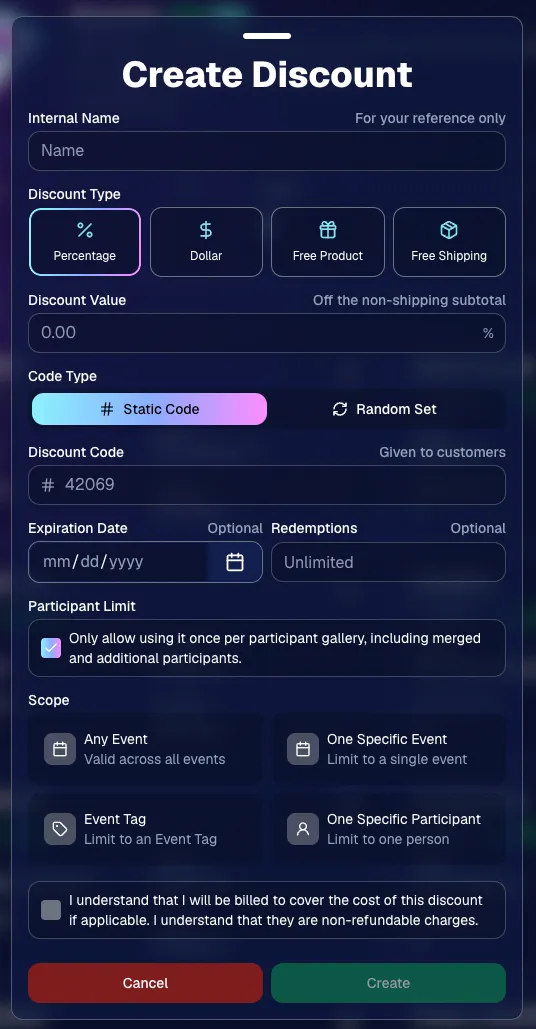
💸 NEW: Discounts

You can now create and manage your own discounts directly in NowCandid.

Discounts you create can apply to:

  • 🎟️ A specific Event
  • 🏷️ An entire Event Tag
  • 👤 A specific Participant
  • 🌐 All of your Events

And you can choose from several discount types:

  • 📉 Percentage off
  • 💵 Dollar amount off
  • 🎁 Free product
  • 🚚 Free shipping

🔐 Flexible code options

  • 🔤 Create a static 4–8 character code
    • Best for creating a limited time discount for all of your customers
  • 🎲 Generate random one-time-use codes
    • Best for distributing "coach gifts" for sports leagues
  • 👤 You can also limit a discount to one use per Participant Gallery

A few important rules:

  • Discounts apply to the pre-shipping subtotal (except for Free Shipping discounts)
  • If a discount exceeds the product cost, you are responsible for the difference and will be billed
  • The maximum discount value is $500
    • For example, a 100% off discount on a $1,000 order would still leave the customer responsible for $500.

📚 Full documentation:
https://app.nowcandid.com/docs/discounts
🎨 Batch AI Editing from Manage Images

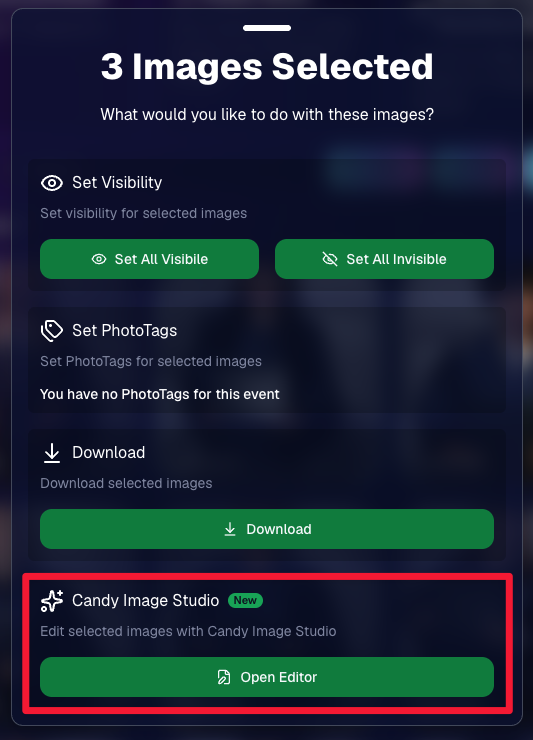
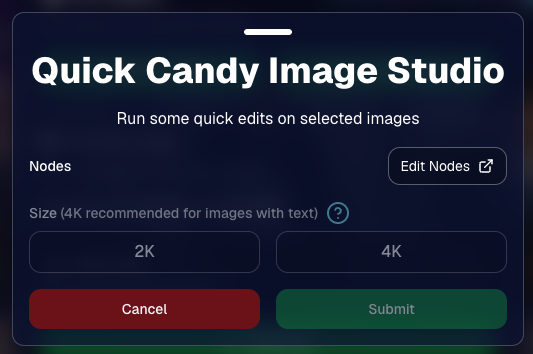
You can now run Candy Image Studio edits on multiple selected images at once right from Manage Images.

  • ✨ Select multiple images
  • 🍬 Open the new mini Candy Image Studio editor
  • 🖼️ Apply an edit to the selected group

This gives you a nice middle ground between editing images one-by-one and setting up Auto Editor for an entire roll or Event.
📤 Better SportsPics Upload Controls

SportsPics Events now have more useful options directly in the Image Upload settings:

👥 Mark All Images Group

  • Automatically mark every uploaded image as a Group Photo.

🏷️ Assign a PhotoTag during upload

  • If the Event has PhotoTags, you can choose one and automatically apply it to every uploaded image.

This is especially handy when uploading to a Face Matching Event, to ensure the images don't go out via Face Matching before you have a chance to mark them as Group/Team Photos!

⭐ Candy Image Studio & Auto Editor Improvements

👤 Participant names passed into edits

  • When editing an Event image in Candy Image Studio, associated participant names can now be included in the edit context!
  • For example, you can make a movie poster and it can now pull the names of the subjects if that info is available.

✉️ Client Outreach email designer improved

  • Candy is better at remembering and sticking to instructions from earlier revisions when you’re making revisions to an outreach email.

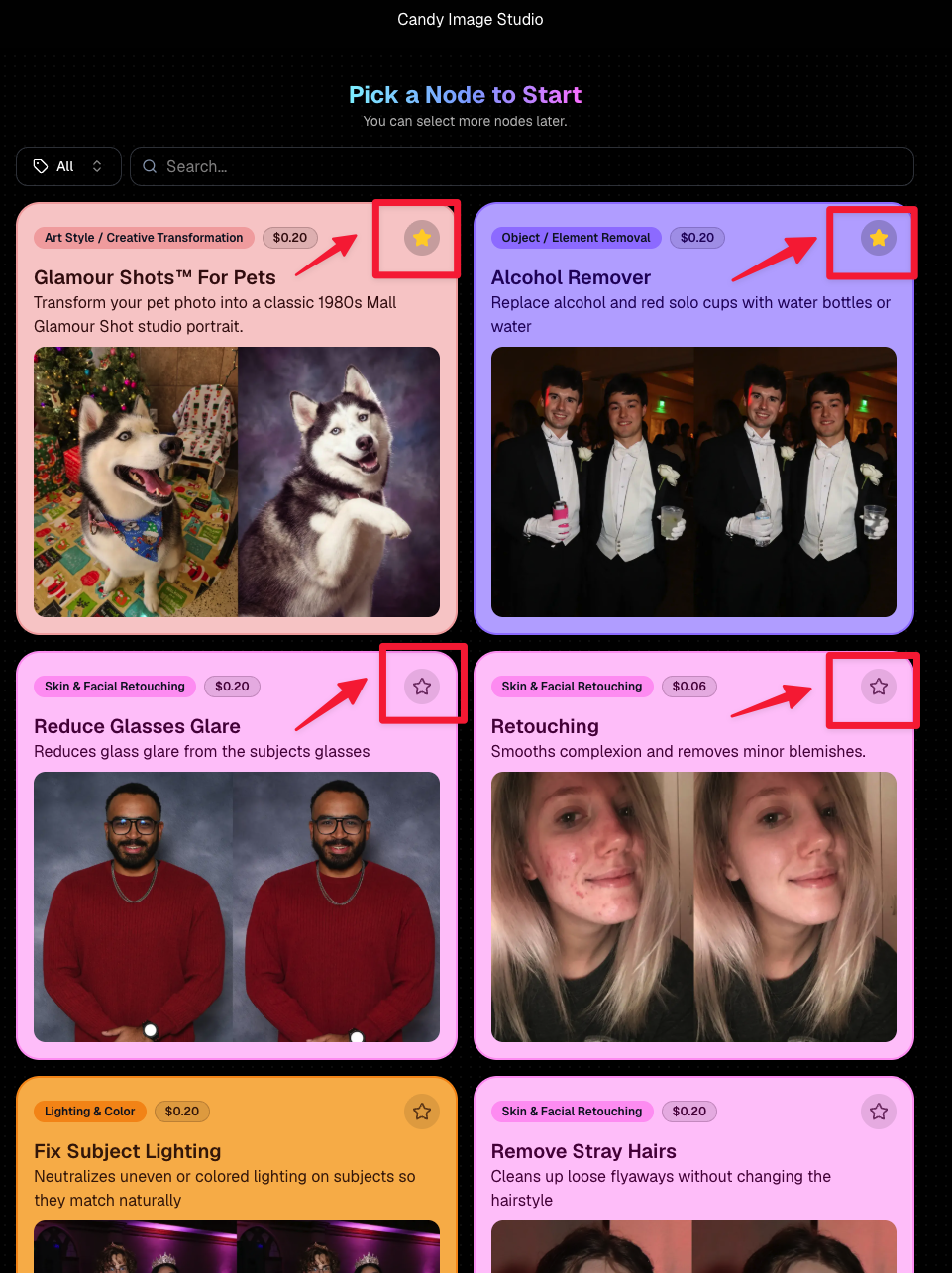
Favorite your most-used nodes

  • Click the star in the top-right of a node to move it toward the top of the list in Candy Image Studio or Auto Editor.
  • Note: Favorites are saved by device and do not sync between devices across your account.
🖼️ 39 New Default Background Sets

We added 39 new background sets for Offers and Virtual Groups!

New additions span categories like:

  • 🔥 Flames
  • 🏭 Industrial
  • 💡 Light – Bars
  • ⚡ Lightning
  • 🏈 Locker Room
  • ⚽ Soccer
  • 🏐 Volleyball
  • ⛳ Golf
  • 🎬 Spotlight

Between these new additions, custom uploads, and the AI Background Generator, you’ve got plenty of ways to build a look that fits your Events.
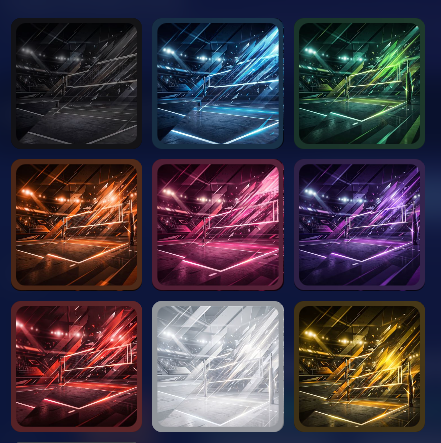
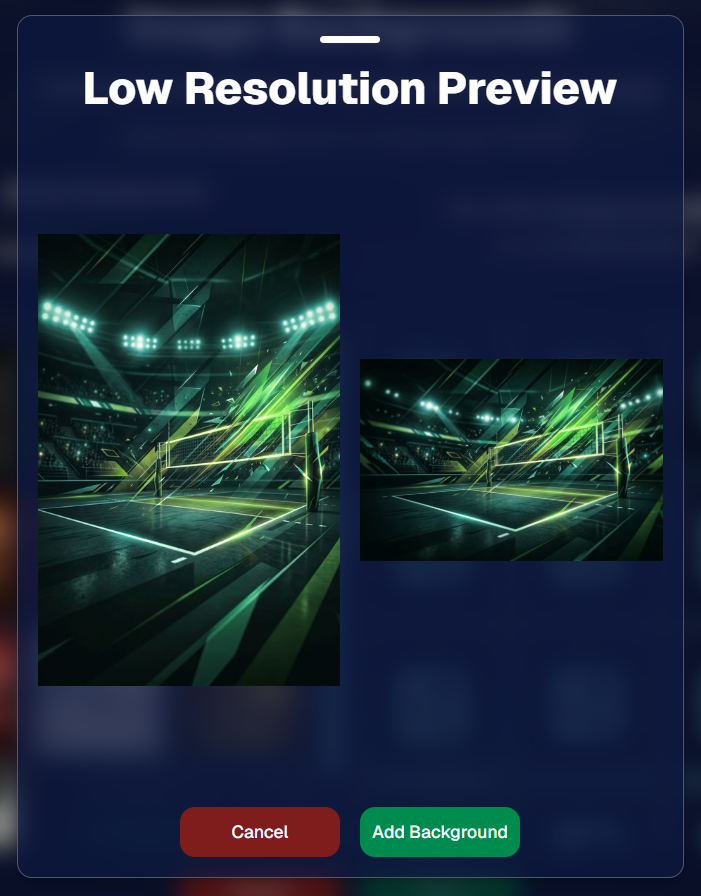
Example: New Volleyball Backgrounds!

A closer look at one of the examples above!

🧑‍🤝‍🧑 PhotoRoster & PhotoTag Improvements

🏷️ PhotoTags carry into new PhotoRosters

  • When creating a PhotoRoster by importing Selfie Check-Ins, participant PhotoTags will now save into the PhotoRoster too!

🧹 Duplicate PhotoTag import fix

  • Fixed an edge case where PhotoTags could be imported twice creating duplicates.

✂️ Background Removal Update

  • 👥 Background Removal no longer runs on Group Photos

Group Photos are not meant to go through Background Removal! Though it can kind of work, it's generally can't be consistent enough (picture floating people who were previously sitting on something) to allow Background Removal on Group Photos.

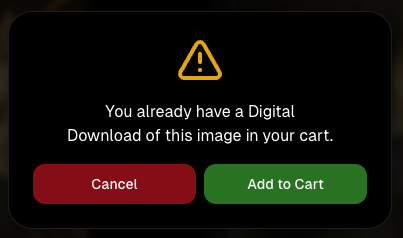
🛍️ Retail: Duplicate Download Warning

Retail now helps prevent accidental duplicate digital purchases.

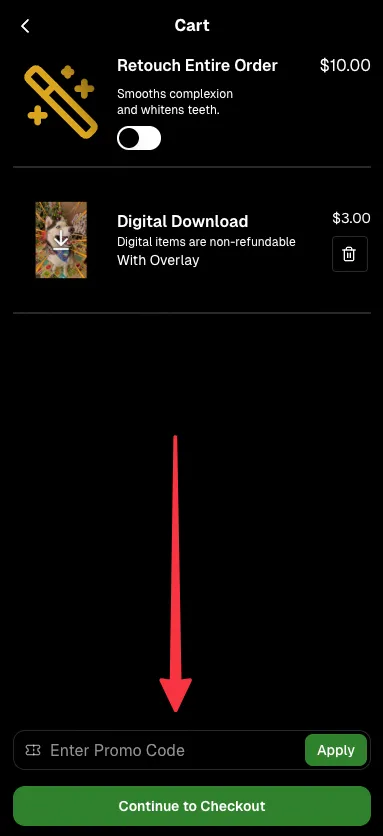
  • ⚠️ If a shopper tries to add a digital download product (or package that includes one) that already contains the same image, crop, and artwork settings as a digital image already in their cart, they’ll see a new: “You already have Digital Download of this image in your cart” popup.
  • ➕ They can still add it anyway if they really want to!

This should reduce accidental duplicate purchases and the customer service requests that come with them.
Little improvements to make the platform better and better.

🛠️ Dashboard Fixes & Cleanup

  • 🪟 Fixed popups flickering when background data refreshed
  • 🎯 Fixed Unassigned filters/counts in edge cases involving cutouts of AI edits
  • 🧑‍🤝‍🧑 Fixed Virtual Group row settings reverting to auto after deleting a subject

That’s the week!

Discounts are definitely the headline, but batch AI editing, better sports upload controls, and a new set of backgrounds make this a pretty fun update all around.

Keep creating magic,

Candy 🍬

Related articles

Scanner Identification Now Available in Our Microsoft Store App
Feature Updates
December 1, 2022

Scanner Identification Now Available in Our Microsoft Store App

7
 minutes read

We have a new update now available for the Now Candid Microsoft Store App! This update has several quality of life changes and logging improvements, but the main change is that Scanner Identification has finally been implemented!


Scanner Identification is a system that positively IDs images to your customers using, as the name implies, a scanner to scan a customer’s QR card.


When setting up your event you can generate these QR cards (more on that later) that your customers can scan with their phone to input their contact information. From there, the info & QR code are linked. Any time a QR code is scanned by the photographer that starts a session, and all subsequent photos taken will be matched to that contact info until another QR code is scanned.


At this time, Scanner Identification will only be usable with Sports Pics Now and Portraits Now. During event creation, when one of those two programs have been selected, you’ll choose either the “Tap A Face & Selfie Registration” option, or the “Scanner Identification” option. Once Scanner Identification has been selected and the event created, you’ll be able to input how many QR cards you need and a PDF will be generated with that many cards.


You’ll want to print out the PDF on perforated paper such as this 4 up card paper found on Amazon to more easily distribute cards without manually cutting all the paper.


The Scanner Identification workflow does require an LTE tablet! It’s required both as a device to connect your scanner to and as a way to upload your images live at the event so that guests can have links to buy their images moments after their session ends! Since facial recognition is not being used, galleries will be sent even more quickly and with 100% of the images taken during the session.


If you happen to have a very poor internet connection at your event, bringing the tablet and camera to a location with a strong internet connection after the event will send up all the images at that time! Paired to the data you scanned with it at the time of taking the image.

How Bruce H. Used GradPics Now to Increase Sales
Success Stories
April 21, 2022

How Bruce H. Used GradPics Now to Increase Sales

3
 minutes read
Bruce Heflin utilized Now Candid’s Grad Pics Now, with Selfie Check-In at a recent graduation, so far racking up roughly $2600 in total sales in less than two weeks.

Heflin had covered this Nursing College’s graduation in previous years, generating roughly $200 in sales each year. The sales had been so dismal the administrator would provide gas money to keep Bruce coming back. This year was a different story, Heflin has managed to increase his sales by roughly 1200% with the help of Grad Pics Now’s Selfie Check-In Workflow & automated marketing campaigns.

Here's How He Did It:

1. Used Selfie Check-In to collect correct & current contact data

2. Sent automated marketing messages during the event

3. Bruce had about $200 in sales by the time he reached home an hour or so after the event (he didn't have to go back to the office!)

4. He used a mix of GPN Price Levels 1 & 3

5. He had a total profit margin of roughly 75% across the College’s ceremonies after accounting for the 85% margin for digital downloads.

6. We’re excited to see people discovering the effectiveness of Now Candid’s systems in action when executed properly with quality photography!

We recently caught up with Bruce to get a better idea of how he started incorporating Now Candid's tools into his existing photography business. Watch the video below to hear from Bruce.

Drive Sales Using Party Pics Now
Success Stories
April 18, 2022

Drive Sales Using Party Pics Now

2
 minutes read

“We had a very successful Father/Daughter dance. The assistant principal was shocked at how organized and fast the pictures were this year. She also said that she didn't think dads would buy photos online. I told her that with my system, they will (this was our first year covering this event). Last year, dads had to pay with a paper order form, and many of them left the dance without taking photos because the line was so long. This year, we used Now Candid’s Party Pics Now, with Tap-A-Face. And when dads entered a phone number, we asked them to put mom's cell phone number in.” - Eric Miller

(screenshot of the event report taken before $2,100 was reached)
  • In one week, this event has done over $2,100 in sales and has ~$13.65 in sales per father’s face tapped.
  • Father/Daughter pairs were shot with a sparkling golden backdrop for most photos.
  • Price Level 11 (the most expensive PPN price level) was used for this event. Accounting for the 85% margin digital downloads and Price Level 11's 80% margin on physical products: Miller’s total profit margin was 82% of all sales and shipping.
  • No additional fees, charges, or unexpected costs makes for easy and instant accounting, and funds were deposited to his account within the week

Overall, this event was a homerun for MillerFoto and a great example of how effective Now Candid’s systems can be when you shoot quality photography and book quality events.

Thanks for sharing, Eric!

Let’s get in touch

If you’re a photographer looking to add NowCandid services to your wheelhouse – set up a call by clicking the button below.

How to customize formatting for each rich text

How to customize formatting for each rich text

How to customize formatting for each rich text

How to customize formatting for each rich text

How to customize formatting for each rich text

What’s a Rich Text element?

The rich text element allows you to create and format headings, paragraphs, blockquotes, images, and video all in one place instead of having to add and format them individually. Just double-click and easily create content.

A rich text element can be used with static or dynamic content. For static content, just drop it into any page and begin editing. For dynamic content, add a rich text field to any collection and then connect a rich text element to that field in the settings panel. Voila!

Headings, paragraphs, blockquotes, figures, images, and figure captions can all be styled after a class is added to the rich text element using the "When inside of" nested selector system.

  • List One
  • List Two
  • List Three
  • List Four
  • List Five

This is a link

This is bold text