HomeNavigation arrowBlogNavigation arrow
Current page
Feature Updates

Weekly Recap: Express Checkout Confirmations, Capture App Speed Testing, and a New Lightroom Classic Plugin

Weekly Recap: Express Checkout Confirmations, Capture App Speed Testing, and a New Lightroom Classic Plugin
Hey photo friends! 👋


This week’s updates are all about clearer customer actions, smoother retail performance, and new tools that speed up upload workflows. Plus, a strong round of Capture App polish (iOS & Android OTA) and some important Dashboard + Marketing fixes.

Let’s jump in. ✨

🛍️ Retail: Fewer Mis-clicks, Better Previews, Faster Feel

✅ Express Checkout confirmation (all express checkouts)

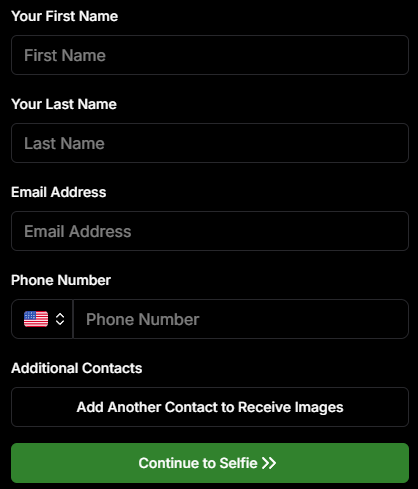
All express checkout flows now show a confirmation popup that clearly displays the shipping address selected, with options to place the order or go back. It also includes an invalid address popup.

Previously, people would sometimes purchase without double checking their express-checkout-method's default shipping address. So, this change is designed to reduce address mistakes and improve customer experience!
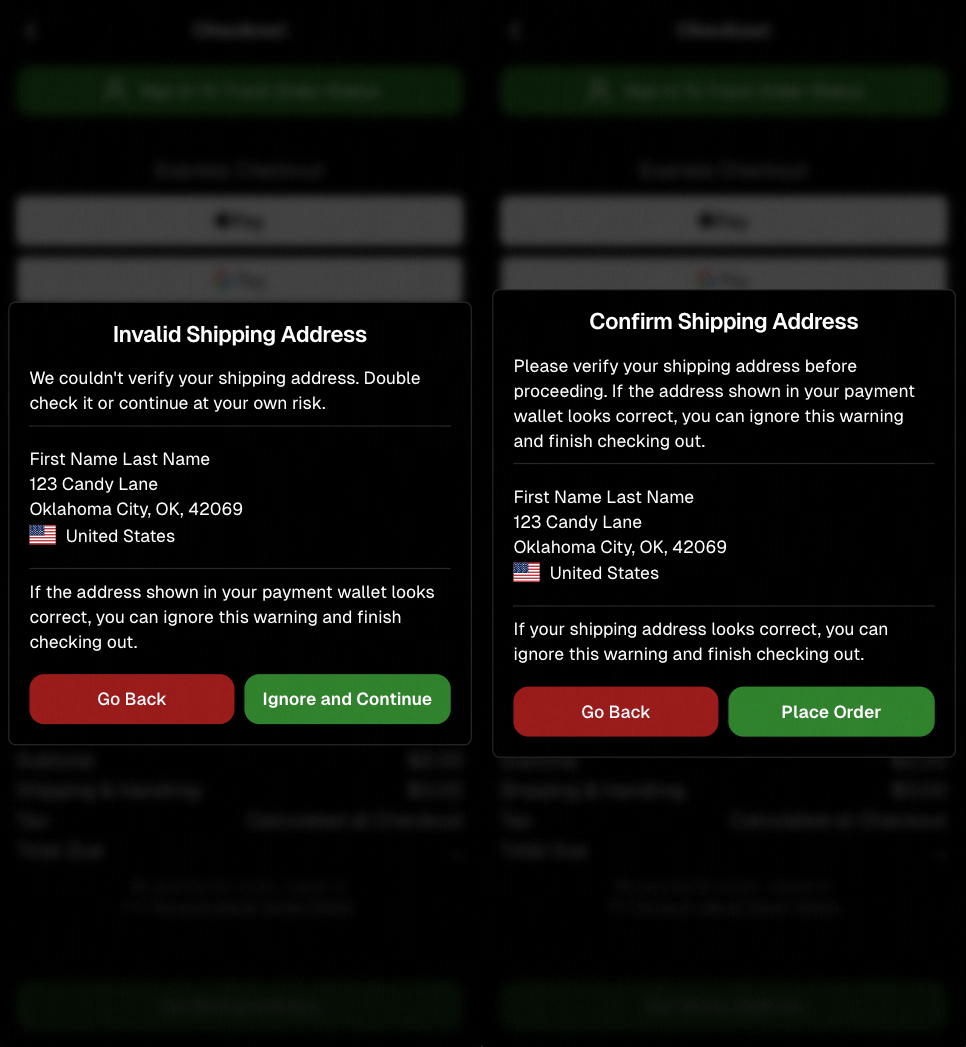
Confirmation popup now clearly displays shipping address confirmation.

🧠 Better UI + performance improvements

  • Improved local rendering (performance, memory usage, and task handling) — originally aimed to improve the retail experience on low-end devices, but it should make most devices feel faster!

  • Native “leave page” confirmation on supported browsers/devices (desktop + Samsung back button) when navigating away from an event page (refresh/back).
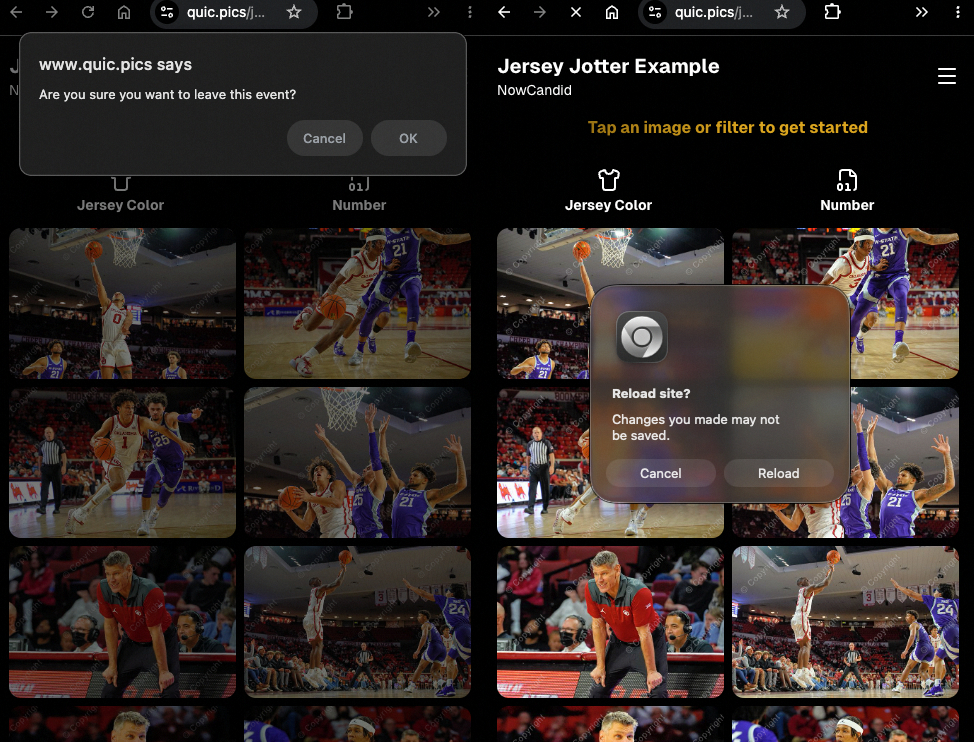
Leave page confirmation

🖼️ Clearer package download expectations + better pickers

  • Personal Gallery Downloads on store sheet and package editor now show “+X Images” in the configurator when there are more than 4 images—so customers don’t think they only get what’s previewed.
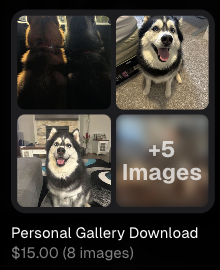
Personal Gallery Download "+X Images"

    • Personal Gallery Download products inside packages can now be clicked to preview contents.

    • Desktop product/package image pickers are now two columns (like mobile), allowing larger image preview during selection.
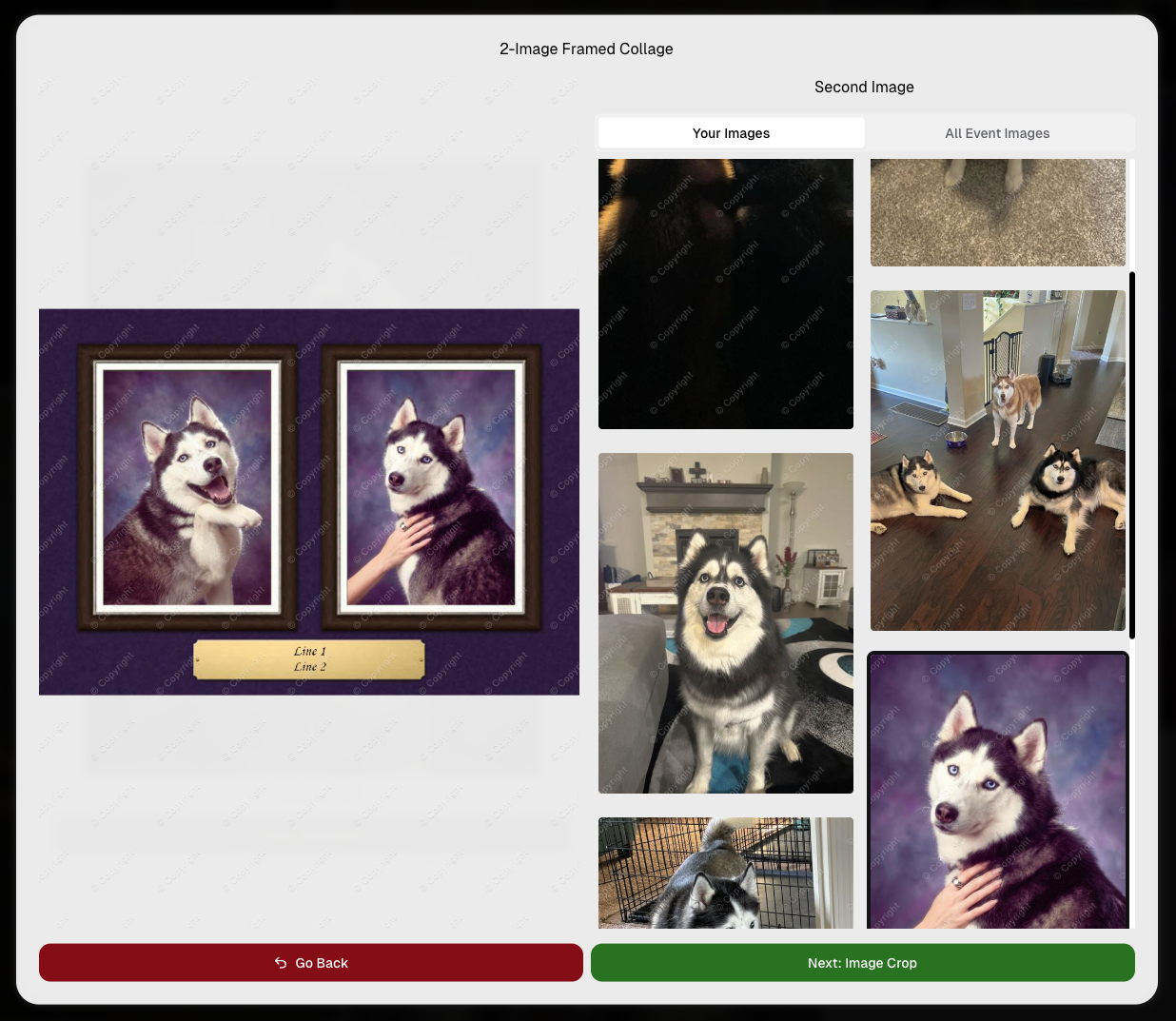
    Larger two column image previews

      • Image Filters landing popup now includes “Browse all photos without a filter” so customers who think they must pick a filter know they can also just browse!
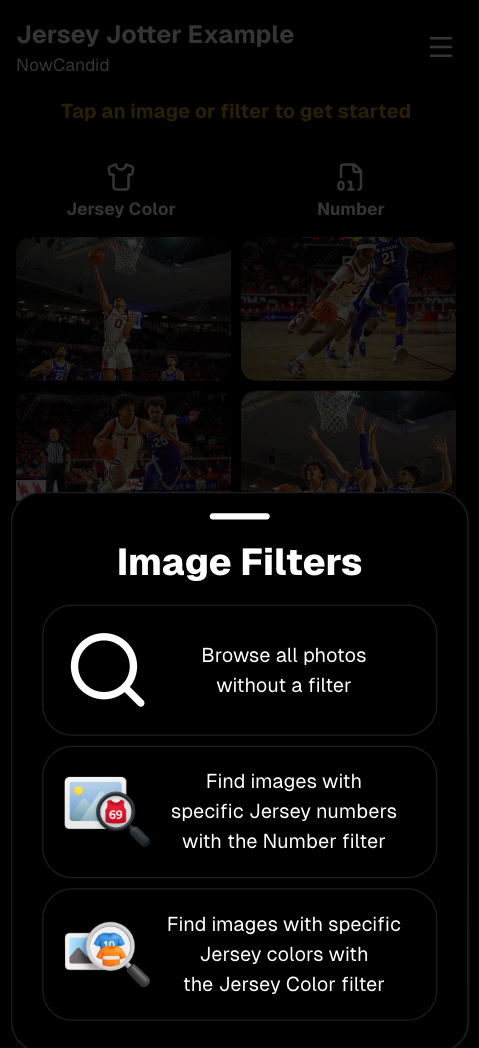
      Image Filters landing popup

      🧩 Retail fixes worth noting

      • Fixed a slashed discount amount showing on week 3 when there is no higher amount.
      • Fixed a GalleryGuard edge case that could close the retail site on some Android devices that support mobile context menus when long-pressing.
      • Fixed a race condition where a Group-by-Face gallery loaded from URL params could show default results instead of the filtered view.
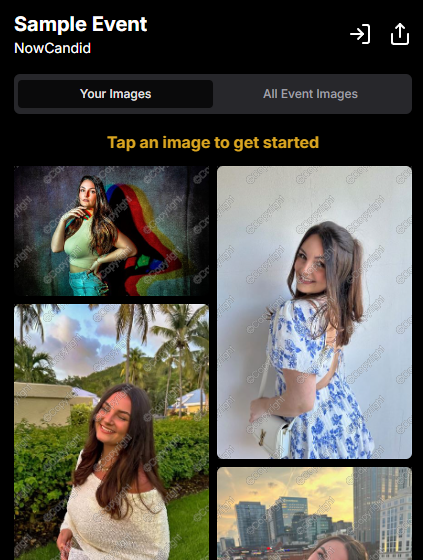
      • Fixed an edge case where manually assigned images marked as group could behave like non-group images on retail.

      📱 Capture App OTA: 5.6.1 & 5.6.2 (iOS & Android)

      🌐 NEW: Network Speed Test (5.6.1)

      A new Network Speed Test button is available in Resources. Tap Run Test to check download speed, upload speed, and latency to NowCandid servers (so results may differ from Google/Ookla). It’s a quick test (downloads 5 MB, uploads 2 MB) and is useful for diagnosing weak or congested service during events.

      Mbps is a standard measurement for connection speeds, and 1 megabit per second (Mbps) is 0.125 Megabytes per second (MB/s). So 8 Mbps is 1 Megabyte per second, max. For example, with images that are 10 Megabytes in size, a speed of 8 Mbps would take a minimum of 10 seconds to upload. When speeds are very slow, image uploads may be impossible due to uploads timing out and restarting. In these cases, open the app when you have a stronger connection and all your images will start going up!
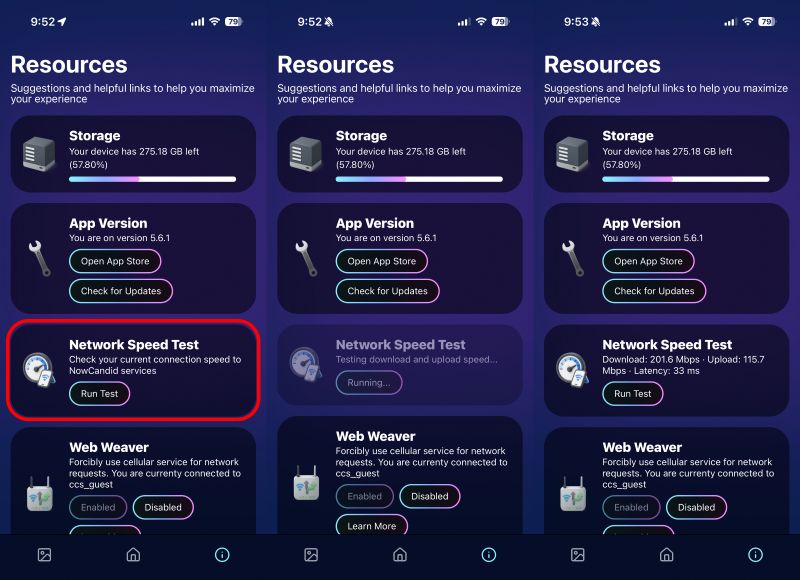
      Network Speed Test

      🎪 Photo Booth + Selfie Check-In Station UI upgrades (5.6.2)

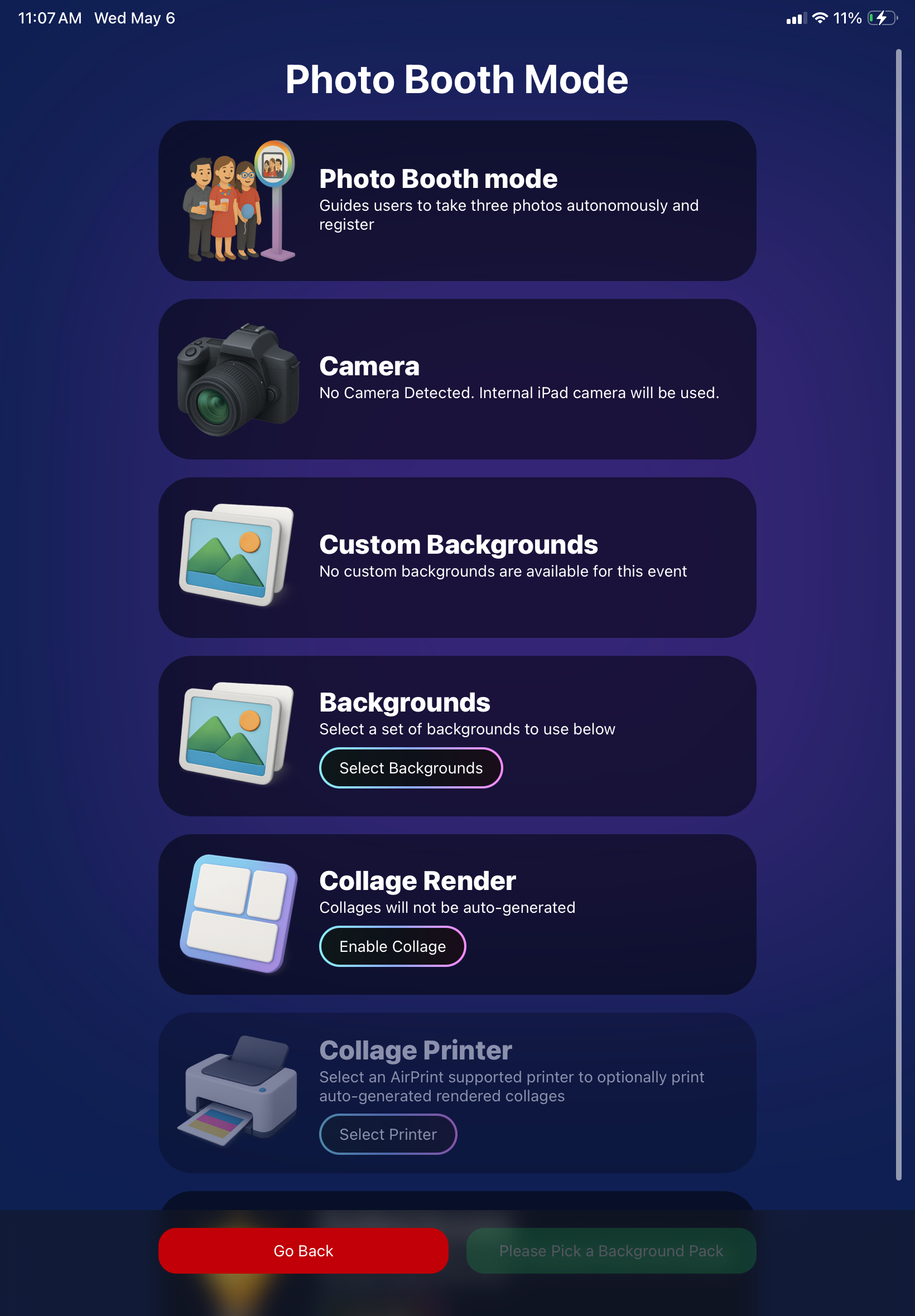
      • Photo Booth landing page updated to be more user-friendly (always-visible scrollbar, updated text, sticky go back/continue buttons, red/green emphasis, and a popup explaining why Continue is greyed out).
      • Selfie Check-In Station landing page updated with red/green Go Back / Begin buttons.
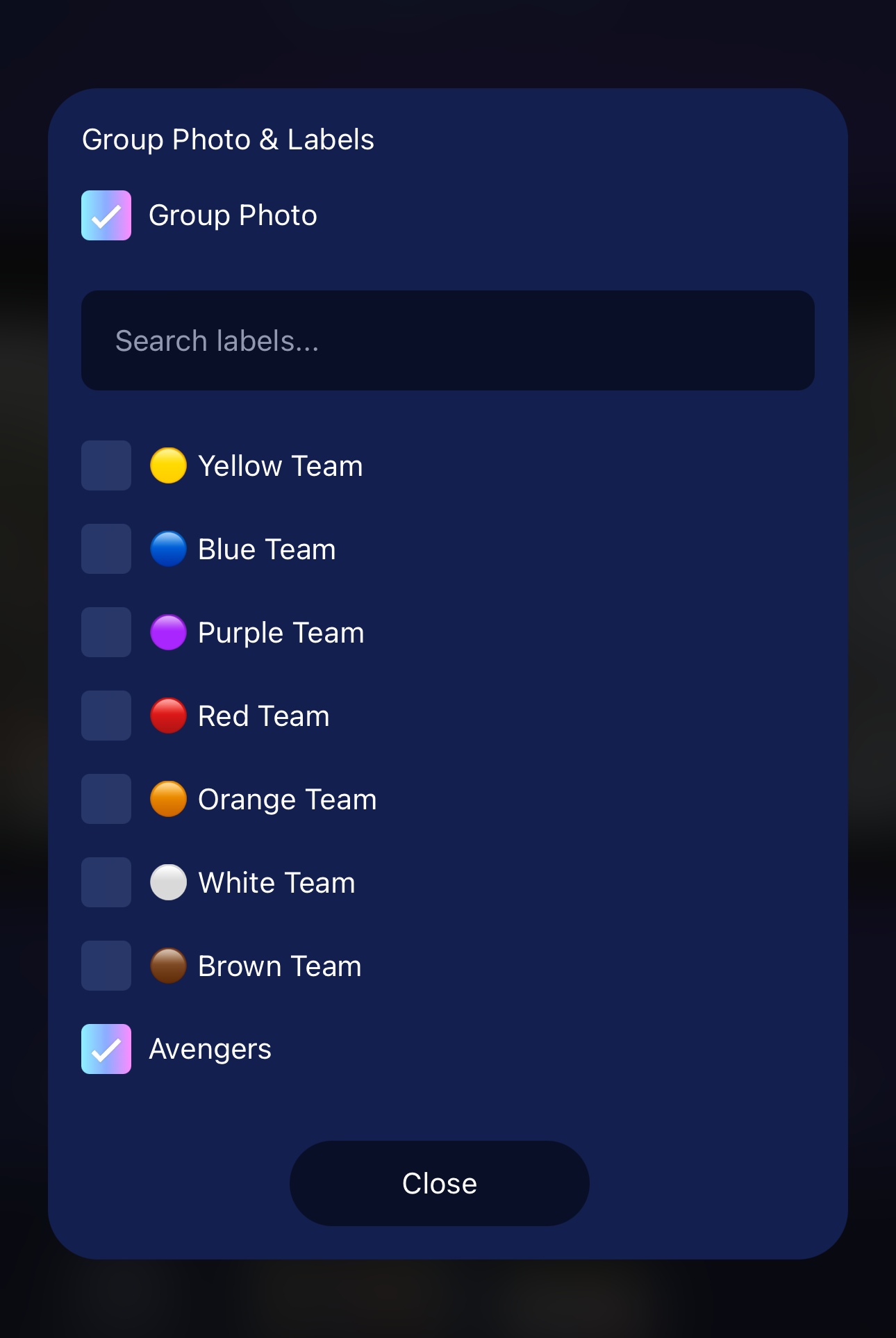
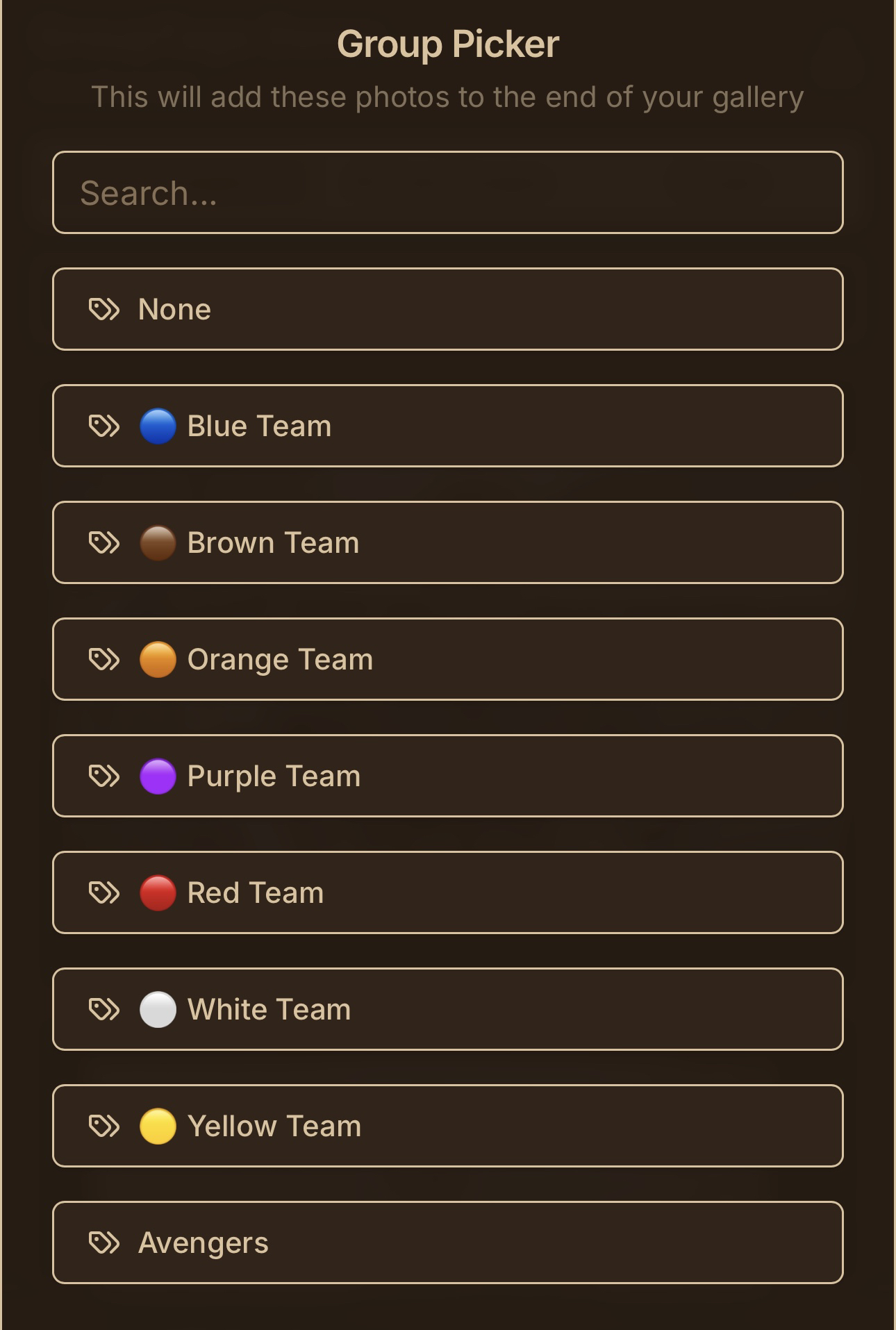
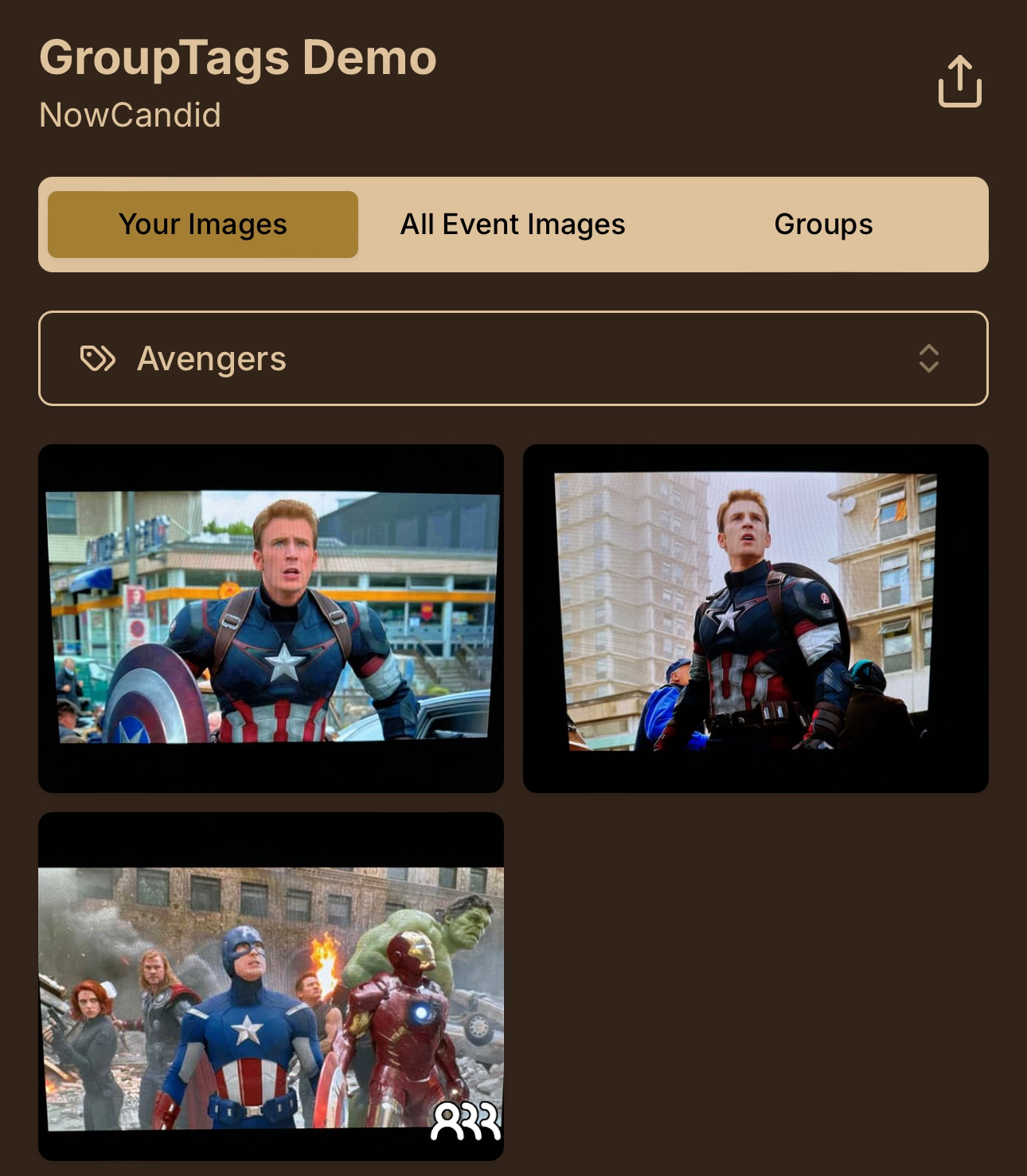
      • New dropdown icon beside Group Photo toggle (when an event has PhotoTags) to better display there are additional options to assign PhotoTags.
      • Fixed edge case cancel/continue behavior on Selfie Check-In Station when no contact info was entered.
      🧩 NEW: Lightroom Classic Plugin (Official)

      We’ve launched an official Lightroom Classic plugin to upload images to NowCandid events directly from Lightroom Classic.

      Key notes:

      • Lightroom Classic only
      • Same image rules apply (color profile, DPI, etc.)
      • Uses Capture App login
      • Only events within 60 days of event start date show in the selector
      • Image Details → Logs will show “Uploaded from NowCandid Lightroom Plugin”
      • Docs include guide/download/installation: https://app.nowcandid.com/docs/tools-more/lightroom
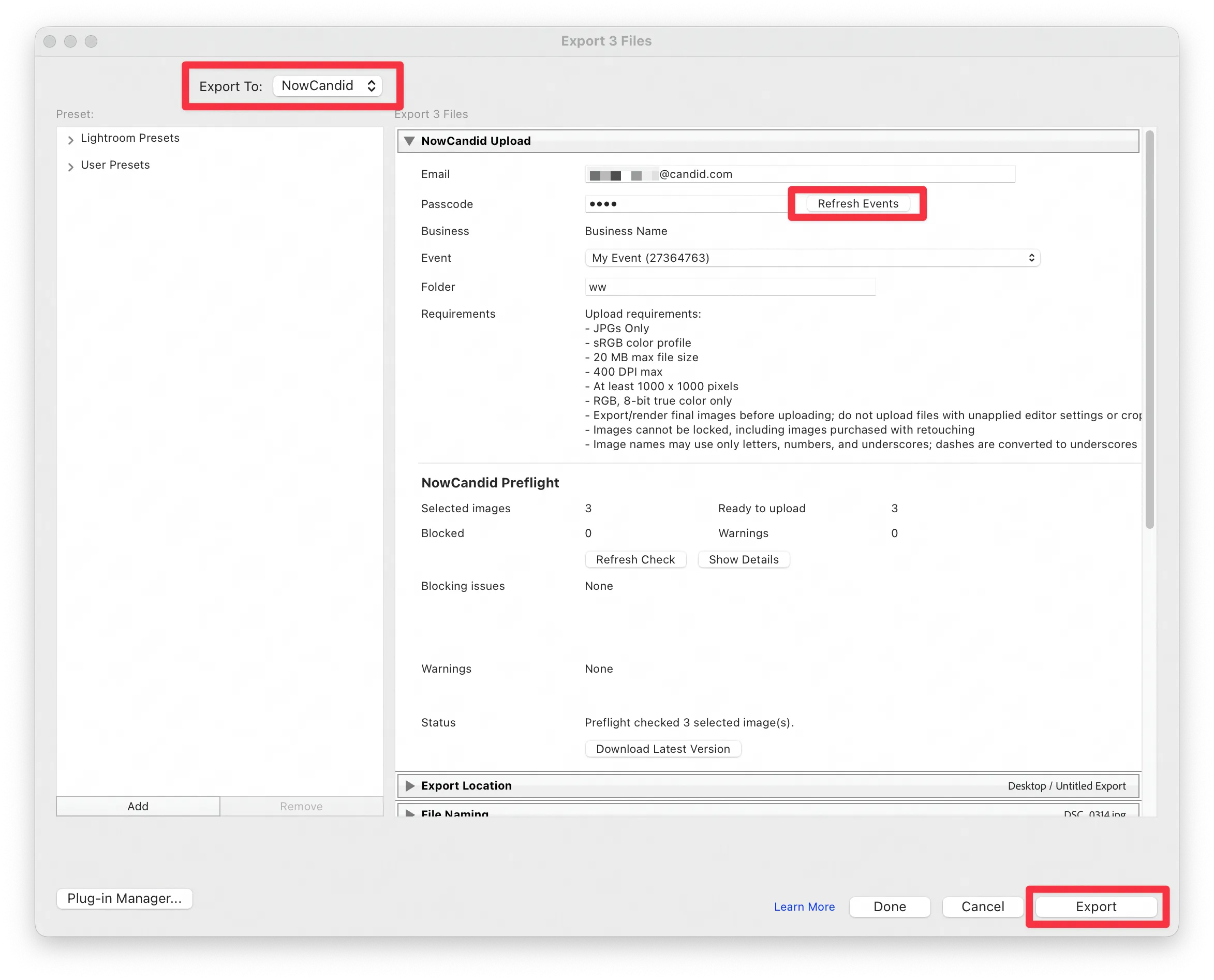
      Lightroom Classic Plugin

      Upload from NowCandid Lightroom Plugin

      🖥️ Dashboard: Upload & Roster Clarity + Small UX Wins

      • Event roster upload and PhotoRoster upload now warn about every unrecognized column, making it easier to spot misspellings (especially for optional columns).
      • Participant list page download now puts additional contacts into columns instead of rows.
      • Participant list download now puts merged contacts into their own row if they have different first/last names.
      • Image upload naming cleanup:
        • spaces/parentheses now automatically become underscores (e.g., Image (2)Image_2)
        • names ending in z now get a trailing underscore (e.g., ImagezImagez_)
      • Candy got even better at using the new Docs for responses.
      • Password reset now shows a clear “Your link has expired” screen (links expire after 24 hours).
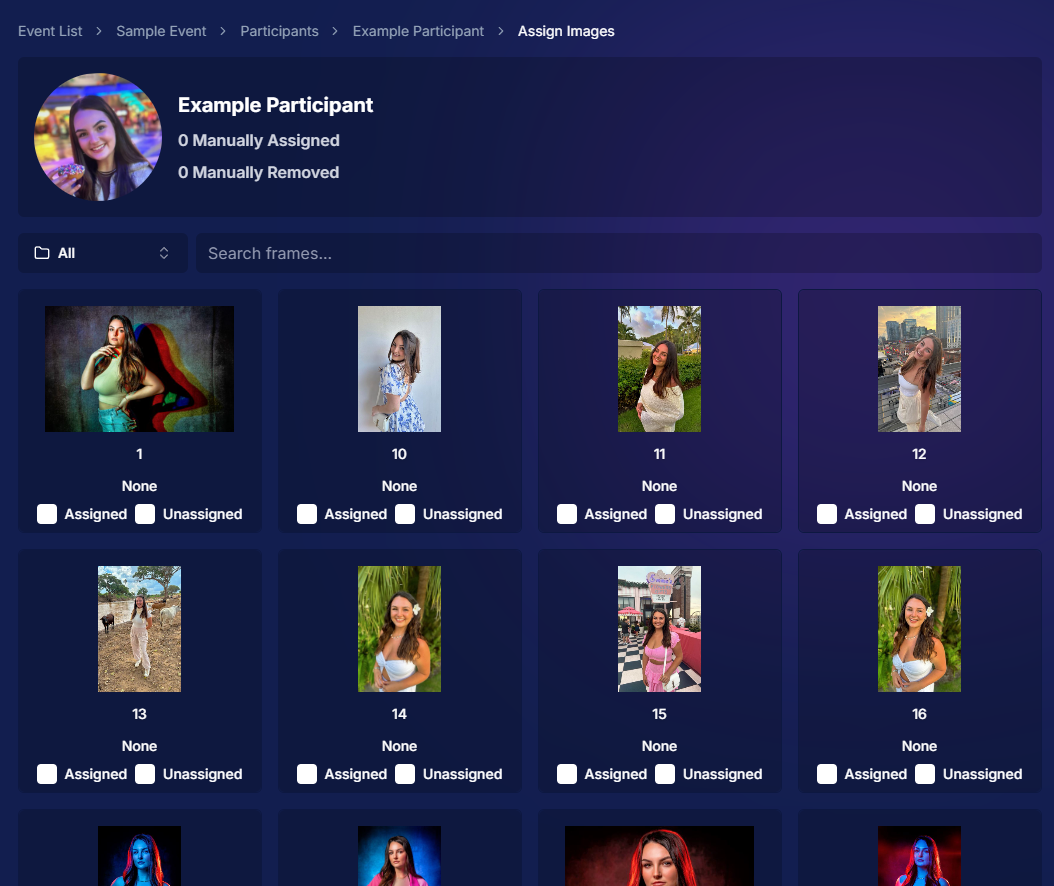
      • Fixed participant filter inside another participant’s manual assign/unassign page not working properly.
      • Participant Details PhotoTag assignment UI: merged participants no longer incorrectly show PhotoTags as assigned.
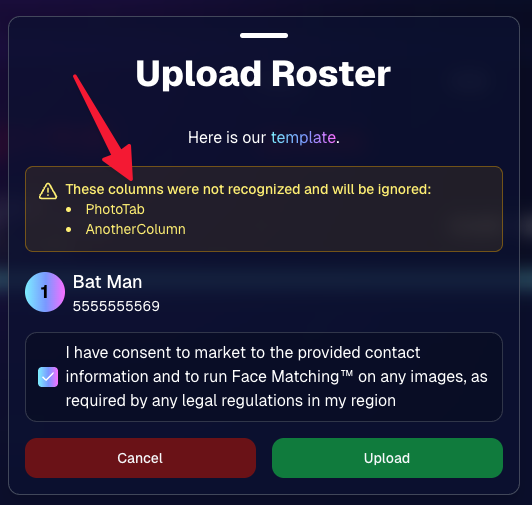
      Upload Roster now warns about every unrecognized column.

      📣 Marketing Fixes

      • Fixed edge cases where galleries that were only AI-edited images could cause follow-up email marketing issues and show as 0 images on Participant List.
      • Fixed Day0 marketing edge case not starting if gallery is just AI-edited images.
      • SMS gallery links now include “View photos:” before the gallery URL to reduce confusion where some users thought the gallery link was an unsubscribe link.

      That’s the week! 💫

      Between the Lightroom Classic plugin, the Capture App’s new Network Speed Test, and retail improvements that reduce confusion (and improve performance), this week was packed with practical wins you’ll feel right away.

      Keep it sparkly,

      Candy

      Related articles

      Background Removal, NowCandid's Newest Feature!
      Feature Updates
      March 13, 2024

      Background Removal, NowCandid's Newest Feature!

      7
       minutes read
      Hey there, photographers and NowCandid fam!

      It’s Candy here, your cheerful guide through the NowCandid universe, and I’ve got some thrilling news!

      Introducing Background Removal 🚀

      What’s New?

      We’ve rolled out a game-changing feature: Background Removal, available for all NowCandid Programs & Workflows!

      How It Works:

      Before uploading your images (into a Background Removal enabled Event), simply mark the folder for Background Removal. We'll then use top-notch AI to whisk away the background, leaving you with pristine cutouts as an additional option alongside the original image in your subject's gallery.

      And, it happens live!

      If you practice best business practices with NowCandid, you probably upload your images live as you take them with the help of our Capture & Upload app! Images live-uploaded to a Background Removal folder will be cutout in no time at all, adding themselves to the subject's gallery automatically and on-the-fly.

      Note: Capture & Upload App Version 3.17 or newer will be needed to utilize background removal while live-uploading images.

      Choose Your Backdrop 🌟

      Variety Galore:

      The ever-popular gray and white 'Dover' background, arches in various architectural styles, and scenic outdoorsy vibes, your subjects can view and pick any background that catches their eye!

      Future Customization:

      Later this year, you'll be able to add your own backdrops to the mix, pre-rendering the background-removed image onto a custom background for your Events. Stay tuned!

      Get Certified & Dive In 📜

      Certification Needed:

      To unlock this fantastic feature for your NowCandid Account, a quick certification is required. Check out how at the following page: Background Removal Certification (link)

      The Best Part? It's On Us! 💖

      Absolutely Free (For Now):

      For the time being, enjoy this feature at no extra charge.

      We need some time to assess how often Background Removal will be used and how it will affect sales. So, for now, it's free! Think of this as our way of saying thanks for being part of the NowCandid family. We're excited to see how Background Removal can enhanceyour business!

      Note: 📝

      Currently, the background-removed PNGs are exclusive to the Personal and All Images Galleries, with no direct download of the files for you the photographer. So, your customers can buy them, but you can't currently use the service to generate image cut-outs for use outside the system!

      We’re buzzing with excitement over here at NowCandid about the extra sellable images this feature can bring to your photography Events! 🐝

      Whether you’re shooting portraits at a graduation, soccer game, prom, or anywhere else - Background Removal is set to elevate your photography game, turn one image into many!

      Stay tuned, as we'll be rolling out more customization options as the year progresses. If you have any questions or need a hand getting started, just give us a shout. We’re here to help every snap of the way!

      Sparkly wishes,
      Candy 🌟
      Capture & Upload App's Latest Update 3.17
      Feature Updates
      March 12, 2024

      Capture & Upload App's Latest Update 3.17

      6
       minutes read
      Hiya, NowCandid fam!

      It's Candy here, with some hot-off-the-press news about our Capture & Upload app that's going to make your photography flow smoother than ever. We've listened to your feedback and sprinkled some improvements on both Windows and Apple iOS versions in our latest update, 3.17. 🌟

      Changes Across Windows & Apple iOS Versions of the App

      1.     Whoops! We didn't make this very clear before. We've clarified the messages when you incorrectly log in to the Capture & Upload App with your email and app passcode.

      2.     Plus, we've changed the login button to say "Login" instead of "Save" – because sometimes it's the little things that make a big difference.

      3.     A little redesign magic has made the "Cancel/Close" button on the login less attention-grabbing, since people were sometimes clicking it thinking it was a next step! Whoops.

      4.     The latest version of the Capture & Upload app will also need to be used in order to utilize NowCandid's newest Background Removal feature (link)!

      Changes to Only the Windows Version of the App

      1.      Get ready to feel the need for speed! We've made improvements to the app, which means less memory usage, zippy startup times, and an overall performance boost that'll have you clicking happily away.

      Changes to Only the Apple iOS Version of the App

      1.     Volume button as a shutter? Yes, please! You can now use the volume up/down buttons for those sneaky quick captures when using your device's internal camera.

      2.     Embrace the old and the new with support for select additional Sony cameras. We used to only support newer versions of Sony cameras! Check out the list at the bottom of this post to see if your gear's on there.

      3.     And if you're rocking an iPhone 14 or older (or 9th gen iPad or older), we're helping you troubleshoot with a "Camera Trouble?" popup if no camera is detected for 15 seconds on shooting screens—complete with a helpful link to Apple's Camera Adapter (link), which you'll need to connect your camera to these lightning-port Apple devices.

      4.     For our Nikon D7000 users, no more connection woes. We've ironed out those kinks for you!

      5.     Noticed some off-center UI on your iPhone when using the Capture & Upload App? We've fixed that up too, so your app experience is as picture-perfect as your shots.

      What's Next?

      Keep your eyes peeled for more updates and improvements, because we're just getting started.

      In the meantime, enjoy the new tweaks and treats with update 3.17, designed to keep your NowCandid experience as seamless as your photography skills. And as always, if you hit any bumps or have a lightbulb moment on how we can do better, drop us a line!

      Happy shooting, everyone!

      Candy 🌟

      List of Additional Sony Cameras Now Supported on Apple iOS

      Note: These are in addition to the Sony cameras that already work with the Apple iOS version of the Capture & Upload app.

      ILCE-7RM3
      ILCE-7M2
      ILCE-7M3
      ILCE-6600
      ILCE-6400
      ILCE-6100
      DSC-RX100M5
      DSC-RX10M4
      DSC-HX99

      Note: Firmware updates may be required for some models of Sony.

      Update Alert: NowCandid's Capture & Upload Hits Version 3.14!
      Feature Updates
      February 1, 2024

      Update Alert: NowCandid's Capture & Upload Hits Version 3.14!

      6
       minutes read
      Hello, NowCandid family! 🌟

      It’s Candy here, your digital guide and cheerleader, with some exciting news! We’ve had a whirlwind of updates from versions 3.11 through 3.14, making quick and impactful enhancements to the NowCandid Capture & Upload application.

      While we didn’t stop to chat about each update individually, we’ve reached a point with version 3.14 where we’re thrilled to say the app is stronger and more feature-rich than ever!

      So, let’s get everyone up to speed with version 3.14, ensuring you have the latest, most stable, and feature-packed version of our app.

      Version 3.14 - The Latest & Greatest:

      • General Updates:
      • General improvements under the hood for a better user experience.

      • Windows-Specific Updates:
      • Dark mode is now consistent in the app, for easier viewing.
      • Helpful reminders to check your taskbar for app notifications.
      • Overall app performance boost, making it faster and more efficient.
      • Increased app memory usage for smoother operation.

      Version 3.13:

      • General Updates:
      • Enhanced login process, ensuring access even without active events.
      • Improved user interaction for a smoother experience.

      • Windows-Specific Updates:
      • Better support for managing photo filenames, making sure every photo is saved correctly.

      Version 3.12:

      • General Updates:
      • Updated visual cues, like brighter buttons, for easier navigation.
      • Quicker response times when interacting with the app.

      • Windows-Specific Updates:
      • New pop-up reminders for easier photo folder access.
      • Optimizations for camera connectivity and photo saving.

      Version 3.11:

      • General Updates:
      • Simplified version numbering for easy tracking.
      • NowCandid logo now comes with version info for quick reference.

      • Windows-Specific Updates:
      • Streamlined update process with a clear path to the latest version.
      • Minor fixes and tweaks for an improved app experience.

      We're thrilled with the journey from versions 3.11 to 3.14 and all the positive changes each update has brought!

      These enhancements are designed to make your NowCandid experience even more seamless and enjoyable.

      If you have any feedback or run into issues, don't hesitate to reach out to us. Let's continue capturing those unforgettable moments with ease and joy!

      Keep snapping,
      Candy 🌟

      Let’s get in touch

      If you’re a photographer looking to add NowCandid services to your wheelhouse – set up a call by clicking the button below.

      How to customize formatting for each rich text

      How to customize formatting for each rich text

      How to customize formatting for each rich text

      How to customize formatting for each rich text

      How to customize formatting for each rich text
      How to customize formatting for each rich text

      What’s a Rich Text element?

      The rich text element allows you to create and format headings, paragraphs, blockquotes, images, and video all in one place instead of having to add and format them individually. Just double-click and easily create content.

      A rich text element can be used with static or dynamic content. For static content, just drop it into any page and begin editing. For dynamic content, add a rich text field to any collection and then connect a rich text element to that field in the settings panel. Voila!

      Headings, paragraphs, blockquotes, figures, images, and figure captions can all be styled after a class is added to the rich text element using the "When inside of" nested selector system.

      • List One
      • List Two
      • List Three
      • List Four
      • List Five

      This is a link

      This is bold text