

Weekly Recap: Capture App v5, Faster Candy Culler & New Retail Themes 🍬📸
.png)
Hey photo friends! 👋
This week’s update is a big one. The new Capture App v5 for iOS has officially landed with major performance improvements, a refreshed UI, and some helpful workflow upgrades.
On top of that, Candy Culler just got significantly faster, retail got a couple new themes, and several tools across the Dashboard have been refined.
Let’s jump in.
📱 Capture App v5 (iOS) — Major Upgrade
Capture App Version 5 brings a full UI refresh, major performance improvements, and several new quality-of-life tools for shooting events.
⚡ v5: Faster Uploads & Better Performance
A brand-new upload system significantly improves efficiency:
- 📤 Uploads can be up to ~20–30% faster
- 📦 Payload size reduced by ~25% thanks to image transfer improvements
- 🔋 Lower CPU, battery, and memory usage during uploads
- 📷 Much better memory usage with tethered cameras
- 🧠 Improved overall memory performance across the app
These improvements should make long shooting sessions feel noticeably smoother.
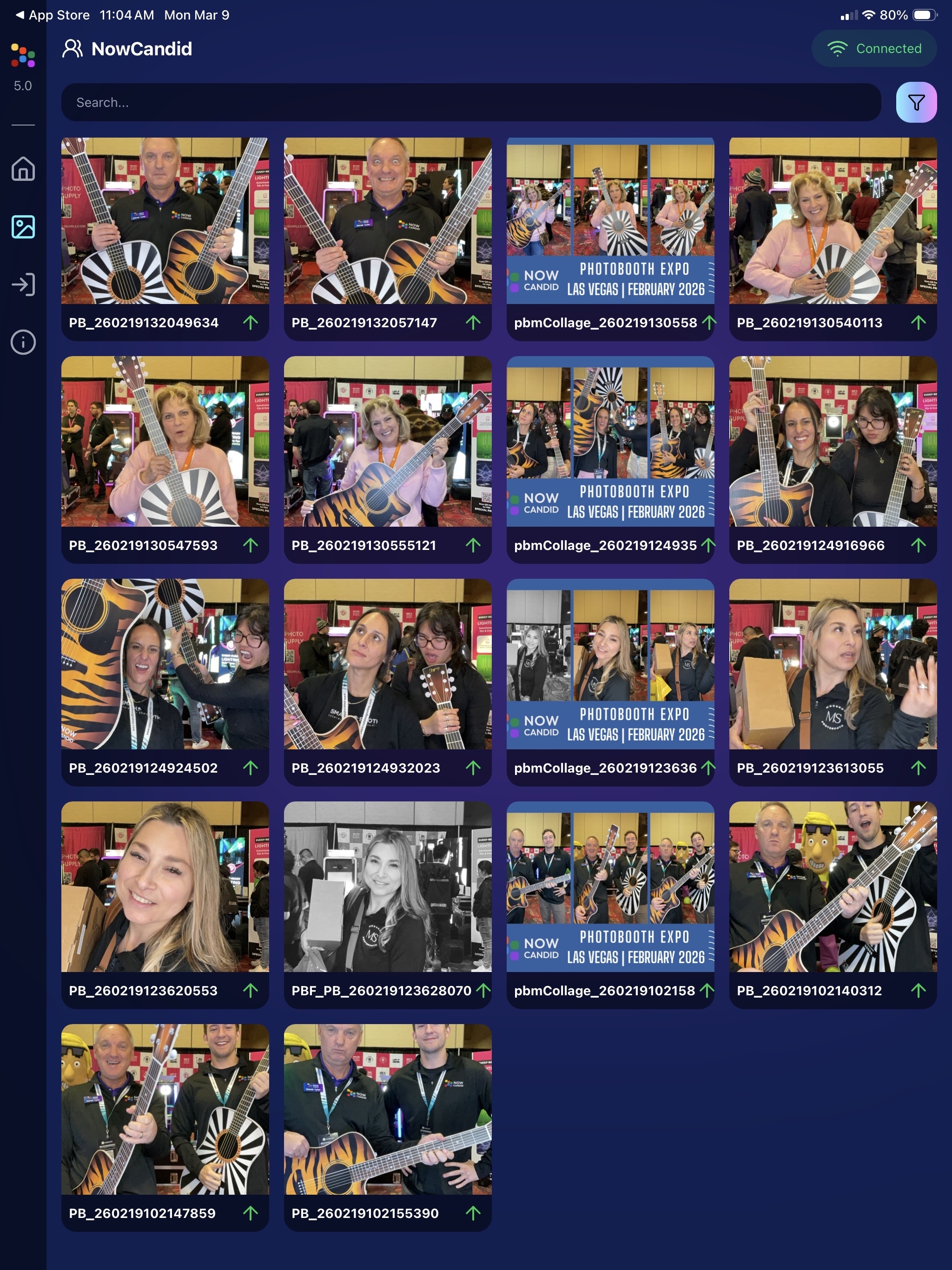
🖼️ v5: New Image Gallery & Filters
The in-app gallery has been redesigned with better filtering and navigation:
- Image name search
- Uploaded / Unuploaded status
- Roll filtering
- Event filtering
Filters are easy to remove with a single tap, similar to the Dashboard experience.
🔁 v5: Duplicate Photo Warning
The Capture App can now warn you about duplicate images during a shoot:
- Works only within the current session
- Does not upload or save duplicate data
- Can be disabled from the Resources page if desired
This works independently from the Dashboard’s Candy Culler duplicate detection, giving you duplicate awareness both during capture and afterward.
🧰 v5: New Event Overview Info
The event overview page now includes helpful connection details:
- 📡 Carrier name
- 📶 Cellular generation (if available)
- 📶 Current Wi-Fi network
This can help troubleshoot upload issues while shooting events.
🎨 v5: Photo Booth Background Packs
Photo Booth now supports downloadable background packs:
- 🎄 Christmas
- 🎃 Halloween
- More to come!
The default pack is now a downloadable set as well, which keeps the main app much smaller and makes OTA updates faster.
🔧 v5: Additional Capture App Improvements
🌍 International phone numbers supported in Positive ID (were already supported in Tap-A-Face)
🧍 Full vertical images now fit on iPhone screens
🔄 Update checks run automatically when refreshing events
📧 Tap-a-Face email validation now matches Check-In pages
🔄 Upload status updates immediately after each upload
📲 Tablets can now use portrait orientation throughout the app
✨ v5: Complete UI Refresh
Version 5 introduces a polished new interface:
- Modern sheet-based UI
- Improved dark mode styling
- Larger login and event selection screens
- Updated phone number input interface
- New image details sheet
- Cleaner image gallery layout
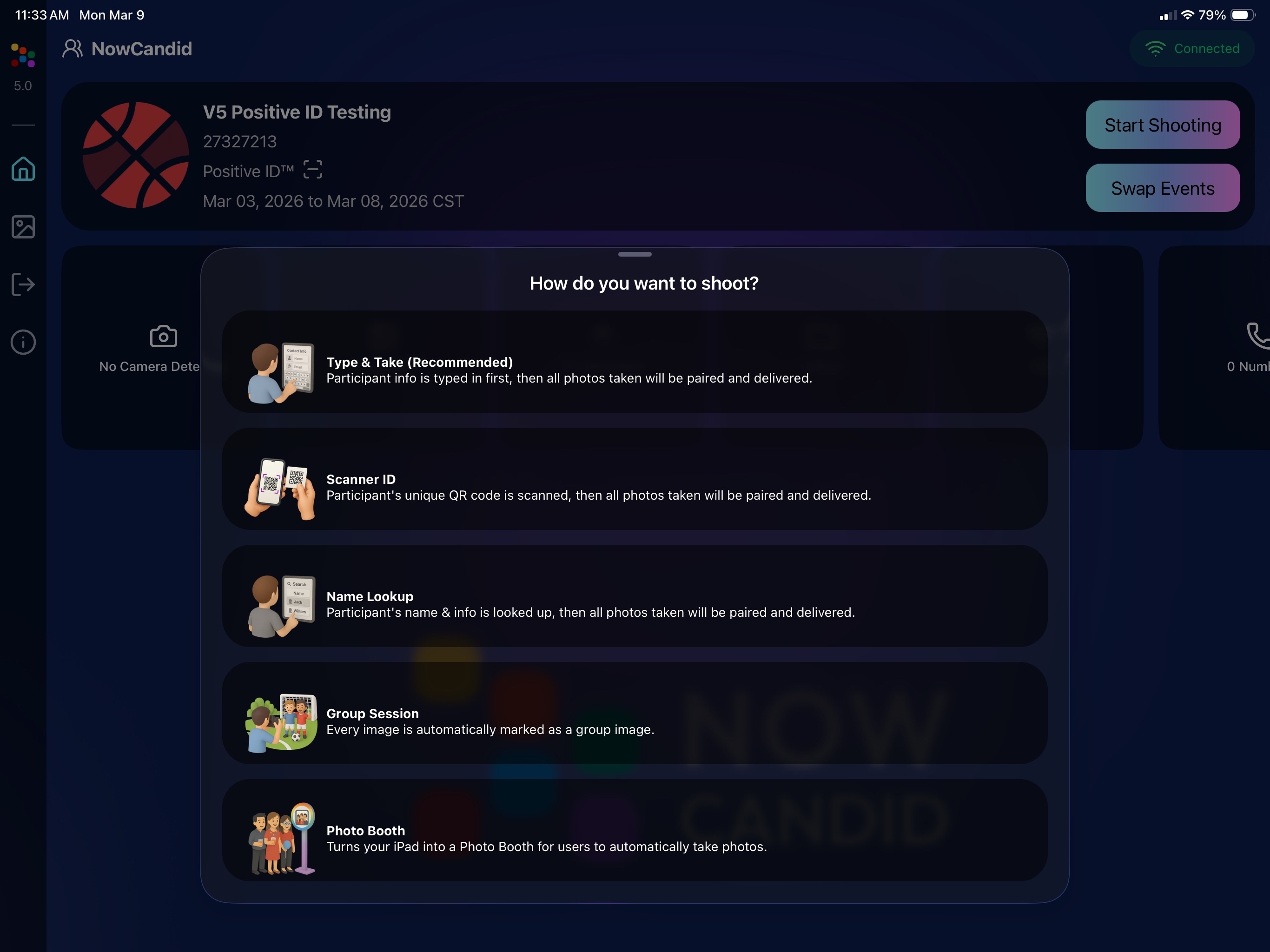
Overall, the app feels faster, cleaner, and more modern.
🧠 Candy Culler: Now 5× Faster
Candy Culler processing has been dramatically upgraded.
⚡ Up to 5× more images can now be processed at once, bringing it in line with Jersey Jotter throughput.
This means faster detection for:
- Duplicates
- Blurry photos
- Exposure issues
- Closed eyes
- Other culling checks
🍬 Candy Improvements
Candy continues getting faster and smarter:
- ⚡ Faster Candy responses
- 🔎 Faster Candy Navigation results
- 🧠 Improved event search for newly created events
- 🎛️ Refreshed Mini Candy UI
Pro tip: Press CMD + A / CTRL + A to toggle Mini Candy.
🧾 Dashboard Improvements
Several useful refinements were made to the Dashboard:
- 📊 Fixed Faces Report chart showing empty data
- 🧾 QR Code generator downloads now export at 1024px
- 📑 Scan card PDFs now sort duplicate participants exactly like the Capture App
- 🎨 Offer editor popups for adding products and packages are now wider with product category tabs
- 📊 Event order list diamond-press counts now include quantities correctly
- 🧭 QR Creator and Image Tester now appear in Sidebar Find
🎨 New Retail Themes
Candy's Note: We hope you enjoy the pupper pics!
🍵 Matcha Theme – a clean green storefront (great for spring or St. Patrick’s Day)
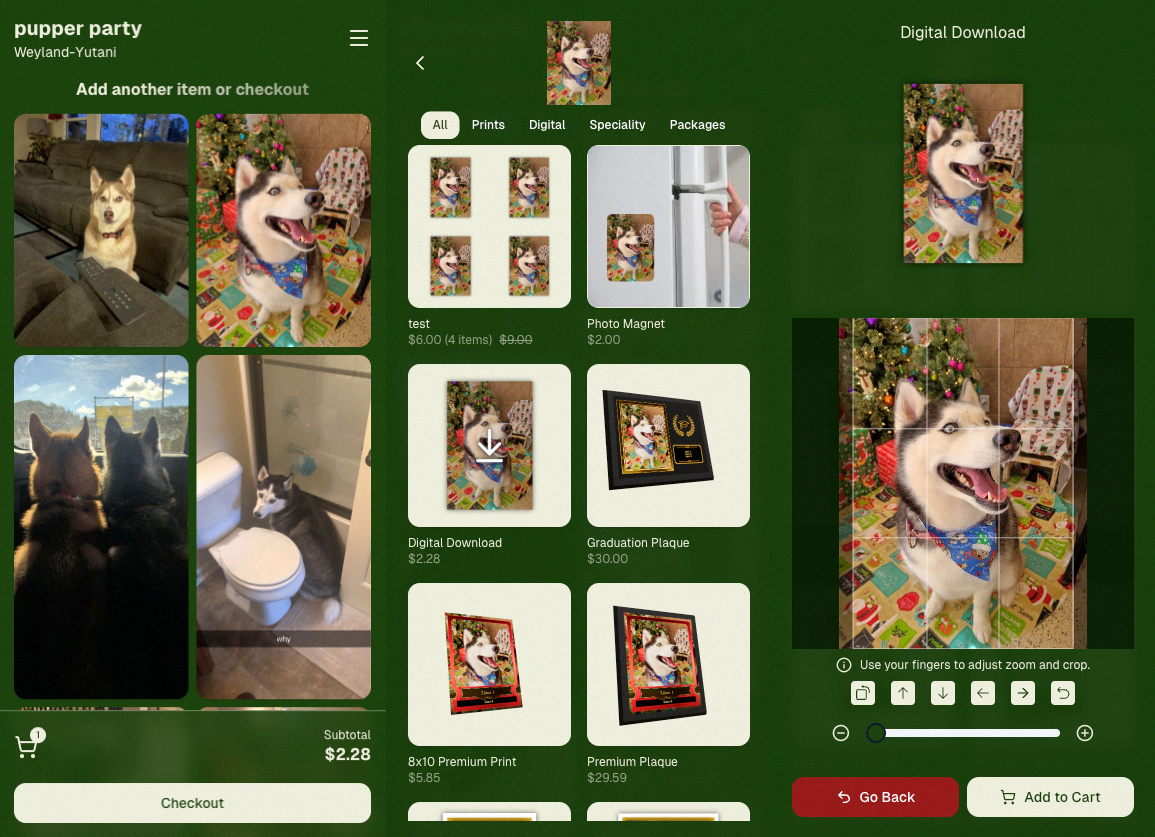
🍠 Ube Theme – a bold purple theme
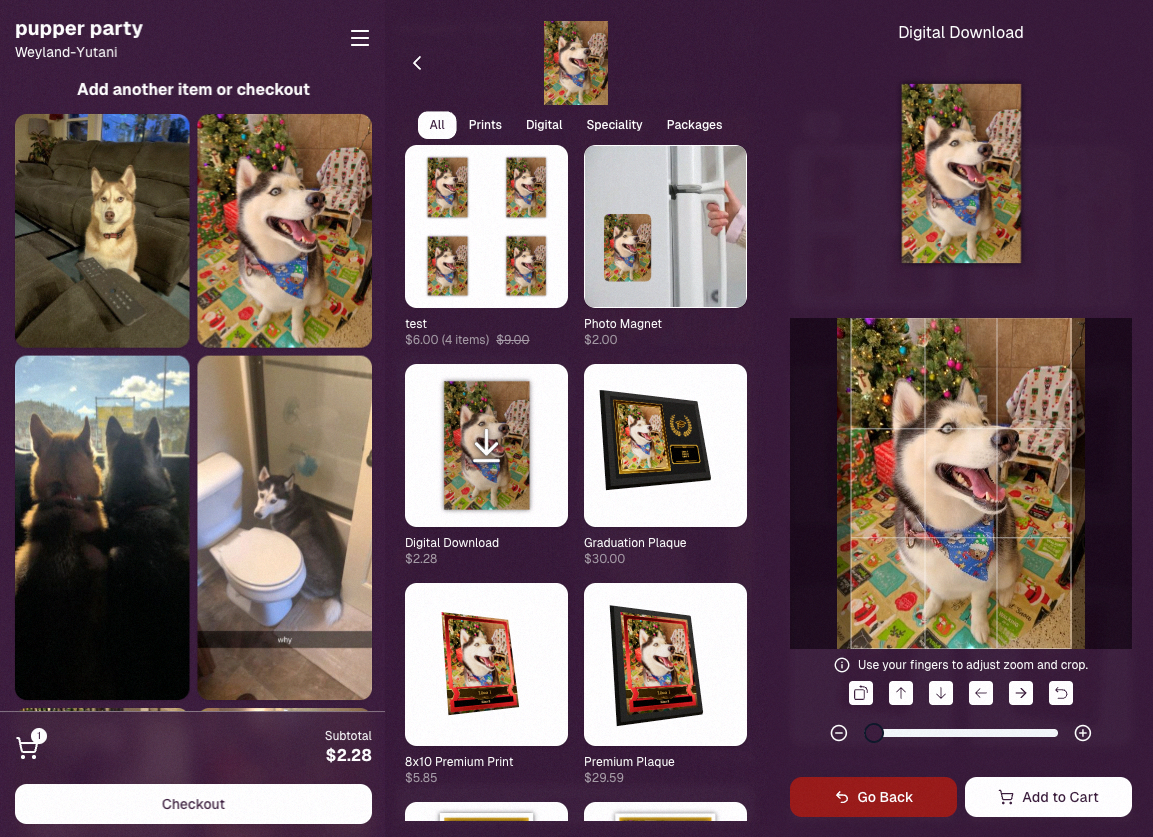
Bonus: Retail UI styling also received improvements for tabs, checkboxes, and order tracking.
📳 Haptics for Mobile Retail & Check-In
Mobile users will now feel subtle feedback interactions when using the site:
- Tap feedback
- Success feedback (add to cart, order placed)
- Error feedback
This makes mobile ordering and check-in feel much more responsive, alive, and engaging!
🤳 Selfie Check-In Improvements
The Selfie Check-In site received improvements to the local face recognition model, making it more reliable and stable on more devices.
💰 FreePics Adjustment
Good news for high-volume FreePics users:
Selfie Check-Ins and PhotoRoster reference images no longer count as billable images.
That means FreePics events that use those workflows will be slightly cheaper overall.
📥 Easier Downloads on iPhone
On iOS Chrome: Press-and-hold image downloads now open the iOS Share menu, making it much easier to save images. (iOS Safari already supported this behavior.)
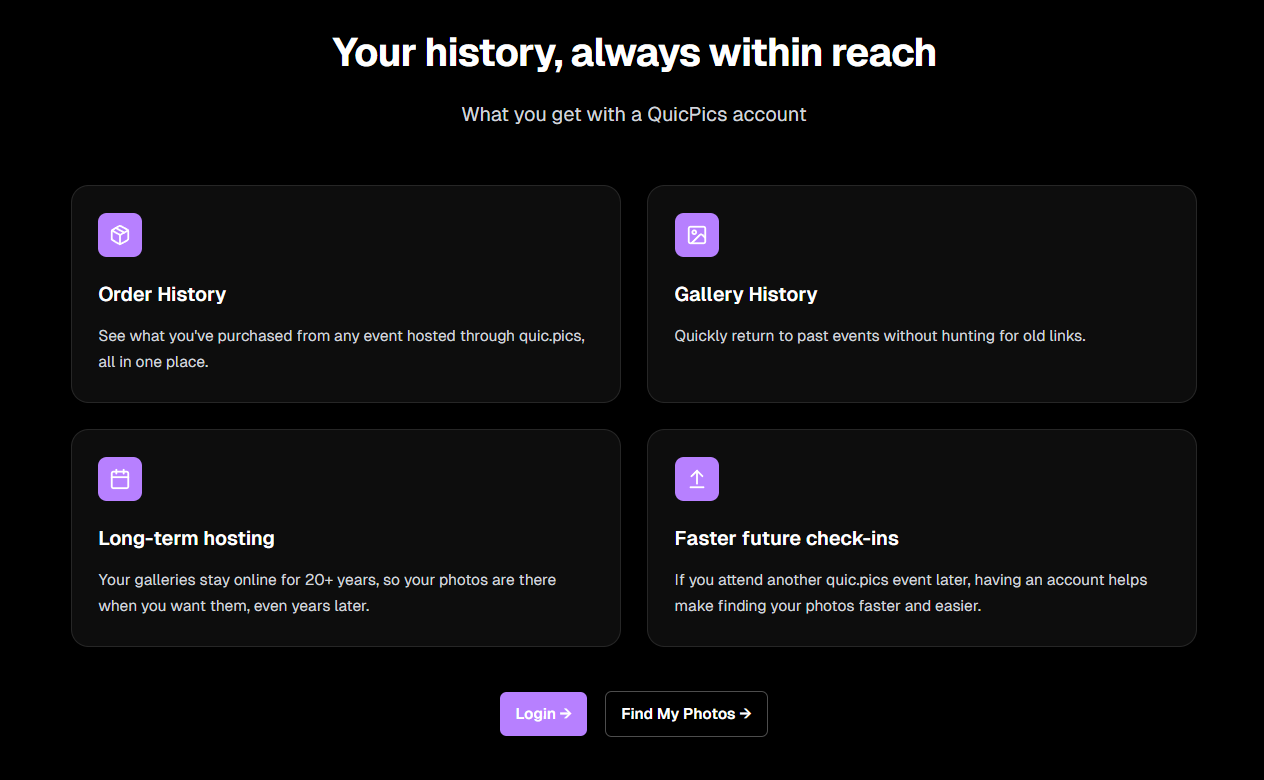
🌐 New FreePics Landing Page
The Quic.Pics site now has a proper landing page instead of only a login screen in case end customers stumble across it somehow.
Hopefully this helps it seem more legit while still remaining relatively white-label for your photographers out there!
That’s the week!
Capture App v5 is a big upgrade, and combined with the faster Candy Culler and several Dashboard improvements, the entire workflow from capture → cull → sell just got smoother.
See you next week,
Candy 🍬

.png)


.svg)


