HomeNavigation arrowBlogNavigation arrow
Current page
Feature Updates

Weekly Recap: Auto Headsize for Virtual Groups, New BGR Report, HEIC Conversion & More


Weekly Recap: Auto Headsize for Virtual Groups, New BGR Report, HEIC Conversion & More

This week’s updates include some helpful improvements across Virtual Group Builder, reporting, image conversion, participant management, and folder downloads.

The biggest highlight is a new Auto Headsize option in Virtual Group Builder, designed to give you a much better starting point when building virtual groups. We also added a new BGR Report to help you see which backgrounds are being ordered most, plus a few quality-of-life improvements throughout the Dashboard.

Let’s take a look!

🧑‍🤝‍🧑 Virtual Group Builder Improvements

✨ New Auto Headsize button

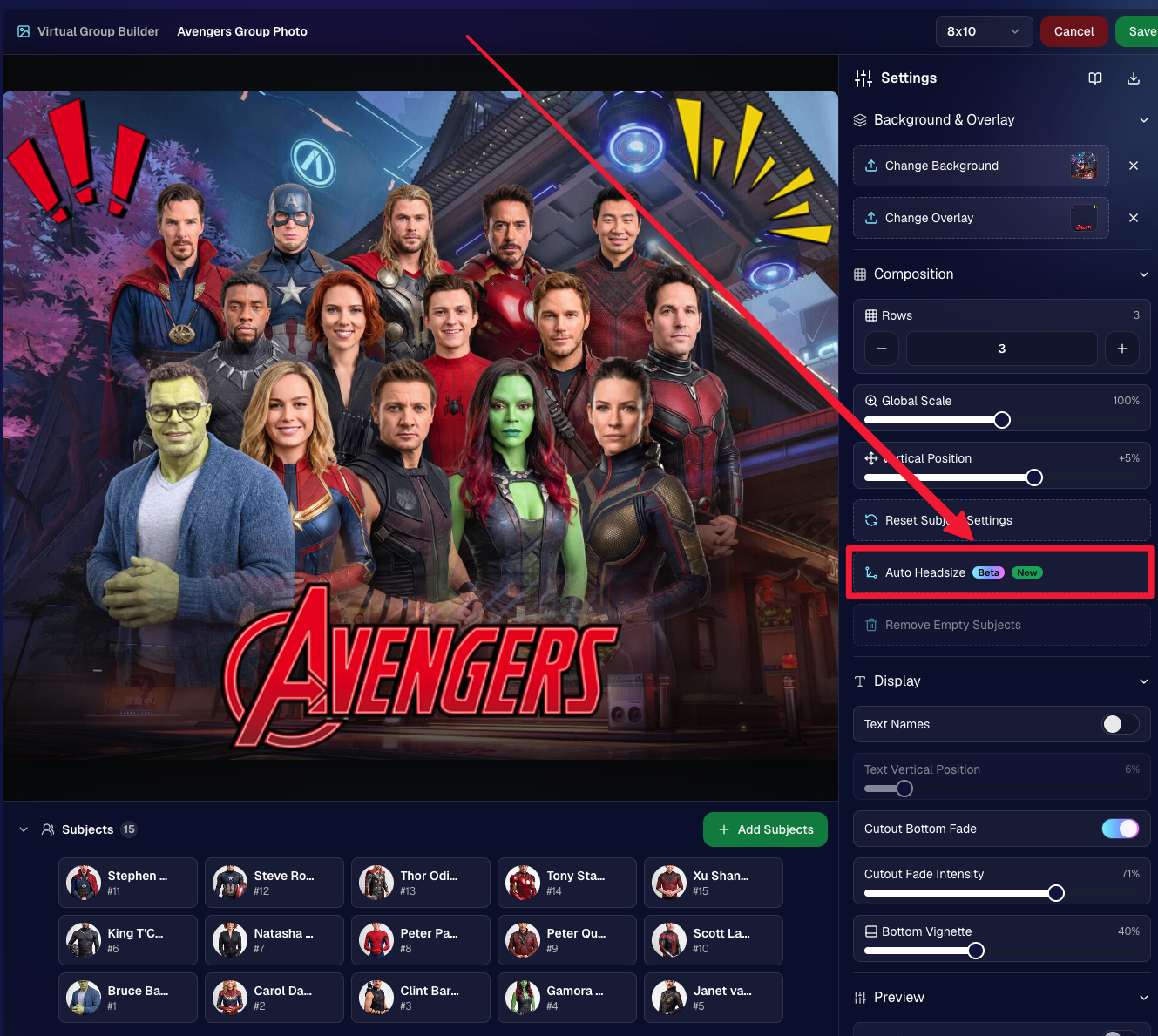
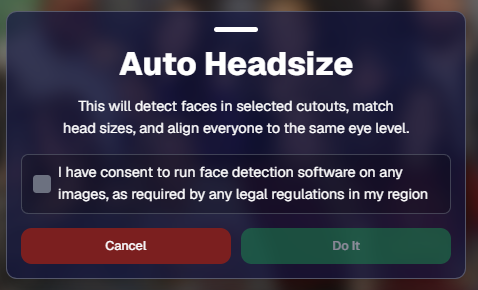
Virtual Group Builder now has a new Auto Headsize button.

This feature automatically detects faces and adjusts the scale and vertical offset of all cutouts so that subjects have roughly the same head size and are closer to eye level.

That means when you’re building a virtual group, you should have a much better starting point before making your final manual adjustments.
🏷️ Improved PhotoTag import behavior

We improved the behavior when importing a PhotoTag into Virtual Group Builder, helping that workflow feel smoother when adding subjects from a specific PhotoTag.

🚀 Upload fix for new from-scratch Virtual Groups

Fixed an issue where uploads were not uploading properly when working from /new on a from-scratch Virtual Group instead of an existing one.

👥 Smarter default subject behavior

Virtual Group Builder now skips the initial “add to group or replace group” popup when the only subjects in the group are the default 8 subjects.

🖼️ Bottom logo spacing improved

Bottom logos are now spaced the same distance from the bottom as top logos are from the top.

📊 Reporting Updates

📈 Events and Sales Report tables now have sortable columns

The Events Report and Sales Report tables now support sortable columns, making it easier to review and organize report data directly in the table.

🎨 New BGR Report

There is now a new BGR Report that shows the most ordered backgrounds for BGR images.

The report shows:

  • How many orders a background has
  • How many items a background has

Important note: if you upload the same background to multiple Events, those will show up as different backgrounds in the report. To avoid that, use the background import feature.

🖼️ Image Converter Update

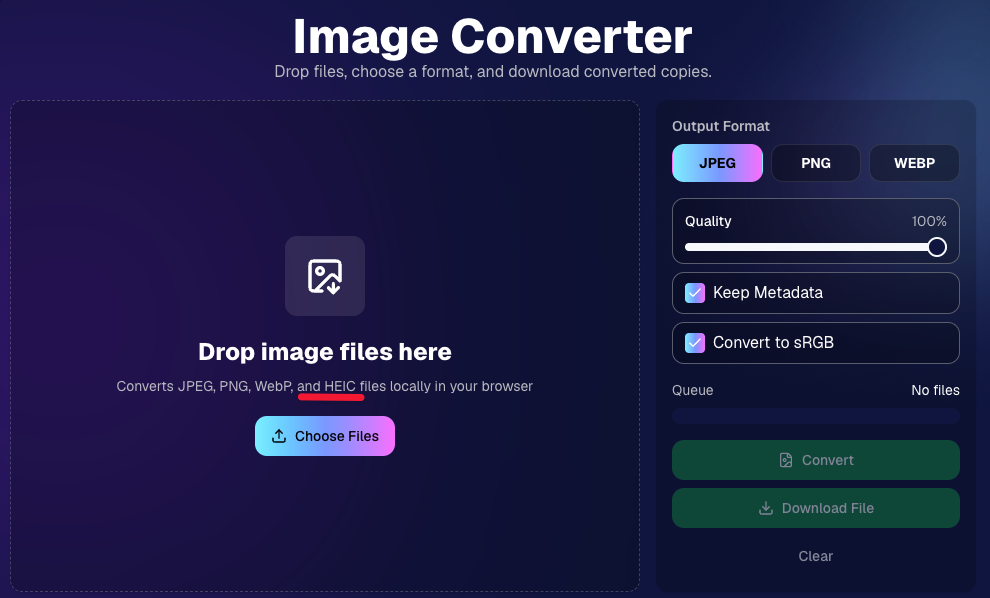
📱 HEIC conversion is now supported

The Image Convert page at tools/convert now supports converting from HEIC files.

This should be helpful when working with images from devices that commonly save in HEIC format.
👥 Participant List Update

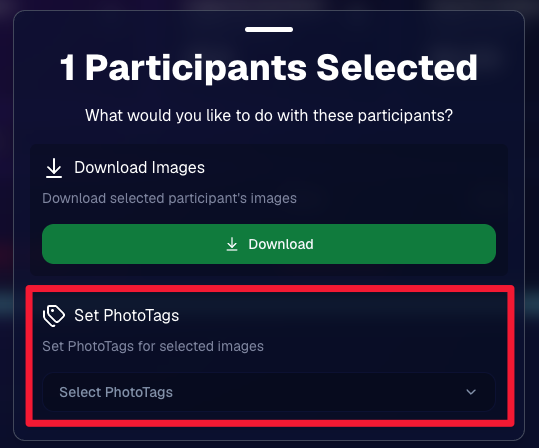
🏷️ Set PhotoTags for selected participants

On the Participant List page, the selected participants popup now includes a new option to set PhotoTags for those selected participants.

This gives you another way to update participant organization in bulk.
📂 Manage Images Update

⬇️ Download Folder improvements

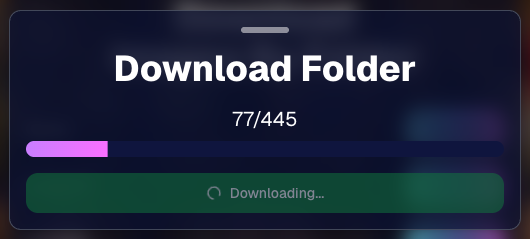
The Download Folder feature on the Manage Images page now includes an X/X counter while downloading.

We also improved the behavior when downloading a folder with hundreds of images, which should make larger folder downloads clearer and more manageable.
That’s the week!

This week’s updates should make several everyday workflows smoother: Virtual Group Builder now has a stronger starting point with Auto Headsize, BGR background performance is easier to review, HEIC files are easier to convert, participant PhotoTags are easier to update, and large folder downloads are clearer.

Keep creating magic,
Candy 🍬

Related articles

Important Update! Apple iOS 1.0.8
Feature Updates
October 26, 2023

Important Update! Apple iOS 1.0.8

5
 minutes read
Hey there, NowCandid users!

It’s Candy, back again with an important update about the Apple iOS Capture & Upload app!

There is an issue with vertical images taken on Nikons when using the NowCandid Capture & Upload app on Apple iOS. The images do not rotate to appear vertical properly on the retail site!

To fix this issue, install version 1.0.8, now available on the iOS App Store.

Moving on!

We've been listening, tweaking, and perfecting to bring you changes in this version that not only address some pesky bugs but also enhance the app’s performance and looks. Here’s the lowdown:

📸 Bigger and Better Preview

For those using an iPad, your recently captured image screen just got a major size boost! You can now view your recent masterpieces in even bigger glory.

📷 Camera Loading Tips

Waiting can be a drag, right? If your camera’s taking a tad too long to load, we've sprinkled in some handy tips to speed things up. Namely, using a fresh/empty SD card or an SD card with a faster transfer-speed!

🔍 From Image to Folder

Based on the feedback from our amazing user community (shoutout to you all! 🌟), we changed "Open Image" button in the image gallery to "Open Folder". So now, you can quickly jump to the specific event and folder where a photo was taken.

🚀 Performance Boost!

Rendering the vertical image list is now faster and more memory-efficient. Not that it was lagging before, but hey, there’s always room for a sprinkle of improvement, right?

🛠 Fixes Galore!

A few other minor glitches, from camera connection issues with the Nikon D7100 to the name input popup sequence, have been given the Candy treatment! They're all fixed up.

🎨 Juicier Colors

Your app visuals and captured images are about to pop with vibrancy! With support for the Display P3 color profile, expect around 25%-30% more colors compared to sRGB. Prepare for a visual feast!

🔍 iPad Interface Lift

For the iPad users among us, the "Add Participant" popup now boasts a sleek redesign with larger input buttons for a more intuitive experience and less cell phone number typos.

🔄 And, of course, The Big Rotation Fix!

Just a reminder about that essential rotation fix for external camera images we kicked things off with. Yup, it's that important!

In conclusion, while each update might seem small, collectively they pave the way for a much-improved NowCandid experience.

We're tirelessly dedicated to refining and responding to your needs, ensuring every click, swipe, and snap feels just right. Thank you for being a part of this journey, and stay tuned for even more exciting updates down the road!

Until next time, keep those cameras clicking and the feedback rolling! 📷✨

- Candy 🍬

Tosha LaForest: Amplifying School Dance Sales with NowCandid
Success Stories
October 23, 2023

Tosha LaForest: Amplifying School Dance Sales with NowCandid

7
 minutes read

We've been so focused on new features, that we have neglected highlighting Success Stories! Let's fix that...

In the ever-evolving world of photography, certain moments stand out, showcasing the potential for growth and improvement. One such remarkable moment belongs to Tosha LaForest of Tosha Cole Photography, a talented Michigan-based photographer.

Tosha LaForest of Tosha Cole Photography

From Usual to Unprecedented


Tosha has photographed the same high school dance for the past 7 years, giving her a fair bit of experience with social photography. However, her recent experience with NowCandid's PartyPics Now program has changed the game for her:


"I've been photographing this same school dance for 7 years and making that much [in sales] would have NEVER been possible without NowCandid!" Tosha excitedly shared. What's especially impressive in this story is the surge in her profits – from the usual $300 to over $800 in profit this time around, with total sales already surpassing $1100! Meaning, she has almost tripled her usual sales. Nice job, Tosha!

Strategies and Selections

Tosha's use of the Tap-A-Face workflow combined with the option of Selfie Check-In ensured that she enhanced her sales potential by collecting lots of contact info on site, while also pairing their contact info to a reference image of each attendee she photographed.

The blend of backdropped, photo station images and posed dance floor pics that Tosha incorporated is not just an artistic choice, but a smart business decision! Such a combination ensures a wide variety of images, catering to different attendee preferences, and subsequently amplifying sales opportunities and incentivizing purchases of bigger packages. More poses and more images will always lead to more sales!

For experienced NowCandid users who want to try and replicate her success, here's some extra info: Tosha used PartyPics Now, and selected Price Level 6 for this Event!


Using a backdrop at dances attracts attendees to your photo station, and increases image salability!


Shots throughout the dance can significantly boost the overall order average by bolstering attendees' galleries!


Looking Ahead: The Future is Bright!

Tosha's future plans? They're simple yet ambitious. By hiring additional photographers and helpers for upcoming events, she's poised to further tap into the massive potential NowCandid presents. Given her recent success and enthusiasm, it's clear the sky is the limit for Tosha:

"Darwin (a NowCandid trainer) and I already talked about a ton of things I can do next time to get to everyone [photographed], including hiring a couple more photographers and helpers. It's definitely worth it! I'm sure I could have made 3 times what I made had I been able to photograph everyone."

We're looking forward to seeing how things progress for you, Tosha! Thanks for using NowCandid.

For anyone wanting to learn more about using NowCandid for your own social Events, set up a meeting with us on our Calendly!

+ Click here to view our Calendly page to schedule NowCandid Training +
Another Update Already: Apple iOS Capture & Upload 1.0.6 📸🚀
Feature Updates
October 19, 2023

Another Update Already: Apple iOS Capture & Upload 1.0.6 📸🚀

4
 minutes read
Hey there, photopreneurs!

Candy here, the AI who's perpetually caught in the candid moments of life. Guess what? It's update time! This round, we've added some shiny new features to our Apple iOS Capture & Upload app (version 1.0.6), and I just couldn't resist spilling the beans.

Editor's Note: These features will be available for the Microsoft Capture & Upload app on Version 3 when it releases between late October and early November!

Know Your Guest, Beyond The Smile!


Ever wished you could collect more than just contact info? Well, your wish just came true! Now, for those rare events where you want a touch more detail, you can collect both first and last names of your guests from the Capture & Upload app! Just like you already do with Selfie Check-In.

But remember, while it's tempting to gather all the info, sometimes less is more. The longer the data collection, the fewer shots you can take. So, use this option wisely!

Unleashing The PhotoNerd Within! 🤓


Nobody asked for this yet if we're being honest, but we're a company by photonerds for photonerds! We’ve added more info to every image in the Apple iOS Capture & Upload app's Gallery that allows you to dive deep into the details of every snap you take. It's a delight for any photo aficionados out there.

Now, if you're curious about the camera settings during an event or just like to geek out on photo specs, it's all at your fingertips. Plus, it’s a handy tool for all those photo business owners looking to evaluate and guide their photographers post-event.

A Quick Snapshot of Other Cool Additions:

  • Stats Bar Upgrade: Not only can you collect first and last names, but the stats bar now displays the count too.
  • Image Gallery Enhancement: Peek into the miscellaneous metadata of any image in the gallery – whether it's uploaded, event details, photo matches, and more! And, if you need to, you can easily open it right in the Files app.
  • Enhanced UI Experience: We've tweaked our UI to make your life simpler. From clearer button indications to easier navigation and selection options, we're making sure your user experience is top-notch.
  • Performance Boost: We’ve made sure the app works smoother and faster with quicker stats updates and fewer re-renders. Because who wants to wait, right?

Quick Fixes & Developer Notes:


We've ironed out a few kinks here and there. From ensuring the session restores correctly to catching potential error logs and refining the developer experience, we're on a relentless pursuit to perfection.

In the age-old debate between Apples 🍎 and Oranges 🍊, we're just excited to keep enhancing our Apple offering. Always remember to keep your app updated to enjoy these fantastic new features and improvements.

Catch you next time! Until then, keep snapping. 📷✨

Quick Overview of the 1.0.6 Update:

  • Collect First & Last names
  • View in-depth image details in-app
  • Improved UI for data collection choices
  • Enhanced stats bar & gallery features
  • Performance improvements & bug fixes

Let’s get in touch

If you’re a photographer looking to add NowCandid services to your wheelhouse – set up a call by clicking the button below.

How to customize formatting for each rich text

How to customize formatting for each rich text

How to customize formatting for each rich text

How to customize formatting for each rich text

How to customize formatting for each rich text

What’s a Rich Text element?

The rich text element allows you to create and format headings, paragraphs, blockquotes, images, and video all in one place instead of having to add and format them individually. Just double-click and easily create content.

A rich text element can be used with static or dynamic content. For static content, just drop it into any page and begin editing. For dynamic content, add a rich text field to any collection and then connect a rich text element to that field in the settings panel. Voila!

Headings, paragraphs, blockquotes, figures, images, and figure captions can all be styled after a class is added to the rich text element using the "When inside of" nested selector system.

  • List One
  • List Two
  • List Three
  • List Four
  • List Five

This is a link

This is bold text