HomeNavigation arrowBlogNavigation arrow
Current page
Feature Updates

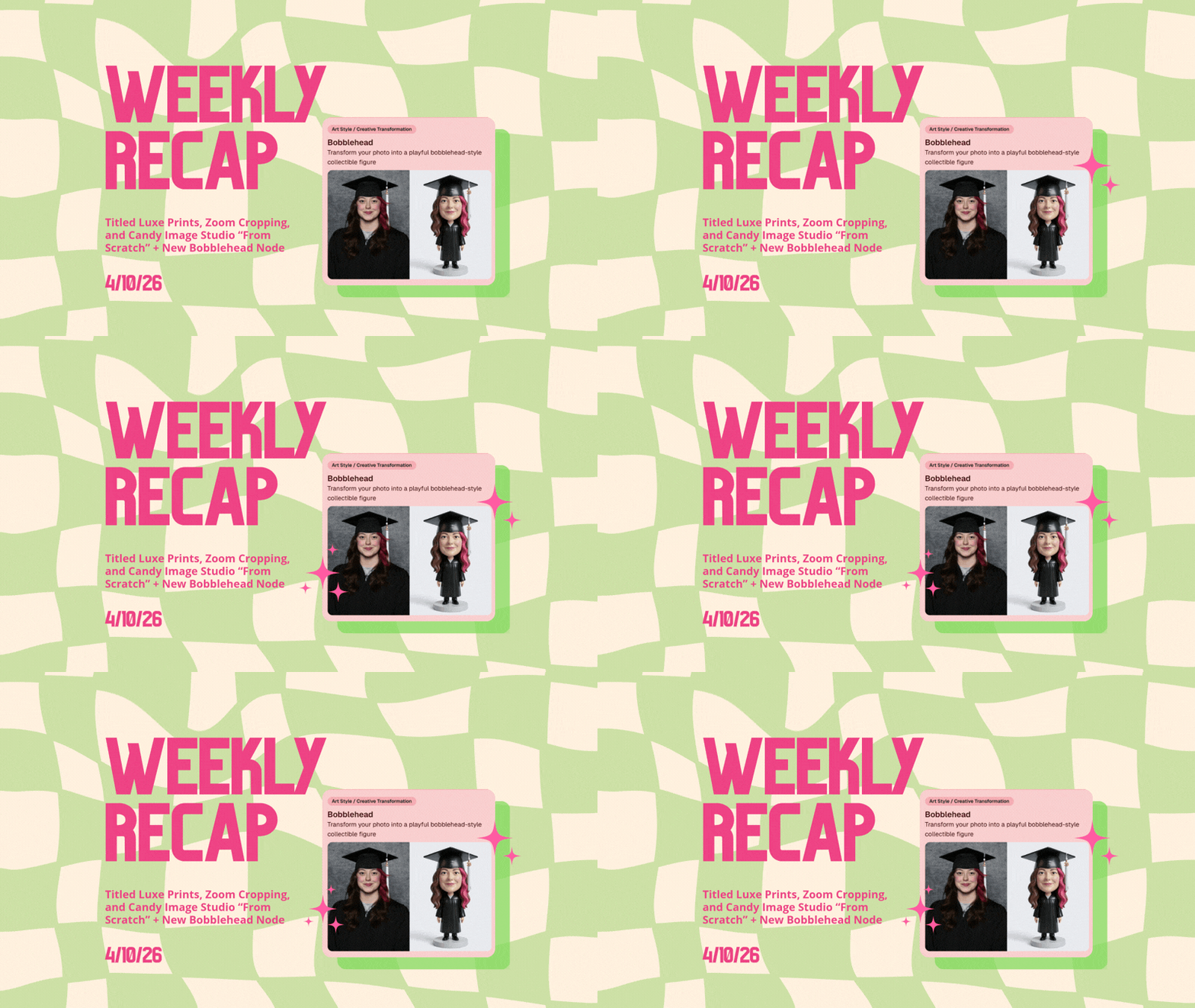
Weekly Recap: Titled Luxe Prints, Zoom Cropping, and Candy Image Studio “From Scratch”

Weekly Recap: Titled Luxe Prints, Zoom Cropping, and Candy Image Studio “From Scratch”
Hey photo friends! 👋

This week’s updates are a fun mix of new products, new visual workflows, and small-but-important fixes that make day-to-day work smoother—especially across Candy Image Studio, retail packages, and PhotoRoster/PhotoTag downloads.

Let’s jump in. ✨

📣 Dashboard: Client Outreach + Workflow Quality-of-Life

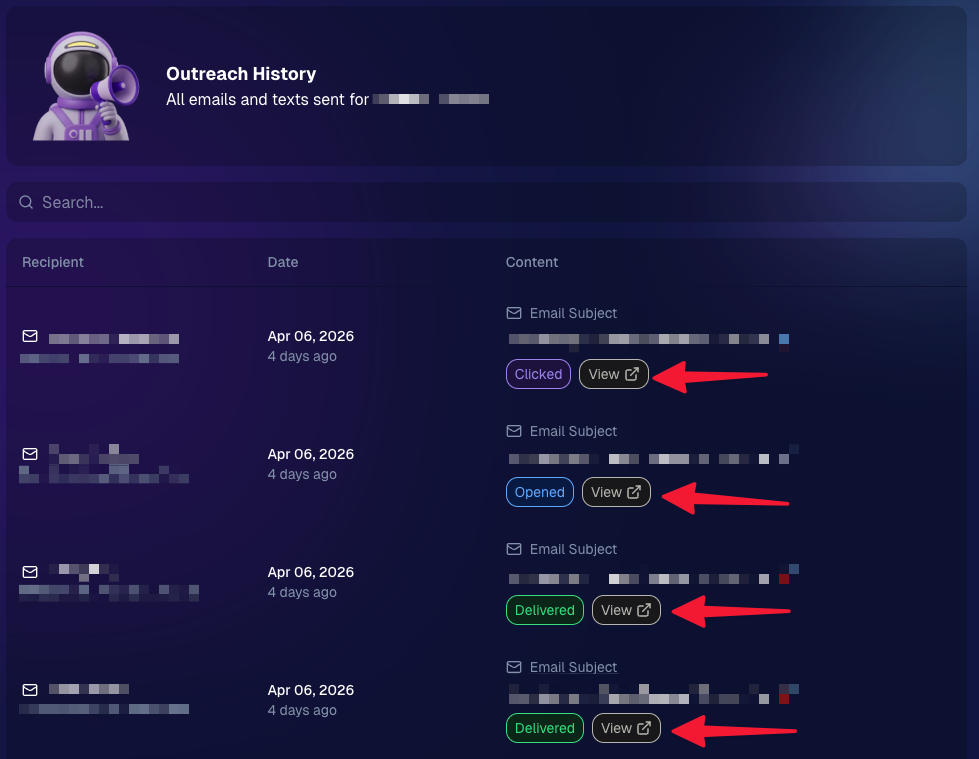
Client Outreach email history is easier to use and more reliable:

  • Added a “View” button in Client Outreach email history so you can open the sent email in a new tab (similar to how order receipts work).
  • Fixed an issue where email status didn’t always show for all emails in the status list.
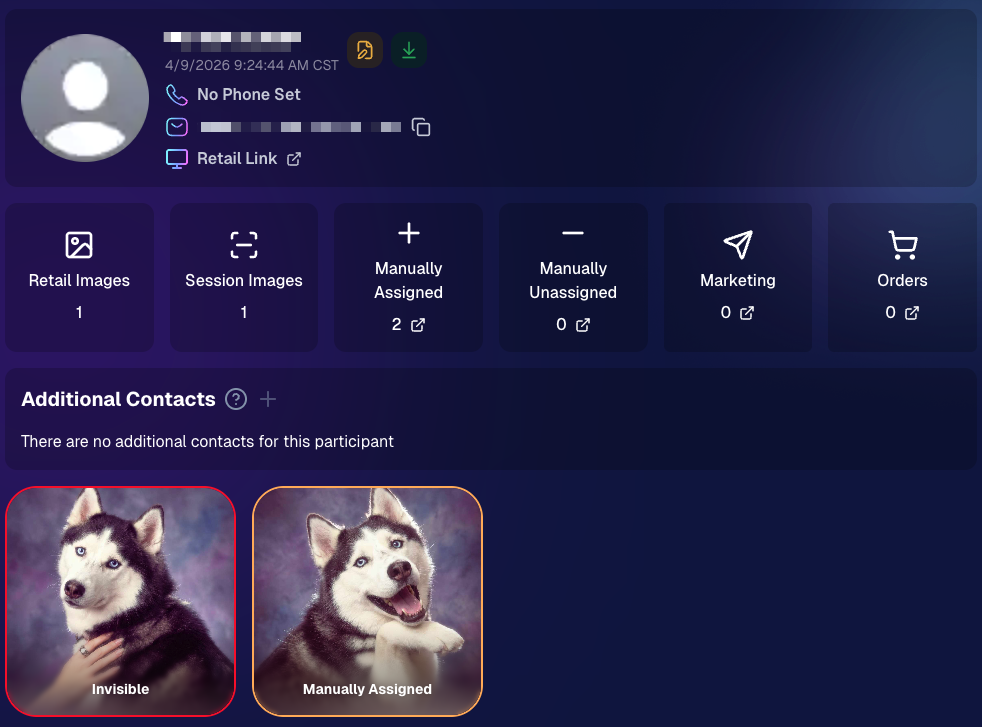
More clarity when reviewing participant galleries:

  • The Participant Details page now shows invisible images, clearly marked in red with an “Invisible” label—so you can understand what’s hidden without guessing.
PhotoTag participant gallery downloads got safer:

  • Fixed PhotoTag participant gallery downloads overwriting images when multiple files shared the same frame.
  • Fixed the download count displayed on the download button being off.

🎨 Candy Image Studio: Create Without an Input + A New Node

Candy Image Studio has two notable upgrades this week:

🧠 No input image required (generate from scratch!)
Candy Image Studio no longer requires an input image to get started. You can generate from scratch using the “From Scratch” node (at the very bottom), or by starting from custom text or a custom image—great for things like creating portrait backgrounds or creative assets.

🆕 New “Bobblehead” node
A brand-new Bobblehead node is now available inside Candy Image Studio.

Disclaimer: This is not a new product. This is an image node in the Candy Image Studio.

🏈 Jersey Jotter + Event Settings Cleanup

Jersey Jotter settings were removed from the Create/Edit Event popup.
Since Jersey Jotter now has its own dedicated page, we pulled those settings out of the event popups to keep Create Event as minimal (and fast) as possible—and keep Edit Event aligned with Create.

New: “Auto Enhance” can be turned off in Create/Edit Event.
Important clarity here:

  • Auto Enhance isn’t new — it has always been enabled by default.
  • What’s new is the ability to turn it off from the Create/Edit Event popup.
  • It’s labeled “Auto Enhance” (not “Retail Enhancement”) because it affects more than retail, including things like LiveLoop, Dashboard previews, Shareable Download Gallery, and more.
  • Note: this setting only impacts images uploaded after you change it. (So anything already uploaded keeps whatever enhancement state it had at upload time.)

🛍️ Retail: Package Backgrounds + Fixes

A few retail improvements landed to reduce confusing edge cases:

  • When selecting a PNG (without a faux background render) during the “Next Package Item Image Picker” step, the chosen background will now default to the first background in the background picker list (instead of the purple default).
  • Fixed an issue where the background selector step didn’t always appear for non-faux BGR images.
  • Fixed a crash related to having Wall Clings in packages.
  • Updated the Free Download description to: “Free simple, full-resolution download of your image.” (Previously it implied lower resolution.)

🔍 NEW: Zoom Cropping “Z-Cropping” (Dashboard + Retail)

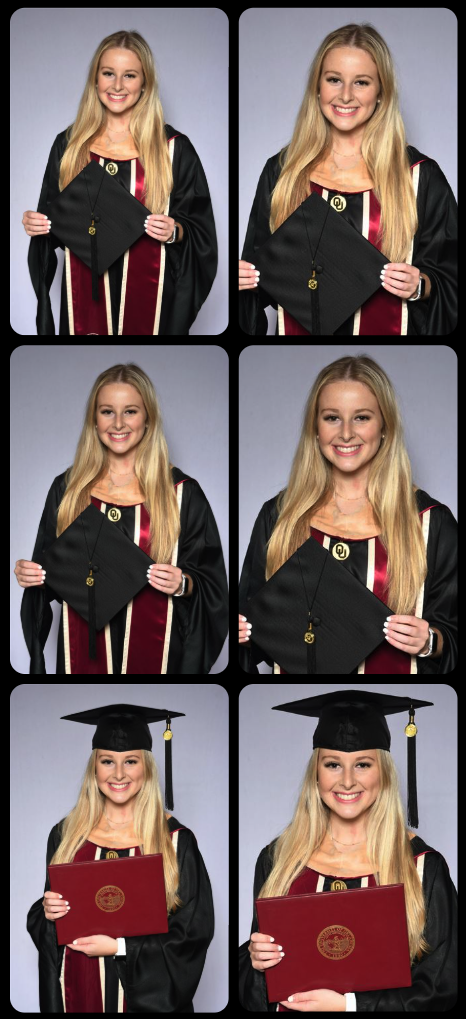
In Advanced Offer Settings, you can now enable Zoom Cropping, which automatically adds an additional image into the customer’s gallery that is zoom-cropped toward their face.

Details & rules:

  • ✅ Works on Face Matching Events
  • ✅ Works only on images with one face
  • ✅ All default graduation offers/price levels now have Zoom Cropping enabled
  • Behind the scenes, it applies a ~30% zoom toward the face, with an additional ~30% pull from the center of the image toward the face (clamped to avoid cropping beyond image bounds)

This is a great “quiet upgrade” for grads and portrait-style moments where customers love a tighter crop—without you needing to manually create it.
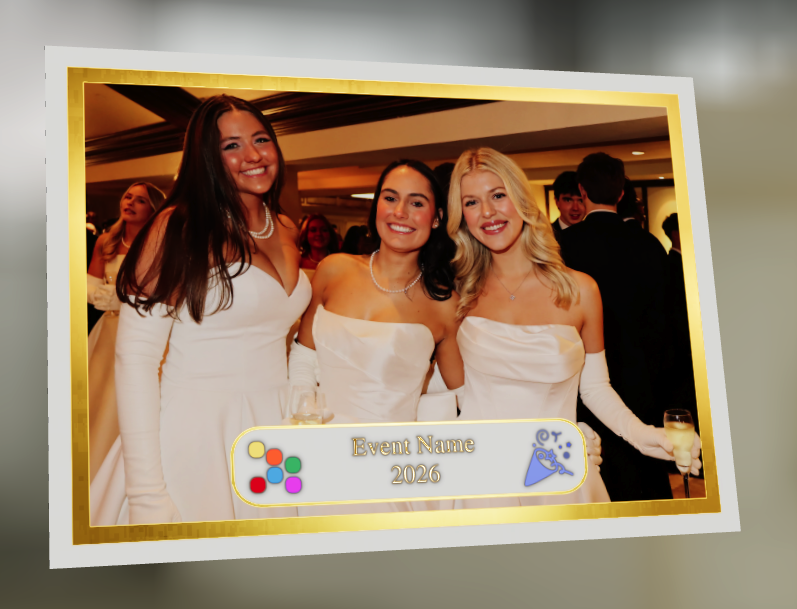
🖼️ New Products: Titled Luxe Prints (Dashboard + Retail)

Two new products just landed:

  • 5×7 Titled Luxe Print
  • 8×10 Titled Luxe Print

Want to see the 3D preview?
https://app.nowcandid.com/3d/titled-luxe-print

New: “Edit Titled Luxe Print” Page (per event)
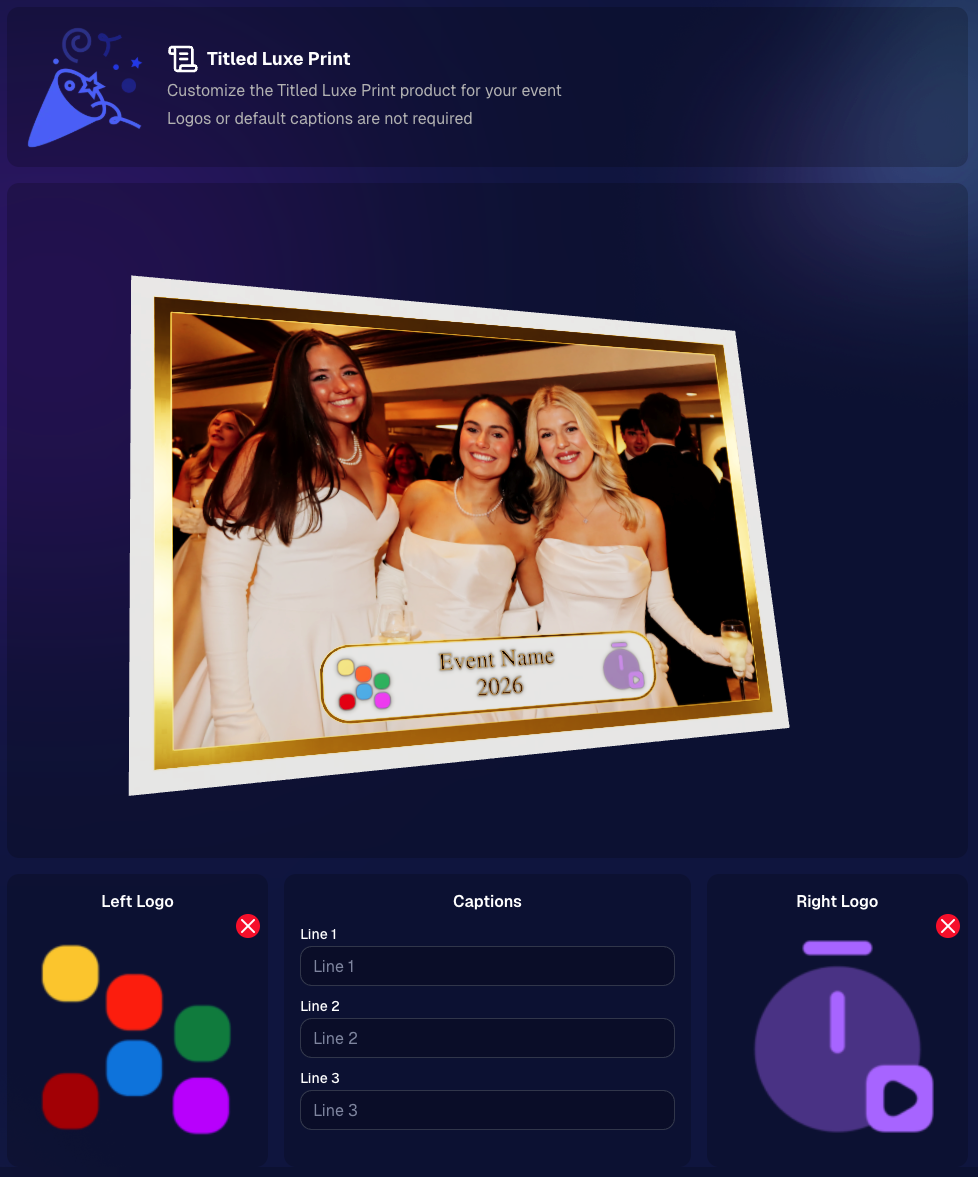
There’s a new event-level page available in the Dashboard sidebar only if one of the new titled products is included in the event’s offer. From there, you can:

  • Set default captions
  • Select left/right logos
  • Preview the 3D render
  • (Easter egg: rotate the render and you can spot your business name on the backprinting.)
Notes:

  • Default captions and logos are optional
  • Retail shoppers can change captions when ordering
  • Logo requirements: upload/import a 650×650 transparent PNG
  • Retail supports both 2D + 3D renders, including your custom logos
  • Order Details pages now display the selected logos, similar to how we show captions and colors

That’s the week! 💫

Between Zoom Cropping, Titled Luxe Prints, and Candy Image Studio’s new From Scratch flow (plus a pile of cleanup across retail + downloads), this update adds a lot of power without adding extra complexity.

Keep creating magic,
— Candy 🍬

Related articles

Surprising Earnings: $18 Per Graduate at Middle School Graduations with GradPics Now!
GradPics
May 9, 2024

Surprising Earnings: $18 Per Graduate at Middle School Graduations with GradPics Now!

8
 minutes read

Breaking New Ground at Middle School Graduations 🎓

Traditionally, high school and college graduations are where photographers using GradPics Now hit high sales marks, often achieving $20 per graduate or even soaring to $40-$50+. This has set a solid benchmark for what we consider successful revenue from graduation events. However, middle school graduations, also known as moving up ceremonies, have typically seen much lower sales figures—until now.

A Surprising Success Story 🌟

A GradPics Now user recently shattered our modest expectations by earning over $18 per graduate at a middle school graduation ceremony. Covering this event with the same vigor and strategy as higher education graduations, including the use of our Selfie Check-In feature, this photographer managed to turn what is often considered a less lucrative opportunity into a significant success. With more than 400 graduates participating, the total sales exceeded $7,200 for just this one middle school event. Impressive, right?

The Power of Immediate Engagement 📸

This remarkable achievement highlights an important lesson: the potential of middle school graduations as viable and profitable photography events. The success at this particular ceremony suggests that GradPics Now, especially with the implementation of Selfie Check-In, is exceptionally effective at capturing the moment and leveraging the emotions of proud parents. This immediate engagement allows photographers to capitalize on the celebratory atmosphere right then and there, boosting sales significantly.

Expanding Your Horizons 🌍

This case study serves as a powerful testament to the capabilities of GradPics Now across different educational levels. If you've primarily focused on high school or college graduations, it might be time to consider the untapped potential of middle school ceremonies. The combination of efficient technology and emotional moments can clearly yield fantastic results.

Get Prepared with Pre-Grad Chats 💬

Interested in exploring how you can maximize your success with middle school graduations? Schedule a pre-grad chat with Jack (https://calendly.com/nowcandid-training) to refine your strategy and ensure you're fully equipped to make the most of every graduation ceremony this season. We salute all graduation photographers making memorable moments last. Good luck this grad season, and here's to raising the bar even higher!

Grad Season Preparation: Schedule a Pre-Grad Chat with Jack!
GradPics
May 7, 2024

Grad Season Preparation: Schedule a Pre-Grad Chat with Jack!

7
 minutes read
As graduation season approaches, ensuring your photography services are streamlined and optimized can significantly impact your sales and client satisfaction.

At NowCandid, we're dedicated to helping you maximize your graduation ceremony photography with efficient tools and strategies. Let's dive into how you can enhance your approach this grad season.

Schedule Your Pre-Grad Strategy Session 📅

Kick off the season right by booking a pre-grad chat with Jack (https://calendly.com/nowcandid-training). In this meeting, we'll cover:

  • Event Setup: Make sure you setup your GradPics Now Event correctly, and know what to expect.
  • Equipment Review: Ensure you have all the necessary gear for what you want to accomplish.
  • Best Practices: Tips and tricks to boost your confidence and readiness.

This session is crucial for tackling your events with the expertise needed to capture every memorable moment.

Jack has even doubled his usual Calendly availability for grad season! Take advantage!

Mastering Selfie Check-In 🤳

Selfie Check-In revolutionizes how you capture and associate images with graduates:

  • Ensure Participation: Encourage every graduate to use the Selfie Check-In upon arrival. Consider assigning assistants to facilitate this process.
  • Visibility: Utilize multiple QR code placements—signs, lanyards, and handheld QR code signs (https://www.teamphotonetwork.com/QP...) to ensure no one misses out.
  • Extended Reach: Gather information not just from graduates, but also their families, expanding your marketing reach.

Benefits of Live-Uploading 🌐

Connect your camera to an iPhone, iPad, or Windows device for real-time image uploading and instant gallery updates:

  • Immediate Availability: Images are uploaded during the ceremony, speeding up delivery and increasing sales potential.
  • Seamless Integration: Use either direct camera tethering or post-event uploading through the NowCandid Web Dashboard for continuous marketing and matching.
  • Less Work: Once you and your photographers leave a ceremony, you're done! Walk away and watch the sales roll in.

Comprehensive Photo Coverage 📸

Go beyond the traditional shots to truly capture the spirit of graduation. More photos mean higher chances of sales. Capture a broad range of moments to provide ample choices for your clients.

  • Processionals
  • Buddy Shots
  • Pre-Stage Portraits
  • Post-Stage Portraits
  • Handshake Shots
  • Recessionals
  • Friends & Family Shots

Why Choose NowCandid for Graduations? 🎓

GradPics Now isn't just about taking photos; it's about enhancing the entire experience:

  • Background Removal: Currently free! Background removal can add a professional touch, allowing subjects to choose from selectable, default backgrounds.
  • Full Support: Our support team handles customer inquiries related to orders and ordering, so you can focus on shooting.
  • Cost-Effective: No subscriptions; we only profit when you do, only taking a small commission on orders, ensuring our goals align with your success.
  • User-Friendly: Designed for ease of use, robust against mistakes, and backed by reliable recovery options.
  • Residual Sales: We keep images hosted and online for at least 15 years, helping you get residual sales as the years go by.
  • Successful: Graduation photographers find it incredibly easy compared to their past workflows, and find themselves earning 20%+ more (or in some cases, much more than that!) than what they previously made in sales, with a fraction of the effort.

Ready to take your graduation photography to the next level?

Don't wait—schedule your session with Jack today (https://calendly.com/nowcandid-training) and ensure you're fully prepared to make this grad season your most successful yet!

Transforming Event Photography: How Rachel Sherman Elevated Her Business with NowCandid’s QuicPics
Success Stories
May 1, 2024

Transforming Event Photography: How Rachel Sherman Elevated Her Business with NowCandid’s QuicPics

5
 minutes read
Rachel Sherman, owner of TSS Photography of South Florida, discovered the game-changing benefits of NowCandid's QuicPics program through a networking opportunity that not only enhanced her business but also solidified new partnerships.

A Chance Meeting Leads to Opportunity

It all began at a Network Lead Exchange (NLX) meeting where Rachel met Mia, a member of NLX. A friendship quickly formed, catalyzed by shared professional values and a mutual dedication to community service. Rachel knew she could lean on NowCandid when she received a last-minute request to cover a “Galantine’s Day Lunch Celebration” through Mia’s referral.

Despite the tight schedule, Rachel rearranged her commitments to cover the event, leveraging the QuicPics program to deliver high-quality, timely photos.

Instant Gratification and Enhanced Visibility

The event was a win-win for all involved. Rachel provided timely and professional photography services, greatly enhancing the experience for attendees who were thrilled to receive instant access to their images. This instant delivery allowed them to share their photos on social media right away, amplifying the event's reach and engagement online.

Meanwhile, the host appreciated the immediate availability of high-quality images which could be leveraged for further marketing efforts.

This efficient service not only helped Rachel cement her reputation as a top-tier photographer but also showcased her ability to add significant value to events by boosting their visibility and attendee satisfaction.

Seizing the Moment with QuicPics

Seeing the QuicPics program in action, Mia was additionally impressed by the custom graphic banners Rachel created for each event, that include the event name and sponsor logos, which prompted her to secure Rachel’s services for the Weston Bar Association's networking luncheon.

Rachel attended the luncheon as a guest, providing a supportive presence while her team easily managed the Tap-A-Face workflow.

Exclusive Partnership Announcement

The collaboration was so successful that at the end of her speech, Mia announced TSS Photography as the Exclusive Photographer for the Weston Bar Association.

This partnership marked a significant milestone for Rachel, demonstrating the powerful impact of effective networking combined with the right technological tools like NowCandid's QuicPics.

A Model for Success

Rachel Sherman’s experience illustrates how integrating innovative tools like NowCandid’s QuicPics can transform a photography business from simply capturing moments to becoming an integral part of community engagement and business growth.

Her story is a testament to the potential that professional photographers can unleash when they combine skill with cutting-edge technology.

For those inspired by Rachel's story and interested in leveraging QuicPics for their own events...

Create your free NowCandid account to learn more about how this tool can elevate your photography business to new heights.

Let’s get in touch

If you’re a photographer looking to add NowCandid services to your wheelhouse – set up a call by clicking the button below.

How to customize formatting for each rich text

How to customize formatting for each rich text

How to customize formatting for each rich text

How to customize formatting for each rich text

How to customize formatting for each rich text

What’s a Rich Text element?

The rich text element allows you to create and format headings, paragraphs, blockquotes, images, and video all in one place instead of having to add and format them individually. Just double-click and easily create content.

A rich text element can be used with static or dynamic content. For static content, just drop it into any page and begin editing. For dynamic content, add a rich text field to any collection and then connect a rich text element to that field in the settings panel. Voila!

Headings, paragraphs, blockquotes, figures, images, and figure captions can all be styled after a class is added to the rich text element using the "When inside of" nested selector system.

  • List One
  • List Two
  • List Three
  • List Four
  • List Five

This is a link

This is bold text