HomeNavigation arrowBlogNavigation arrow
Current page
Feature Updates

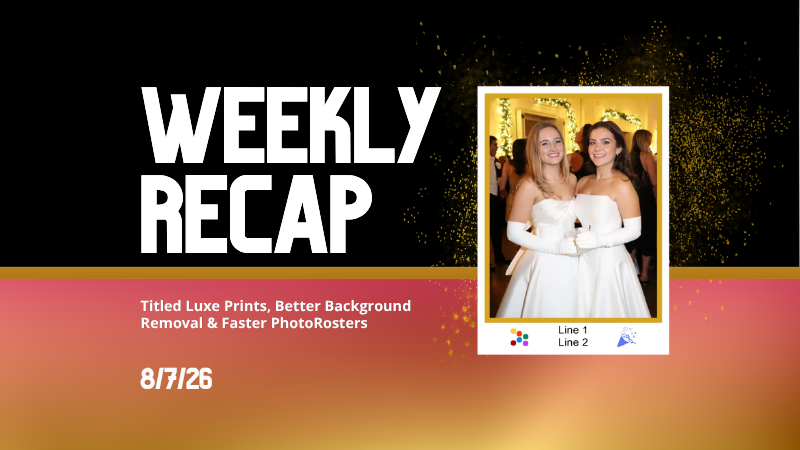
Weekly Recap: Reworked Titled Luxe Prints, Better Cutouts & Faster PhotoRoster Imports ✨📸

Weekly Recap: Reworked Titled Luxe Prints, Better Cutouts & Faster PhotoRoster Imports ✨📸
Hey photo friends! 👋

Candy here with another round of updates! This week’s highlights include a fresh redesign for Titled Luxe Prints, a brand-new 4×6 size, continued Background Removal improvements, and some helpful Dashboard upgrades for PhotoRosters, Event Tags, and Positive ID workflows.

✨ Titled Luxe Prints Get a Refresh

Titled Luxe Prints have been reworked to feel more like the classic PartyPics style while still keeping the premium embellishments that make them special.

🖼️ Updated Titled Luxe Print design

  • Still embellished
  • Still supports 3 caption lines
  • Still includes 2 crests
  • Now has a more traditional PartyPics-style look

🆕 New 4×6 Titled Luxe Print

  • Priced at $1.38
  • Includes both 2D and 3D renders
  • Joins the existing 5×7 and 8×10 sizes

You can preview the updated product here:
https://app.nowcandid.com/3d/titled-luxe-print

✂️ Background Removal Keeps Getting Better

🟢 Green screen cutouts improved (again!)

Overall cutout quality improved

We’re continuing to tune Background Removal so cutouts look cleaner across more shooting conditions. Stay tuned for even more improvements!

📱 Capture App 5.9.1 – Android

📷 Full-quality internal camera capture

  • Android devices now use the full available quality of their internal cameras when shooting through the Capture App.
  • Previously, it was using a down-sized version!

🖥️ Dashboard Improvements

🪪 Faster Positive ID Scanner Card generation

  • The Scanner ID Workflow's Scan Card PDF Generator is now performs better, stalls less, and produces significantly smaller download files.

⚠️ Background artwork warning

  • When uploading an Event background, NowCandid can now detect text or logos and show an extra warning.
  • This reinforces the existing recommendation to avoid placing important text or branding on backgrounds where product cropping could cut it off. Use our Overlay features instead!

Clearer Auto Editor folder naming

  • Manage Images now shows a sparkles icon for Folders containing AI edits, with clearer formatting for Folders created by the Auto Editor.

📥 Import PhotoRosters directly from Participant List

  • Face Matching Events now have an Import from PhotoRoster button at the top of the Participant List page, letting you select and import a PhotoRoster without navigating away.

🎨 Candy Image Studio & Auto Editor

🖼️ Background Generator improvements

  • Outputs are now sized more appropriately for uploading back into an Event
  • Generated background sets match each other more consistently

💰 Every node now displays its price

  • Previously, only discounted nodes showed pricing. Now every node clearly displays what it costs!
  • Expect more nodes with their own unique prices in the future! We will continue to build on and improve our Auto Edit & Image Studio tools.

🧩 Predetermined node order

  • Nodes can no longer be drag-and-dropped into different edit "orders".
  • Their hierarchy is now set automatically so edits run in the best possible sequence without you needing to think about it!

🛠️ Auto Editor UI refreshed

  • Several interface changes make setup and options clearer and easier to understand.

📋 PhotoRoster Improvements

👥 Multiple PhotoRosters per Event

  • Fixed an issue that could prevent you from importing more than one PhotoRoster into the same Event.

💬 Clearer disabled export messaging

  • If Export is unavailable, clicking it now explains why.

🚫 Empty PhotoRosters can’t be exported

  • A PhotoRoster must have at least one member with an image before it can be exported to an Event.

🔐 Password-Protected Public Event Lists

Event Tags now have an optional extra layer of privacy:

🔑 Password-protect your Public Event List Pages:

  • ➕ Set a password while creating a new Event Tag
  • ✏️ OR add or remove the password using the Event Tag editor

This works similarly to the password protection for your Private Image Download Galleries.

🛍️ Retail Fixes & Protection

🖼️ Fixed package editing edge cases where the Overlay step could be missing while choosing a new image

🛡️ Additional GalleryGuard improvements

That’s the week!

The refreshed Titled Luxe Prints are the star of this update, with better Background Removal, easier PhotoRoster importing, and more control over Event Tags rounding things out.

Keep creating magic,

Candy 🍬

Related articles

Drive Sales Using Party Pics Now
Success Stories
April 18, 2022

Drive Sales Using Party Pics Now

2
 minutes read

“We had a very successful Father/Daughter dance. The assistant principal was shocked at how organized and fast the pictures were this year. She also said that she didn't think dads would buy photos online. I told her that with my system, they will (this was our first year covering this event). Last year, dads had to pay with a paper order form, and many of them left the dance without taking photos because the line was so long. This year, we used Now Candid’s Party Pics Now, with Tap-A-Face. And when dads entered a phone number, we asked them to put mom's cell phone number in.” - Eric Miller

(screenshot of the event report taken before $2,100 was reached)
  • In one week, this event has done over $2,100 in sales and has ~$13.65 in sales per father’s face tapped.
  • Father/Daughter pairs were shot with a sparkling golden backdrop for most photos.
  • Price Level 11 (the most expensive PPN price level) was used for this event. Accounting for the 85% margin digital downloads and Price Level 11's 80% margin on physical products: Miller’s total profit margin was 82% of all sales and shipping.
  • No additional fees, charges, or unexpected costs makes for easy and instant accounting, and funds were deposited to his account within the week

Overall, this event was a homerun for MillerFoto and a great example of how effective Now Candid’s systems can be when you shoot quality photography and book quality events.

Thanks for sharing, Eric!

NowCandid's Microsoft App: Out Now!
Feature Updates
March 9, 2022

NowCandid's Microsoft App: Out Now!

3
 minutes read

New features you'll find in the app:

  • Supports several new Nikon and Canon models that the previous NOW Candid app did not
  • Customizable App Passcode - ensures you are uploading directly to events in your account & is protected from other user's image uploads
  • New modern design for ease of use
  • More event information now available right from the tablet when logged in
  • Choose between dark or light mode (dark mode looks pretty slick! Try it out!)
  • Added button in settings that instantly pulls up the image hot folder
  • Easier installation and less issues with Window Defender
  • Smarter log out protocols (warnings if all images have not been uploaded)
  • "Upload from SD card" to manually add all images from an SD card to an event.
  • Useful if a camera was not connected to a tablet when images were shot, this provides another way to manually upload
  • OR if you had a second photographer on site without a tablet, they could upload their images through a tablet/laptop before leaving the event

How to uninstall the previous version of the app:

If you have previous versions of the Party Pics® Now app or Now Candid app installed on your device, you will want to uninstall them. Make sure all data and images from any previous events have been transferred prior to uninstalling.

1. Navigate to "Add or remove programs"

2. Search for NowCandid to uninstall

    a. This can be done for "Party Pics Now" or SNAP as well

How to install the new version of the NowCandid app:

You can install the new app by going directly to the Microsoft App Store using this direct link: www.microsoft.com/store/apps. Alternatively,  you can find a link to the store on NowCandid.com/download (must be logged into account to access this page).

How to find your App Passcode to log in on the new tablet:

1. Log in to your account on NowCandid.com

2. Click on App Settings

3. Find or change your App Passcode

Let’s get in touch

If you’re a photographer looking to add NowCandid services to your wheelhouse – set up a call by clicking the button below.

How to customize formatting for each rich text

How to customize formatting for each rich text

How to customize formatting for each rich text

How to customize formatting for each rich text

How to customize formatting for each rich text

What’s a Rich Text element?

The rich text element allows you to create and format headings, paragraphs, blockquotes, images, and video all in one place instead of having to add and format them individually. Just double-click and easily create content.

A rich text element can be used with static or dynamic content. For static content, just drop it into any page and begin editing. For dynamic content, add a rich text field to any collection and then connect a rich text element to that field in the settings panel. Voila!

Headings, paragraphs, blockquotes, figures, images, and figure captions can all be styled after a class is added to the rich text element using the "When inside of" nested selector system.

  • List One
  • List Two
  • List Three
  • List Four
  • List Five

This is a link

This is bold text