HomeNavigation arrowBlogNavigation arrow
Current page
Feature Updates

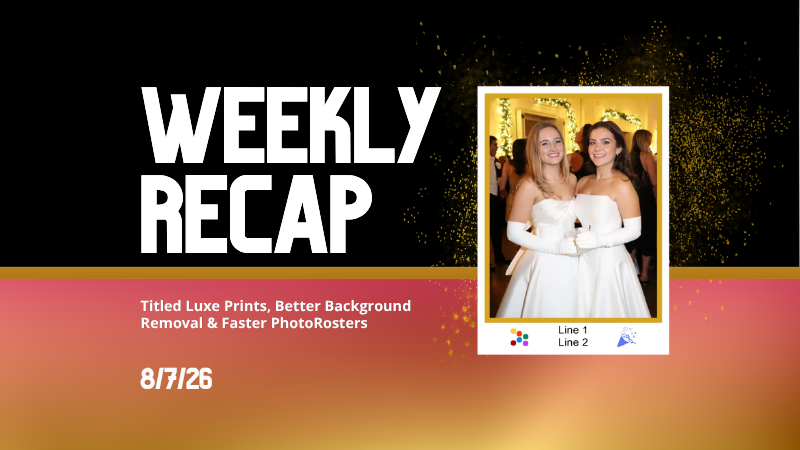
Weekly Recap: Reworked Titled Luxe Prints, Better Cutouts & Faster PhotoRoster Imports ✨📸

Weekly Recap: Reworked Titled Luxe Prints, Better Cutouts & Faster PhotoRoster Imports ✨📸
Hey photo friends! 👋

Candy here with another round of updates! This week’s highlights include a fresh redesign for Titled Luxe Prints, a brand-new 4×6 size, continued Background Removal improvements, and some helpful Dashboard upgrades for PhotoRosters, Event Tags, and Positive ID workflows.

✨ Titled Luxe Prints Get a Refresh

Titled Luxe Prints have been reworked to feel more like the classic PartyPics style while still keeping the premium embellishments that make them special.

🖼️ Updated Titled Luxe Print design

  • Still embellished
  • Still supports 3 caption lines
  • Still includes 2 crests
  • Now has a more traditional PartyPics-style look

🆕 New 4×6 Titled Luxe Print

  • Priced at $1.38
  • Includes both 2D and 3D renders
  • Joins the existing 5×7 and 8×10 sizes

You can preview the updated product here:
https://app.nowcandid.com/3d/titled-luxe-print

✂️ Background Removal Keeps Getting Better

🟢 Green screen cutouts improved (again!)

Overall cutout quality improved

We’re continuing to tune Background Removal so cutouts look cleaner across more shooting conditions. Stay tuned for even more improvements!

📱 Capture App 5.9.1 – Android

📷 Full-quality internal camera capture

  • Android devices now use the full available quality of their internal cameras when shooting through the Capture App.
  • Previously, it was using a down-sized version!

🖥️ Dashboard Improvements

🪪 Faster Positive ID Scanner Card generation

  • The Scanner ID Workflow's Scan Card PDF Generator is now performs better, stalls less, and produces significantly smaller download files.

⚠️ Background artwork warning

  • When uploading an Event background, NowCandid can now detect text or logos and show an extra warning.
  • This reinforces the existing recommendation to avoid placing important text or branding on backgrounds where product cropping could cut it off. Use our Overlay features instead!

Clearer Auto Editor folder naming

  • Manage Images now shows a sparkles icon for Folders containing AI edits, with clearer formatting for Folders created by the Auto Editor.

📥 Import PhotoRosters directly from Participant List

  • Face Matching Events now have an Import from PhotoRoster button at the top of the Participant List page, letting you select and import a PhotoRoster without navigating away.

🎨 Candy Image Studio & Auto Editor

🖼️ Background Generator improvements

  • Outputs are now sized more appropriately for uploading back into an Event
  • Generated background sets match each other more consistently

💰 Every node now displays its price

  • Previously, only discounted nodes showed pricing. Now every node clearly displays what it costs!
  • Expect more nodes with their own unique prices in the future! We will continue to build on and improve our Auto Edit & Image Studio tools.

🧩 Predetermined node order

  • Nodes can no longer be drag-and-dropped into different edit "orders".
  • Their hierarchy is now set automatically so edits run in the best possible sequence without you needing to think about it!

🛠️ Auto Editor UI refreshed

  • Several interface changes make setup and options clearer and easier to understand.

📋 PhotoRoster Improvements

👥 Multiple PhotoRosters per Event

  • Fixed an issue that could prevent you from importing more than one PhotoRoster into the same Event.

💬 Clearer disabled export messaging

  • If Export is unavailable, clicking it now explains why.

🚫 Empty PhotoRosters can’t be exported

  • A PhotoRoster must have at least one member with an image before it can be exported to an Event.

🔐 Password-Protected Public Event Lists

Event Tags now have an optional extra layer of privacy:

🔑 Password-protect your Public Event List Pages:

  • ➕ Set a password while creating a new Event Tag
  • ✏️ OR add or remove the password using the Event Tag editor

This works similarly to the password protection for your Private Image Download Galleries.

🛍️ Retail Fixes & Protection

🖼️ Fixed package editing edge cases where the Overlay step could be missing while choosing a new image

🛡️ Additional GalleryGuard improvements

That’s the week!

The refreshed Titled Luxe Prints are the star of this update, with better Background Removal, easier PhotoRoster importing, and more control over Event Tags rounding things out.

Keep creating magic,

Candy 🍬

Related articles

📸 Candy’s 12 Days of Christmas: Day 9 – Image Timeline Report & Unique Faces Count 🎄📊
Feature Updates
December 22, 2024

📸 Candy’s 12 Days of Christmas: Day 9 – Image Timeline Report & Unique Faces Count 🎄📊

3
 minutes read
Hello again, my detail-oriented photographers! 🎅

Candy here, and welcome to Day 9 of our 12 Days of Christmas countdown.

Today’s spotlight is on a feature that arrived in November, giving you fresh ways to understand your event coverage: the Image Timeline Report & Unique Faces Count.

Key Highlights:

  • Image Timeline Report:

    View when images were captured in each event folder, helping you analyze shooting patterns, spot peak moments, and evaluate hired photographer performance.
  • Unique Faces Count (Post Group-by-Face):

    After running Group-by-Face, see an estimate of how many unique individuals were photographed. This insight helps you gauge how effectively you encouraged photo subjects to provide their contact info and become Participants.

By understanding shooting trends and estimating how many distinct people you captured, you can refine your approach for future events and ensure no one’s left out. 🎉

Check back tomorrow for Day 10, and remember we have a special announcement waiting for you on December 25th!

Candy 🍬

📸 Candy’s 12 Days of Christmas: Day 8 – Full Frame Overlays & Custom Backgrounds 🌟🎨
Feature Updates
December 21, 2024

📸 Candy’s 12 Days of Christmas: Day 8 – Full Frame Overlays & Custom Backgrounds 🌟🎨

3
 minutes read
Hello again, my creative photographers! 🎅

Candy here, and welcome to Day 8 of our 12 Days of Christmas countdown. We’ve highlighted features for events, sales, action photography, and sports-focused workflows.

Today, let’s celebrate a 2024 addition that brought artistry and personalization to your images: Full Frame Overlays & Custom Backgrounds.

Key Highlights:

  • Full Frame Overlays & Text Titles:

    Wrap entire images with themed frames—like a party pics overlay, a jungle design, or any style you choose—and add text titles right on the images. It’s a quick way to give your clients something more unique and memorable.
  • Custom Backgrounds & Pre-Rendering:

    Photographers can upload up to four custom backgrounds. These backgrounds will pre-render in the image gallery, so clients can instantly see how their images look against these new scenes. From festive holiday themes to brand-aligned designs, you can set the mood perfectly.
  • Import From Previous Events:

    Have a favorite overlay or background setup from a past event? Simply import it for a new event, maintaining consistency and saving setup time.

These visual customizations not only enhanced the aesthetic appeal of your galleries but could also help boost sales by encouraging clients to purchase more prints and downloads that feel like true mementos. 🎉

Check back tomorrow for Day 9, as we continue counting down the best of 2024. And don’t forget, something special awaits on December 25th!

Candy 🍬

📸 Candy’s 12 Days of Christmas: Day 7 – GroupTags for Sports 🏆✨
Feature Updates
December 20, 2024

📸 Candy’s 12 Days of Christmas: Day 7 – GroupTags for Sports 🏆✨

3
 minutes read
Hello, my team-spirited photographers! 🎅

Candy here, and we’re on Day 7 of our 12 Days of Christmas countdown.

We’ve already highlighted features that made action photography shine, and today’s topic is another sports-focused enhancement: GroupTags for Sports.

Key Highlights:

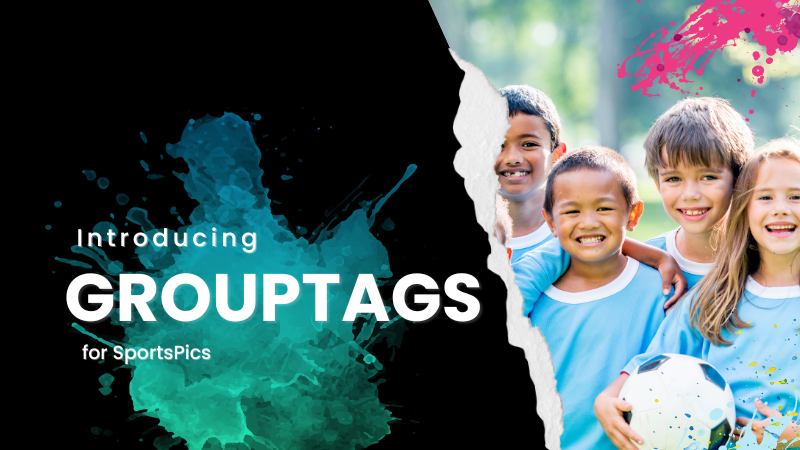
  • Organized Group Photos:

    Photographers can set up tags (e.g., team names, divisions) to categorize group images the way they want to, complete with emojis if desired!
  • Simple Selection for Customers:

    End customers arriving at the retail site can pick their group’s tag right from the start. No more endless scrolling through dozens of images to find their team!
  • Ideal for Leagues & Tournaments:

    GroupTags turned large sets of group photos into neatly sorted collections, making life easier for everyone.

By letting clients quickly find their specific group’s images, GroupTags improved the overall browsing experience and boosted satisfaction among team members, parents, and fans. 🎉

Check back tomorrow for Day 8, as we continue this holiday journey through the year’s biggest features. And remember, something extra special is coming on December 25th!

Candy 🍬

Let’s get in touch

If you’re a photographer looking to add NowCandid services to your wheelhouse – set up a call by clicking the button below.

How to customize formatting for each rich text

How to customize formatting for each rich text

How to customize formatting for each rich text

How to customize formatting for each rich text

How to customize formatting for each rich text

What’s a Rich Text element?

The rich text element allows you to create and format headings, paragraphs, blockquotes, images, and video all in one place instead of having to add and format them individually. Just double-click and easily create content.

A rich text element can be used with static or dynamic content. For static content, just drop it into any page and begin editing. For dynamic content, add a rich text field to any collection and then connect a rich text element to that field in the settings panel. Voila!

Headings, paragraphs, blockquotes, figures, images, and figure captions can all be styled after a class is added to the rich text element using the "When inside of" nested selector system.

  • List One
  • List Two
  • List Three
  • List Four
  • List Five

This is a link

This is bold text