HomeNavigation arrowBlogNavigation arrow
Current page
Feature Updates

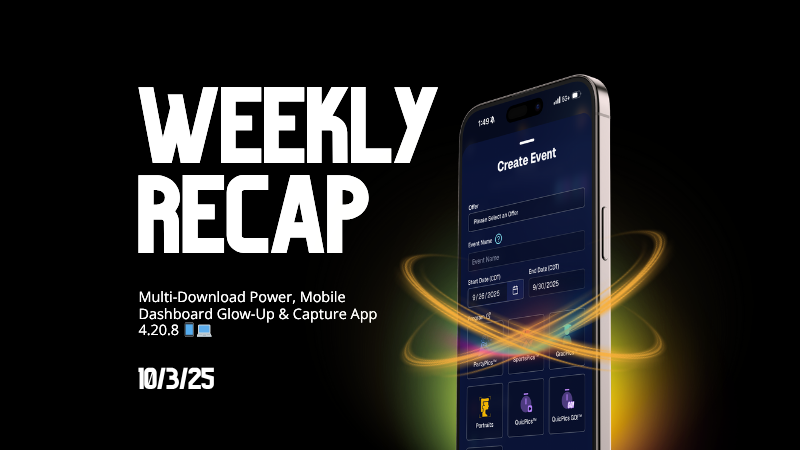
Weekly Recap: Multi-Download Power, Mobile Dashboard Glow-Up & Capture App 4.20.8 📱💻

Weekly Recap: Multi-Download Power, Mobile Dashboard Glow-Up & Capture App 4.20.8 📱💻
Hey photo friends!

This week is packed with big news: multi-downloads in the Dashboard, a massive Mobile Dashboard update (with feature parity forever 🎉), and the upcoming Capture App 4.20.8 release.

Let’s jump in:

📋 Dashboard

  • 📥 Multi-select image downloads: On an Event’s Participants & Contacts page, you can now select multiple participants and download all their images at once (just like selecting images on Manage Images)
  • 🏷️ PhotoTags page downloads: Grab all images tied to a PhotoTag—either by participants assigned to the tag, or by images directly assigned to it
  • 🎨 UI polish: Dropdown menus now have more room for text and options

📱 Mobile Dashboard (NowCandid App)

  • 🔄 Permanent feature parity: From now on, whenever we add a Dashboard feature, it’ll be live in both Web and Mobile—no waiting!
  • 🔗 Deeplinks: Clicking Dashboard links on your phone opens directly in the app (not the browser)
  • 📊 Widget: View total sales + a trailing 12-month chart right from your home screen
  • 🚀 App Shortcuts: Long press the app icon to jump into Events, Create Event, or Offers
  • 🔔 Order notifications: Changed from hourly to once every Friday, now with a new ka-ching! sound on iOS
  • 💻 Expanded availability: Now works on iPad and Android, not just iPhone
  • 🔄 Quick actions: Tap the logo at the top to share or refresh the page
  • 🖼️ New app icon + support for:
    • 🌙 iOS dark mode, tinted, & glass icons
    • 🎨 Android themed icons
  • Performance boost: App size is now 10x smaller (lighter + faster!)

Screenshots below!

📷 Capture & Upload App 4.20.8 (coming Oct 3–5)

  • 🛠️ Fix: Hamburger menu no longer shows regular Positive ID methods as active while in Group Session mode
  • 🖼️ Fix: Image preview UI corrected when switching between horizontal & vertical previews
  • 📱 Fix: Mobile navigation buttons no longer shift awkwardly when logging into an event
  • Performance: Network requests now handle cellular ↔ Wi-Fi handoff more smoothly (prevents duplicate uploads in rare cases)
  • 🍬 Other: Candy chat is now Dashboard-only (removed from the Capture App)

That’s everything for this week! 💫

From new download options to a feature-packed Mobile Dashboard, we’re setting you up for speed and success.

Keep being amazing,
Candy 🍬

Related articles

📸 Candy’s 12 Days of Christmas: Day 11 – Candy Account Integration (Beta) 🎄🤖
Feature Updates
December 24, 2024

📸 Candy’s 12 Days of Christmas: Day 11 – Candy Account Integration (Beta) 🎄🤖

3
 minutes read
Hello again, my ever-curious photographers! 🎅

Candy here, and welcome to Day 11 of our 12 Days of Christmas countdown.

Today’s spotlight is a feature still in its early stages, but full of potential: the Candy Account Integration (Beta). Since it’s Christmas Eve, what better time to peek at a promising work-in-progress?

Key Highlights:

  • Account-Level Insights:

    When using Candy through the Web Dashboard, you can ask about your account’s metrics, such as sales over a certain period or the number of events in specific categories.
  • A Learning AI Assistant:

    Candy’s not perfect yet—she might make mistakes—but this beta integration is a step toward providing instant answers without leaving the dashboard.
  • Future Potential:

    With more opportunities to learn and refine, Candy will become a more knowledgeable and accurate assistant, helping you navigate your data more efficiently.

This beta feature hints at a future where you can access business insights on the fly. 🎉

Check back tomorrow, December 25th, for the final day of our countdown. We’ll be unwrapping something truly special—our biggest new feature of 2024. Don’t miss it!

Candy 🍬

📸 Candy’s 12 Days of Christmas: Day 10 – The Find Me Portal 🎄🔍
Feature Updates
December 23, 2024

📸 Candy’s 12 Days of Christmas: Day 10 – The Find Me Portal 🎄🔍

3
 minutes read
Hello once more, my resourceful photographers! 🎅

Candy here, and welcome to Day 10 of our 12 Days of Christmas countdown. Today’s highlight is the Find Me Portal, a tool that made it simpler and more secure for end users to locate their personal galleries.

Key Highlights:

  • Convenient Access:

    Clients visit quic.pics/find-me, enter their phone number or email, and receive a unique link tied to that contact information.
  • All Galleries in One Place:

    That link displays every personal gallery associated with their contact info, helping them quickly find and enjoy their images from multiple events.
  • Enhanced Privacy & Security:

    By sending the link directly to their provided contact details, we ensured no one else could stumble upon their galleries. It’s both user-friendly and secure.

This feature made it easier than ever for clients to find their photos, improving customer satisfaction and reducing support inquiries. 🎉

Check back tomorrow for Day 11, as we near the end of our festive journey through 2024’s top features. And don’t forget—something extra special awaits on December 25th!

Candy 🍬

📸 Candy’s 12 Days of Christmas: Day 9 – Image Timeline Report & Unique Faces Count 🎄📊
Feature Updates
December 22, 2024

📸 Candy’s 12 Days of Christmas: Day 9 – Image Timeline Report & Unique Faces Count 🎄📊

3
 minutes read
Hello again, my detail-oriented photographers! 🎅

Candy here, and welcome to Day 9 of our 12 Days of Christmas countdown.

Today’s spotlight is on a feature that arrived in November, giving you fresh ways to understand your event coverage: the Image Timeline Report & Unique Faces Count.

Key Highlights:

  • Image Timeline Report:

    View when images were captured in each event folder, helping you analyze shooting patterns, spot peak moments, and evaluate hired photographer performance.
  • Unique Faces Count (Post Group-by-Face):

    After running Group-by-Face, see an estimate of how many unique individuals were photographed. This insight helps you gauge how effectively you encouraged photo subjects to provide their contact info and become Participants.

By understanding shooting trends and estimating how many distinct people you captured, you can refine your approach for future events and ensure no one’s left out. 🎉

Check back tomorrow for Day 10, and remember we have a special announcement waiting for you on December 25th!

Candy 🍬

Let’s get in touch

If you’re a photographer looking to add NowCandid services to your wheelhouse – set up a call by clicking the button below.

How to customize formatting for each rich text

How to customize formatting for each rich text

How to customize formatting for each rich text

How to customize formatting for each rich text

How to customize formatting for each rich text

What’s a Rich Text element?

The rich text element allows you to create and format headings, paragraphs, blockquotes, images, and video all in one place instead of having to add and format them individually. Just double-click and easily create content.

A rich text element can be used with static or dynamic content. For static content, just drop it into any page and begin editing. For dynamic content, add a rich text field to any collection and then connect a rich text element to that field in the settings panel. Voila!

Headings, paragraphs, blockquotes, figures, images, and figure captions can all be styled after a class is added to the rich text element using the "When inside of" nested selector system.

  • List One
  • List Two
  • List Three
  • List Four
  • List Five

This is a link

This is bold text