Hello, my wonderful photographers!
Candy here, and I’ve got big news about a feature that might just boost your sales in 2025. Yes, that’s right—Tiered Pricing is making its comeback to NowCandid™!
Let’s dive into the what, why, and how of this exciting development.
Heads Up, Everyone! ⚠️
This is an important one if you’re an active NowCandid™ user. So, if you read only one of our updates this year... let it be this one!
Tiered Pricing will roll out on January 20th, and it’s a big deal for your SportsPics™, PartyPics™, GradPics™, or other sales-driven events. So please keep reading to see what’s new and how it could benefit you.
What Is Tiered Pricing? ❓
Tiered Pricing is the concept that your retail prices will nudge upward in small increments over three separate one-week periods:
- Week 1 – “Early bird” pricing
- Week 2 – Slightly higher “discounted” pricing
- Week 3 – Another small bump, settling at your “regular” pricing
We call it “Tiered Pricing” because each week is its own “Tier.”
We’re not trying to get you to charge outrageous amounts (in fact, lowering your prices can often benefit your overall profit), we're just introducing tiny price increases that the NowCandid™ marketing campaign will reference to gently push people to order more, and sooner.
The Real Advantage Lies in the Marketing ⭐
Some might assume Tiered Pricing is about making money off late buyers, but that’s not our aim:
- Minimal Price Increases:
A $1 or $2 difference won’t significantly affect your overall pricing but creates a sense of urgency in your marketing.
- Deadlines & Discounts:
- Week 1: Promoted as “early bird.”
- Week 2: Positioned as “slightly higher but still discounted.”
- Week 3: Called “regular” or “final” pricing.
- No Negative Reinforcement:
- There are no hefty late fees. Buyers see a small difference in price from one week to the next, which spurs action without scaring them off.
This structure keeps your clients engaged, draws in earlier purchases, and still ensures a reasonable price for those who come back later.
Remembering Tiered Pricing from the Past 🏛️
- Before the New Dashboard:
In mid-2024, when we introduced our modern Web Dashboard & new retail site, we chose to keep pricing straightforward at first—no Tiered Pricing.
- Old Premade Offers:
Back in the day, NowCandid™ used default “Tiered” premade offers with subtle $1–$2 increases each week. These small bumps proved beneficial enough that we’re ready to bring them back with the new system.
Why Such Tiny Price Increases? 🤏
NowCandid™ fosters long-term, residual sales through:
- Annual Marketing Reminders
- Event History (for customers who log into the retail site)
- “Buy More” QR Codes on Prints
- Our Find Me Portal
- And future expansions that will encourage reorders!
By raising prices too steeply in the final weeks, you risk losing those valuable residual buyers. Tiny increments let the marketing do the heavy lifting—highlighting deadlines without truly punishing anyone for missing Week 1 or 2.
Why Bring Tiered Pricing Back Now? 📈
We studied a large batch of graduation Events, comparing the performance of schools photographed in both 2018 and 2023 (avoiding COVID years in the middle).
Between these two rounds of graduations, we made many improvements, but one of the bigger changes was the addition of Tiered Pricing.
Importantly, in 2023, Sales per person photographed increased by 76% over 2018.
Even if Tiered Pricing accounted for just one-fifth of that boost, that’s still a 15% jump in your own sales.
So while it might not be the only factor, it’s likely to be a meaningful one.
How We’re Implementing Tiered Pricing 🚀
We want to keep NowCandid™ easy to use, so Tiered Pricing will be made active for all sales-driven events (SportsPics™, PartyPics™, GradPics™, Portraits, etc.) starting January 20th, without a special toggle to turn it off—for now. Here’s the plan:
- New Tabs Accompanying Each Product & Package in the Offer Creator
- Week 1 (base price)
- Week 2 (+$1 on individual items, +$2 on packages)
- Week 3 (+$2 on individual items, +$4 on packages compared to Week 1).
- Marketing Alignment
- NowCandid™ marketing texts and emails will be altered to automatically reference these price bumps each week, nudging people to purchase before they miss the “discounted” or “early bird” phase.
- Your Current Prices Will Become Week 1 Prices
- If you want your current price to remain the “Week 2” rate, consider lowering your Week 1 by $1 or $2. That way, you’re effectively offering a genuine discount in Week 1 while still matching your usual rate in Week 2, with only a slight increase in Week 3.
- What About QuicPics™ or QuicPics GO™?
- Tiered Pricing won’t apply to those event types, since they focus on free downloads and don’t rely on persistent marketing. This only affects events where you’re selling items at retail prices over multiple weeks.
Participant vs. Event-Based Timing ⏱️
- Participant Timing:
Tiered Pricing for a specific subject starts when their “Day 0” marketing text goes out—i.e., once they become a participant in your Face Matching or Positive ID event. If someone isn’t photographed until Day 3, they’ll still get a full Week 1 period from that day forward.
- All Images Gallery:
If a customer bypasses personal galleries and shops the All Images Gallery on the NowCandid™ retail site, the Price Tier they see is based on the Event’s official start date.
- Dashboard Insight:
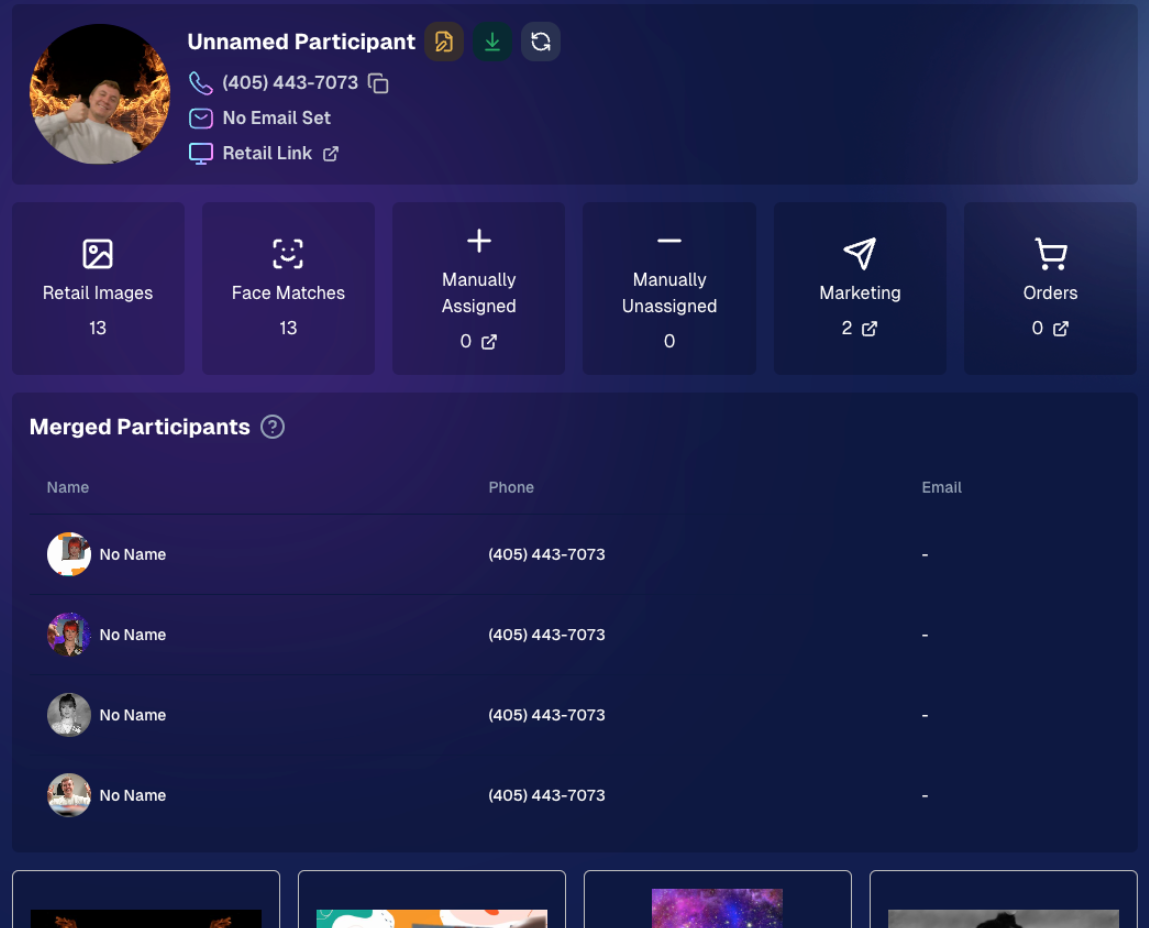
You can see which pricing Week a participant is currently in by viewing their Participant Details page on the Web Dashboard.
What Do I Have to Do? 🤔
- If You’re Fine With Default:
Sit back and let NowCandid™ handle it! We’ll roll out the changes automatically on January 20th.
- If You Want a Lower “Week 1”:
Adjust your existing Offer prices downward for that first Tier, making your Week 2 and Week 3 prices align with what you used to charge
If you want your current price to remain the “Week 2” rate, consider lowering your Week 1 by $1 or $2. That way, you’re effectively offering a genuine discount in Week 1 while still matching your usual rate in Week 2, with only a slight increase in Week 3.
- Feedback Welcome:
If you truly dislike Tiered Pricing or think it messes up your strategy, reach out. We’re open to suggestions for making it optional, though for now it’s set to be standard across sales-driven events.
That’s the scoop, my lovely photographers!
Tiered Pricing is coming back to NowCandid™, and we believe it can add a gentle lift to your sales without complicating your life.
If you have questions or concerns, don’t hesitate to let us know. Otherwise, mark your calendar for January 20th and watch those early-bird sales roll in!
Candy 🍬


.png)





.png)


.png)
.png)

.svg)


