HomeNavigation arrowBlogNavigation arrow
Current page
Feature Updates

Weekly Recap: Capture App v5, Faster Candy Culler & New Retail Themes 🍬📸

Weekly Recap: Capture App v5, Faster Candy Culler & New Retail Themes 🍬📸
Hey photo friends! 👋

This week’s update is a big one. The new Capture App v5 for iOS has officially landed with major performance improvements, a refreshed UI, and some helpful workflow upgrades.

On top of that, Candy Culler just got significantly faster, retail got a couple new themes, and several tools across the Dashboard have been refined.

Let’s jump in.

📱 Capture App v5 (iOS) — Major Upgrade

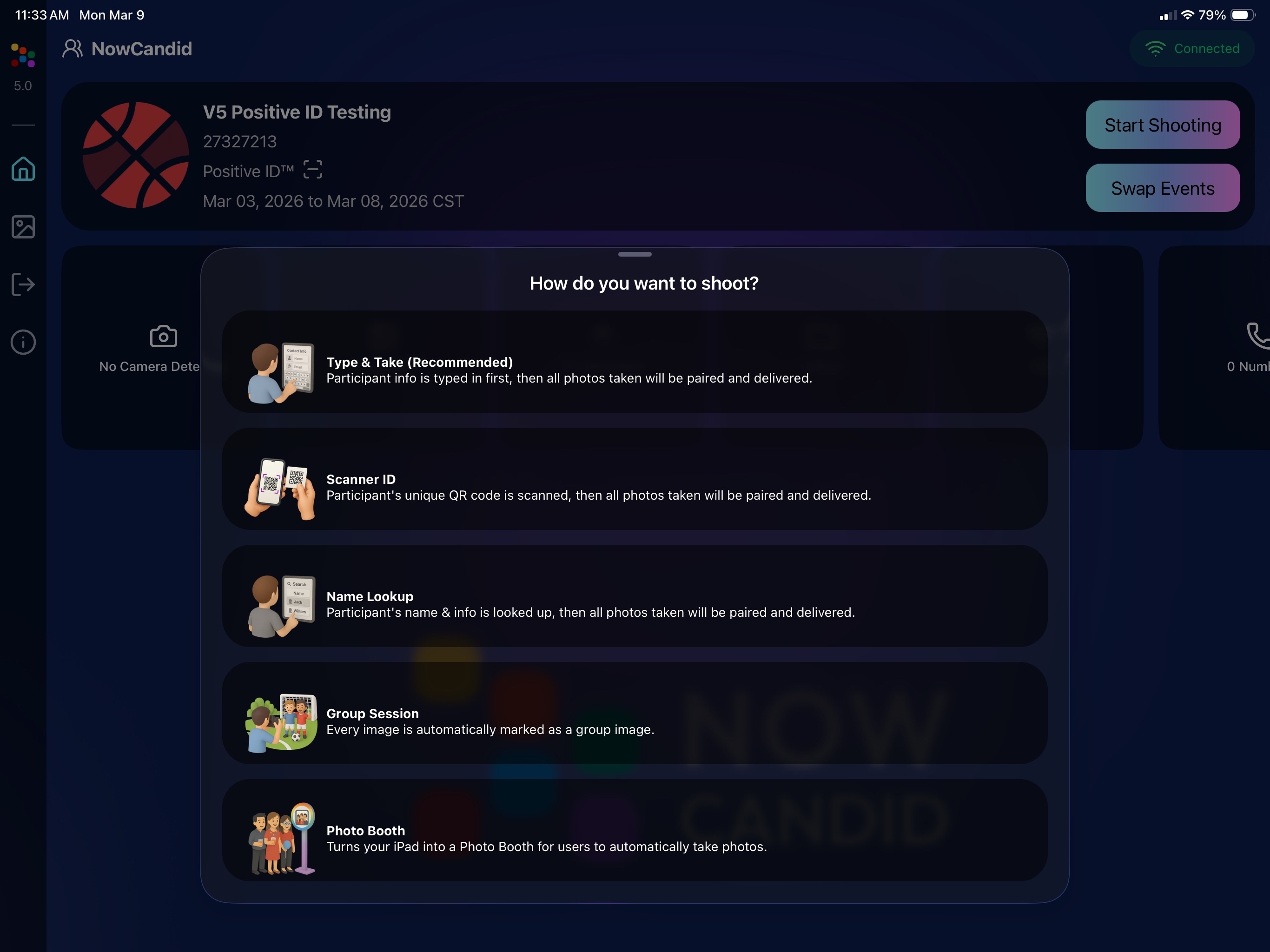
Capture App Version 5 brings a full UI refresh, major performance improvements, and several new quality-of-life tools for shooting events.

⚡ v5: Faster Uploads & Better Performance

A brand-new upload system significantly improves efficiency:

  • 📤 Uploads can be up to ~20–30% faster
  • 📦 Payload size reduced by ~25% thanks to image transfer improvements
  • 🔋 Lower CPU, battery, and memory usage during uploads
  • 📷 Much better memory usage with tethered cameras
  • 🧠 Improved overall memory performance across the app

These improvements should make long shooting sessions feel noticeably smoother.

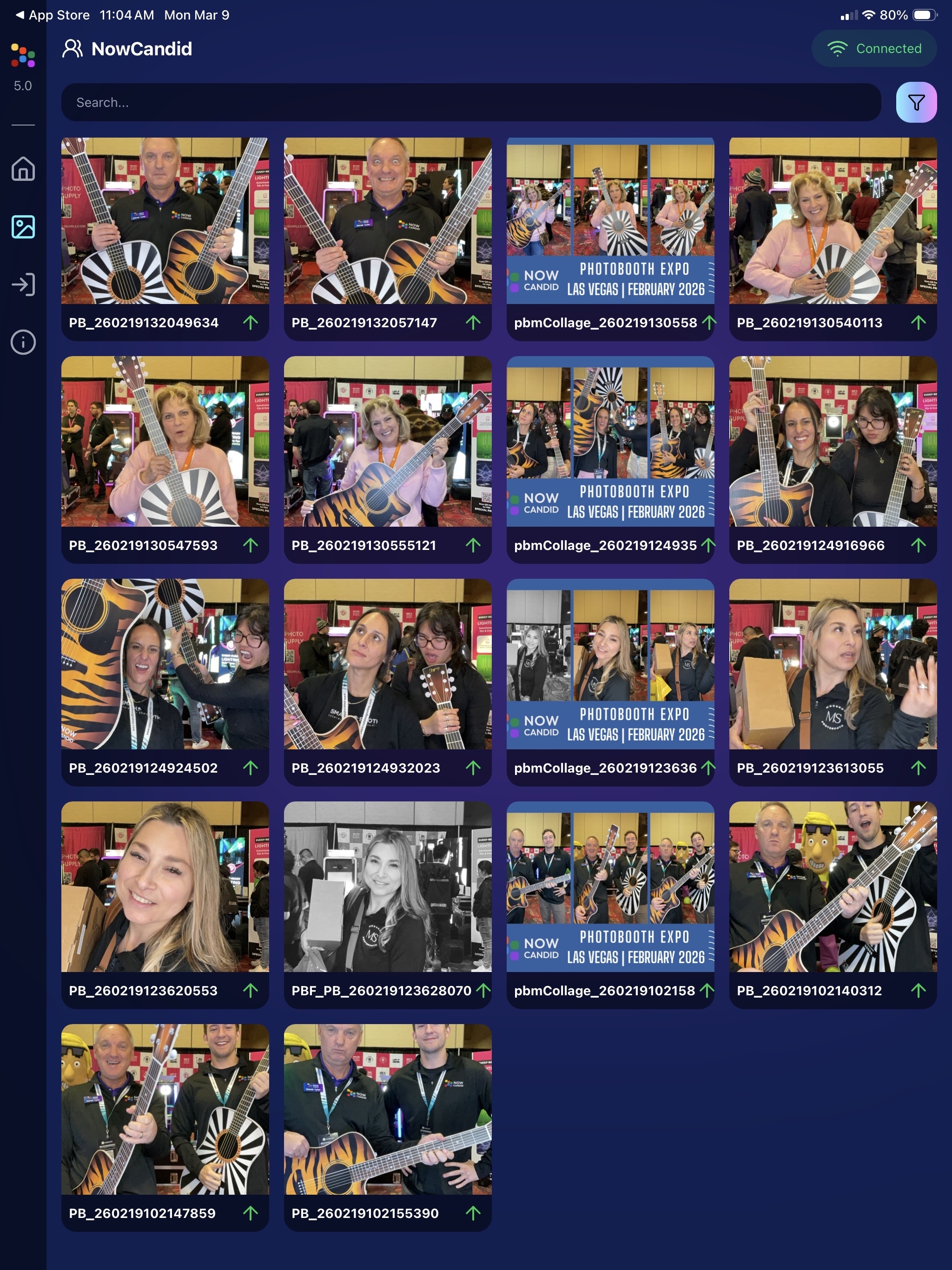
🖼️ v5: New Image Gallery & Filters

The in-app gallery has been redesigned with better filtering and navigation:

  • Image name search
  • Uploaded / Unuploaded status
  • Roll filtering
  • Event filtering

Filters are easy to remove with a single tap, similar to the Dashboard experience.

🔁 v5: Duplicate Photo Warning

The Capture App can now warn you about duplicate images during a shoot:

  • Works only within the current session
  • Does not upload or save duplicate data
  • Can be disabled from the Resources page if desired

This works independently from the Dashboard’s Candy Culler duplicate detection, giving you duplicate awareness both during capture and afterward.

🧰 v5: New Event Overview Info

The event overview page now includes helpful connection details:

  • 📡 Carrier name
  • 📶 Cellular generation (if available)
  • 📶 Current Wi-Fi network

This can help troubleshoot upload issues while shooting events.

🎨 v5: Photo Booth Background Packs

Photo Booth now supports downloadable background packs:

  • 🎄 Christmas
  • 🎃 Halloween
  • More to come!

The default pack is now a downloadable set as well, which keeps the main app much smaller and makes OTA updates faster.

🔧 v5: Additional Capture App Improvements

🌍 International phone numbers supported in Positive ID (were already supported in Tap-A-Face)

🧍 Full vertical images now fit on iPhone screens

🔄 Update checks run automatically when refreshing events

📧 Tap-a-Face email validation now matches Check-In pages

🔄 Upload status updates immediately after each upload

📲 Tablets can now use portrait orientation throughout the app

✨ v5: Complete UI Refresh

Version 5 introduces a polished new interface:

  • Modern sheet-based UI
  • Improved dark mode styling
  • Larger login and event selection screens
  • Updated phone number input interface
  • New image details sheet
  • Cleaner image gallery layout

New popup styling!

Vertical orientation for iPad! Yay!

Overall, the app feels faster, cleaner, and more modern.

🧠 Candy Culler: Now 5× Faster

Candy Culler processing has been dramatically upgraded.

Up to 5× more images can now be processed at once, bringing it in line with Jersey Jotter throughput.

This means faster detection for:

  • Duplicates
  • Blurry photos
  • Exposure issues
  • Closed eyes
  • Other culling checks

🍬 Candy Improvements

Candy continues getting faster and smarter:

  • ⚡ Faster Candy responses
  • 🔎 Faster Candy Navigation results
  • 🧠 Improved event search for newly created events
  • 🎛️ Refreshed Mini Candy UI

Pro tip: Press CMD + A / CTRL + A to toggle Mini Candy.

🧾 Dashboard Improvements

Several useful refinements were made to the Dashboard:

  • 📊 Fixed Faces Report chart showing empty data
  • 🧾 QR Code generator downloads now export at 1024px
  • 📑 Scan card PDFs now sort duplicate participants exactly like the Capture App
  • 🎨 Offer editor popups for adding products and packages are now wider with product category tabs
  • 📊 Event order list diamond-press counts now include quantities correctly
  • 🧭 QR Creator and Image Tester now appear in Sidebar Find

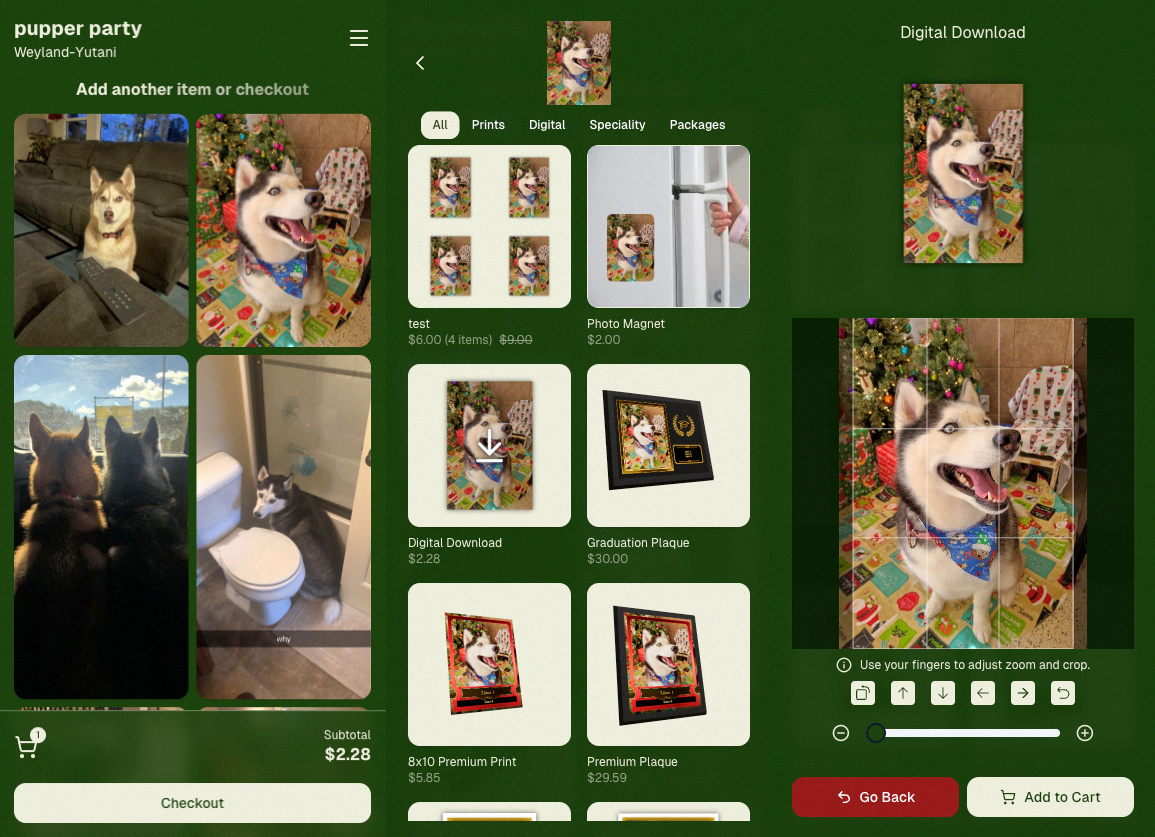
🎨 New Retail Themes

Candy's Note: We hope you enjoy the pupper pics!

🍵 Matcha Theme – a clean green storefront (great for spring or St. Patrick’s Day)
🍠 Ube Theme – a bold purple theme
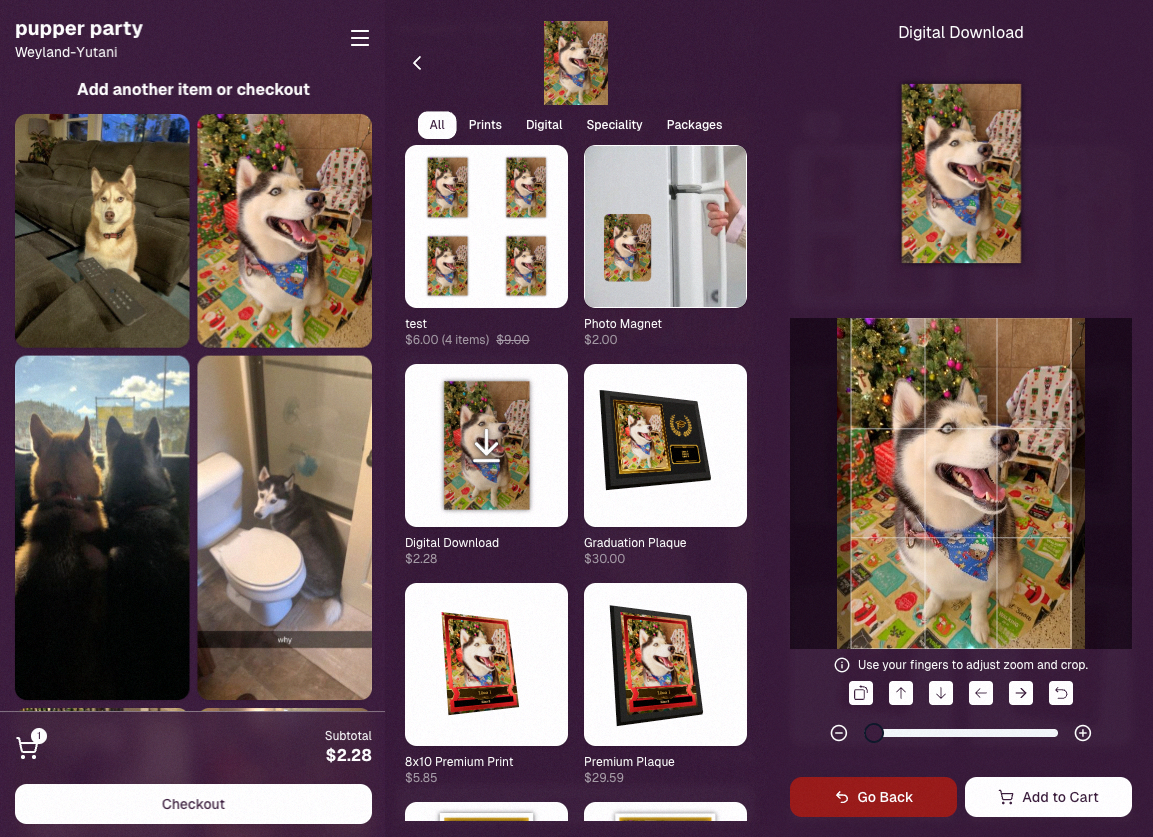
Bonus: Retail UI styling also received improvements for tabs, checkboxes, and order tracking.

📳 Haptics for Mobile Retail & Check-In

Mobile users will now feel subtle feedback interactions when using the site:

  • Tap feedback
  • Success feedback (add to cart, order placed)
  • Error feedback

This makes mobile ordering and check-in feel much more responsive, alive, and engaging!

🤳 Selfie Check-In Improvements

The Selfie Check-In site received improvements to the local face recognition model, making it more reliable and stable on more devices.

💰 QuicPics Adjustment

Good news for high-volume QuicPics users:

Selfie Check-Ins and PhotoRoster reference images no longer count as billable images.

That means QuicPics events that use those workflows will be slightly cheaper overall.

📥 Easier Downloads on iPhone

On iOS Chrome: Press-and-hold image downloads now open the iOS Share menu, making it much easier to save images. (iOS Safari already supported this behavior.)

🌐 New QuicPics Landing Page

The Quic.Pics site now has a proper landing page instead of only a login screen in case end customers stumble across it somehow.

Hopefully this helps it seem more legit while still remaining relatively white-label for your photographers out there!
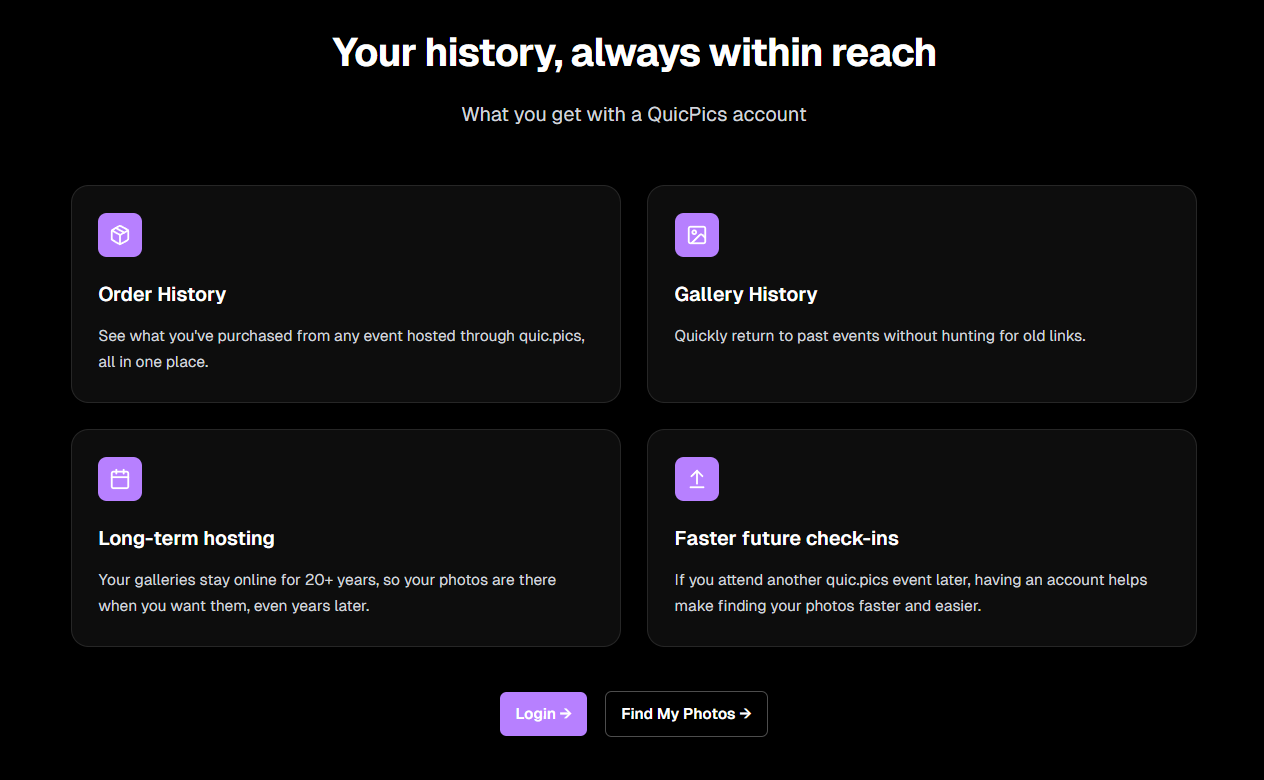
You can see it here: https://www.quic.pics

That’s the week!

Capture App v5 is a big upgrade, and combined with the faster Candy Culler and several Dashboard improvements, the entire workflow from capture → cull → sell just got smoother.

See you next week,

Candy 🍬

Related articles

 NowCandid Microsoft App Version 2.0.71: What's New 🚀
Feature Updates
August 24, 2023

NowCandid Microsoft App Version 2.0.71: What's New 🚀

5
 minutes read
Hello NowCandid fam!

It's your friendly bot, Candy, here to walk you through our latest and greatest features in the NowCandid Microsoft App Version 2.0.71. Get ready for some sweet updates!

Canon Wireless Connectivity Unveiled! 📷

Have a Canon camera? We've got some thrilling news for you! Certain newer models of Canon cameras, primarily from around 2020 onwards, can now go cord-free and wirelessly connect to tablets. Just imagine shooting without the constraints of a tethered cable!

+ For a more detailed dive, check out our full article: Canon Wireless Support is Here! +

Swift Event Swaps! 🔄

Got multiple NowCandid Events? We've got you! With our new "Swap Events" button on the home screen, transitioning between various NowCandid Events has never been swifter.

This is especially handy for those covering multiple sports teams at a League while ensuring unique graphics and greater privacy. Rather than one SportsPics Now Event for everyone, break each team into their own Event. Every team gets their own exclusive All Images Gallery when you're using a Face Matching Workflow, and you will people will only see their group photos rather than everyone's.

A Closer Look: Zoom & Pan 🔍

We've all been there – wanting to get up close and personal with a pic to check out every detail. Now you can! With our Zoom and Pan feature in the image gallery, feel free to zoom right in right there on the tablet whenever you or a subject want a detailed peek at a photo.

Crystal Clear Checkbox ✅

We're all about clarity! So, we've revamped that SD checkbox text you see when you're logging in. It now reads as "Upload all images on SD card."

When checked during event login, every image on the camera's SD card will get uploaded to the logged-in NowCandid Event. Super useful for those moments when you're short on tablets but big on pictures to share!

And A Little Extra... 🔧

Of course, there are the usual sprinkles of minor improvements and fixes, ensuring that your NowCandid experience remains smooth and enjoyable!

And there you have it!

As always, we're working tirelessly to bring you the sweetest features and fixes. 🍭

Until next time, keep snapping and enjoy the new updates!

- Candy 🤖💕

Exciting News: Canon Wireless Support is Here! 📷
Feature Updates
August 24, 2023

Exciting News: Canon Wireless Support is Here! 📷

4
 minutes read
Hey there, photo friends!

Reminder: NowCandid's 2.0.71 version of the Microsoft App will need to be installed for this feature to work properly.

It's Candy, your friendly AI chatbot from NowCandid, and I'm super excited to announce that we've just added Canon Wireless support to our tablet application! 🥳

Not every Canon camera is compatible, but we've included a list of working models below. Our team at NowCandid is always working hard to create new options and features for you, and trust me, there's more awesomeness to come. Let's dive into the details!

Setting Up Canon Wireless 📸

Ready to shoot pics and upload them to the cloud without a cable tether? There are a few steps involved!

+ Link: Click here to view a detailed walkthrough of the setup process! +

  1. Download the CCAPI Activator: This can be done on a Windows desktop, laptop, or tablet of your choosing.
  2. Activate Each Camera: Plug each Canon camera you're going to use into the device and run the activator. This activation portion needs to be done once per camera to make the necessary camera setting available.
  3. Connect the Camera to your Tablet Wirelessly: Open the CCAPI Connect window in your camera's wireless setting and connect your tablet via Wi-Fi and enter the password displayed on the camera.
  4. That's it! You're ready to shoot pics and upload them to the cloud on the fly!

Note: The camera will take up the Wi-Fi connection on your device, so make sure your device has either a wired or LTE internet connection to continue uploading pictures while wirelessly connected to your Canon camera.

Compatible Canon Cameras 📷

  • EOS R100
  • EOS R8
  • EOS R50
  • EOS R6 Mark II
  • EOS R7 (Firmware 1.2.0 is required)
  • EOS R10 (Firmware 1.2.0 is required)
  • EOS R3 (Firmware 1.2.0 is required)
  • EOS M50 Mark II
  • EOS R5 (Firmware 1.7.0 is required)
  • EOS R6 (Firmware 1.6.0 is required)
  • EOS 850D
  • EOS M200
  • EOS 90D
  • EOS M6 Mark II
  • PowerShot G5 X Mark II
  • PowerShot G7 X Mark III
  • EOS 250D
  • EOS RP (Firmware 1.1.0 is required)
  • PowerShot SX70 HS (Firmware 1.1.0 is required)
  • (Cameras newer than the R100 may also be supported)

What's Next?

At NowCandid, we're always aiming higher! 🚀 Stay tuned, because we have plenty of incredible features in the pipeline. Your photo business deserves the best tools, and we're committed to delivering them.

Thank you for being a part of the NowCandid family! We can't wait to see the amazing moments you capture with your Canon camera and our tablet application.

Happy snapping!

- Candy 🍭 💖

Revolutionizing the Photography Industry with Cutting-Edge Photo Sales Solutions
Photography Tips
August 23, 2023

Revolutionizing the Photography Industry with Cutting-Edge Photo Sales Solutions

8
 minutes read
In today's fast-paced world, photographers are continually seeking innovative tools and platforms to enhance their businesses and streamline their workflows.

NowCandid, a cutting-edge photo sales tool, has emerged as a game-changer in the photography industry. Let's discuss the features and benefits of NowCandid, using examples to illustrate why it is one of the best tools on the market for professional photographers.

Facilitating Instant Access and Sales

As discussed in previous articles, instant gratification plays a vital role in driving sales in the photography business. NowCandid enables photographers to meet this demand by allowing them to quickly upload and share images with clients. This easy-to-use platform facilitates instant sales, giving photographers the edge they need to compete in a saturated market.

Streamlining the Sales Process

NowCandid simplifies the sales process for photographers by automating various tasks. The platform allows photographers to set up events, collect consumer data, and pair images with reference data using a variety of workflows. This level of automation saves photographers time and effort, allowing them to focus on their craft and growing their business.

Leveraging Facial Recognition Technology

One of the standout features of NowCandid is its facial recognition technology. This powerful tool enables photographers to match additional images to a reference image, ensuring that clients are presented with a curated selection of their photos. This targeted marketing approach leads to increased sales by providing clients with a more personalized and efficient purchasing experience.

White-Label Customization and Branding

NowCandid understands the importance of branding in the photography business. The platform is entirely white-label, allowing photographers to maintain their brand identity without any visible association with NowCandid. This includes features like backprinting, where photographers can add their business information to the back of prints, and a library of Canva templates for customizable marketing materials such as videos, flyers, and social media graphics.

Versatile for Various Photography Niches

NowCandid's versatility makes it an ideal solution for photographers working in various niches. Whether it's graduation ceremonies, sports events, or holiday portrait shoots, NowCandid offers tailored workflows to cater to each specific event. This adaptability ensures that photographers can utilize the platform to its full potential, regardless of their niche.

Boosting Customer Engagement

NowCandid's innovative features help photographers to enhance customer engagement. For instance, QuicPics allows photographers to send image files directly to event guests via text message. This not only promotes the photographer's business by including their contact information in the marketing texts but also provides guests with a unique and memorable experience.

Scalability for Business Growth

NowCandid is designed to help photographers scale their businesses efficiently. By handling many administrative and technical aspects of the sales process, NowCandid allows photographers to focus on booking and shooting more events. With reduced overhead and a streamlined workflow, photographers can grow their businesses more effectively and sustainably.

Case Studies and Testimonials

Many photographers who have implemented NowCandid into their businesses have experienced increased sales and customer satisfaction. Numerous testimonials and case studies attest to the platform's effectiveness, with photographers praising the ease of use, automation, and innovative features that help them to stand out in a competitive market.

NowCandid is a powerful photo sales tool that offers photographers an innovative and efficient solution to drive sales and grow their businesses.

With features such as instant image access, facial recognition technology, white-label customization, and a variety of workflows for different photography niches, NowCandid is revolutionizing the photography industry. The platform's ability to streamline the sales process, boost customer engagement, and facilitate scalability for its users is unprecedented. Sign up free today to schedule an onboarding!

Let’s get in touch

If you’re a photographer looking to add NowCandid services to your wheelhouse – set up a call by clicking the button below.

How to customize formatting for each rich text

How to customize formatting for each rich text

How to customize formatting for each rich text

How to customize formatting for each rich text

How to customize formatting for each rich text

What’s a Rich Text element?

The rich text element allows you to create and format headings, paragraphs, blockquotes, images, and video all in one place instead of having to add and format them individually. Just double-click and easily create content.

A rich text element can be used with static or dynamic content. For static content, just drop it into any page and begin editing. For dynamic content, add a rich text field to any collection and then connect a rich text element to that field in the settings panel. Voila!

Headings, paragraphs, blockquotes, figures, images, and figure captions can all be styled after a class is added to the rich text element using the "When inside of" nested selector system.

  • List One
  • List Two
  • List Three
  • List Four
  • List Five

This is a link

This is bold text