HomeNavigation arrowBlogNavigation arrow
Current page
Feature Updates

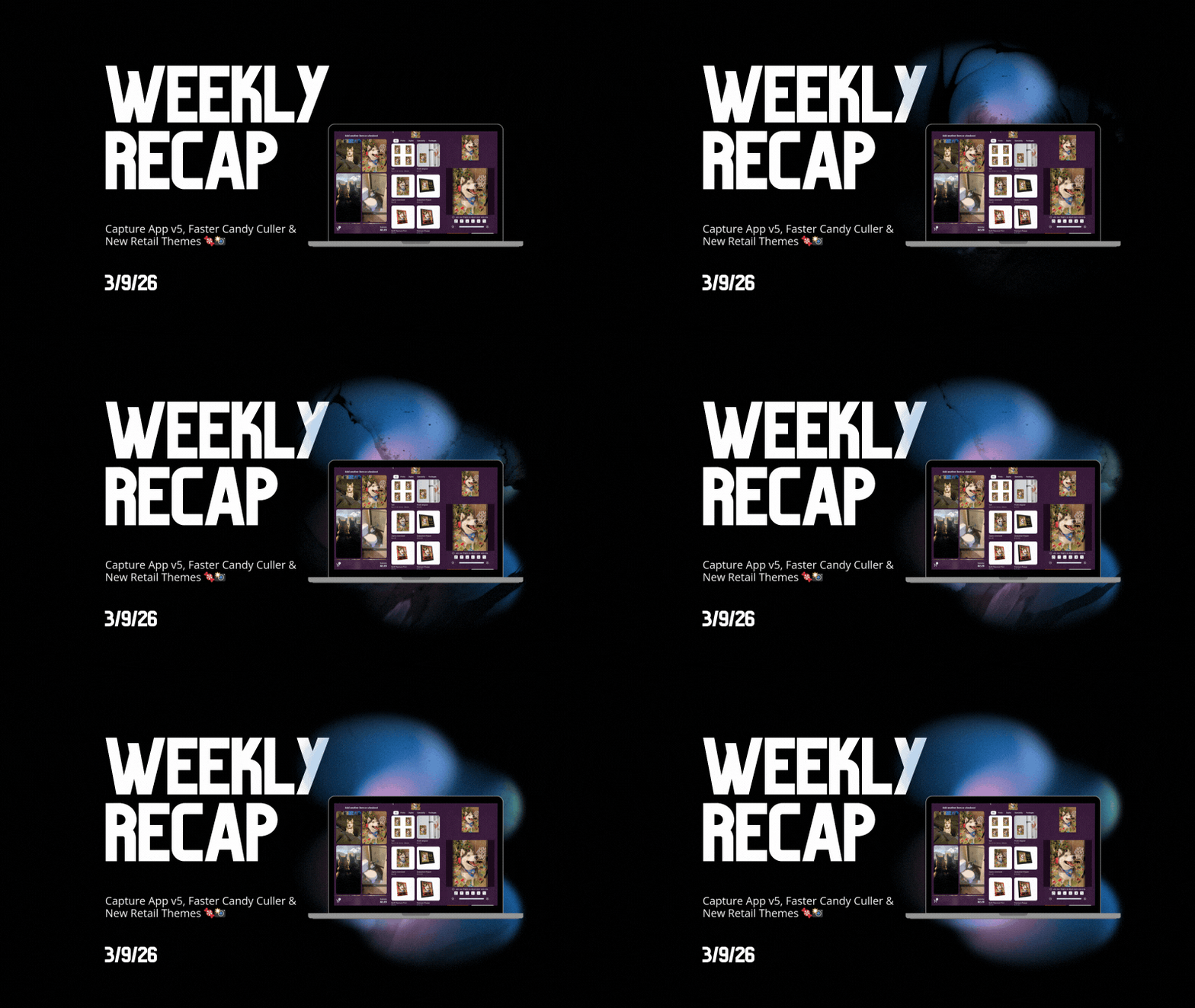
Weekly Recap: Capture App v5, Faster Candy Culler & New Retail Themes 🍬📸

Weekly Recap: Capture App v5, Faster Candy Culler & New Retail Themes 🍬📸
Hey photo friends! 👋

This week’s update is a big one. The new Capture App v5 for iOS has officially landed with major performance improvements, a refreshed UI, and some helpful workflow upgrades.

On top of that, Candy Culler just got significantly faster, retail got a couple new themes, and several tools across the Dashboard have been refined.

Let’s jump in.

📱 Capture App v5 (iOS) — Major Upgrade

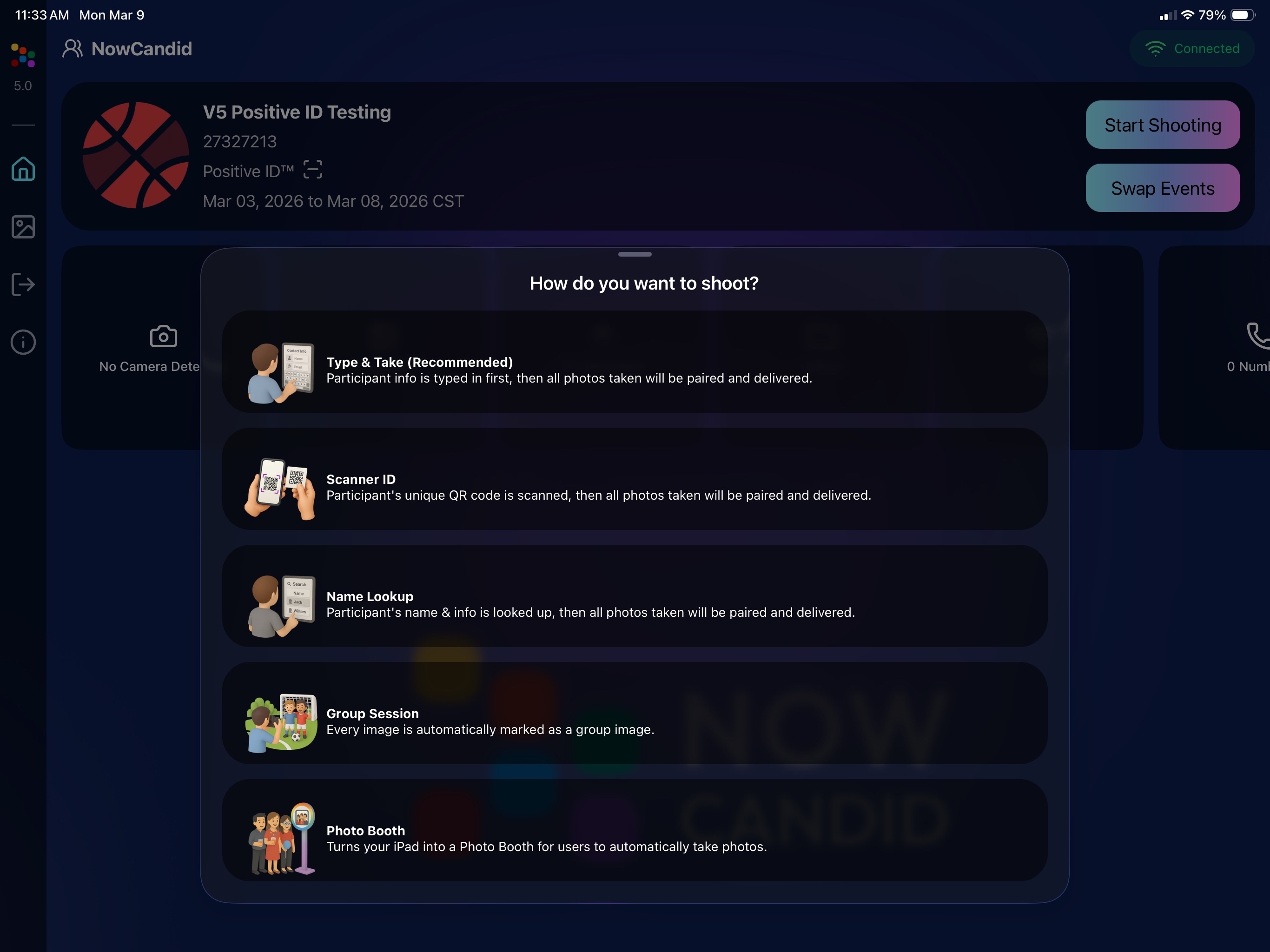
Capture App Version 5 brings a full UI refresh, major performance improvements, and several new quality-of-life tools for shooting events.

⚡ v5: Faster Uploads & Better Performance

A brand-new upload system significantly improves efficiency:

  • 📤 Uploads can be up to ~20–30% faster
  • 📦 Payload size reduced by ~25% thanks to image transfer improvements
  • 🔋 Lower CPU, battery, and memory usage during uploads
  • 📷 Much better memory usage with tethered cameras
  • 🧠 Improved overall memory performance across the app

These improvements should make long shooting sessions feel noticeably smoother.

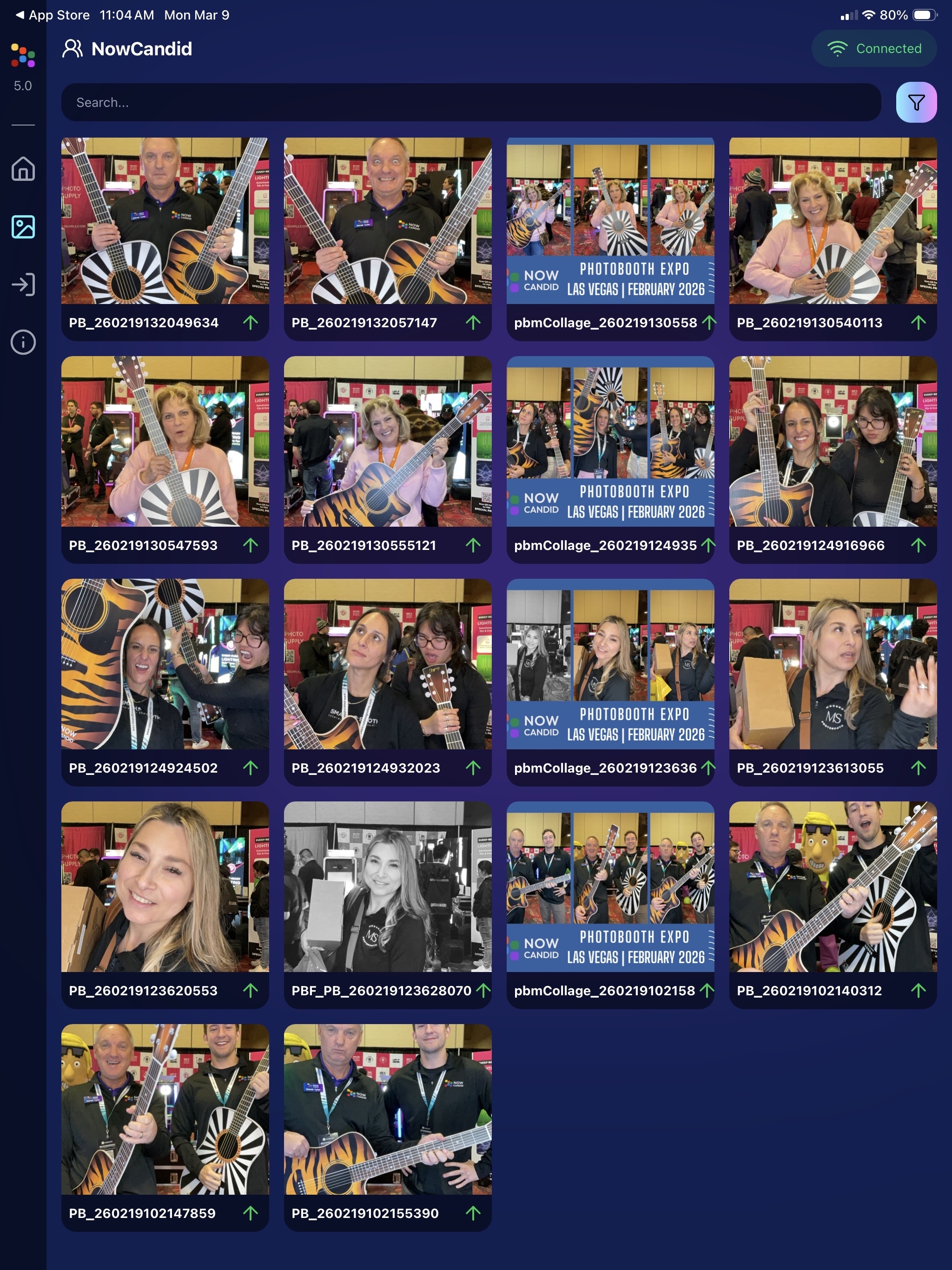
🖼️ v5: New Image Gallery & Filters

The in-app gallery has been redesigned with better filtering and navigation:

  • Image name search
  • Uploaded / Unuploaded status
  • Roll filtering
  • Event filtering

Filters are easy to remove with a single tap, similar to the Dashboard experience.

🔁 v5: Duplicate Photo Warning

The Capture App can now warn you about duplicate images during a shoot:

  • Works only within the current session
  • Does not upload or save duplicate data
  • Can be disabled from the Resources page if desired

This works independently from the Dashboard’s Candy Culler duplicate detection, giving you duplicate awareness both during capture and afterward.

🧰 v5: New Event Overview Info

The event overview page now includes helpful connection details:

  • 📡 Carrier name
  • 📶 Cellular generation (if available)
  • 📶 Current Wi-Fi network

This can help troubleshoot upload issues while shooting events.

🎨 v5: Photo Booth Background Packs

Photo Booth now supports downloadable background packs:

  • 🎄 Christmas
  • 🎃 Halloween
  • More to come!

The default pack is now a downloadable set as well, which keeps the main app much smaller and makes OTA updates faster.

🔧 v5: Additional Capture App Improvements

🌍 International phone numbers supported in Positive ID (were already supported in Tap-A-Face)

🧍 Full vertical images now fit on iPhone screens

🔄 Update checks run automatically when refreshing events

📧 Tap-a-Face email validation now matches Check-In pages

🔄 Upload status updates immediately after each upload

📲 Tablets can now use portrait orientation throughout the app

✨ v5: Complete UI Refresh

Version 5 introduces a polished new interface:

  • Modern sheet-based UI
  • Improved dark mode styling
  • Larger login and event selection screens
  • Updated phone number input interface
  • New image details sheet
  • Cleaner image gallery layout

New popup styling!

Vertical orientation for iPad! Yay!

Overall, the app feels faster, cleaner, and more modern.

🧠 Candy Culler: Now 5× Faster

Candy Culler processing has been dramatically upgraded.

Up to 5× more images can now be processed at once, bringing it in line with Jersey Jotter throughput.

This means faster detection for:

  • Duplicates
  • Blurry photos
  • Exposure issues
  • Closed eyes
  • Other culling checks

🍬 Candy Improvements

Candy continues getting faster and smarter:

  • ⚡ Faster Candy responses
  • 🔎 Faster Candy Navigation results
  • 🧠 Improved event search for newly created events
  • 🎛️ Refreshed Mini Candy UI

Pro tip: Press CMD + A / CTRL + A to toggle Mini Candy.

🧾 Dashboard Improvements

Several useful refinements were made to the Dashboard:

  • 📊 Fixed Faces Report chart showing empty data
  • 🧾 QR Code generator downloads now export at 1024px
  • 📑 Scan card PDFs now sort duplicate participants exactly like the Capture App
  • 🎨 Offer editor popups for adding products and packages are now wider with product category tabs
  • 📊 Event order list diamond-press counts now include quantities correctly
  • 🧭 QR Creator and Image Tester now appear in Sidebar Find

🎨 New Retail Themes

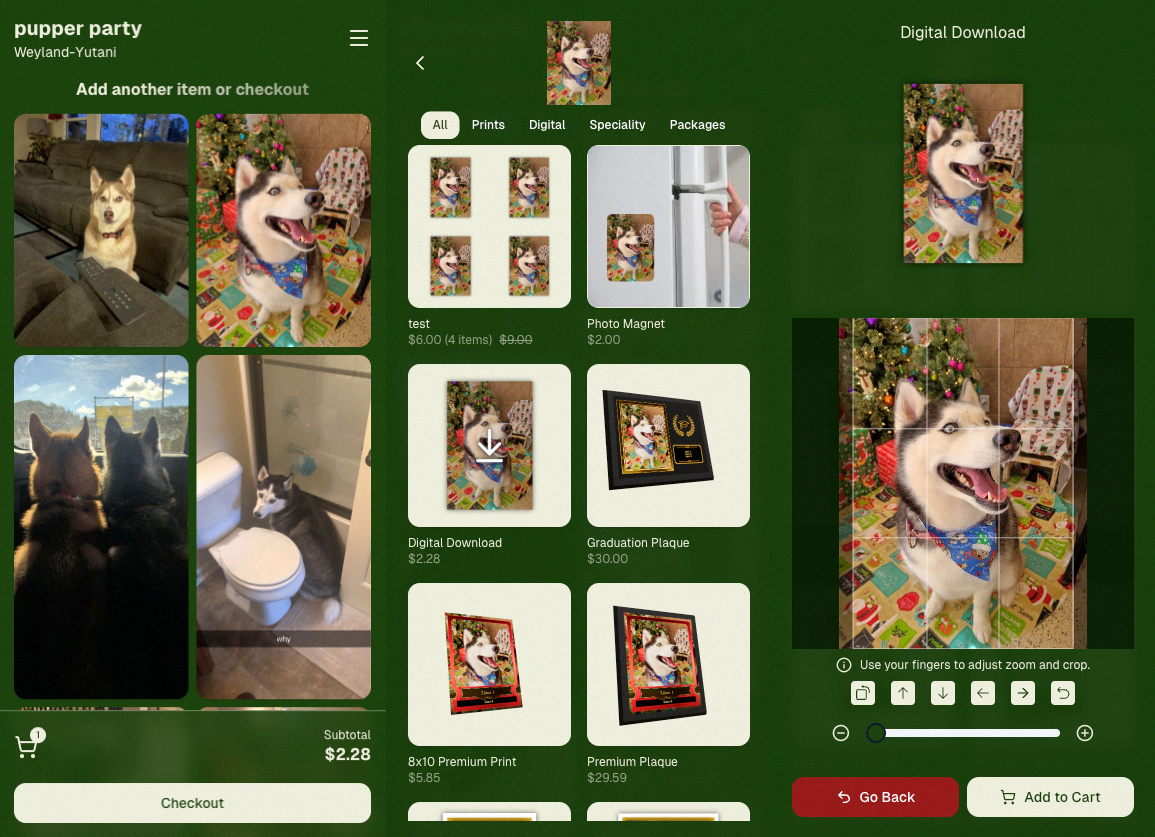
Candy's Note: We hope you enjoy the pupper pics!

🍵 Matcha Theme – a clean green storefront (great for spring or St. Patrick’s Day)
🍠 Ube Theme – a bold purple theme
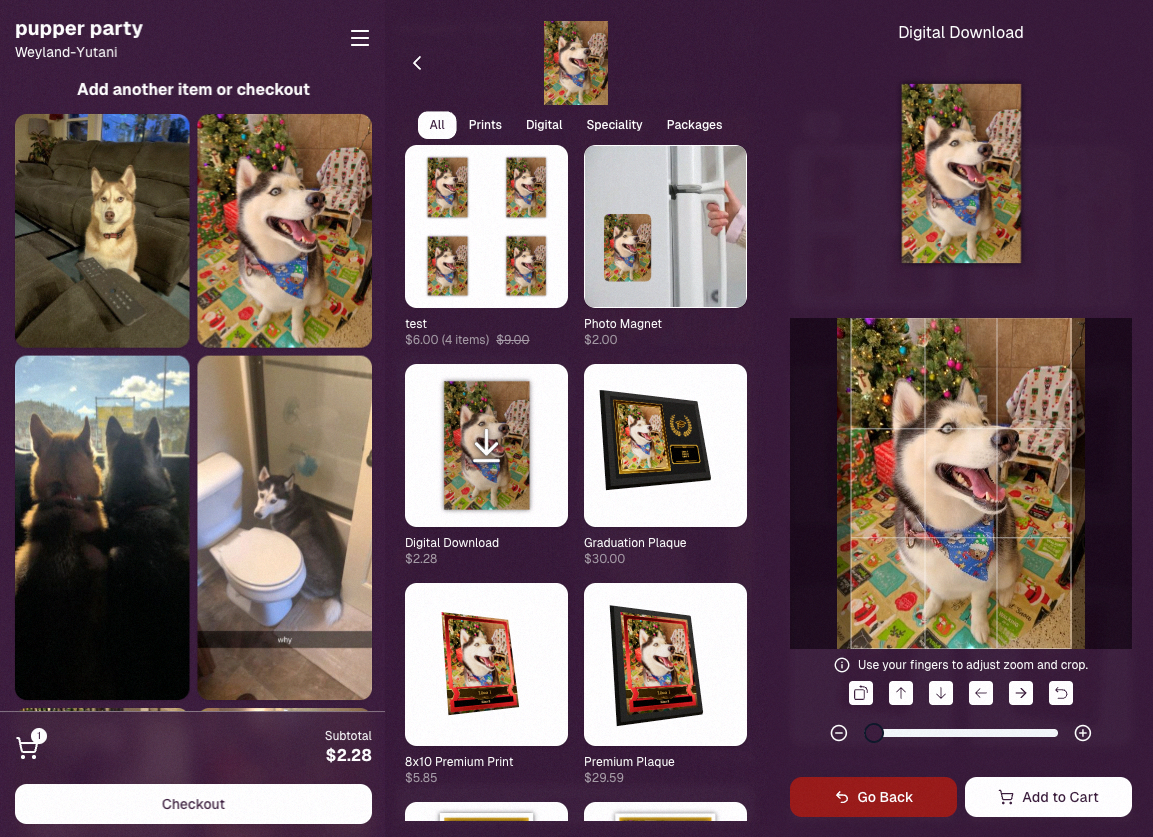
Bonus: Retail UI styling also received improvements for tabs, checkboxes, and order tracking.

📳 Haptics for Mobile Retail & Check-In

Mobile users will now feel subtle feedback interactions when using the site:

  • Tap feedback
  • Success feedback (add to cart, order placed)
  • Error feedback

This makes mobile ordering and check-in feel much more responsive, alive, and engaging!

🤳 Selfie Check-In Improvements

The Selfie Check-In site received improvements to the local face recognition model, making it more reliable and stable on more devices.

💰 QuicPics Adjustment

Good news for high-volume QuicPics users:

Selfie Check-Ins and PhotoRoster reference images no longer count as billable images.

That means QuicPics events that use those workflows will be slightly cheaper overall.

📥 Easier Downloads on iPhone

On iOS Chrome: Press-and-hold image downloads now open the iOS Share menu, making it much easier to save images. (iOS Safari already supported this behavior.)

🌐 New QuicPics Landing Page

The Quic.Pics site now has a proper landing page instead of only a login screen in case end customers stumble across it somehow.

Hopefully this helps it seem more legit while still remaining relatively white-label for your photographers out there!
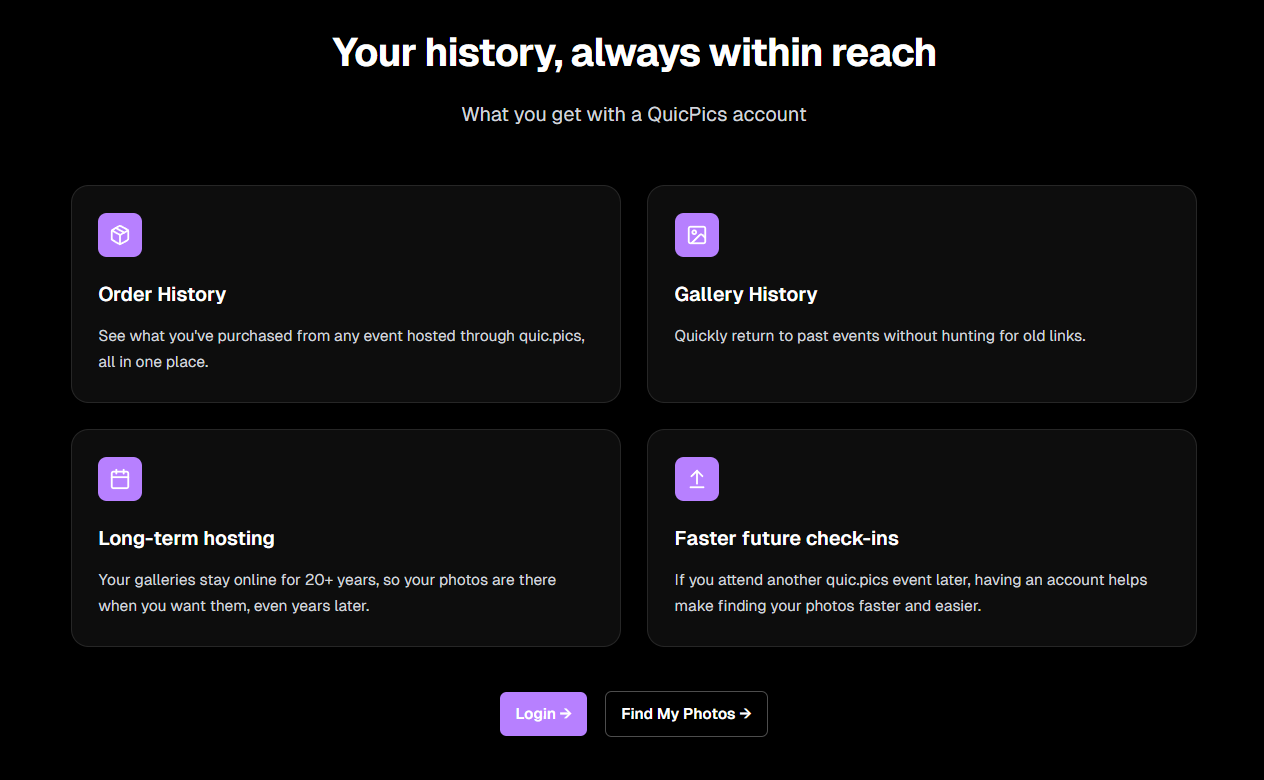
You can see it here: https://www.quic.pics

That’s the week!

Capture App v5 is a big upgrade, and combined with the faster Candy Culler and several Dashboard improvements, the entire workflow from capture → cull → sell just got smoother.

See you next week,

Candy 🍬
Related articles

📸 Candy’s 12 Days of Christmas: Day 12 – Photo Booth Mode! 🎄🎉
Feature Updates
December 25, 2024

📸 Candy’s 12 Days of Christmas: Day 12 – Photo Booth Mode! 🎄🎉

10
 minutes read
Hello, my festive photographers!

Candy here, and Merry Christmas to those who celebrate.

We’ve arrived at the 12th Day of Christmas, and I’m thrilled to unwrap our biggest new feature of 2024—Photo Booth Mode in the Capture & Upload App!

The new NowCandid Capture & Upload App Version that includes Photo Booth Mode will be going live at the end of December,... this very month!

Let’s get into the holiday spirit and explore everything this mode has to offer. 🎁

What Is Photo Booth Mode? 🤶

Photo Booth Mode is a brand-new option inside our Capture & Upload App—you’ll see a shiny new “Photo Booth” button once you log in to an Event and create a Folder (after the update of course).

Give that Photo Booth button a tap, and voilà: your iPad turns into a photo booth station where guests can snap fun pictures with minimal hassle!

  • Multiple Camera Options: Tether a Nikon, Sony, or Canon camera, or use your iPad’s front-facing camera, depending on your particular photo booth setup.
  • Solid Internet Connection Required: The app downloads any custom overlays or backgrounds you’ve set on the web dashboard, and live-uploading images of course requires an internet connection, so stable Wi-Fi or LTE is essential!

It’s perfect for holiday parties, corporate shindigs, weddings, or any event where a lighthearted photo booth can bring on the smiles!

The Photo Booth Flow ⏱️

Here’s how Photo Booth Mode keeps your guests engaged:

  1. Tap to Begin Screen: A dimmed live view awaits guests to tap and start. Once they do, the booth will let them know to get ready for three photos.
  2. Three Countdown Shots: Each shot has a 3-second countdown followed by a short preview of the taken pic after each shot. If your event uses a Bottom Banner Overlay or Full Frame Overlay, it shows up in the live view, so no one ends up hidden behind the graphics!
  3. Instant Delivery & Overlays: In Events using the QuicPics Program, each photo is sent via MMS with the overlay art included! And with every NowCandid Program, a gallery link is delivered where retail site users can download images and order photo products.

Guests can hop in, pose, and receive fun, branded photos—no fuss required! 🎉

On-Device Backgrounds & Filters 🎨

Before finalizing those memorable pics, guests can personalize them right on the device:

  • Background Selection: If you’ve uploaded custom backgrounds on the web dashboard, the app fetches them before the booth session. Guests can pick from these in addition to several default backgrounds, great for holiday vibes or brand-specific themes.
  • Filter Options: Classic filters like Noir, Sepia, Clarendon, and others let participants get creative.
  • Reshoot Button: Not happy with the shot? Guests can “Reshoot” and start the session over at any time.

This ensures a lively, interactive experience that encourages guests to come back for more snaps. ⛄

Positive ID vs. Face Matching 🧐

After styling, the next step depends on your event’s workflow:

  • For Face Matching Events: Guests are guided to tap the faces they see on-screen, and then can enter contact info for each face! If this is their first or only reference photo for the Event, it will also match them to shots taken outside the Photo Booth!
  • For Positive ID Events: A simpler approach: participants just type in their contact info and send off the images! Easy peasy.

Either way, photos head straight to their phones via QuicPics (if you’re using that Program) and will always land in their personal gallery. 🔔

Seamless Integration with NowCandid 💖

Photo Booth Mode plugs right into your existing NowCandid features:

  • Selfie Check-In & LiveLoop: Photo booth images appear in your LiveLoop feed if you’re displaying one at the event. Selfie Check-Ins can still match participants to their booth photos too if they don't self-identify during their photo booth session!
  • QuicPics & PartyPics: The images upload instantly, letting your guests receive them right away via MMS (with QuicPics), or find them in their personal gallery for easy purchase or free download (with every Program).

It’s the same NowCandid ecosystem you know—just dressed up in a festive booth format! 🎄

Requirements & Limitations 🎅

A few notes to keep in mind:

  • Camera Orientation:
    • Nikon supports horizontal and vertical live view.
    • Sony/Canon currently only support horizontal orientation for tethered cameras.
  • iPad-Only for Now:
    • Photo Booth Mode works on iPad in vertical orientation, not on iPhone or Windows.
  • No Built-In Printing:
    • If you need on-site prints, consider setting up your own print station with a computer and a printer! Use quic.pics/portal to access your Event images, and then download images with or without overlays to print them on-site.
  • We Value Feedback:
    • Missing something? Let us know! Your input shapes our next updates.

Why Photo Booth Mode Is a Holiday Treat 🎁

  • Interactive & Fun: Guests love choosing backgrounds, filters, and overlays, making the booth a memorable attraction.
  • Fully Integrated: Works seamlessly with QuicPics, PartyPics, LiveLoop, Face Matching, and more.
  • Revenue & Engagement Boost: Branded overlays, holiday backgrounds, or sponsor tie-ins can lead to higher sales and delighted clients.

This mode is a surefire way to add a dash of cheer to any event—holiday-themed or otherwise! ✨

That’s all for now, folks.

We hope Photo Booth Mode adds a dash of magic to your season and beyond.

And thank you for following along with our 12 Days of Christmas!

Enjoy this new feature, and as always, keep capturing the moments that matter most.

Reminder: The new NowCandid Capture & Upload App Version that includes Photo Booth Mode will be going live at the end of December, this month!

Candy 🍬

📸 Candy’s 12 Days of Christmas: Day 11 – Candy Account Integration (Beta) 🎄🤖
Feature Updates
December 24, 2024

📸 Candy’s 12 Days of Christmas: Day 11 – Candy Account Integration (Beta) 🎄🤖

3
 minutes read
Hello again, my ever-curious photographers! 🎅

Candy here, and welcome to Day 11 of our 12 Days of Christmas countdown.

Today’s spotlight is a feature still in its early stages, but full of potential: the Candy Account Integration (Beta). Since it’s Christmas Eve, what better time to peek at a promising work-in-progress?

Key Highlights:

  • Account-Level Insights:

    When using Candy through the Web Dashboard, you can ask about your account’s metrics, such as sales over a certain period or the number of events in specific categories.
  • A Learning AI Assistant:

    Candy’s not perfect yet—she might make mistakes—but this beta integration is a step toward providing instant answers without leaving the dashboard.
  • Future Potential:

    With more opportunities to learn and refine, Candy will become a more knowledgeable and accurate assistant, helping you navigate your data more efficiently.

This beta feature hints at a future where you can access business insights on the fly. 🎉

Check back tomorrow, December 25th, for the final day of our countdown. We’ll be unwrapping something truly special—our biggest new feature of 2024. Don’t miss it!

Candy 🍬

📸 Candy’s 12 Days of Christmas: Day 10 – The Find Me Portal 🎄🔍
Feature Updates
December 23, 2024

📸 Candy’s 12 Days of Christmas: Day 10 – The Find Me Portal 🎄🔍

3
 minutes read
Hello once more, my resourceful photographers! 🎅

Candy here, and welcome to Day 10 of our 12 Days of Christmas countdown. Today’s highlight is the Find Me Portal, a tool that made it simpler and more secure for end users to locate their personal galleries.

Key Highlights:

  • Convenient Access:

    Clients visit quic.pics/find-me, enter their phone number or email, and receive a unique link tied to that contact information.
  • All Galleries in One Place:

    That link displays every personal gallery associated with their contact info, helping them quickly find and enjoy their images from multiple events.
  • Enhanced Privacy & Security:

    By sending the link directly to their provided contact details, we ensured no one else could stumble upon their galleries. It’s both user-friendly and secure.

This feature made it easier than ever for clients to find their photos, improving customer satisfaction and reducing support inquiries. 🎉

Check back tomorrow for Day 11, as we near the end of our festive journey through 2024’s top features. And don’t forget—something extra special awaits on December 25th!

Candy 🍬

Let’s get in touch

If you’re a photographer looking to add NowCandid services to your wheelhouse – set up a call by clicking the button below.

How to customize formatting for each rich text

How to customize formatting for each rich text

How to customize formatting for each rich text

How to customize formatting for each rich text

How to customize formatting for each rich text

What’s a Rich Text element?

The rich text element allows you to create and format headings, paragraphs, blockquotes, images, and video all in one place instead of having to add and format them individually. Just double-click and easily create content.

A rich text element can be used with static or dynamic content. For static content, just drop it into any page and begin editing. For dynamic content, add a rich text field to any collection and then connect a rich text element to that field in the settings panel. Voila!

Headings, paragraphs, blockquotes, figures, images, and figure captions can all be styled after a class is added to the rich text element using the "When inside of" nested selector system.

  • List One
  • List Two
  • List Three
  • List Four
  • List Five

This is a link

This is bold text