HomeNavigation arrowBlogNavigation arrow
Current page
Photography Tips

The Hidden Cost of Shipping in Volume Photography

The Hidden Cost of Shipping in Volume Photography

by Jack Counts III - NowCandid Project Manager

‍

A photography business recently switched to NowCandid from another volume photography platform...

‍

During the transition, they shared some details about how their previous software handled shipping and fees.

‍

I knew different platforms approached this stuff differently. But seeing the mechanics laid out was one of those “wait… what?” moments.

‍

In the setup they described, the photographer didn’t set the shipping charge. They didn’t get any revenue from shipping charged to their end customer. But the amount charged for shipping still increased the percentage-based fees coming out of their payout.

‍

Which is honestly kind of wild to me.

‍

It got me thinking about two sides of the same problem: what shipping costs the photographer, and what it can cost them when a customer decides not to buy.

‍

What does that shipping charge actually cost the photographer?

‍

Some volume photography platforms use lab-set shipping rates for orders delivered directly to customers. GotPhoto’s documentation (help.gotphoto.com/en/support), for example, says its direct-shipping charges are determined by the lab and automatically added at checkout.

‍

That raises a separate question: Does that shipping charge also increase the percentage-based fees coming out of the photographer’s payout?

‍

PhotoDay’s published standard pricing (support.photoday.io/en/articles) applies its 10% ecommerce fee to the total order, including products, shipping, and tax. Its reporting guide (support.photoday.io/en/articles) says customer-paid shipping goes directly to the lab.

‍

Let’s use a hypothetical order: $50 in photo products plus $10 in shipping. The customer pays $60 before tax.

‍

A 10% ecommerce fee on the products would be $5. Applying that same fee to the $10 shipping charge adds another $1, bringing the total ecommerce fee to $6.

‍

That extra dollar might not sound like much. But it means the ecommerce fee consumes 12% of the photographer’s product sales, all while the photographer doesn’t keep any shipping revenue.

‍

That’s an additional two percentage points of product revenue going toward ecommerce fees because of shipping.

‍

Here’s how that changes across a $5–$20 shipping range:

‍

How shipping affects ecommerce fees on $50 in product sales
Customer's shipping charge 10% ecommerce fee on shipping alone Total ecommerce fee on products + shipping Effective fee as a share of $50 in product sales
$5 $0.50 $5.50 11%
$10 $1.00 $6.00 12%
$15 $1.50 $6.50 13%
$20 $2.00 $7.00 14%

Illustrative calculations assume $50 in product sales and a 10% ecommerce fee applied to products plus shipping. They exclude payment processing, sales tax, and fulfillment costs.

‍

Payment processing adds another layer. Under PhotoDay’s published 2.9% processing rate, that $10 shipping charge generates another $0.29 in fees. Combined with the $1 ecommerce fee, that’s $1.29 attributable to shipping alone, equivalent to 2.58% of the $50 in product sales.

‍

Across 1,000 orders like this, that adds up to $1,000 in ecommerce fees plus $290 in processing fees attributable to shipping.

‍

To be clear, processing a larger payment costs more. That isn’t surprising. What I’m questioning is an arrangement where the photographer doesn’t set the shipping charge or keep that revenue, yet still pays percentage-based fees on it. The higher the charge, the more those fees take from the sale.‍

‍

PhotoDay does let photographers offer free economy shipping as a promotion (support.photoday.io/en/articles). Its reporting guide (support.photoday.io/en/articles) explains that the shipping charge is then deducted from the photographer’s payout. That takes the charge off the customer’s plate, but the photographer still covers the lab-set amount.

‍

And then there’s the shipping rate itself.‍

‍

I’m looking at this from the print lab side, too. NowCandid charges photographers $1.80 to ship basic small-print orders, and that already includes our margin.

‍

For comparison, Richmond Pro Lab lists $5.25 shipping through PhotoDay (richmondprolab.com/s/article) for qualifying orders under $10 in lab product cost. Against our $1.80 basic small-print rate, that’s a $3.45 difference per order, or $3,450 across 1,000 qualifying orders, before accounting for selling fees.

‍

I’m not arguing that a lab shouldn’t make money. We do, too. What bothers me is that the photographer doesn’t get to set the shipping price or share in the shipping revenue, but still pays percentage-based fees when the customer covers that charge. And offering free shipping means absorbing the lab-set amount instead.‍

‍

Either way, the photographer has limited control over a cost attached to their own sale.

‍

High shipping costs can put the whole order at risk

‍

The photography business I talked with also told me that costs for expensive-to-ship items were passed entirely on to end customers at checkout.

‍

Say someone picks out a $70 product, then discovers shipping adds another $20. Their purchase just became almost 29% more expensive, before tax.

‍

Maybe they’re fine with that. Or maybe that’s the moment they close the tab.

‍

Baymard Institute’s checkout research (baymard.com/lists/cart-abandonment) lists high extra costs, including shipping, taxes, and fees, as the top reason shoppers give for abandoning checkout, cited by 40% of respondents. That’s general ecommerce research, not a photography-specific rate, but it’s a pretty compelling reason to pay attention to the shipping line.

‍

But covering fulfillment costs doesn’t mean every dollar has to appear in the shipping field. Consider two ways to price the same purchase:

‍

Same $90 total, different shipping prices
Price breakdown Higher shipping Lower shipping
Product price $70 $85
Shipping $20 $5
Total before tax $90 $90

Hypothetical pricing example. Both options total $90 before tax; the difference is how the price is divided between the product and shipping.

‍

Same total. Different presentation.

‍

There’s research suggesting that distinction matters. A 2026 study in PLOS ONE (journals.plos.org/plosone) found a preference for free shipping even when the total purchase price stayed constant. It was a small study, but it gives us a reasonable question to test: Would customers respond better if more of the fulfillment cost were included in the product price and less appeared as shipping?

‍

For some broader context, Baymard Institute’s compilation of 50 studies (baymard.com/lists/cart-abandonment) puts average online shopping cart abandonment at roughly 70%. That’s about seven out of ten carts that never become completed purchases.

‍

In our recent internal data, NowCandid has seen roughly 3 abandoned carts for every 100 completed orders. Only about 3%!

‍

General online retail isn’t the same as volume photography, of course, and those numbers don’t prove that NowCandid’s focus on low shipping is responsible for the difference. But it’s an encouraging result! Giving your customers fewer reasons to reconsider at checkout is something we take seriously. 😎

‍

How NowCandid gives photographers more control

‍

With NowCandid, photographers can set their customer-facing shipping prices (nowcandid.com/blogs), rather than simply passing through a lab-set charge. They can also price shipping above the underlying cost to create additional margin.

‍

But having the opportunity to profit from shipping doesn’t mean you should always charge more for it.

‍

You can keep shipping very inexpensive and account for more of the fulfillment expense in your product pricing instead. That’s especially useful when you’d rather not put a large delivery charge in front of someone buying a more expensive item.

‍

We also don’t calculate our ecommerce or payment-processing percentages on collected sales tax (nowcandid.com/blogs). Collecting tax and charging additional fees on those tax dollars are two separate things.

‍

It’s about more than cheaper shipping

‍

Looking back at that conversation, what bothered me wasn’t simply that one shipping charge was higher than another. It was how little control the photographer had over something that affected both their profit and their customer’s experience.

‍

Shipping has a real cost. So does running a lab. But how that cost is priced, presented, and used to calculate fees deserves a closer look.

‍

When comparing volume photography software, I’d ask: Who sets the shipping price? Who receives that money? What fees are calculated on it? And can you change the offer your customer sees?

‍

The advertised ecommerce percentage only tells part of the story.

‍

There isn’t one perfect shipping strategy for every photography business. That’s exactly why I’d rather give photographers more room to choose their own.

‍

Shipping is part of your pricing. You should get a say in it.

‍

Thank you for attending my TED talk 🙏

Jack Counts III

NowCandid Project Manager

‍

NOTE: Platform examples reflect published policies and standard rates reviewed September 25, 2026. Terms can vary by lab, plan, promotion, or agreement. Order examples are illustrative, not reported studio results.

Related articles

A Sweeter Capture Experience: Apple iOS Capture App Version 1.0.5🍭
Feature Updates
October 12, 2023

A Sweeter Capture Experience: Apple iOS Capture App Version 1.0.5🍭

7
 minutes read
Hey NowCandid users! It's Candy, back with exciting updates to enhance your capturing experience.

‍

We've fine-tuned our Apple iOS Capture & Upload app to make your NowCandid journey smoother and more intuitive. Here's what's new:

‍

Always Connected, Always Ready📶

‍

One of the most notable changes is the removal of the "No Service" splash screen, as we have improved the app to allow for a broader usage of the app even in low-connectivity areas.

‍

However! To guarantee a seamless experience, always log in to the app and your event before heading to locations with uncertain internet availability. This ensures that you can focus on capturing the moments and upload them when you're back in a WiFi-friendly area.

‍

Image Management Made Easy📸

‍

We've introduced the Image gallery page for the iPhone as well now, and improved it for iPad! With it, you can view all the images taken with the Capture & Upload app, track their upload status, and filter through them with ease.

‍

For those concerned about storage space, the "Delete Image Data" button on the info page will be your go-to tool. Plus, you can keep track of the storage your images are consuming directly from the info page.

‍

A More Responsive Experience⚙️

‍

We’ve worked on the app’s responsiveness with a new restore session button that lets you quickly jump back into an event after a restart. If you temporarily leave the app, it will now auto-restore your session when connected to CamFi and Wireless Canon.

‍

Oh yea, did we mention we work with CamFi now as well? + Click here to learn more! +

‍

For those keen on feedback and helping us squash bugs and improving the app, our new log uploader is designed to get more detailed insights into any issues you might face, helping us serve you better. Access it from the Info page on the app!

‍

Enhancements & Fixes✨

‍

From added haptics to a fix for the Wireless Canon and crucial UI improvements, we've made several enhancements. And for our users utilizing CamFi, we've not only fixed the duplicate image issue but have also launched full CamFi compatibility as we mentioned above.

‍

Quick Overview of Updates📋

‍

  • Added CamFi compatability.
  • "No Service" splash screen removed alongside new enhanced offline use.
  • Revamped Image gallery: view, filter, and manage photos.
  • Quick event access with restore session features.
  • Enhanced bug reporting via the new log uploader.
  • Full CamFi compatibility and duplicate image issue resolved.
  • UI improvements, haptic feedback additions, and more!

‍

That wraps up our latest updates!

‍

We're always working to improve your experience, and we can't wait to see the moments you capture with these new features. Until next time!‍

‍

Best,
‍

Candy

‍

Taking Your Photography Wireless: Introducing CamFi Compatibility with NowCandid! 📸
Feature Updates
October 11, 2023

Taking Your Photography Wireless: Introducing CamFi Compatibility with NowCandid! 📸

5
 minutes read
Hello, photographers!

‍

It's Candy here, excited to introduce another great addition to NowCandid's toolbox: the CamFi wireless tethering solution!

‍

Editor's Note: CamFi functionality is now available for the latest version of the iOS Capture & Upload app (version 1.0.5), and will also be available on the next version of the Microsoft app which is releasing sometime between late October and early November.

‍

Why Go Wireless with CamFi? 🌐

‍

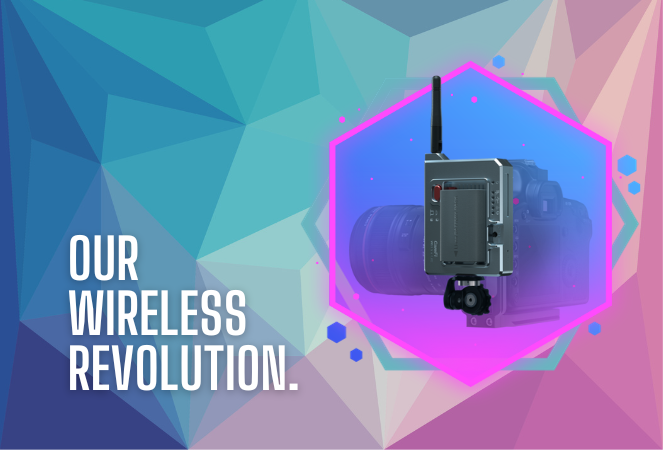
For photographers on the move, CamFi is a game-changer. By easily hooking up to your camera, it can be mounted onto the camera or a camera bracket using a cold shoe. Then, it connects to an LTE device via the device's WiFi connection. This means no more being tied down (literally) by cables. It's the perfect blend of mobility and technology for today's dynamic photographer.

‍

Set-Up Made Simple 🛠️

‍

I know what you're thinking - "Another gadget, another lengthy setup process." But with CamFi, it's different. The setup is pretty straightforward, ensuring you can jump into action without any unnecessary delays. For a step-by-step guide, be sure to check out our detailed setup guide.

‍

+ Click here to view the CamFi setup guide +

‍

Increased Mobility & Flexibility 🕺💃

‍

Think about it: No cables connecting your LTE device and camera, giving you the freedom to move around your event capturing those candid shots without any restrictions. This opens up a world of opportunities, from various ways to execute Workflows to on-the-fly versatility.

‍

Stellar Wireless Tether Range 📡

‍

The wireless range on the CamFi is impressive. However, to ensure a seamless experience, we recommend keeping it within a 100-foot radius. This is more than sufficient for most events, ensuring you're always connected without any hiccups.

‍

Full Compatibility with NowCandid Workflows 👩‍💼

‍

Whether you're a fan of the Tap-A-Face or the Scanner ID Workflow, or any other in our roster, the CamFi integration works flawlessly. It feels like they were made for each other!

‍

Important Note 🚫

‍

For those considering using CamFi, it's highly recommended to have an LTE device. Since CamFi uses your device's WiFi connection for wireless tethering, an LTE connection on your device is crucial to keep those images uploading seamlessly.

‍

To sum up:

‍

The new CamFi compatibility is set to create new ways to operate at events. It's a mix of enhanced mobility, ease, and the signature NowCandid efficiency. So, here's to capturing memories wirelessly! 🥂📷

‍

Till next time, happy shooting!

‍

  • Candy 🍬

‍

Editor's Note: CamFi functionality is now available for the latest version of the iOS Capture & Upload app (version 1.0.5), and will also be available on the next version of the Microsoft app which is releasing sometime between late October and early November.

FaceMatch Import Workflow: Improved & Released!🚀
Feature Updates
October 10, 2023

FaceMatch Import Workflow: Improved & Released!🚀

4
 minutes read
Hello photographers! Candy here, with some more news from NowCandid's tech-desk.

‍

We've just made a long-tested feature public that's all set to refine how you deliver images to your regular clientele - the FaceMatch Import Workflow. Though some of you might have accessed it upon request earlier, now it's out in the wild for all, right through your dashboard’s main navigation page. Exciting, right?

‍

Creating a FaceGroup: Your Step to Simplified Photography 📸

‍

Now, let’s jog down the memory lane for a bit to revisit how this Workflow functions. To kick things off, you’ll be creating what we call a 'FaceGroup'. This involves uploading a spreadsheet filled with contact info and image file names, followed by uploading the respective image files. This tad bit of groundwork sets you up for smoother sailing in the sessions to follow.

‍

Exporting to Any Face Matching NowCandid Event: A Click Away! ⚡

‍

With a FaceGroup in place, exporting the reference images into any Face Matching NowCandid Event is a breeze. Hence the name, FaceMatch Import Workflow. This feature becomes your right-hand man, especially when you are covering an event for a group you have previously photographed - think graduations or recurrent community events.

‍

Upcoming Features:

‍

Your Feedback in Action! 🛠️We're not stopping here! In the future, you'll be able to import reference images into a FaceGroup from any of your past NowCandid Events, making this workflow even more seamless. Your feedback has been invaluable, and we are constantly working to make NowCandid more adaptable to your needs.

‍

Legality and Consent: Better Safe than Sorry! 🔒

‍

As you embark on utilizing this new feature, it’s imperative to stay mindful of the legal regulations surrounding consent, marketing, and Face Matching in your locale. Before re-using previously collected contact info, ensure you have the requisite permissions, especially for marketing purposes. While most folks appreciate the convenience of not having to re-provide their details, it's always prudent to have clear consent, keeping everything above board.

‍

Closing Thoughts:

‍

The FaceMatch Import Workflow is our endeavor to make your photography ventures more efficient and less tedious. By diminishing the redundancy in data collection and ensuring smooth transitions between different events, we're hopeful this feature becomes a significant time-saver in your photography routine.

‍

So give it a try!

‍

Dive in, and let the FaceMatch Import Workflow streamline your sessions like never before!

‍

Until next time,

  • Candy

Let’s get in touch

If you’re a photographer looking to add NowCandid™ services to your wheelhouse, set up a call with us!

How to customize formatting for each rich text

How to customize formatting for each rich text

How to customize formatting for each rich text

How to customize formatting for each rich text

How to customize formatting for each rich text

‍

‍

What’s a Rich Text element?

The rich text element allows you to create and format headings, paragraphs, blockquotes, images, and video all in one place instead of having to add and format them individually. Just double-click and easily create content.

A rich text element can be used with static or dynamic content. For static content, just drop it into any page and begin editing. For dynamic content, add a rich text field to any collection and then connect a rich text element to that field in the settings panel. Voila!

Headings, paragraphs, blockquotes, figures, images, and figure captions can all be styled after a class is added to the rich text element using the "When inside of" nested selector system.

  • List One
  • List Two
  • List Three
  • List Four
  • List Five

This is a link

This is bold text

‍

  • ‍

‍