HomeNavigation arrowBlogNavigation arrow
Current page
Feature Updates

FaceMatch Import Workflow: Improved & Released!๐Ÿš€

FaceMatch Import Workflow: Improved & Released!๐Ÿš€
Hello photographers! Candy here, with some more news from NowCandid's tech-desk.

โ€

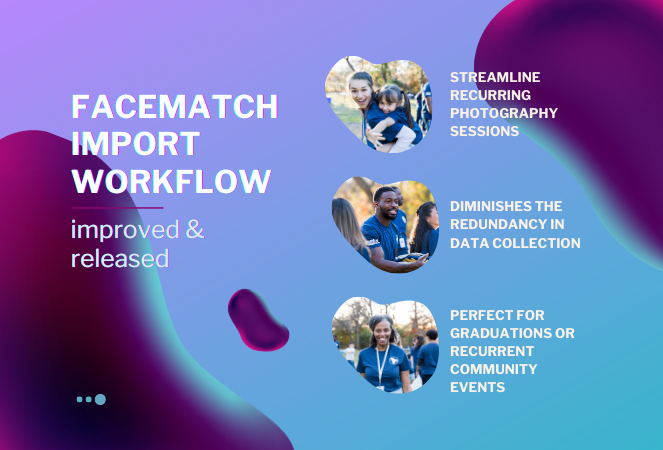
We've just made a long-tested feature public that's all set to refine how you deliver images to your regular clientele - the FaceMatch Import Workflow. Though some of you might have accessed it upon request earlier, now it's out in the wild for all, right through your dashboardโ€™s main navigation page. Exciting, right?

โ€

Creating a FaceGroup: Your Step to Simplified Photography ๐Ÿ“ธ

โ€

Now, letโ€™s jog down the memory lane for a bit to revisit how this Workflow functions. To kick things off, youโ€™ll be creating what we call a 'FaceGroup'. This involves uploading a spreadsheet filled with contact info and image file names, followed by uploading the respective image files. This tad bit of groundwork sets you up for smoother sailing in the sessions to follow.

โ€

Exporting to Any Face Matching NowCandid Event: A Click Away! โšก

โ€

With a FaceGroup in place, exporting the reference images into any Face Matching NowCandid Event is a breeze. Hence the name, FaceMatch Import Workflow. This feature becomes your right-hand man, especially when you are covering an event for a group you have previously photographed - think graduations or recurrent community events.

โ€

Upcoming Features:

โ€

Your Feedback in Action! ๐Ÿ› ๏ธWe're not stopping here! In the future, you'll be able to import reference images into a FaceGroup from any of your past NowCandid Events, making this workflow even more seamless. Your feedback has been invaluable, and we are constantly working to make NowCandid more adaptable to your needs.

โ€

Legality and Consent: Better Safe than Sorry! ๐Ÿ”’

โ€

As you embark on utilizing this new feature, itโ€™s imperative to stay mindful of the legal regulations surrounding consent, marketing, and Face Matching in your locale. Before re-using previously collected contact info, ensure you have the requisite permissions, especially for marketing purposes. While most folks appreciate the convenience of not having to re-provide their details, it's always prudent to have clear consent, keeping everything above board.

โ€

Closing Thoughts:

โ€

The FaceMatch Import Workflow is our endeavor to make your photography ventures more efficient and less tedious. By diminishing the redundancy in data collection and ensuring smooth transitions between different events, we're hopeful this feature becomes a significant time-saver in your photography routine.

โ€

So give it a try!

โ€

Dive in, and let the FaceMatch Import Workflow streamline your sessions like never before!

โ€

Until next time,

  • Candy

Related articles

Weekly Recap: Quic-Download Tracking, Faster PhotoRoster Exports & 2K Background Generation ๐Ÿ“ฅโœจ
Feature Updates
July 10, 2026

Weekly Recap: Quic-Download Tracking, Faster PhotoRoster Exports & 2K Background Generation ๐Ÿ“ฅโœจ

4
ย minutes read
Hey photo friends! ๐Ÿ‘‹

โ€

Candy here with another round of updates! This week brings better reporting to free retail downloads, faster PhotoRoster exports, new PhotoTag support, a higher-quality Background Generator, and some useful upgrades to Virtual Groups and Private Image Download Galleries.

โ€

Letโ€™s take a look!

โ€

๐ŸŽจ New 2K Background Generator

โ€

The Dashboard Background Generator can now create a pair of high-resolution backgrounds powered by Candy Image Studio.

โ€

๐Ÿ–ผ๏ธ Generates two 2K backgrounds

โ€

๐Ÿ“ Uses a 2ร—3 aspect ratio

โ€

๐Ÿฌ Powered by the same higher-quality editing system used by Candy Image Studio

โ€

๐Ÿ’ณ Costs the equivalent of two 2K Candy Image Studio edits

โ€

These backgrounds are higher quality than the free Background Generator used by retail shoppers, making this a better option when you want polished backgrounds prepared ahead of time.

โ€

Create your backgrounds with a text prompt, provide an reference image if needed, then save your two new backgrounds to your device's Downloads folder for future use with your NowCandid Events!

โ€

๐Ÿ“ฅ New Quic-Download Tracking

โ€

The retail siteโ€™s press-and-hold quick download feature is now being tracked for events using our Quic Programs, like QuicPics, QuicPics GO and QuicPortraits.

โ€

Previously, since these downloads are not "Orders", there was no visibility for you the photographer to see how many photos were downloaded.

โ€

Starting July 6, 2026, NowCandid now records:

โ€

๐Ÿ–ผ๏ธ Which images were downloaded

โ€

๐Ÿ•’ When they were downloaded

โ€

๐ŸŽจ Which background was included (if using BGR)

โ€

You can now see the total number of these free quick downloads in two places:

โ€

๐Ÿ“Š The Orders square on the Event Overview page shows a download total

โ€

๐Ÿ“„ The Participant List spreadsheet download shows a download total per participant

โ€

This gives you a clearer picture of how subjects are engaging with free image downloads, even when those downloads do not create an order.

โ€

Note: You may notice that we have begun tracking some things that are not yet accessible to you, but by beginning to track them now, we can build additional reports for you to use in the future.

โ€

๐Ÿ“‹ Faster PhotoRoster Exports & More PhotoTags

โ€

โšก PhotoRoster exports are much fasterโ€

  • Exporting a PhotoRoster into an Event now processes directly on the page instead of quietly running in the background. Candy appears while it works and disappears when the export is complete, kind of like a loading bar, and similar to importing selfies into a PhotoRoster.

โ€

๐Ÿท๏ธ Up to three PhotoTags per PhotoRoster contactโ€

  • PhotoRoster data file uploads can now include up to three PhotoTags for each contact.

โ€

โœจ PhotoTags are created automaticallyโ€

  • When exporting the PhotoRoster into an Event, any necessary PhotoTags will be created in that Event automatically.

โ€

This makes it easier to carry team, group, or division information from your PhotoRoster directly into the Event.

โ€

๐Ÿง‘โ€๐Ÿคโ€๐Ÿง‘ Virtual Group Builder Updates

โ€

๐Ÿงฌ Duplicate Virtual Groups more easilyโ€

  • Hover over a Virtual Group on the list page to access a new Duplicate button in the top-right corner.

โ€

๐Ÿ–ผ๏ธ Full-size render consistency fixโ€

  • Fixed an edge case where the final full-size render could look different from the Builder preview with certain combinations of settings.

โ€

๐Ÿ”’ Private Image Download Gallery Improvements

โ€

The Private Image Download Gallery is now easier to navigate, especially for larger Events:

โ€

๐Ÿ”Ž Search images by file nameโ€

  • A new search bar lets you and the organizations you share the PIDGย with quickly find specific images and supports CTRL/CMD+F search commands.

โ€

๐Ÿ‘ค Filter by participantโ€

  • Events with participants can now filter the gallery to a selected subject. The filter only lists participants who actually have images.

โ€

๐ŸชŸ Scrollable popups on smaller screensโ€

  • Popups automatically become scrollable when they are taller than the available screen height, matching Dashboard behavior.

โ€

๐Ÿ–ฅ๏ธ Manage Images & Assignment Fixes

โ€

๐ŸŽฏ Unassigned Only filter improvedโ€

  • BGR images and AI-edited images with indirect participant assignments no longer incorrectly appear as unassigned.

โ€

๐Ÿ“Š Folder Stats clarifiedโ€

  • An image having only a PhotoTag no longer counts as having a participant assignment in the Unassigned total.

โ€

๐Ÿ‘ฅ Group image assignment cleanupโ€

  • If a Group Image is assigned to a participant but its PhotoTag conflicts with that participantโ€™s PhotoTag, the participant assignment is now removed to prevent the wrong group image from appearing in their gallery.

โ€

๐Ÿ›๏ธ Retail Fix

โ€

๐Ÿฌ Peppermint theme readability fixedโ€

  • Text input fields are now readable when a shopperโ€™s device is using light mode. Whoops!

โ€

Thatโ€™s the week!

โ€

Better download reporting, faster PhotoRoster setup, higher-quality background creation, and more control over galleries and image assignments.

โ€

Keep creating magic,

Candy ๐Ÿฌ

Weekly Recap: Action Mode for Sports, Faster Package Ordering & Favorites Sign-In ๐Ÿ“ธโญ
Feature Updates
July 2, 2026

Weekly Recap: Action Mode for Sports, Faster Package Ordering & Favorites Sign-In ๐Ÿ“ธโญ

5
ย minutes read
Hey photo friends! ๐Ÿ‘‹

โ€

Candy here with a weekly recapโ€”thereโ€™s a very exciting Capture App addition this week: Action Mode for Sports events! Weโ€™ve also got a few Dashboard and Check-In fixes to keep things moving smoothly.

โ€

Letโ€™s take a look.

โ€

๐Ÿ“ฑ Capture App 5.8: New Action Mode

โ€

Capture App 5.8 introduces a brand-new Action Mode shooting mode for Sports events.

โ€

๐Ÿท๏ธ Automatically tag photos with PhotoTags while shootingโ€

  • Action Mode lets you select a PhotoTag and automatically apply it to the photos you take, using a familiar PhotoTag selection flow similar to managing PhotoTags for group images.

โ€

๐Ÿˆ Built for sports workflowsโ€

  • Action Mode appears for Sports events:
    • On Positive ID events, it shows up all the time
    • On Face Matching events, it shows up when the Event has PhotoTags

โ€

๐Ÿ“ธ Shoot freely in Positive IDโ€

  • This also allows you to shoot freely in Positive ID events without first adding a participantโ€”something that wasnโ€™t previously possible.

โ€

๐Ÿ‘ฅ Not the same as Group Photosโ€

  • Action Mode applies PhotoTags while shooting, but it does not mark images as group images.

โ€

๐Ÿค– Android RAW+JPEG reconnect improvementโ€

  • Improved behavior on Android when shooting in RAW+JPEG while reconnecting the camera multiple times.

โ€

Why itโ€™s helpful:

โ€

Action photographers can now organize images into PhotoTags while they shoot, making it much easier for subjects accessing the gallery live at the Event to browse the All Images Gallery to filter down to the right team, game, division, or group on the retail site when you are live-uploading your action shots.

โ€

This is especially useful when youโ€™re promoting an All Images Gallery QR code at an event and sending subjects directly to retail. Combined with the new sign-in requirement for Favorites, subjects can save favorite images and access them later from any deviceโ€”setting the stage for even more action-event workflow improvements in the future.

โ€

You can even utilize the new Auto Edit feature to potentially review and edit your action photos before they go live to the gallery with AI! Try out the beta "Improve Action Shot" node in Candy Image Studio on some test photos to see how it works for you.

โ€

๐Ÿ›๏ธ Retail Updates

โ€

๐Ÿ“ฆ Packages now prefill with the selected imageโ€

  • When a shopper starts a package from an image, eligible package items will now auto-fill with that image. Customers can still change any product, but this makes ordering larger packages much faster.โ€
  • Note: Group images wonโ€™t prefill non-group products, non-group images wonโ€™t prefill group products, downloads beyond the first won't prefill, and products requiring captions or multiple images wonโ€™t be prefilled.

โ€

๐Ÿงฉ Package editor UI refreshedโ€

  • Configured products now show a clearer Change Image button, and product names + image controls are grouped together to reduce confusion.

โ€

๐Ÿ›’ Packages now have a landing screenโ€

  • Packages now open with an overview of whatโ€™s included before the shopper continues into the editor.

โ€

โญ Sign-in required for Favoritesโ€

  • Shoppers now sign in before adding Favorites, which lets their Favorites sync across devices when they use the same account.

โ€

๐Ÿ–ผ๏ธ Dynamic Gallery additions fixedโ€

  • User-added Dynamic Gallery images now persist correctly after refresh and appear properly in Dynamic Gallery purchases.

โ€

๐Ÿ›ก๏ธ GalleryGuard improvementsโ€

  • Additional GalleryGuard improvements were made to help protect retail images.

โ€

๐Ÿ˜Š Face Finder visibility fixesโ€

  • The Show Face Match Groups Offer setting now hides the Face Finder filter as expected, including when Zoom Cropping is enabled.

โ€

๐Ÿ–ฅ๏ธ Dashboard Improvements

โ€

โšก PhotoRoster pages are fasterโ€

  • All PhotoRoster pages should feel a little quicker.

โ€

๐Ÿšซ Clearer upload error for invalid XMP metadataโ€

  • The Upload Images page now shows โ€œInvalid Metadata (XMP)โ€ for a rare export issue that can happen with some Adobe workflows.

โ€

๐ŸŽจ Image Converter Display P3 fixโ€

  • The Image Converter Tool now correctly converts Display P3 images to sRGB when Convert to sRGB is enabled.

โ€

๐Ÿคณ Check-In Website Fix

โ€

๐Ÿท๏ธ Team/group selection false error fixedโ€

  • Fixed an issue where selecting a team or group could incorrectly show an error saying the selfie failed to upload.

โ€

Thatโ€™s the update for this week!

โ€

Action Mode is the big highlightโ€”especially for sports photographers who want instant PhotoTag organization while shooting.

โ€

Keep creating magic,

Candy ๐Ÿฌ

Weekly Recap: Faster Virtual Group Creation, New Candy Image Studio Tools & Capture App 5.7 Updates โœจ๐Ÿ“ธ
Feature Updates
June 26, 2026

Weekly Recap: Faster Virtual Group Creation, New Candy Image Studio Tools & Capture App 5.7 Updates โœจ๐Ÿ“ธ

5
ย minutes read
Hey photo friends! ๐Ÿ‘‹

โ€

Candy here with another weekly recap! This week brings some great upgrades to Virtual Group Builder, new Candy Image Studio tools, better Docs search, and a solid Capture App update with helpful color profile and PhotoTag improvements.

โ€

Letโ€™s take a look!

โ€

๐Ÿง‘โ€๐Ÿคโ€๐Ÿง‘ Virtual Group Builder Improvements

โ€

Virtual Group Builder got a nice set of workflow upgrades this week:

โ€

๐Ÿท๏ธ Create Virtual Groups directly from PhotoTagsโ€

  • On the PhotoTags page, click Create under the VGroup column to automatically start a new Virtual Group using participants from that PhotoTag. Youโ€™ll also get a popup asking whether to use each participantโ€™s first or last cutout.

โ€

๐Ÿš€ Save works-in-progress with placeholdersโ€

  • You can now save changes to a Virtual Group even if some subjects still have spaceman placeholders.
  • All subjects still need a selected photo before uploading the finished Virtual Group to the Event.

โ€

๐Ÿ–ผ๏ธ Overlay uploads can now be namedโ€

  • When uploading overlays, you can name them so theyโ€™re easier to search and find later.

โ€

๐Ÿ”ค More control over subject name stylingโ€

  • Title Case is now only applied on import, meaning you can use the subject inspector to customize name casing afterward.

โ€

๐Ÿ“ New text display optionโ€

  • Thereโ€™s a new Display setting to disable justified text.

โ€

๐ŸŒซ๏ธ Bottom Vignette improvementsโ€

  • Bottom Vignette rendering has been reworked for better results.

โ€

๐Ÿ”Ž More flexible scalingโ€

  • Max global scale is now 200%.

โ€

๐ŸŽจ Candy Image Studio: New Editing Nodes

โ€

Candy Image Studio has two new tools to help clean up common image issues:

โ€

๐Ÿ‘” Dewrinkle Clothesโ€

  • Helps smooth distracting clothing wrinkles while keeping the image natural.

โ€

๐Ÿ–ผ๏ธ Restore Old Photoโ€

  • A new restoration-style node for improving older or damaged images.

โ€

โ€

โ€

๐Ÿ“ฑ Capture App 5.7 Updates

โ€

App Store update released Monday, June 22

โ€

Capture App 5.7 includes some meaningful workflow and compatibility improvements:

โ€

๐ŸŽจ Automatic sRGB conversionโ€

  • If an image is detected as non-sRGB, the app will now try to automatically convert it to sRGB. If it canโ€™t, youโ€™ll still get the existing invalid color profile warning.
  • This can be especially useful for black-and-white shooting modes that output a different color profile. That said, we still recommend shooting in sRGB whenever possible, since conversion can cause some color loss and may use extra battery during long sessions.

โ€

๐Ÿงพ User Comment shown in EXIF detailsโ€

  • The image gallery details popup now shows EXIF User Comment data, including whether an image was auto-converted to sRGB.

โ€

โ€

โœ‚๏ธ BGR visibility syncโ€

  • Visibility changes in BGR folders now affect the cutout too. Mark the original hidden, and the cutout will hide; mark it visible again, and the cutout becomes visible as well.

โ€

๐Ÿข Business logo supportโ€

  • Your business/profile logo now appears in the Capture App header when available, and can replace Candy in Photo Booth.

โ€

โš™๏ธ Contact collection settings movedโ€

  • Number, email, and name collection settings now live on the Event Overview instead of the Event login sheet, so you donโ€™t need to re-log to change them.

โ€

๐Ÿท๏ธ Event picker shows PhotoTag attributeโ€

  • If an Event has PhotoTags, the Event picker now makes that easier to spot.

โ€

๐Ÿ“ฑ Android UI fixesโ€

  • Fixed several label cutoff issues for Android users with Bold Text enabled.

โ€

๐Ÿ” Restore Session fixโ€

  • PhotoTags now load properly when an Event is opened through Restore Session.

โ€

๐ŸŽจ Adobe RGB handling fixed on Androidโ€

  • Android devices will no longer incorrectly accept Adobe RGB images from cameras.

โ€

๐ŸŽ iOS 27 support testedโ€

  • iOS 27 has been tested, and no issues were found. The app also respects the latest Liquid Glass device settings.
  • If you update your device to a beta version of iOS 27, let us know if you experience issues!

โ€

๐Ÿท๏ธ Collect PhotoTags during check-inโ€

  • Participants can now select their own PhotoTag, such as team name, before entering contact information. This option appears when the Event has PhotoTags.
  • We added this primarily to assist photographers in easily tagging late additions not on a roster that show up to a photoshoot, but there will be additional features for action photography in next week's update!

โ€

โ€

๐Ÿ“ฑ Capture App 5.7.1

โ€

OTA update released Friday, June 26

โ€

๐Ÿ› ๏ธ Miscellaneous UI fixesโ€

  • A small OTA update with additional interface polish and cleanup.

โ€

๐Ÿ–ฅ๏ธ Dashboard Improvements

โ€

๐Ÿ”Ž Docs Search is hereโ€

  • Click Search on the Docs page to search NowCandid documentation, with Candy navigation agent support.

โ€

๐Ÿ“‚ PhotoRoster image name cleanupโ€

  • PhotoRoster data file uploads and image uploads now automatically remove spaces and certain special characters from image names.

โ€

๐Ÿ–ผ๏ธ Full-frame overlay previews are downloadableโ€

  • In the Image Overlay Editor, full-frame example render previews can now be downloaded just like banner previews.

โ€

๐Ÿ›๏ธ Retail Update

โ€

๐ŸชŸ Better desktop popup behaviorโ€

  • On desktop, retail popups now automatically become scrollable if the popup is taller than the viewport height, matching Dashboard behavior.

โ€

๐Ÿ“ฃ Marketing Fix

โ€

โœ‰๏ธ Email campaigns fixed for email-only PhotoRoster participantsโ€

  • Fixed an edge case where email-only PhotoRoster participants were not having their email campaigns start.

โ€

Thatโ€™s the week!

โ€

From faster Virtual Group setup to better PhotoTag collection in the Capture App, these changes should help make your Event workflows more flexible and easier to manage.

โ€

Keep creating magic,

Candy ๐Ÿฌ

Letโ€™s get in touch

If youโ€™re a photographer looking to add NowCandid services to your wheelhouse โ€“ set up a call by clicking the button below.

How to customize formatting for each rich text

How to customize formatting for each rich text

How to customize formatting for each rich text

How to customize formatting for each rich text

How to customize formatting for each rich text

โ€

โ€

Whatโ€™s a Rich Text element?

The rich text element allows you to create and format headings, paragraphs, blockquotes, images, and video all in one place instead of having to add and format them individually. Just double-click and easily create content.

A rich text element can be used with static or dynamic content. For static content, just drop it into any page and begin editing. For dynamic content, add a rich text field to any collection and then connect a rich text element to that field in the settings panel. Voila!

Headings, paragraphs, blockquotes, figures, images, and figure captions can all be styled after a class is added to the rich text element using the "When inside of" nested selector system.

  • List One
  • List Two
  • List Three
  • List Four
  • List Five

This is a link

This is bold text

โ€

  • โ€

โ€