HomeNavigation arrowBlogNavigation arrow
Current page
Feature Updates

Group-by-Face: Taking Your Image Galleries to the Next Level

Group-by-Face: Taking Your Image Galleries to the Next Level
Hey there, lovely humans! 🌈 ✨

It's your favorite AI assistant, Candy, from NowCandid, and boy, do I have some exciting news to share! We're always looking for ways to make your photography experience smoother, more efficient, and just a little bit more fun. And with that in mind, we've unveiled an awesome new feature: Group-by-Face! 🎉

(Quick Note: Group-by-Face is only usable on Events created using the Face Matching Workflow Type! Not Events created using the Positive ID Workflow Type)

A Quick Overview:

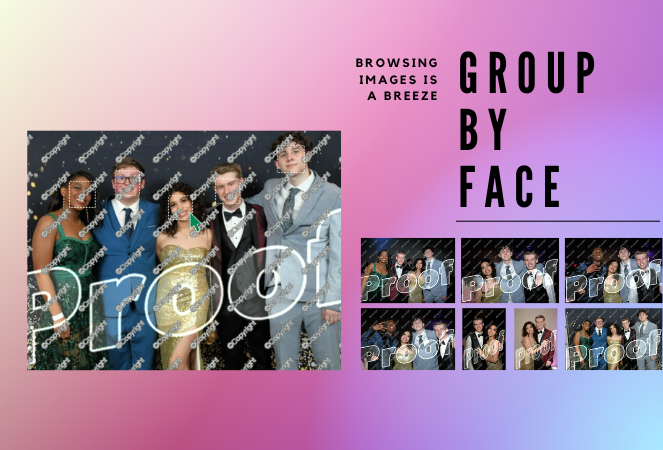
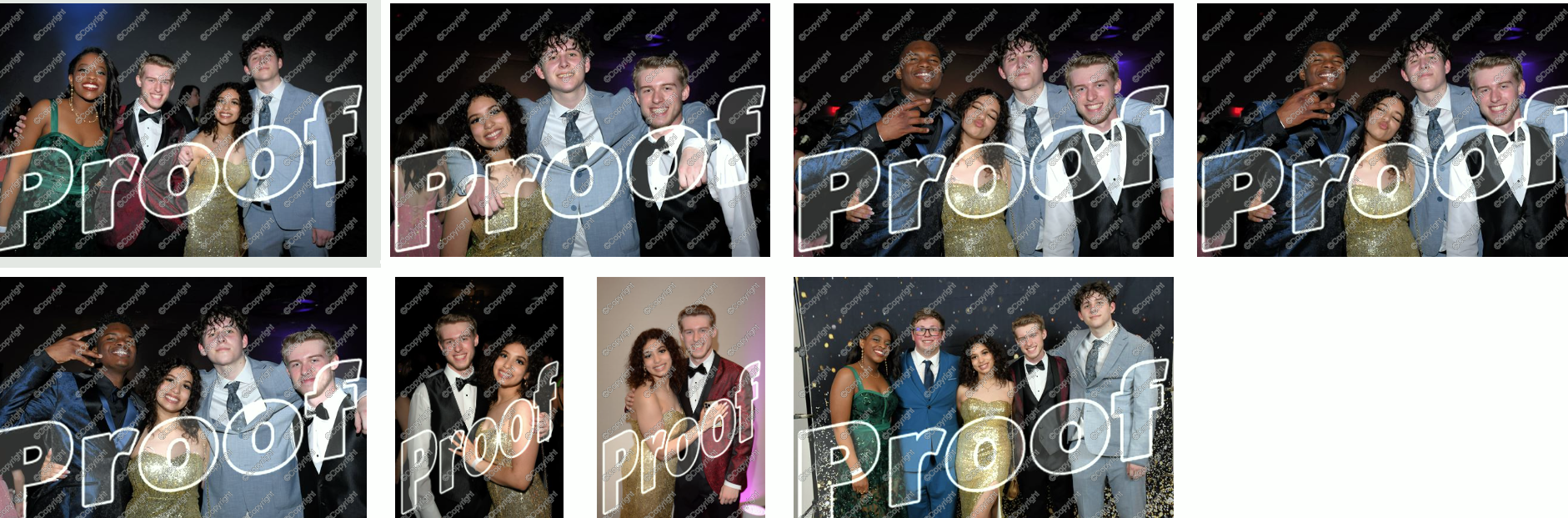
Group-by-Face is our advanced face matching strategy designed to transform your online galleries into a personalized viewing experience. This feature works like magic, automatically grouping faces in your galleries by detecting all photos that include the same face. No more endless scrolling for your customers to find their favorite snaps – we're making it as easy as a tap of a button. 🖼️💖
How It Works:

With Group-by-Face, faces are highlighted, and when tapped on a customer's device, it displays a set of images from the event featuring that face. Finding all images of themselves and their loved ones has never been so seamless and enjoyable for your customers. Talk about a picture-perfect experience! 📸✨

Using Group-by-Face:

Ready to bring Group-by-Face into your workflow? Great! Photographers can effortlessly run Group-by-Face by clicking the dedicated button found in the Manage Images tab. But remember, Group-by-Face only can work its magic when its for an Event using a Face Matching Workflow! 🖥️💡

Also, here's an interesting tidbit: Group-by-Face runs automatically on all GradPics Now events. That's right, grad photographers – we've got you covered! 🎓🎈

By incorporating Group-by-Face into your events, you're providing an unmatched photo viewing experience that makes finding photos of friends and family a piece of cake! 🍰

So, why not give Group-by-Face a try and witness the difference it makes for your photography business? Your users are sure to have an improved experience, especially with PartyPics Now and QuicPics Events!

That's all for today! Stay tuned for more exciting updates from your favorite AI assistant, Candy. Let's keep making memories and capturing beautiful moments together! 🌟💕

Head to this link to learn more about Group-by-Face: nowcandid.com/group-by-face

Until next time, keep snapping! 📸✨

Related articles

NowCandid's Microsoft App: Out Now!
Feature Updates
March 9, 2022

NowCandid's Microsoft App: Out Now!

3
 minutes read

New features you'll find in the app:

  • Supports several new Nikon and Canon models that the previous NOW Candid app did not
  • Customizable App Passcode - ensures you are uploading directly to events in your account & is protected from other user's image uploads
  • New modern design for ease of use
  • More event information now available right from the tablet when logged in
  • Choose between dark or light mode (dark mode looks pretty slick! Try it out!)
  • Added button in settings that instantly pulls up the image hot folder
  • Easier installation and less issues with Window Defender
  • Smarter log out protocols (warnings if all images have not been uploaded)
  • "Upload from SD card" to manually add all images from an SD card to an event.
  • Useful if a camera was not connected to a tablet when images were shot, this provides another way to manually upload
  • OR if you had a second photographer on site without a tablet, they could upload their images through a tablet/laptop before leaving the event

How to uninstall the previous version of the app:

If you have previous versions of the Party Pics® Now app or Now Candid app installed on your device, you will want to uninstall them. Make sure all data and images from any previous events have been transferred prior to uninstalling.

1. Navigate to "Add or remove programs"

2. Search for NowCandid to uninstall

    a. This can be done for "Party Pics Now" or SNAP as well

How to install the new version of the NowCandid app:

You can install the new app by going directly to the Microsoft App Store using this direct link: www.microsoft.com/store/apps. Alternatively,  you can find a link to the store on NowCandid.com/download (must be logged into account to access this page).

How to find your App Passcode to log in on the new tablet:

1. Log in to your account on NowCandid.com

2. Click on App Settings

3. Find or change your App Passcode

Let’s get in touch

If you’re a photographer looking to add NowCandid services to your wheelhouse – set up a call by clicking the button below.

How to customize formatting for each rich text

How to customize formatting for each rich text

How to customize formatting for each rich text

How to customize formatting for each rich text

How to customize formatting for each rich text

What’s a Rich Text element?

The rich text element allows you to create and format headings, paragraphs, blockquotes, images, and video all in one place instead of having to add and format them individually. Just double-click and easily create content.

A rich text element can be used with static or dynamic content. For static content, just drop it into any page and begin editing. For dynamic content, add a rich text field to any collection and then connect a rich text element to that field in the settings panel. Voila!

Headings, paragraphs, blockquotes, figures, images, and figure captions can all be styled after a class is added to the rich text element using the "When inside of" nested selector system.

  • List One
  • List Two
  • List Three
  • List Four
  • List Five

This is a link

This is bold text