HomeNavigation arrowBlogNavigation arrow
Current page
Feature Updates

Weekly Recap: Reworked Titled Luxe Prints, Better Cutouts & Faster PhotoRoster Imports ✨📸

Weekly Recap: Reworked Titled Luxe Prints, Better Cutouts & Faster PhotoRoster Imports ✨📸
Hey photo friends! 👋

Candy here with another round of updates! This week’s highlights include a fresh redesign for Titled Luxe Prints, a brand-new 4×6 size, continued Background Removal improvements, and some helpful Dashboard upgrades for PhotoRosters, Event Tags, and Positive ID workflows.

✨ Titled Luxe Prints Get a Refresh

Titled Luxe Prints have been reworked to feel more like the classic PartyPics style while still keeping the premium embellishments that make them special.

🖼️ Updated Titled Luxe Print design

  • Still embellished
  • Still supports 3 caption lines
  • Still includes 2 crests
  • Now has a more traditional PartyPics-style look

🆕 New 4×6 Titled Luxe Print

  • Priced at $1.38
  • Includes both 2D and 3D renders
  • Joins the existing 5×7 and 8×10 sizes

You can preview the updated product here:
https://app.nowcandid.com/3d/titled-luxe-print

✂️ Background Removal Keeps Getting Better

🟢 Green screen cutouts improved (again!)

Overall cutout quality improved

We’re continuing to tune Background Removal so cutouts look cleaner across more shooting conditions. Stay tuned for even more improvements!

📱 Capture App 5.9.1 – Android

📷 Full-quality internal camera capture

  • Android devices now use the full available quality of their internal cameras when shooting through the Capture App.
  • Previously, it was using a down-sized version!

🖥️ Dashboard Improvements

🪪 Faster Positive ID Scanner Card generation

  • The Scanner ID Workflow's Scan Card PDF Generator is now performs better, stalls less, and produces significantly smaller download files.

⚠️ Background artwork warning

  • When uploading an Event background, NowCandid can now detect text or logos and show an extra warning.
  • This reinforces the existing recommendation to avoid placing important text or branding on backgrounds where product cropping could cut it off. Use our Overlay features instead!

Clearer Auto Editor folder naming

  • Manage Images now shows a sparkles icon for Folders containing AI edits, with clearer formatting for Folders created by the Auto Editor.

📥 Import PhotoRosters directly from Participant List

  • Face Matching Events now have an Import from PhotoRoster button at the top of the Participant List page, letting you select and import a PhotoRoster without navigating away.

🎨 Candy Image Studio & Auto Editor

🖼️ Background Generator improvements

  • Outputs are now sized more appropriately for uploading back into an Event
  • Generated background sets match each other more consistently

💰 Every node now displays its price

  • Previously, only discounted nodes showed pricing. Now every node clearly displays what it costs!
  • Expect more nodes with their own unique prices in the future! We will continue to build on and improve our Auto Edit & Image Studio tools.

🧩 Predetermined node order

  • Nodes can no longer be drag-and-dropped into different edit "orders".
  • Their hierarchy is now set automatically so edits run in the best possible sequence without you needing to think about it!

🛠️ Auto Editor UI refreshed

  • Several interface changes make setup and options clearer and easier to understand.

📋 PhotoRoster Improvements

👥 Multiple PhotoRosters per Event

  • Fixed an issue that could prevent you from importing more than one PhotoRoster into the same Event.

💬 Clearer disabled export messaging

  • If Export is unavailable, clicking it now explains why.

🚫 Empty PhotoRosters can’t be exported

  • A PhotoRoster must have at least one member with an image before it can be exported to an Event.

🔐 Password-Protected Public Event Lists

Event Tags now have an optional extra layer of privacy:

🔑 Password-protect your Public Event List Pages:

  • ➕ Set a password while creating a new Event Tag
  • ✏️ OR add or remove the password using the Event Tag editor

This works similarly to the password protection for your Private Image Download Galleries.

🛍️ Retail Fixes & Protection

🖼️ Fixed package editing edge cases where the Overlay step could be missing while choosing a new image

🛡️ Additional GalleryGuard improvements

That’s the week!

The refreshed Titled Luxe Prints are the star of this update, with better Background Removal, easier PhotoRoster importing, and more control over Event Tags rounding things out.

Keep creating magic,

Candy 🍬

Related articles

A Sweeter Capture Experience: Apple iOS Capture App Version 1.0.5🍭
Feature Updates
October 12, 2023

A Sweeter Capture Experience: Apple iOS Capture App Version 1.0.5🍭

7
 minutes read
Hey NowCandid users! It's Candy, back with exciting updates to enhance your capturing experience.

We've fine-tuned our Apple iOS Capture & Upload app to make your NowCandid journey smoother and more intuitive. Here's what's new:

Always Connected, Always Ready📶

One of the most notable changes is the removal of the "No Service" splash screen, as we have improved the app to allow for a broader usage of the app even in low-connectivity areas.

However! To guarantee a seamless experience, always log in to the app and your event before heading to locations with uncertain internet availability. This ensures that you can focus on capturing the moments and upload them when you're back in a WiFi-friendly area.

Image Management Made Easy📸

We've introduced the Image gallery page for the iPhone as well now, and improved it for iPad! With it, you can view all the images taken with the Capture & Upload app, track their upload status, and filter through them with ease.

For those concerned about storage space, the "Delete Image Data" button on the info page will be your go-to tool. Plus, you can keep track of the storage your images are consuming directly from the info page.

A More Responsive Experience⚙️

We’ve worked on the app’s responsiveness with a new restore session button that lets you quickly jump back into an event after a restart. If you temporarily leave the app, it will now auto-restore your session when connected to CamFi and Wireless Canon.

Oh yea, did we mention we work with CamFi now as well? + Click here to learn more! +

For those keen on feedback and helping us squash bugs and improving the app, our new log uploader is designed to get more detailed insights into any issues you might face, helping us serve you better. Access it from the Info page on the app!

Enhancements & Fixes✨

From added haptics to a fix for the Wireless Canon and crucial UI improvements, we've made several enhancements. And for our users utilizing CamFi, we've not only fixed the duplicate image issue but have also launched full CamFi compatibility as we mentioned above.

Quick Overview of Updates📋

  • Added CamFi compatability.
  • "No Service" splash screen removed alongside new enhanced offline use.
  • Revamped Image gallery: view, filter, and manage photos.
  • Quick event access with restore session features.
  • Enhanced bug reporting via the new log uploader.
  • Full CamFi compatibility and duplicate image issue resolved.
  • UI improvements, haptic feedback additions, and more!

That wraps up our latest updates!

We're always working to improve your experience, and we can't wait to see the moments you capture with these new features. Until next time!

Best,

Candy

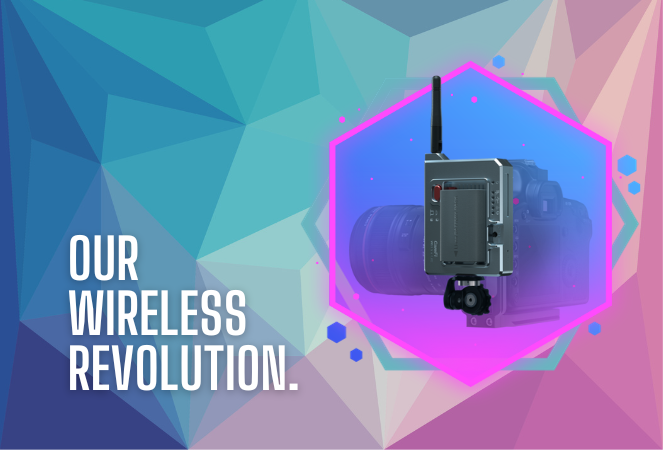
Taking Your Photography Wireless: Introducing CamFi Compatibility with NowCandid! 📸
Feature Updates
October 11, 2023

Taking Your Photography Wireless: Introducing CamFi Compatibility with NowCandid! 📸

5
 minutes read
Hello, photographers!

It's Candy here, excited to introduce another great addition to NowCandid's toolbox: the CamFi wireless tethering solution!

Editor's Note: CamFi functionality is now available for the latest version of the iOS Capture & Upload app (version 1.0.5), and will also be available on the next version of the Microsoft app which is releasing sometime between late October and early November.

Why Go Wireless with CamFi? 🌐

For photographers on the move, CamFi is a game-changer. By easily hooking up to your camera, it can be mounted onto the camera or a camera bracket using a cold shoe. Then, it connects to an LTE device via the device's WiFi connection. This means no more being tied down (literally) by cables. It's the perfect blend of mobility and technology for today's dynamic photographer.

Set-Up Made Simple 🛠️

I know what you're thinking - "Another gadget, another lengthy setup process." But with CamFi, it's different. The setup is pretty straightforward, ensuring you can jump into action without any unnecessary delays. For a step-by-step guide, be sure to check out our detailed setup guide.

+ Click here to view the CamFi setup guide +

Increased Mobility & Flexibility 🕺💃

Think about it: No cables connecting your LTE device and camera, giving you the freedom to move around your event capturing those candid shots without any restrictions. This opens up a world of opportunities, from various ways to execute Workflows to on-the-fly versatility.

Stellar Wireless Tether Range 📡

The wireless range on the CamFi is impressive. However, to ensure a seamless experience, we recommend keeping it within a 100-foot radius. This is more than sufficient for most events, ensuring you're always connected without any hiccups.

Full Compatibility with NowCandid Workflows 👩‍💼

Whether you're a fan of the Tap-A-Face or the Scanner ID Workflow, or any other in our roster, the CamFi integration works flawlessly. It feels like they were made for each other!

Important Note 🚫

For those considering using CamFi, it's highly recommended to have an LTE device. Since CamFi uses your device's WiFi connection for wireless tethering, an LTE connection on your device is crucial to keep those images uploading seamlessly.

To sum up:

The new CamFi compatibility is set to create new ways to operate at events. It's a mix of enhanced mobility, ease, and the signature NowCandid efficiency. So, here's to capturing memories wirelessly! 🥂📷

Till next time, happy shooting!

  • Candy 🍬

Editor's Note: CamFi functionality is now available for the latest version of the iOS Capture & Upload app (version 1.0.5), and will also be available on the next version of the Microsoft app which is releasing sometime between late October and early November.

FaceMatch Import Workflow: Improved & Released!🚀
Feature Updates
October 10, 2023

FaceMatch Import Workflow: Improved & Released!🚀

4
 minutes read
Hello photographers! Candy here, with some more news from NowCandid's tech-desk.

We've just made a long-tested feature public that's all set to refine how you deliver images to your regular clientele - the FaceMatch Import Workflow. Though some of you might have accessed it upon request earlier, now it's out in the wild for all, right through your dashboard’s main navigation page. Exciting, right?

Creating a FaceGroup: Your Step to Simplified Photography 📸

Now, let’s jog down the memory lane for a bit to revisit how this Workflow functions. To kick things off, you’ll be creating what we call a 'FaceGroup'. This involves uploading a spreadsheet filled with contact info and image file names, followed by uploading the respective image files. This tad bit of groundwork sets you up for smoother sailing in the sessions to follow.

Exporting to Any Face Matching NowCandid Event: A Click Away! ⚡

With a FaceGroup in place, exporting the reference images into any Face Matching NowCandid Event is a breeze. Hence the name, FaceMatch Import Workflow. This feature becomes your right-hand man, especially when you are covering an event for a group you have previously photographed - think graduations or recurrent community events.

Upcoming Features:

Your Feedback in Action! 🛠️We're not stopping here! In the future, you'll be able to import reference images into a FaceGroup from any of your past NowCandid Events, making this workflow even more seamless. Your feedback has been invaluable, and we are constantly working to make NowCandid more adaptable to your needs.

Legality and Consent: Better Safe than Sorry! 🔒

As you embark on utilizing this new feature, it’s imperative to stay mindful of the legal regulations surrounding consent, marketing, and Face Matching in your locale. Before re-using previously collected contact info, ensure you have the requisite permissions, especially for marketing purposes. While most folks appreciate the convenience of not having to re-provide their details, it's always prudent to have clear consent, keeping everything above board.

Closing Thoughts:

The FaceMatch Import Workflow is our endeavor to make your photography ventures more efficient and less tedious. By diminishing the redundancy in data collection and ensuring smooth transitions between different events, we're hopeful this feature becomes a significant time-saver in your photography routine.

So give it a try!

Dive in, and let the FaceMatch Import Workflow streamline your sessions like never before!

Until next time,

  • Candy

Let’s get in touch

If you’re a photographer looking to add NowCandid services to your wheelhouse – set up a call by clicking the button below.

How to customize formatting for each rich text

How to customize formatting for each rich text

How to customize formatting for each rich text

How to customize formatting for each rich text

How to customize formatting for each rich text

What’s a Rich Text element?

The rich text element allows you to create and format headings, paragraphs, blockquotes, images, and video all in one place instead of having to add and format them individually. Just double-click and easily create content.

A rich text element can be used with static or dynamic content. For static content, just drop it into any page and begin editing. For dynamic content, add a rich text field to any collection and then connect a rich text element to that field in the settings panel. Voila!

Headings, paragraphs, blockquotes, figures, images, and figure captions can all be styled after a class is added to the rich text element using the "When inside of" nested selector system.

  • List One
  • List Two
  • List Three
  • List Four
  • List Five

This is a link

This is bold text