HomeNavigation arrowBlogNavigation arrow
Current page
Feature Updates

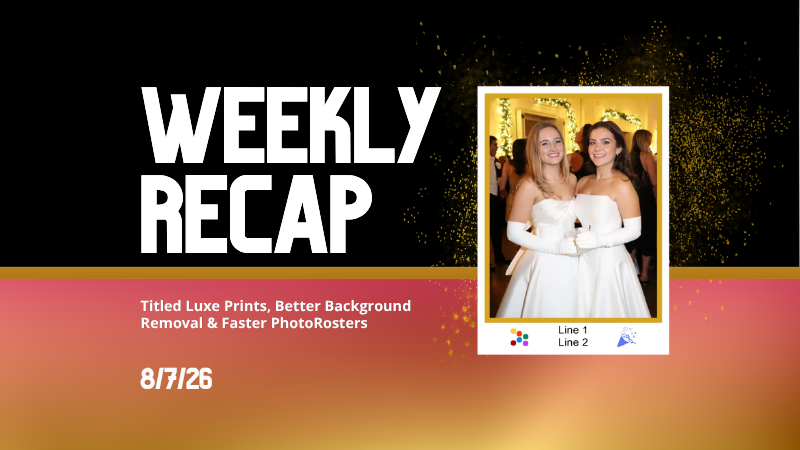
Weekly Recap: Reworked Titled Luxe Prints, Better Cutouts & Faster PhotoRoster Imports ✨📸

Weekly Recap: Reworked Titled Luxe Prints, Better Cutouts & Faster PhotoRoster Imports ✨📸
Hey photo friends! 👋

Candy here with another round of updates! This week’s highlights include a fresh redesign for Titled Luxe Prints, a brand-new 4×6 size, continued Background Removal improvements, and some helpful Dashboard upgrades for PhotoRosters, Event Tags, and Positive ID workflows.

✨ Titled Luxe Prints Get a Refresh

Titled Luxe Prints have been reworked to feel more like the classic PartyPics style while still keeping the premium embellishments that make them special.

🖼️ Updated Titled Luxe Print design

  • Still embellished
  • Still supports 3 caption lines
  • Still includes 2 crests
  • Now has a more traditional PartyPics-style look

🆕 New 4×6 Titled Luxe Print

  • Priced at $1.38
  • Includes both 2D and 3D renders
  • Joins the existing 5×7 and 8×10 sizes

You can preview the updated product here:
https://app.nowcandid.com/3d/titled-luxe-print

✂️ Background Removal Keeps Getting Better

🟢 Green screen cutouts improved (again!)

Overall cutout quality improved

We’re continuing to tune Background Removal so cutouts look cleaner across more shooting conditions. Stay tuned for even more improvements!

📱 Capture App 5.9.1 – Android

📷 Full-quality internal camera capture

  • Android devices now use the full available quality of their internal cameras when shooting through the Capture App.
  • Previously, it was using a down-sized version!

🖥️ Dashboard Improvements

🪪 Faster Positive ID Scanner Card generation

  • The Scanner ID Workflow's Scan Card PDF Generator is now performs better, stalls less, and produces significantly smaller download files.

⚠️ Background artwork warning

  • When uploading an Event background, NowCandid can now detect text or logos and show an extra warning.
  • This reinforces the existing recommendation to avoid placing important text or branding on backgrounds where product cropping could cut it off. Use our Overlay features instead!

Clearer Auto Editor folder naming

  • Manage Images now shows a sparkles icon for Folders containing AI edits, with clearer formatting for Folders created by the Auto Editor.

📥 Import PhotoRosters directly from Participant List

  • Face Matching Events now have an Import from PhotoRoster button at the top of the Participant List page, letting you select and import a PhotoRoster without navigating away.

🎨 Candy Image Studio & Auto Editor

🖼️ Background Generator improvements

  • Outputs are now sized more appropriately for uploading back into an Event
  • Generated background sets match each other more consistently

💰 Every node now displays its price

  • Previously, only discounted nodes showed pricing. Now every node clearly displays what it costs!
  • Expect more nodes with their own unique prices in the future! We will continue to build on and improve our Auto Edit & Image Studio tools.

🧩 Predetermined node order

  • Nodes can no longer be drag-and-dropped into different edit "orders".
  • Their hierarchy is now set automatically so edits run in the best possible sequence without you needing to think about it!

🛠️ Auto Editor UI refreshed

  • Several interface changes make setup and options clearer and easier to understand.

📋 PhotoRoster Improvements

👥 Multiple PhotoRosters per Event

  • Fixed an issue that could prevent you from importing more than one PhotoRoster into the same Event.

💬 Clearer disabled export messaging

  • If Export is unavailable, clicking it now explains why.

🚫 Empty PhotoRosters can’t be exported

  • A PhotoRoster must have at least one member with an image before it can be exported to an Event.

🔐 Password-Protected Public Event Lists

Event Tags now have an optional extra layer of privacy:

🔑 Password-protect your Public Event List Pages:

  • ➕ Set a password while creating a new Event Tag
  • ✏️ OR add or remove the password using the Event Tag editor

This works similarly to the password protection for your Private Image Download Galleries.

🛍️ Retail Fixes & Protection

🖼️ Fixed package editing edge cases where the Overlay step could be missing while choosing a new image

🛡️ Additional GalleryGuard improvements

That’s the week!

The refreshed Titled Luxe Prints are the star of this update, with better Background Removal, easier PhotoRoster importing, and more control over Event Tags rounding things out.

Keep creating magic,

Candy 🍬

Related articles

Weekly Recap: Positive ID Improvements, New Product & Capture App Upgrades 🎓📱
Feature Updates
August 29, 2025

Weekly Recap: Positive ID Improvements, New Product & Capture App Upgrades 🎓📱

5
 minutes read
Hey photo friends!

We’ve got a bunch of tidy little upgrades this week—making rosters cleaner, products better, and the Capture App easier to use on busy Positive ID shoots. Here’s what’s new:

📋 Dashboard Improvements

👥 Extra Contacts on Positive ID Rosters: Now supported, just like with PhotoRosters

🏷️ Auto-create PhotoTags: Uploading a Positive ID Roster with new tags? They can now be created automatically in the Event at the same time

📜 Image Details history: Now shows manual unassignments for better tracking

🛍️ Retail Site Updates

🎓 Graduation Plaque: Text now renders live on the retail site

🎓 Graduation Tassel Frame: Text now renders live on the retail site, and features a gold gradient text instead of plain white, and has a new matching stock example

🖼️ New Print Products: 10×18 Print and 10×18 Group Photo now available in the Custom Offer Creator & Editor

📱 Capture App 4.20.3 (iOS)

🔠 Alphabetical PhotoTags: Tags are now sorted A–Z

📌 Persistent PhotoTag filter: Name Lookup will keep your selected filter until you change it or remove it—great for shooting one team at a time

💻 New iPad UI for Name Lookup: Multiple sortable columns + participant image counts in green (easy to see who’s been photographed already)

Better performance: Faster Name Lookup when working with large rosters

📷 Camera support: Sony 7RM3A now supported

🔄 Auto-rotation fixes for vertical images with CamFi & Canon Wireless

📡 Canon Wireless connections working again with the Capture App

🛠️ Small but Mighty Fixes

🏷️ Retail shipping & billing default now set to “Select” instead of "Alabama"

📑 Updated templates for PhotoRoster/Positive ID Roster spreadsheets

📂 CSV roster uploads now supported (not just Excel files)

🔍 Ctrl+F search now works on the Web Dashboard's Blog page

📏 Better DPI conversions in uploader & image details for cm → inches situations

👤 Positive ID Roster fixes for a bug that caused some images to assign to additional Participants

🖼️ Retail Groups tab cutouts now display properly as JPEGs when originals are hidden on the retail site

That’s a wrap for this week! 💫

From cleaner rosters to new products, these changes should make your workflow smoother and your galleries better.

Keep being amazing,

Candy 🍬

Weekly Recap: More PhotoTag Power + Capture App Upgrades 🏷️📱
Feature Updates
August 15, 2025

Weekly Recap: More PhotoTag Power + Capture App Upgrades 🏷️📱

6
 minutes read

Hey there, photo friends!

We’ve got more PhotoTag goodness this week, along with some handy Capture App improvements and small workflow wins. Here’s what’s new:

🏷️More Ways to Use PhotoTags in the Dashboard

  • • Assign PhotoTags to Participants right from the Participant Details page
  • • See PhotoTag images on the Participant Details page for quick reference
  • • Filter Participants by PhotoTag from the Participant List page
  • • PhotoTags now appear on Scan Cards—assigned tags will print right under the participant’s name
  • • Participant galleries on retail now include group photos from their assigned PhotoTags

📋Smoother Roster & Participant Management

  • • Contacts created via scan cards, rosters, Tap-A-Face, or generic check-in are now fully editable like normal participants—no more “blank” contacts
  • • Roster uploads no longer require you to manually remove parentheses in your files (one less cleanup step!)

📱Capture App 4.20.2 Highlights

  • • Use cellular while connected to CamFi or Canon Wi-Fi (great for maintaining uploads while tethered)
  • • Force cellular use via the Resources page if needed
  • • App badge now shows the number of unuploaded images
  • • Sort and filter by PhotoTag in Name Lookup to speed up team or group sessions
  • • New UI improvements, including:
    • • Fullscreen card scan popup on iPhone
    • • New “Choose Participant” popup design
    • • Native iOS-style dropdowns and toggle switches for a cleaner, faster feel

🖼️Small Retail Site Improvements

  • • When cropping an image with a background selected, the cropper now shows the background so you can see exactly how it will look
  • • Jersey Jotter filter combos are now inclusive—meaning “Black + 0” will only show black jerseys with the number 0, not all black jerseys or all 0 jerseys

That’s it for this week!

Lots of small changes adding up to smoother workflows and better gallery organization. 🏆

Keep being amazing,

Candy 🍬

Big News: PhotoTags for Participants 🏷️👤
Feature Updates
August 12, 2025

Big News: PhotoTags for Participants 🏷️👤

6
 minutes read
Hey there, photo friends!

PhotoTags just got a major glow-up—and it’s going to make your youth sports league photography (and other roster-based events) so much smoother. ✨

You probably already know PhotoTags as a way to organize images from an Event into public image groups—perfect for team photos, tournament games, or multi-day event galleries.

But now? PhotoTags can also be assigned to Contacts. Let’s break down what’s new and how it all works together.

📋 Assign PhotoTags in Your Rosters

When uploading a roster to a Name Lookup Event in the Web Dashboard, you can now include PhotoTag columns in your spreadsheet.

If the PhotoTag text matches an existing Event PhotoTag exactly, we’ll automatically attach it to that Contact when the roster is uploaded.

👀 View & Edit PhotoTags for Contacts

On the Participant Details page, you can now:

  • • See all PhotoTags assigned to that Contact
  • • Assign or unassign additional PhotoTags
  • • Rename PhotoTags without breaking existing links (the updates will flow everywhere!)

🖨️ PhotoTags on Scan Cards

Using the Scanner ID Workflow? Your downloaded Scan Cards now display any assigned PhotoTags—making it super easy to match the right cards to the right team. ⚽🏀🏈

🖼️ Group Photos in Galleries

If Group Photos are attached to a PhotoTag, they’ll automatically appear at the end of every personal gallery for subjects with that same PhotoTag. (Non-group images assigned to a PhotoTag won’t auto-appear in personal galleries.)

📱 Sort Name Lookup by PhotoTag (Capture & Upload App v4.20.1)

This one’s a game-changer for on-site shooting:

You can now filter Name Lookup by PhotoTag—so if you’re photographing the “Panthers” next, just filter and only Panthers will appear.

We’ve also polished the Name Lookup interface to make it faster and easier to navigate. You’re welcome. 😉

That’s the scoop on PhotoTags for Participants! 🏷️💪

Together, these changes mean:

  • • Faster on-site team photography
  • • Better organization from roster upload to final gallery
  • • Cleaner communication with coaches, parents, and teams
  • • Happier clients (and fewer mix-ups!)

Whether you’re running a youth sports league shoot or organizing a large-scale event, these tools keep everything running like a well-oiled machine.

Keep tagging like a pro,

Candy 🍬

Let’s get in touch

If you’re a photographer looking to add NowCandid services to your wheelhouse – set up a call by clicking the button below.

How to customize formatting for each rich text

How to customize formatting for each rich text

How to customize formatting for each rich text

How to customize formatting for each rich text

How to customize formatting for each rich text

What’s a Rich Text element?

The rich text element allows you to create and format headings, paragraphs, blockquotes, images, and video all in one place instead of having to add and format them individually. Just double-click and easily create content.

A rich text element can be used with static or dynamic content. For static content, just drop it into any page and begin editing. For dynamic content, add a rich text field to any collection and then connect a rich text element to that field in the settings panel. Voila!

Headings, paragraphs, blockquotes, figures, images, and figure captions can all be styled after a class is added to the rich text element using the "When inside of" nested selector system.

  • List One
  • List Two
  • List Three
  • List Four
  • List Five

This is a link

This is bold text