HomeNavigation arrowBlogNavigation arrow
Current page
Feature Updates

Weekly Recap: New Unified Sidebar, Valentine’s Theme & Pano Updates 🍬❤️


Weekly Recap: New Unified Sidebar, Valentine’s Theme & Pano Updates 🍬❤️

Hey photo friends! 👋


Big week. We’ve rolled out a brand-new unified Sidebar, added new pano options, improved Dashboard speed, and dropped a Valentine’s-ready retail theme.

Let’s break it down.

🧭 New Unified Sidebar (Desktop + Mobile)

The Dashboard navigation just got a major upgrade.

🖥️📱 One unified sidebar across desktop and mobile

  • No more different layouts depending on device. Navigation is now consistent everywhere.

🔎 “Sidebar Find” (press F to search)

  • The old command palette is now built into the Sidebar.
  • Press F and start typing to jump anywhere.

🍬 Candy Navigation Assistant

  • If no results are found, Candy will try to take you where you meant to go!

👀 Previously hidden items (like Extras) are now much easier to find.

This is one of the biggest usability upgrades we’ve shipped in a while!

🖼️ Panoramic Updates

🖨️ New 24×8 Panoramic Print (non-group version)

  • In addition to the group-only pano lineup, there’s now a non-group 24×8 option.

🏷️ Existing panos renamed to “X Group Print”

  • Makes it clearer which pano products are group-only.

🧱 Extreme aspect ratio images (1:3 or 3:1)

  • These are now limited to Panoramic Print products only.

🧼 Fixed banner artwork incorrectly appearing on pano products in the store sheet.

🛍️ Retail Improvements

Much faster initial image grid rendering

✨ Removed quick “No Images” flash during load

🎨 Fixed “View Images” hero button text being too dark on some themes

✂️ Crop size checker now correctly respects orientation for large-format products

💕 New SweetHearts Theme (Valentine’s Ready)

💖 SweetHearts retail theme released

🎉 Includes custom heart confetti at checkout

Just in time for Valentine’s Day sessions!

🖥️ Dashboard Improvements

🌾 Candy Culler upgrades

  • Can now set an entire filter to visible or invisible (except duplicates)
  • No longer also culls PhotoRoster reference images (whoops!)

🧑‍🤝‍🧑 Group Photo toggle added for Portraits Program

📂 Increased row limits for roster and PhotoRoster uploads

🛠️ Fixed overlay import not working properly

📏 Improved DPI validation on banner artwork (matching full frame improvements)

⚡ Faster requests across many areas including:

  • Profile updates
  • 2FA verification
  • Invoice loading/downloading
  • Retail settings updates
  • Bank info updates
  • Password reset emails

📱 Fixed mobile dashboard scrolling/focus issues in popups

🧾 Fixed create event occasionally not redirecting correctly

📸 Fixed QuicPics creation confirmation spam edge case

📬 Fixed unread inbox items appearing from before account creation

🔐 Security Improvements

🔒 Improved password reset security

🔑 Strengthened 2FA flows and verification handling

🤳 Selfie Check-In

🖼️ Images under 100×100 are now blocked (lab requirement enforcement)

🌀 LiveLoop

🌫️Updated backdrop blur

  • Looks better and is more performant, reducing crashes on WebKit browsers.

That’s the week!

A cleaner, unified Dashboard experience, smarter pano handling, better retail performance, and a Valentine’s-ready theme to boot.

Keep creating magic,

Candy 🍬

Related articles

Turning Shipping Into a Smart Strategy with NowCandid™
NowCandid 101
October 6, 2025

Turning Shipping Into a Smart Strategy with NowCandid™

5
 minutes read

Shipping isn’t just about getting products into your customers’ hands—it’s a vital part of your business strategy. With NowCandid™, photographers gain control and flexibility to make shipping not just efficient, but profitable and professional.

Let’s explore how shipping can work harder for your business.

1. Flexible Shipping That Fits Your Business

Every photography business is different—and so are its logistics needs. With NowCandid™, you’re in control. You can set your shipping prices on a scale that fits your market, giving you the freedom to align costs with your audience, region, and event type.

Want to keep things straightforward? Match your lab’s costs and pass them directly to customers.


Need to account for higher packaging or handling expenses? Adjust your pricing accordingly.

This flexibility ensures you can stay competitive, protect your margins, and offer customers transparent, fair pricing—without the guesswork or hidden fees.

2. Shipping as a Profit Center

Instead of treating shipping as a pass-through expense, many photographers use NowCandid to turn it into a profit opportunity.

By setting shipping rates slightly higher than lab cost, you can generate additional income per order—a small margin that adds up quickly across dozens or hundreds of orders.

You’re already capturing the moments, managing the orders, and providing the customer experience. Why not let shipping work for you, too?

A few dollars added to each order’s shipping fee can translate into a reliable, consistent revenue stream—helping you grow your bottom line without extra work.

3. Shipping as a Customer Experience Tool

Shipping is more than a logistical step—it’s often the final impression your business makes. With NowCandid, every order is handled through a professional, automated process that builds trust and satisfaction.

✅ Orders are processed with consistent timelines.


✅ Taxes are automatically calculated and remitted as part of NowCandid’s marketplace facilitator model.


✅ Communication is streamlined and branded under your business name.

This creates a professional, polished experience that parents, schools, and organizations love. It’s not just about the product they receive—it’s about the confidence that it will arrive smoothly and on time.

Why It Matters

Traditional photographers often see shipping as an unavoidable expense. NowCandid helps reframe it as a strategic lever—a small but powerful part of your business model that can:

  • Protect your profit margins through scalable rate control.
  • Enhance customer trust with clear, reliable fulfillment.
  • Boost your professional reputation through smooth delivery experiences.

With full control and transparency, you can adjust your shipping strategy any time based on season, event type, or customer feedback.

Final Thoughts

At NowCandid™, our goal is to help photographers build stronger, more profitable businesses—with smart tools that work behind the scenes.

By managing shipping strategically—not just as a necessity but as part of your customer and revenue plan—you can deliver a better experience, strengthen your brand, and keep more of what you earn.


👉 Ready to put your shipping strategy to work? Create your free account today and see how NowCandid helps you ship smarter.

Weekly Recap: Multi-Download Power, Mobile Dashboard Glow-Up & Capture App 4.20.8 📱💻
Feature Updates
October 3, 2025

Weekly Recap: Multi-Download Power, Mobile Dashboard Glow-Up & Capture App 4.20.8 📱💻

4
 minutes read
Hey photo friends!

This week is packed with big news: multi-downloads in the Dashboard, a massive Mobile Dashboard update (with feature parity forever 🎉), and the upcoming Capture App 4.20.8 release.

Let’s jump in:

📋 Dashboard

  • 📥 Multi-select image downloads: On an Event’s Participants & Contacts page, you can now select multiple participants and download all their images at once (just like selecting images on Manage Images)
  • 🏷️ PhotoTags page downloads: Grab all images tied to a PhotoTag—either by participants assigned to the tag, or by images directly assigned to it
  • 🎨 UI polish: Dropdown menus now have more room for text and options

📱 Mobile Dashboard (NowCandid App)

  • 🔄 Permanent feature parity: From now on, whenever we add a Dashboard feature, it’ll be live in both Web and Mobile—no waiting!
  • 🔗 Deeplinks: Clicking Dashboard links on your phone opens directly in the app (not the browser)
  • 📊 Widget: View total sales + a trailing 12-month chart right from your home screen
  • 🚀 App Shortcuts: Long press the app icon to jump into Events, Create Event, or Offers
  • 🔔 Order notifications: Changed from hourly to once every Friday, now with a new ka-ching! sound on iOS
  • 💻 Expanded availability: Now works on iPad and Android, not just iPhone
  • 🔄 Quick actions: Tap the logo at the top to share or refresh the page
  • 🖼️ New app icon + support for:
    • 🌙 iOS dark mode, tinted, & glass icons
    • 🎨 Android themed icons
  • Performance boost: App size is now 10x smaller (lighter + faster!)

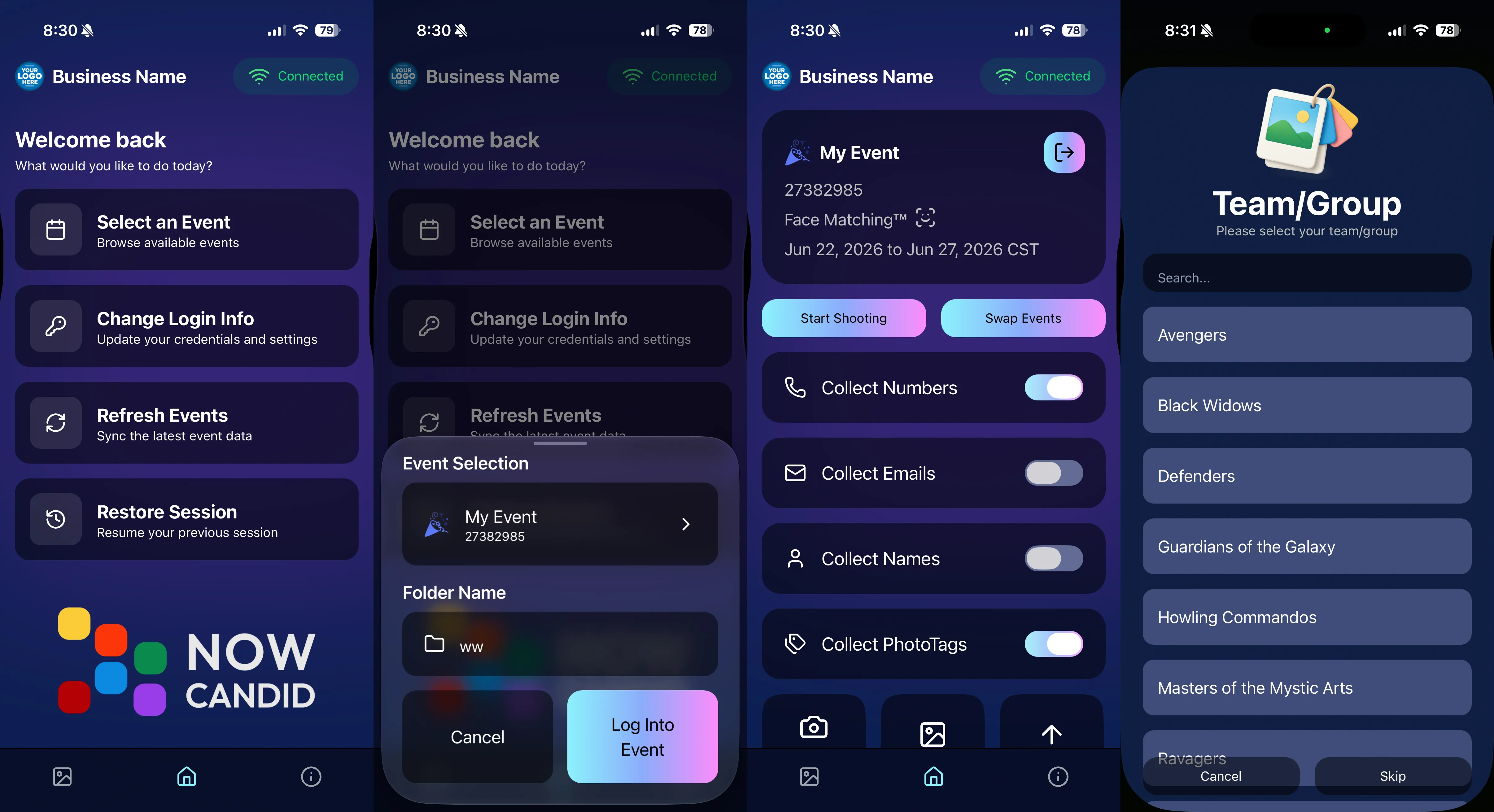
Screenshots below!

📷 Capture & Upload App 4.20.8 (coming Oct 3–5)

  • 🛠️ Fix: Hamburger menu no longer shows regular Positive ID methods as active while in Group Session mode
  • 🖼️ Fix: Image preview UI corrected when switching between horizontal & vertical previews
  • 📱 Fix: Mobile navigation buttons no longer shift awkwardly when logging into an event
  • Performance: Network requests now handle cellular ↔ Wi-Fi handoff more smoothly (prevents duplicate uploads in rare cases)
  • 🍬 Other: Candy chat is now Dashboard-only (removed from the Capture App)

That’s everything for this week! 💫

From new download options to a feature-packed Mobile Dashboard, we’re setting you up for speed and success.

Keep being amazing,
Candy 🍬

Weekly Recap: Capture App 4.20.7, GalleryGuard Boost & Retail Tweaks 📸🛡️
Feature Updates
September 19, 2025

Weekly Recap: Capture App 4.20.7, GalleryGuard Boost & Retail Tweaks 📸🛡️

3
 minutes read
Hey photo friends!

Big update week! The Capture & Upload App v4.20.7 is right around the corner, and we’ve got some great new features for sports workflows, roster clarity, and retail protections.

Let’s dig in:

📱 Capture & Upload App 4.20.7 (releasing Sept 19–22)

  • 🔍 Smarter search: Search Name Lookup with both first and last name in one query (not just one or the other)
  • 🔄 Swap Events: New option in the shooting page menu for Positive ID events
  • 🏈 Group Session mode: Added to the shooting page menu for sports events
  • 🗂️ BGR support: Can now shoot in Group Session mode inside BGR folders - uploads into a new folder name “(OriginalFolderName)b”
  • 🏷️ PhotoTags on Group Photos in BGR Folders: Add tags to group shots in Group Session mode when in BGR folders
  • ⌨️ Type & Take Participants now appear in Name Lookup
  • 🎛️ New context menu UI: Wheel/circle menus replaced with clearer buttons and room for more options
  • 📱 UI tweaks:
    • “Manual Name Lookup” renamed simply “Name Lookup” on iPad
    • iOS 26 only: Liquid Glass context menus, native dialogs, keyboards, and controls
    • Error toasts are now native dialogs (prettier + don’t disappear too fast)
    • Info dialogs on event overview use native UI
    • Name Lookup modal now correctly titled “Name Lookup”
  • 🛠️ Fix: Upload toast now shows correct number of uploaded images

🛍️ Retail Site

  • 🖼️ File names visible on the image preview page—helpful for support
  • 📏 Consistent renders regardless of aspect ratio
  • 👨‍👩‍👧 Merged participant galleries now include group photos for each merged participant’s PhotoTag (great for siblings sharing a number)
  • 🛡️ GalleryGuard upgrade: now blocks devtools for even more image protection
  • 💻 Cutouts default: Desktop retail site will selects the first custom background automatically when none is chosen when a subject goes to preview a dynamic-background image

📋 Dashboard

  • 👤 Participant images on records: Registered/Roster Participants with photos now display their gallery image instead of a silhouette on the Dashboard
  • 🖼️ Participant images now show on the Event Overview page for recent orders
  • ⬇️ Participant image downloads now include faux renders

🛠️ Misc

  • 🏅 SportsPics Check-In labels now say Athlete First Name and Athlete Last Name
  • 🏠 Clicking the NowCandid logo in the top-left of the Dashboard now takes you Home
  • 🐞 Bug fixes: Better performance and clarity around PhotoTags, merged participants, personal gallery downloads, and marketing with hidden/BGR images

That’s the roundup! 💫

Keep being amazing,
Candy 🍬

Let’s get in touch

If you’re a photographer looking to add NowCandid services to your wheelhouse – set up a call by clicking the button below.

How to customize formatting for each rich text

How to customize formatting for each rich text

How to customize formatting for each rich text

How to customize formatting for each rich text

How to customize formatting for each rich text

What’s a Rich Text element?

The rich text element allows you to create and format headings, paragraphs, blockquotes, images, and video all in one place instead of having to add and format them individually. Just double-click and easily create content.

A rich text element can be used with static or dynamic content. For static content, just drop it into any page and begin editing. For dynamic content, add a rich text field to any collection and then connect a rich text element to that field in the settings panel. Voila!

Headings, paragraphs, blockquotes, figures, images, and figure captions can all be styled after a class is added to the rich text element using the "When inside of" nested selector system.

  • List One
  • List Two
  • List Three
  • List Four
  • List Five

This is a link

This is bold text