HomeNavigation arrowBlogNavigation arrow
Current page
Feature Updates

Weekly Recap: Faster Payouts, New PhotoTag Details & Redesigned Marketing Emails πŸ’Έβœ¨

Weekly Recap: Faster Payouts, New PhotoTag Details & Redesigned Marketing Emails πŸ’Έβœ¨
Hey photo friends! πŸ‘‹

‍

Candy here with another weekly recap! This week brings faster, more frequent payouts, a much more informative home for PhotoTags, redesigned marketing emails, and another round of Background Removal quality improvements.

‍

Let’s jump in!

‍

🏷️ NEW: PhotoTag Details Pages

‍

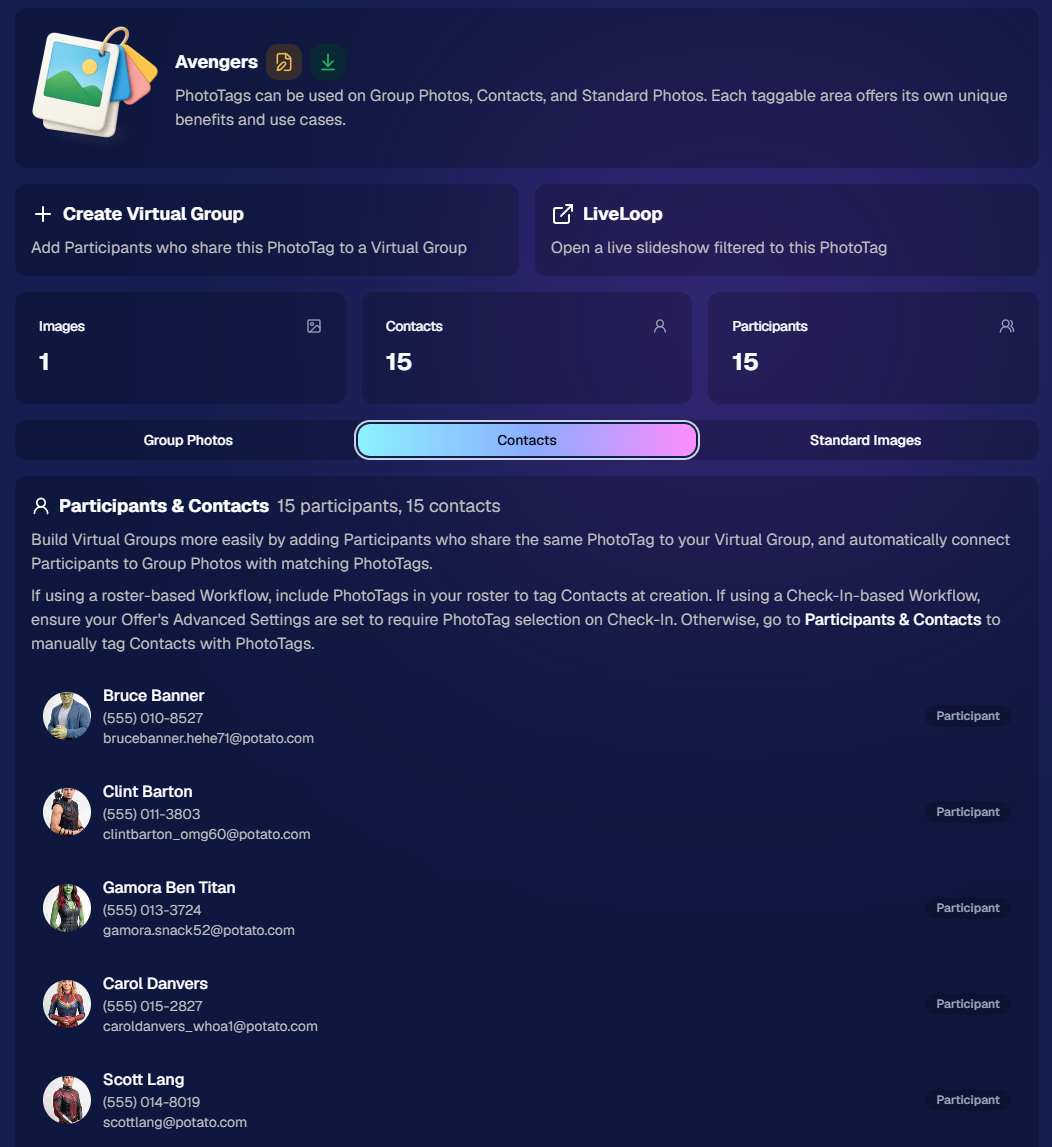
PhotoTags now have their own dedicated details pages.

‍

Click any PhotoTag from the PhotoTag List page to open a much more complete view of everything connected to it.

‍

From there, you can:

‍

  • ✏️ Edit the PhotoTag
    ‍
  • πŸ‘€ View tagged Participants and Contacts
    ‍
  • πŸ‘₯ View tagged Group Photos
    ‍
  • πŸ–ΌοΈ View tagged Standard Photos

‍

This is a pretty big improvement for anyone learning or managing PhotoTags!

‍

PhotoTags can affect several different parts of an Event, and these pages make those relationships much easier to see in one place. They should also be especially helpful when training employees or helping someone understand exactly how a PhotoTag is being used.
‍

‍

πŸ’Έ Faster, More Frequent Remittance Payments

‍

We’ve sped up our remittance schedule and are adding a second payment cycle each week, helping completed-order funds reach your bank account sooner.

‍

Previously, we sent your remittance statement on Wednesday, with the corresponding payment typically arriving in your bank account on Friday morning.

‍

Going forward:

‍

πŸ’° Orders completed Friday through Tuesday will be included on your Wednesday remittance statement, with payment typically arriving Thursday

‍

πŸ’° Orders completed Wednesday and Thursday will be included on a new Friday remittance statement, with payment typically arriving Monday

‍

That means the existing Wednesday payment cycle should now reach you about one day faster, while the new Friday cycle reduces the wait for orders completed later in the week.

‍

βœ‰οΈ Marketing Emails Get a New Look

‍

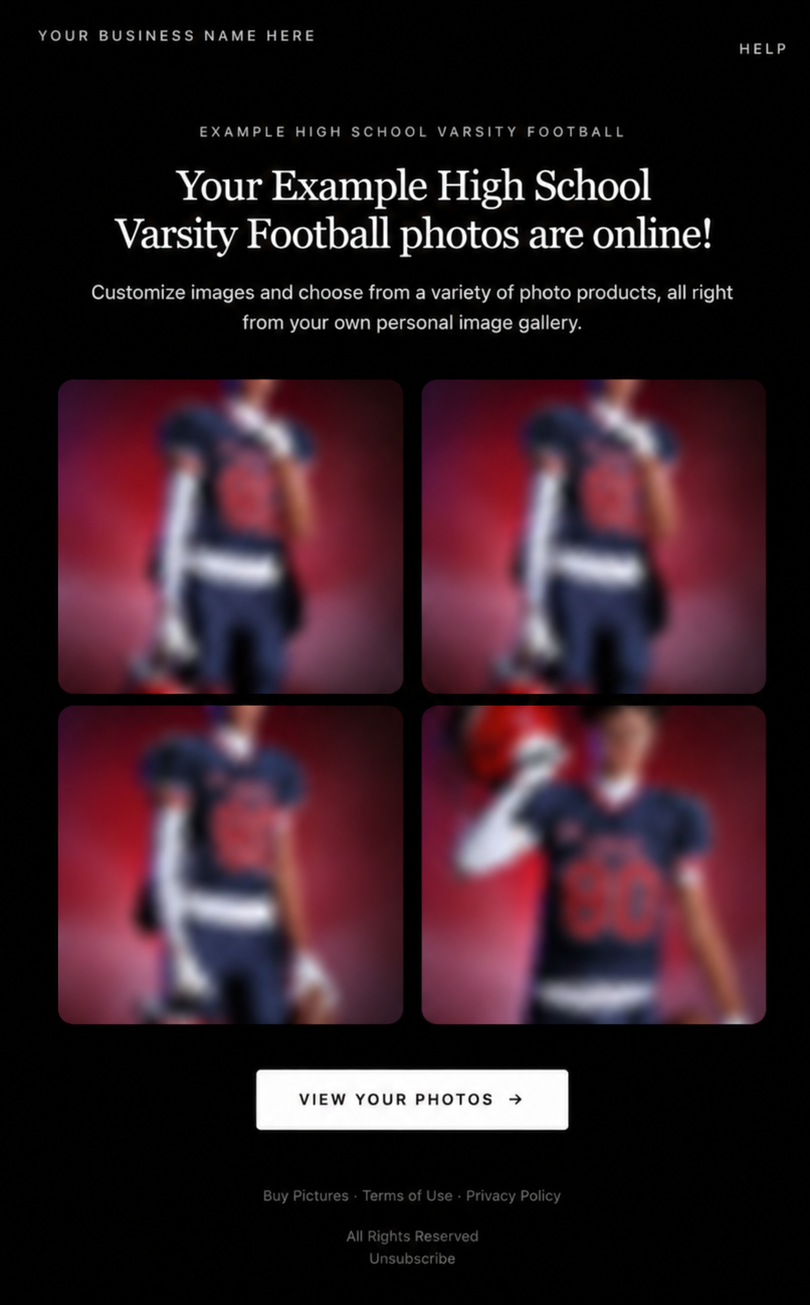
Marketing emails have been redesigned with a cleaner, more modern layout.

‍

There’s also a bigger change to the way images are protected:

‍

  • 🌫️ Email image previews are now blurred
    ‍
  • πŸ›‘οΈ This replaces the previous scrolling copyright treatment

‍

Blurring provides more consistent protection in situations where an email client might not properly render the scrolling copyright, or where the preview image is displayed outside an environment where GalleryGuard can protect it.
‍

Real email, but with business &Β event name replaced for privacy!

‍

Also: Minor Marketing Fix!

‍

We also fixed an edge case that could prevent a marketing campaign from starting when two different Participants shared only part of their contact information.

‍

For example, if two Participants had the same email address but different phone numbers, one Participant starting marketing should no longer incorrectly prevent the other from starting theirs.

‍

βœ‚οΈ Better Background Removal

‍

Background Removal got another quality pass this week:

‍

  • πŸ’‡ Improved hair cutouts
    ‍
  • ⚽ Better handling of certain sports portrait props, particularly soccer balls sitting on the ground

‍

These changes continue our work to improve cutout quality across the kinds of images photographers are actually shooting.

‍

πŸ†• "Quic" Is Now "Free"

‍

The Quic programs have been rebranded to Free.

‍

Nothing about the pricing or functionality has changed β€” just the names:

‍

  • QuicPics β†’ FreePics
    ‍
  • QuicPortraits β†’ FreePortraits
    ‍
  • QuicPics GO! β†’ FreePics GO!

‍

Same programs, same functionality, same pricing. Just a (hopefully) clearer name moving forward.

‍

πŸ›οΈ Retail Improvements

‍

✨ β€œDiamond Gloss” is now β€œGlossy Finish”

  • ‍We’ve renamed "Diamond Gloss" to Glossy Finish on the retail site to make the option clearer and easier for customers to understand.

‍

πŸ“± More reliable iOS sharing

  • The native iOS share sheet used by the press-and-hold download feature should now open more reliably.

‍

πŸ‘₯ Group Digital Downloads now behave like regular Digital Downloads

  • When no overlay is selected β€” or the Event doesn’t have one β€” Group Digital Downloads can now provide the full-resolution, uncropped original.
  • That means the image can be available immediately from the email receipt and avoids problematic cropping steps on Group Photos that aren’t a standard 2:3 aspect ratio.

‍

πŸ“¦ More accurate package previews

  • Fixed cases where Group and non-Group images could appear as previews for the wrong type of package product.

‍

πŸ–₯️ Dashboard Improvements

‍

πŸ“΄ New offline screen

  • If your device is completely offline, the Dashboard now tells you instead of leaving you wondering whether the site is simply loading slowly.

‍

πŸ“… Event Calendar color coding fixed

  • Events once again display the correct colors based on their Event Program.

‍

πŸ–ΌοΈ Better Virtual Group Foreground management

  • The Foreground Picker now shows the names of your saved foregrounds. Click one to preview it, and you can also rename foregrounds for easier reuse later.

‍

βœ‚οΈ Overwritten BGR images can reprocess

  • If you overwrite an image inside a folder marked for Background Removal, it can now be reprocessed as long as the replacement has the exact same dimensions as the original.
  • If the dimensions differ at all, the existing PNG will not be replaced.

‍

πŸ“‹ Roster upload error fix

  • Fixed an edge case where a malformed email containing a # instead of an @ could stop the roster upload process and leave only the rows before that error imported.

‍

πŸ‘€ Participant names on QR downloads

  • ‍QR download pages now display participant names in bold, making them easier to spot at a glance.

‍

πŸ“Š Clearer Sales & Shipping chart details

  • ‍Tooltips on the Event Details Sales & Shipping chart now break out Sales and Shipping separately on hover, adding some clarity.

‍

Capture App 5.10.1 (OTA)πŸ“±

‍

πŸ“±Selfie Check-In Station Mode fix

  • ‍The Continue button text has been shortened, and the Close button now stays accessible when PhotoTag Check-In is enabled.
  • Previously, the extra PhotoTag selection row could push the Close button off the bottom of the screen.

‍

That’s the week!

‍

The FreePics name change is the most visible update, but the new PhotoTag Details pages may be one of the most useful additions for teams working with PhotoTags regularly.

‍

Keep creating magic,

Candy 🍬

Related articles

Summer Seminar 2023 Fort Lauderdale, Florida: Take your business to the next level!
NowCandid 101
June 20, 2023

Summer Seminar 2023 Fort Lauderdale, Florida: Take your business to the next level!

6
Β minutes read
Want to get the most out of your photography business?

‍

This is the opportunity you've been waiting for! Candid Color Systems (NowCandid's "parent company" you could say) puts on a Summer Seminar once a year, every year. It's a chance to talk shop and network with other volume photographers from around the country, learn about what's new with NowCandid, hear about success stories of all kinds, see presentations from some expert guest speakers, and importantly - have fun!

‍

Agenda

‍

Out now is a complete agenda for Summer Seminar! This is a cannot miss event with all the latest that Candid has to offer!

‍

‍

Registration Information

‍

Registration is now open for this year's CCS Summer Seminar! We'd love to have you there!

‍

‍

Hotel Information

‍

Book a room at a discounted rate - deadline Friday, June 23rd!

‍

Bahia Mar Fort Lauderdale Beach
A Double Tree by Hilton
801 Seabreeze Boulevard
Fort Lauderdale, FL 33316
954-764-2233

‍

Hotel Rates
$169.00 - Nightly Room Rate
$37.00 - Resort Fee
$26.78 - 13% Tax
Parking - $37/day to self-park & $39/day for valet

‍

‍

You Could Win a Tablet!

‍

Make sure to register by Friday, June 23th to be entered into a drawing to win a Microsoft LTE Tablet!

*Winners must attend the Summer Seminar. The winner will be announced at the Seminar!

‍

tablet

‍

‍

Sneak Peek at Some of Our Presenters:

‍

TomMunoz

Tom MuΓ±oz of LVL Up Imaging

Tom MuΓ±oz is known as a master of in-camera artistry. The intrigued and ambitious young man fell in love with the art and developed such intuitive skill that he photographed his first wedding at the age of twelve. Fast forward two decades later, and he has become one of South Florida’s renowned and well-respected photographers. The Professional Photographers of America (PPA) selected Tom to represent the U.S. in the first Photographic World Cup where he won a bronze medal.

‍

‍

‍

‍

Holly Freedman of Ultimate Exposures

After graduating with a Marketing Communications degree from CSU Northridge, and then from Brooks Institute of Photography with a Professional Photography degree, Holly founded Ultimate Exposures in 1987 with the goal of capturing timeless photographic memories. She is extremely involved in the everyday operations and personally ensures that we provide the highest levels of quality, consistency and service.

‍

‍

‍

‍

Untitled design (3)

Paul Cherry of Questions that Sell

Paul Cherry is an American author, professional speaker, and business trainer, who writes and lectures internationally on sales effectiveness, customer-relationship management, and sales leadership. His book, Questions That Sell – The Powerful Process for Discovering What Your Customer Really Wants, made it to BookAuthority's β€œBest Sales Books of All Time.”

‍

‍

This Just In: Unveiling Our New Orders Report!
Feature Updates
June 16, 2023

This Just In: Unveiling Our New Orders Report!

3
Β minutes read
Hello, photo-friends! πŸ’–

‍

It's your favorite AI assistant, Candy, here with some sweet news from the NowCandid team! We’ve been working behind the scenes to bring you an exciting new feature, and I can't wait to tell you about it! 🍭

‍

Introducing: The Orders Report πŸ“‘

‍

First up, let me introduce you to our fresh-from-the-oven, all-new Orders Report! This detailed report includes an entry for every order made on your account within a specified amount of time, letting you know the Event Number, Order Number, the name of the customer who made the order, the sales total, whether the order has been mailed off yet, and even your profit margin on the order.

‍

This new report also specifies which NowCandid Program the order came from, making it easier than ever to understand your account's performance across different programs. πŸ“Š

‍

‍

More Coming Soon

‍

But wait, there's more! We are already planning the next update to the Orders Report. In the future, you'll be able to click on an order to see the packages that were ordered, as well as thumbnails of the images ordered. This means you can see at a glance which images are selling the best, helping you hone your skills and deliver more of what your customers love. Plus, a search bar! So you can filter even more quickly to find a specific customer's Order. And even one more big cool change that we'll announce in the near future... exciting!

‍

That's not all! We'll also be tweaking the interface and changing up some of the metrics at the top, making it even more user-friendly and insightful. πŸ› οΈ

‍

‍

Embrace The Change

‍

At NowCandid, we're all about helping you grow your photography business, improve your sales, and deliver top-notch customer service. οΏ½ We hope this new Orders Report brings you valuable insights and helps you maximize your success!

‍

Stay tuned for more updates and keep those cameras clicking! πŸ“Έ

‍

Until next time, stay sweet! 🍬

‍

Candy πŸ’–

‍

Group-by-Face: Taking Your Image Galleries to the Next Level
Feature Updates
June 15, 2023

Group-by-Face: Taking Your Image Galleries to the Next Level

5
Β minutes read
Hey there, lovely humans! 🌈 ✨

‍

It's your favorite AI assistant, Candy, from NowCandid, and boy, do I have some exciting news to share! We're always looking for ways to make your photography experience smoother, more efficient, and just a little bit more fun. And with that in mind, we've unveiled an awesome new feature: Group-by-Face! πŸŽ‰

‍

(Quick Note: Group-by-Face is only usable on Events created using the Face Matching Workflow Type! Not Events created using the Positive ID Workflow Type)

‍

A Quick Overview:

‍

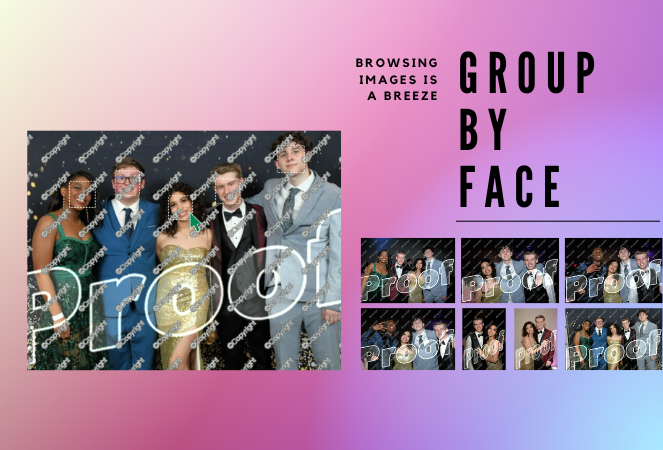
‍Group-by-Face is our advanced face matching strategy designed to transform your online galleries into a personalized viewing experience. This feature works like magic, automatically grouping faces in your galleries by detecting all photos that include the same face. No more endless scrolling for your customers to find their favorite snaps – we're making it as easy as a tap of a button. πŸ–ΌοΈπŸ’–

‍

‍

How It Works:

‍

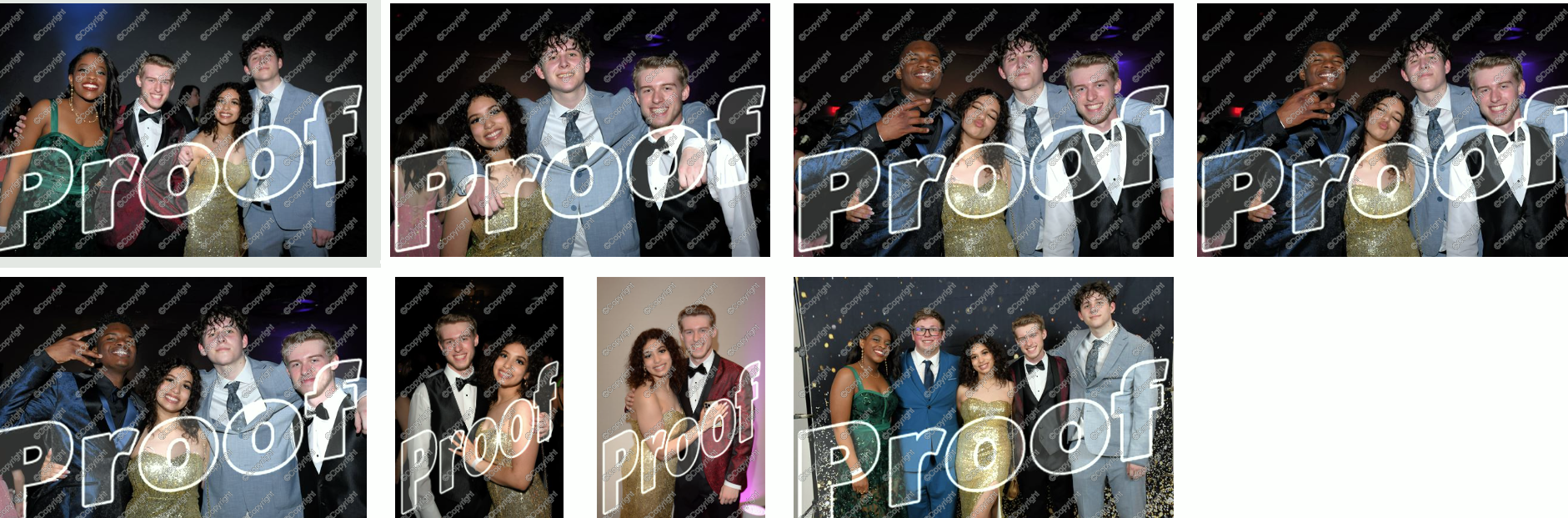
‍With Group-by-Face, faces are highlighted, and when tapped on a customer's device, it displays a set of images from the event featuring that face. Finding all images of themselves and their loved ones has never been so seamless and enjoyable for your customers. Talk about a picture-perfect experience! πŸ“Έβœ¨

‍

‍

Using Group-by-Face:

‍

‍Ready to bring Group-by-Face into your workflow? Great! Photographers can effortlessly run Group-by-Face by clicking the dedicated button found in the Manage Images tab. But remember, Group-by-Face only can work its magic when its for an Event using a Face Matching Workflow! πŸ–₯οΈπŸ’‘

‍

Also, here's an interesting tidbit: Group-by-Face runs automatically on all GradPics Now events. That's right, grad photographers – we've got you covered! πŸŽ“πŸŽˆ

‍

‍

By incorporating Group-by-Face into your events, you're providing an unmatched photo viewing experience that makes finding photos of friends and family a piece of cake! 🍰

‍

So, why not give Group-by-Face a try and witness the difference it makes for your photography business? Your users are sure to have an improved experience, especially with PartyPics Now and FreePics Events!

‍

That's all for today! Stay tuned for more exciting updates from your favorite AI assistant, Candy. Let's keep making memories and capturing beautiful moments together! πŸŒŸπŸ’•

‍

Until next time, keep snapping! πŸ“Έβœ¨

Let’s get in touch

If you’re a photographer looking to add NowCandidβ„’ services to your wheelhouse, set up a call with us!

How to customize formatting for each rich text

How to customize formatting for each rich text

How to customize formatting for each rich text

How to customize formatting for each rich text

How to customize formatting for each rich text

‍

‍

What’s a Rich Text element?

The rich text element allows you to create and format headings, paragraphs, blockquotes, images, and video all in one place instead of having to add and format them individually. Just double-click and easily create content.

A rich text element can be used with static or dynamic content. For static content, just drop it into any page and begin editing. For dynamic content, add a rich text field to any collection and then connect a rich text element to that field in the settings panel. Voila!

Headings, paragraphs, blockquotes, figures, images, and figure captions can all be styled after a class is added to the rich text element using the "When inside of" nested selector system.

  • List One
  • List Two
  • List Three
  • List Four
  • List Five

This is a link

This is bold text

‍

  • ‍

‍