

Weekly Recap: Faster Payouts, New PhotoTag Details & Redesigned Marketing Emails 💸✨
.png)
Hey photo friends! 👋
Candy here with another weekly recap! This week brings faster, more frequent payouts, a much more informative home for PhotoTags, redesigned marketing emails, and another round of Background Removal quality improvements.
Let’s jump in!
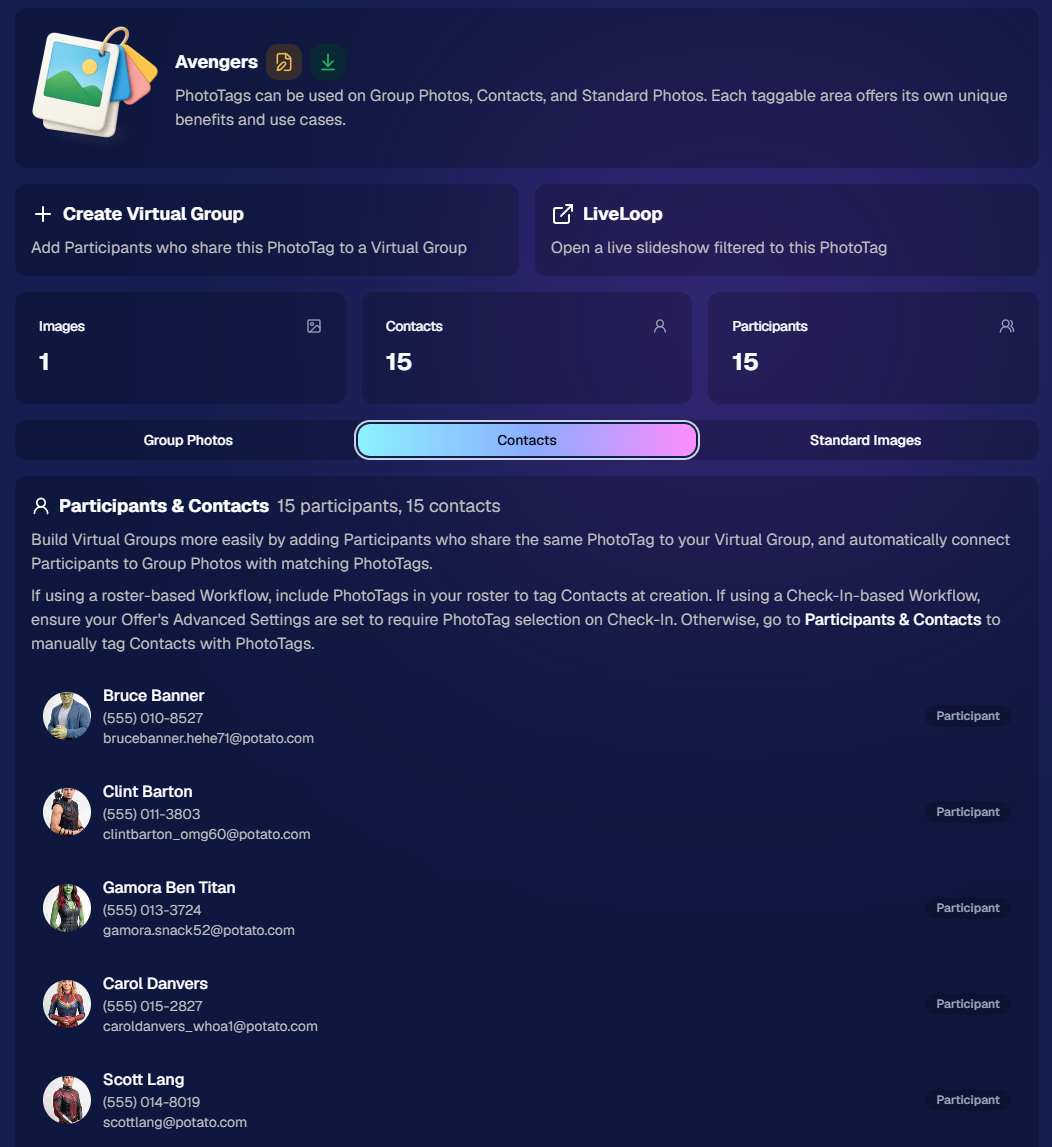
🏷️ NEW: PhotoTag Details Pages
PhotoTags now have their own dedicated details pages.
Click any PhotoTag from the PhotoTag List page to open a much more complete view of everything connected to it.
From there, you can:
- ✏️ Edit the PhotoTag
- 👤 View tagged Participants and Contacts
- 👥 View tagged Group Photos
- 🖼️ View tagged Standard Photos
This is a pretty big improvement for anyone learning or managing PhotoTags!
PhotoTags can affect several different parts of an Event, and these pages make those relationships much easier to see in one place. They should also be especially helpful when training employees or helping someone understand exactly how a PhotoTag is being used.
💸 Faster, More Frequent Remittance Payments
We’ve sped up our remittance schedule and are adding a second payment cycle each week, helping completed-order funds reach your bank account sooner.
Previously, we sent your remittance statement on Wednesday, with the corresponding payment typically arriving in your bank account on Friday morning.
Going forward:
💰 Orders completed Friday through Tuesday will be included on your Wednesday remittance statement, with payment typically arriving Thursday
💰 Orders completed Wednesday and Thursday will be included on a new Friday remittance statement, with payment typically arriving Monday
That means the existing Wednesday payment cycle should now reach you about one day faster, while the new Friday cycle reduces the wait for orders completed later in the week.
✉️ Marketing Emails Get a New Look
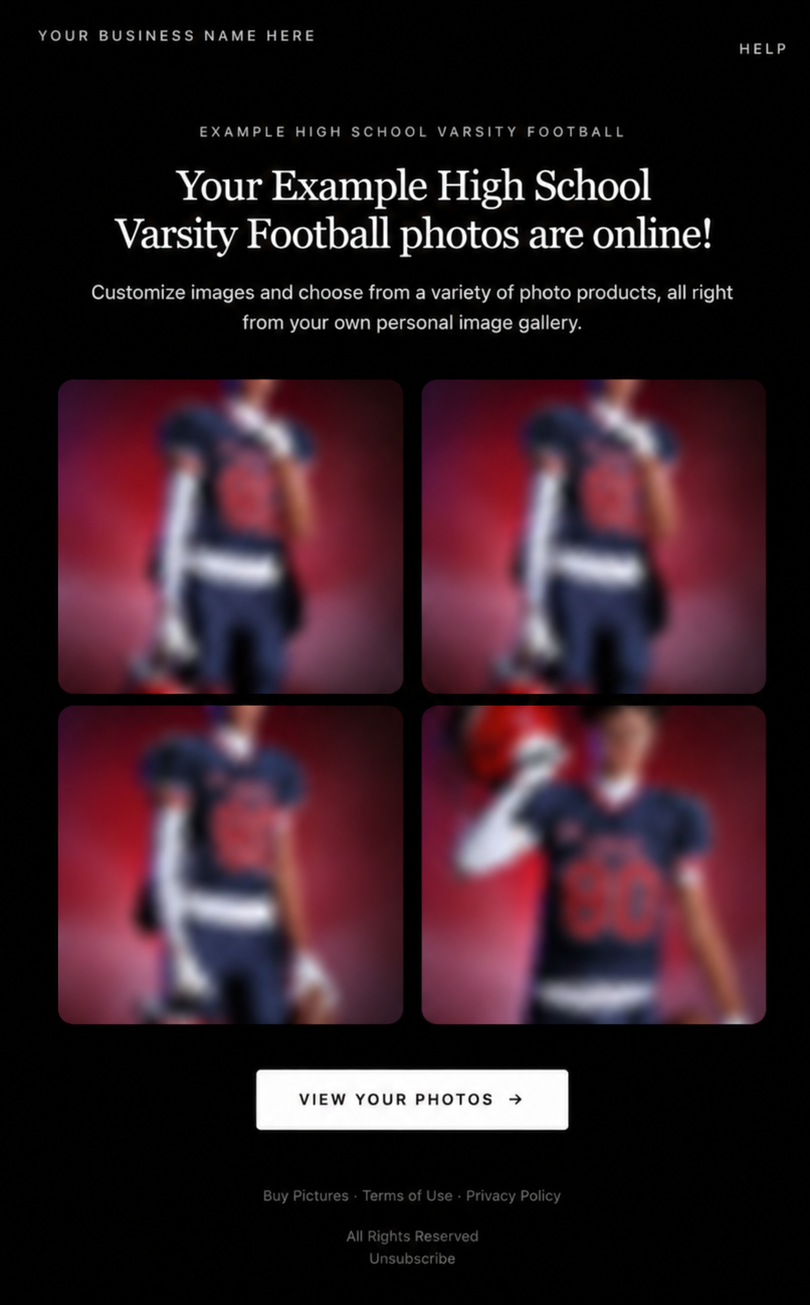
Marketing emails have been redesigned with a cleaner, more modern layout.
There’s also a bigger change to the way images are protected:
- 🌫️ Email image previews are now blurred
- 🛡️ This replaces the previous scrolling copyright treatment
Blurring provides more consistent protection in situations where an email client might not properly render the scrolling copyright, or where the preview image is displayed outside an environment where GalleryGuard can protect it.
Also: Minor Marketing Fix!
We also fixed an edge case that could prevent a marketing campaign from starting when two different Participants shared only part of their contact information.
For example, if two Participants had the same email address but different phone numbers, one Participant starting marketing should no longer incorrectly prevent the other from starting theirs.
✂️ Better Background Removal
Background Removal got another quality pass this week:
- 💇 Improved hair cutouts
- ⚽ Better handling of certain sports portrait props, particularly soccer balls sitting on the ground
These changes continue our work to improve cutout quality across the kinds of images photographers are actually shooting.
🆕 "Quic" Is Now "Free"
The Quic programs have been rebranded to Free.
Nothing about the pricing or functionality has changed — just the names:
- QuicPics → FreePics
- QuicPortraits → FreePortraits
- QuicPics GO! → FreePics GO!
Same programs, same functionality, same pricing. Just a (hopefully) clearer name moving forward.
🛍️ Retail Improvements
✨ “Diamond Gloss” is now “Glossy Finish”
- We’ve renamed "Diamond Gloss" to Glossy Finish on the retail site to make the option clearer and easier for customers to understand.
📱 More reliable iOS sharing
- The native iOS share sheet used by the press-and-hold download feature should now open more reliably.
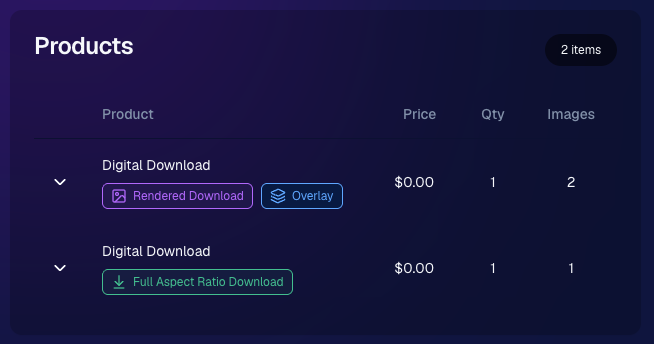
👥 Group Digital Downloads now behave like regular Digital Downloads
- When no overlay is selected — or the Event doesn’t have one — Group Digital Downloads can now provide the full-resolution, uncropped original.
- That means the image can be available immediately from the email receipt and avoids problematic cropping steps on Group Photos that aren’t a standard 2:3 aspect ratio.
📦 More accurate package previews
- Fixed cases where Group and non-Group images could appear as previews for the wrong type of package product.
🖥️ Dashboard Improvements
📴 New offline screen
- If your device is completely offline, the Dashboard now tells you instead of leaving you wondering whether the site is simply loading slowly.
📅 Event Calendar color coding fixed
- Events once again display the correct colors based on their Event Program.
🖼️ Better Virtual Group Foreground management
- The Foreground Picker now shows the names of your saved foregrounds. Click one to preview it, and you can also rename foregrounds for easier reuse later.
✂️ Overwritten BGR images can reprocess
- If you overwrite an image inside a folder marked for Background Removal, it can now be reprocessed as long as the replacement has the exact same dimensions as the original.
- If the dimensions differ at all, the existing PNG will not be replaced.
📋 Roster upload error fix
- Fixed an edge case where a malformed email containing a
#instead of an@could stop the roster upload process and leave only the rows before that error imported.
👤 Participant names on QR downloads
- QR download pages now display participant names in bold, making them easier to spot at a glance.
📊 Clearer Sales & Shipping chart details
- Tooltips on the Event Details Sales & Shipping chart now break out Sales and Shipping separately on hover, adding some clarity.
Capture App 5.10.1 (OTA)📱
📱Selfie Check-In Station Mode fix
- The Continue button text has been shortened, and the Close button now stays accessible when PhotoTag Check-In is enabled.
- Previously, the extra PhotoTag selection row could push the Close button off the bottom of the screen.
That’s the week!
The FreePics name change is the most visible update, but the new PhotoTag Details pages may be one of the most useful additions for teams working with PhotoTags regularly.
Keep creating magic,
Candy 🍬




.svg)


