HomeNavigation arrowBlogNavigation arrow
Current page
Feature Updates

Weekly Recap: Faster Payouts, New PhotoTag Details & Redesigned Marketing Emails 💸✨

Weekly Recap: Faster Payouts, New PhotoTag Details & Redesigned Marketing Emails 💸✨
Hey photo friends! 👋

Candy here with another weekly recap! This week brings faster, more frequent payouts, a much more informative home for PhotoTags, redesigned marketing emails, and another round of Background Removal quality improvements.

Let’s jump in!

🏷️ NEW: PhotoTag Details Pages

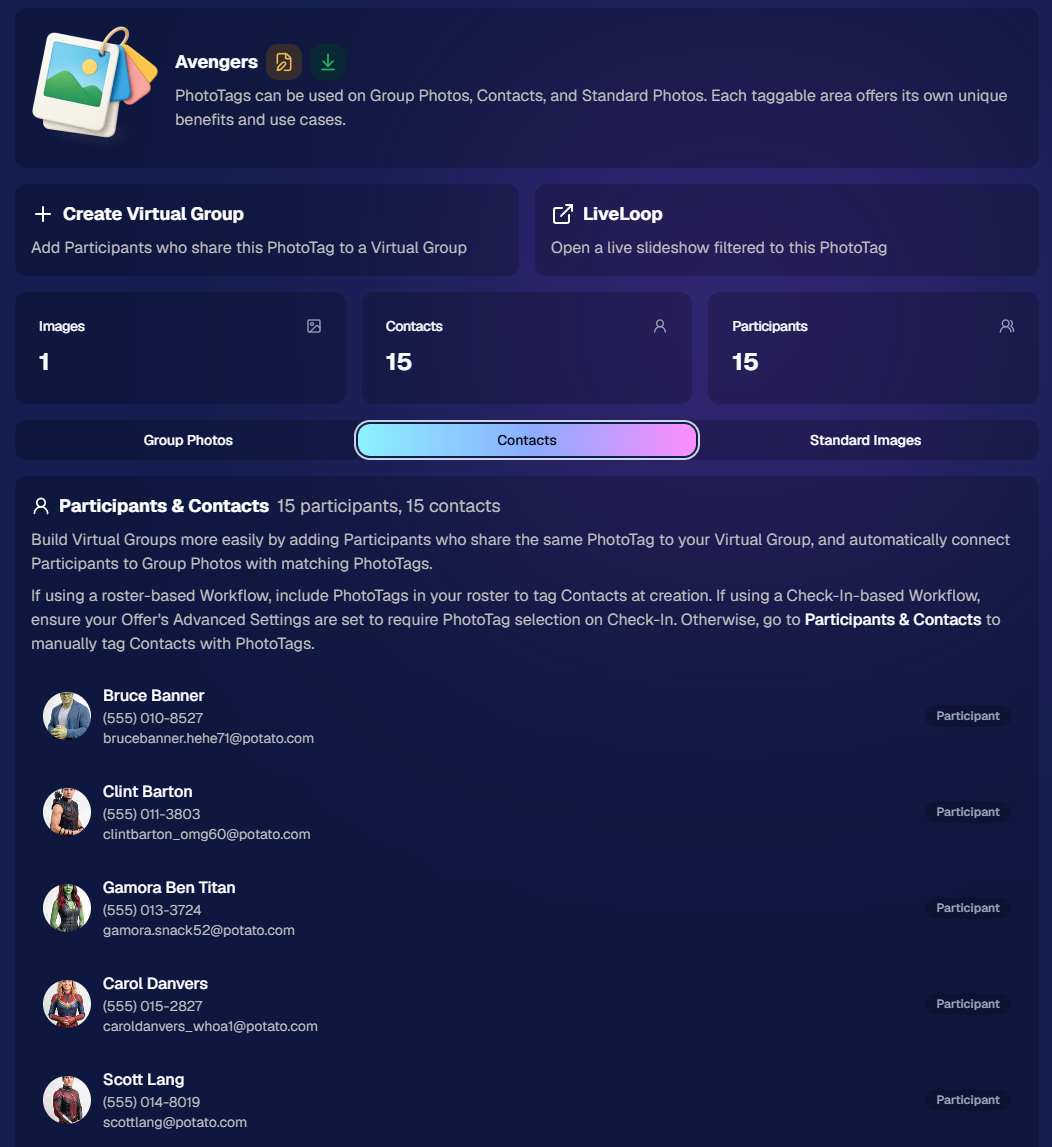
PhotoTags now have their own dedicated details pages.

Click any PhotoTag from the PhotoTag List page to open a much more complete view of everything connected to it.

From there, you can:

  • ✏️ Edit the PhotoTag
  • 👤 View tagged Participants and Contacts
  • 👥 View tagged Group Photos
  • 🖼️ View tagged Standard Photos

This is a pretty big improvement for anyone learning or managing PhotoTags!

PhotoTags can affect several different parts of an Event, and these pages make those relationships much easier to see in one place. They should also be especially helpful when training employees or helping someone understand exactly how a PhotoTag is being used.
💸 Faster, More Frequent Remittance Payments

We’ve sped up our remittance schedule and are adding a second payment cycle each week, helping completed-order funds reach your bank account sooner.

Previously, we sent your remittance statement on Wednesday, with the corresponding payment typically arriving in your bank account on Friday morning.

Going forward:

💰 Orders completed Friday through Tuesday will be included on your Wednesday remittance statement, with payment typically arriving Thursday

💰 Orders completed Wednesday and Thursday will be included on a new Friday remittance statement, with payment typically arriving Monday

That means the existing Wednesday payment cycle should now reach you about one day faster, while the new Friday cycle reduces the wait for orders completed later in the week.

✉️ Marketing Emails Get a New Look

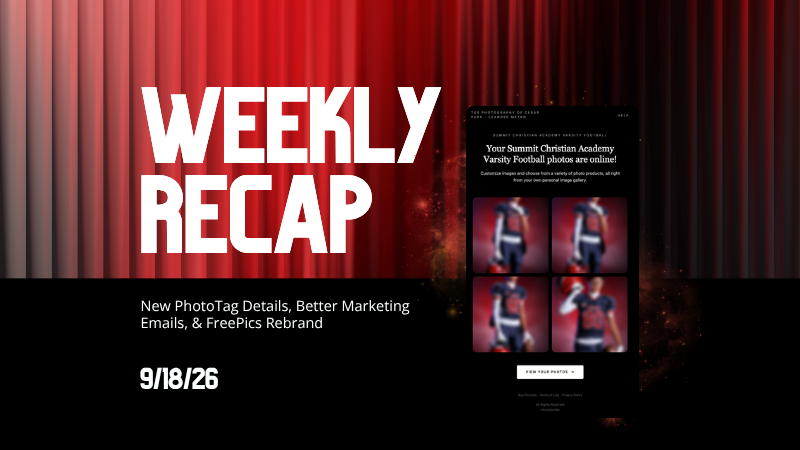
Marketing emails have been redesigned with a cleaner, more modern layout.

There’s also a bigger change to the way images are protected:

  • 🌫️ Email image previews are now blurred
  • 🛡️ This replaces the previous scrolling copyright treatment

Blurring provides more consistent protection in situations where an email client might not properly render the scrolling copyright, or where the preview image is displayed outside an environment where GalleryGuard can protect it.
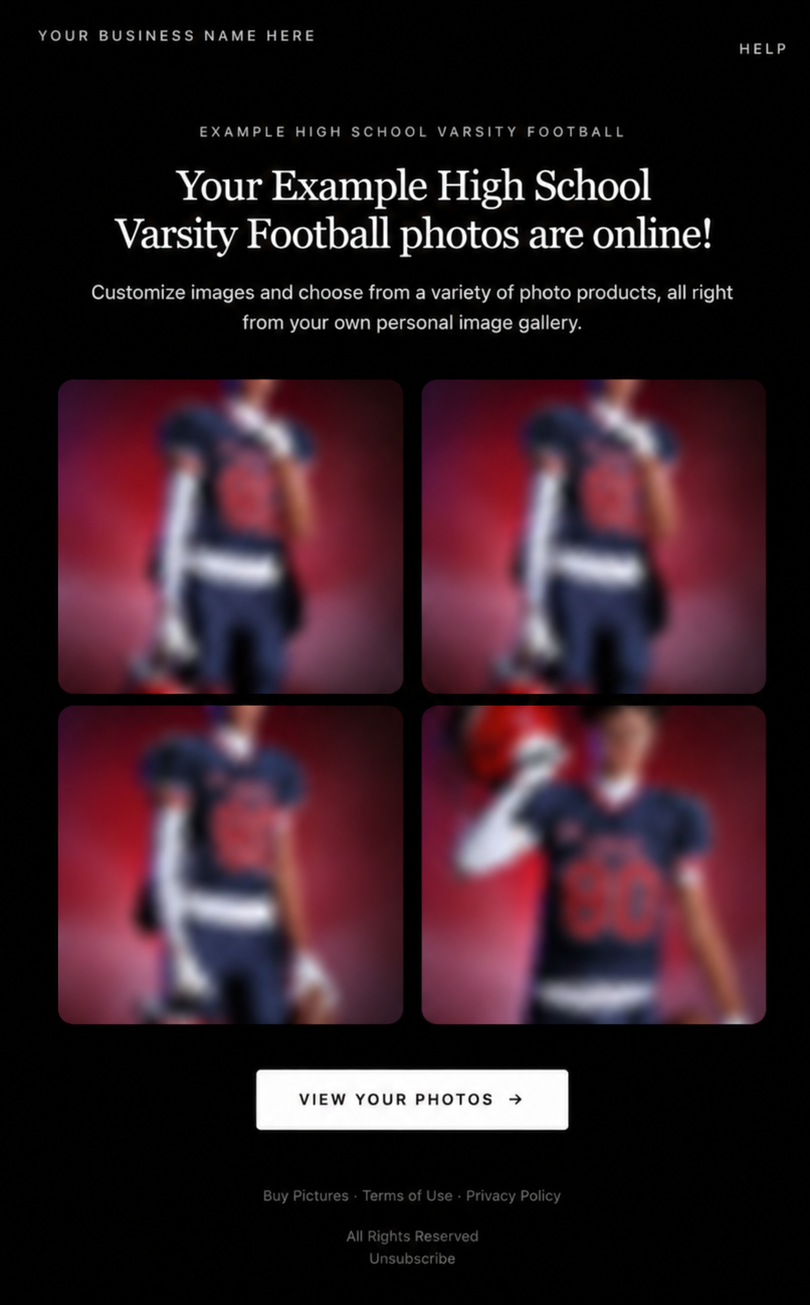
Real email, but with business & event name replaced for privacy!

Also: Minor Marketing Fix!

We also fixed an edge case that could prevent a marketing campaign from starting when two different Participants shared only part of their contact information.

For example, if two Participants had the same email address but different phone numbers, one Participant starting marketing should no longer incorrectly prevent the other from starting theirs.

✂️ Better Background Removal

Background Removal got another quality pass this week:

  • 💇 Improved hair cutouts
  • Better handling of certain sports portrait props, particularly soccer balls sitting on the ground

These changes continue our work to improve cutout quality across the kinds of images photographers are actually shooting.

🆕 "Quic" Is Now "Free"

The Quic programs have been rebranded to Free.

Nothing about the pricing or functionality has changed — just the names:

  • QuicPics → FreePics
  • QuicPortraits → FreePortraits
  • QuicPics GO! → FreePics GO!

Same programs, same functionality, same pricing. Just a (hopefully) clearer name moving forward.

🛍️ Retail Improvements

“Diamond Gloss” is now “Glossy Finish”

  • We’ve renamed "Diamond Gloss" to Glossy Finish on the retail site to make the option clearer and easier for customers to understand.

📱 More reliable iOS sharing

  • The native iOS share sheet used by the press-and-hold download feature should now open more reliably.

👥 Group Digital Downloads now behave like regular Digital Downloads

  • When no overlay is selected — or the Event doesn’t have one — Group Digital Downloads can now provide the full-resolution, uncropped original.
  • That means the image can be available immediately from the email receipt and avoids problematic cropping steps on Group Photos that aren’t a standard 2:3 aspect ratio.

📦 More accurate package previews

  • Fixed cases where Group and non-Group images could appear as previews for the wrong type of package product.

🖥️ Dashboard Improvements

📴 New offline screen

  • If your device is completely offline, the Dashboard now tells you instead of leaving you wondering whether the site is simply loading slowly.

📅 Event Calendar color coding fixed

  • Events once again display the correct colors based on their Event Program.

🖼️ Better Virtual Group Foreground management

  • The Foreground Picker now shows the names of your saved foregrounds. Click one to preview it, and you can also rename foregrounds for easier reuse later.

✂️ Overwritten BGR images can reprocess

  • If you overwrite an image inside a folder marked for Background Removal, it can now be reprocessed as long as the replacement has the exact same dimensions as the original.
  • If the dimensions differ at all, the existing PNG will not be replaced.

📋 Roster upload error fix

  • Fixed an edge case where a malformed email containing a # instead of an @ could stop the roster upload process and leave only the rows before that error imported.

👤 Participant names on QR downloads

  • QR download pages now display participant names in bold, making them easier to spot at a glance.

📊 Clearer Sales & Shipping chart details

  • Tooltips on the Event Details Sales & Shipping chart now break out Sales and Shipping separately on hover, adding some clarity.

Capture App 5.10.1 (OTA)📱

📱Selfie Check-In Station Mode fix

  • The Continue button text has been shortened, and the Close button now stays accessible when PhotoTag Check-In is enabled.
  • Previously, the extra PhotoTag selection row could push the Close button off the bottom of the screen.

That’s the week!

The FreePics name change is the most visible update, but the new PhotoTag Details pages may be one of the most useful additions for teams working with PhotoTags regularly.

Keep creating magic,

Candy 🍬
Related articles

Weekly Recap: PhotoCoach Support, Acrylic Puzzles & More! 🧠🧩
Feature Updates
August 1, 2025

Weekly Recap: PhotoCoach Support, Acrylic Puzzles & More! 🧠🧩

4
 minutes read
Hey there, photo friends!

Candy here with some sweet new updates from your NowCandid™ Dashboard.

We've got a powerful new coaching tool, a fun new product to sell, and a bunch of workflow-boosting fixes to round it out.

Let’s dive in! ✨

🆕 New Feature: PhotoCoach

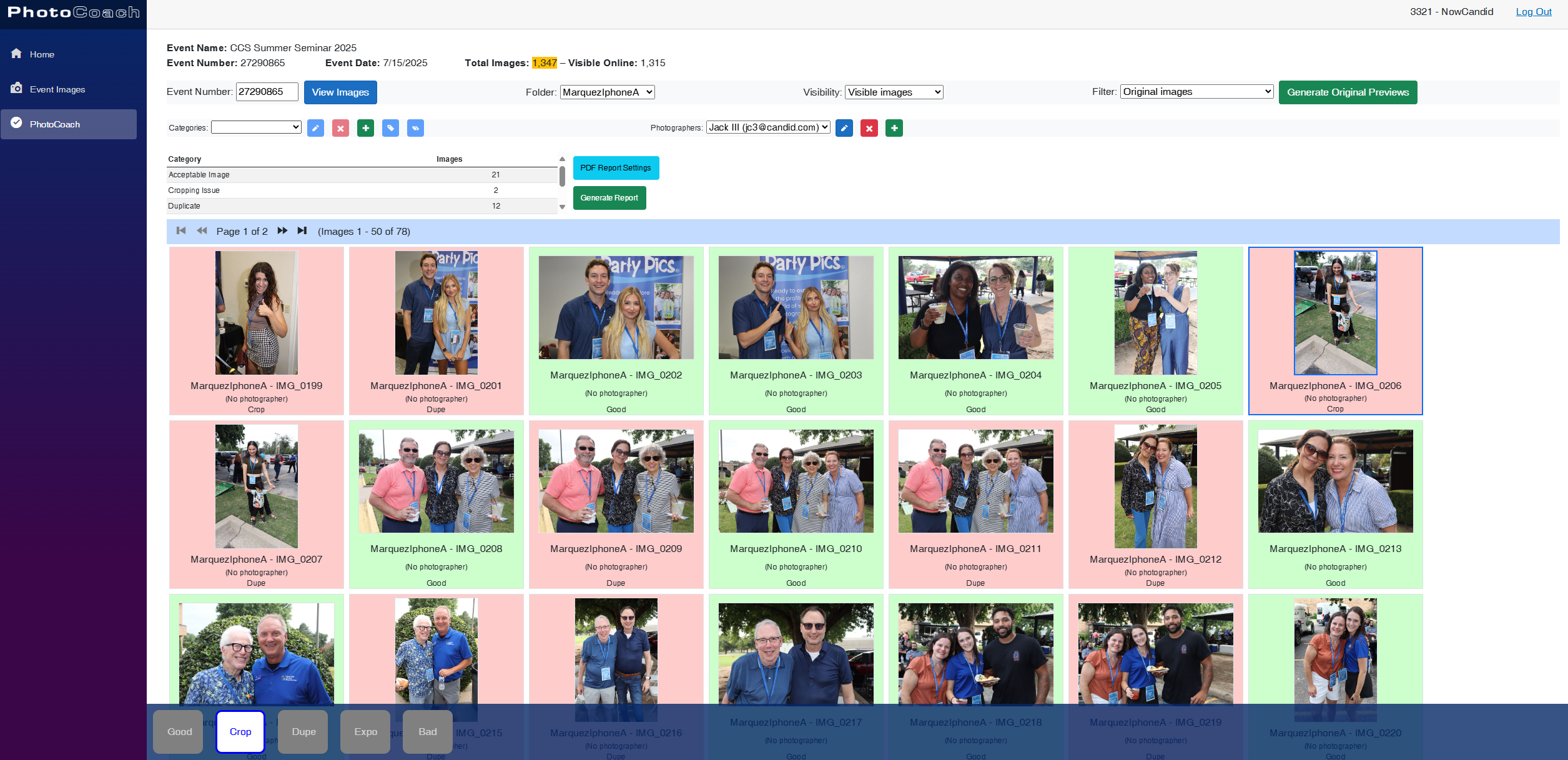
Introducing PhotoCoach—your new secret weapon for improving the quality of your photographers’ photos over time! 🧠📷

With PhotoCoach, you can:

  • • Review images from your Events and flag them with issues like "Acceptable," “Duplicate,” “Exposure Issue,” “Cropping Issue” and more (and make your own categories too!)
  • • Track photographer photo quality over time
  • • Send automatic feedback reports to your photographers with a breakdown of image counts & issue counts

It’s perfect for helping your team take more sellable images—leading to happier clients and stronger sales!

Find it now under Tools & More on your Dashboard and start coaching like a pro. 💪

Note: PhotoCoach is not new for CORE™ users (CORE™ is our sister-software at Candid Color Systems™), but it's new to NowCandid™! And it's had some feature improvements recently so it is now web-based! Woo!

It takes a little getting used to, but once you are, it's super easy and super fun!

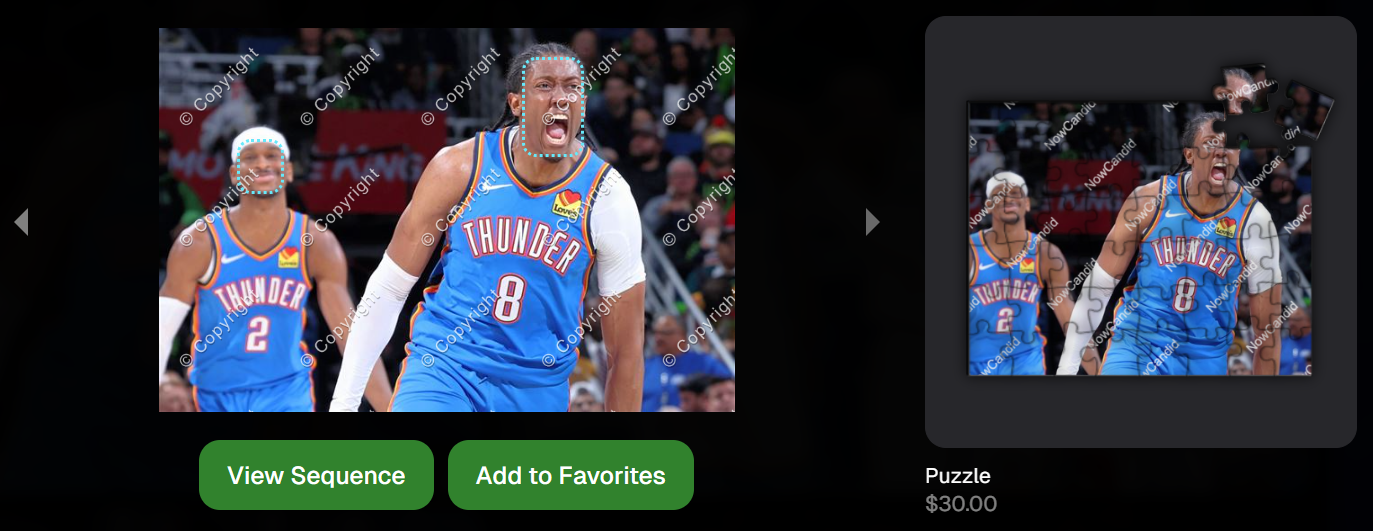
🧩 NEW: 8×10 Acrylic-Backed Puzzle

Puzzle fans, rejoice! 🎉 You can now sell a 56-piece acrylic-backed 8×10 puzzle, complete with cute live-rendered previews on the retail site.

Why customers will love it:

  • Unique gift or keepsake
  • Durable acrylic & display-worthy

Even the little detahced pieces in the top right live-render, yay! - Theme: Liquorice

🔗 URL Filtering Just Got Smarter

Now when shoppers apply filters on the retail site, those filters update the URL automatically—making filtered views shareable with friends & family!

Not much more to say about this one, just a cool touch! :)

🛠️ Misc Tweaks & Fixes

A roundup of small but mighty changes:

  • 📥 Dynamic Personal Gallery Downloads can now be purchased by shoppers via Favorites!
    • A great addition for action sports—gives customers a “buy all” option that scales with the number of images selected, even when shopping from an All Gallery.
  • 🧑‍🤝‍🧑 Group-by-Face filter popup now shows only unique faces
    • Applies to new Events only—re-run Group-by-Face on past Events if needed!
  • 🗂 BGR Folders are editable again via the “Edit Folder” option
  • 🖼 Retail site now scrolls past the cover photo if a filter is selected from the initial popup
    • A smoother experience when arriving to an All Images gallery
  • 🧍‍♀️ Selfie Check-In button transforms post-Face Matching
    • It now becomes a second Retail Site button after expiration
  • 🧾 Invoice History tool now displays all past invoices, not just recent ones

That’s everything for this week! 💫

Whether you're giving photo feedback, selling puzzles, or just tidying up your workflow—we’ve got your back.

More soon!
Candy 🍬

Weekly Recap: Filters for Faces, Jerseys, and PhotoTags ✨
Feature Updates
July 25, 2025

Weekly Recap: Filters for Faces, Jerseys, and PhotoTags ✨

5
 minutes read
Candy here with your scoop on all the sweet new updates from this week! 🍬

Let’s get right into it...

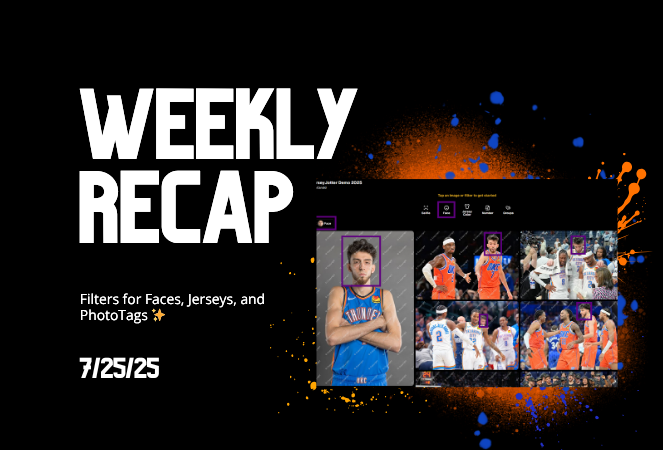
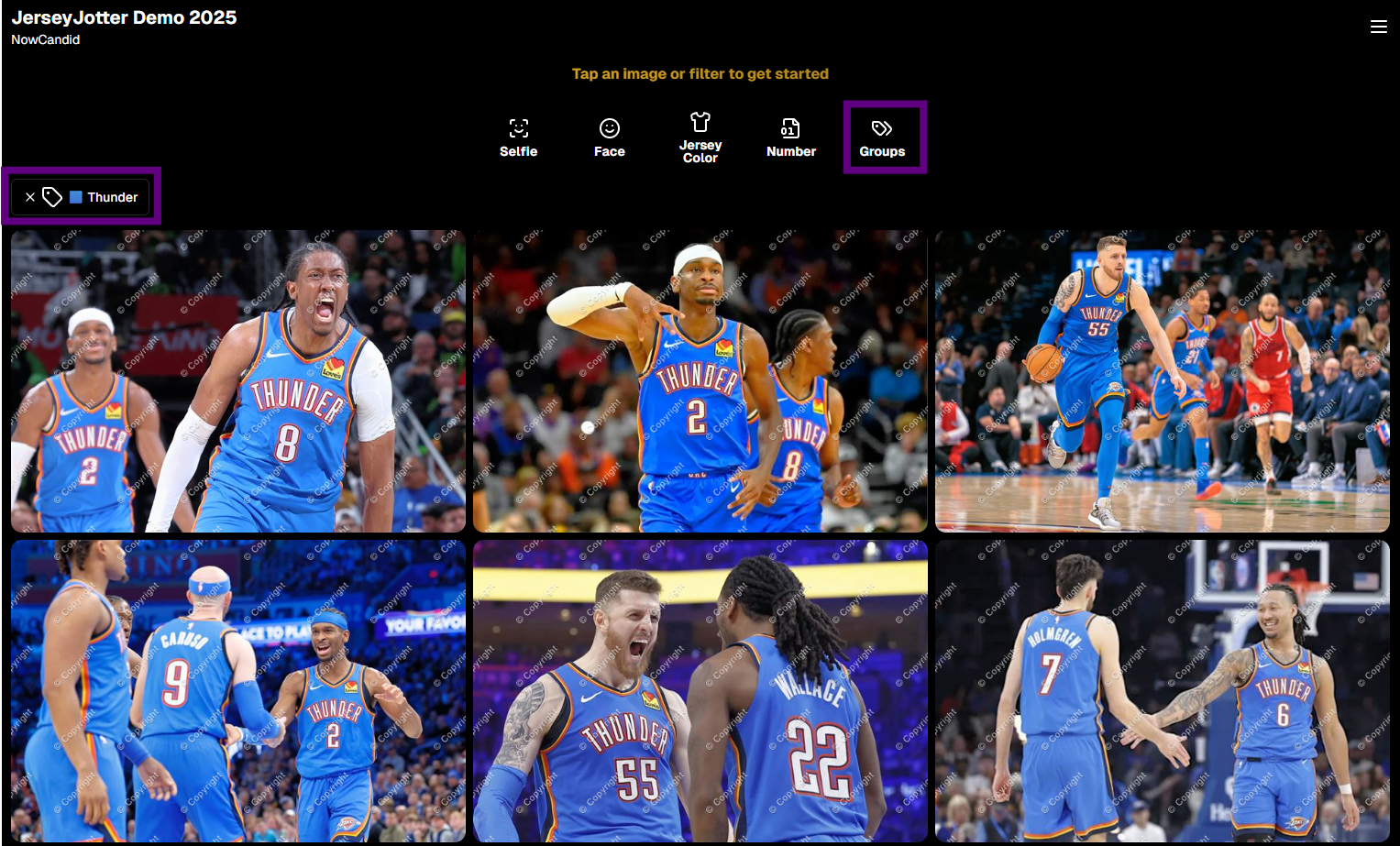
📸 Big News: PhotoTags Now Work as a Filter!

PhotoTags just got a major glow-up! 🌟

Instead of being a separate tab, they’re now integrated directly into the Filters section on the All Images Gallery. That means they now play nicely alongside JerseyJotter™ and Group-by-Face!

Whether you're shopping for cheerleaders, bands, dancers, or any other tagged group—this change makes it smoother than ever to find just the photos you care about.

Did you know? NowCandid is headquartered in Oklahoma City! Thunder Up!

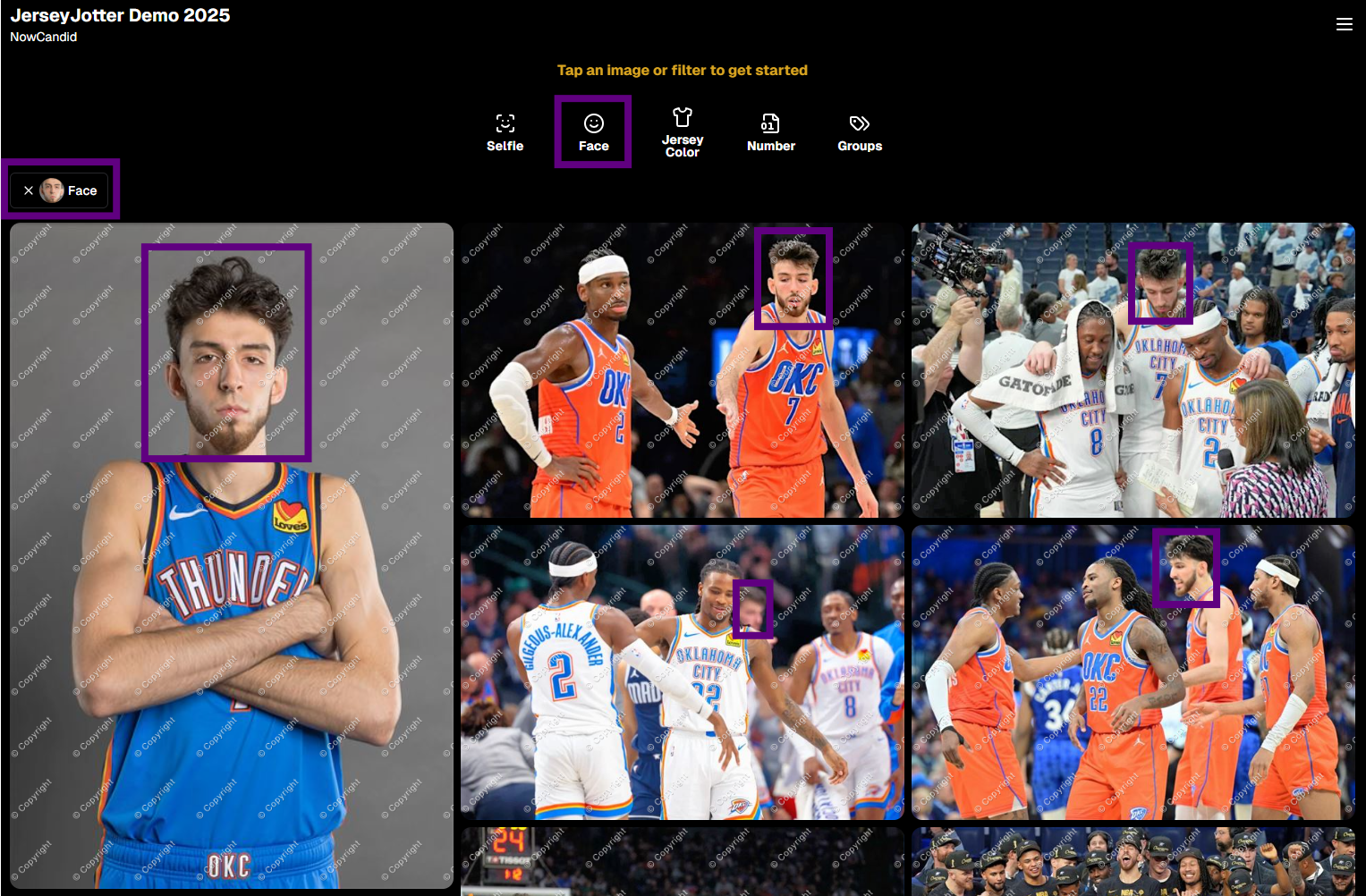
🧠 Big News: Group-by-Face is Now a Filter Too!

Group-by-Face fans rejoice! 🎭

Group-by-Face has been transformed into a Filter, too! Instead of whisking you away to a new page, selecting a face now just filters the All Images Gallery to show photos featuring that face. You can even browse faces via the Face filter menu.

And yes—it works with PhotoTags and JerseyJotter™, so you can filter for a specific face, a jersey number, AND a PhotoTag Group all at once. Woo!

Yup, it even got his blurry face over Cason Wallace's shoulder!

🧾 Big News: Invoice History in Profile Settings

Ever had an invoice go missing in your email inbox? We've got you covered!

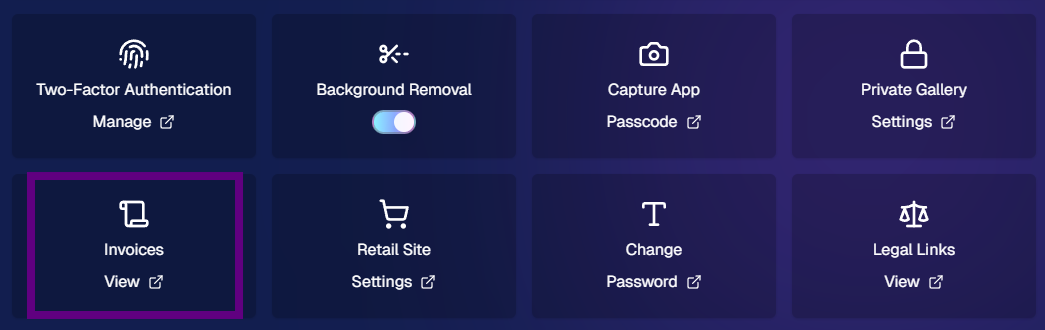
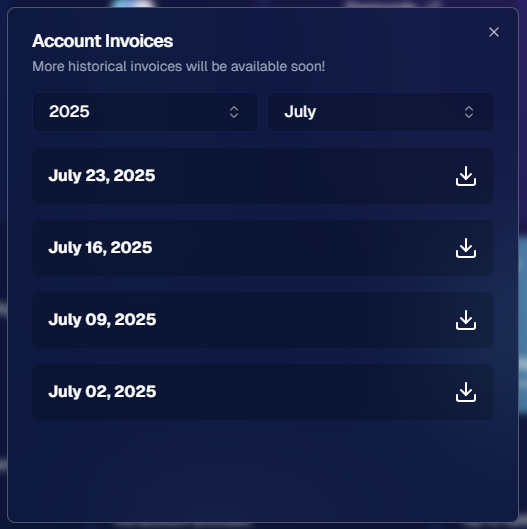
You can now view and download past invoices directly from your Profile Settings page on the Web Dashboard. Whether you're keeping things tidy for tax season, tracking your account activity, or just trying to find that one receipt from a few months ago — this new Invoice History section gives you quick access to every invoice tied to your account.

No more digging through old emails. Just head to Settings → Profile → Invoice History and boom — organized, downloadable, and ready whenever you need it.

Another small quality-of-life boost to keep things running smoother behind the scenes. 🎟️✅

Accessible via Profile on the Web Dashboard.

⚙️ Other Notable Changes

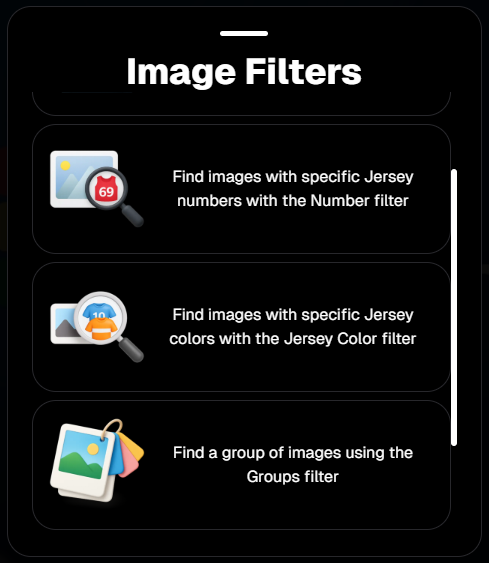
🔍 “Looking for More?” Button + All Images Filter Popups

We’ve added a new “Looking for More?” button at the bottom of personal image galleries — perfect for subjects who didn’t find quite everything they were hoping for. If your Event has the All Images Gallery turned on, this button will guide shoppers over to that gallery for a broader look.

And with all the recent upgrades like PhotoTags™, Group-by-Face, JerseyJotter™, and improved gallery tools, we’re confident that the All Images view is more helpful and shoppable than ever before!

🎛️ Bonus: When filters are enabled for your Event, the All Images Tab and All Gallery URL will now open a popup that clearly explains what filtering options are available for that particular event — making discovery even easier for your customers.

Clicking any option will open up that Filter's popup as well!

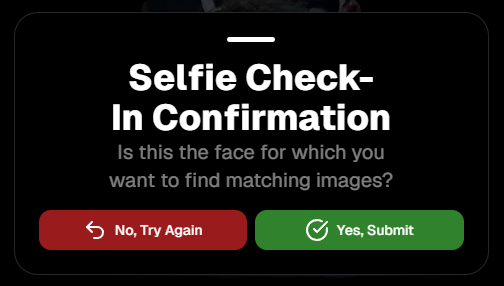
🤳 “Is This the Face?” Popup

When someone takes or uploads a selfie for Selfie Check-In, we now ask them:

“Is this the face for which you want to find matching images?”

This simple question will reduce the number of parents who accidentally upload selfies of themselves instead of their child!

We'll keep trying to get parents to not upload their own selfies :)

📱 QR Code Download for All Images Gallery

New button alert! You can now easily download the All Images Gallery QR Code to share at events—perfect for action sports and other workflows that rely on promoting the All Images Gallery.

Accessible via "Retail Site" from an Event's Management page.

📦 Order Details Page Improvements

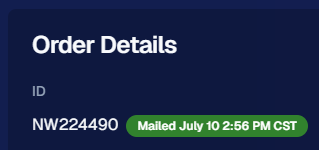
Want to know when an order was mailed out? You got it.

The Order Details page now shows the "mailed" timestamp when applicable, helping both photographers and customers stay informed.

Accessible via "Orders" from an Event's Management page.

🧰 Misc Fixes & Improvements

🧮 The JerseyJotter™' image counts when selecting Filters will now be affected by PhotoTag & Group-by-Face Filters as well

🫥 "Unassigned Images" count now excludes hidden/test images

💖 Favorites tab now works when picking images for multi-image products

🔒 GalleryGuard™ is all set for iOS26 — screenshot blocking stays strong

📴 Texting “NOPE” now unsubscribes users from all marketing campaigns

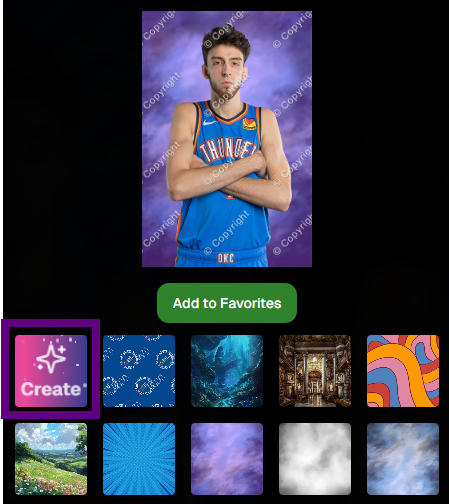
✨ New icon for AI-generated backgrounds — it’s clearer for those unfamiliar with the standard generative AI symbol

Did you know? We provide subjects with free AI background generation!

That’s it for this week!


As always, thanks for tagging along on all the improvements we’re rolling out to make your NowCandid experience smoother, smarter, and more fun 🎉

Cheers,
—Candy 💕

Weekly Recap: Capture 4.20, Favorites for All Image Galleries, and More 📸
Feature Updates
July 11, 2025

Weekly Recap: Capture 4.20, Favorites for All Image Galleries, and More 📸

9
 minutes read
Hey hey! Candy here with your NowCandid updates.

Let’s dig into what’s new this week:

🚀 Capture App Version 4.20 Is Here!

Big updates just dropped in NowCandid Capture App v4.20, and I’m here to walk you through all the exciting changes. Whether you’re on iPhone, iPad, or now even a Mac, this update makes capturing better, faster, and more flexible than ever.

__wf_reserved_inherit

🖥️ Now on Apple Silicon Macs!

Mac support has officially landed!


If you’ve got a Mac from 2020 or newer (Apple Silicon), you can now run the NowCandid Capture App directly on your computer. That means full access to camera tethering, live-uploading, Selfie Check-In Station, and more—all in the same app you already know and love on iOS and iPadOS.

Perfect for studio setups or hybrid workflows where a full keyboard and screen come in handy!

📷 Fujifilm Joins the Party

That’s right—Fujifilm cameras are now fully supported!


With this, all five major camera brands are compatible with NowCandid Capture & Upload:

  • • Canon
  • • Sony
  • • Nikon
  • • LUMIX
  • • Fujifilm

So, if you’re shooting sports, portraits, grads, or events on a Fuji body, you’re now cleared for lift-off. 🎉

NOTE: To connect a Fuji camera to the Capture & Upload App, you must select a USB Tether Shooting option in the camera's Networking Settings.

🔮 Future-Proofed for Apple OS Updates

Capture App v4.20 includes early support for iOS 26, iPadOS 26, and macOS 26, so you’ll be all set once those updates roll out later this year. No last-minute patching or scrambling required.

🎨 Visual & Interface Upgrades

  • • Animated UI numbers (like image counts!) now update with fun, smooth transitions.
  • • New Shooting Page UI on iPhone gives more space to your camera feed.
  • • Sharpened icons throughout the app—crisper visuals everywhere.
  • • Phone keypad is now larger and easier to tap.
  • • PhotoTags popup got a cleaner layout.
  • • Updated splash screen messages: wittier, more emoji-filled, and faster-loading too!

📸 Photo Booth & Selfie Check-In Tweaks

  • • New Color Filters for Photo Booth: Try out Juno, Lark, Mayfair, Sierra, and Walden—just like your favorite photo apps.
  • • Photo Booth collage previews now live-update when filters or backgrounds change. What you see is actually what you get!
  • • Internal camera now runs at 60fps on the Shooting Page, Selfie Check-In Station, and Photo Booth Mode for smoother live-video feeds.
  • • Flash support added to Selfie Check-In: the screen will flash during the photo if your device decides it’s needed.
  • • "Close" button for Selfie Check-In Station is now only shown during the contact info step (to reduce some confusion users had).

🛠️ Performance & Power Gains

  • • Better battery life and CPU usage from under-the-hood improvements.
  • General performance improvements to make the app snappier.
  • • iOS 18+ now supports dark mode icons and tinted app icon options for better theme matching on your device.
  • • The Lock button is now in the iPhone's shooting page wheel menu—it’s still there if you need it, just tidier.

With v4.20, the NowCandid Capture App is faster, more flexible, and ready for more workflows than ever—whether you’re on your phone, iPad, or a shiny new Mac. 🧋

⭐ Favorites for All-Image Gallery Links

Your subjects can now favorite images when viewing the All Images Gallery for an Event! Favorites will stick around between sessions on the same device and browser, and if the visitor logs in, they’ll sync across their devices too.

This opens up new workflows for action sports photographers and beyond. Want to promote the full gallery and let customers find their pics with JerseyJotter™ filters? Now they can build their own personal gallery of favorites, even if they didn’t check in or match through Face Matching. In general, this makes the All Images Gallery more shoppable for every type of Event.

__wf_reserved_inherit

🔧 Misc New Features & Tweaks

Some smaller updates this week—still useful!

  • 📥 Press & Hold Downloads (Now with Backgrounds!)
    FreePics users on mobile can now press and hold to download images with their selected background. Previously, this was only available through the cart and checkout.
  • 🔢 JerseyJotter™ Filter Stats Update
    When filtering by number, color filter stats will now update dynamically to reflect how many images match both filters. It’s a smarter way to narrow things down.
  • 🛡️ GalleryGuard™ in Photo Synthesis™ Galleries
    Retail visitors browsing their Photo Synthesis™ gallery via Quic.Pics are now protected by screenshot blocking, just like the standard retail site. 📵
  • 💰 Sort by Purchased Images
    On the Manage Images page, you can now sort by “Purchased Images” to see what’s actually selling. Great for evaluating your top-performing shots!
  • 🧠📸 Memory Mate is now a "Hybrid" product!
    We’ve updated how Memory Mate products behave on the retail site. They’ll now show up in both the Group and Individual product sections depending on what photo types are available in the gallery.
    Even better: when a customer clicks into the product gallery, Memory Mates will preview with either the group photo or individual photo already filled in—whichever one they had selected going in.

That’s everything for Now!

More improvements coming your way soon. Keep snapping, tagging, and selling—I'll be here making it smoother every step of the way.

Cheers,

Candy

Let’s get in touch

If you’re a photographer looking to add NowCandid™ services to your wheelhouse, set up a call with us!

How to customize formatting for each rich text

How to customize formatting for each rich text

How to customize formatting for each rich text

How to customize formatting for each rich text

How to customize formatting for each rich text

What’s a Rich Text element?

The rich text element allows you to create and format headings, paragraphs, blockquotes, images, and video all in one place instead of having to add and format them individually. Just double-click and easily create content.

A rich text element can be used with static or dynamic content. For static content, just drop it into any page and begin editing. For dynamic content, add a rich text field to any collection and then connect a rich text element to that field in the settings panel. Voila!

Headings, paragraphs, blockquotes, figures, images, and figure captions can all be styled after a class is added to the rich text element using the "When inside of" nested selector system.

  • List One
  • List Two
  • List Three
  • List Four
  • List Five

This is a link

This is bold text