

Weekly Recap: Group Photo Alerts, Network Speed Testing & Smarter Event Artwork Checks 📸✨
.png)
Hey photo friends! 👋
Candy here with another weekly recap! This week brings a new way to notify customers about Group Photos, a built-in Network Speed Test for the Dashboard, smarter warnings to help prevent incorrect Event artwork uploads, and another round of Background Removal improvements.
We've also made Participant Details more informative, improved Public Event Lists, and given Candy a few new things to talk about!
Let's jump in!
📣 NEW: Send Group Photo Alerts to Your Customers!
Finished creating your Virtual Groups and want to make sure your customers know their Group Photos are available?
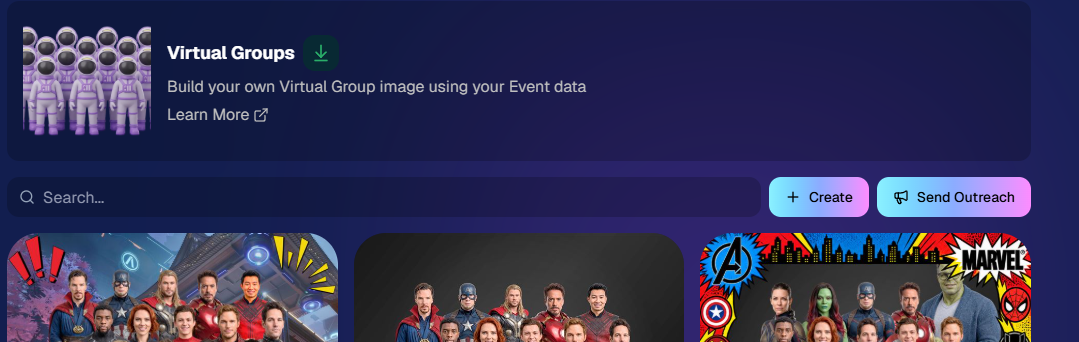
There's now a Send Outreach button directly on the Virtual Group List page!
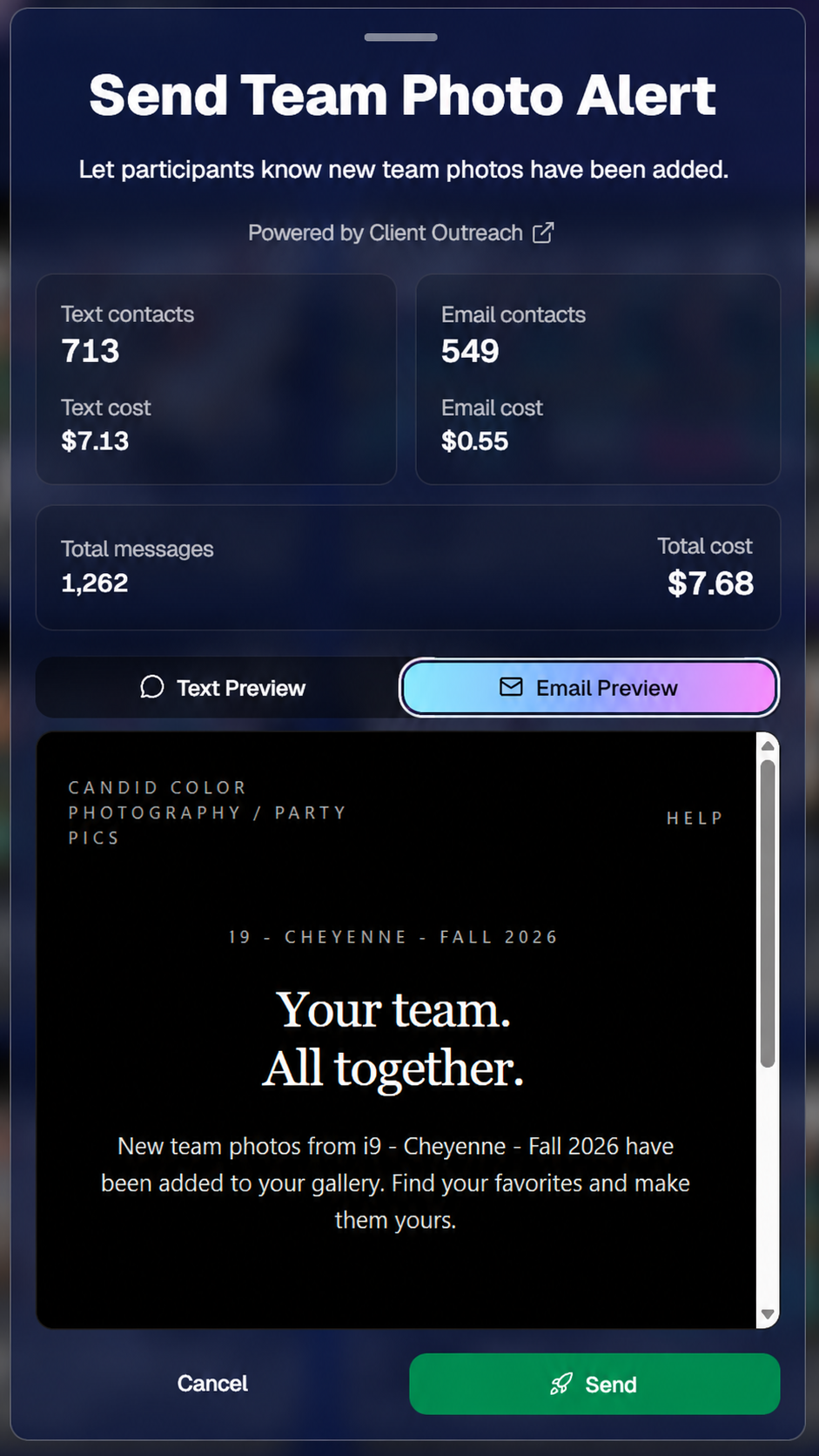
Clicking it lets you send a predefined text and email to unique contacts who have at least one Group Photo in their gallery, letting them know Group Photos have been added and providing a link to their gallery.
📱 Text and email notifications – Let customers know their Group Photos are ready to view.
🔗 Direct gallery links – Make it easy for recipients to find their photos.
👥 Unique contacts – The outreach is designed to avoid sending duplicate messages to the same contact.
📊 Marketing History tracking – Review the sends from your Event's Marketing History page.
This is powered by Client Outreach, and it can be especially useful after you've finished putting together a batch of team or class photos!
📋 New Reserved Lists in Client Outreach
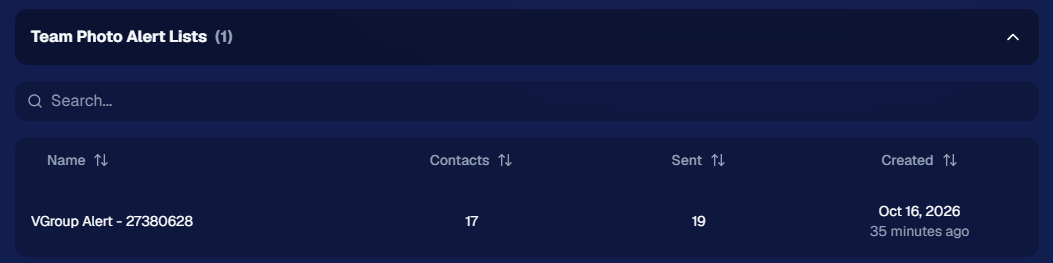
To support this and similar features, Client Outreach now has a Reserved List system.
These lists are automatically created by certain Dashboard tools, rather than manually built by photographers.
You'll find them on the Client Outreach Lists page, where you can review their history and purpose. They can't be edited directly.
We'll be able to use this system for additional Outreach-powered tools in the future!
🌐 NEW: Network Speed Test in the Dashboard
You can now test your connection to NowCandid's servers directly from the web Dashboard!
The new Network Speed Test measures your network speed and latency, just like the testing feature already available in the Capture App.
This is particularly handy when you're using the Dashboard at a live Event and want to check whether your current connection is up to the task.
And a quick reminder: Ethernet connections can get congested too! 🔌
Being plugged in doesn't necessarily mean you're getting a fast or reliable connection, particularly when sharing a network with lots of other devices.
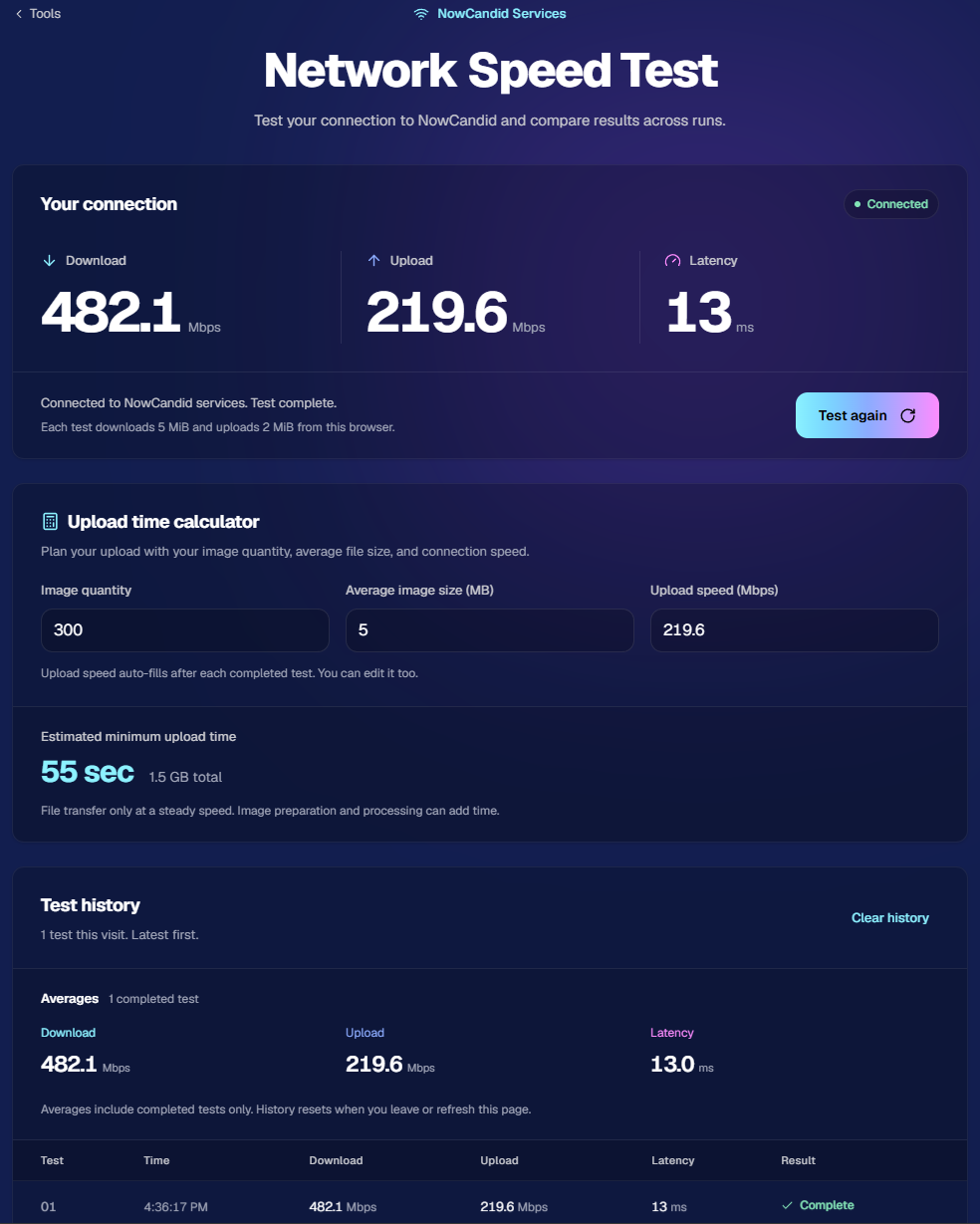
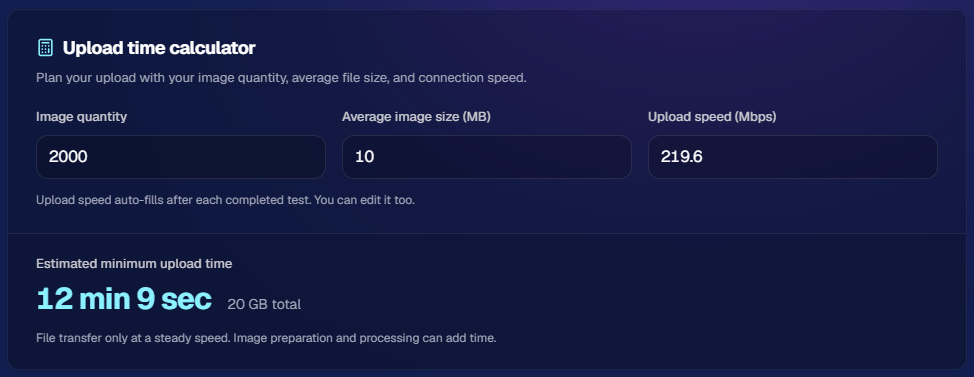
We even added a helpful calculator to help you project a minimum time required to upload images based on image size, upload quantity, and your internet speed!
Try putting in your own typical number of images, file size, and test it out with your own home or office network to estimate minimum time to upload for your typical job:
🎨 Smarter Event Artwork Upload Warnings
Ever almost uploaded the wrong artwork to an Event with a similar name?
We've added a new safeguard to help catch that!
When uploading or importing Event Artwork, NowCandid can now use your Event's name as context to check whether the artwork might belong to a different Event.
🔍 Potential mismatches are flagged before you proceed.
⚠️ Confirmation is required if the artwork is flagged as potentially incorrect.
✅ You can still proceed by checking the confirmation box.
It's an extra precaution for those times when you're juggling a bunch of similarly named Events and artwork files.
✂️ Faster Background Removal & Better Large-Image Handling
Background Removal received a few more improvements this week!
⚡ Faster processing for large images – Larger source images can now be processed more quickly.
🎨 Improved color consistency – Fixed an edge case where unusually large cutouts could develop slight color issues due to compression.
📐 Automatic resizing for oversized images – Images with either dimension exceeding 6,000 pixels will now be resized so their longest side is no more than 6,000 pixels, while preserving the original aspect ratio.
And while we're talking about performance...
🍬 Candy Culler Is a Little Faster Too!
We've also made some performance improvements to Candy Culler, helping it work through your Event images a bit more quickly.
🏷️ Better Public Event Lists
Public Event Tag landing pages received several improvements to make them easier for customers to use.
🖼️ Events without sellable images are hidden – Events with zero sellable images, such as Events containing only reference images, will no longer appear in Public Event Lists.
🔎 More forgiving search – Searching for something like "pi phi" can now find an Event named "Pi Beta Phi", even when the search doesn't match the Event name exactly.
👁️ Show or hide your password – Password-protected Event Lists now include an eye icon in the password field so visitors can check what they've typed.
👥 More Helpful Participant Details
The Participant Details page is getting even better for tracking down images and understanding where they came from.
🔍 New Folder Name and Image Name filters – Filter a Participant's images using the same kinds of filters available in Manage Images.
🏷️ PhotoTag badges for merged Participants – You can now see each merged Participant's PhotoTags directly on the Participant Details page.
🔗 New Merged image source label – Images appearing in a gallery because of a merged Participant relationship can now be identified with a Merged source label.
These additions should make it easier to understand why certain images are in a Participant's gallery, especially when working with merged families or larger Events.
🤖 Candy Can Search Our Blog Now!
Candy has picked up another useful skill!
You can now ask Candy about recent Weekly Recaps and other blog posts, and she can search them to help you find information about updates we've released.
Missed a few weeks of updates? Want to know whether we've talked about a particular feature recently?
Just ask Candy! 🍬
📰 Dashboard Blog Makeover
We've also refreshed the appearance of the Blog inside the Dashboard, making it a nicer place to browse our posts and announcements.
🖥️ More Dashboard Improvements
A few more useful changes landed this week:
🖼️ Higher-quality AI backgrounds – Candy Image Studio's Background Generator now produces higher-quality outputs.
📋 Better spreadsheet imports – The Event Roster Uploader and Client Outreach Data File Uploader now ignore additional spreadsheet sheets, including hidden ones, instead of throwing an error. Both tools continue to use the first sheet, as they always have.
✨ Refreshed Event Overview header – We've cleaned up the top of Event Overview with improved button styling, better organization for the Event number and type, a dedicated action-button row, and an image collage when enough images are available.
That's the week!
The new Group Photo outreach option should be particularly useful for photographers creating team and class photos, while the Network Speed Test and smarter artwork checks add a few more ways to catch problems before they cause headaches.
And if you've missed a few recent updates, you can now ask me about them directly. Convenient, right? 😉
Keep creating magic,
Candy 🍬
%20(5).jpg)

.svg)


