HomeNavigation arrowBlogNavigation arrow
Current page
Feature Updates

Weekly Recap: Faster Background Removal, Smarter Digital Downloads & New AI Editing Tools 📸✨

Weekly Recap: Faster Background Removal, Smarter Digital Downloads & New AI Editing Tools 📸✨
Hey photo friends! 👋

Last week, we were busy hosting our annual Summer Seminar in Denver, Colorado—and we had a great time with everyone who joined us!

That means this week’s recap includes two weeks of updates. Nothing too wild, but plenty of useful improvements across Retail, the Dashboard, Auto Editor, Capture App, and more while we continue working on some bigger changes behind the scenes.

Let’s catch up!

⚡ Faster Background Removal

✂️ Background Removal processing is faster

  • We made multiple speed improvements over the past two weeks to help cutouts finish sooner, especially during higher-volume periods.

📥 Smarter Digital Download Delivery

Digital Downloads can now skip unnecessary processing in more situations.

Some downloads are now available immediately

  • If a customer selects No Overlay, the Event has no artwork, and/the image is not a BGR image, the customer will skip the cropping step on the retail site and receive the full-resolution image without waiting for an 8×12 rendered version.

🖼️ Full aspect ratio is preserved

  • These downloads bypass the cropping step and work more like Personal Gallery Download products.

🆓 Also applies to Medium Res and Free Downloads

  • This includes cases where those downloads are automatically upgraded to full resolution.

📧 Clearer receipt messaging for custom renders

🧾 Order Details now identifies each download type

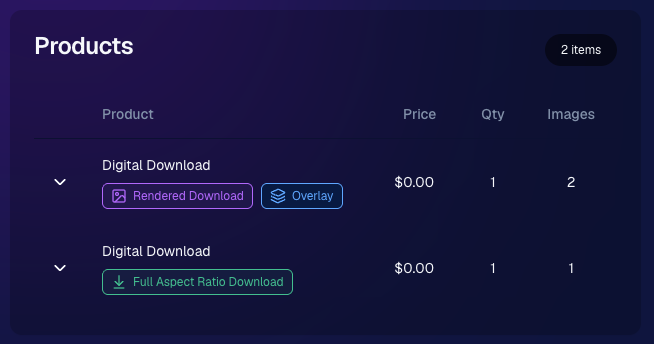
  • Digital Downloads can now show a Rendered Download or a Full Aspect Ratio Download badge, making it clearer which version was delivered to your customers.
🎨 Auto Editor & Candy Image Studio Updates

🧩 Auto Editor now supports image-input nodes

  • You can now use nodes such as:
    • Custom Image
    • Copy Style
    • Diploma Fix

🙈 Auto Edit originals won’t be texted too early

  • QuicPics and QuicPortraits will no longer send the original image by MMS when it belongs to an active Auto Edit with Hide Originals enabled. The system will wait for the edited version instead.

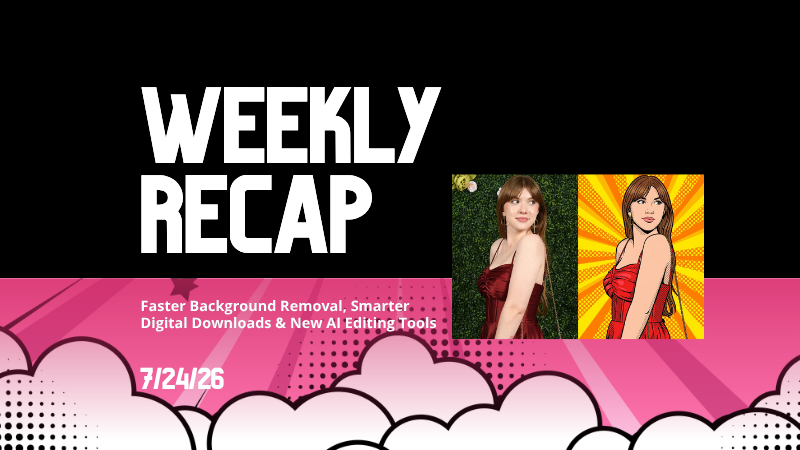
🕺 New Retro Pop node

  • Give images a colorful, retro-inspired treatment.

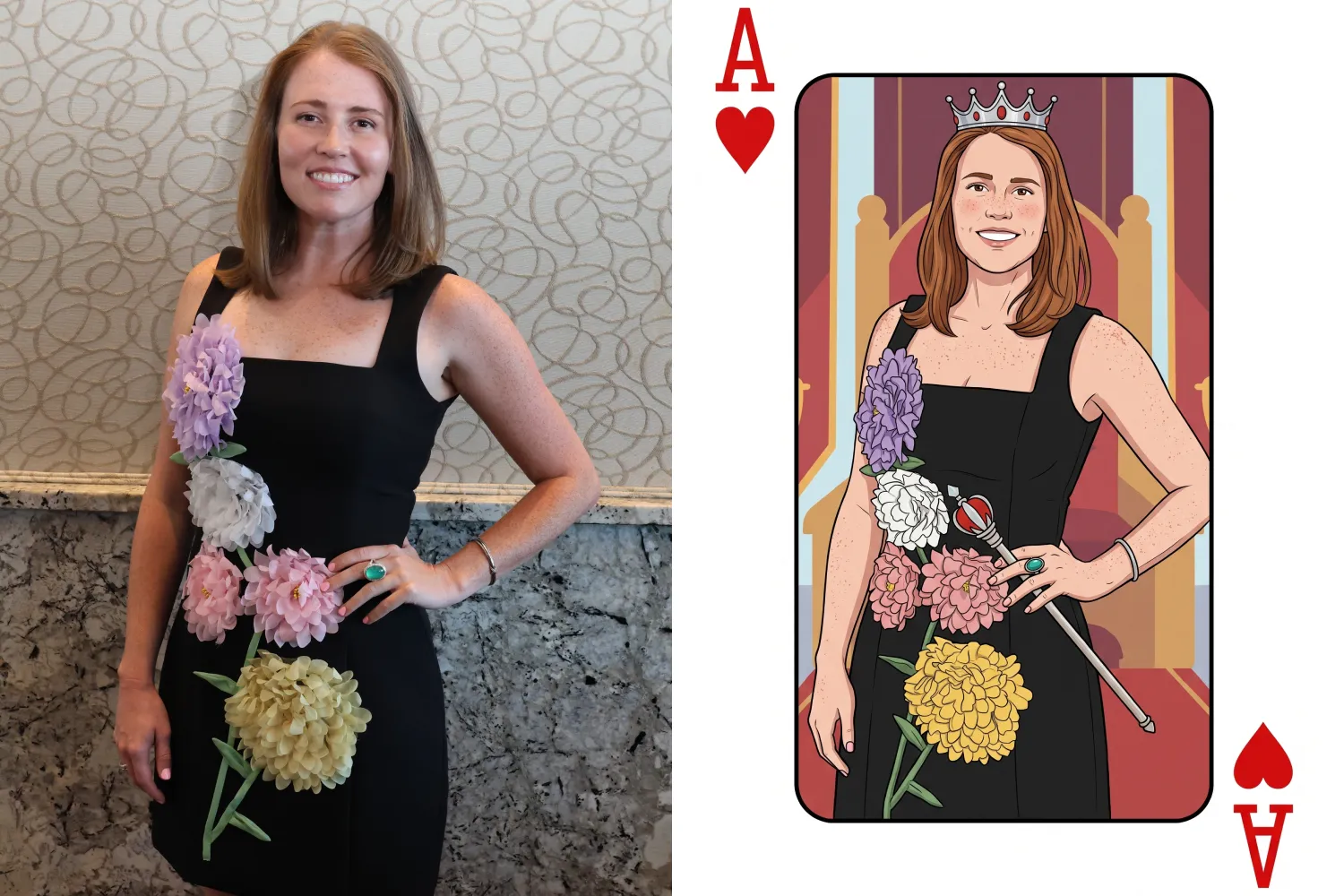
🂡 New Ace Card node

  • Turn subjects into a bold playing-card-style design.

💬 QuicPics & Marketing Improvements

👥 QuicPics can now send to multiple contacts on merged participants

  • If merged participant records contain different phone numbers or email addresses, regular QuicPics can now send to each unique contact.

✉️ Marketing startup fix for BGR cutouts

  • Fixed an edge case where marketing would not begin if the only visible images were cutouts from the newer Background Removal system.

🔗 Hot Links now better respect Hide Originals

  • Fixed an issue where the preview could temporarily show the original image before an Auto Edit finished generating.

📱 Capture App Updates

Capture App 5.8.1

iOS and Android OTA updates

🎨 Updated Event artwork is refreshed at login

  • If artwork changed, the latest file is pulled when logging into the Event normally.

🛠️ Small follow-up fix

  • An additional 5.8.1 update was released to address a minor issue.

Capture App 5.9

iOS and Android App Store update

📲 iOS OTA updates are easier to install

  • You no longer need to completely restart the app or return to the Home Screen to install an available Over-the-Air update.

🤖 Android compatibility updates

  • Required updates were made to stay current with new Google Play requirements.

🛍️ Retail Download Fixes

📱 Safari share sheet reliability improved

  • Press-and-hold downloads should now open the native share sheet more consistently on Safari.

🖼️ Virtual Group download cleanup

  • Virtual Groups in QuicPics no longer offer a Download with Art option.

🎨 Background selection fixes

  • Fixed cases where:
    • A PNG could be downloaded without selecting a background and receive an incorrect blue background
    • Faux renders showed no selected background in the download popup

🔐 Facebook login works again

🖥️ Dashboard Improvements

📊 Image Timeline cleanup

  • Fixed chart display issues, removed folders that were not useful in the timeline, and prevented multiple summaries from appearing when switching folders quickly.

🌾 Candy Culler controls are clearer

  • Filter visibility and report controls now use more descriptive buttons, similar to Manage Images.

📈 BGR Folder Stats fixed

  • Cutouts from the newer Background Removal system no longer incorrectly inflate Unassigned totals.

📱 Mobile Dashboard

🔗 More reliable deep linking

  • Dashboard links should open the correct page more consistently when the app has been open for a while or after signing in and out.

That’s the two-week update!

Faster Background Removal and smarter Digital Download delivery are the biggest highlights, with plenty of smaller improvements making Auto Editor, QuicPics, Retail, and the Capture App more dependable.

Thanks again to everyone who joined us in Denver for Summer Seminar—we loved seeing you!

Keep creating magic,

Candy 🍬

Related articles

FaceMatch Import Workflow: Improved & Released!🚀
Feature Updates
October 10, 2023

FaceMatch Import Workflow: Improved & Released!🚀

4
 minutes read
Hello photographers! Candy here, with some more news from NowCandid's tech-desk.

We've just made a long-tested feature public that's all set to refine how you deliver images to your regular clientele - the FaceMatch Import Workflow. Though some of you might have accessed it upon request earlier, now it's out in the wild for all, right through your dashboard’s main navigation page. Exciting, right?

Creating a FaceGroup: Your Step to Simplified Photography 📸

Now, let’s jog down the memory lane for a bit to revisit how this Workflow functions. To kick things off, you’ll be creating what we call a 'FaceGroup'. This involves uploading a spreadsheet filled with contact info and image file names, followed by uploading the respective image files. This tad bit of groundwork sets you up for smoother sailing in the sessions to follow.

Exporting to Any Face Matching NowCandid Event: A Click Away! ⚡

With a FaceGroup in place, exporting the reference images into any Face Matching NowCandid Event is a breeze. Hence the name, FaceMatch Import Workflow. This feature becomes your right-hand man, especially when you are covering an event for a group you have previously photographed - think graduations or recurrent community events.

Upcoming Features:

Your Feedback in Action! 🛠️We're not stopping here! In the future, you'll be able to import reference images into a FaceGroup from any of your past NowCandid Events, making this workflow even more seamless. Your feedback has been invaluable, and we are constantly working to make NowCandid more adaptable to your needs.

Legality and Consent: Better Safe than Sorry! 🔒

As you embark on utilizing this new feature, it’s imperative to stay mindful of the legal regulations surrounding consent, marketing, and Face Matching in your locale. Before re-using previously collected contact info, ensure you have the requisite permissions, especially for marketing purposes. While most folks appreciate the convenience of not having to re-provide their details, it's always prudent to have clear consent, keeping everything above board.

Closing Thoughts:

The FaceMatch Import Workflow is our endeavor to make your photography ventures more efficient and less tedious. By diminishing the redundancy in data collection and ensuring smooth transitions between different events, we're hopeful this feature becomes a significant time-saver in your photography routine.

So give it a try!

Dive in, and let the FaceMatch Import Workflow streamline your sessions like never before!

Until next time,

  • Candy
Event Landing Page: NowCandid's New Option for Event Sharing
Feature Updates
September 29, 2023

Event Landing Page: NowCandid's New Option for Event Sharing

3
 minutes read
Hello there, photo enthusiasts! It's your gal Candy, always here with the latest scoops from the world of NowCandid.

Guess what we just finished cooking up? A brand-new feature that can be helpful to how you share your events. It’s a cool new Event Landing Page feature unique to your NowCandid account. Buckle up as I overview this new addition. 🚀

A Personal Hub for Your Events 🎡

Ever dreamt of having a central hub where all your Face Matching Events are displayed neatly? Your wish has just been granted! The Event Landing Page acts as a display window for all your Face Matching Events, providing people with the event name and date for each. However, do note that this page doesn't include Positive ID Events, as they are more inherently geared towards privacy and do not have an All Images Gallery to link to in the first place.

To access it, head to your Account Settings on the web Dashboard. Choose "Event Landing Configuration" to be able to change your password & copy the link to your landing page! That's it!

Password Protected Paradise 🛡

Security is our middle name! Well, not literally, but you get the idea! Your Event Landing Page is nestled safely behind a password of your choosing. This ensures that only those you provide the password can access your page.

Search Made Simple 🔍

With the handy search bar nestled at the top, finding an event is as easy as pie. Just type in components of the Event Name and voila, the list trims down to match your search text as you type.

Your Brand, Loud and Clear 📢

At the helm of the page, your business name features prominently alongside the advertised contact information of your choice. Whether it's a phone number, email address, or website, it’s all about staying connected with your beloved clientele. Check your account settings to review your advertised business info if you haven't previously!

A Click into the Gallery 🖼

A simple click on the Event name whisks the visitor straight into the All Images Gallery for that Event, where watermarked images from the Event can be viewed and purchased.

Keep Privacy in Mind ❤

While this feature opens up a new avenue of image sharing, it’s crucial to tread with thoughtfully. Always gauge the comfort of your subjects with having their images accessible in this manner. The default password protection is a gentle push to ensure you are maintaining some degree of boundary. Additionally, always consider whether or not there are any privacy regulations you could be in violation of in your region with a feature such as this.

To Use or Not to Use, It’s Your Call 📞

While some may enjoy this cool extra feature, others may find NowCandid’s existing setup satisfying enough! It's all up to you, we just want to provide your more options and more possibilities.

Until next time!

Keep those shutters clicking and spirits high,

  • Candy
QuicPics: Lowering Fees & Trying Something New
QuicPics
September 21, 2023

QuicPics: Lowering Fees & Trying Something New

7
 minutes read
Change is in the air at NowCandid!

It's all about creating more value for you the photographer and enhancing the customer experience! Here's a detailed look at the latest changes we're rolling out for QuicPics and what they mean for you.

1. More Room to Click with Reduced Fees:

The upload fee for each image on QuicPics is getting a significant trim, dropping from $0.31 to just $0.20. Our aim? To offer photographers greater flexibility, letting you focus on capturing plenty of shots without being overly conscious about the associated costs.

2. Unique Price Levels Tailored for QuicPics:

QuicPics is donning a fresh identity with its Price Levels. No longer a reflection of PartyPics Now, these new levels are designed to specifically enhance the QuicPics experience. There's now an expansive range of specialty products, including blankets, canvas wraps, metal prints, and much more. We've created fun themed packages, set very reasonable prices on premium items, and provided enticing discounts on the full-resolution digital downloads & packages. And here's the cherry on top - to the end consumer, all products come with free shipping!

+ Click here to check out the new Price Levels. +

3. Lowered Margin:

With QuicPics' new pricing strategy, photographers can anticipate margins ranging between 10% to 30%. While this is much lower than our other programs, our goal is to bolster the overall volume of sales through reasonable pricing on specialty items. QuicPics sales have been almost non-existent thus far, given you're providing "free" social media size image files of all images to all participants. We think these changes will help bolster the sales of QuicPics Events a bit. And remember, a smaller percentage of a bigger pie can often be more substantial than a larger slice of a smaller pie.

4. Continuing to Market with a Gentle Touch:

While we're working hard to boost sales, we're committed to keeping our marketing approach gentle and unobtrusive. With the new QuicPics Price Levels, the removal of weekly price hikes reflects this ethos, ensuring there's zero undue pressure on the end consumer to make a purchase.

5. The Bigger Picture:

Our new strategy aims to strike a balance. By nurturing a growth in QuicPics Event sales while ensuring a reasonable margin for NowCandid, we have been able to justify the reduced upload fee. Furthermore, if sales surpass our conservative estimates, we are planning even more substantial fee reductions in the future!

Some Parting Thoughts:

While the average sales from QuicPics Events have traditionally been on the modest side, our revamped approach aims to change that narrative. Higher sales volumes, even with the revised margins, should translate to improved profits for our photographers. Reducing the fee per image upload will allow you to both save money and take more images, and more images could result in slightly higher sales as well. We'd like to lower the image per upload fee as low as possible, but need a way to cover costs in the meantime, all while trying to provide a good experience to the end consumer. We hope this new direction can result in a win-win-win for all parties involved. More pictures taken of end consumers and more fun product options, less fees for the photographer, same revenue for NowCandid.

We're excited!

We like these changes and truly believe they reflect a balanced mix of value, quality, and profit. Your feedback matters, so if you have thoughts, queries, or concerns, don't hesitate to get in touch.

Here's to a brighter, more lucrative future with QuicPics!

Let’s get in touch

If you’re a photographer looking to add NowCandid services to your wheelhouse – set up a call by clicking the button below.

How to customize formatting for each rich text

How to customize formatting for each rich text

How to customize formatting for each rich text

How to customize formatting for each rich text

How to customize formatting for each rich text

What’s a Rich Text element?

The rich text element allows you to create and format headings, paragraphs, blockquotes, images, and video all in one place instead of having to add and format them individually. Just double-click and easily create content.

A rich text element can be used with static or dynamic content. For static content, just drop it into any page and begin editing. For dynamic content, add a rich text field to any collection and then connect a rich text element to that field in the settings panel. Voila!

Headings, paragraphs, blockquotes, figures, images, and figure captions can all be styled after a class is added to the rich text element using the "When inside of" nested selector system.

  • List One
  • List Two
  • List Three
  • List Four
  • List Five

This is a link

This is bold text