

Weekly Recap: Faster Background Removal, Smarter Digital Downloads & New AI Editing Tools 📸✨
.png)
Hey photo friends! 👋
Last week, we were busy hosting our annual Summer Seminar in Denver, Colorado—and we had a great time with everyone who joined us!
That means this week’s recap includes two weeks of updates. Nothing too wild, but plenty of useful improvements across Retail, the Dashboard, Auto Editor, Capture App, and more while we continue working on some bigger changes behind the scenes.
Let’s catch up!
⚡ Faster Background Removal
✂️ Background Removal processing is faster
- We made multiple speed improvements over the past two weeks to help cutouts finish sooner, especially during higher-volume periods.
📥 Smarter Digital Download Delivery
Digital Downloads can now skip unnecessary processing in more situations.
⚡ Some downloads are now available immediately
- If a customer selects No Overlay, the Event has no artwork, and/the image is not a BGR image, the customer will skip the cropping step on the retail site and receive the full-resolution image without waiting for an 8×12 rendered version.
🖼️ Full aspect ratio is preserved
- These downloads bypass the cropping step and work more like Personal Gallery Download products.
🆓 Also applies to Medium Res and Free Downloads
- This includes cases where those downloads are automatically upgraded to full resolution.
📧 Clearer receipt messaging for custom renders
- When a download does require processing, the receipt now explains that the custom image takes a little longer and will be emailed from YourPhotos@orderssupport.picsemail.com.
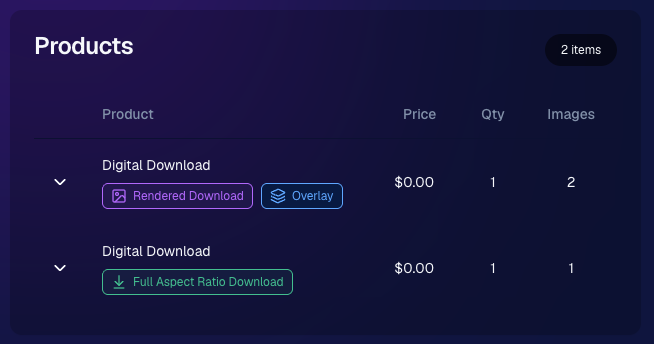
🧾 Order Details now identifies each download type
- Digital Downloads can now show a Rendered Download or a Full Aspect Ratio Download badge, making it clearer which version was delivered to your customers.
🎨 Auto Editor & Candy Image Studio Updates
🧩 Auto Editor now supports image-input nodes
- You can now use nodes such as:
- Custom Image
- Copy Style
- Diploma Fix
🙈 Auto Edit originals won’t be texted too early
- FreePics and FreePortraits will no longer send the original image by MMS when it belongs to an active Auto Edit with Hide Originals enabled. The system will wait for the edited version instead.
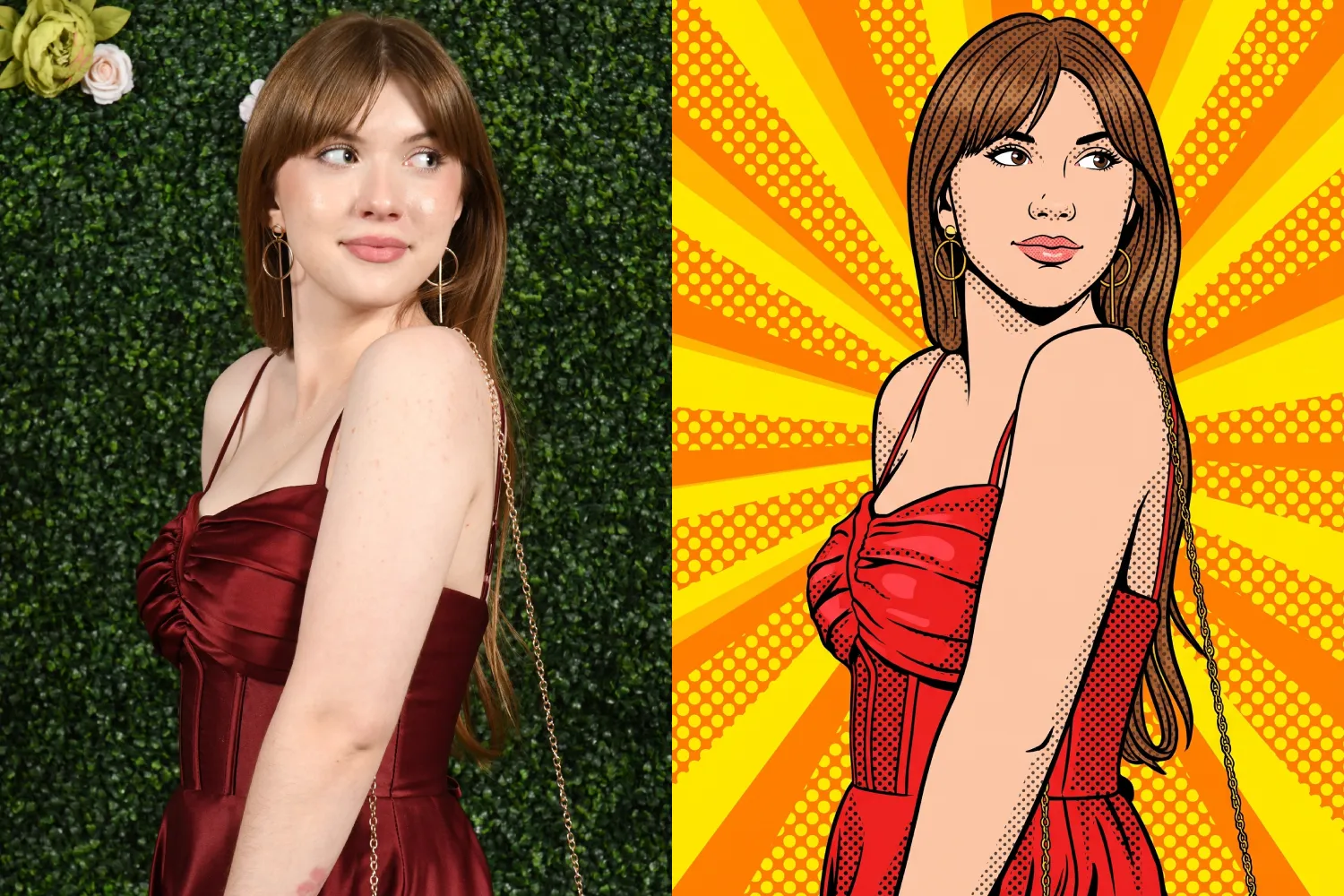
🕺 New Retro Pop node
- Give images a colorful, retro-inspired treatment.
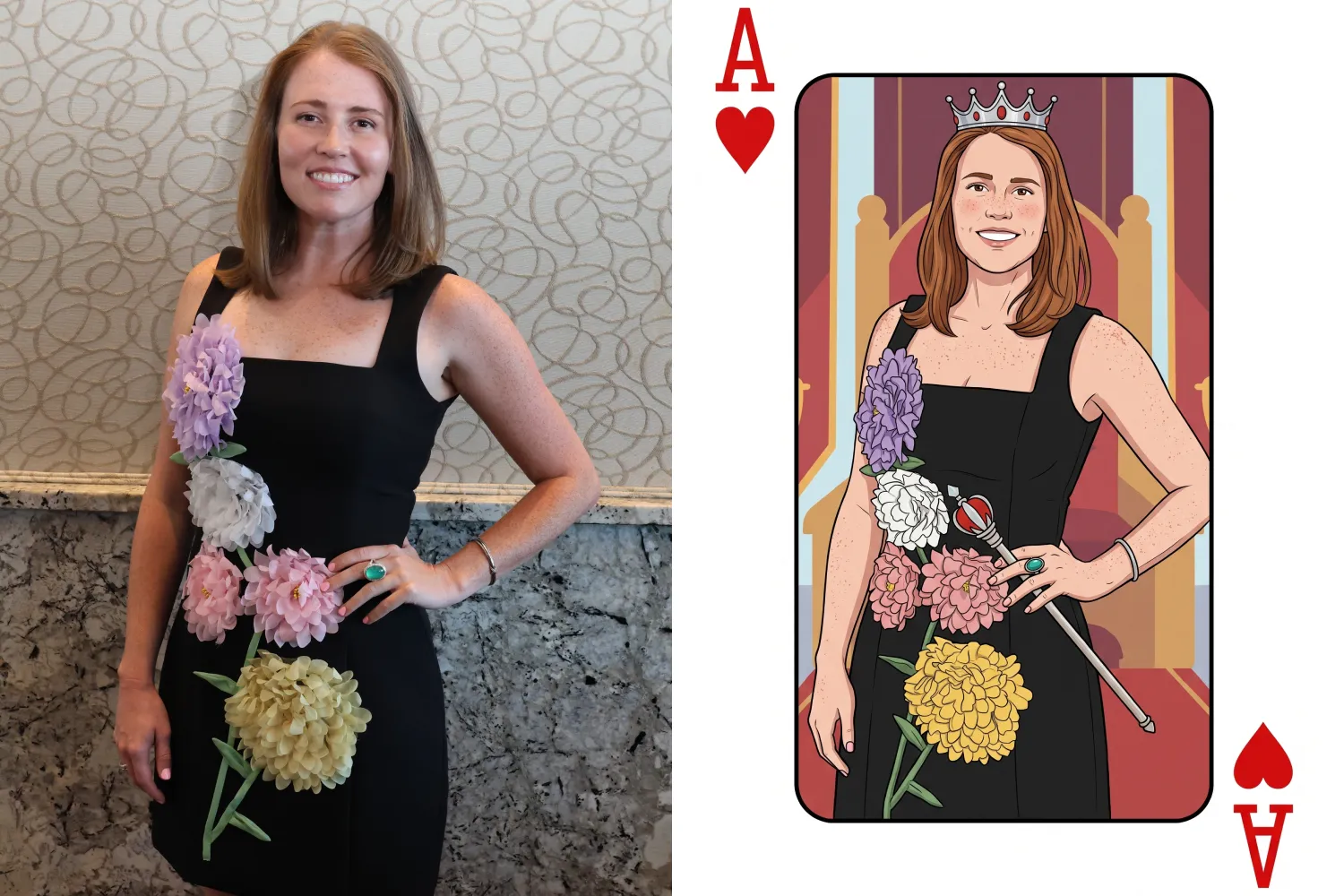
🂡 New Ace Card node
- Turn subjects into a bold playing-card-style design.
💬 FreePics & Marketing Improvements
👥 FreePics can now send to multiple contacts on merged participants
- If merged participant records contain different phone numbers or email addresses, regular FreePics can now send to each unique contact.
✉️ Marketing startup fix for BGR cutouts
- Fixed an edge case where marketing would not begin if the only visible images were cutouts from the newer Background Removal system.
🔗 Hot Links now better respect Hide Originals
- Fixed an issue where the preview could temporarily show the original image before an Auto Edit finished generating.
📱 Capture App Updates
Capture App 5.8.1
iOS and Android OTA updates
🎨 Updated Event artwork is refreshed at login
- If artwork changed, the latest file is pulled when logging into the Event normally.
🛠️ Small follow-up fix
- An additional 5.8.1 update was released to address a minor issue.
Capture App 5.9
iOS and Android App Store update
📲 iOS OTA updates are easier to install
- You no longer need to completely restart the app or return to the Home Screen to install an available Over-the-Air update.
🤖 Android compatibility updates
- Required updates were made to stay current with new Google Play requirements.
🛍️ Retail Download Fixes
📱 Safari share sheet reliability improved
- Press-and-hold downloads should now open the native share sheet more consistently on Safari.
🖼️ Virtual Group download cleanup
- Virtual Groups in FreePics no longer offer a Download with Art option.
🎨 Background selection fixes
- Fixed cases where:
- A PNG could be downloaded without selecting a background and receive an incorrect blue background
- Faux renders showed no selected background in the download popup
🔐 Facebook login works again
🖥️ Dashboard Improvements
📊 Image Timeline cleanup
- Fixed chart display issues, removed folders that were not useful in the timeline, and prevented multiple summaries from appearing when switching folders quickly.
🌾 Candy Culler controls are clearer
- Filter visibility and report controls now use more descriptive buttons, similar to Manage Images.
📈 BGR Folder Stats fixed
- Cutouts from the newer Background Removal system no longer incorrectly inflate Unassigned totals.
📱 Mobile Dashboard
🔗 More reliable deep linking
- Dashboard links should open the correct page more consistently when the app has been open for a while or after signing in and out.
That’s the two-week update!
Faster Background Removal and smarter Digital Download delivery are the biggest highlights, with plenty of smaller improvements making Auto Editor, FreePics, Retail, and the Capture App more dependable.
Thanks again to everyone who joined us in Denver for Summer Seminar—we loved seeing you!
Keep creating magic,
Candy 🍬

.svg)


