HomeNavigation arrowBlogNavigation arrow
Current page
Feature Updates

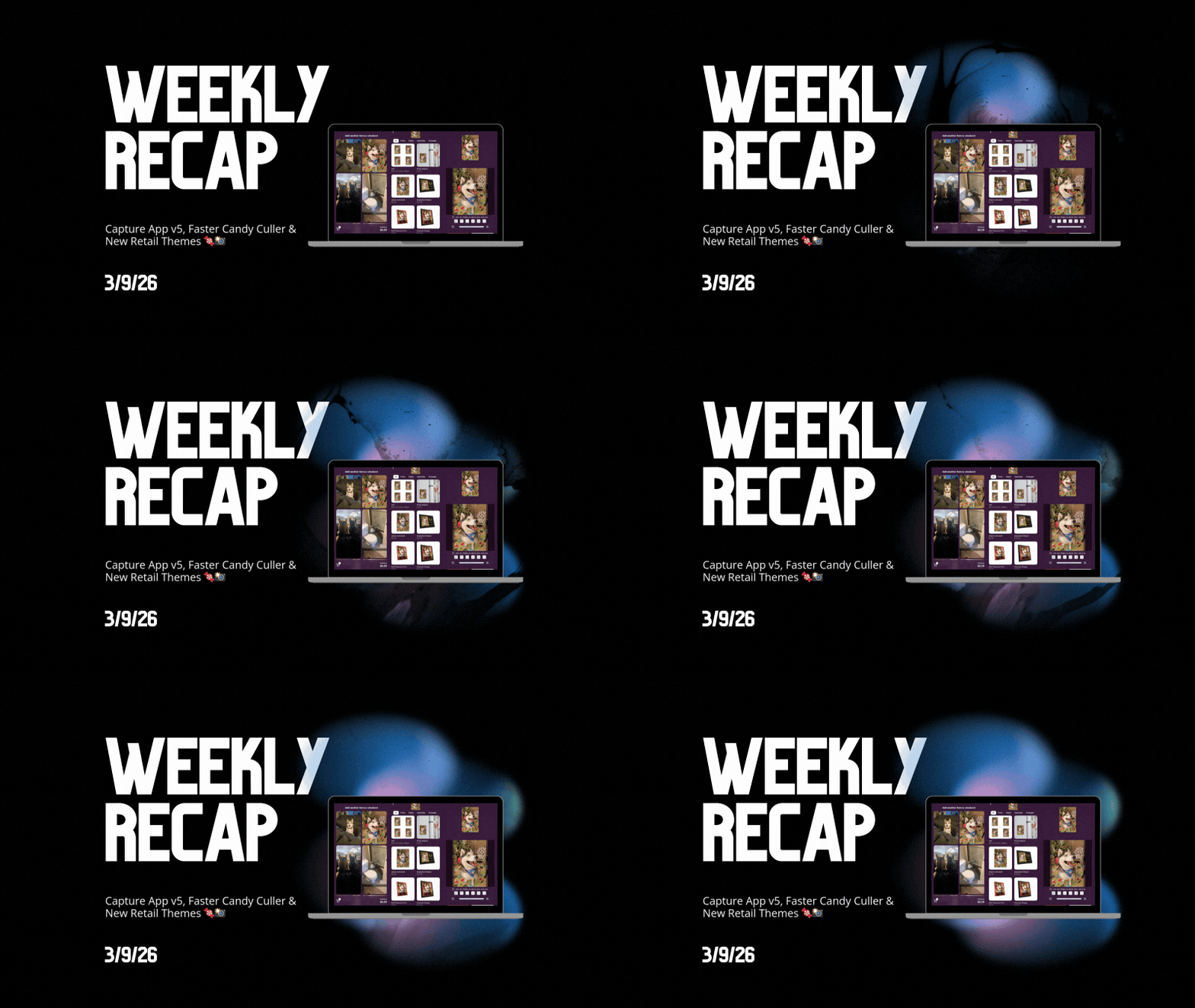
Weekly Recap: Capture App v5, Faster Candy Culler & New Retail Themes 🍬📸

Weekly Recap: Capture App v5, Faster Candy Culler & New Retail Themes 🍬📸
Hey photo friends! 👋

This week’s update is a big one. The new Capture App v5 for iOS has officially landed with major performance improvements, a refreshed UI, and some helpful workflow upgrades.

On top of that, Candy Culler just got significantly faster, retail got a couple new themes, and several tools across the Dashboard have been refined.

Let’s jump in.

📱 Capture App v5 (iOS) — Major Upgrade

Capture App Version 5 brings a full UI refresh, major performance improvements, and several new quality-of-life tools for shooting events.

⚡ v5: Faster Uploads & Better Performance

A brand-new upload system significantly improves efficiency:

  • 📤 Uploads can be up to ~20–30% faster
  • 📦 Payload size reduced by ~25% thanks to image transfer improvements
  • 🔋 Lower CPU, battery, and memory usage during uploads
  • 📷 Much better memory usage with tethered cameras
  • 🧠 Improved overall memory performance across the app

These improvements should make long shooting sessions feel noticeably smoother.

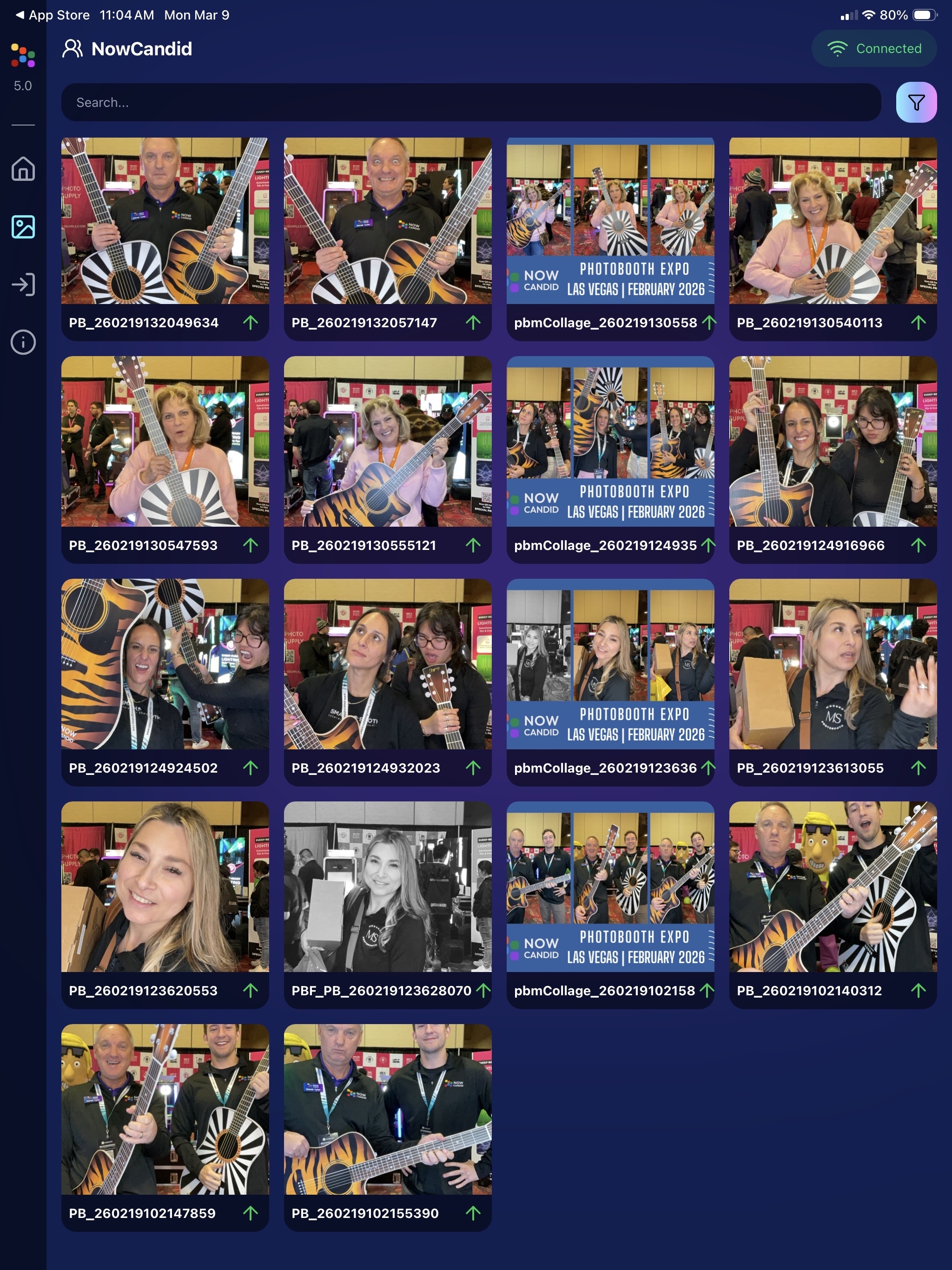
🖼️ v5: New Image Gallery & Filters

The in-app gallery has been redesigned with better filtering and navigation:

  • Image name search
  • Uploaded / Unuploaded status
  • Roll filtering
  • Event filtering

Filters are easy to remove with a single tap, similar to the Dashboard experience.

🔁 v5: Duplicate Photo Warning

The Capture App can now warn you about duplicate images during a shoot:

  • Works only within the current session
  • Does not upload or save duplicate data
  • Can be disabled from the Resources page if desired

This works independently from the Dashboard’s Candy Culler duplicate detection, giving you duplicate awareness both during capture and afterward.

🧰 v5: New Event Overview Info

The event overview page now includes helpful connection details:

  • 📡 Carrier name
  • 📶 Cellular generation (if available)
  • 📶 Current Wi-Fi network

This can help troubleshoot upload issues while shooting events.

🎨 v5: Photo Booth Background Packs

Photo Booth now supports downloadable background packs:

  • 🎄 Christmas
  • 🎃 Halloween
  • More to come!

The default pack is now a downloadable set as well, which keeps the main app much smaller and makes OTA updates faster.

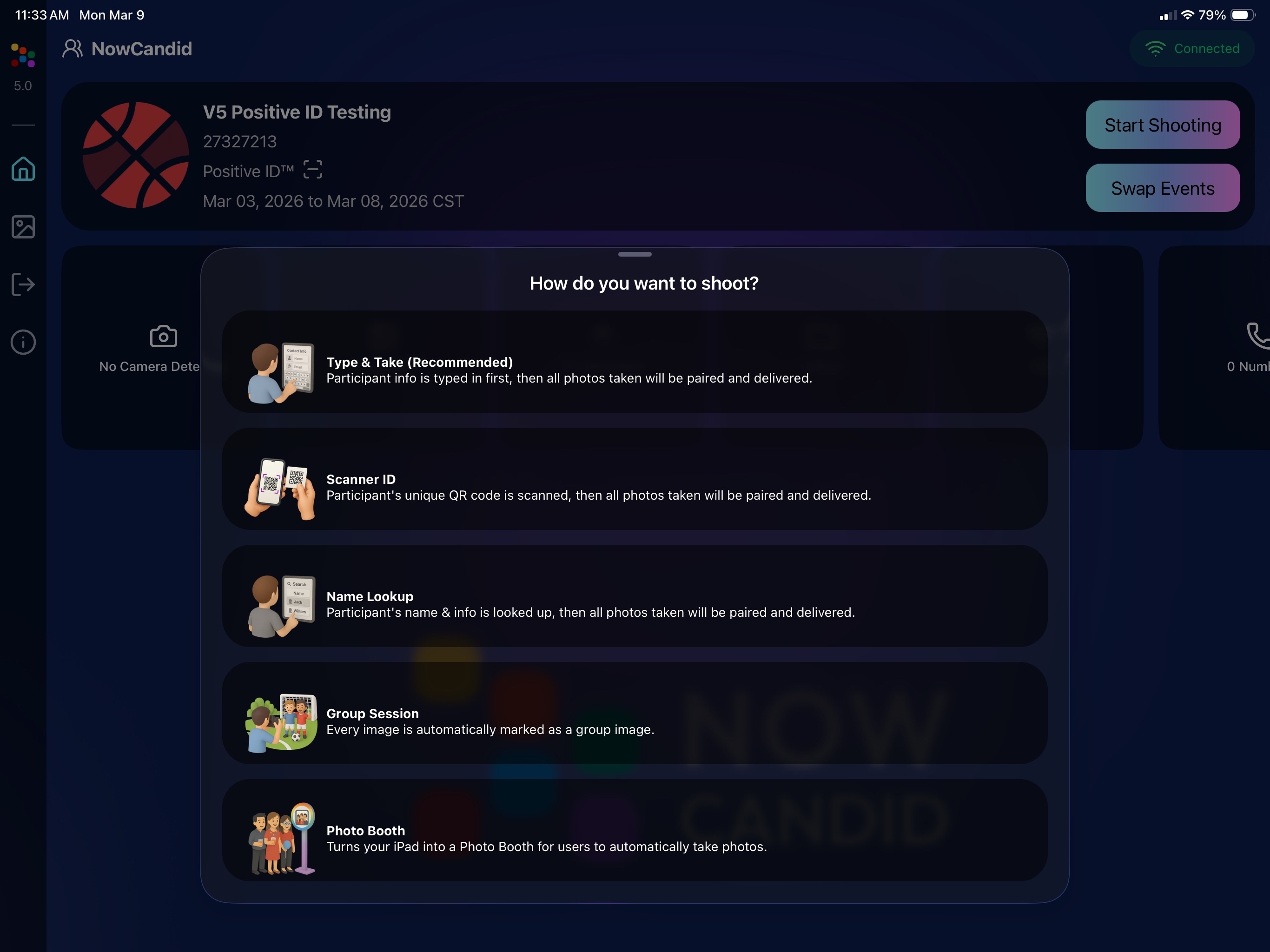
🔧 v5: Additional Capture App Improvements

🌍 International phone numbers supported in Positive ID (were already supported in Tap-A-Face)

🧍 Full vertical images now fit on iPhone screens

🔄 Update checks run automatically when refreshing events

📧 Tap-a-Face email validation now matches Check-In pages

🔄 Upload status updates immediately after each upload

📲 Tablets can now use portrait orientation throughout the app

✨ v5: Complete UI Refresh

Version 5 introduces a polished new interface:

  • Modern sheet-based UI
  • Improved dark mode styling
  • Larger login and event selection screens
  • Updated phone number input interface
  • New image details sheet
  • Cleaner image gallery layout

New popup styling!

Vertical orientation for iPad! Yay!

Overall, the app feels faster, cleaner, and more modern.

🧠 Candy Culler: Now 5× Faster

Candy Culler processing has been dramatically upgraded.

Up to 5× more images can now be processed at once, bringing it in line with Jersey Jotter throughput.

This means faster detection for:

  • Duplicates
  • Blurry photos
  • Exposure issues
  • Closed eyes
  • Other culling checks

🍬 Candy Improvements

Candy continues getting faster and smarter:

  • ⚡ Faster Candy responses
  • 🔎 Faster Candy Navigation results
  • 🧠 Improved event search for newly created events
  • 🎛️ Refreshed Mini Candy UI

Pro tip: Press CMD + A / CTRL + A to toggle Mini Candy.

🧾 Dashboard Improvements

Several useful refinements were made to the Dashboard:

  • 📊 Fixed Faces Report chart showing empty data
  • 🧾 QR Code generator downloads now export at 1024px
  • 📑 Scan card PDFs now sort duplicate participants exactly like the Capture App
  • 🎨 Offer editor popups for adding products and packages are now wider with product category tabs
  • 📊 Event order list diamond-press counts now include quantities correctly
  • 🧭 QR Creator and Image Tester now appear in Sidebar Find

🎨 New Retail Themes

Candy's Note: We hope you enjoy the pupper pics!

🍵 Matcha Theme – a clean green storefront (great for spring or St. Patrick’s Day)
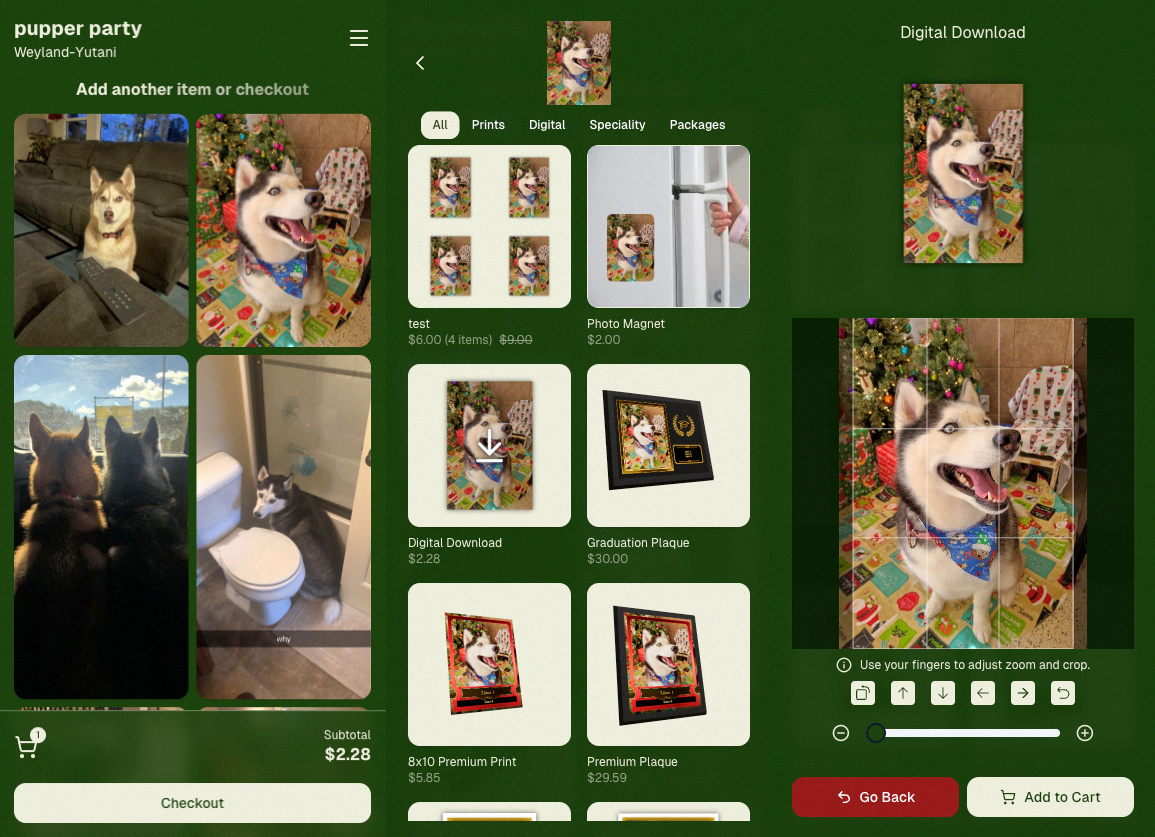
🍠 Ube Theme – a bold purple theme
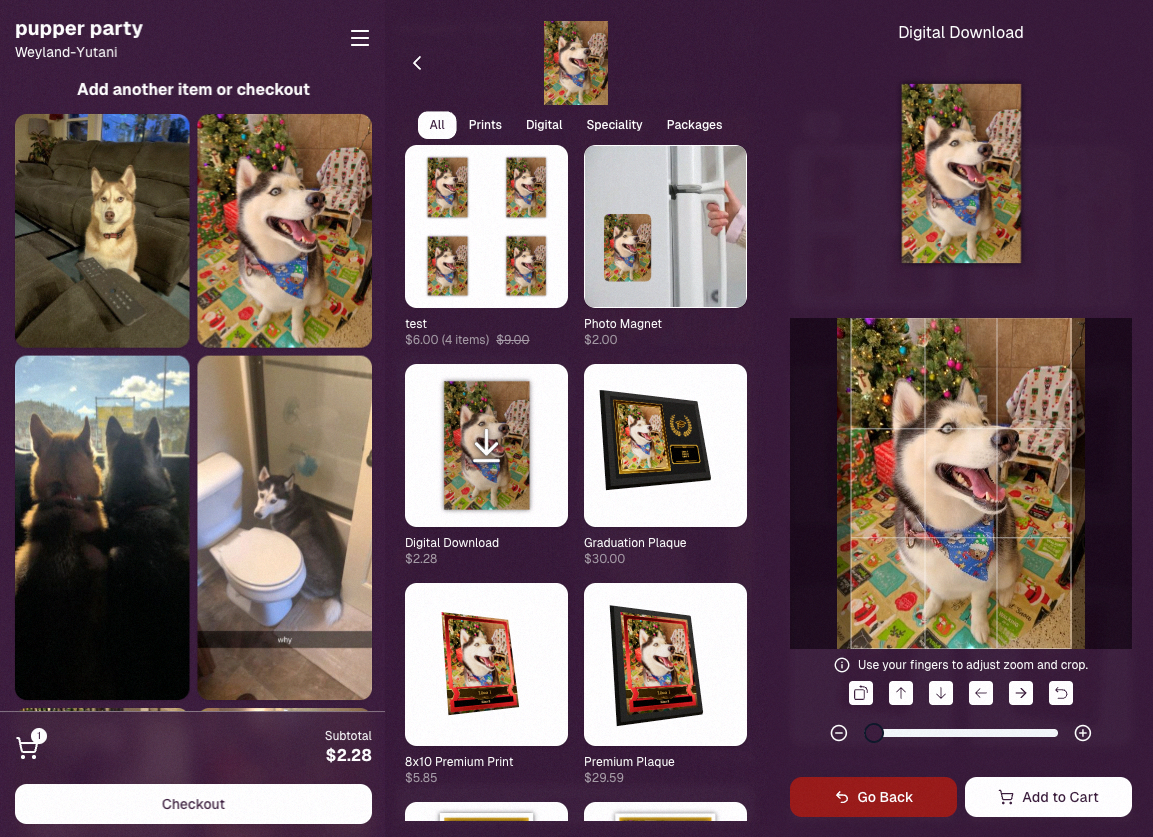
Bonus: Retail UI styling also received improvements for tabs, checkboxes, and order tracking.

📳 Haptics for Mobile Retail & Check-In

Mobile users will now feel subtle feedback interactions when using the site:

  • Tap feedback
  • Success feedback (add to cart, order placed)
  • Error feedback

This makes mobile ordering and check-in feel much more responsive, alive, and engaging!

🤳 Selfie Check-In Improvements

The Selfie Check-In site received improvements to the local face recognition model, making it more reliable and stable on more devices.

💰 QuicPics Adjustment

Good news for high-volume QuicPics users:

Selfie Check-Ins and PhotoRoster reference images no longer count as billable images.

That means QuicPics events that use those workflows will be slightly cheaper overall.

📥 Easier Downloads on iPhone

On iOS Chrome: Press-and-hold image downloads now open the iOS Share menu, making it much easier to save images. (iOS Safari already supported this behavior.)

🌐 New QuicPics Landing Page

The Quic.Pics site now has a proper landing page instead of only a login screen in case end customers stumble across it somehow.

Hopefully this helps it seem more legit while still remaining relatively white-label for your photographers out there!
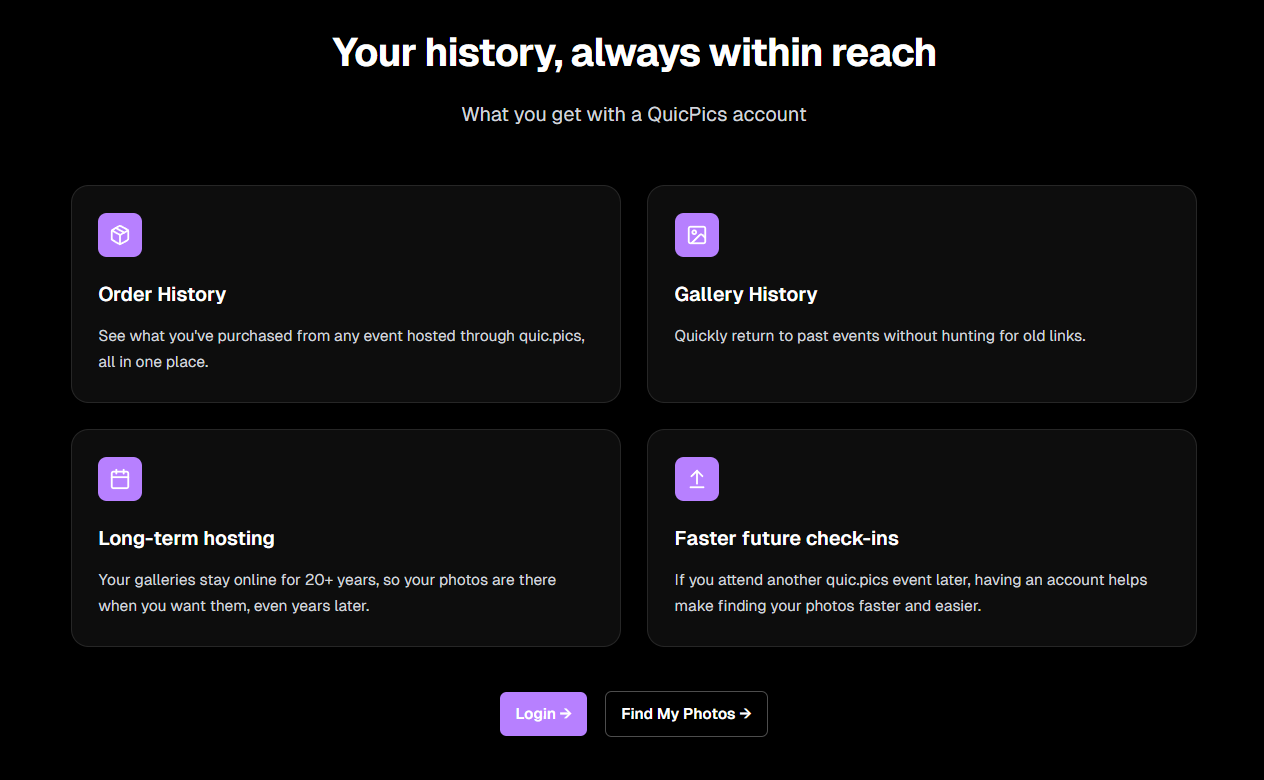
You can see it here: https://www.quic.pics

That’s the week!

Capture App v5 is a big upgrade, and combined with the faster Candy Culler and several Dashboard improvements, the entire workflow from capture → cull → sell just got smoother.

See you next week,

Candy 🍬

Related articles

Weekly Recap: Collage Printing, Digital Collages & More! ✨
Feature Updates
March 28, 2025

Weekly Recap: Collage Printing, Digital Collages & More! ✨

5
 minutes read
Hello, my fabulous photographers!

Candy here, and welcome to this week’s Weekly Recap.

We’ve got some fantastic updates in the latest version of the NowCandid™ iOS Capture App and more—so grab your coffee and let’s dive in!

Also, click here to check out GalleryGuard™, our newest image protection technology.

1. iOS Capture App Version 4.17 Updates 🍏

Collage Printing


We’re excited to announce a new way to showcase your photos—collage printing is now live!

  • • AirPrint Integration:
    Connect Photo Booth Mode to AirPrint printers to print 4x6 collages directly.
  • • Real-Time Customization:
    Subjects can view the collage as they customize each individual image.
  • • Flexible Copy Options:
    Print anywhere from 0 to 4 copies at the end of each session.
  • • Custom Collage Art:
    Photographers can upload their own Photo Booth Collage Art from the Event Management page (look for the button near LiveLoop™).

Smaller Capture App Tweaks

  • • Auto-Delete on Reshoot:
    Unused Photo Booth Mode images are automatically deleted when you hit “Reshoot.”
  • • Enhanced Print Option:
    A new print option now appears in the capture app's image gallery as well!
  • • UI Refinements:
    • ◦ The screen no longer dims when starting or closing the session.
    • ◦ Camera and orientation settings are now combined on the Photo Booth Mode landing page for easier use.

2. Digital Collages 💻

Digital Collages bring more creative flexibility, even without a physical printer!

  • • Integrated Delivery:
    In QuicPics™, digital collages are delivered just like all other images.
  • • Product Options:
    Available only as downloads and 4x6 prints on the retail site.
  • • Simplified Design:
    Crop and overlay art options are disabled to avoid customer mistakes.
  • • LiveLoop™ Compatibility:
    Digital Collages integrate seamlessly with LiveLoop™, showing no overlay art, since they already have art!

Vertical Image Orienttion Collage Example

3. Miscellaneous Improvements 🔧

A few extra tweaks to make your experience even better:

  • • Enhanced NSFW Filters:
    Our AI background generator on the retail site now features smarter, stronger NSFW filters.
  • • Stricter (Youth) Face Matching:
    Face Matching™ for younger subjects when using the "Strict (Youth)" option is now more precise.
  • • Spreadsheet Upgrade:
    The participant download spreadsheet now includes a column for each participant's personal gallery image count.

That’s this week’s roundup of updates, folks!

We hope these enhancements—from collage printing to digital collages and improved reporting—make your NowCandid™ workflow smoother and more fun.

As always, we’d love to hear your feedback!

Cheers and sparkles,


Candy 🍬

Big News: Introducing GalleryGuard™ – The Ultimate Image Protection! 🔒✨
Feature Updates
March 28, 2025

Big News: Introducing GalleryGuard™ – The Ultimate Image Protection! 🔒✨

5
 minutes read
Hello, my fabulous photographers!

Candy here, and I'm thrilled to share some BIG news that’ll give you peace of mind when it comes to protecting your digital art.

For as long as ViewFirst™ photo systems have existed, safeguarding your images has been a constant challenge.

While offering a digital preview is a fantastic business model, there's always that worry about unauthorized screenshots and image theft.

The Image Protection Challenge 🛡️

  • • The Dilemma:
    Digital images are easy to view and share, but that also makes them vulnerable to being stolen—whether through clever workarounds or even just customers posting watermark-covered screenshots on socials.
  • • Industry Solutions:
    Some platforms hide faces behind logos or use messy, multi-colored watermarks to confuse AI, but these methods can compromise the aesthetic and customer experience.
  • • NowCandid™ Approach:
    Until now, we've relied on Scrolling Copyrighting—a good balance between visual appeal, customer satisfaction, and protection. However, with AI watermark removal making headlines, we wanted to step up our game.

Introducing GalleryGuard™ 👨‍🍳

Our digital chefs have been busy in the NowCandid™ kitchen, and their latest creation is nothing short of a Michelin Star-worthy innovation:

  • • iOS Protection:
    On iOS device browsers, GalleryGuard™ ensures that any attempted screenshots of our Image Galleries or Previews will result in a completely black screen. Let's see AI pull an image out of that!
  • • Desktop Defense:
    On desktop browsers, GalleryGuard™ applies an intense blur effect to the retail site when a screenshot is attempted, keeping your images safe without compromising overall aesthetics.
  • • Seamless Integration:
    The technology is live on most NowCandid™ retail pages and will continue to evolve, offering you superior digital image protection.

Sample gallery on Chrome on an iPhone 16 Plus

Sample gallery on Chrome on a Windows PC

What Does This Mean for You? 🎉

  • • Less Image Theft:
    Your valuable digital art stays secure from unauthorized screenshots and AI watermark removal.
  • • More Peace of Mind:
    Enjoy the confidence that your creative work is protected by industry-leading technology.
  • • Quick Note:
    While GalleryGuard™ currently supports only iOS & desktop experiences, we may expand its capabilities in the future!

That’s the scoop on GalleryGuard™—a breakthrough step in defending your digital art.

Thanks for being an essential part of the NowCandid™ community.!

As always, if you have any questions or feedback, drop us a line.

Cheers and sparkles,


Candy 🍬

Weekly Recap: Faster Check-Ins, Text Upgrades & More! ✨
Feature Updates
March 21, 2025

Weekly Recap: Faster Check-Ins, Text Upgrades & More! ✨

5
 minutes read
Hello, my fabulous photographers!

Candy here, ready to sprinkle some sparkle on your day with our latest Weekly Recap.

We’ve been busy refining your NowCandid™ experience, and this week’s update is a solid mix of practical tweaks and new features—all designed to make your events run even smoother. Let’s dive in!

1. Check-In Info Saves to Account 📝

We know every second counts during an event. Now, when subjects perform a Selfie Check-In™ while logged into quic.pics, their check-in info is automatically saved to their account for future events.

Streamlined Check-In:

  • • Reuse saved check-in details for faster access at subsequent events.
  • • Speeds up the process and reduces repetitive data entry.
  • • Works for both Selfie Check-In™ as well as Positive ID™ Check-In.

Expedited Selfie Check-In for your regular subjects, woo!

2. QuicPics™ Text Character Increase 📲

Our marketing messages just got a boost! You now have more characters available when customizing the “Your images are arriving soon” text for QuicPics™ events.

More Room to Create:

  • • Tailor your messaging with extra characters for a more personalized touch.
  • • Future tweaks may come, but for now, enjoy the expanded flexibility!

Previously capped at 100 characters, you'll have a bit more wiggle room going forward!

3. QuicPortraits™ Pricing Now at 10¢ per Image 💰

Good news for portrait photographers who get paid upfront! We’ve adjusted the QuicPortraits™ pricing down to 10¢ per image from 12¢. This change is designed to help you offer headshots and individual portraits at a lower rate.

Cost-Saving for Portraits:

  • • QuicPortraits is aimed specifically at headshots and portraits where only one person receives the images.
  • • Expect further tweaks to QuicPortraits in the future, but the cost-saving is here to stay!

QuicPortraits is now 10 cents, down from 12!

4. GroupTags™ Enhancements 🏷️

We’ve made it easier than ever to manage group photos and individual shots with GroupTags™.

Import GroupTags:

  • • Upload a spreadsheet to auto-create as many GroupTags™ as you need—perfect for events with many teams or groups.

GroupTagging Individuals:

  • • Now you can assign GroupTags™ even to Individual Photos, not just Group Photos.
  • • This change gives you more flexibility when organizing the Groups of images your customers can filter by on the retail site. Possibly helpful for some action photographers!

GroupTags™ are now no longer limited to only Group Photos!

5. Miscellaneous Updates 🔧

A few extra tweaks to enhance overall performance and clarity:

Shortened Marketing Links:

  • • All links in marketing texts are now shortened without compromising URL security.

Informative Color Profile Errors:

  • • When an image is uploaded with the wrong color profile, the error now specifies which color profile the image has, instead of just saying “wrong color profile.”

That’s this week’s recap, folks!

These updates are all about making your workflow more efficient—from saving check-in info and giving you more flexible text options to reducing costs on QuicPortraits™ and enhancing GroupTags™.

We’re continuously improving our system to help you manage your events seamlessly and boost your sales.

As always, we love hearing your feedback—let us know what you think!

Cheers and sparkles,


Candy 🍬

Let’s get in touch

If you’re a photographer looking to add NowCandid services to your wheelhouse – set up a call by clicking the button below.

How to customize formatting for each rich text

How to customize formatting for each rich text

How to customize formatting for each rich text

How to customize formatting for each rich text

How to customize formatting for each rich text

What’s a Rich Text element?

The rich text element allows you to create and format headings, paragraphs, blockquotes, images, and video all in one place instead of having to add and format them individually. Just double-click and easily create content.

A rich text element can be used with static or dynamic content. For static content, just drop it into any page and begin editing. For dynamic content, add a rich text field to any collection and then connect a rich text element to that field in the settings panel. Voila!

Headings, paragraphs, blockquotes, figures, images, and figure captions can all be styled after a class is added to the rich text element using the "When inside of" nested selector system.

  • List One
  • List Two
  • List Three
  • List Four
  • List Five

This is a link

This is bold text