HomeNavigation arrowBlogNavigation arrow
Current page
Feature Updates

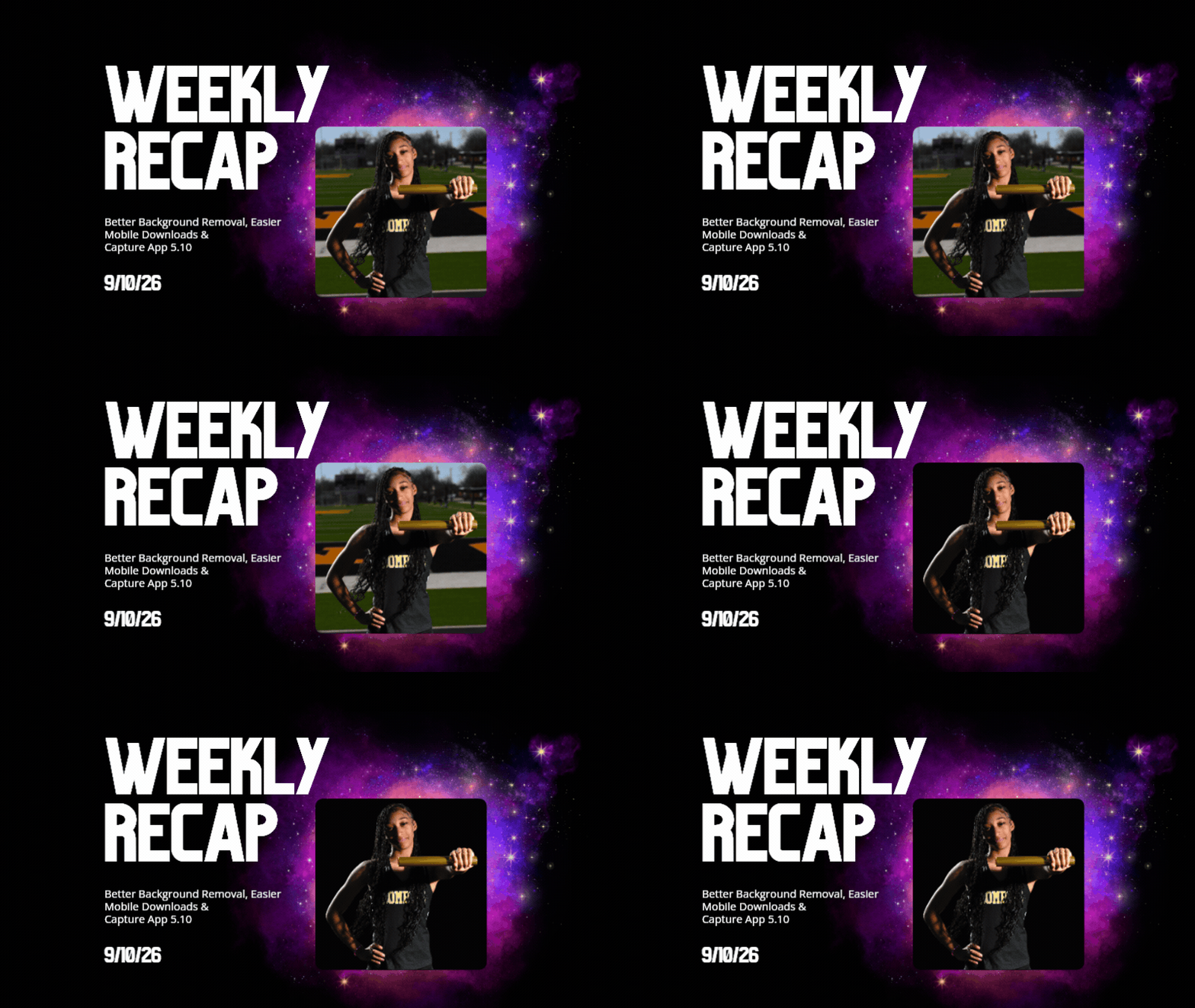
Weekly Recap: Better Background Removal, Easier Mobile Downloads & Capture App 5.10 ✂️📱

Weekly Recap: Better Background Removal, Easier Mobile Downloads & Capture App 5.10 ✂️📱
Hey photo friends! 👋

Candy here with another weekly recap! This week’s biggest improvements are in Background Removal, with better sports cutouts, and faster processing.

We’ve also made the mobile receipt download experience much easier, added a couple of helpful Capture App features, and cleaned up several Dashboard workflows.

✂️ Background Removal Keeps Getting Better

Background Removal got another round of quality and performance improvements this week:

Faster processing

  • BGR is now a bit quicker overall.

🏈 Better sports cutouts

  • Cutout quality has been improved, particularly for sports-related images.

📈 Continuous improvement system

  • We’ve also added a new system designed to help Background Removal continue improving over time as we further refine the process.

📱 Mobile Downloads Are Much Easier

The Web Receipt Download Page has been reworked on mobile to make getting images into your phone or sharing them much simpler.

🗂️ Info cards now use two columns

  • Just like desktop, which gets the actual image downloads closer to the top of the page.

📤 Download is now Share on mobile

  • Individual images now show Share instead of Download and open your device’s native share sheet.
  • That makes it easier to save an image to your Photos app, text it to someone, or send it directly into another app.

🖼️ Share All sends actual image files

  • The previous Download All option is now Share All on compatible mobile browsers.
  • Instead of creating one ZIP file, it attaches the images individually so you can more easily save the entire gallery to the Photos app (or send the images elsewhere).
  • If the browser can’t handle the share—for example, if there are too many images—it will automatically fall back to a ZIP like desktop.

📷 Capture App 5.10

iOS & Android App Store update — September 8

Two handy additions made their way into Capture App 5.10:

🔊 Audible scan confirmation

  • You’ll now hear a beep after successfully scanning a card, making it easier to know immediately that the scan worked.
  • Should help you and your hired photographers better know when a Scan Card has been succesfully scanned when using the Scanner ID Workflow!

📸 “TAKE PHOTO” placeholder is back

  • The familiar image placeholder has returned to the shooting workflow.
  • Should help new users or hired photographers know when the app is ready to receive images!

🛍️ Retail Improvements

🖼️ Overlay now appears in the cropper

  • If a shopper selects an Event overlay, they can now see it while adjusting their crop.

📱 Larger overlay preview on mobile

  • The image shown during the “Would you like to use this Event’s overlay?” step is now bigger on mobile.

✉️ Better mobile email receipts

  • Receipt emails should now display more reliably in a mobile-friendly layout across mobile email clients.

🧩 Memory Mate fix

  • Fixed an edge case where TKO images couldn’t be selected as the primary image when the Memory Mate configurator was opened from a Group Photo.

🍎 iOS 26 layout cleanup

  • Fixed a small spacing issue on the overlay-selection screen when Safari is using bottom-positioned tabs.

🖥️ Dashboard Updates

🏷️ Event names are easier to keep track of

  • Desktop Event pages now prefix the Event name in the header.

👥 Cleaner merged-participant display

  • Tabbed-in merged participants now have a subtle curved line visually connecting them to the main participant.

📊 Marketing History traffic fix

  • Fixed some retail web traffic chart dates being displayed incorrectly because of timezone differences.

🖼️ Virtual Group image picker fix

  • Double-clicking a blank participant will continue opening the Image Picker correctly after a refresh.

🎨 “Overlay” renamed to “Foreground” in Virtual Group Builder

  • This helps distinguish Virtual Group foreground artwork from full-frame Event overlays.

📄 Easier Manage Images pagination

  • When you’re beyond page one, page controls now also appear above the images so you don’t have to scroll all the way down just to switch pages.

🪪 Clearer Positive ID activity logs

  • Image Details now correctly reports “Image Positive ID’d to X” rather than describing the action as Tap-A-Face or categorizing it as Face Matching.

That’s the week!

Better cutouts are the biggest story, but the new mobile sharing workflow should also make a noticeable difference for customers trying to get their photos from a receipt onto their phones.

Keep creating magic,

Candy 🍬
Related articles

Weekly Recap: Auto Headsize for Virtual Groups, New BGR Report, HEIC Conversion & More
Feature Updates
June 19, 2026

Weekly Recap: Auto Headsize for Virtual Groups, New BGR Report, HEIC Conversion & More

5
 minutes read

This week’s updates include some helpful improvements across Virtual Group Builder, reporting, image conversion, participant management, and folder downloads.

The biggest highlight is a new Auto Headsize option in Virtual Group Builder, designed to give you a much better starting point when building virtual groups. We also added a new BGR Report to help you see which backgrounds are being ordered most, plus a few quality-of-life improvements throughout the Dashboard.

Let’s take a look!

🧑‍🤝‍🧑 Virtual Group Builder Improvements

✨ New Auto Headsize button

Virtual Group Builder now has a new Auto Headsize button.

This feature automatically detects faces and adjusts the scale and vertical offset of all cutouts so that subjects have roughly the same head size and are closer to eye level.

That means when you’re building a virtual group, you should have a much better starting point before making your final manual adjustments.

🏷️ Improved PhotoTag import behavior

We improved the behavior when importing a PhotoTag into Virtual Group Builder, helping that workflow feel smoother when adding subjects from a specific PhotoTag.

🚀 Upload fix for new from-scratch Virtual Groups

Fixed an issue where uploads were not uploading properly when working from /new on a from-scratch Virtual Group instead of an existing one.

👥 Smarter default subject behavior

Virtual Group Builder now skips the initial “add to group or replace group” popup when the only subjects in the group are the default 8 subjects.

🖼️ Bottom logo spacing improved

Bottom logos are now spaced the same distance from the bottom as top logos are from the top.

📊 Reporting Updates

📈 Events and Sales Report tables now have sortable columns

The Events Report and Sales Report tables now support sortable columns, making it easier to review and organize report data directly in the table.

🎨 New BGR Report

There is now a new BGR Report that shows the most ordered backgrounds for BGR images.

The report shows:

  • How many orders a background has
  • How many items a background has

Important note: if you upload the same background to multiple Events, those will show up as different backgrounds in the report. To avoid that, use the background import feature.

🖼️ Image Converter Update

📱 HEIC conversion is now supported

The Image Convert page at tools/convert now supports converting from HEIC files.

This should be helpful when working with images from devices that commonly save in HEIC format.

👥 Participant List Update

🏷️ Set PhotoTags for selected participants

On the Participant List page, the selected participants popup now includes a new option to set PhotoTags for those selected participants.

This gives you another way to update participant organization in bulk.

📂 Manage Images Update

⬇️ Download Folder improvements

The Download Folder feature on the Manage Images page now includes an X/X counter while downloading.

We also improved the behavior when downloading a folder with hundreds of images, which should make larger folder downloads clearer and more manageable.

That’s the week!

This week’s updates should make several everyday workflows smoother: Virtual Group Builder now has a stronger starting point with Auto Headsize, BGR background performance is easier to review, HEIC files are easier to convert, participant PhotoTags are easier to update, and large folder downloads are clearer.

Keep creating magic,
Candy 🍬

Introducing Virtual Group Builder: Create Virtual Group Photos Faster in NowCandid ✨
Feature Updates
June 12, 2026

Introducing Virtual Group Builder: Create Virtual Group Photos Faster in NowCandid ✨

8
 minutes read
Virtual group photos can be incredibly valuable for photographers — but let’s be honest, they have not always been incredibly fun to make!

Traditionally, creating a virtual group means jumping between multiple tools. You photograph each subject, create cutouts, export files, open design software, place everyone manually, resize and align the group, add names, save the finished image, upload it somewhere else, and then reconnect that image to the right customers.

That is a lot of steps for one group photo!

NowCandid’s Virtual Group Builder makes the process much simpler. Photographers can now create polished virtual group images directly inside the NowCandid Dashboard using the same Participants, cutouts, PhotoTags, backgrounds, and Event data already connected to their Event.

It is fast, flexible, and built to help photographers get virtual groups online and ready to sell with far less hassle. 🎉

A New Way to Build Virtual Group Photos

Virtual Group Builder is designed for photographers who want to offer professional group images when a traditional in-person group photo isn't possible.

That makes it especially useful for sports teams, schools, dance groups, cheer teams, clubs, all-star teams, and any Event where people are photographed individually but still need to appear together in a final group image.

Instead of needing every participant posed together at the exact same time, photographers can build a finished group photo from individual background-removed cutouts. If someone was photographed later, added after the fact, or missed the original group setup, they can still be included.

That flexibility can be a big deal for volume photography.

Built Directly Into the NowCandid Dashboard

Virtual Group Builder lives directly inside NowCandid. From an Event page, photographers can click Virtual Groups in the sidebar menu and start building using the Event data they already have.

The builder is not a disconnected design tool. It works alongside our existing tools, including participant data, PhotoTags, background removal, cutouts, custom backgrounds, overlays, logos, and everything else.

So instead of downloading files from one place, designing in another, and uploading it back to the dashboard afterward, photographers can keep the process inside NowCandid from start to finish.

Virtual Group Builder also supports the Mobile Dashboard! We don't necessarily recommend making Virtual Groups on your phone - but hey, could be nice in a pinch!

From Capture to Cutouts to Finished Group 🚀

Virtual Group Builder pairs especially well with NowCandid’s live-uploading and background removal capabilities.

A photographer can shoot participants individually, upload images to NowCandid live (or after the event) use NowCandid’s background removal to create clean cutouts, and then bring those cutouts straight into the Virtual Group Builder.

As a quick note for those unfamiliar with NowCandid's background removal, those same cutouts can also be used for shopping with alternate backgrounds! Making them multi-purpose across the Event.

For photographers shooting sports, schools, dance, cheer, or other volume Events, this can save a serious amount of time.

Add the Right Subjects Quickly 👥

Virtual Group Builder gives photographers a few easy ways to add people to a group.

You can add one participant at a time, import everyone from a specific PhotoTag, or bring in all participants from the Event. This makes the builder flexible for both small custom groups and larger team or event-wide composites.

PhotoTags are especially powerful here. If your Event is organized by team, class, club, etc., you can use those PhotoTags to bring the right people into the group quickly.

For example, a sports photographer could import a single team. A school photographer could import a club or activity group. A graduation photographer could import participants from a specific ceremony.

Clean PhotoTags can turn what used to be a very manual process into just a few clicks. ✨

Helpful Safeguards for Missing Cutouts

Real-world events are messy. Sometimes a participant is missing a cutout. Sometimes a placeholder exists. Sometimes a photographer needs to know what is missing before moving forward.

Virtual Group Builder helps make that easier to catch.

When importing from a PhotoTag, photographers can see the participants in that PhotoTag before removing empty subjects. The Remove Empty Subjects option can remove participants with no cutouts as well as placeholders, but the workflow is designed to help photographers notice missing kids, players, or participants before finalizing the group.

That way, the tool keeps things fast without overlooking potential issues.

Smart Subject Ordering

Virtual Group Builder uses a practical ordering system to help preserve the order participants were photographed in.

Subjects are initially ordered from bottom left to top right based on the alphanumeric order of the first PNG filename. In plain English: if a photographer shoots and names files in a meaningful order, the builder can use that order as a helpful starting point.

This can be useful for sports teams photographed by jersey number, students photographed alphabetically, or groups photographed in a specific roster order.

And when the order needs to change, photographers can simply drag subjects into place.

Drag, Drop, Swap, and Adjust 🖱️

Reordering subjects is simple. Photographers can drag the cutouts directly on the group image or drag the subject tiles at the bottom of the page.

When a subject is dragged to a new location, it swaps with the destination Participant. This makes it easy to balance rows, adjust lineups, or move specific people into better positions.

The builder also includes group-level controls for layout and composition, including rows, global scale, vertical position, background, overlay, text names, crop guides, aspect ratio lines, bottom vignette, and cutout fade settings.

These controls help photographers quickly shape the whole group while still keeping the workflow approachable.

Fine-Tune Individual Subjects 🎛️

Sometimes one participant needs a small adjustment. Maybe they need to be slightly larger, shifted left or right, brightened, or swapped to a different PNG.

The Subject Inspector gives photographers individual control over each subject.

Photographers can adjust a subject’s name, scale, brightness, horizontal offset, and vertical offset. They can also reset the subject, change them to a different Participant, change the selected cutout, or remove the subject from the group entirely.

This is one of the biggest advantages of the builder: it is fast, but still gives you control when the final image needs a little extra polish.

Choose the Best Cutout for Each Participant 🖼️

If a Participant has multiple cutouts available, photographers can choose which image works best for the group.

When adding subjects, photographers can also decide they want their incoming Participants to be using their first PNG or their latest PNG (alphanumerically determined using Folder Name and Image File Name).

Then subjects can also be selected to have their individual portrait swapped to a different one! This can be helpful when you want a variety of poses in your Virtual Group, or simply to swap a blinking kid's image to a

Backgrounds, Overlays, Logos, and Product Sizes 🎨

Virtual Group Builder gives photographers creative control over the final image.

Photographers can choose from NowCandid default backgrounds, use custom offer backgrounds, upload their own backgrounds, add overlays, and place account logos in the corners. This makes it easy to create anything from a clean traditional group image to a bold sports graphic or school-branded composite.

The builder supports common product-friendly formats, including 4×6, 5×7, 8×10, and 11×14. Crop guides and aspect ratio lines help photographers preview how the final image will fit the selected size.

There are also display options for subject names, including toggling names on or off and adjusting their vertical position. For teams, senior groups, school clubs, all-star rosters, or small graduation groups, names can make the final product feel more complete and commemorative.

Upload the Finished Group Back to the Event 📤

Once the virtual group is finished, photographers can save it and upload it back to the Event.

During upload, the group image can be assigned to a PhotoTag. This does two important things: it automatically shows the group image to participants with that same PhotoTag, and it makes the group photo searchable in the Event using that PhotoTag.

So if a photographer creates a group image for “Varsity Football,” they can assign it to that PhotoTag on upload. The image can then appear for the right participants and stay organized inside the Event.

That keeps the final product connected to the same Event structure used to build it.

Why This Is Such a Big Deal for Photographers

Virtual Group Builder is more than a design feature. It is a faster, more connected way to create and sell group photography products.

It helps photographers reduce manual design work, use the cutouts they already have, build from PhotoTags and participant data, add missing participants more easily, and get virtual group products online faster.

For volume photographers, that can mean less time spent assembling files and more time selling finished products. For customers, it means more group photo options. For events, it means group photography becomes more flexible, forgiving, and scalable.

Virtual Groups, Now Built Into the NowCandid Workflow ✨

Virtual Group Builder brings together live uploading, background removal, participant cutouts, PhotoTags, drag-and-drop group building, backgrounds, overlays, logos, subject names, crop previews, PhotoTag-based upload, and online selling.

When an Event is set up cleanly with consistent cutouts and PhotoTags, photographers can create a full virtual group in just a few clicks — then fine-tune it as needed.

It is simple, powerful, and built directly into NowCandid.

Whether you are creating a sports team composite, school group photo, graduation image, dance group, cheer team, all-star roster, or custom event product, Virtual Group Builder helps you get polished virtual group photos online faster.

Ready to try it?

Open an Event in your NowCandid Dashboard and click Virtual Groups in the sidebar menu to start building. 🎉

Weekly Recap: Faster Participant Downloads, Better BGR Details & Customizable Product Badges 📸✨
Feature Updates
June 12, 2026

Weekly Recap: Faster Participant Downloads, Better BGR Details & Customizable Product Badges 📸✨

2
 minutes read
Hey photo friends! 👋

Candy here with a lighter update this week—but still plenty of handy improvements across the Dashboard and Retail site. This week’s changes focus on making participant data faster to work with, improving BGR/AI image visibility, and adding clearer product signals for shoppers.

Let’s take a look!

👥 Participant & Contact Improvements

Faster participant download sheets

  • • The participant download sheet on the Event Participant List page now generates much faster, especially for large Events.

🪪 Scan cards with images but no contact info are easier to find

  • • If an Event has scan cards that already have images but no contact information, they’ll now appear above the participant table.
  • • You can click one to view the images and add contact information, turning it into a full Participant!

🏷️ PhotoTags in Participant image lightboxes

  • • On the Participant Details page, image lightboxes now show PhotoTag assignments just like Manage Images does—with the ability to edit them right there.

📊 Order average on Event Overview

  • • The Event Overview page now shows order average on the Orders chart.

🖼️ BGR, AI & Image Detail Improvements

🔍 Preview Original now works for BGR images

  • • On Manage Images, you can now use Preview Original in the lightbox for BGR images, not just AI images.
  • • Pro tip: use the \ key to toggle original preview.

📂 Original Folder shown for BGR and AI images

  • • The lightbox now shows the original image’s folder for BGR and AI images.

🧾 Image Details now available for BGR images

  • • BGR images now support the Image Details page anywhere the lightbox previously showed Details, Participants, Logs.

👥 Original participant list shown for BGR/AI images

  • • For BGR images and AI images uploaded directly from Candy Image Studio or Auto Editor, Image Details now shows the participants from the original image.

📍 Face box positioning fix

  • • Fixed an edge case where face boxes could shift out of place after resizing the webpage or content.

🧑‍🤝‍🧑 Virtual Group Builder

🖼️ Improved logo placement

  • • Logo placement in Virtual Group Builder has been updated so logos fit better within the default crop across supported aspect ratios.

🧭 Dashboard Navigation & Reports

🔙 Better browser Back behavior

  • • When returning to the Event List page with filters applied, browser back navigation should now behave better and reapply your search/filter state.

📊 Report filters save in the URL

  • • Report filters now support refreshing, browser history, and shareable filtered views (they're now saved in the URL).

🏠 Recent Orders count fixed

  • • Fixed an item count issue in the Recent Orders section on the Home/Landing page.

🛍️ Retail Updates

🏷️ New “Customizable” badge

  • • Products that include meaningful customization (color or style choices available) now show a Customizable badge on the store sheet. Products where the only customization is captions are not included.

🖼️ Personal Gallery Download wording update

  • • The Personal Gallery Download sheet now says “Group Photos are not included” instead of “Team Photos are not included” for non-sports Events.

That’s the week!

A smaller update, but a useful one—faster participant exports, clearer BGR/AI image details, better filtered navigation, and improved product clarity for shoppers.

Keep creating magic,

Candy 🍬

Let’s get in touch

If you’re a photographer looking to add NowCandid services to your wheelhouse – set up a call by clicking the button below.

How to customize formatting for each rich text

How to customize formatting for each rich text

How to customize formatting for each rich text

How to customize formatting for each rich text

How to customize formatting for each rich text

What’s a Rich Text element?

The rich text element allows you to create and format headings, paragraphs, blockquotes, images, and video all in one place instead of having to add and format them individually. Just double-click and easily create content.

A rich text element can be used with static or dynamic content. For static content, just drop it into any page and begin editing. For dynamic content, add a rich text field to any collection and then connect a rich text element to that field in the settings panel. Voila!

Headings, paragraphs, blockquotes, figures, images, and figure captions can all be styled after a class is added to the rich text element using the "When inside of" nested selector system.

  • List One
  • List Two
  • List Three
  • List Four
  • List Five

This is a link

This is bold text