

Weekly Recap: Auto Headsize for Virtual Groups, New BGR Report, HEIC Conversion & More


This week’s updates include some helpful improvements across Virtual Group Builder, reporting, image conversion, participant management, and folder downloads.
The biggest highlight is a new Auto Headsize option in Virtual Group Builder, designed to give you a much better starting point when building virtual groups. We also added a new BGR Report to help you see which backgrounds are being ordered most, plus a few quality-of-life improvements throughout the Dashboard.
Let’s take a look!
🧑🤝🧑 Virtual Group Builder Improvements
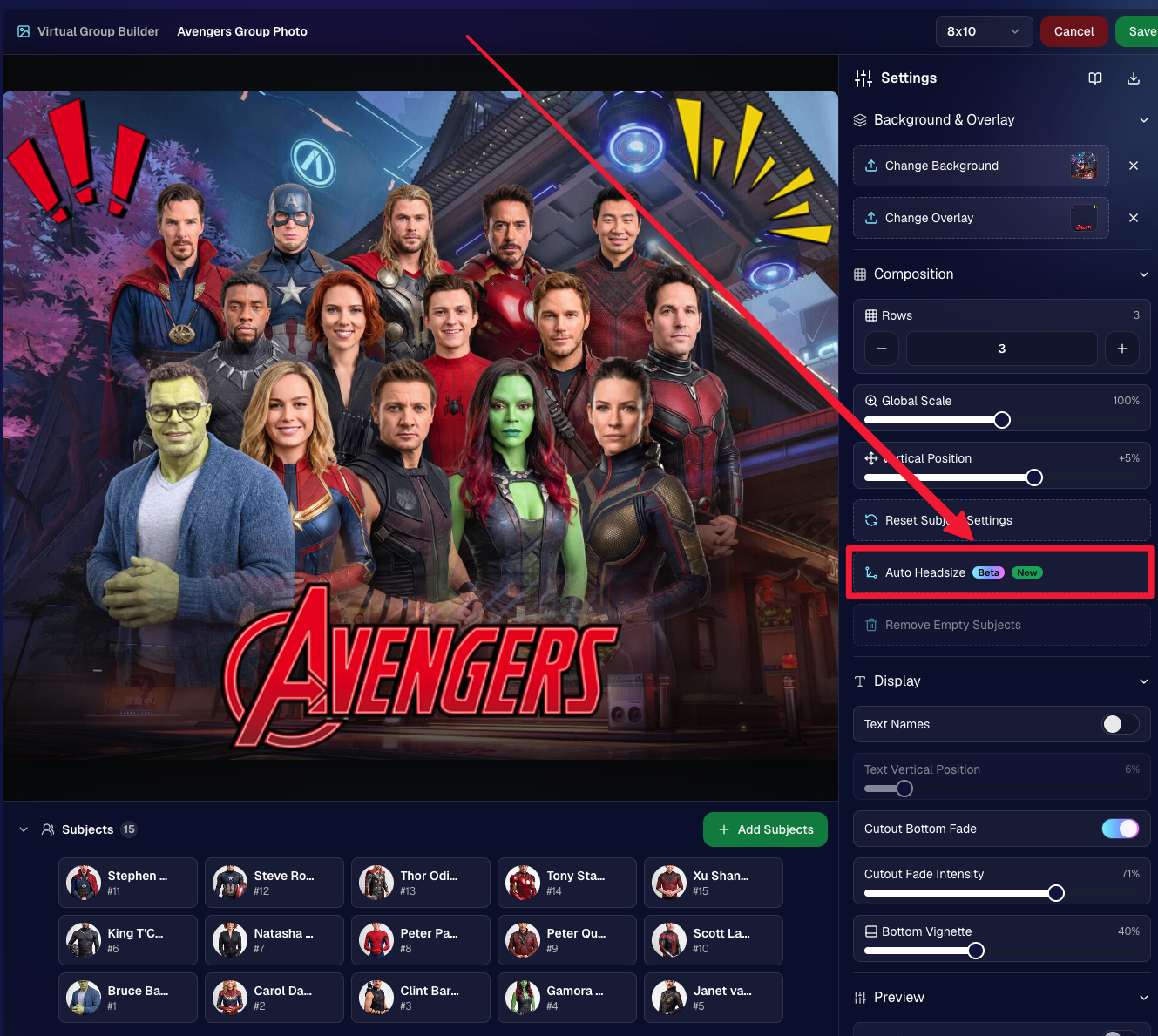
✨ New Auto Headsize button
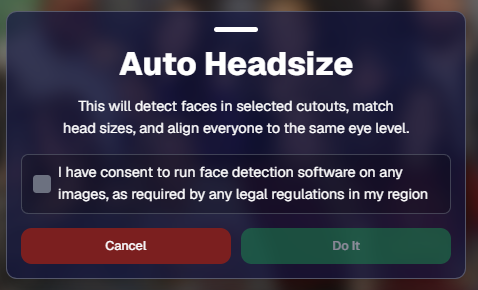
Virtual Group Builder now has a new Auto Headsize button.
This feature automatically detects faces and adjusts the scale and vertical offset of all cutouts so that subjects have roughly the same head size and are closer to eye level.
That means when you’re building a virtual group, you should have a much better starting point before making your final manual adjustments.
🏷️ Improved PhotoTag import behavior
We improved the behavior when importing a PhotoTag into Virtual Group Builder, helping that workflow feel smoother when adding subjects from a specific PhotoTag.
🚀 Upload fix for new from-scratch Virtual Groups
Fixed an issue where uploads were not uploading properly when working from /new on a from-scratch Virtual Group instead of an existing one.
👥 Smarter default subject behavior
Virtual Group Builder now skips the initial “add to group or replace group” popup when the only subjects in the group are the default 8 subjects.
🖼️ Bottom logo spacing improved
Bottom logos are now spaced the same distance from the bottom as top logos are from the top.
📊 Reporting Updates
📈 Events and Sales Report tables now have sortable columns
The Events Report and Sales Report tables now support sortable columns, making it easier to review and organize report data directly in the table.
🎨 New BGR Report
There is now a new BGR Report that shows the most ordered backgrounds for BGR images.
The report shows:
- How many orders a background has
- How many items a background has
Important note: if you upload the same background to multiple Events, those will show up as different backgrounds in the report. To avoid that, use the background import feature.
🖼️ Image Converter Update
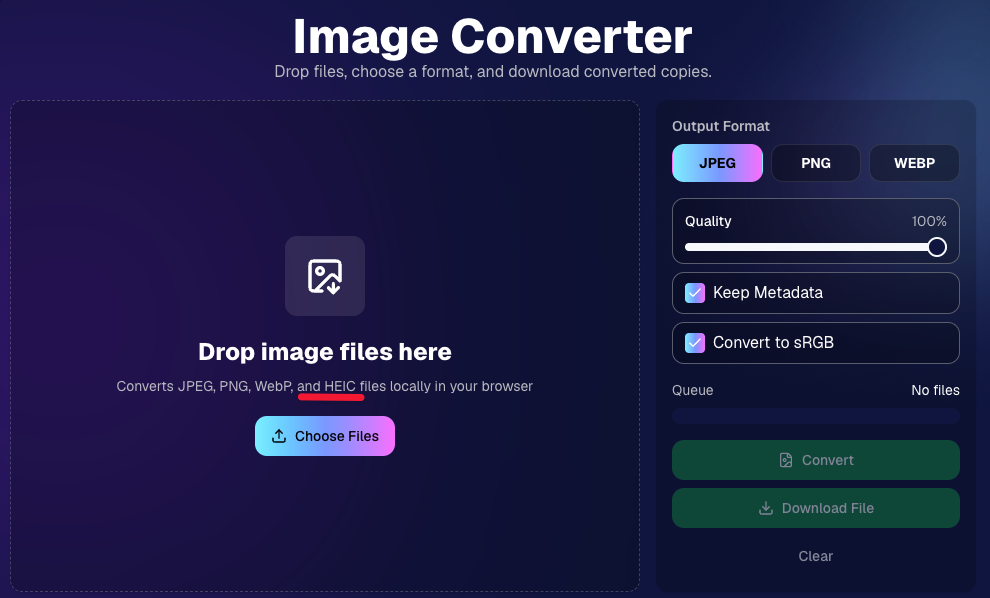
📱 HEIC conversion is now supported
The Image Convert page at tools/convert now supports converting from HEIC files.
This should be helpful when working with images from devices that commonly save in HEIC format.
👥 Participant List Update
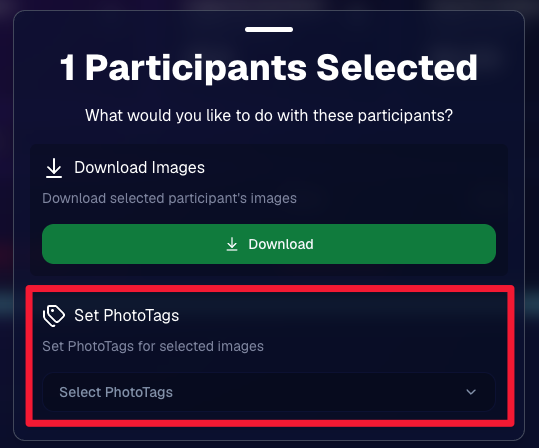
🏷️ Set PhotoTags for selected participants
On the Participant List page, the selected participants popup now includes a new option to set PhotoTags for those selected participants.
This gives you another way to update participant organization in bulk.
📂 Manage Images Update
⬇️ Download Folder improvements
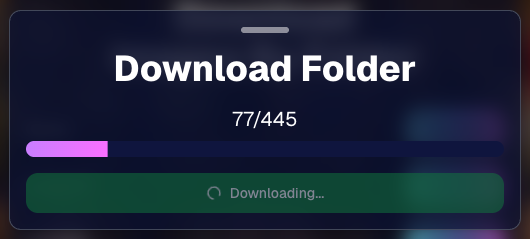
The Download Folder feature on the Manage Images page now includes an X/X counter while downloading.
We also improved the behavior when downloading a folder with hundreds of images, which should make larger folder downloads clearer and more manageable.
That’s the week!
This week’s updates should make several everyday workflows smoother: Virtual Group Builder now has a stronger starting point with Auto Headsize, BGR background performance is easier to review, HEIC files are easier to convert, participant PhotoTags are easier to update, and large folder downloads are clearer.
Keep creating magic,
Candy 🍬




.svg)


