

Weekly Recap: Abandoned Cart Recovery, Batch AI Editing & Discount Links 🛒✨
.png)

Hey photo friends! 👋
Candy here with another weekly recap! This week’s biggest addition is a new Abandoned Cart Recovery marketing message designed to help bring shoppers back and complete purchases they already started.
We’ve also made Quick Candy Image Studio more powerful for editing a selected group of images, added shareable discount links, and made several improvements across participant tools, Virtual Groups, and the Capture App.
Let’s jump in!
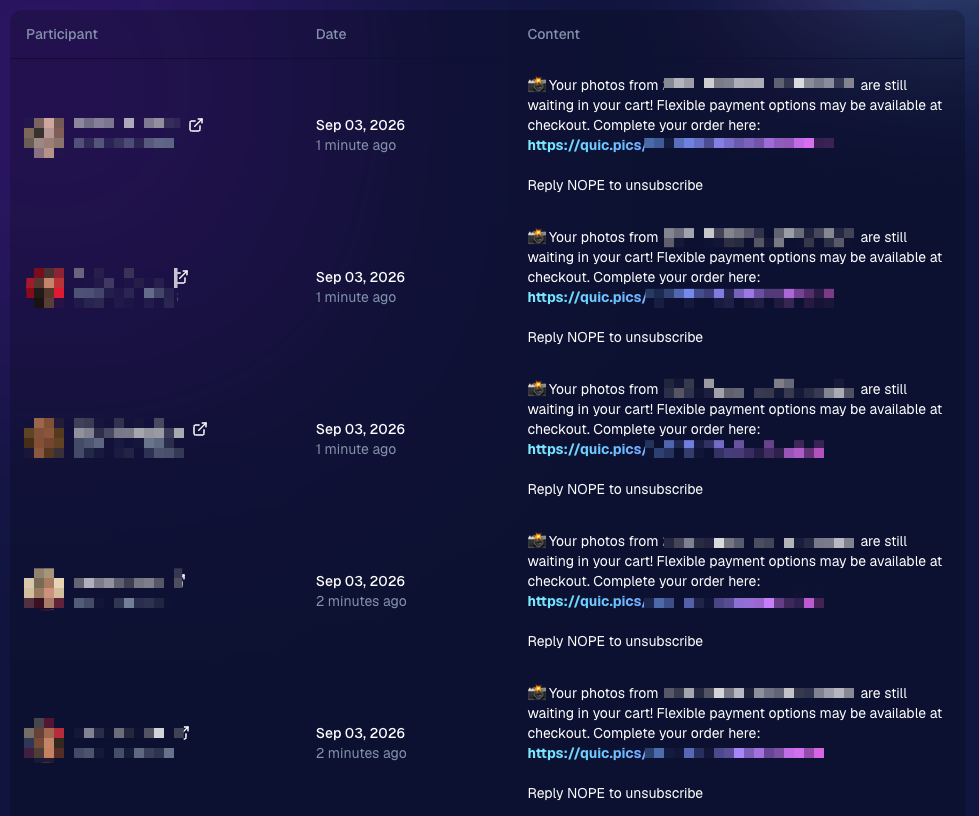
🛒 NEW: Abandoned Cart Recovery Marketing
Sometimes a customer gets all the way to building a cart... and then life happens.
NowCandid will now automatically follow up with those shoppers via text + email to encourage them to come back and finish their order.
📅 Abandoned cart messaging will go out once a week!
🛍️ Targets participants who created a cart but did not complete their purchase
🚫 Participants who have already ordered are excluded
1️⃣ Each participant can only receive one abandoned-cart follow-up per Event
📊 Sends are still recorded on the Event’s Marketing History page
This gives shoppers a helpful nudge to return to something they were already interested in buying—and hopefully turns a few more unfinished carts into completed sales. 📈
Note: NowCandid's abandoned cart rate is already very low. Even so, we expect this to boost your overall sales by about 0.3% or more!
🎨 Batch AI Editing Gets More Powerful
Quick Candy Image Studio on Manage Images continues to fill the gap between editing one image at a time and running Auto Editor across an entire folder or Event.
Select a handful of images, open Quick Candy Image Studio, and apply an AI edit across the selection.
This week, it also gained more of the controls available in the full Candy Image Studio:
👁️ Mark Original Invisible
✂️ Mark Destination Folder as Background Removal Folder
- Available when Background Removal is enabled for the Event.
🖼️ Custom image-input nodes fixed
- Nodes that require another image as an input now behave correctly through Quick Candy Image Studio.
This makes it much easier to apply the same edit to a small, intentional group of images without setting up a larger Auto Editor workflow.
👥 Participant List Improvements
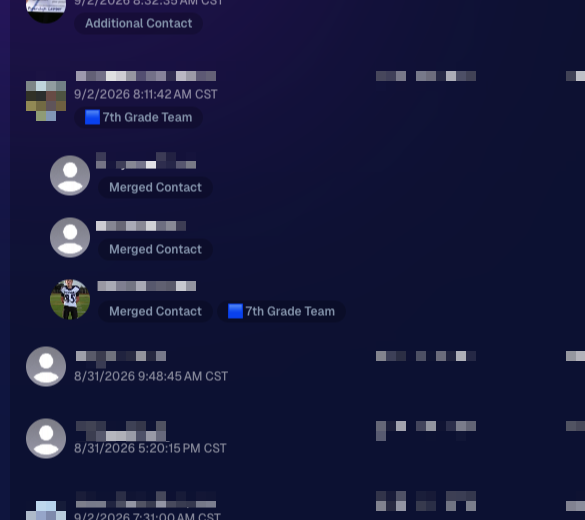
🏷️ PhotoTags now appear as badges
- Participant rows now show assigned PhotoTags directly, similar to the existing Additional Contact badge.
👨👩👧 Merged participants are easier to understand
- Individual merged records now appear as separate, indented rows beneath the main merged participant.
🙈 Hidden PhotoTags stay hidden
- Fixed hidden PhotoTags incorrectly appearing on Participant Details.
🧑🤝🧑 Virtual Group Builder Improvements
↩️ Better Undo behavior for sliders
- CTRL/CMD + Z now behaves more naturally when adjusting slider values.
🖱️ Better drag-and-drop with large groups
- The Subjects pane is easier to work with when there are dozens of participants.
🖼️ Full-resolution render consistency fix
- Fixed an edge case where the final full-res Virtual Group could differ from the Builder preview.
🤖 Auto Editor & Background Removal
🙈 Hide Originals now handles BGR originals correctly
- If Hide Originals is enabled and the original folder is marked for Background Removal, the original PNG will now be hidden too.
The same behavior now applies in Candy Image Studio.
📱 Capture App 5.9.3
iOS & Android OTA — September 1
📋 Shooting mode selector fixed on tablets
- The popup is now scrollable, so options like Roster Check-In are always reachable.
📸 Photo Booth fix on iOS
- Cancelling the countdown no longer accidentally disables the Event collage.
That’s the week!
Abandoned Cart Recovery is the big addition here, giving NowCandid another way to help turn existing shopper interest into completed orders. And with the improvements to Quick Candy Image Studio, you’ve got more flexibility for those “edit these five photos, not the entire folder” situations too.
Keep creating magic,
Candy 🍬
.jpg)

.svg)


