HomeNavigation arrowBlogNavigation arrow
Current page
Events

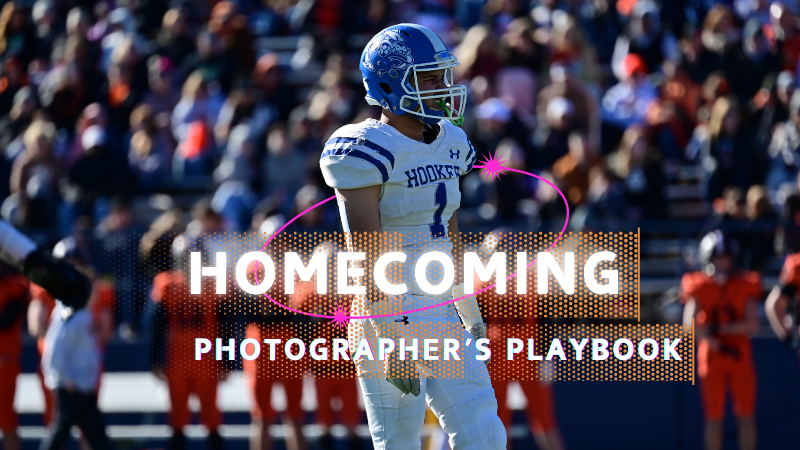
Photographing Homecoming Weekend with NowCandid: A Photographer's Playbook

Photographing Homecoming Weekend with NowCandid: A Photographer's Playbook
High school homecoming weekend is packed with photo-worthy moments

From the parade and pep rally to the big game, homecoming court, and the dance. For photographers, it’s a whirlwind. But with NowCandid™, even a small team can cover it all efficiently and profitably.

Below is a quick look at each event, the opportunities it presents, and the NowCandid tools that help you make the most of them.
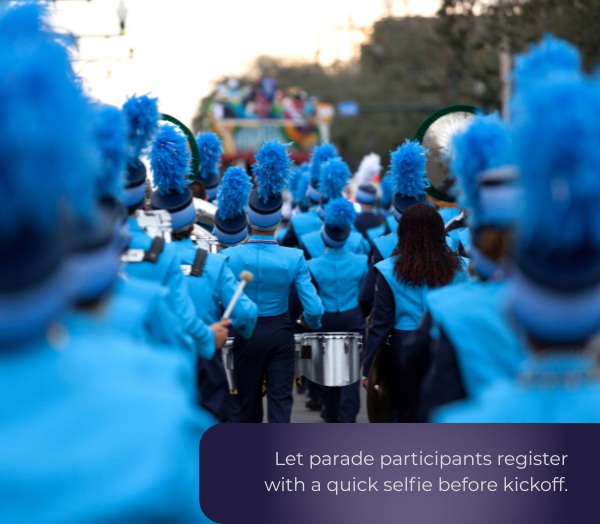
🎉 Homecoming Parade – Kicking Off the Celebration

  • • Selfie Check-In™: Let parade participants register with a quick selfie before kickoff. Face Matching will tag them automatically later.
  • • Roam & Shoot: Focus on faces & emotional moments, not journalistic shots. The system will do the rest!
  • • PartyPics™: Upload images in real-time for attendees, parents and students to view instantly.

    💡 Every identified face is a potential sale. Automation ensures you don’t miss anyone.
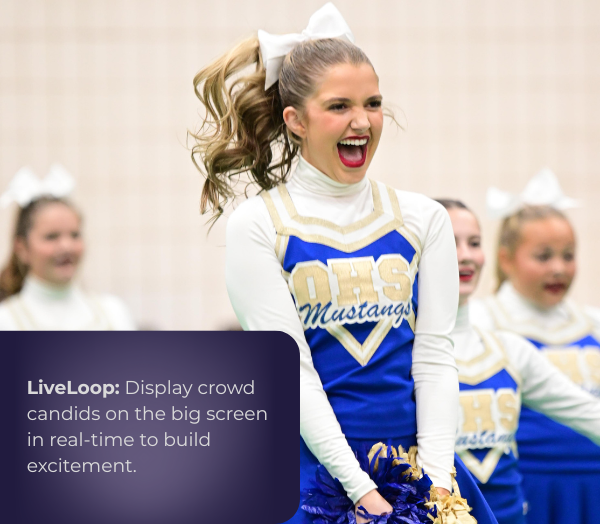
📣 Pep Rally – Spirit & Smiles

  • • Selfie Check-In™: Continue building your attendee database for the weekend.
  • • LiveLoop™: Display photos on the big screen in real-time to build excitement.

    💡 More personalized photos = more likely purchases.

🏈 Football Game – Under the Lights

  • • Face Matching™: Match images to fans, players, and band members automatically.
  • • JerseyJotter™: You can even let fans filter photos by jersey number for easy finds.
  • • Live-Upload: Deliver shots before halftime!
  • • LiveLoop™: Show photos on the big screen during breaks for instant crowd buzz.

    💡 Thousands of game photos become searchable and personal, boosting sales.
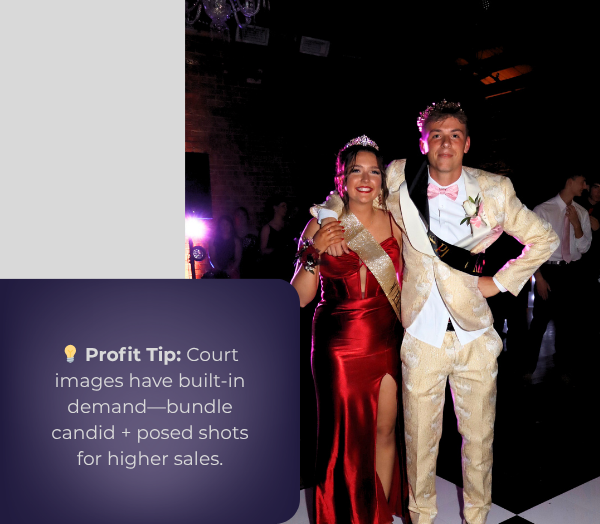
👑 Homecoming Court – Crowning Moments

  • • Prepare: Add nominees to Face Matching™ ahead of time with Selfie Check-In™!
  • • Background Removal: Instantly turn sideline shots into elegant portraits.
  • • Live-Upload: Provide those crowning shots well before the night’s over.

    💡Court images have built-in demand, your social pics will encourage bigger package sales!

💃 The Dance – A Night to Remember

  • • Selfie Check-In™ at the Door: The best time to get Check-Ins!

    • Even if someone checks-in again, that's no problem! Get everyone to do it as they funnel into the dance.
  • • Digital Backgrounds: Offer multiple themed or elegant options for portraits, our real-time background removal makes it easy.
  • • Photo Booth + LiveLoop™: Between NowCandid's Photo Booth Mode & LiveLoop™, you have multiple upsell options that create more photos and more positive energy!

    💡 Multiple background choices can lead to one image being purchased multiple times!
🚀 Why It Works

NowCandid™ turns homecoming into a personalized, real-time, high-volume photography experience—without extra staff.

  • • Efficiency: Automation handles matching, sorting, and delivery.
  • • Delight: Participants see their photos fast and without searching.
  • • Profitability: More sellable images, quicker turnaround, and premium offerings = better margins.

A typical homecoming weekend is jam-packed with memories in the making.

For a photographer, it used to mean juggling notebooks of names, printing hundreds of proofs, or spending days in post-event labor. Now, with tools from NowCandid™, a single photographer (even operating solo) can confidently cover the parade, pep rally, game, court, and dance – and do it in a way that’s both fun for students and profitable for the business.

By using features such as Selfie Check-In™ and Face Matching™ to ensure everyone’s identified, QuicPics™ and LiveLoop™ to deliver excitement in real time, and Photo Booth and AI-powered backgrounds to offer creative products, you transform the event photography workflow from chaotic and labor-intensive to smooth, high-tech, and engaging.

In short, NowCandid’s software and workflows allow you to capture the full spirit of homecoming

Every candid laugh, every triumphant cheer, every dance floor twirl – and get those images into the hands of the people who will cherish them, almost as fast as the memories are made.

This means happier clients, more sales, and a homecoming weekend where the photographer can enjoy the process as much as everyone else enjoys the photos.

Here’s to using technology to work smarter, wow your customers, and make homecoming (and many more events to come) a win-win for everyone involved!

Related articles

Weekly Recap: Smarter Upload Errors, Better Luxe Renders & Invoice Fixes 🍬✨
Feature Updates
March 27, 2026

Weekly Recap: Smarter Upload Errors, Better Luxe Renders & Invoice Fixes 🍬✨

2
 minutes read
Hey photo friends! 👋

This week’s updates are all about clearer feedback, smoother retail rendering, and a few helpful fixes across the Dashboard, Check-In, and Capture App.

🖼️ Retail: Better Luxe 3D Renders

A few important improvements landed for Luxe products on retail:

Luxe Prints 3D renders now work correctly for horizontal images

💡 Luxe render lighting improved so products look more natural and less over-bright

📱 Mobile cropping on 3D renders is much more stable and performant

  • Fixed an issue where gesture-based cropping could crash on mobile devices

If you’re selling Luxe products, this should make the preview experience feel more polished.

📤 Dashboard: Clearer Image Upload Errors

The Image Uploader now does a better job explaining what actually went wrong:

🚫 Oversized files now show the real reason

  • Instead of a vague “Error uploading,” files over the limit will correctly say the image is too large

📏 File size is now included in the error message

  • Example: File size is over 20 MB (25.3 MB)

🌐 Network issues now say “Network Error”

  • Much clearer than a generic upload failure

🔁 Automatic retry for network errors

  • The uploader will now retry up to 5 times before giving up

A small change, but a much better experience when uploads hit a snag.

🧾 Dashboard Fixes & Improvements

📄 Profile invoices fixed

  • Invoices from January onward should now load correctly
  • Invoices are also now easier to find through Sidebar Find and Candy navigation

👥 PhotoRosters wording updated

  • “Members” is now “Contacts” for better consistency across NowCandid

📊 Participant image counts fixed on the Event Participant List for certain Positive ID edge cases

🎨 Fixed an overlay importer edge case that could make Events appear twice in the list

🤳 Check-In Improvements

📋 Fixed the list of existing check-ins going off-screen for accounts with a lot of check-ins

✍️ Some check-in copy was updated for clarity

📱 Capture App 5.4.1 (iOS OTA)

🔒 Fixed PhotoBooth and Selfie Check-In Station close buttons not working on devices without a passcode set up

That’s the update for this week! Better Luxe previews, clearer upload feedback, and a handful of fixes to keep things running smoothly.

Keep creating magic,

Candy 🍬

Weekly Recap: Jersey Jotter Page, Smarter AI Edits & Android Improvements 🍬📸
Feature Updates
March 20, 2026

Weekly Recap: Jersey Jotter Page, Smarter AI Edits & Android Improvements 🍬📸

4
 minutes read
Hey photo friends! 👋

This week brings a mix of sports-focused tools, AI editing upgrades, and performance improvements across the Dashboard and Capture App.

Let’s get into it.

🏈 New: Dedicated Jersey Jotter Page (Sports Events)

Jersey Jotter just got a big usability upgrade with its own dedicated page:

🔢 Search images by jersey number or color (just like retail search)

🎛️ Easily enable/disable number & color recognition

📊 View totals for detected numbers and colors

📍 Automatically appears for Sports events only

If you’re working high-volume sports, this should make organizing and finding images much faster.

Same filters your customers have come to expect, right in the Dashboard!

🎨 Candy Image Studio: Better Results + New Styles

Candy Image Studio continues to level up:

Improved edit quality across multiple nodes

🛡️ Smarter safety system for safer outputs

🖼️ Example thumbnails added to many nodes (so you know what to expect)

🆕 New AI Styles:

🧸 Chibi

🧍 3D Cartoon

🦸 Action Figure

Not sure when this one specifically would be helpful, but it's cool isn't it!

⚡ Dashboard Improvements

🚀 Faster overall performance across the Dashboard

🎬 Smoother transitions (faster, and some now morph instead of just fading)

🧹 Roster uploads now auto-clean whitespace
Prevents frustrating validation errors from accidental empty spaces in spreadsheets

🔎 Fixed “Find a Participant” link in Sidebar Find

🧪 Fixed false positives in Image Tester filename validation

🏷️ Data & Upload Improvements

📄 CORE spreadsheets now supported in roster and PhotoRoster uploads (for those working across CORE workflows)

🛠️ Marketing & Check-In Fixes

📩 Fixed duplicate text message edge cases

🤳 Fixed “Upload From Camera Roll” issue on Check-In

🤖 Capture App 5.4 (Android Improvements)

This update focuses on improving the Android experience:

📱 Immersive mode UI

  • Reduces accidental navigation and keeps the app more stable on devices like Samsung

🎨 Dark-themed native dialogs for alerts and messages

🔒 Orientation locked to vertical (matching iOS behavior)

App size reduced ~20% (faster downloads, less storage)

🔌 Fixed devices showing as generic “USB Camera Device” instead of model name

🔄 Fixed Over-The-Air updates not working on some devices

That’s the week!

A strong mix of sports workflow improvements, better AI editing tools, and faster, cleaner performance across the board.

See you next week,

Candy 🍬

Weekly Recap: Android Capture App Launch, PhotoTag Downloads & Upload Improvements 📸🍬
Feature Updates
March 13, 2026

Weekly Recap: Android Capture App Launch, PhotoTag Downloads & Upload Improvements 📸🍬

4
 minutes read
Hey photo friends! 👋

This week’s updates include something many of you have been waiting for: the first public release of the Capture App on Android. Alongside that launch, we’ve also improved PhotoRoster workflows, tightened up retail safeguards, and rolled out several capture app fixes across platforms.

Let’s take a look.

🤖 Capture App Now Available on Android (Beta)

The first Android version of the Capture App (v5.0.1) is now available on Google Play.

IMPORTANT: This is very new! So it's in BETA at the moment. Meaning, if you want to use Android, we encourage you to try a test Event at your home or office and make sure your flow works with your particular equipment! If you run into any issues, let us know right away!

This release brings feature parity with the iOS app (with the exception of Photo Booth Mode and AirPrint, which currently are not planned for Android):

📷 Supports all of our capture workflows

⚡ Same improved upload system introduced in iOS v5

🔁 Camera-triggered auto-launch support

🎨 Android themed icon support

📱 Edge-to-edge Android UI support

If you’ve been wanting to run Capture on Android devices, the foundation is now here!

Screenshots from our new Android Capture & Upload App!

📱 Capture App Improvements

iOS – Version 5.0.1 (OTA)

A few fixes and small usability improvements landed this week:

🔎 Participant not found message when scanning cards

  • Instead of defaulting to the first participant, the app now clearly shows when a scan doesn’t match anyone.

📊 Image gallery stats now update correctly during uploads.

📂 TKO popup now dismisses properly when setting a folder as TKO.

🖥 Windows Capture App – Version 4.21

New image upload API improves upload speed and reduces device resource usage

📡 Better behavior when signing into events with no connectivity

📂 Event selector now shows only active events when offline, matching iOS behavior

🏷️ Workflow Improvements

📥 Download PhotoTags directly from the PhotoTags page

  • This makes it simple to reuse or share tags between events.

📂 PhotoRoster uploads increased

  • Individual image uploads now support up to 5,000 images at once (previously 1,000).

🎨 Candy Image Studio Reliability Fix

Candy Image Studio uploads now behave more consistently.

Edited images will now reliably appear in all the same places as the original image, including:

  • All galleries
  • QuicPics texts
  • Personal galleries

Previously, images only appeared if they happened to match faces or were manually assigned.

🛍️ Retail Improvements

A couple improvements help prevent confusing edge cases for customers:

👥 Group products now properly enforce group images

  • If someone tries selecting a non-group image for a group product, they’ll now see a clear error message.

🌍 New international shipping notice

  • For non-US shipping addresses, customers now see a helpful reminder that customs or import fees may be charged by their country in addition to international shipping fees.

🖥️ Dashboard Improvements

Some smaller UI improvements landed this week:

✨ Toggle switches now animate smoothly instead of appearing choppy.

That’s the week!

The Android Capture App launch is a big step toward expanding device flexibility, and the PhotoTag downloads and PhotoRoster improvements should make event setup a little easier as well.

See you next week,

Candy 🍬

Let’s get in touch

If you’re a photographer looking to add NowCandid services to your wheelhouse – set up a call by clicking the button below.

How to customize formatting for each rich text

How to customize formatting for each rich text

How to customize formatting for each rich text

How to customize formatting for each rich text

How to customize formatting for each rich text

What’s a Rich Text element?

The rich text element allows you to create and format headings, paragraphs, blockquotes, images, and video all in one place instead of having to add and format them individually. Just double-click and easily create content.

A rich text element can be used with static or dynamic content. For static content, just drop it into any page and begin editing. For dynamic content, add a rich text field to any collection and then connect a rich text element to that field in the settings panel. Voila!

Headings, paragraphs, blockquotes, figures, images, and figure captions can all be styled after a class is added to the rich text element using the "When inside of" nested selector system.

  • List One
  • List Two
  • List Three
  • List Four
  • List Five

This is a link

This is bold text