HomeNavigation arrowBlogNavigation arrow
Current page
NowCandid 101

More Than Software: Why NowCandid Is a True One-Stop Shop for Photographers

More Than Software: Why NowCandid Is a True One-Stop Shop for Photographers
Photographers do not just need software.

They need a workflow that helps them capture images, connect those images to the right customers, sell products online, fulfill orders, and support the customer experience after the sale.

That is where NowCandid is different.

NowCandid is backed by Candid Color Systems, a company with its own professional photo lab, fulfillment operation, software tools, and decades of experience supporting high-volume photographers. That means we are not just a software platform connected to someone else’s lab. We are part of a company that helps support more of the full process — from capture to customer order to finished product.

And for photographers, that matters.

A Real One-Stop Shop

Many photography platforms focus on software first. They help photographers build galleries, collect orders, or send customers to an online shopping experience. But when it comes to printing and fulfillment, they often rely on third-party lab partnerships.

NowCandid is built differently.

Because NowCandid is part of Candid Color Systems, sales flow through a company that actually has its own professional photo lab. That gives us a more complete view of the process and a stronger ability to support photographers from start to finish. Your workflow does not stop when a customer clicks “order.” That order still needs to be produced, fulfilled, shipped, and supported. With NowCandid and Candid Color Systems working together, the software and fulfillment side are more closely connected.

Why Software + Fulfillment Matters

When software and fulfillment are separated, things can get complicated.

If a photographer has a question about an order, product, shipment, or customer issue, the answer may depend on multiple companies. The software provider may point to the lab. The lab may not have full visibility into the retail or customer experience. Support can become fragmented, and accountability can get fuzzy.

NowCandid helps reduce that disconnect. We can see and support more of the full customer journey. From the event setup to online ordering to lab fulfillment, our team has a broader view of what is happening and a better ability to help. That does not just make support easier. It makes the entire experience feel more connected for your customers.
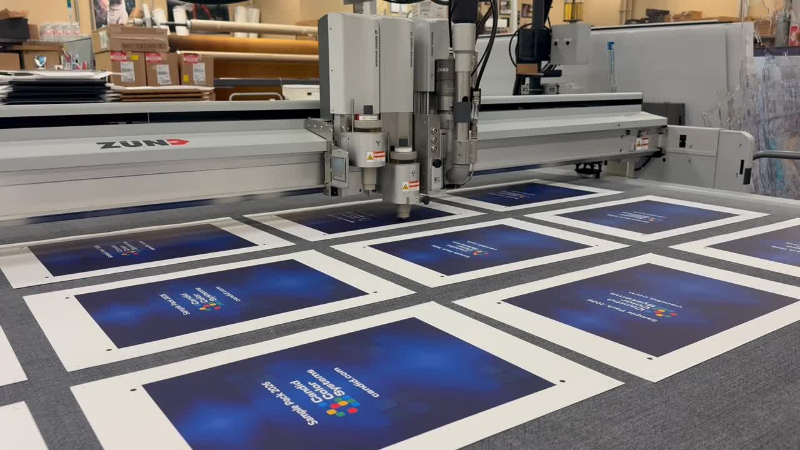
Behind every NowCandid order is connected fulfillment through Candid Color Systems’ professional lab—turning online photo sales into finished products ready for customers.

Built to Help Photographers Keep More of What They Earn

A connected software and lab model also helps us keep the photographer’s bottom line in mind.

When a platform has to rely heavily on outside fulfillment partnerships, those additional layers can affect pricing, margins, support, and flexibility. With NowCandid, sales are driven through Candid Color Systems’ lab, which helps us control more of the process and pass savings on to photographers where possible.

The goal is simple: give photographers a powerful platform without stacking on unnecessary complexity.

NowCandid helps photographers sell prints, downloads, packages, and products online while keeping fulfillment connected through the same company behind the platform.

One Platform. More Accountability.

Photographers already have enough moving pieces to manage.

They are planning events, managing equipment, working with schools, leagues, graduates, families, and event organizers, training staff, uploading images, answering customer questions, and trying to sell more photos.

They should not have to wonder who is responsible when software, retail, production, and fulfillment do not line up.

NowCandid’s one-stop shop approach gives photographers a more connected path:

  • Capture and upload images
  • Match photos to the right customers
  • Deliver galleries by text or email
  • Sell prints, downloads, packages, and products online
  • Fulfill orders through Candid Color Systems’ professional lab
  • Support customers with more complete visibility into the process

It is not just about convenience. It is about confidence.

Why This Matters for High-Volume Photography

For high-volume photographers, small workflow problems can become big problems fast.

A delay in fulfillment, a product question, a customer support issue, or a disconnected order process can impact hundreds or thousands of customers during a busy season.

That is why a true one-stop shop matters.

NowCandid is designed for photographers who need more than a gallery. It is built for photographers who need a complete path from photo day to payday — with software, sales, marketing, fulfillment, and support working together.
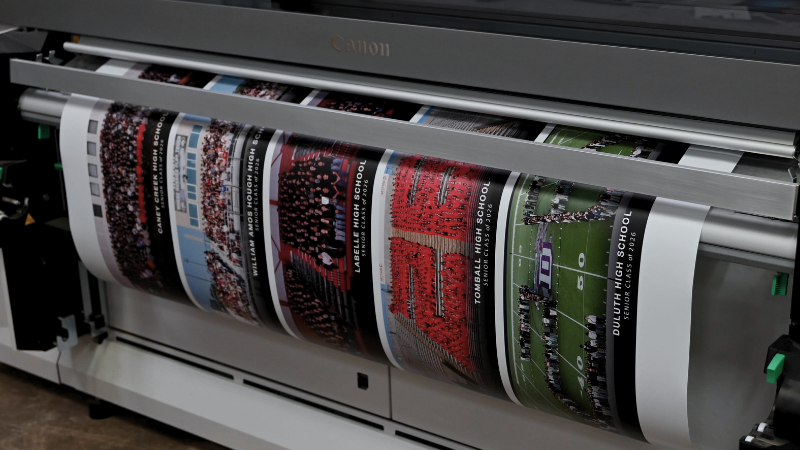
From online order to finished product, NowCandid is backed by Candid Color Systems’ professional lab—helping photographers keep software, sales, printing, and fulfillment connected.

The NowCandid Difference

NowCandid combines flexible photography workflows with online photo sales, automated marketing, customer galleries, AI-powered tools, and professional lab fulfillment through Candid Color Systems.

That makes NowCandid more than just software.

It is a connected capture-to-commerce solution backed by a company that understands both the technology and the lab side of high-volume photography.

For photographers, that means fewer disconnected systems, clearer support, and a more complete platform built to help them capture, sell, and deliver with confidence.

Ready to See How NowCandid Works?

If you are looking for photography software that connects more of the process — from capture to online sales to fulfillment — NowCandid was built for you.

Click here to open a free account today and see how a true one-stop shop can help simplify your photography workflow.

Related articles

Weekly Recap: Virtual Group Builder, Client Outreach Updates & Smarter Retail Support 🎉📸
Feature Updates
May 22, 2026

Weekly Recap: Virtual Group Builder, Client Outreach Updates & Smarter Retail Support 🎉📸

6
 minutes read
Hey photo friends! 👋

This is a big week! The headline feature is one many sports and volume photographers are going to love: An all-new Virtual Group Builder is now available directly on the Dashboard.

We’ve also added new Candy Image Studio tools, improved Client Outreach behavior, refreshed image assignment tools, and made retail support easier for shoppers and photographers alike.

Let’s jump in!

🧑‍🤝‍🧑 Big New Feature: Virtual Group Builder

You can now build Virtual Groups directly on the Dashboard — with Mobile Dashboard support too!

Find it from an Event page by clicking Virtual Groups in the sidebar menu.

With Virtual Group Builder, you can:

👥 Import participants from the full Event, one at a time, or everyone with a specific PhotoTag

✂️ Use participant cutouts to build polished group images

🏷️ Build groups quickly when your Event has consistent cutouts and participants tagged with PhotoTags

🖼️ Create Virtual Groups in 4×6, 5×7, 8×10, or 11×14 formats

🎨 Choose from NowCandid default backgrounds, upload custom backgrounds, and add overlays

🧢 Add account logos to the corners

🔤 Toggle subject names on or off

📐 Preview crop lines and aspect ratio lines

🖱️ Zoom, pan, drag, reorder, resize, brighten, and position subjects

You can also adjust group-level settings like background, overlay, overall scale, vertical position, bottom shadow falloff, and individual cutout fade to help hide cropped legs.

When your Event is set up cleanly with cutouts and PhotoTags, you can create a full Virtual Group in just a few clicks. ✨

Docs page: https://app.nowcandid.com/docs/image-management/virtual-groups

Desktop Dashboard view of the new Virtual Group Builder

Mobile Dashboard view of the new Virtual Group Builder

🎓 Candy Image Studio: New Graduation Tools

Candy Image Studio got some very timely upgrades for graduation season:

🎓 New “Diploma Fix” node

  • Helps fix diploma orientation and glare. You’ll need to upload a reference diploma so Candy knows what the diploma should look like, including details like school name, emblem, fonts, and colors.

🎗️ New “Tassel Fix” node

  • Helps adjust graduation tassels that are covering a subject’s face — similar to Stray Hair Removal, but tailored specifically for grad tassels.

👓 Improved Reduce Glass Glare

  • This node is now more reliable and less likely to accidentally add glasses to subjects who aren’t wearing them.

📣 Client Outreach Improvements

Client Outreach got a few useful updates to help save money and keep lists cleaner:

🚫 Unsubscribed contacts excluded by default

  • Imported Client Outreach contacts now exclude unsubscribed contacts unless you choose to include them.

🔘 New “Include unsubscribed contacts” toggle

  • You can still include them if needed, but the default helps avoid spending on contacts who can’t receive your outreach.

👀 Show Hidden on Client Lists

  • The Client Outreach list page now has a Show Hidden option, similar to Offers and PhotoRoster organizations.

🧭 Client List sidebar shortcut

  • The Client Outreach sidebar item now takes you back to the Client List page more clearly.

🖼️ Image Management & Dashboard Upgrades

🧩 Image Release Gallery redesign

  • The Image Release Gallery now uses a masonry layout like retail, supports lightboxes with arrow key navigation, has CMD/CTRL+F search support, and saves filters in the URL.

🧑‍💻 Manual Assignment page refresh

  • The Participant Manual Assignment page has a cleaner, more intuitive UI.

Camera star ratings on Image Details

  • If your camera includes star ratings, they now appear on the Image Details page.

⬇️ Image Details convenience buttons

  • Image Details now includes quick actions to download or open in Candy Image Studio.

🏷️ PhotoTag ampersand fix

  • PhotoTag names with ampersands now save correctly.

🧍 Merged participant name fix

  • Manual Assignment now shows the selected participant’s name instead of the first merged participant’s name.

🔙 Event sidebar remembers filters

  • When going back to the Event List from an Event Overview page, your filters are remembered as long as you haven’t refreshed.

🔁 Pricing tier reset button

  • Participant marketing history now includes a button to reset a participant’s pricing tier start date, useful if support wants to re-offer first-week pricing.

🪪 Positive ID QR Code downloader options

  • You can now download blank cards only, registered participants only, or everyone, making scan card PDFs easier to manage for multi-workflow sports events.

🛠️ New Tool: Image Converter

There’s a new tool under Tools & More → Image Converter.

Use it to:

🔄 Convert images to WEBP, PNG, or JPEG

🎨 Convert images to sRGB

Handy for preparing files before uploading them to NowCandid Events.

📚 New Capture App Camera Docs

We added a dedicated docs page for confirmed camera models that work with the Capture App.

More cameras may work than what’s listed, but this page focuses on models we’ve confirmed.

Docs page: https://app.nowcandid.com/docs/capture-app/cameras

🛍️ Retail Improvements

📬 New Contact Us form on retail

  • The Contact Us popup now includes a form that sends support an email with helpful details automatically included, such as browser info, window size, retail link, Event details, and order number when available. This should make support faster and reduce back-and-forth.

🖼️ Overlay step now comes before cropping

  • This prepares retail for future improvements while keeping product customization clearer.

🗓️ Smarter Year captions

  • Certain products now default the Year caption to the Event start year or participant Day 0 year instead of the current year. Helpful for late-December events or older graduation galleries.

🌍 International order fix

  • Fixed an edge case where some international orders could send multiple receipts and incorrectly show that the order wasn’t submitted.

🤳 Selfie Check-In & Capture App Updates

📶 Clearer Selfie Check-In upload errors

  • If a selfie upload fails, subjects now see a more specific error reason — like upload speed being too slow — so they know what to try next.

📱 Capture App 5.6.3 OTA update

  • Contact Info Settings now says Tap-A-Face or Type & Take based on the Event program
  • The 1000×1000 reference image requirement has been removed for Selfie Check-In Station and Roster Check-In, especially helpful for Android devices with lower-resolution cameras

That’s the week!

Virtual Group Builder is the big one, especially for sports and volume workflows — but between Client Outreach, Candy Image Studio, Image Converter, and retail support improvements, there’s a lot here to make your next Event easier to manage.

Keep creating magic,

Candy 🍬

Weekly Recap: Collapsible Sidebar, QR Code Printouts & RCS Text Preview ✨📱
Feature Updates
May 15, 2026

Weekly Recap: Collapsible Sidebar, QR Code Printouts & RCS Text Preview ✨📱

3
 minutes read
Hey photo friends! 👋

Candy here with another round of NowCandid updates! This week brings a more flexible Dashboard sidebar, easier QR code sharing, a new price level reference page, and a preview of cleaner-looking RCS messaging.

🖥️ Dashboard Improvements

📌 Collapsible Sidebar on desktop

  • You can now collapse the Dashboard Sidebar to give yourself more room. Click the edge of the Sidebar to toggle it, or use CTRL/CMD+B or CTRL/CMD+S.

🎓 “Class of 2026” background pack added

  • Available now in the Offer Creator.

🖼️ Participant Details fix

  • Invisible BGR images now appear where expected.

📅 Event Calendar fix

  • Hidden Events no longer appear on the Event Calendar.

Better performance for large Events

  • Event Participants and Manage Images pages now behave better with several thousand participants or images, including faster initial loading, longer timeouts, and clearer loading feedback.

📊 Default Price Levels Overview is now built into the Dashboard

View it here: https://app.nowcandid.com/offers/price-level-overview

🔳 QR Creator Upgrade: Printable QR Code Cards

🖨️ Download a PDF sheet of QR code cards

  • The NowCandid QR Code Generator can now create a printable PDF sheet with customizable text.

Great for:

🎓 Placing QR cards on graduation chairs for Selfie Check-In

🏈 Handing out QR cards at sports events linking to an All Images Gallery

📸 Creating polished cards for check-in links, retail links, or any URL you want to share

💬 RCS Messaging Preview

We’re testing RCS messaging for some texts.

📱 Texts can appear as coming from “QuicPics” instead of a phone number

📷 Uses a generic camera-style logo to keep things white-labeled

✅ Helps messages look cleaner and easier to find

🛡️ May help reduce spam filtering in some cases

Currently, RCS is available for:

  • Dashboard 2FA texts
  • Find Me Portal texts

We’ll likely explore rolling this out to marketing texts after grad season.

🛍️ Retail Updates

💸 Slash-through pricing improved

  • Slash-through amounts now use week 3 pricing when applicable, or à la carte pricing if that is higher.
  • So now, we've ensured your customer is always seeing the maximum amount of Discount being provided! Automatically.

📦 Personal Gallery Download slash-through price

  • Even though Personal Gallery Download is technically a package, it can now show a slash-through price based on the individual download product in your Event, when available.

🖼️ Better package performance with BGR images

  • Selecting and editing BGR images inside packages should feel faster.

🧼 Cleaner BGR timing on retail

  • Images going through background removal will no longer appear on the retail site before the BGR process is finished.
  • This helps keep galleries clearer for shoppers! Especially during grad season, when high BGR volume can occasionally slow processing down.

🧩 Favorites Gallery download fix

  • Fixed an edge case where the Personal Image Gallery Download product could appear for Favorites Galleries even when Dynamic Personal Gallery Download was not enabled.

🛠️ Small Fixes & Cleanup

📅 Hidden Events no longer appear on the Event Calendar.

🖼️ Invisible BGR images now display correctly on Participant Details.

⚡ Large Events with thousands of participants or images should feel more stable and responsive.

That’s the update for this week!

From a cleaner Dashboard layout to printable QR cards and better retail pricing displays, these changes are all about making NowCandid easier to use in real-world event workflows.

Keep creating magic,

Candy 🍬

Use the Workflow That Fits the Job
Photography Tips
May 12, 2026

Use the Workflow That Fits the Job

10
 minutes read
Not every event works the same way—so your platform shouldn’t force every job into the same box.


One of the biggest reasons photographers switch to NowCandid™ is workflow flexibility. We give you multiple ways to connect photos to people, so you can choose the approach that makes the most sense for the event, the audience, and the level of privacy sensitivity involved.


That flexibility isn’t just “nice to have.” It’s the difference between a smooth event and a stressful one—between galleries that convert and galleries that never get seen.


The core problem with one-size-fits-all platforms

Many platforms are built around a single assumption: “Every event should be identified and delivered the same way.”

But photographers know better.

  • • A youth sports tournament behaves nothing like a graduation.
  • • A corporate headshot day has different privacy needs than a fundraiser gala.
  • • A high-volume school day requires a totally different on-site flow than a casual community event.

NowCandid™ is built around the belief: the workflow should adapt to the job—not the other way around.


The NowCandid™ workflow toolbox

Here are the primary ways photographers connect images to the right people in NowCandid™:

  • • Scanner ID
  • • Name Lookup
  • • Type & Take
  • • Tap-A-Face
  • • Selfie Check-In™
  • • Roster Check-In
  • • PhotoRosters

Each one has a “best fit,” and knowing how to choose is where photographers gain speed, confidence, and profit.


Quick guide: which workflow should you use?

Scanner ID

Best for: high-volume, highly controlled check-in environments (schools, leagues, credentialed events)
Why photographers use it: fast, structured, low-error identification at scale.
Great when: you have a roster/card system and you want the cleanest, most consistent subject-to-photo connection.

Name Lookup

Best for: rosters and organized groups where names are known(schools, teams, structured lists)
Why it works: quick selection from a list is often faster than typing or post-event matching.
Great when: you can get the list ahead of time and want to keep on-site flow moving.

Type & Take

Best for: smaller events or flexible environments where you can type quickly and keep moving
Why it works: zero dependency on rosters/cards—simple and direct.
Great when: speed matters and you have a staff member who can handle quick data entry.

Tap-A-Face

Best for: fast on-site identification when the “right” person wasn’t captured by check-in/roster
Why it works: it’s the practical fix for real events. If someone slipped through, you can still connect them.
Great when: you need a quick, human-in-the-loop tool to create a participant and kick off matching/marketing.

Selfie Check-In™

Best for: events where guests can self-identify (graduations, dances, large public events, photo ops)
Why it works: it collects contact info and gives you a reference image—without requiring staff to identify everyone manually.
Great when: you want broad participation and easy post-event delivery without a heavy on-site registration process.

And More!

PhotoRosters and Roster Check-In get a bit more involved... and we recommend getting more familiar with the NowCandid platform before utilizing these! But in short:

PhotoRosters allow you to upload headshots and previously collection contact info and consent to easily reuse them as reference images for future Face Matching Events.

Roster Check-In allows you to upload a league- or school-provided roster and then also take a quick pic of each kid, pairing a reference image to their info in the roster to serve as their reference image.


Why flexibility leads to higher sales

When photographers can choose the right identification workflow, three things improve immediately:

1) You deliver galleries faster

Fast delivery matters because excitement decays quickly. The sooner people can find themselves, the more likely they are to buy—especially for emotional, time-sensitive events.

2) You reduce friction for customers

If the workflow is right, customers don’t have to dig, guess, or give up. They get a clear path to their photos.

3) You reduce labor and cleanup

The “wrong workflow” usually means hours of fixing issues later: missing IDs, unlinked galleries, manual sorting, angry parents, and support tickets. The “right workflow” avoids that.


Privacy sensitivity: the hidden factor most platforms ignore

Some events require extra care—especially schools, youth organizations, or sponsor-driven programs. NowCandid’s workflow options allow you to choose identification approaches that align with the privacy and communication expectations of the event.

In plain terms: you can run a more open workflow when it’s appropriate, and a more controlled workflow when it’s not.


The takeaway: choose what makes sense, every time

Whether a shoot demands the versatility of Face Matching-style workflows, the directness of Positive ID-style workflows, or another approach entirely, you need the flexibility to choose what makes sense.

Most importantly, you need to deliver galleries fast enough to turn that initial excitement into actual orders—and NowCandid is built to help you do exactly that.


Want help choosing the right workflow?

If you tell us what you shoot—schools, sports, graduations, events—we’ll recommend the best workflow setup and explain why it fits.

👉 Create a free account or book a quick demo to see the workflows in action.

Let’s get in touch

If you’re a photographer looking to add NowCandid services to your wheelhouse – set up a call by clicking the button below.

How to customize formatting for each rich text

How to customize formatting for each rich text

How to customize formatting for each rich text

How to customize formatting for each rich text

How to customize formatting for each rich text

What’s a Rich Text element?

The rich text element allows you to create and format headings, paragraphs, blockquotes, images, and video all in one place instead of having to add and format them individually. Just double-click and easily create content.

A rich text element can be used with static or dynamic content. For static content, just drop it into any page and begin editing. For dynamic content, add a rich text field to any collection and then connect a rich text element to that field in the settings panel. Voila!

Headings, paragraphs, blockquotes, figures, images, and figure captions can all be styled after a class is added to the rich text element using the "When inside of" nested selector system.

  • List One
  • List Two
  • List Three
  • List Four
  • List Five

This is a link

This is bold text