HomeNavigation arrowBlogNavigation arrow
Current page
NowCandid 101

How to Make FreePics Work for Your Photography Business πŸ“Έβœ¨

How to Make FreePics Work for Your Photography Business πŸ“Έβœ¨
In honor of our QuicPics Program’s rebrand to FreePics, we wanted to take a fresh look at some helpful info, best practices, and booking strategies for using FreePics and service photography successfully!

‍

Giving photos away for free might not sound like an obvious way to make money.

‍

But with the right setup, FreePics can be a powerful business tool β€” whether you’re getting paid by an event organizer, working with a sponsor, building the cost into ticket sales, developing relationships with venues, or simply using free photos to get your name in front of more potential customers.

‍

And depending on the kind of experience you want to offer, you now have three different Programs to choose from: FreePics, FreePics GO!, and FreePortraits.

‍

First: What Is FreePics?

‍

FreePics is designed for photographers who want to provide images to subjects at no cost to the person being photographed.

‍

Instead of relying on each participant to purchase their own images, the photography can be funded another way β€” or used as a marketing tool to help generate future business.

‍

That opens up a lot of possibilities.

‍

Ways to β€œSell” FreePics πŸ’Έ

‍

1. Work Through an Event Organizer

‍

One of the simplest approaches is to have the event organizer pay for photography as part of the event itself.

‍

That could include:

  • Reunions
  • Luncheons
  • Galas
  • Corporate parties
  • Balls
  • Private events
  • Community events

‍

Instead of charging individual guests for their photos, the organizer pays you for your time and coverage.

‍

This can make the photography feel like another included event amenity β€” just like entertainment, dΓ©cor, or catering.

‍

The original FreePics training material even suggested photographers may be able to charge a few hundred dollars per hour, per photographer, depending on the event and market.

‍

2. Find an Event Sponsor

‍

Another option is to have a sponsor cover the photography.

‍

In exchange, you can incorporate the sponsor’s branding into the experience, including branded image artwork or overlays.

‍

That gives the sponsor something more memorable than a banner or table sign: photos attendees may actually save, share, and revisit.

‍

Sponsorship pricing will naturally depend on the event, audience, and sponsor, but this type of arrangement may support a much higher overall photography budget than selling directly to individual attendees.

‍

3. Build Photography Into Ticket Sales 🎟️

‍

If every attendee is going to receive photos, another option is to simply include the photography cost in the ticket price.

‍

A relatively small increase per ticket can add up quickly across a large event.

‍

For example, an organizer could add a photography fee to each admission ticket, then use that revenue to pay for event coverage while letting every guest access their photos afterward.

‍

Participants feel like they’re getting something included with admission, while the photographer still gets paid.

‍

4. Partner With Party Planners or Venues 🀝

‍

FreePics can also be a great tool for building recurring relationships.

‍

A photographer can establish themselves as the go-to photographer for a planner or venue and create an arrangement that works for everyone involved.

‍

That could mean a commission, referral agreement, preferred-vendor relationship, or another setup that encourages the planner or venue to continue sending events your way.

‍

Instead of thinking about a single event, you’re using FreePics to help build a steady pipeline of future bookings.

‍

5. Use FreePics as Marketing for Your Own Business πŸ“£

‍

You don’t necessarily have to make money directly from every FreePics Event.

‍

Sometimes, the value is the exposure.

‍

Offering free photography at the right event can introduce your business to dozens or even hundreds of potential customers.

‍

Because participants receive their images directly, you have an opportunity to put your business and branding in front of them while creating a positive interaction with your photography.

‍

That can turn one promotional event into future:

  • Event bookings
  • Portrait sessions
  • School or sports opportunities
  • Corporate work
  • Referrals
  • Repeat customers

‍

Sometimes the free photo is the product.

‍

Sometimes it’s the advertisement. πŸ‘€

‍

Which Free Program Should You Use?

‍

This is where the three Programs start to differ.

‍

FreePics β€” Best for Most Events ⭐

‍

For most photographers, FreePics is the best all-around option.

‍

It provides the full FreePics experience and gives you the most flexibility in how images are delivered to participants.

‍

If you simply want to photograph an event and make it easy for subjects to receive their images for free, start here.

‍

It costs more per image than the other Free Programs, but you’re paying for the broader experience and flexibility.

‍

Best for:

  • Parties
  • Galas
  • Corporate events
  • Reunions
  • Sponsored events
  • General event photography
  • Most situations where you want free image delivery

‍

FreePics GO! β€” Best for a Gallery-First Experience πŸ–ΌοΈ

‍

FreePics GO! is a gallery-only experience, which allows it to cost less per image than standard FreePics.

‍

But the gallery format also gives it some unique advantages.

‍

FreePics GO! is especially useful if you want participants to clearly see that they can download different versions of their images β€” such as versions without overlay artwork.

‍

It can also be a better choice when using Background Removal, because participants can browse different background options before deciding which version of an image they want to download.

‍

And because subjects are already browsing through a gallery, FreePics GO! gives you a stronger opportunity to showcase physical products and other potential upsells alongside their free images.

‍

Best for:

  • No-overlay option is important
  • Sponsored events with branded artwork
  • Background Removal workflows
  • Events where you want subjects choosing between different image treatments
  • Photographers who want to promote prints or physical products
  • Situations where keeping per-image costs lower is important

‍

FreePortraits β€” Best for Headshots πŸ‘€

‍

FreePortraits takes the FreePics concept and adapts it specifically for headshot-style photography.

‍

Because the workflow is more limited β€” with only one image file sent out per image β€” it can be offered at a lower per-image cost than standard FreePics.

‍

If your Event is centered around individual portraits rather than a larger event gallery, that limitation can actually make perfect sense.

‍

Best for:

  • Corporate headshots
  • Conferences
  • Professional networking events
  • Employee portraits
  • Profile photos
  • Other single-image portrait workflows

‍

If you want the FreePics experience but you’re really photographing headshots, FreePortraits is likely the better fit.

‍

A Simple Way to Choose 🍬

‍

When in doubt:

‍

Use FreePics for the best general-purpose experience.

‍

Choose FreePics GO! when the gallery itself adds value β€” especially for Background Removal choices and physical-product upsells.

‍

Choose FreePortraits when you’re photographing headshots and only need to deliver one finished image file per image.

‍

The goal with all three is the same: make it easy to get great images into your subjects’ hands while giving you flexibility in how the photography fits into your business.

‍

Free Doesn’t Have to Mean Unprofitable πŸš€

‍

FreePics is less about giving your work away and more about deciding who is paying for the experience β€” and what value the photography creates.

‍

Maybe the event organizer pays you.

‍

Maybe a sponsor does.

‍

Maybe the cost is included in admission.

‍

Maybe a venue relationship brings you more bookings.

‍

Or maybe the Event itself acts as marketing that introduces your photography business to a whole new group of people.

‍

There are plenty of ways to make free photos make business sense.

‍

And with FreePics, FreePics GO!, and FreePortraits, you can choose the version that fits the Event instead of forcing every job into the same workflow. πŸ“Έβœ¨

‍

Cheers,

β€” Candy 🍬

Related articles

Weekly Recap: Android Capture App Launch, PhotoTag Downloads & Upload Improvements πŸ“ΈπŸ¬
Feature Updates
March 13, 2026

Weekly Recap: Android Capture App Launch, PhotoTag Downloads & Upload Improvements πŸ“ΈπŸ¬

4
Β minutes read
Hey photo friends! πŸ‘‹

‍

This week’s updates include something many of you have been waiting for: the first public release of the Capture App on Android. Alongside that launch, we’ve also improved PhotoRoster workflows, tightened up retail safeguards, and rolled out several capture app fixes across platforms.

‍

Let’s take a look.

‍

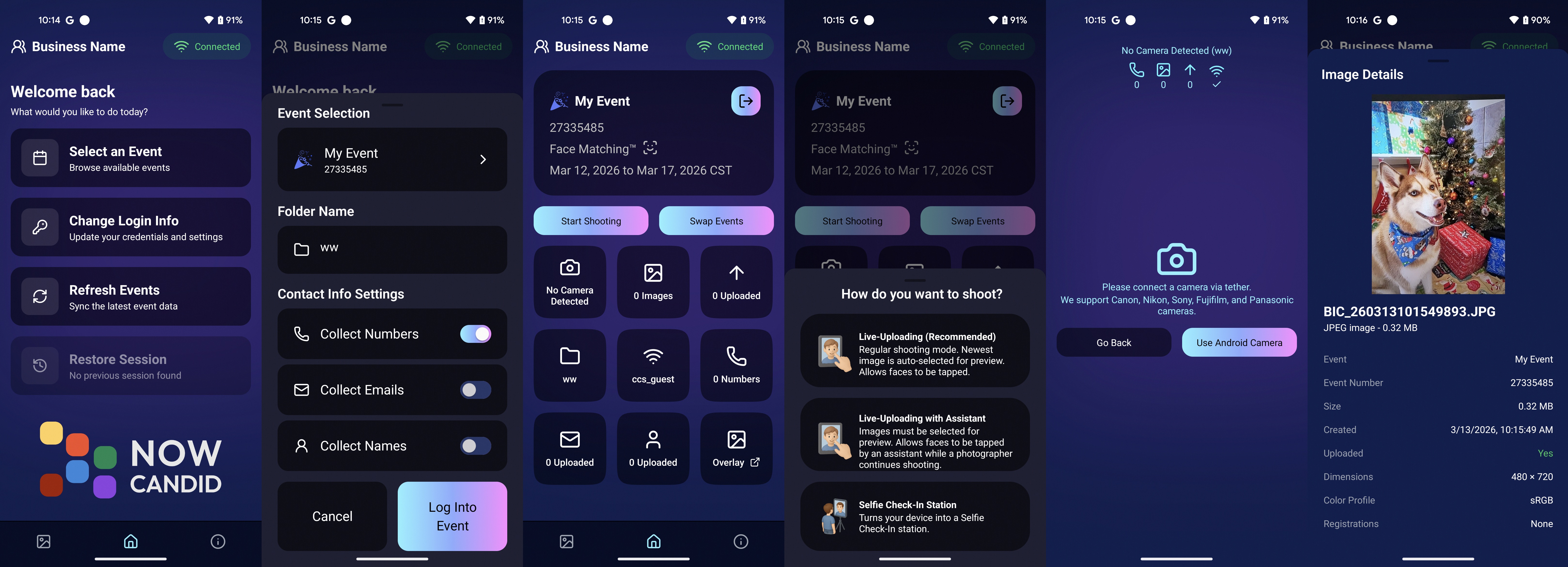
πŸ€– Capture App Now Available on Android (Beta)

‍

The first Android version of the Capture App (v5.0.1) is now available on Google Play.

‍

IMPORTANT: This is very new! So it's in BETA at the moment. Meaning, if you want to use Android, we encourage you to try a test Event at your home or office and make sure your flow works with your particular equipment! If you run into any issues, let us know right away!

‍

This release brings feature parity with the iOS app (with the exception of Photo Booth Mode and AirPrint, which currently are not planned for Android):

‍

πŸ“· Supports all of our capture workflows
‍

⚑ Same improved upload system introduced in iOS v5
‍

πŸ” Camera-triggered auto-launch support
‍

🎨 Android themed icon support
‍

πŸ“± Edge-to-edge Android UI support

‍

If you’ve been wanting to run Capture on Android devices, the foundation is now here!

‍

__wf_reserved_inherit
Screenshots from our new Android Capture & Upload App!

‍

πŸ“± Capture App Improvements

‍

iOS – Version 5.0.1 (OTA)

‍

A few fixes and small usability improvements landed this week:

‍

πŸ”Ž Participant not found message when scanning cards‍

  • Instead of defaulting to the first participant, the app now clearly shows when a scan doesn’t match anyone.

‍

πŸ“Š Image gallery stats now update correctly during uploads.

‍

πŸ“‚ TKO popup now dismisses properly when setting a folder as TKO.

‍

πŸ–₯ Windows Capture App – Version 4.21

‍

⚑ New image upload API improves upload speed and reduces device resource usage
‍

πŸ“‘ Better behavior when signing into events with no connectivity
‍

πŸ“‚ Event selector now shows only active events when offline, matching iOS behavior

‍

🏷️ Workflow Improvements

‍

πŸ“₯ Download PhotoTags directly from the PhotoTags page‍

  • This makes it simple to reuse or share tags between events.

‍

πŸ“‚ PhotoRoster uploads increased‍

  • Individual image uploads now support up to 5,000 images at once (previously 1,000).

‍

🎨 Candy Image Studio Reliability Fix

‍

Candy Image Studio uploads now behave more consistently.

‍

Edited images will now reliably appear in all the same places as the original image, including:

‍

  • All galleries
    ‍
  • FreePics texts
    ‍
  • Personal galleries

‍

Previously, images only appeared if they happened to match faces or were manually assigned.

‍

πŸ›οΈ Retail Improvements

‍

A couple improvements help prevent confusing edge cases for customers:

‍

πŸ‘₯ Group products now properly enforce group images‍

  • If someone tries selecting a non-group image for a group product, they’ll now see a clear error message.

‍

🌍 New international shipping notice‍

  • For non-US shipping addresses, customers now see a helpful reminder that customs or import fees may be charged by their country in addition to international shipping fees.

‍

πŸ–₯️ Dashboard Improvements

‍

Some smaller UI improvements landed this week:

‍

✨ Toggle switches now animate smoothly instead of appearing choppy.

‍

That’s the week!

‍

The Android Capture App launch is a big step toward expanding device flexibility, and the PhotoTag downloads and PhotoRoster improvements should make event setup a little easier as well.

‍

See you next week,

Candy 🍬

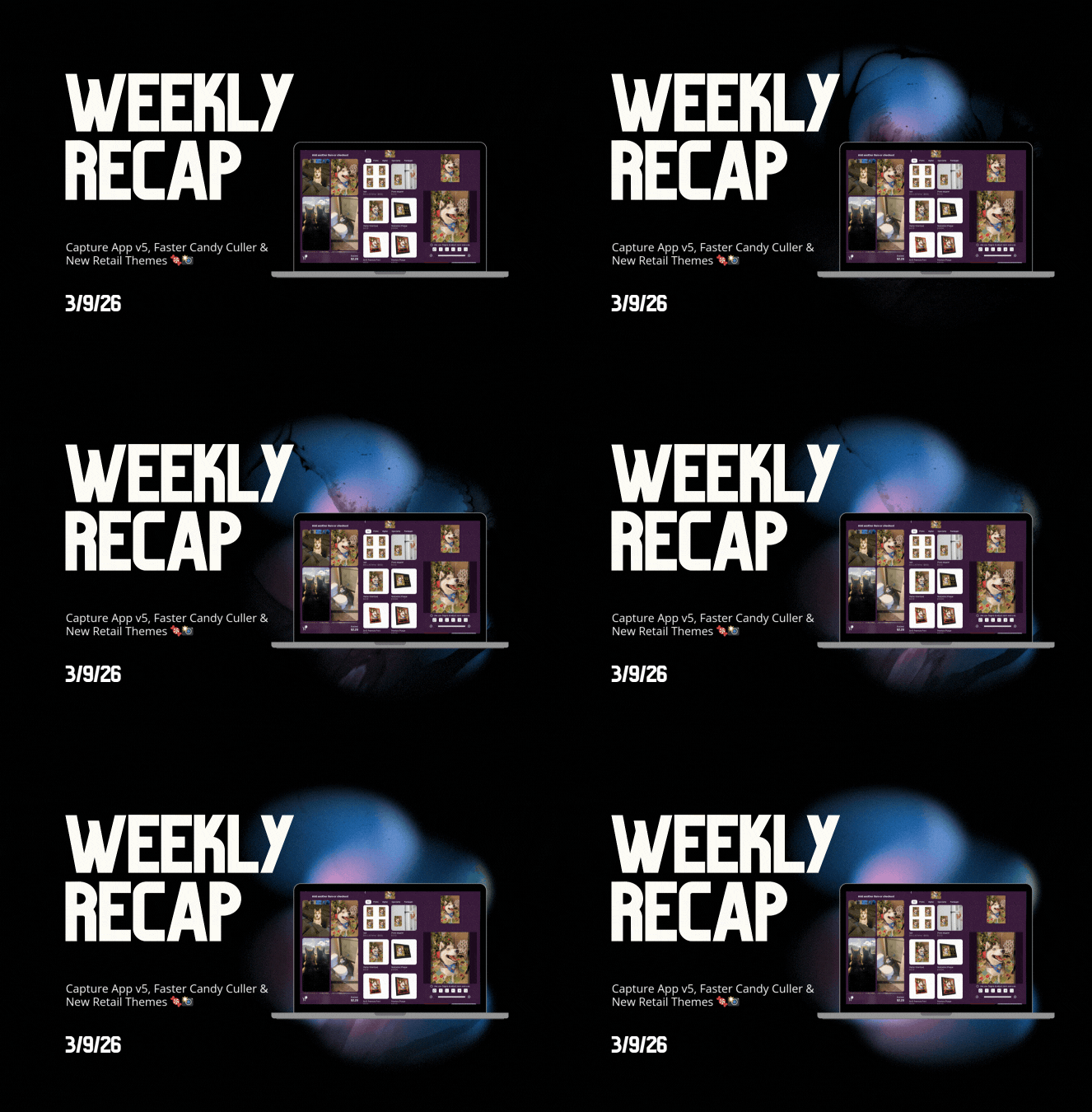
Weekly Recap: Capture App v5, Faster Candy Culler & New Retail Themes πŸ¬πŸ“Έ
Feature Updates
March 6, 2026

Weekly Recap: Capture App v5, Faster Candy Culler & New Retail Themes πŸ¬πŸ“Έ

6
Β minutes read
Hey photo friends! πŸ‘‹

‍

This week’s update is a big one. The new Capture App v5 for iOS has officially landed with major performance improvements, a refreshed UI, and some helpful workflow upgrades.

‍

On top of that, Candy Culler just got significantly faster, retail got a couple new themes, and several tools across the Dashboard have been refined.

‍

Let’s jump in.

‍

πŸ“± Capture App v5 (iOS) β€” Major Upgrade

‍

Capture App Version 5 brings a full UI refresh, major performance improvements, and several new quality-of-life tools for shooting events.

‍

⚑ v5: Faster Uploads & Better Performance

‍

A brand-new upload system significantly improves efficiency:

  • πŸ“€ Uploads can be up to ~20–30% faster
    ‍
  • πŸ“¦ Payload size reduced by ~25% thanks to image transfer improvements
    ‍
  • πŸ”‹ Lower CPU, battery, and memory usage during uploads
    ‍
  • πŸ“· Much better memory usage with tethered cameras
    ‍
  • 🧠 Improved overall memory performance across the app

‍

These improvements should make long shooting sessions feel noticeably smoother.

‍

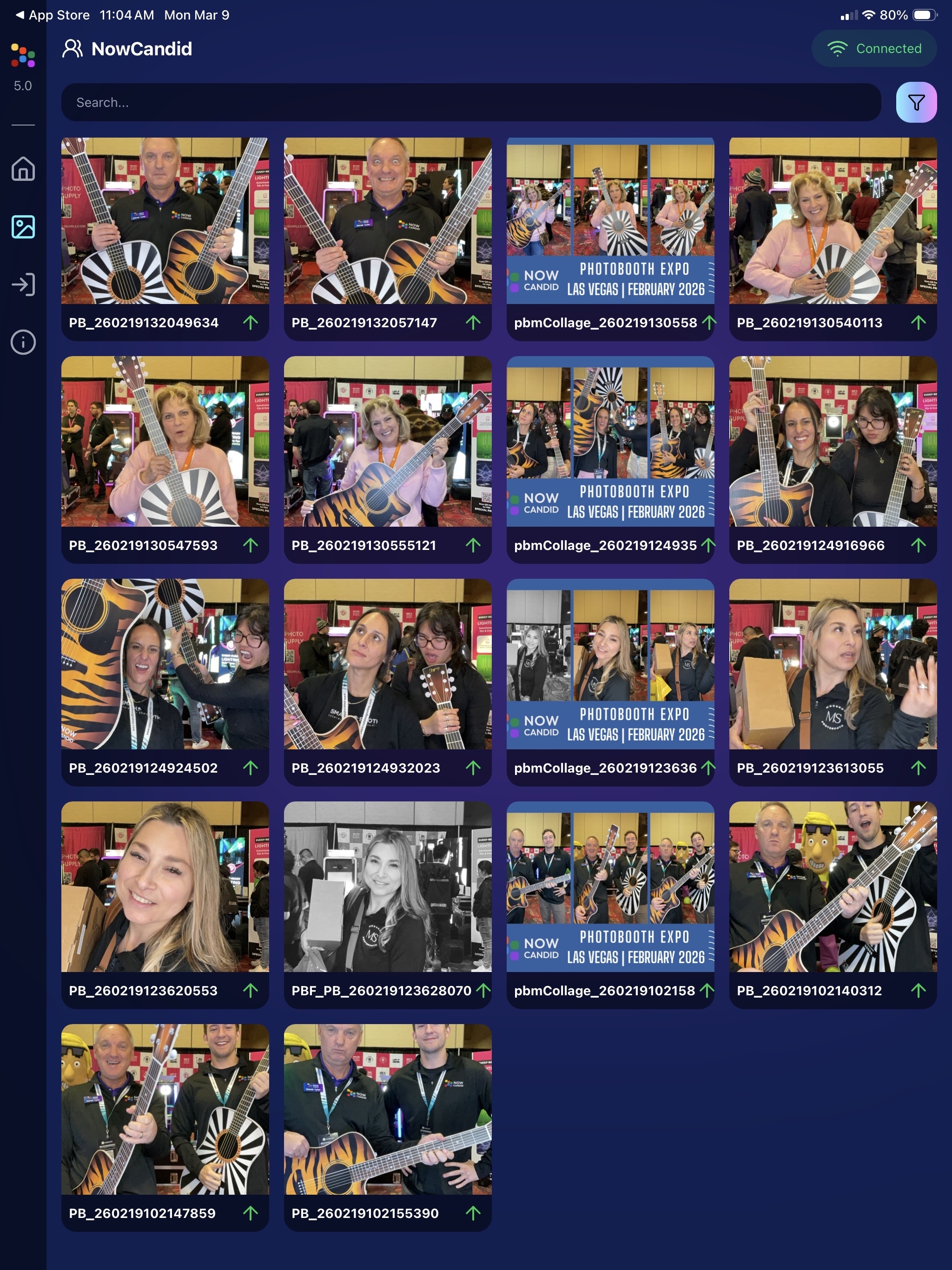
πŸ–ΌοΈ v5: New Image Gallery & Filters

‍

The in-app gallery has been redesigned with better filtering and navigation:

  • Image name search
    ‍
  • Uploaded / Unuploaded status
    ‍
  • Roll filtering
    ‍
  • Event filtering

‍

Filters are easy to remove with a single tap, similar to the Dashboard experience.

‍

πŸ” v5: Duplicate Photo Warning

‍

The Capture App can now warn you about duplicate images during a shoot:

  • Works only within the current session
    ‍
  • Does not upload or save duplicate data
    ‍
  • Can be disabled from the Resources page if desired

‍

This works independently from the Dashboard’s Candy Culler duplicate detection, giving you duplicate awareness both during capture and afterward.

‍

🧰 v5: New Event Overview Info

‍

The event overview page now includes helpful connection details:

  • πŸ“‘ Carrier name
    ‍
  • πŸ“Ά Cellular generation (if available)
    ‍
  • πŸ“Ά Current Wi-Fi network

‍

This can help troubleshoot upload issues while shooting events.

‍

🎨 v5: Photo Booth Background Packs

‍

Photo Booth now supports downloadable background packs:

  • πŸŽ„ Christmas
    ‍
  • πŸŽƒ Halloween
    ‍
  • More to come!

‍

The default pack is now a downloadable set as well, which keeps the main app much smaller and makes OTA updates faster.

‍

πŸ”§ v5: Additional Capture App Improvements

‍

🌍 International phone numbers supported in Positive ID (were already supported in Tap-A-Face)
‍

🧍 Full vertical images now fit on iPhone screens
‍

πŸ”„ Update checks run automatically when refreshing events
‍

πŸ“§ Tap-a-Face email validation now matches Check-In pages
‍

πŸ”„ Upload status updates immediately after each upload
‍

πŸ“² Tablets can now use portrait orientation throughout the app

‍

✨ v5: Complete UI Refresh

‍

Version 5 introduces a polished new interface:

  • Modern sheet-based UI
    ‍
  • Improved dark mode styling
    ‍
  • Larger login and event selection screens
    ‍
  • Updated phone number input interface
    ‍
  • New image details sheet
    ‍
  • Cleaner image gallery layout

‍

__wf_reserved_inherit
New popup styling!

‍

__wf_reserved_inherit
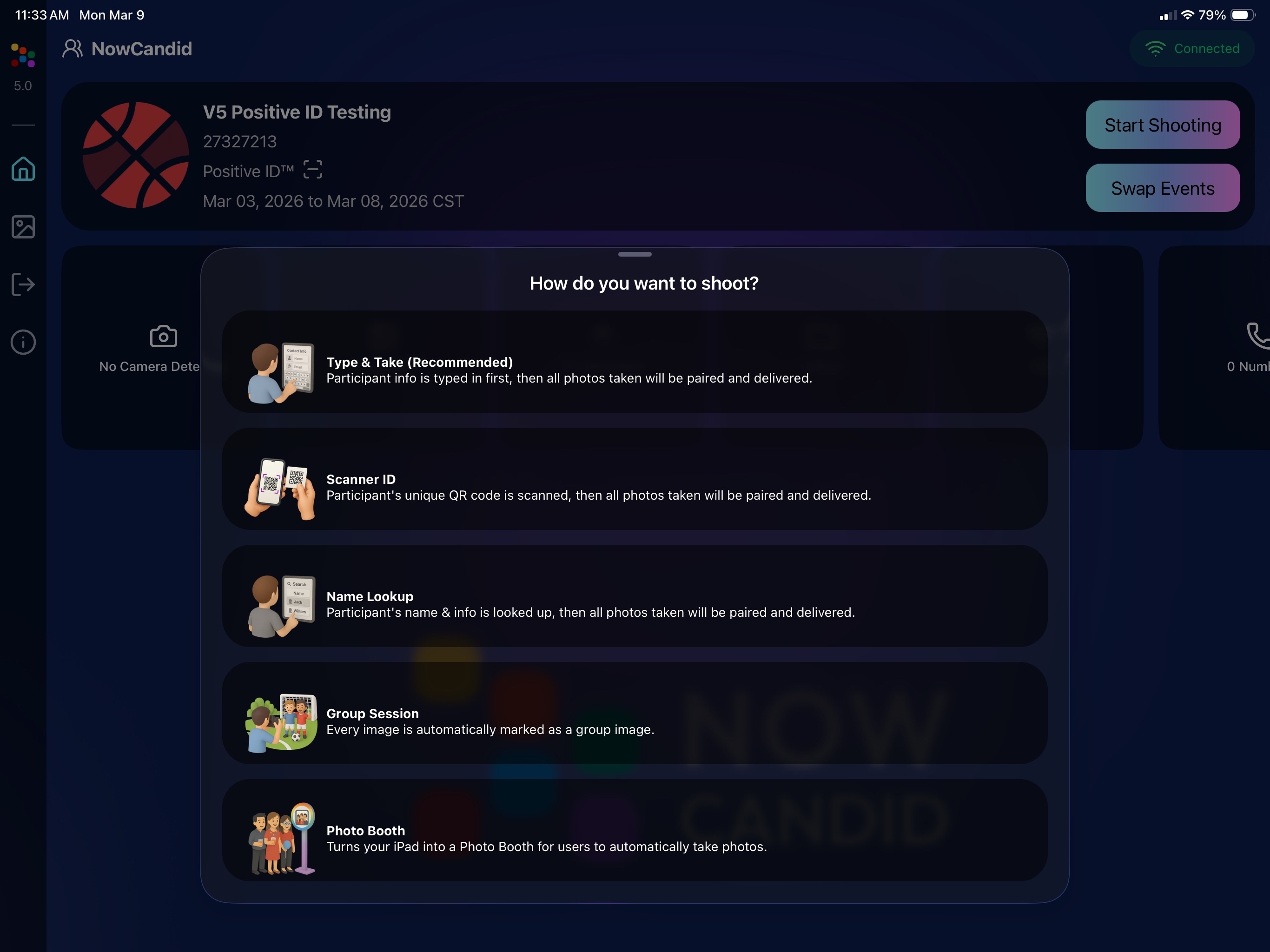
Vertical orientation for iPad! Yay!

‍

Overall, the app feels faster, cleaner, and more modern.

‍

🧠 Candy Culler: Now 5Γ— Faster

‍

Candy Culler processing has been dramatically upgraded.

‍

⚑ Up to 5Γ— more images can now be processed at once, bringing it in line with Jersey Jotter throughput.

‍

This means faster detection for:

  • Duplicates
    ‍
  • Blurry photos
    ‍
  • Exposure issues
    ‍
  • Closed eyes
    ‍
  • Other culling checks

‍

🍬 Candy Improvements

‍

Candy continues getting faster and smarter:

  • ⚑ Faster Candy responses
    ‍
  • πŸ”Ž Faster Candy Navigation results
    ‍
  • 🧠 Improved event search for newly created events
    ‍
  • πŸŽ›οΈ Refreshed Mini Candy UI

‍

Pro tip: Press CMD + A / CTRL + A to toggle Mini Candy.

‍

🧾 Dashboard Improvements

‍

Several useful refinements were made to the Dashboard:

  • πŸ“Š Fixed Faces Report chart showing empty data
    ‍
  • 🧾 QR Code generator downloads now export at 1024px
    ‍
  • πŸ“‘ Scan card PDFs now sort duplicate participants exactly like the Capture App
    ‍
  • 🎨 Offer editor popups for adding products and packages are now wider with product category tabs
    ‍
  • πŸ“Š Event order list diamond-press counts now include quantities correctly
    ‍
  • 🧭 QR Creator and Image Tester now appear in Sidebar Find

‍

🎨 New Retail Themes

‍

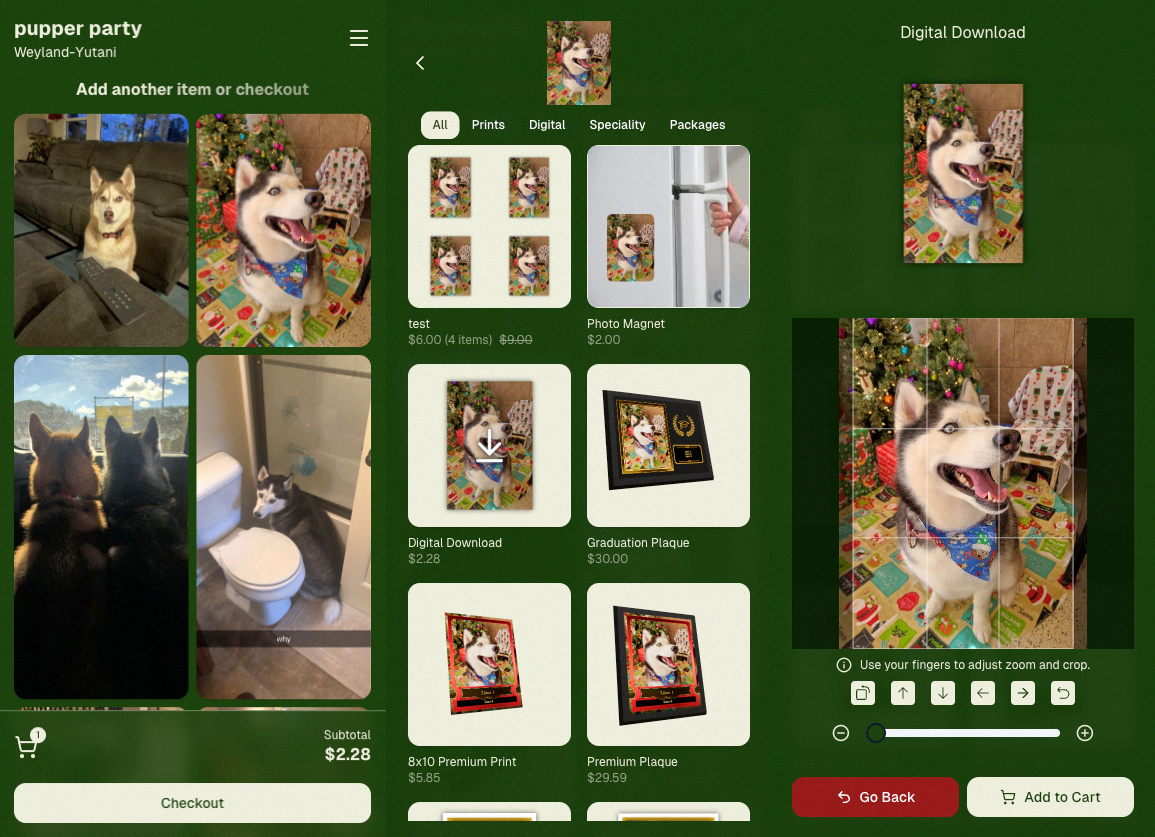
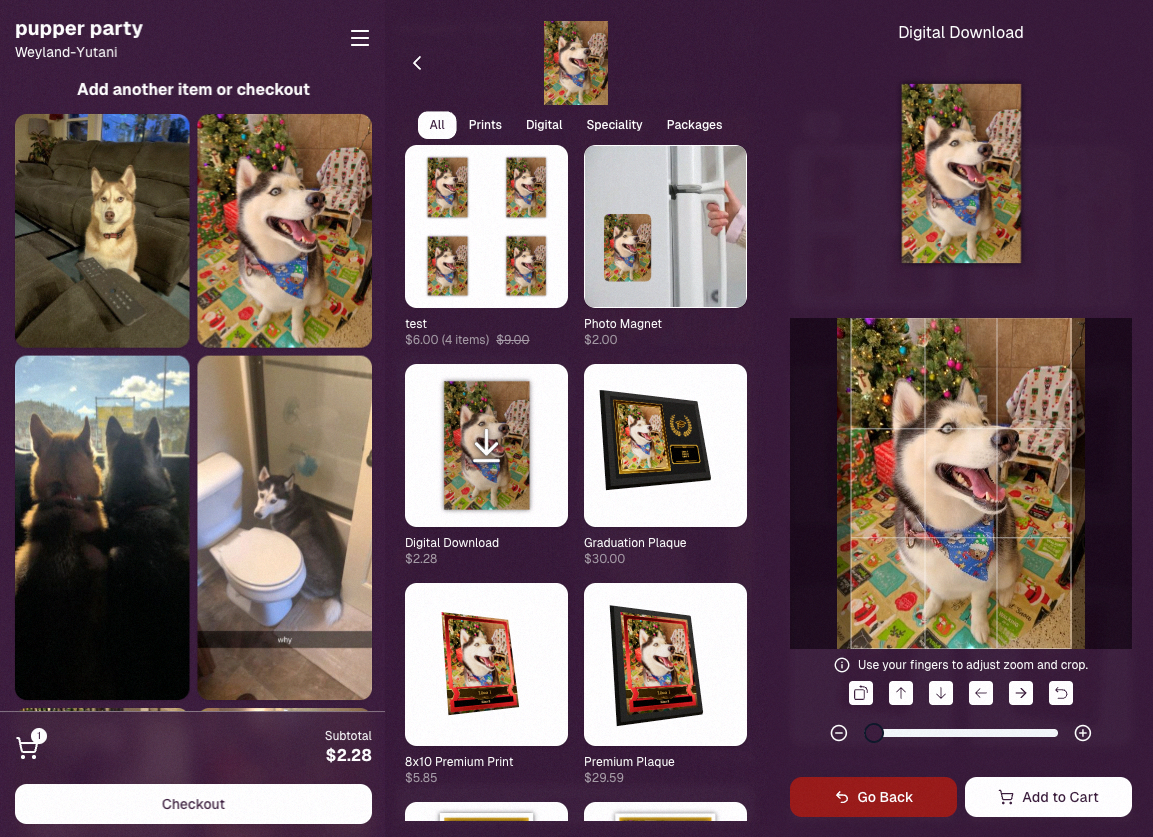
Candy's Note: We hope you enjoy the pupper pics!

‍

🍡 Matcha Theme – a clean green storefront (great for spring or St. Patrick’s Day)

‍

__wf_reserved_inherit

‍

🍠 Ube Theme – a bold purple theme

‍

__wf_reserved_inherit

‍

Bonus: Retail UI styling also received improvements for tabs, checkboxes, and order tracking.

‍

πŸ“³ Haptics for Mobile Retail & Check-In

‍

Mobile users will now feel subtle feedback interactions when using the site:

  • Tap feedback
    ‍
  • Success feedback (add to cart, order placed)
    ‍
  • Error feedback

‍

This makes mobile ordering and check-in feel much more responsive, alive, and engaging!

‍

🀳 Selfie Check-In Improvements

‍

The Selfie Check-In site received improvements to the local face recognition model, making it more reliable and stable on more devices.

‍

πŸ’° FreePics Adjustment

‍

Good news for high-volume FreePics users:

‍

Selfie Check-Ins and PhotoRoster reference images no longer count as billable images.

‍

That means FreePics events that use those workflows will be slightly cheaper overall.

‍

πŸ“₯ Easier Downloads on iPhone

‍

On iOS Chrome: Press-and-hold image downloads now open the iOS Share menu, making it much easier to save images. (iOS Safari already supported this behavior.)

‍

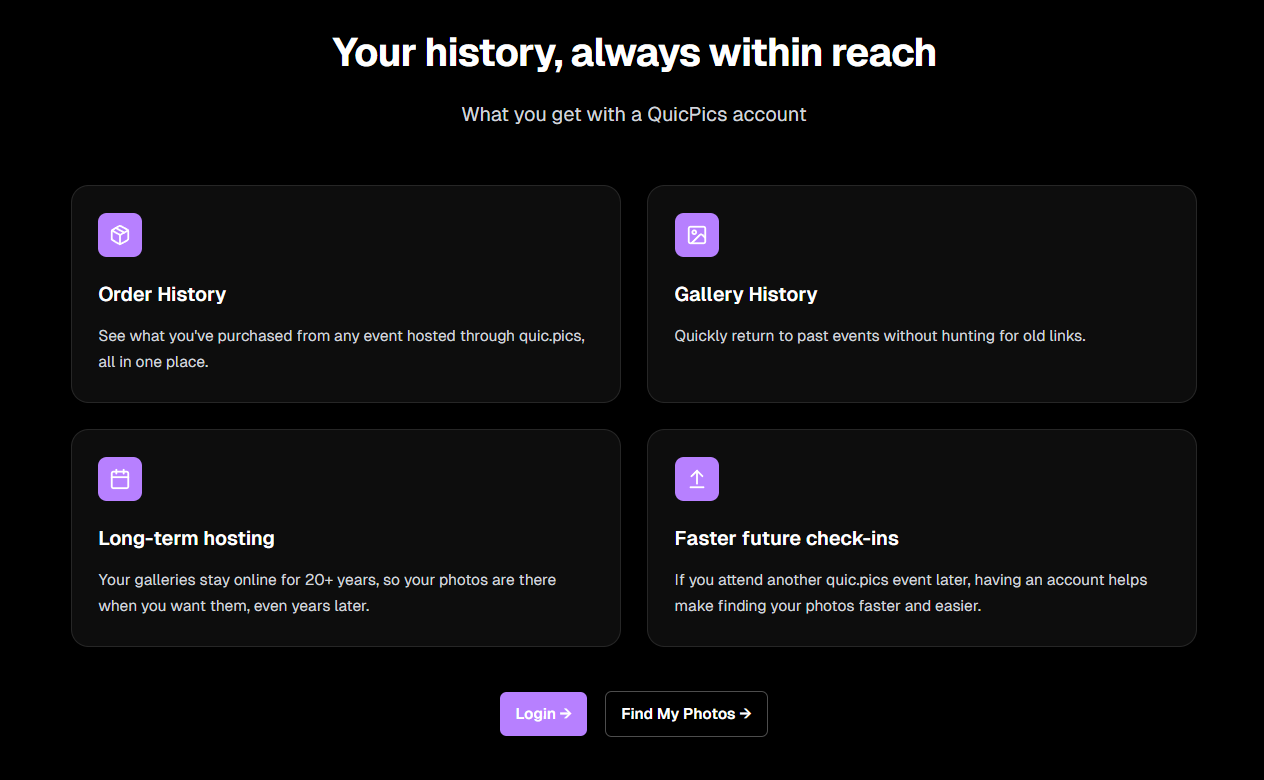
🌐 New FreePics Landing Page

‍

The Quic.Pics site now has a proper landing page instead of only a login screen in case end customers stumble across it somehow.

‍

Hopefully this helps it seem more legit while still remaining relatively white-label for your photographers out there!

‍

__wf_reserved_inherit
You can see it here: https://www.quic.pics

‍

That’s the week!

‍

Capture App v5 is a big upgrade, and combined with the faster Candy Culler and several Dashboard improvements, the entire workflow from capture β†’ cull β†’ sell just got smoother.

‍

See you next week,

Candy 🍬

Weekly Recap: Candy Image Studio Upgrades, Participant Search & QR Creator 🍬✨
Feature Updates
February 27, 2026

Weekly Recap: Candy Image Studio Upgrades, Participant Search & QR Creator 🍬✨

4
Β minutes read
Hey photo friends! πŸ‘‹

‍

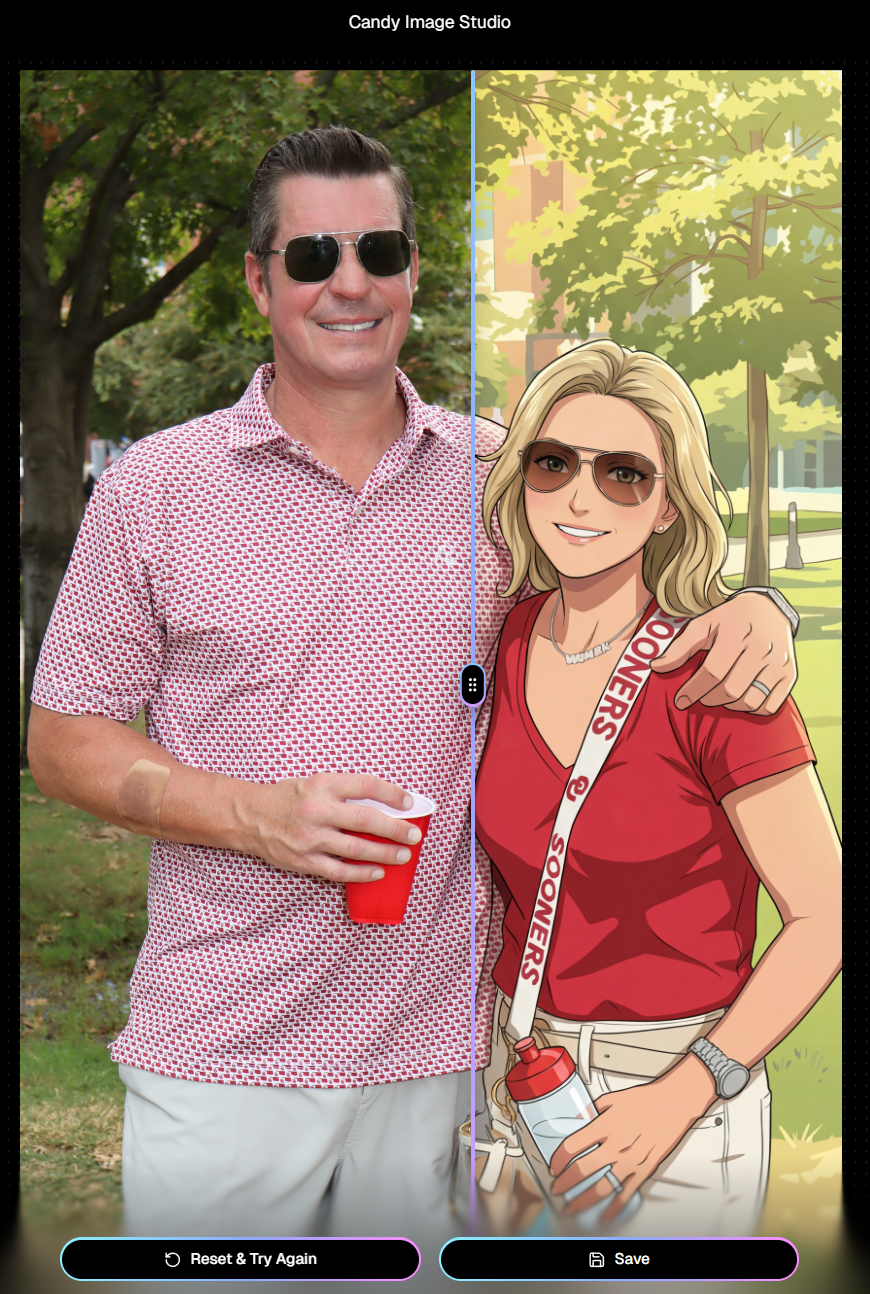
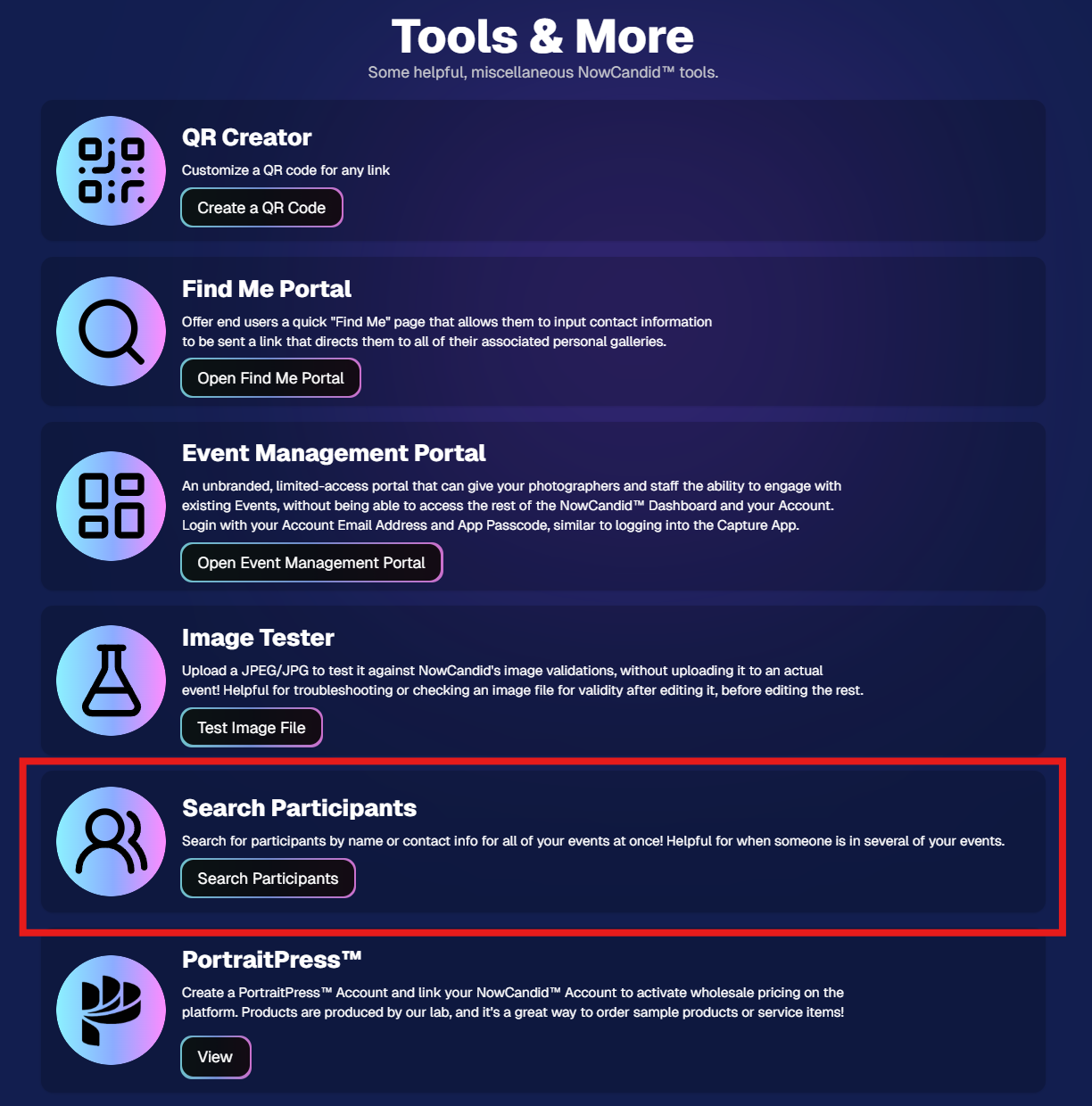
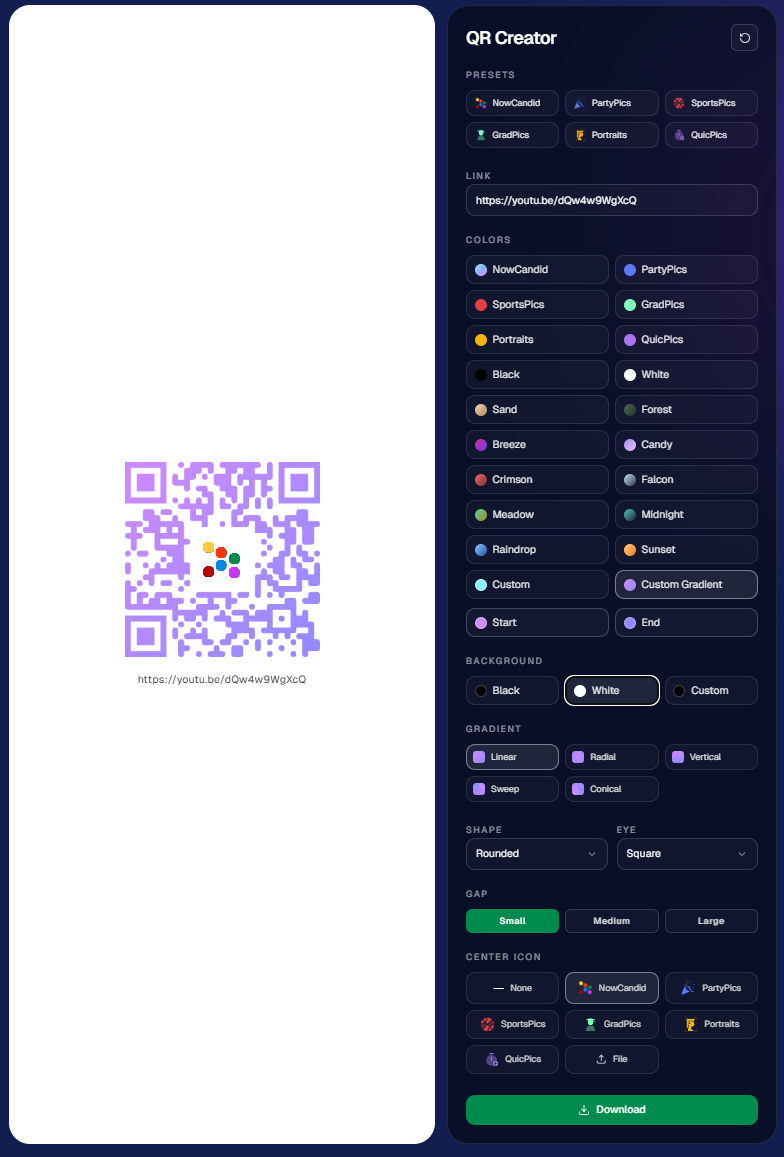
This week is packed with tools you’ll probably use right away: big upgrades to Candy Image Studio, a brand-new Participant Search across all events, and a fun but practical QR Creator.

‍

Let’s dive in.

‍

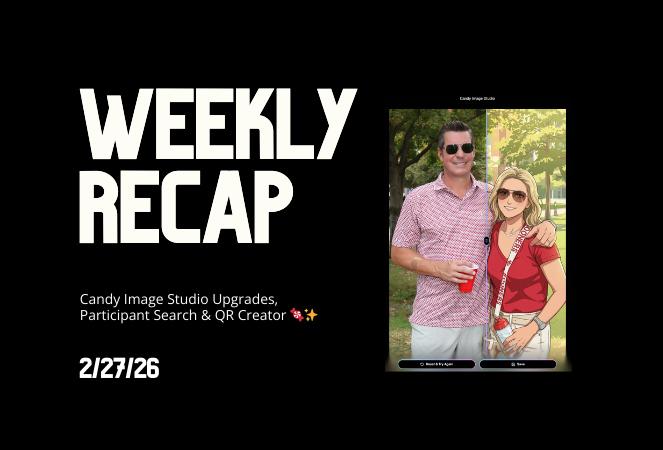
🎨 Candy Image Studio: More Control, More Power

‍

We’ve made some meaningful upgrades to Candy Image Studio:

‍

πŸ‘οΈ Choose whether to mark the original image invisible‍

  • Previously, edits always hid the original. Now it’s your call.

‍

πŸ—‚οΈ Multiple edits can coexist‍

  • Uploading multiple AI edits of the same image no longer overwrites previous ones.

‍

🧠 New safety agent‍

  • Automatically checks for edits involving race/ethnicity/skin tone changes or nudity to keep things appropriate.

‍

πŸ–ΌοΈ Generate 2K or 4K outputs‍

  • 4K is recommended for images with text.

‍

⚑ Image Lightbox Integration‍

  • Click β€œCandy Image Studio” directly from an image lightbox to preload it into the Studio.
  • You can optionally mark the original invisible, and it keeps all participant associations intact for the new image (just like cutouts).

‍

If you haven't checked out the AI editor, give it a try!

‍

πŸ”Ž New: Participant Search Across All Events

‍

You can now search participants across your entire account:

‍

  • Search by name or contact info
  • Access via Tools & More, Sidebar Search bar, or "/participants" directly in the URL
  • Supports Candy navigation

‍

Huge time-saver when you can’t remember or don't know which event someone was in.

‍

Click here to jump to the Tools & More page

‍

πŸ”³ New Tool: QR Creator

‍

Found under Tools & More, the new QR Creator lets you:

‍

  • Paste in any link (event, check-in, retail, etc.)
  • Customize shape and colors
  • Generate something nicer than a plain black-and-white square
  • Download the new, cuter QR code!

‍

Simple, but useful for signage, flyers, and booths.

‍

https://app.nowcandid.com/tools/qr

‍

πŸ“± Mobile Dashboard Improvements

‍

πŸ”„ Swipe down to refresh any page (no app update needed, just refresh)

‍

↔️ Swipe left/right in image lightboxes to move between images (desktop users already have arrow keys)

‍

🍬 Overall improved Candy experience on mobile

‍

πŸ–₯️ Dashboard Improvements

‍

πŸ“‚ PhotoRoster upload limit increased to 10,000 members

‍

🏷️ PhotoTag assignment via Edit Folder fixed (won’t remove all tags unless you choose β€œNone”)

‍

πŸ‘€ Create Participant button re-enabled (shows warning if event is older than 60 days; roster import still disabled for older events)

‍

⚑ Faster event list search for accounts with many events

‍

πŸ–ΌοΈ Event cover photo now visually anchors the Event Details & Tags pages

‍

🧾 Fixed overlay import not working properly

‍

πŸ”” Fixed toast notifications appearing behind popups

‍

🌾 Candy Culler Duplicate detection improvement‍

  • When using β€œDuplicates Only” in Candy Culler, duplicates now appear side-by-side for easier reviewing.

‍

πŸ›οΈ Retail Improvements

‍

πŸ“„ Fixed pagination buttons requiring page jump to function

‍

🏈 Improved Jersey Jotter search speed/performance

‍

πŸŒ€ LiveLoop Fixes

‍

πŸ› οΈ Fixed certain events stopping after running for awhile

‍

πŸ“’ Fixed not being able to upload advertisements

‍

πŸ’Έ Shipping Update

‍

πŸ“¦ 5Γ—7 Statuette shipping cost reduced thanks to a new shipping method for that product‍

  • From $7.25 β†’ $3.25 (about 55% lower)

‍

That’s the week!

‍

Bigger AI editing control, faster participant lookup, custom QR codes, and a lighter shipping cost on 5Γ—7 Statuettes.

‍

Keep creating magic,

Candy 🍬

Let’s get in touch

If you’re a photographer looking to add NowCandidβ„’ services to your wheelhouse, set up a call with us!

How to customize formatting for each rich text

How to customize formatting for each rich text

How to customize formatting for each rich text

How to customize formatting for each rich text

How to customize formatting for each rich text

‍

‍

What’s a Rich Text element?

The rich text element allows you to create and format headings, paragraphs, blockquotes, images, and video all in one place instead of having to add and format them individually. Just double-click and easily create content.

A rich text element can be used with static or dynamic content. For static content, just drop it into any page and begin editing. For dynamic content, add a rich text field to any collection and then connect a rich text element to that field in the settings panel. Voila!

Headings, paragraphs, blockquotes, figures, images, and figure captions can all be styled after a class is added to the rich text element using the "When inside of" nested selector system.

  • List One
  • List Two
  • List Three
  • List Four
  • List Five

This is a link

This is bold text

‍

  • ‍

‍