HomeNavigation arrowBlogNavigation arrow
Current page
Feature Updates

Weekly Recap: NowCandid Docs Are Here (60+ Pages), Capture App 5.6, and Smarter Retail + Dashboard Tools

Weekly Recap: NowCandid Docs Are Here (60+ Pages), Capture App 5.6, and Smarter Retail + Dashboard Tools
Hey photo friends! 👋


This week’s updates are packed with improvements that make your day-to-day workflow smoother—especially if you like clear answers, fewer edge cases, and cleaner experiences across Capture, Retail, and the Dashboard.

The headline this week: NowCandid Docs are officially live inside the Dashboard—and they’re already huge. Let’s jump in. 💫

📚 NEW: NowCandid Docs (Built Into the Dashboard)

We’ve launched official, up-to-date NowCandid documentation directly inside the Dashboard. Just click “Docs” in the sidebar to open it.

Here’s what makes it special:

  • One dedicated place for everything: programs, workflows, Capture App, JerseyJotter, Candy Culler, and more
  • Over 60 pages of documentation already (with screenshots and even some videos)
  • Regular updates, with a timestamp on each page showing when it was last updated
  • Smart Docs search (use the search button at the top of the Docs sidebar)
  • Mobile supported: works fully inside the Mobile Dashboard app
  • Clickable images: click any image to preview it bigger
  • Table of contents + feedback: on larger screens, you’ll see a right-side table of contentsand a “Give Feedback” button to report missing info, typos, or confusing sections
  • Private by default: you can share a docs link, but the viewer must be logged in to access it
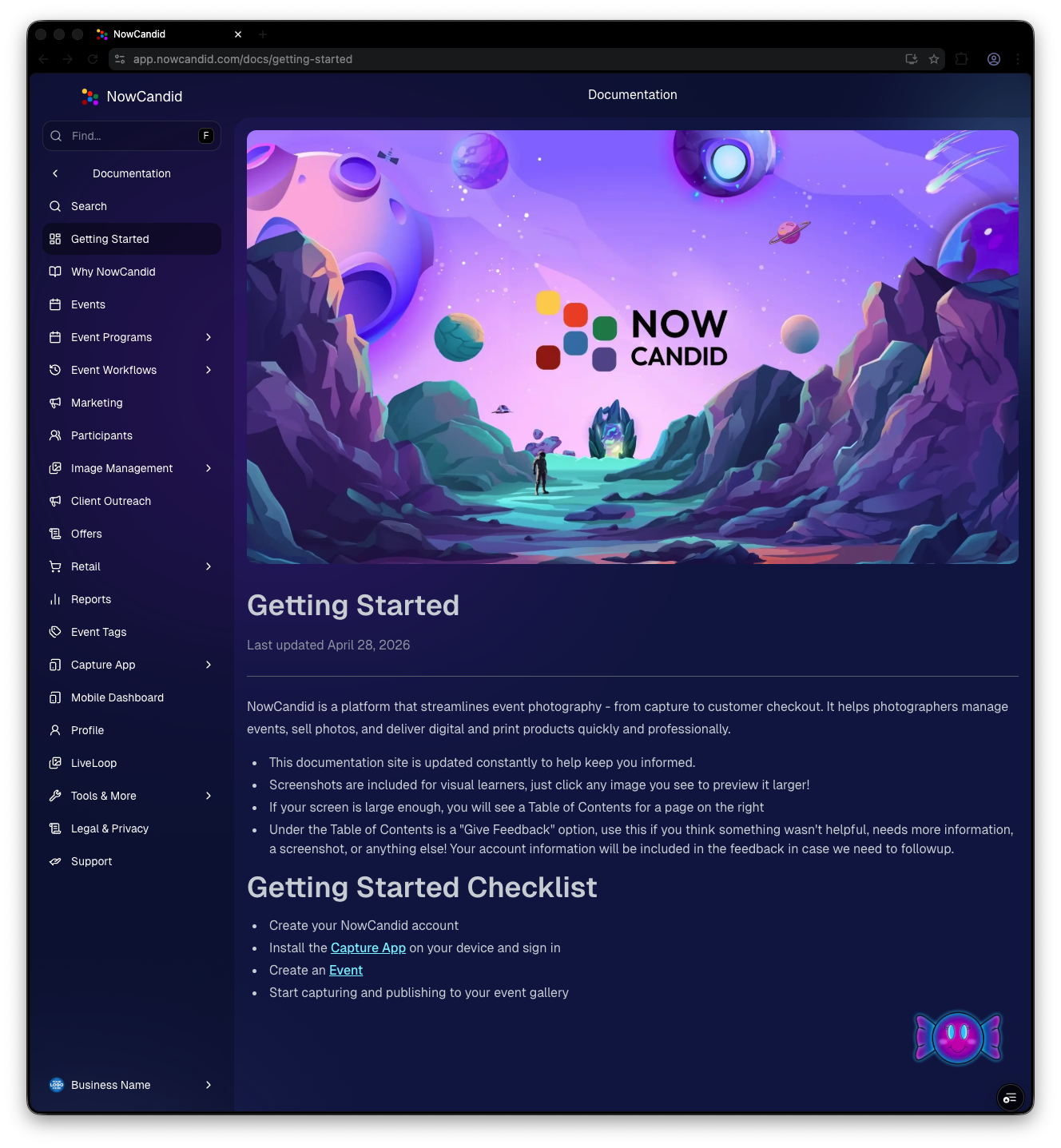
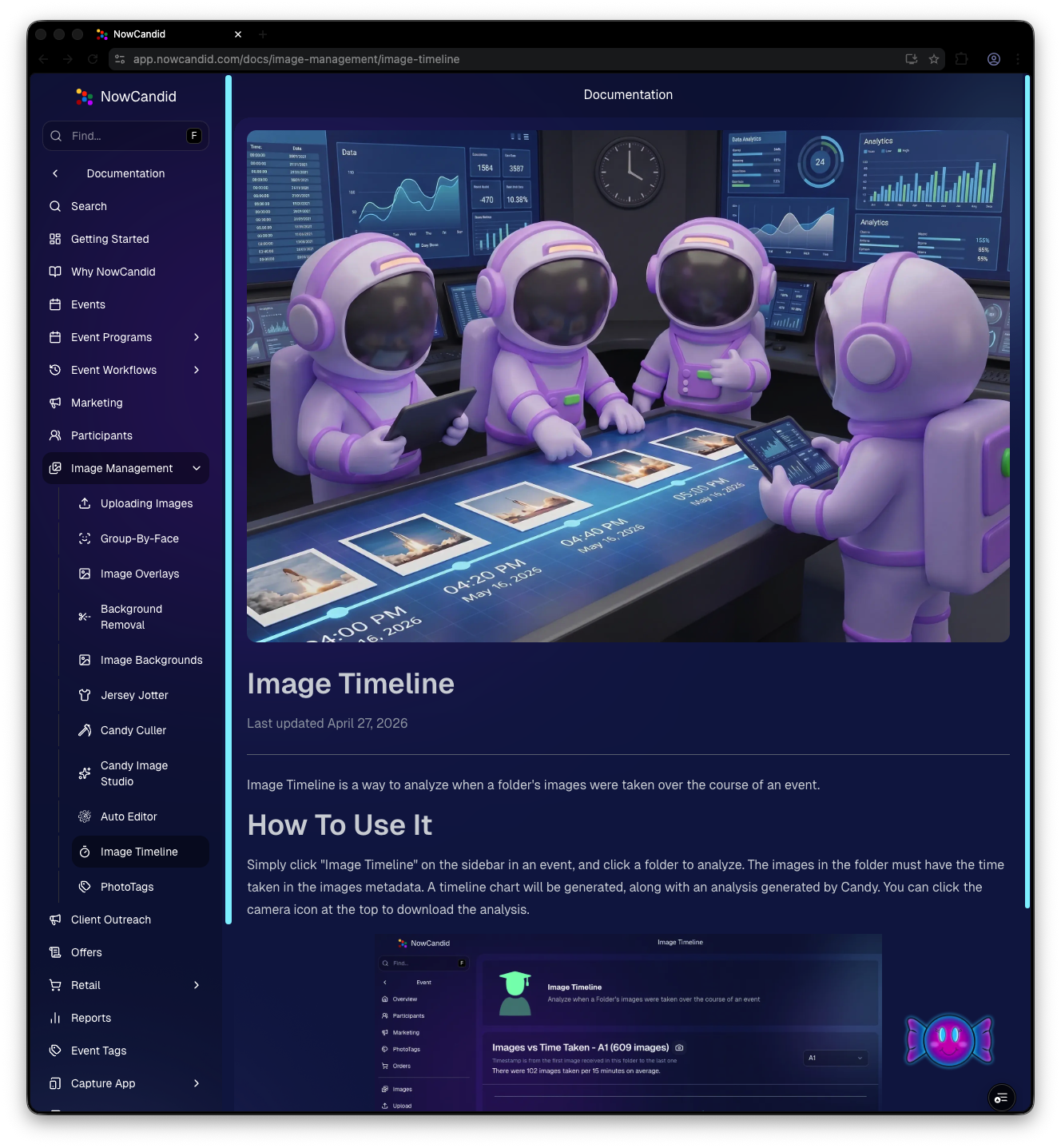
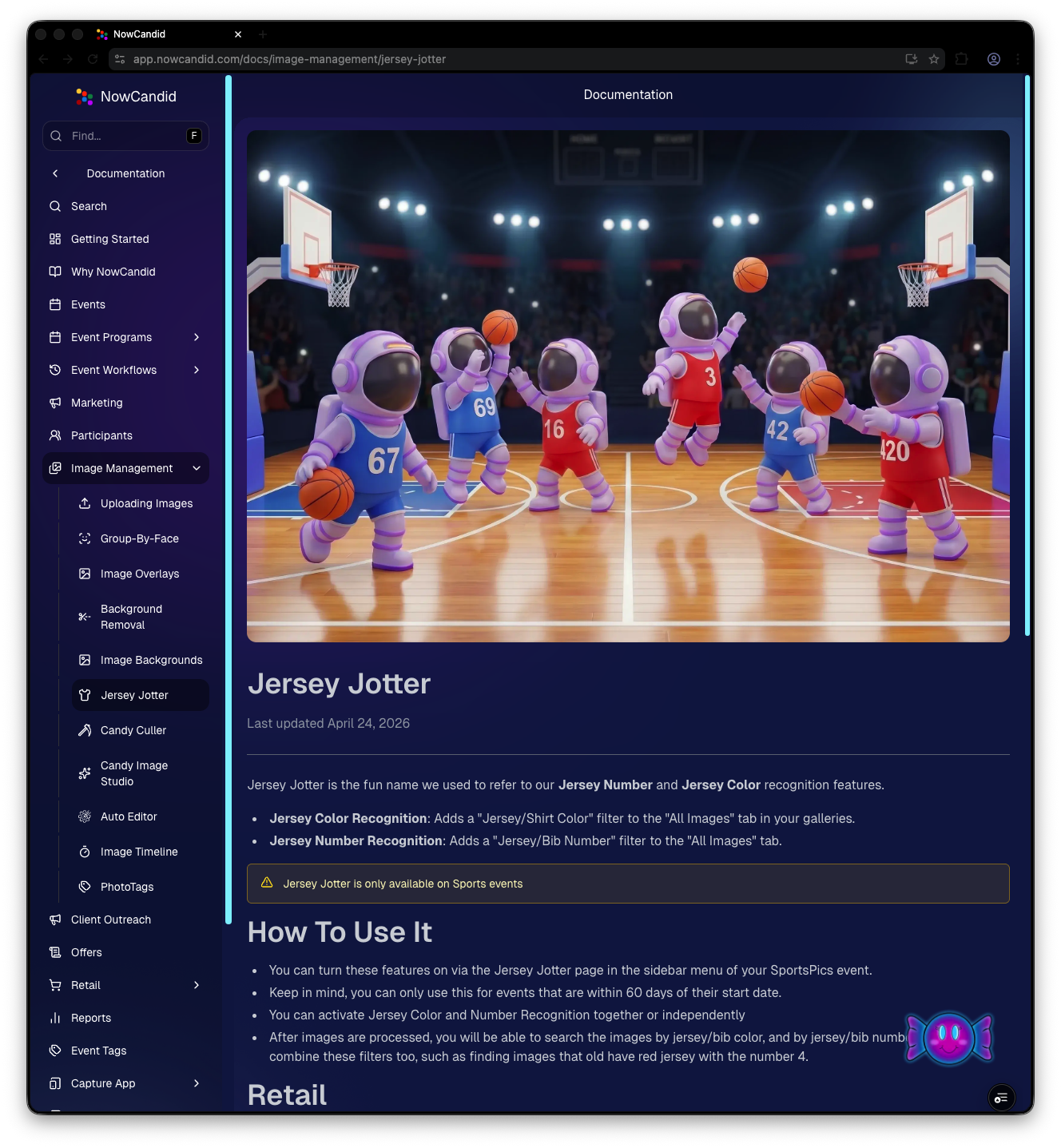
Preview of New NowCandid Docs
NowCandid Docs Image Timeline page preview
NowCandid Docs Jersey Jotter page preview

🍬 Candy got smarter (because Docs exist)

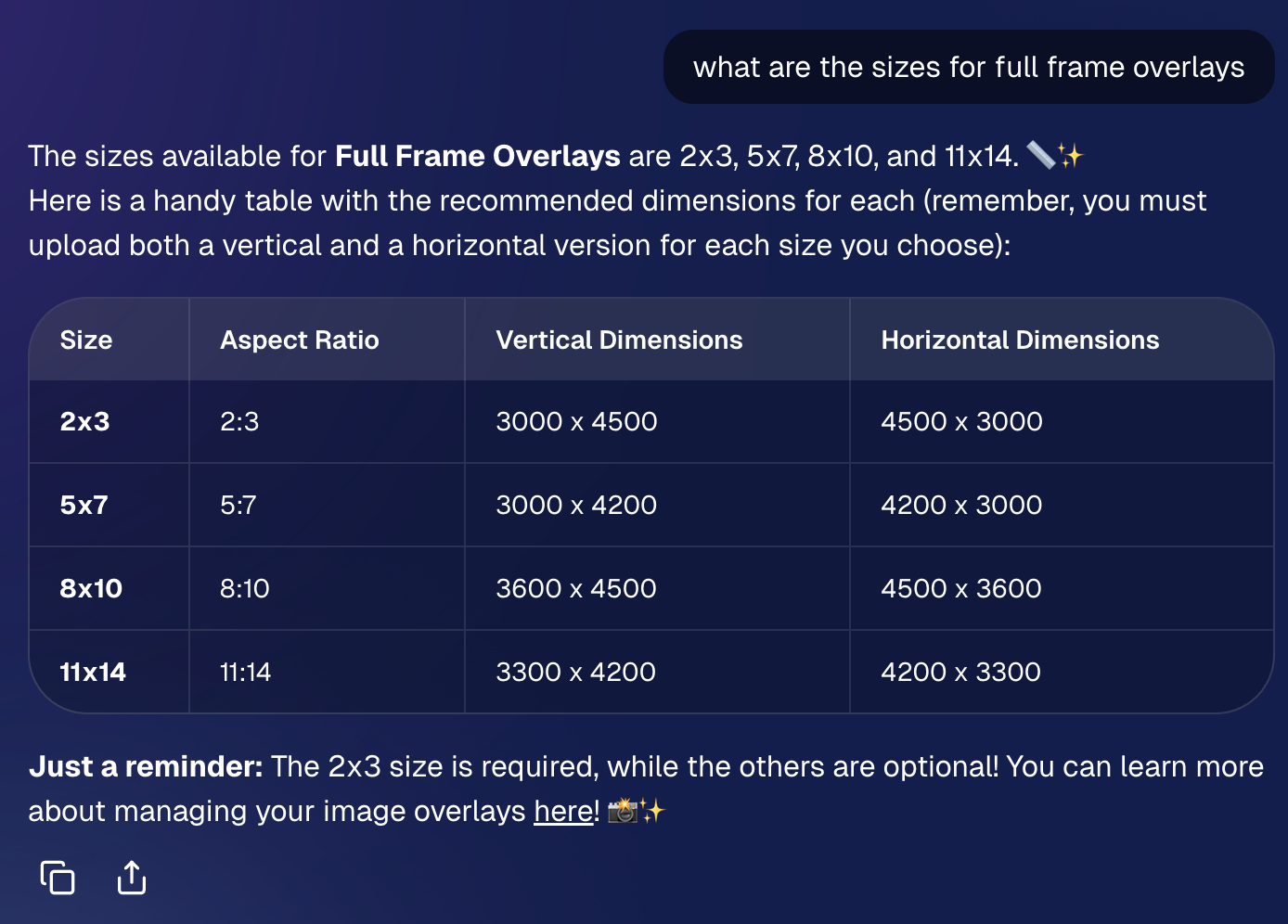
Candy now pulls from the new Docs when answering questions—so she can:

  • Share direct links to guides
  • Pull relevant screenshots and videos
  • Give more accurate, up-to-date help

Also, the Candy Navigation Assistant now uses docs search as the fallback destination if it can’t find a page you’re looking for—often with your question prefilled!
📱 Capture App 5.6 (iOS & Android) — Not OTA

Capture App v5.6 is now available for iOS and Android (this is not an OTA update).

What changed:

  • Fix: Android “Update Available” popup now correctly links to Google Play, not the Apple App Store
  • Feature: The app now rejects images under 1,000 pixels with an error popup (similar to the color profile error). The Dashboard already enforced this, but this prevents rare edge cases—like a camera outputting low-res images during capture.

🛍️ Retail Improvements (Better behavior, clearer checkout)

A few retail updates landed that improve clarity and fix edge cases:

  • BGR + PhotoTags fix: Background removed images in PhotoTag events will now show correctly even if the originals are marked invisible
  • Pay Later badges removed from the store sheet (the “Pay Later Options Available in Checkout” messaging still appears in package configurators for packages $30+)
  • Z-cropped images now show faceboxes (and the faceboxes are adjusted to the z-crop, too)
  • Checkout completion screen now shows your Business Logo (if you’ve added one)
  • Updated “Your order is complete” copy to note:
    • retouching may delay orders
    • physical products typically arrive in 7–14 business days

🖥️ Dashboard Updates (Clarity, savings, and better reporting)

  • Positive ID edge case fixed: Manually assigned images now show up correctly in an additional contact’s gallery
  • Client Outreach SMS savings: Non-standard encoded apostrophes now auto-convert to standard apostrophes to reduce segment costs
  • Auto Editor access fix: Resolved an issue preventing some users from accessing Auto Editor
  • New Candy Image Studio node: Traditional Black & White (distinct from the Black and White Film Print node)
  • Reports pages upgraded: Added titles and descriptions for better clarity
  • Participant List: Unmarketable Participants filter
    • You can now filter to show only unmarketable participants—or hide them
    • The download sheet now includes an “Unmarketable” column (Yes/blank)
    • “Unmarketable” can include opt-outs/unsubscribes, invalid contact info, etc.

🍬 Candy UI improvements

Candy received a bunch of UX upgrades, including:

  • Click images to preview larger
  • New table rendering
  • Scroll fades
  • Type without having to click/focus the input first

📱 Mobile Dashboard Improvements (No app update needed)

  • Fixed sidebar scrolling triggering “pull to refresh”
  • You can now slide/pull from the side to open the sidebar—no need to scroll to the top and tap the sidebar button

That’s the week! 💫

This release is all about reducing friction—with official docs inside the Dashboard, a tighter Capture App, better retail behavior for BGR and z-crops, and Dashboard refinements that improve accuracy, clarity, and even lower messaging costs.

Keep creating magic,

— The NowCandid Team 🍬

Related articles

Capturing the Champions of Tomorrow: A Guide to Youth Sports Photography Portrait Shoots and Team Photos
SportPics
May 3, 2023

Capturing the Champions of Tomorrow: A Guide to Youth Sports Photography Portrait Shoots and Team Photos

4
 minutes read

Youth sports photography is all about capturing the energy, passion, and camaraderie of young athletes as they embark on their journey to greatness. In this blog post, we'll share tips for getting started in youth sports portrait photography and team photos, and how NowCandid can help you achieve success in this exciting niche.

  1. Build Trust and Rapport with Athletes and Their Families:
    Young athletes may be nervous or shy in front of the camera, so it's essential to build trust and rapport with them and their families. Communicate openly, listen to their preferences, and share your enthusiasm for their achievements. Remember, your role as a photographer is to create a fun, positive experience for all involved.
  2. Choose the Right Location and Background:
    Select a location that showcases the sport's essence and complements the athletes' uniforms and team colors. Opt for natural settings such as fields or courts, or use a portable backdrop for a clean, professional look. Ensure the background is uncluttered and free from distractions to keep the focus on the young athletes.
  3. Master the Art of Posing and Composition:
    Like a superhero assembling their squad, guide your subjects into flattering and dynamic poses that showcase their personality and athleticism. Experiment with individual and group poses, ensuring each athlete's face and uniform are visible. Use a mix of traditional and creative compositions to create a diverse and visually engaging portfolio.
  4. Utilize Natural Light and Flash Techniques:
    Youth sports portrait photography often takes place outdoors, so make the most of natural light. Shoot during the golden hour for soft, warm lighting, and use a reflector to bounce light onto your subjects. For indoor shoots, invest in a portable flash kit to create well-lit, professional-looking images.
  5. Offer Customized Products and Packages:
    Offer a range of customizable products and packages to appeal to various clients and budgets. From prints and digital files to keychains and plaques, showcase your photos on a wide variety of products to provide a valuable service for your clients.
  6. Partner with NowCandid to Streamline Your Business:
    As Doc Brown from "Back to the Future" once said, "The future is whatever you make it, so make it a good one." NowCandid's powerful platform helps you make that good future for yourself. It can do a lot for youth sports photographers, like streamline their workflow, handle customer support, deal with all order fulfillment, and boost sales. By integrating NowCandid into your business, you can focus on capturing the champions of tomorrow while enjoying a seamless and efficient process from start to finish.

Youth sports portrait photography offers a unique opportunity to capture the passion and determination of young athletes as they strive for greatness. By following these tips and harnessing the power of NowCandid, you'll be well on your way to building a successful career in this exciting and rewarding niche. Now, go forth and capture the future legends of the sports world!

Helpful Tips: Using QuicPics at your Proms
QuicPics
April 19, 2023

Helpful Tips: Using QuicPics at your Proms

6
 minutes read

QuicPics is an innovative photo booth alternative designed to enhance the photo-taking experience at events like proms. As a photographer, QuicPics allows you to offer a modern, fun, and interactive experience for prom attendees, while you get paid upfront for your services. It can be sold as a “mobile photo booth” service, as a manned portrait station akin to traditional photo booths, or as a service where you provide both! Thanks to our cloud, no matter how many photographers or photo stations you have, they’ll all talk to each other, meaning guests only have to provide their contact info once. 

This short guide will walk you through how to effectively use QuicPics for a prom night:

  1. First, Understanding QuicPics:
    QuicPics is quite different from NowCandid’s other programs, it texts image files directly to guests in addition to a link to their online gallery. With NowCandid’s other programs, only links to online galleries of images are delivered. QuicPics also charges the photographer for each image they take and upload to the cloud, making it the only NowCandid feature that charges the photographer in any way.
  2. QuicPics’ Advantage:
    QuicPics is a perfect alternative to traditional photo booths. It's a mobile, modern, interactive, and engaging way to capture memories at proms. With instant texting of images to attendees, QuicPics ensures a seamless experience for everyone involved.
  3. Create a Unique Photo Station:
    Make your photo station stand out by offering themed backdrops, fun props, and creative lighting. This will not only draw the prom-goers to your station but also encourage them to share their professional photos on social media, giving you free advertising and potentially attracting new clients.
  4. Pricing and Payment:
    As a photographer, it's essential to get paid upfront for your services. We recommend charging between $200 to $300 per photographer hour, possibly offering a discount if they are requesting a large number of photographers and/or hours. Alternatively, talk to the school or with involved parents about increasing the cost of prom tickets to pay for QuicPics services for the prom. Take payments using PayPal, Square, Venmo, via check, checkout on your own website, or whatever means are most convenient for you! Just ensure it looks professional to the school you’re dealing with.
  5. Planning your Workflow:
    To ensure a smooth process, have a tablet available for prom attendees to interact with the QuicPics platform. This will allow them to receive their photos via text message instantly thanks to the LTE connection of the tablets. We recommend using the Tap-A-Face workflow, which simplifies the process of collecting data and pairing it to their face, as well as being a fun addition to the prom already!
  6. Selling the Service:
    To promote your QuicPics services, create a compelling sales pitch that highlights the benefits of a mobile photo booth experience, the convenience of instant photo sharing, and the interactive nature of the platform. Showcase sample photos and emphasize the unique value QuicPics brings to a prom night.

QuicPics is a fun, interactive, and modern solution to traditional photo booths, making it an excellent addition to any prom night. By following these tips, hopefully you'll be able to provide a memorable experience for prom attendees while securing payment for your services. Happy snapping!

Proms: An Untapped Gold Mine
PartyPics
April 14, 2023

Proms: An Untapped Gold Mine

4
 minutes read

Plenty of photographers think photographing a prom is not worth their time and energy. They're not wrong to think that either... as that can often be the case! But, NowCandid's "PartyPics Now!" program has cracked the code and found a way to consistently monetize proms and other school dances!

We analyzed all the proms that took place in 2022 that had utilized PartyPics Now, and found that across dozens of proms, photographers averaged well over $2 per image taken and about $5 per guest at the prom. Not bad, considering the average number of students at any given prom was about 400 students!

The top performing proms well exceeded $2 per image and $5 per guest by doing some combination of the following things:

          • First, they used NowCandid's Selfie Check-In workflow, which gathered the guest's parent's contact data! Marketing the prom images to them as well.

          • Second, they utilized photo stations (sometimes with backdrops and/or props!) with photographer attendants in addition to roaming photographers.

          • And third, they sent 4 or more photographers to ensure they photographed every guest multiple times, making the guest's online galleries (and the larger photo packages) more appealing!

At proms where all three of those conditions were successfully met, the average sales per image was $3 and the average sales per event guest was almost $9!

So, while proms might not be quite as profitable as they were once upon a time, they can still be a great way to make some extra profit in your off season, expand your business, keep your photographers paid and busy, and more!

And... stay tuned! Because a new feature we're calling Group-by-Face rolls out in the very near future! Helping to take your online galleries for social events to the next level! 🎉

Have any questions? Feel free to contact us! We love to chat. 😃

Stay profitable, photographers! 📸

Let’s get in touch

If you’re a photographer looking to add NowCandid services to your wheelhouse – set up a call by clicking the button below.

How to customize formatting for each rich text

How to customize formatting for each rich text

How to customize formatting for each rich text

How to customize formatting for each rich text

How to customize formatting for each rich text

What’s a Rich Text element?

The rich text element allows you to create and format headings, paragraphs, blockquotes, images, and video all in one place instead of having to add and format them individually. Just double-click and easily create content.

A rich text element can be used with static or dynamic content. For static content, just drop it into any page and begin editing. For dynamic content, add a rich text field to any collection and then connect a rich text element to that field in the settings panel. Voila!

Headings, paragraphs, blockquotes, figures, images, and figure captions can all be styled after a class is added to the rich text element using the "When inside of" nested selector system.

  • List One
  • List Two
  • List Three
  • List Four
  • List Five

This is a link

This is bold text