HomeNavigation arrowBlogNavigation arrow
Current page
Feature Updates

Weekly Recap: NowCandid Docs Are Here (60+ Pages), Capture App 5.6, and Smarter Retail + Dashboard Tools

Weekly Recap: NowCandid Docs Are Here (60+ Pages), Capture App 5.6, and Smarter Retail + Dashboard Tools
Hey photo friends! 👋


This week’s updates are packed with improvements that make your day-to-day workflow smoother—especially if you like clear answers, fewer edge cases, and cleaner experiences across Capture, Retail, and the Dashboard.

The headline this week: NowCandid Docs are officially live inside the Dashboard—and they’re already huge. Let’s jump in. 💫

📚 NEW: NowCandid Docs (Built Into the Dashboard)

We’ve launched official, up-to-date NowCandid documentation directly inside the Dashboard. Just click “Docs” in the sidebar to open it.

Here’s what makes it special:

  • One dedicated place for everything: programs, workflows, Capture App, JerseyJotter, Candy Culler, and more
  • Over 60 pages of documentation already (with screenshots and even some videos)
  • Regular updates, with a timestamp on each page showing when it was last updated
  • Smart Docs search (use the search button at the top of the Docs sidebar)
  • Mobile supported: works fully inside the Mobile Dashboard app
  • Clickable images: click any image to preview it bigger
  • Table of contents + feedback: on larger screens, you’ll see a right-side table of contentsand a “Give Feedback” button to report missing info, typos, or confusing sections
  • Private by default: you can share a docs link, but the viewer must be logged in to access it
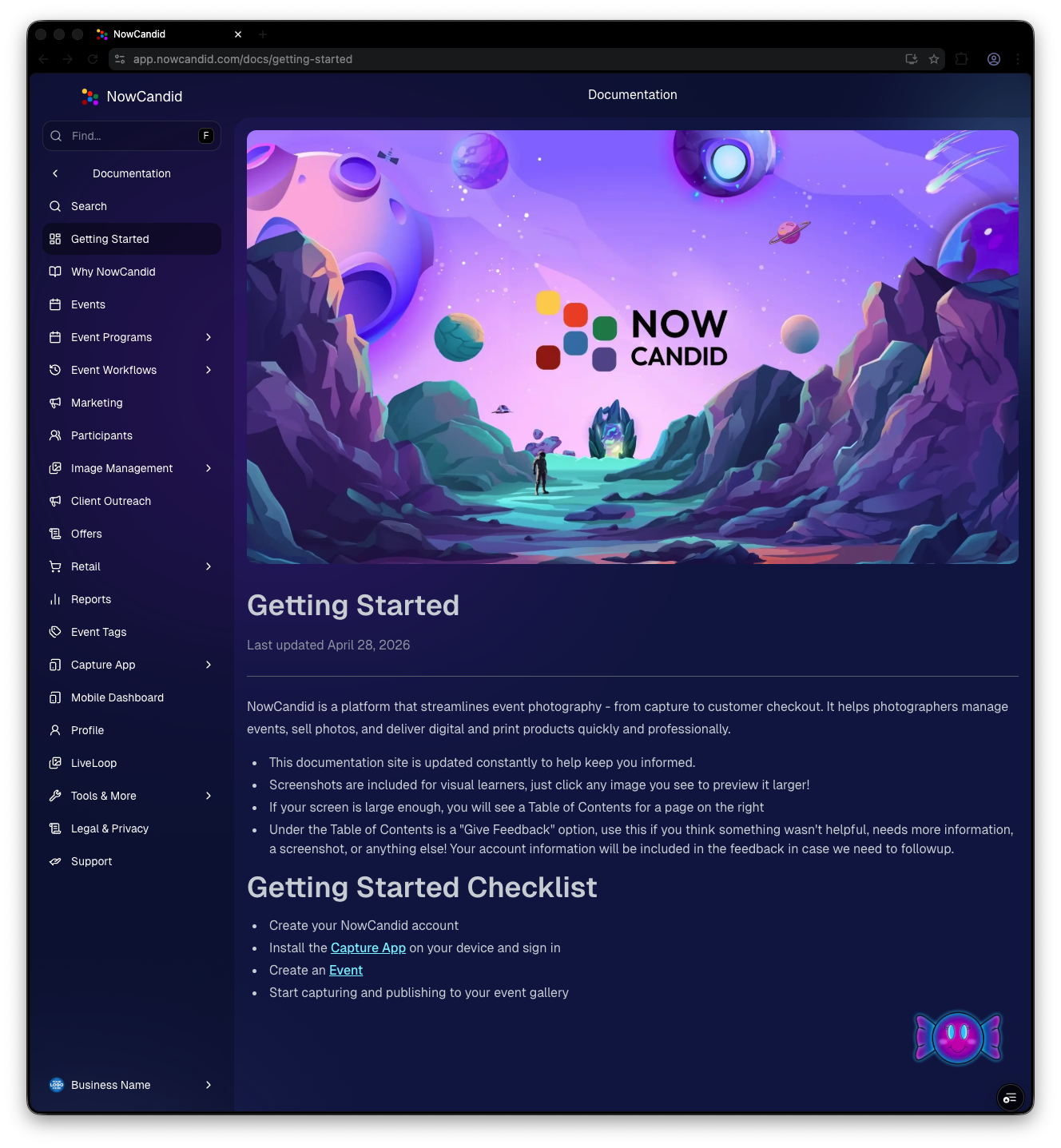
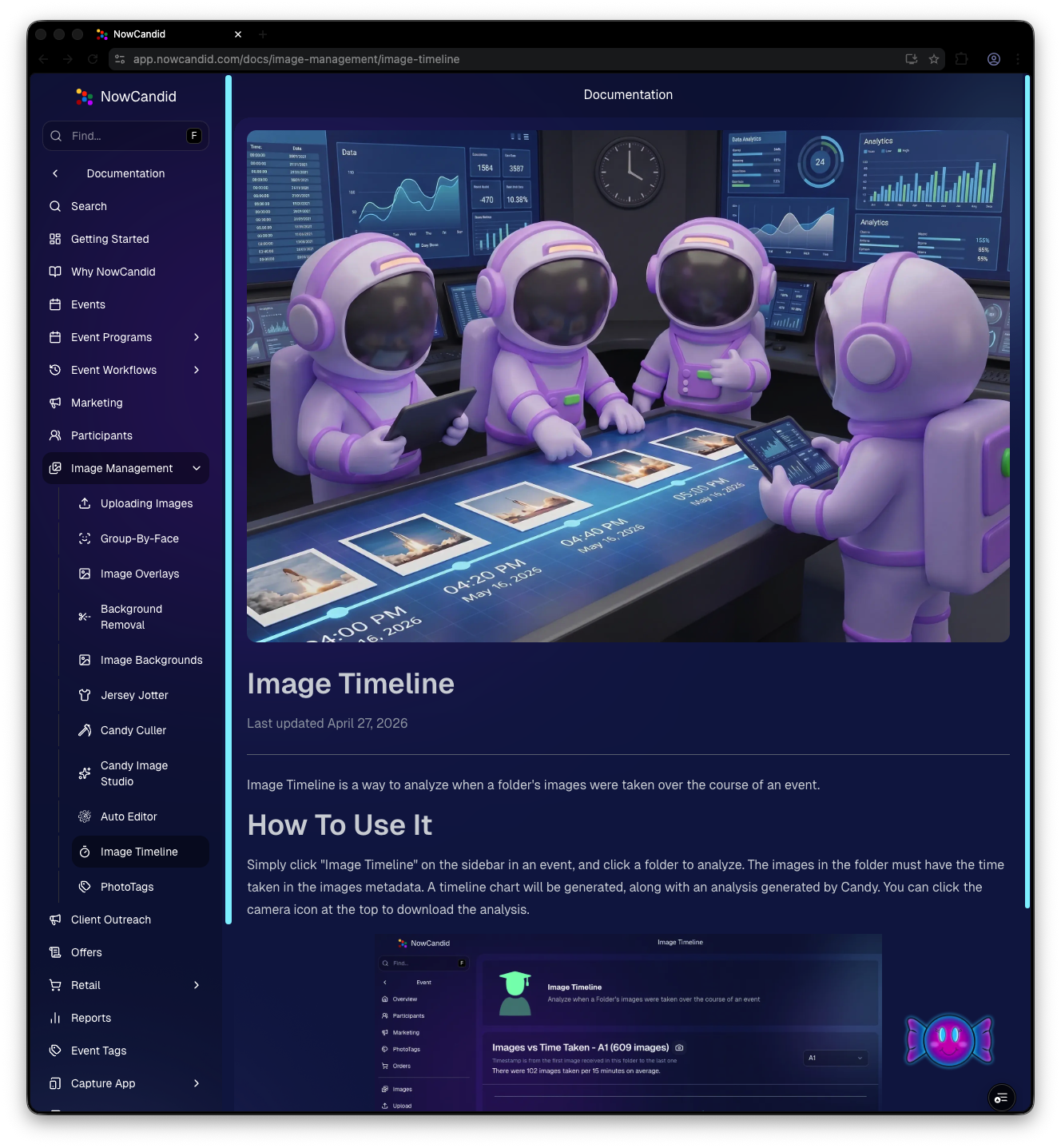
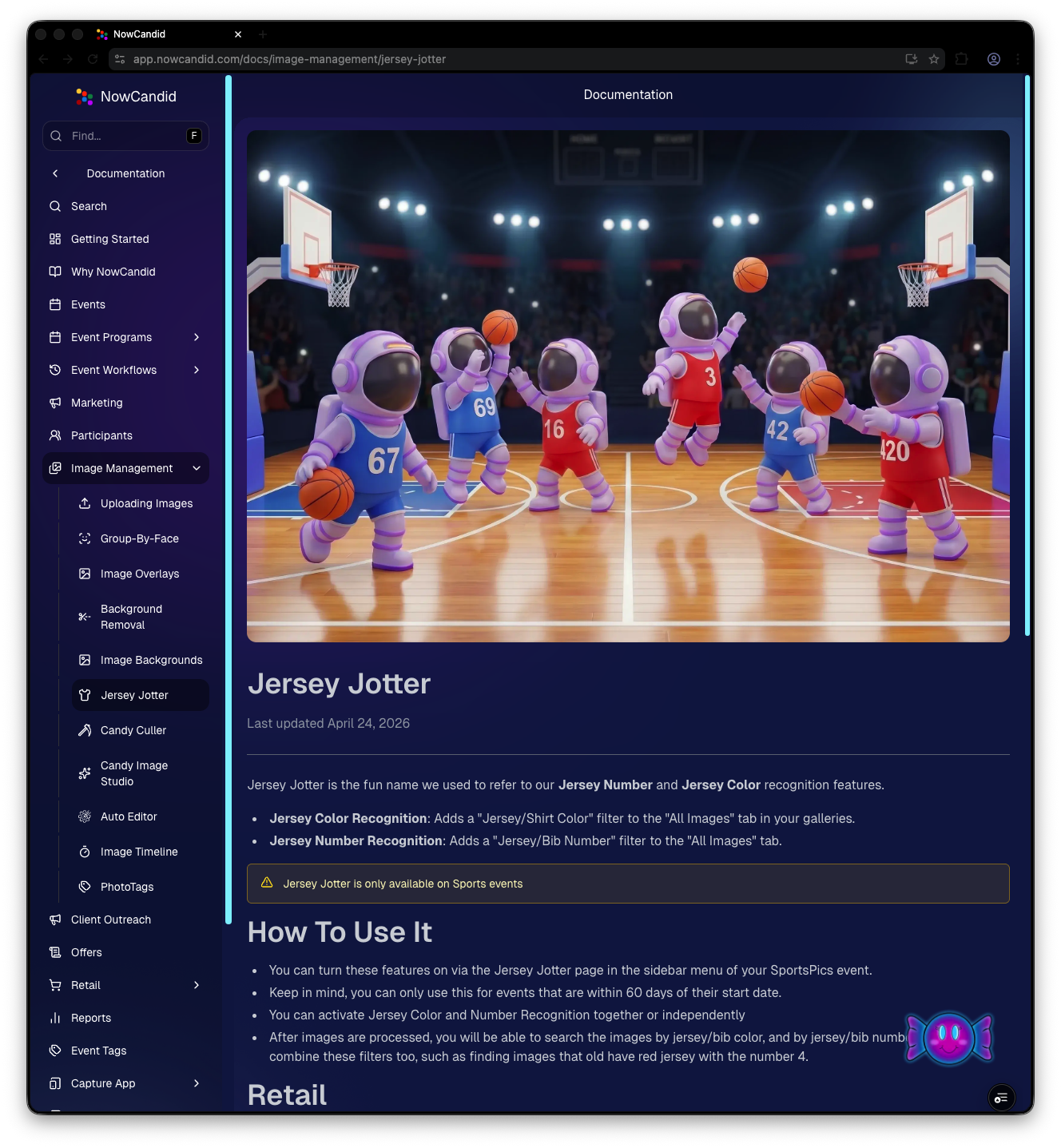
Preview of New NowCandid Docs
NowCandid Docs Image Timeline page preview
NowCandid Docs Jersey Jotter page preview

🍬 Candy got smarter (because Docs exist)

Candy now pulls from the new Docs when answering questions—so she can:

  • Share direct links to guides
  • Pull relevant screenshots and videos
  • Give more accurate, up-to-date help

Also, the Candy Navigation Assistant now uses docs search as the fallback destination if it can’t find a page you’re looking for—often with your question prefilled!
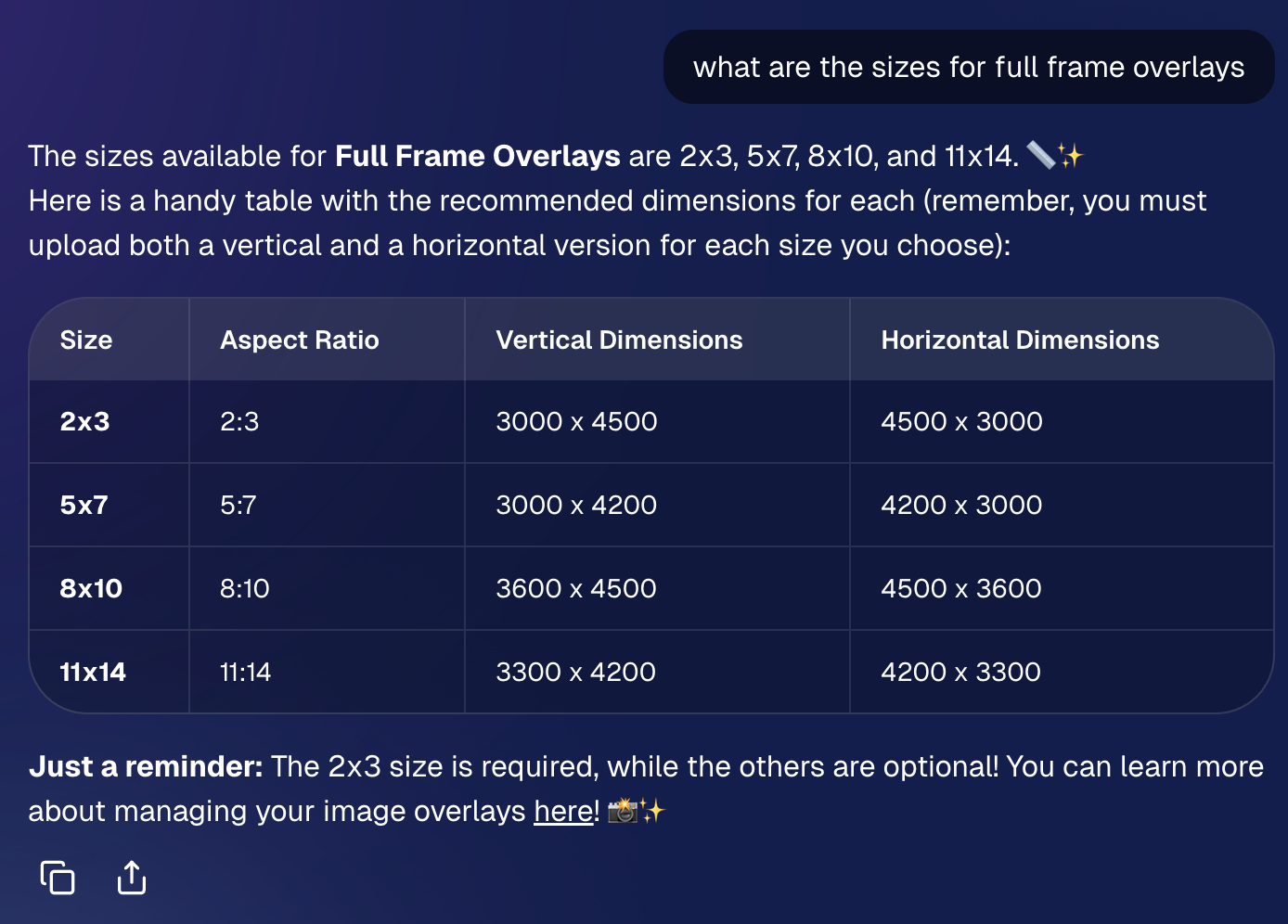
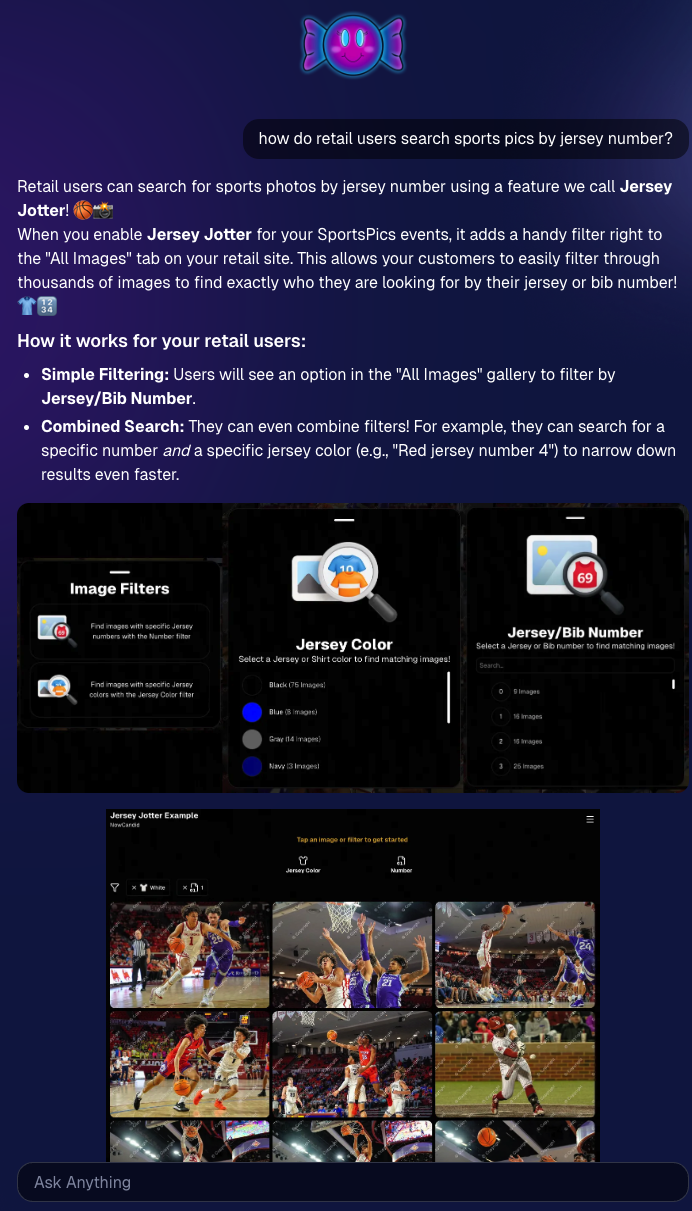
📱 Capture App 5.6 (iOS & Android) — Not OTA

Capture App v5.6 is now available for iOS and Android (this is not an OTA update).

What changed:

  • Fix: Android “Update Available” popup now correctly links to Google Play, not the Apple App Store
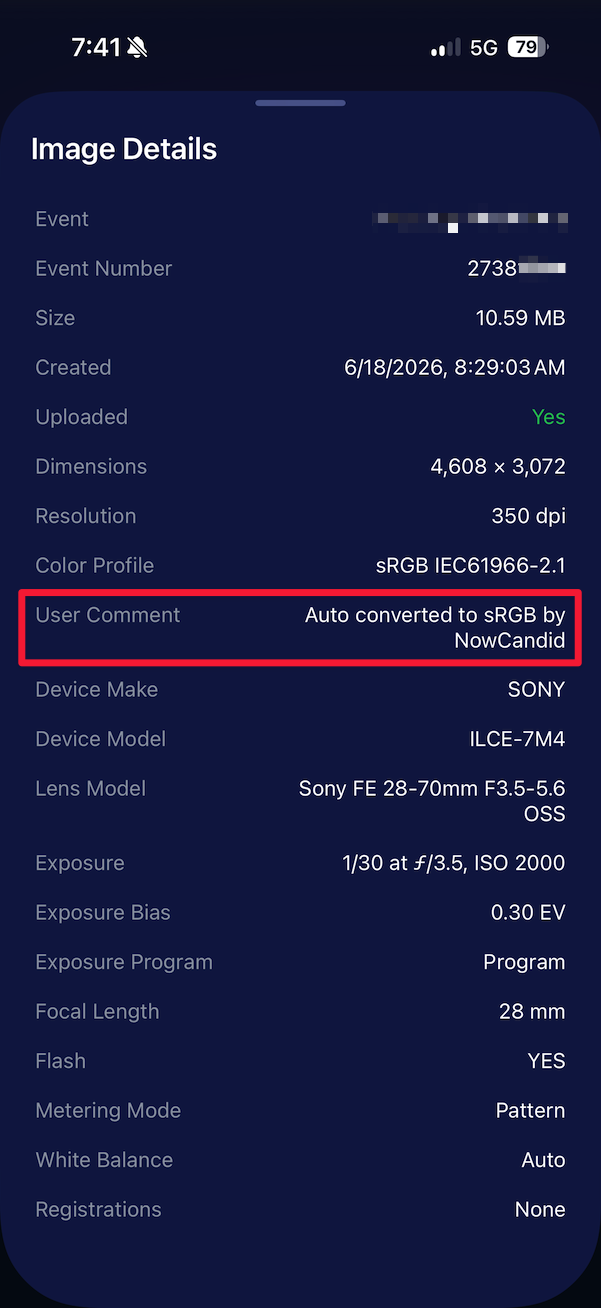
  • Feature: The app now rejects images under 1,000 pixels with an error popup (similar to the color profile error). The Dashboard already enforced this, but this prevents rare edge cases—like a camera outputting low-res images during capture.

🛍️ Retail Improvements (Better behavior, clearer checkout)

A few retail updates landed that improve clarity and fix edge cases:

  • BGR + PhotoTags fix: Background removed images in PhotoTag events will now show correctly even if the originals are marked invisible
  • Pay Later badges removed from the store sheet (the “Pay Later Options Available in Checkout” messaging still appears in package configurators for packages $30+)
  • Z-cropped images now show faceboxes (and the faceboxes are adjusted to the z-crop, too)
  • Checkout completion screen now shows your Business Logo (if you’ve added one)
  • Updated “Your order is complete” copy to note:
    • retouching may delay orders
    • physical products typically arrive in 7–14 business days

🖥️ Dashboard Updates (Clarity, savings, and better reporting)

  • Positive ID edge case fixed: Manually assigned images now show up correctly in an additional contact’s gallery
  • Client Outreach SMS savings: Non-standard encoded apostrophes now auto-convert to standard apostrophes to reduce segment costs
  • Auto Editor access fix: Resolved an issue preventing some users from accessing Auto Editor
  • New Candy Image Studio node: Traditional Black & White (distinct from the Black and White Film Print node)
  • Reports pages upgraded: Added titles and descriptions for better clarity
  • Participant List: Unmarketable Participants filter
    • You can now filter to show only unmarketable participants—or hide them
    • The download sheet now includes an “Unmarketable” column (Yes/blank)
    • “Unmarketable” can include opt-outs/unsubscribes, invalid contact info, etc.

🍬 Candy UI improvements

Candy received a bunch of UX upgrades, including:

  • Click images to preview larger
  • New table rendering
  • Scroll fades
  • Type without having to click/focus the input first

📱 Mobile Dashboard Improvements (No app update needed)

  • Fixed sidebar scrolling triggering “pull to refresh”
  • You can now slide/pull from the side to open the sidebar—no need to scroll to the top and tap the sidebar button

That’s the week! 💫

This release is all about reducing friction—with official docs inside the Dashboard, a tighter Capture App, better retail behavior for BGR and z-crops, and Dashboard refinements that improve accuracy, clarity, and even lower messaging costs.

Keep creating magic,

— The NowCandid Team 🍬
Related articles

Weekly Recap: New 24×8 Panoramic Print, and More! 🖼️🧾
Feature Updates
January 30, 2026

Weekly Recap: New 24×8 Panoramic Print, and More! 🖼️🧾

3
 minutes read
Hey photo friends! 👋


This week is a mix of one new product and a handful of refinements across retail pricing, check-in validation, and Dashboard tools.

Here’s what changed.

🆕 New Product

🖼️ 24×8 Panoramic Print (Group-only)

  • A new panoramic option in the same aspect ratio as the other pano prints, built for team and group shots. (Like the others, it’s group-only.)

🛍️ Retail: Pricing & Editing Improvements

💸 Package “slashed” pricing corrected and standardized

  • Fixes around week 2/3 slash amounts so package comparisons are more accurate and consistent (including cases where tiered pricing is disabled on Quic events).

✍️ Captions editor now allows hyphens and periods

  • Small change, big relief for subjects with multi-hyphenate names.

✅ Check-In Page: Better Email Validation

📧 Improved email validation

  • Now also requires at least one period
  • Now blocks obvious typos like addresses ending in “.con”
  • These are in addition to previously existing "catches" we had in place to help customers avoid typos

👥 Additional Contacts now use the same validation rules

  • Makes additional contact info more typo-proof too!

🖥️ Dashboard: Fewer Snags, More Visibility

🧪 Image Tester now supports PNG files

  • Helpful for validating cutouts and art files.

📏 Improved DPI validation for artwork uploads (and Image Tester)

  • Better handling for images that don’t explicitly include DPI metadata.

📦 Package editor expanded limits

  • You can now include up to 16 4×6 and 5×7 prints in a package
  • (Digital downloads remain capped at 16; most other items remain capped at 8).

📁 Manage Images: Folder Download fixed for large folders

  • Folders over 100 images now reliably download in multiple ZIPs (no more stopping after the first chunk).

🧾 Order Details page got a big clarity upgrade

You can now see key indicators and selections more directly, including:

  • ✨ product finish/overlay indicators
  • 🖼️ backgrounds / AI background indicators (where applicable)
  • 📝 captions and chosen colors
  • ⬇️ background downloads working correctly again

🍬 Candy Culler Improvements

📊 Results update automatically while culling runs

  • As progress changes, search results refresh so culled images can appear without you manually refreshing.

🗂️ New downloadable folder report

  • Quick export alongside the toggle for easier review/sharing.

💬 Misc

📲 Day 0 SMS link placement updated

  • The retail link now appears after the unsubscribe text to encourage better MMS link previews.

That’s the week!

Another new pano option, tighter retail pricing presentation, cleaner check-ins, and a more informative Dashboard where it counts.

Candy 🍬

Weekly Recap: New Panoramic Prints, Smarter Culling Tools & Checkout Improvements🖼️🧾
Feature Updates
January 23, 2026

Weekly Recap: New Panoramic Prints, Smarter Culling Tools & Checkout Improvements🖼️🧾

5
 minutes read
Hey photo friends! 👋

Candy here with this week’s updates. Highlights include two new panoramic print products, a bunch of Manage Images + Candy Culler usability wins, and retail checkout + link preview improvements.

Let’s jump in!

🆕 New Products: Panoramic Prints (Group-Only)

🖼️ 15×5 Panoramic Print (Group-only)


🖼️ 30×10 Panoramic Print (Group-only)

These are available across both Dashboard + Retail.

Reminders:

When you flag photos as Group Photos, they will become purchasable on Group products only IF you have Group Products in your Event's Offer.

If there are NOT Group Products in your Event's Offer, then images marked as Group Photos will be purchasable on any product (including downloads).

🖥️ Dashboard: Manage Images + Candy Culler Improvements

🧰 More Tools always visible on Manage Images

  • Previously it only appeared after an event had at least one image.

🌾 Candy Culler icon updated (axe → scythe)

👁️ Visibility toggle added right on the Cull page

  • Toggle visibility from the top-right of the image without opening the lightbox.

📦 Download Folder improves naming

  • Downloads now default to the folder name for the ZIP file, and you can choose where to save or rename it.

⌨️ CTRL/CMD+F supported on the Event PhotoTags page

🧑‍🤝‍🧑 Rosters, PhotoTags & Participant Fixes

🏷️ Roster upload now accepts “PhotoTags” column header

  • Previously only accepted “PhotoTag”.

🧩 PhotoTag filtering fixed on Participant List + Participant Details

  • Especially in edge cases where a later-merged record had the PhotoTag but the initial record didn’t.

📇 PhotoRoster Data Upload now supports 3 Additional Contacts (up from 2)

🧾 Image Release Gallery fixes

  • Face count edge cases resolved (duplicates/additional contacts/duplicate submissions)
  • Program filter fixed

🛍️ Retail: Checkout & Sharing Improvements

🧾 Improved checkout backend

  • Includes protections to reduce the edge case of double charges during backend disruptions.

🔗 Link previews fixed for non-QuicPics events

  • Previews should reliably appear in apps like iMessage and Discord.
    • If a retail hero exists, it’s used
    • Otherwise, the first relevant gallery image is used

🛡️ GalleryGuard enabled when watermark opacity is 0%

  • For events where the retail watermark setting is set to 0% opacity, GalleryGuard will still protect images.
    (Still disabled for Quic-type events.)

🌀 LiveLoop™ Fixes

🧠 Fixed out-of-memory crashing sometimes for LiveLoops with artwork renders

🖼️ Fixed artwork sometimes disappearing after LiveLoop runs for a long time

⚡ Performance & UI Fixes (Small but Helpful)

🚀 Offer list + Event Details load a bit faster

👤 Some profile actions are faster (passcode changes, retail settings, account data used by PhotoCoach / PortraitPress popups)

🧩 Fixed some Participant Details pages not loading

🖼️ Fixed Manage Images lightbox details getting out of sync when using arrow keys

🧷 Fixed Manage Images scrolling to the top when toggling visibility

🔑 Fixed Forgot Password page not sending email

📦 Offer Creator: New “À La Carte” Package Breakdown

🧮 New “À La Carte” section inside packages shows:

  • Individual item costs (if each package item is present in the offer as an individual product)
  • The package discount a shopper is getting (shows 0% if discount would be negative)

Note / Feature-Preview: In the near future, this will also be expanded to better highlight savings on packages on the retail site to your customers, automatically!

✅ Misc + Check-In Improvement

💬 Text campaigns weekend test: recurring (non-day-0) texts will now place the retail link at the very end to encourage link previews.

🤳 Selfie Check-In reliability improvements

That’s the week!

New panoramic prints, smoother culling, better retail reliability, and a bunch of cleanup that should make day-to-day usage feel tighter.

Keep creating magic,

Candy 🍬

Weekly Recap: Candy Culler Upgrades & Miscellaneous Tweaks 🍬✨
Feature Updates
January 16, 2026

Weekly Recap: Candy Culler Upgrades & Miscellaneous Tweaks 🍬✨

4
 minutes read
Hey photo friends! 👋


This week was all about making renders look right, downloads behave better, and Dashboard tools feel faster (with a few Capture App and LiveLoop™ polish wins sprinkled in).

Here’s what’s new:

🛍️ Retail Site

🌀 2D render support for Premium Print & Premium Plaque

  • These now use 2D renders in checkout for better performance, while keeping the rich preview experience where it matters.

🆓 Free download product ordering improved (Quic-Events)

  • Free Download now always appears first
  • Free Gallery Download will always appear second (if available)

📝 Clearer Free Gallery Download description

  • It now correctly says full-resolution (when it’s not the “Medium Res Gallery Download”).

📦 Web Receipt Download Page

🖼️ Preview fit fixed

  • Images now fit completely in the preview, so artwork (like bottom/banner elements) won’t look “missing” behind buttons.

🔄 Smarter auto-refresh while processing

  • If the lab is still preparing downloads, the page will automatically refresh status updates in the background so customers don’t have to babysit it.

🖥️ Dashboard

📄 Participant download spreadsheet improvements

  • Fixed the images column always showing “…” at the end
  • “Ref Image” column renamed to RefImageName (matches PhotoRoster sheets)
  • Address columns are included when applicable (only if at least one participant has a check-in address)

🗂️ Cleaner downloaded filenames

  • Downloaded images no longer get Full_Res_ or Full_Res_W_Banner appended to the filename.

🧾 PhotoRoster Data Upload cleanup

  • Folder names are now removed from RefImageName automatically (e.g., 1/DSC_4143DSC_4143).

Faster reports

  • Many reports (including the overview report) should load quicker.

🍬 Candy Culler (Our New AI Culling Tool)

🍬 Candy Culler added to Command Palette

  • You can now launch it from CTRL+K / CMD+K while on an Event Details page.

📊 Candy Culler progress bar + auto-updating status

  • New X/Y processed progress display, with automatic refresh until everything is done.

🧠 Candy Culler quality fixes & polish

  • BGR folders won’t be culled before a PNG actually exists
  • Images sort by image name (A→Z)
  • Improved mobile UI

🌀 LiveLoop™

🖼️ Better full-frame and banner rendering (pixel-perfect)

🧵 Banner/full-frame art now uses full resolution (no longer medium)

🍏 Background blur re-enabled on Apple devices

📱 Capture App iOS 4.22.4 (OTA Jan 12)

More native-feeling navigation transitions

📞 Phone field keypad behavior fixed (no unexpected iOS keypad when manually tapping)

🧷 Gallery strip stays where you were

  • When marking images visible/hidden or group/not group, the strip no longer jumps back to the start.

🧼 Misc Fixes & Cleanup

🧩 Render Preview page fixes (quic.pics/render)

  • Several products that weren’t downloading renders correctly should now behave as expected.

🧲 Cutout Magnets + Statuettes now supported on the preview page

  • Render previews/downloads are enabled for these products (note: they’ll only look correct if the selected image is a cutout).

🖨️ Premium Print & Premium Plaque render downloads enabled

  • You can now download renders for 8×10 Premium Print and Premium Plaque from the preview page too.

🔤 Input cleanup for non-English-standard characters

  • Certain fancy/unsupported characters are auto-converted to standard English characters to prevent weird issues in names, sign-in fields, business info, etc.

That’s the week!

Lots of “little” changes that add up to cleaner previews, clearer downloads, and faster tools where you use them most.

Keep creating magic,

Candy 🍬

Let’s get in touch

If you’re a photographer looking to add NowCandid services to your wheelhouse – set up a call by clicking the button below.

How to customize formatting for each rich text

How to customize formatting for each rich text

How to customize formatting for each rich text

How to customize formatting for each rich text

How to customize formatting for each rich text

What’s a Rich Text element?

The rich text element allows you to create and format headings, paragraphs, blockquotes, images, and video all in one place instead of having to add and format them individually. Just double-click and easily create content.

A rich text element can be used with static or dynamic content. For static content, just drop it into any page and begin editing. For dynamic content, add a rich text field to any collection and then connect a rich text element to that field in the settings panel. Voila!

Headings, paragraphs, blockquotes, figures, images, and figure captions can all be styled after a class is added to the rich text element using the "When inside of" nested selector system.

  • List One
  • List Two
  • List Three
  • List Four
  • List Five

This is a link

This is bold text