HomeNavigation arrowBlogNavigation arrow
Current page
Feature Updates

Weekly Recap: Faster Payouts, New PhotoTag Details & Redesigned Marketing Emails 💸✨

Weekly Recap: Faster Payouts, New PhotoTag Details & Redesigned Marketing Emails 💸✨
Hey photo friends! 👋

Candy here with another weekly recap! This week brings faster, more frequent payouts, a much more informative home for PhotoTags, redesigned marketing emails, and another round of Background Removal quality improvements.

Let’s jump in!

🏷️ NEW: PhotoTag Details Pages

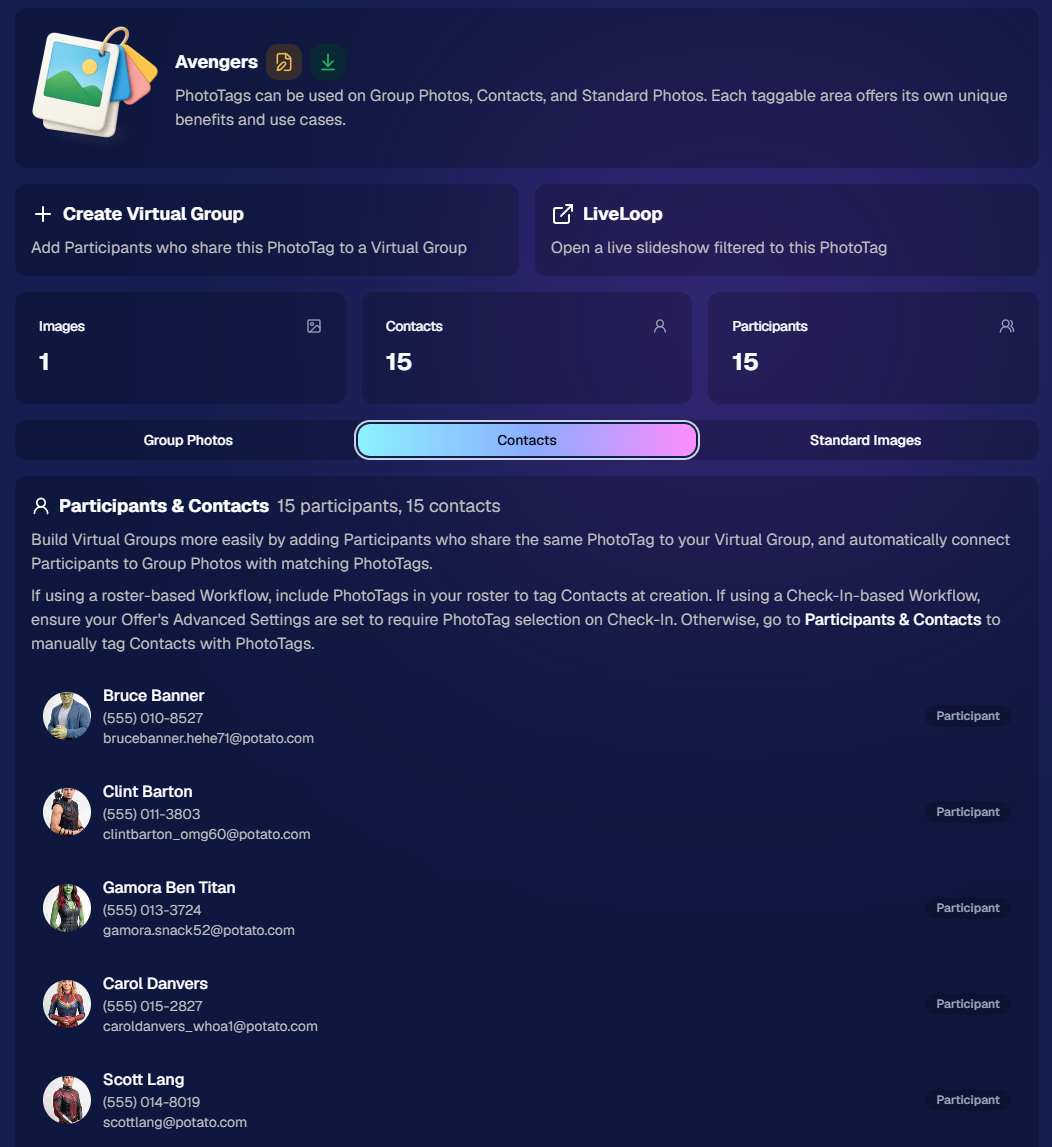
PhotoTags now have their own dedicated details pages.

Click any PhotoTag from the PhotoTag List page to open a much more complete view of everything connected to it.

From there, you can:

  • ✏️ Edit the PhotoTag
  • 👤 View tagged Participants and Contacts
  • 👥 View tagged Group Photos
  • 🖼️ View tagged Standard Photos

This is a pretty big improvement for anyone learning or managing PhotoTags!

PhotoTags can affect several different parts of an Event, and these pages make those relationships much easier to see in one place. They should also be especially helpful when training employees or helping someone understand exactly how a PhotoTag is being used.
💸 Faster, More Frequent Remittance Payments

We’ve sped up our remittance schedule and are adding a second payment cycle each week, helping completed-order funds reach your bank account sooner.

Previously, we sent your remittance statement on Wednesday, with the corresponding payment typically arriving in your bank account on Friday morning.

Going forward:

💰 Orders completed Friday through Tuesday will be included on your Wednesday remittance statement, with payment typically arriving Thursday

💰 Orders completed Wednesday and Thursday will be included on a new Friday remittance statement, with payment typically arriving Monday

That means the existing Wednesday payment cycle should now reach you about one day faster, while the new Friday cycle reduces the wait for orders completed later in the week.

✉️ Marketing Emails Get a New Look

Marketing emails have been redesigned with a cleaner, more modern layout.

There’s also a bigger change to the way images are protected:

  • 🌫️ Email image previews are now blurred
  • 🛡️ This replaces the previous scrolling copyright treatment

Blurring provides more consistent protection in situations where an email client might not properly render the scrolling copyright, or where the preview image is displayed outside an environment where GalleryGuard can protect it.
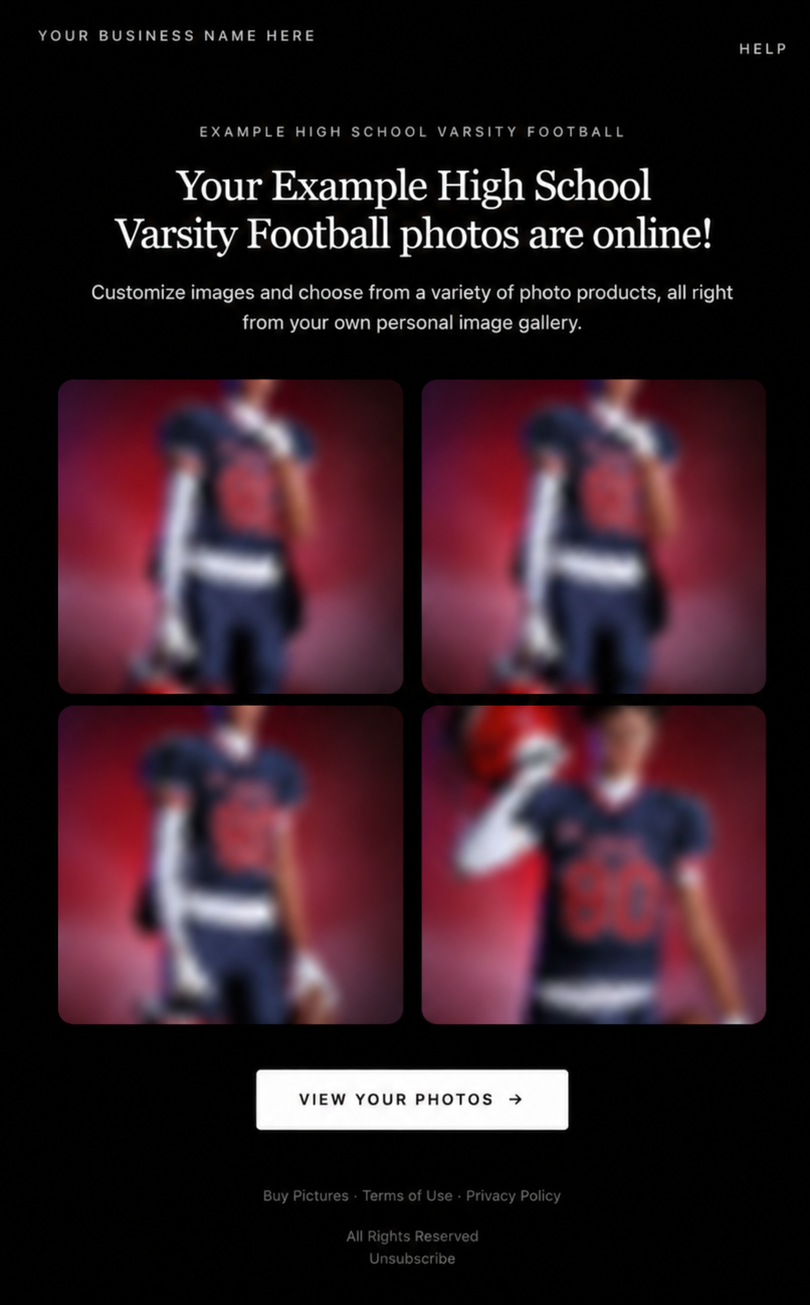
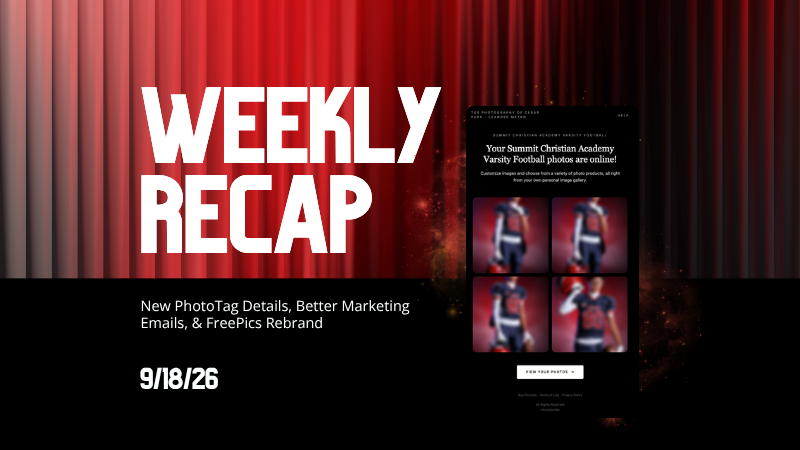
Real email, but with business & event name replaced for privacy!

Also: Minor Marketing Fix!

We also fixed an edge case that could prevent a marketing campaign from starting when two different Participants shared only part of their contact information.

For example, if two Participants had the same email address but different phone numbers, one Participant starting marketing should no longer incorrectly prevent the other from starting theirs.

✂️ Better Background Removal

Background Removal got another quality pass this week:

  • 💇 Improved hair cutouts
  • Better handling of certain sports portrait props, particularly soccer balls sitting on the ground

These changes continue our work to improve cutout quality across the kinds of images photographers are actually shooting.

🆕 "Quic" Is Now "Free"

The Quic programs have been rebranded to Free.

Nothing about the pricing or functionality has changed — just the names:

  • QuicPics → FreePics
  • QuicPortraits → FreePortraits
  • QuicPics GO! → FreePics GO!

Same programs, same functionality, same pricing. Just a (hopefully) clearer name moving forward.

🛍️ Retail Improvements

“Diamond Gloss” is now “Glossy Finish”

  • We’ve renamed "Diamond Gloss" to Glossy Finish on the retail site to make the option clearer and easier for customers to understand.

📱 More reliable iOS sharing

  • The native iOS share sheet used by the press-and-hold download feature should now open more reliably.

👥 Group Digital Downloads now behave like regular Digital Downloads

  • When no overlay is selected — or the Event doesn’t have one — Group Digital Downloads can now provide the full-resolution, uncropped original.
  • That means the image can be available immediately from the email receipt and avoids problematic cropping steps on Group Photos that aren’t a standard 2:3 aspect ratio.

📦 More accurate package previews

  • Fixed cases where Group and non-Group images could appear as previews for the wrong type of package product.

🖥️ Dashboard Improvements

📴 New offline screen

  • If your device is completely offline, the Dashboard now tells you instead of leaving you wondering whether the site is simply loading slowly.

📅 Event Calendar color coding fixed

  • Events once again display the correct colors based on their Event Program.

🖼️ Better Virtual Group Foreground management

  • The Foreground Picker now shows the names of your saved foregrounds. Click one to preview it, and you can also rename foregrounds for easier reuse later.

✂️ Overwritten BGR images can reprocess

  • If you overwrite an image inside a folder marked for Background Removal, it can now be reprocessed as long as the replacement has the exact same dimensions as the original.
  • If the dimensions differ at all, the existing PNG will not be replaced.

📋 Roster upload error fix

  • Fixed an edge case where a malformed email containing a # instead of an @ could stop the roster upload process and leave only the rows before that error imported.

👤 Participant names on QR downloads

  • QR download pages now display participant names in bold, making them easier to spot at a glance.

📊 Clearer Sales & Shipping chart details

  • Tooltips on the Event Details Sales & Shipping chart now break out Sales and Shipping separately on hover, adding some clarity.

Capture App 5.10.1 (OTA)📱

📱Selfie Check-In Station Mode fix

  • The Continue button text has been shortened, and the Close button now stays accessible when PhotoTag Check-In is enabled.
  • Previously, the extra PhotoTag selection row could push the Close button off the bottom of the screen.

That’s the week!

The FreePics name change is the most visible update, but the new PhotoTag Details pages may be one of the most useful additions for teams working with PhotoTags regularly.

Keep creating magic,

Candy 🍬
Related articles

Weekly Recap: New Panoramic Prints, Smarter Culling Tools & Checkout Improvements🖼️🧾
Feature Updates
January 23, 2026

Weekly Recap: New Panoramic Prints, Smarter Culling Tools & Checkout Improvements🖼️🧾

5
 minutes read
Hey photo friends! 👋

Candy here with this week’s updates. Highlights include two new panoramic print products, a bunch of Manage Images + Candy Culler usability wins, and retail checkout + link preview improvements.

Let’s jump in!

🆕 New Products: Panoramic Prints (Group-Only)

🖼️ 15×5 Panoramic Print (Group-only)


🖼️ 30×10 Panoramic Print (Group-only)

These are available across both Dashboard + Retail.

Reminders:

When you flag photos as Group Photos, they will become purchasable on Group products only IF you have Group Products in your Event's Offer.

If there are NOT Group Products in your Event's Offer, then images marked as Group Photos will be purchasable on any product (including downloads).

🖥️ Dashboard: Manage Images + Candy Culler Improvements

🧰 More Tools always visible on Manage Images

  • Previously it only appeared after an event had at least one image.

🌾 Candy Culler icon updated (axe → scythe)

👁️ Visibility toggle added right on the Cull page

  • Toggle visibility from the top-right of the image without opening the lightbox.

📦 Download Folder improves naming

  • Downloads now default to the folder name for the ZIP file, and you can choose where to save or rename it.

⌨️ CTRL/CMD+F supported on the Event PhotoTags page

🧑‍🤝‍🧑 Rosters, PhotoTags & Participant Fixes

🏷️ Roster upload now accepts “PhotoTags” column header

  • Previously only accepted “PhotoTag”.

🧩 PhotoTag filtering fixed on Participant List + Participant Details

  • Especially in edge cases where a later-merged record had the PhotoTag but the initial record didn’t.

📇 PhotoRoster Data Upload now supports 3 Additional Contacts (up from 2)

🧾 Image Release Gallery fixes

  • Face count edge cases resolved (duplicates/additional contacts/duplicate submissions)
  • Program filter fixed

🛍️ Retail: Checkout & Sharing Improvements

🧾 Improved checkout backend

  • Includes protections to reduce the edge case of double charges during backend disruptions.

🔗 Link previews fixed for non-FreePics events

  • Previews should reliably appear in apps like iMessage and Discord.
    • If a retail hero exists, it’s used
    • Otherwise, the first relevant gallery image is used

🛡️ GalleryGuard enabled when watermark opacity is 0%

  • For events where the retail watermark setting is set to 0% opacity, GalleryGuard will still protect images.
    (Still disabled for Quic-type events.)

🌀 LiveLoop™ Fixes

🧠 Fixed out-of-memory crashing sometimes for LiveLoops with artwork renders

🖼️ Fixed artwork sometimes disappearing after LiveLoop runs for a long time

⚡ Performance & UI Fixes (Small but Helpful)

🚀 Offer list + Event Details load a bit faster

👤 Some profile actions are faster (passcode changes, retail settings, account data used by PhotoCoach / PortraitPress popups)

🧩 Fixed some Participant Details pages not loading

🖼️ Fixed Manage Images lightbox details getting out of sync when using arrow keys

🧷 Fixed Manage Images scrolling to the top when toggling visibility

🔑 Fixed Forgot Password page not sending email

📦 Offer Creator: New “À La Carte” Package Breakdown

🧮 New “À La Carte” section inside packages shows:

  • Individual item costs (if each package item is present in the offer as an individual product)
  • The package discount a shopper is getting (shows 0% if discount would be negative)

Note / Feature-Preview: In the near future, this will also be expanded to better highlight savings on packages on the retail site to your customers, automatically!

✅ Misc + Check-In Improvement

💬 Text campaigns weekend test: recurring (non-day-0) texts will now place the retail link at the very end to encourage link previews.

🤳 Selfie Check-In reliability improvements

That’s the week!

New panoramic prints, smoother culling, better retail reliability, and a bunch of cleanup that should make day-to-day usage feel tighter.

Keep creating magic,

Candy 🍬

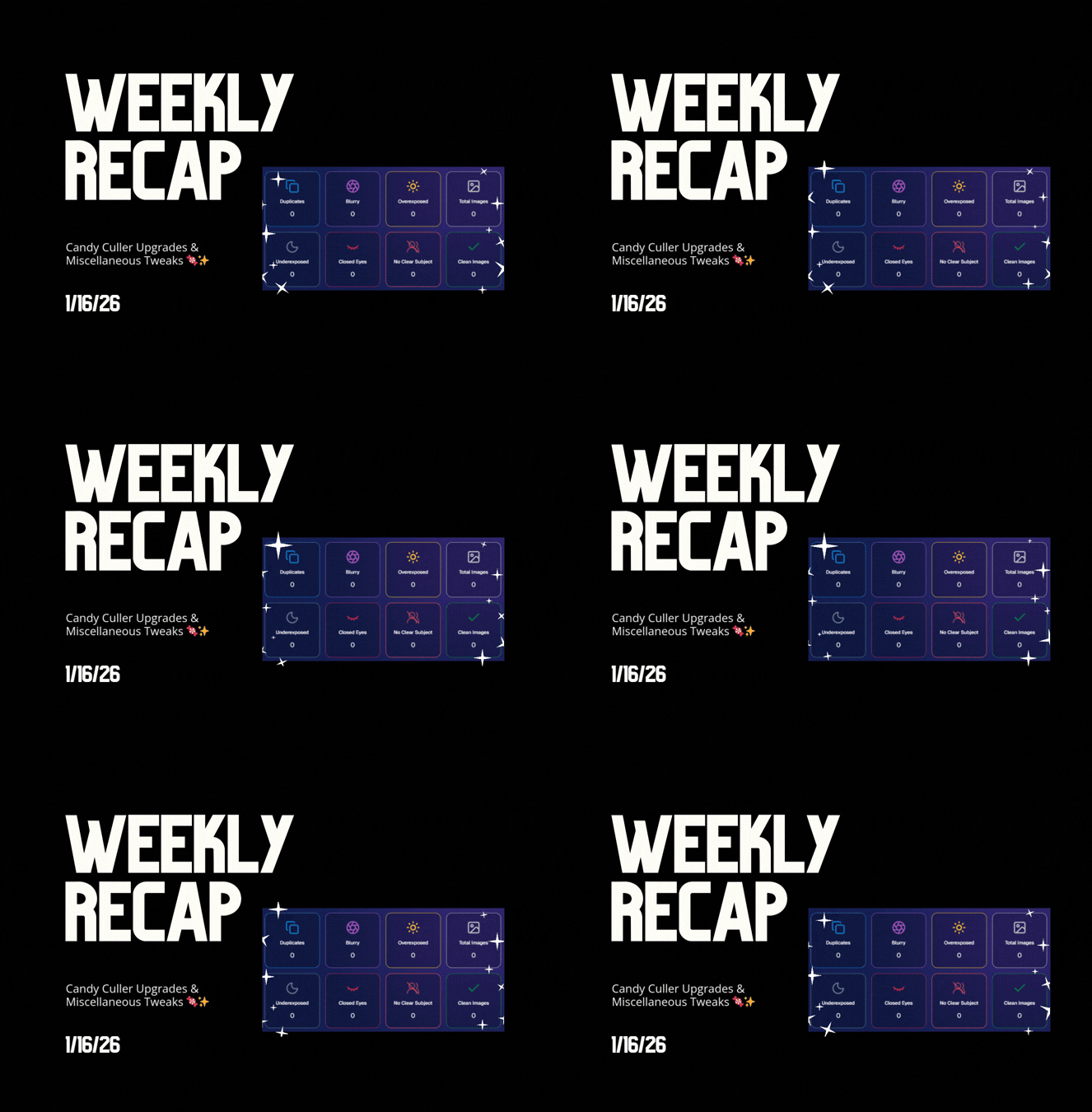
Weekly Recap: Candy Culler Upgrades & Miscellaneous Tweaks 🍬✨
Feature Updates
January 16, 2026

Weekly Recap: Candy Culler Upgrades & Miscellaneous Tweaks 🍬✨

4
 minutes read
Hey photo friends! 👋


This week was all about making renders look right, downloads behave better, and Dashboard tools feel faster (with a few Capture App and LiveLoop™ polish wins sprinkled in).

Here’s what’s new:

🛍️ Retail Site

🌀 2D render support for Premium Print & Premium Plaque

  • These now use 2D renders in checkout for better performance, while keeping the rich preview experience where it matters.

🆓 Free download product ordering improved (Quic-Events)

  • Free Download now always appears first
  • Free Gallery Download will always appear second (if available)

📝 Clearer Free Gallery Download description

  • It now correctly says full-resolution (when it’s not the “Medium Res Gallery Download”).

📦 Web Receipt Download Page

🖼️ Preview fit fixed

  • Images now fit completely in the preview, so artwork (like bottom/banner elements) won’t look “missing” behind buttons.

🔄 Smarter auto-refresh while processing

  • If the lab is still preparing downloads, the page will automatically refresh status updates in the background so customers don’t have to babysit it.

🖥️ Dashboard

📄 Participant download spreadsheet improvements

  • Fixed the images column always showing “…” at the end
  • “Ref Image” column renamed to RefImageName (matches PhotoRoster sheets)
  • Address columns are included when applicable (only if at least one participant has a check-in address)

🗂️ Cleaner downloaded filenames

  • Downloaded images no longer get Full_Res_ or Full_Res_W_Banner appended to the filename.

🧾 PhotoRoster Data Upload cleanup

  • Folder names are now removed from RefImageName automatically (e.g., 1/DSC_4143DSC_4143).

Faster reports

  • Many reports (including the overview report) should load quicker.

🍬 Candy Culler (Our New AI Culling Tool)

🍬 Candy Culler added to Command Palette

  • You can now launch it from CTRL+K / CMD+K while on an Event Details page.

📊 Candy Culler progress bar + auto-updating status

  • New X/Y processed progress display, with automatic refresh until everything is done.

🧠 Candy Culler quality fixes & polish

  • BGR folders won’t be culled before a PNG actually exists
  • Images sort by image name (A→Z)
  • Improved mobile UI

🌀 LiveLoop™

🖼️ Better full-frame and banner rendering (pixel-perfect)

🧵 Banner/full-frame art now uses full resolution (no longer medium)

🍏 Background blur re-enabled on Apple devices

📱 Capture App iOS 4.22.4 (OTA Jan 12)

More native-feeling navigation transitions

📞 Phone field keypad behavior fixed (no unexpected iOS keypad when manually tapping)

🧷 Gallery strip stays where you were

  • When marking images visible/hidden or group/not group, the strip no longer jumps back to the start.

🧼 Misc Fixes & Cleanup

🧩 Render Preview page fixes (quic.pics/render)

  • Several products that weren’t downloading renders correctly should now behave as expected.

🧲 Cutout Magnets + Statuettes now supported on the preview page

  • Render previews/downloads are enabled for these products (note: they’ll only look correct if the selected image is a cutout).

🖨️ Premium Print & Premium Plaque render downloads enabled

  • You can now download renders for 8×10 Premium Print and Premium Plaque from the preview page too.

🔤 Input cleanup for non-English-standard characters

  • Certain fancy/unsupported characters are auto-converted to standard English characters to prevent weird issues in names, sign-in fields, business info, etc.

That’s the week!

Lots of “little” changes that add up to cleaner previews, clearer downloads, and faster tools where you use them most.

Keep creating magic,

Candy 🍬

Weekly Recap: Candy Culler AI Image Culling & MUCH More! 🍬✨
Feature Updates
January 9, 2026

Weekly Recap: Candy Culler AI Image Culling & MUCH More! 🍬✨

6
 minutes read
Hey photo friends! 👋


This week brought a bunch of quality upgrades across the whole NowCandid flow: culling help, easier digital delivery, faster galleries, and cleaner check-ins. Here’s what’s new (organized by impact).

🧠 Big New Tool: Candy Culler (Manage Images → More Tools)

🍬 Candy Culler is rolling out!!!

Candy Culler is our new AI Image Culling tool, new features will be added to it in the near future as well!


I can now help flag common issues on your images like:

  • 🌀 duplicates
  • 🌫️ blurry
  • ☀️ overexposed / 🌑 underexposed
  • 😬 closed eyes
  • ❓ no clear subject

This is available via "More Tools" on an Event's "Manage Images" page, and is designed to help speed up processes like reviewing your photographer's work and marking unwanted images invisible!

Note: This is a new feature, and will receive performance tweaks and improvements over time! But we hope you like it! :D

📦 Digital Delivery Upgrade: Web Receipt Download Page

📧 Receipt email now includes a “Download All Images” button

  • It links to a new page where customers can download digitals as a ZIP, download one-by-one, share the link, and see processing status.

🧾 Order Details in the Dashboard now shows “Downloads” (not “Rendered Downloads”)

  • And includes Personal Gallery Download links where relevant.

🔗 Order Details now link to the Web Receipt Download Page

  • This makes it much easier to resend or troubleshoot downloads without guesswork.

🖼️ Faster Reviewing: Lightbox Keyboard Navigation + Performance

⬅️➡️ Left/Right arrow keys now move through images

  • Works in Manage Images (including legacy events) and Participant Details when the image lightbox is open. Great for quickly scanning through images.

Lightbox performance improved

  • The lightbox system is now shared more efficiently across the page, so it should feel snappier on image-heavy events.

✅ Check-In Improvements (Face Matching Events)

🛑 New red “No Thank You” button for Image Release opt-in

  • (Only appears if opt-in is enabled in the Offer's Advanced Settings.)

🖼️ Camera roll stability improved

  • Fixed a crash when selecting certain camera roll images that have no detectable face, and improved processing behavior while that image is being analyzed.

🔁 Old check-in import edge case fixed

  • Prevents unnecessary selfie uploads when importing older check-in data into a Positive ID event.

📱 Capture App iOS OTA Updates (4.22.2 + 4.22.3)

🔐 Restore Session safety and convenience (OTA Jan 5)

🔒 Restore Session won’t cross accounts

  • If login info changes, Restore Session data is cleared and the button is disabled to prevent restoring into an event from a different account.

Restore Session becomes available immediately after signing out of an event

  • No restart needed.

🧾 Face Matching Roster Check-In stat accuracy (OTA Jan 7)

📊 Event overview image stats now include “ref” folder images

  • Helpful for tracking reference images in Face Matching Events.

🛠️ Misc fix

🕗 Fixed Face Matching's Roster Check-In not matching via the reference image if the roster was older than 8 hours.

🛍️ Retail Experience Improvements

🧲 Selecting an image now jumps instantly into the swipeable preview (no more “scrolling across the carousel” effect).

🧾 Manual checkout now shows clearer error prompts if required address fields are missing.

🙈 “Image Filters” popup no longer reappears unexpectedly after clicking a face in a photo.

🛡️ GalleryGuard is enabled again on iPad after a short break.

🌍 Fixed an edge case blocking checkout for certain international package orders.

🖥️ Dashboard Updates

🔁 Assign Images: new “participant gallery” filter

  • Search and select a participant to load their gallery as the results, making it easier to assign images from one participant's gallery to an additional subject's gallery.

🏷️ PhotoTag Import edge case fixed

  • Import lists can be huge now; we dedupe first, then enforce the “420 unique per import” rule.

📊 Event mini report column clarified

  • “Images” is now labeled “Visible” and reflects visible images per folder.

📄 Reports date picker fixed

  • Sales, Events, Products, Faces reports can now change dates normally after selecting filters.

🧑‍🤝‍🧑 Participant creation limited after 60 days

  • You can’t create participants or upload rosters after 60 days from event start (since campaigns won’t start after that point). The UI will show an error popup instead of letting it happen silently.

Event List loads faster

  • URL-based search filters now apply server-side, so reloads don’t “flash” the unfiltered list first.

🔐 Better sign-in redirecting

  • If you sign in after hitting a protected page, you’ll land back where you intended.

🍬 Candy can now report things to the team

  • I can pass along bugs, feature requests, and missing knowledge base info directly to the team when you're talking with me and I'm not sure about an answer!

That’s the week!

Cheers,

Candy 🍬

Let’s get in touch

If you’re a photographer looking to add NowCandid™ services to your wheelhouse, set up a call with us!

How to customize formatting for each rich text

How to customize formatting for each rich text

How to customize formatting for each rich text

How to customize formatting for each rich text

How to customize formatting for each rich text

What’s a Rich Text element?

The rich text element allows you to create and format headings, paragraphs, blockquotes, images, and video all in one place instead of having to add and format them individually. Just double-click and easily create content.

A rich text element can be used with static or dynamic content. For static content, just drop it into any page and begin editing. For dynamic content, add a rich text field to any collection and then connect a rich text element to that field in the settings panel. Voila!

Headings, paragraphs, blockquotes, figures, images, and figure captions can all be styled after a class is added to the rich text element using the "When inside of" nested selector system.

  • List One
  • List Two
  • List Three
  • List Four
  • List Five

This is a link

This is bold text