HomeNavigation arrowBlogNavigation arrow
Current page
Feature Updates

Weekly Recap: Faster Payouts, New PhotoTag Details & Redesigned Marketing Emails 💸✨

Weekly Recap: Faster Payouts, New PhotoTag Details & Redesigned Marketing Emails 💸✨
Hey photo friends! 👋

Candy here with another weekly recap! This week brings faster, more frequent payouts, a much more informative home for PhotoTags, redesigned marketing emails, and another round of Background Removal quality improvements.

Let’s jump in!

🏷️ NEW: PhotoTag Details Pages

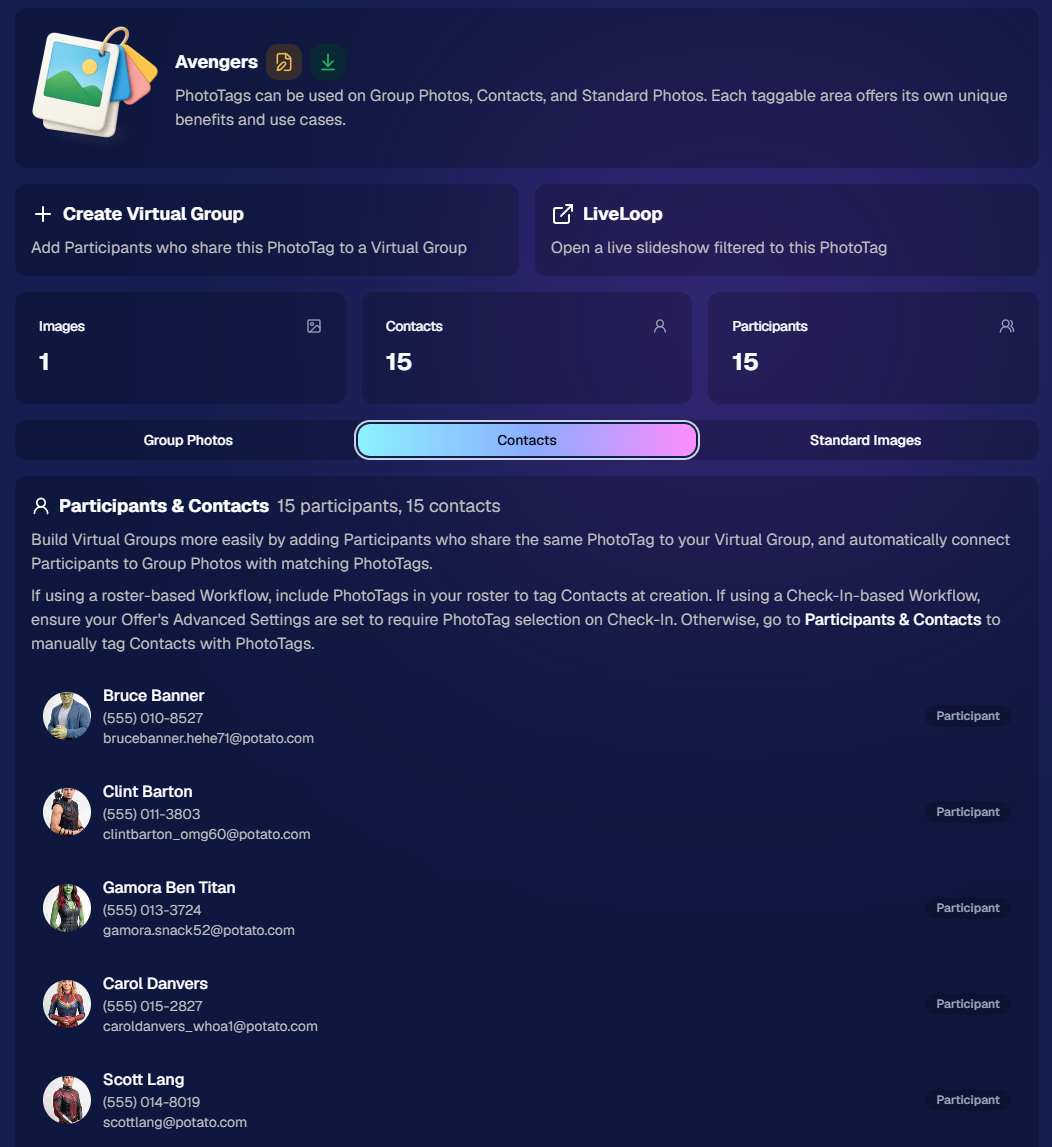
PhotoTags now have their own dedicated details pages.

Click any PhotoTag from the PhotoTag List page to open a much more complete view of everything connected to it.

From there, you can:

  • ✏️ Edit the PhotoTag
  • 👤 View tagged Participants and Contacts
  • 👥 View tagged Group Photos
  • 🖼️ View tagged Standard Photos

This is a pretty big improvement for anyone learning or managing PhotoTags!

PhotoTags can affect several different parts of an Event, and these pages make those relationships much easier to see in one place. They should also be especially helpful when training employees or helping someone understand exactly how a PhotoTag is being used.
💸 Faster, More Frequent Remittance Payments

We’ve sped up our remittance schedule and are adding a second payment cycle each week, helping completed-order funds reach your bank account sooner.

Previously, we sent your remittance statement on Wednesday, with the corresponding payment typically arriving in your bank account on Friday morning.

Going forward:

💰 Orders completed Friday through Tuesday will be included on your Wednesday remittance statement, with payment typically arriving Thursday

💰 Orders completed Wednesday and Thursday will be included on a new Friday remittance statement, with payment typically arriving Monday

That means the existing Wednesday payment cycle should now reach you about one day faster, while the new Friday cycle reduces the wait for orders completed later in the week.

✉️ Marketing Emails Get a New Look

Marketing emails have been redesigned with a cleaner, more modern layout.

There’s also a bigger change to the way images are protected:

  • 🌫️ Email image previews are now blurred
  • 🛡️ This replaces the previous scrolling copyright treatment

Blurring provides more consistent protection in situations where an email client might not properly render the scrolling copyright, or where the preview image is displayed outside an environment where GalleryGuard can protect it.
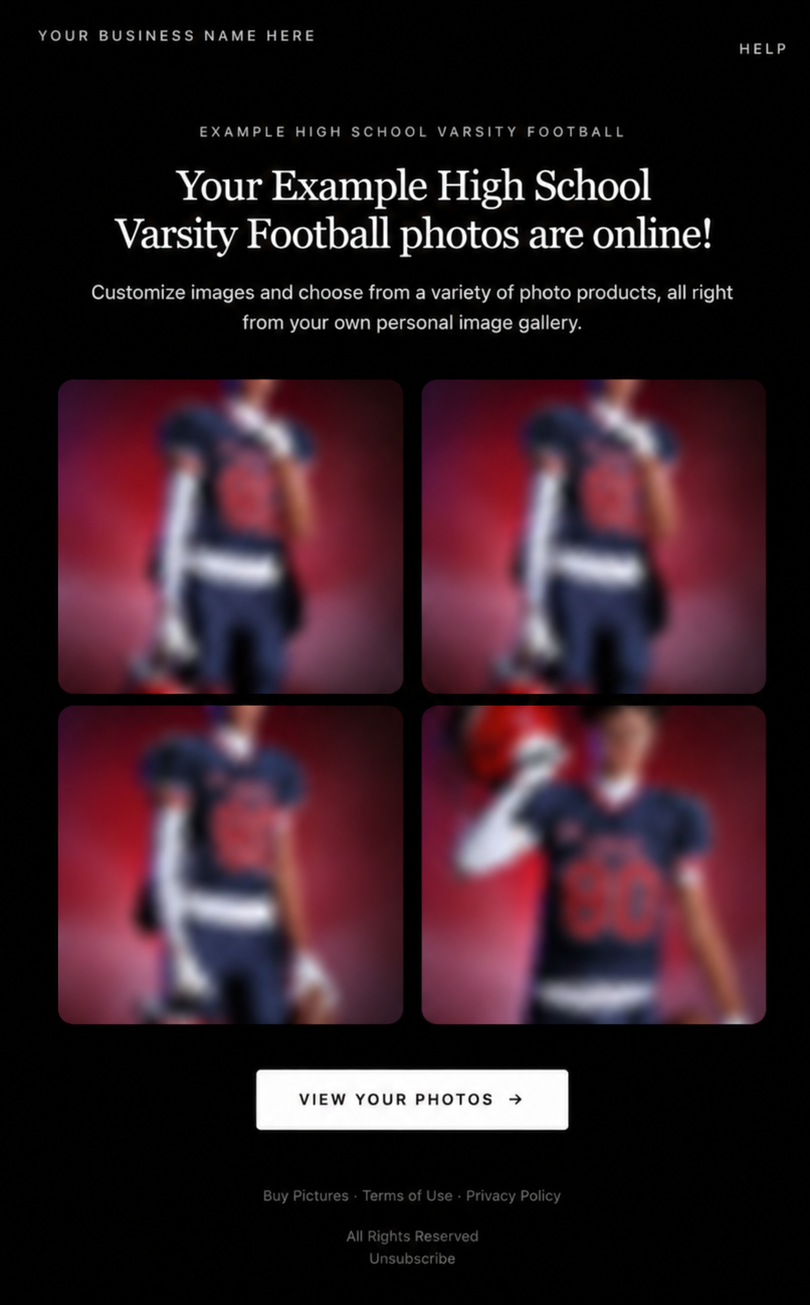
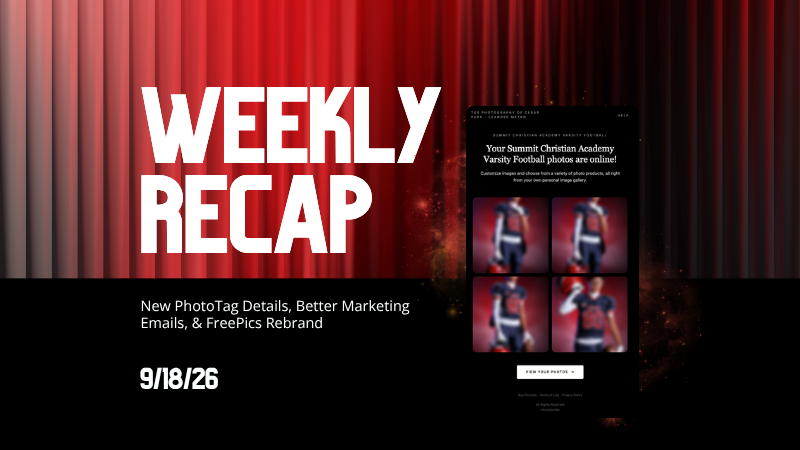
Real email, but with business & event name replaced for privacy!

Also: Minor Marketing Fix!

We also fixed an edge case that could prevent a marketing campaign from starting when two different Participants shared only part of their contact information.

For example, if two Participants had the same email address but different phone numbers, one Participant starting marketing should no longer incorrectly prevent the other from starting theirs.

✂️ Better Background Removal

Background Removal got another quality pass this week:

  • 💇 Improved hair cutouts
  • Better handling of certain sports portrait props, particularly soccer balls sitting on the ground

These changes continue our work to improve cutout quality across the kinds of images photographers are actually shooting.

🆕 "Quic" Is Now "Free"

The Quic programs have been rebranded to Free.

Nothing about the pricing or functionality has changed — just the names:

  • QuicPics → FreePics
  • QuicPortraits → FreePortraits
  • QuicPics GO! → FreePics GO!

Same programs, same functionality, same pricing. Just a (hopefully) clearer name moving forward.

🛍️ Retail Improvements

“Diamond Gloss” is now “Glossy Finish”

  • We’ve renamed "Diamond Gloss" to Glossy Finish on the retail site to make the option clearer and easier for customers to understand.

📱 More reliable iOS sharing

  • The native iOS share sheet used by the press-and-hold download feature should now open more reliably.

👥 Group Digital Downloads now behave like regular Digital Downloads

  • When no overlay is selected — or the Event doesn’t have one — Group Digital Downloads can now provide the full-resolution, uncropped original.
  • That means the image can be available immediately from the email receipt and avoids problematic cropping steps on Group Photos that aren’t a standard 2:3 aspect ratio.

📦 More accurate package previews

  • Fixed cases where Group and non-Group images could appear as previews for the wrong type of package product.

🖥️ Dashboard Improvements

📴 New offline screen

  • If your device is completely offline, the Dashboard now tells you instead of leaving you wondering whether the site is simply loading slowly.

📅 Event Calendar color coding fixed

  • Events once again display the correct colors based on their Event Program.

🖼️ Better Virtual Group Foreground management

  • The Foreground Picker now shows the names of your saved foregrounds. Click one to preview it, and you can also rename foregrounds for easier reuse later.

✂️ Overwritten BGR images can reprocess

  • If you overwrite an image inside a folder marked for Background Removal, it can now be reprocessed as long as the replacement has the exact same dimensions as the original.
  • If the dimensions differ at all, the existing PNG will not be replaced.

📋 Roster upload error fix

  • Fixed an edge case where a malformed email containing a # instead of an @ could stop the roster upload process and leave only the rows before that error imported.

👤 Participant names on QR downloads

  • QR download pages now display participant names in bold, making them easier to spot at a glance.

📊 Clearer Sales & Shipping chart details

  • Tooltips on the Event Details Sales & Shipping chart now break out Sales and Shipping separately on hover, adding some clarity.

Capture App 5.10.1 (OTA)📱

📱Selfie Check-In Station Mode fix

  • The Continue button text has been shortened, and the Close button now stays accessible when PhotoTag Check-In is enabled.
  • Previously, the extra PhotoTag selection row could push the Close button off the bottom of the screen.

That’s the week!

The FreePics name change is the most visible update, but the new PhotoTag Details pages may be one of the most useful additions for teams working with PhotoTags regularly.

Keep creating magic,

Candy 🍬
Related articles

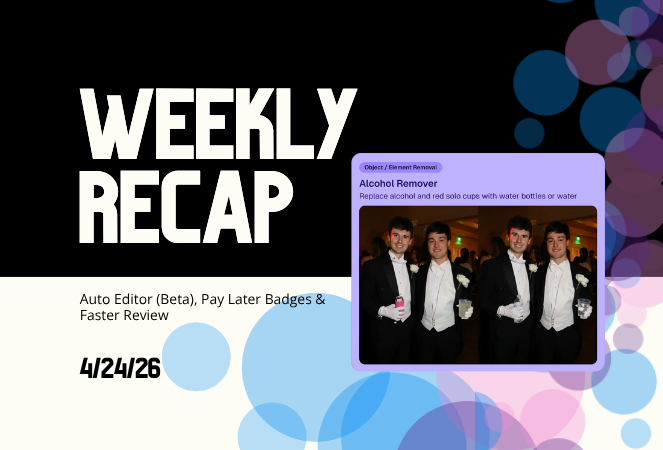
Weekly Recap: Auto Editor (Beta), Pay Later Badges, and Faster Manage Images
Feature Updates
April 24, 2026

Weekly Recap: Auto Editor (Beta), Pay Later Badges, and Faster Manage Images

5
 minutes read

Hey photo friends! 👋
This week’s updates bring a mix of AI editing power, cleaner review tools, and a small boost to retail conversion clarity—plus a helpful Android Capture App fix.

Let’s jump in. 💫

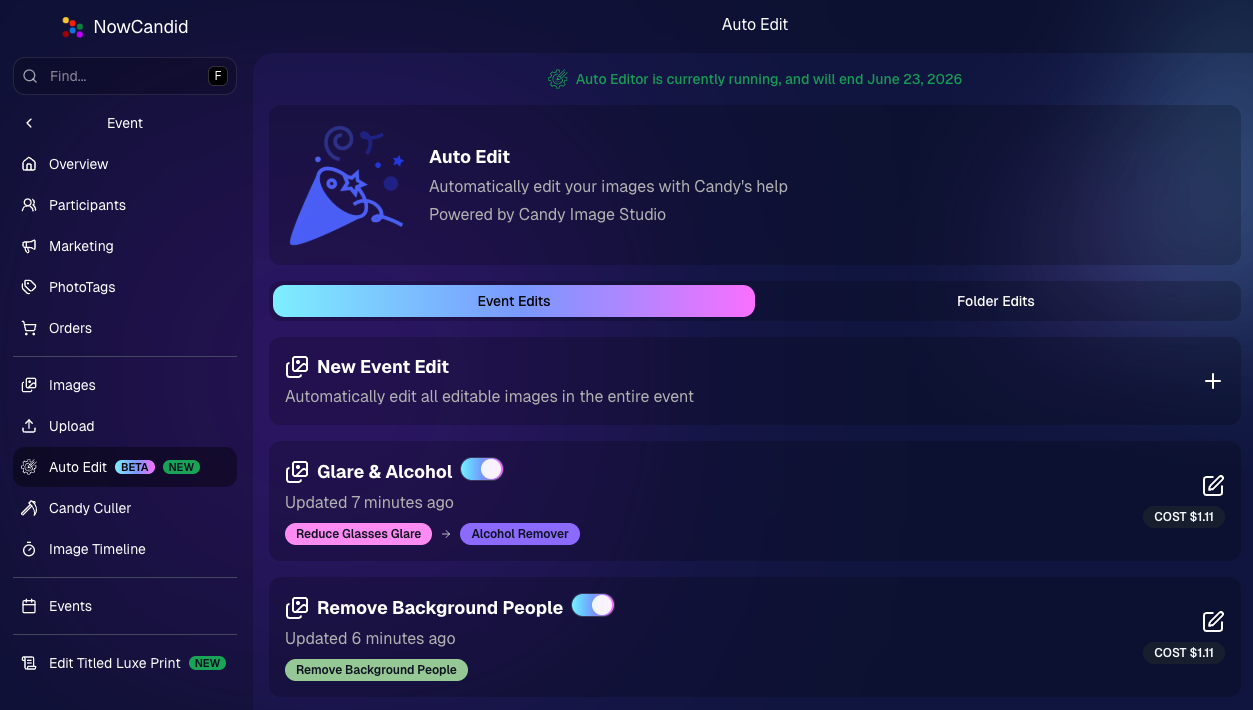
🧠 Auto Editor (BETA)— AI Edit an Entire Event or Folder

We’re rolling out an Auto Editor (Beta) that can automatically AI-edit:

  • • All images in an event, or
  • • All images in a specific folder

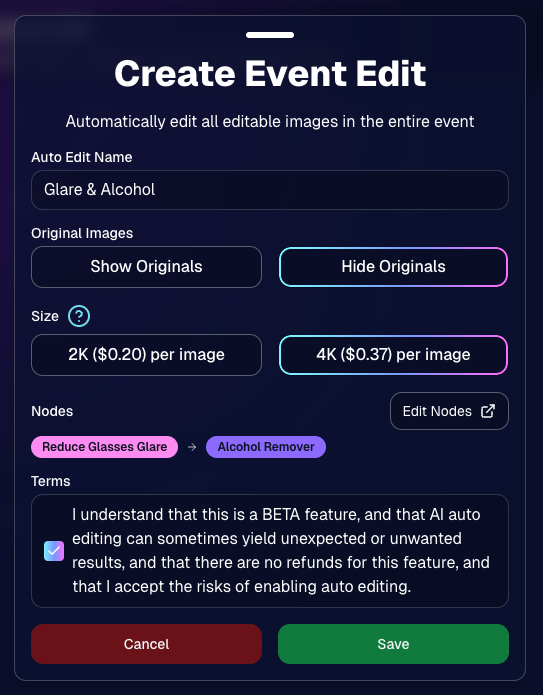
Auto Editor is powered by Candy Image Studio (same nodes, same pricing), and edited images keep their existing matches—just like when you run Candy Image Studio on an event image.

Important notes:

  • • You are billed per image edit.
  • • This is a BETA feature—we recommend testing on yourself (or doing one-offs in Candy Image Studio) before relying on it for a real event.
  • • Auto Editor can run up to 60 days after the event start date, similar to other event workflows.

Common use cases

  • • Light face retouching
  • • Fix subject lighting
  • • Reduce glare on glasses
  • • Remove alcohol
  • • Add green screens

Fun use cases

  • • Automatic glamour looks
  • • Anime style
  • • Chibi style
  • • Anything you can build with a custom text node

Where to find it

  • • On an Event page in the Dashboard sidebar, near JerseyJotter and Candy Culler
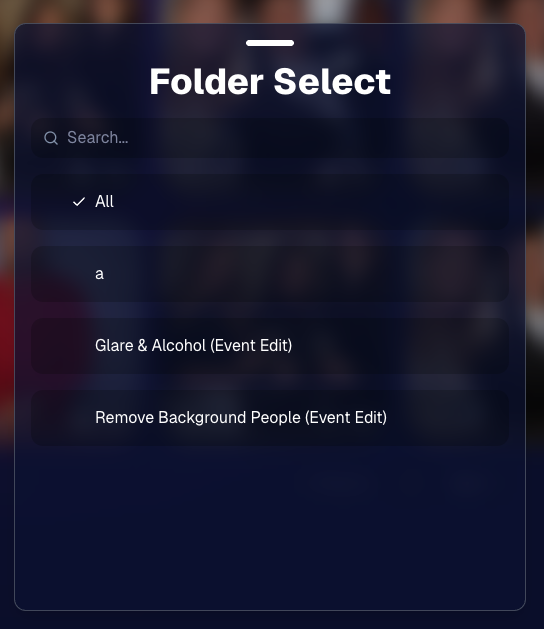
  • • The folder selector will show whether you’re running an Event Edit or a Folder Edit
  • • The Event List will show an Auto Editor attribute for events that used it (and includes an Auto Editor filter)
  • • EMP also shows the Auto Editor attribute on its event list page

🎨 Candy Image Editor + Manage Images Improvements

A few upgrades landed that make AI editing and review smoother:

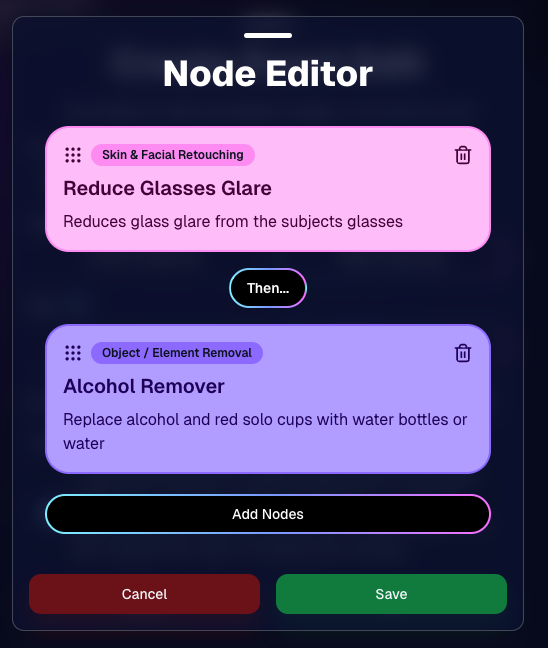
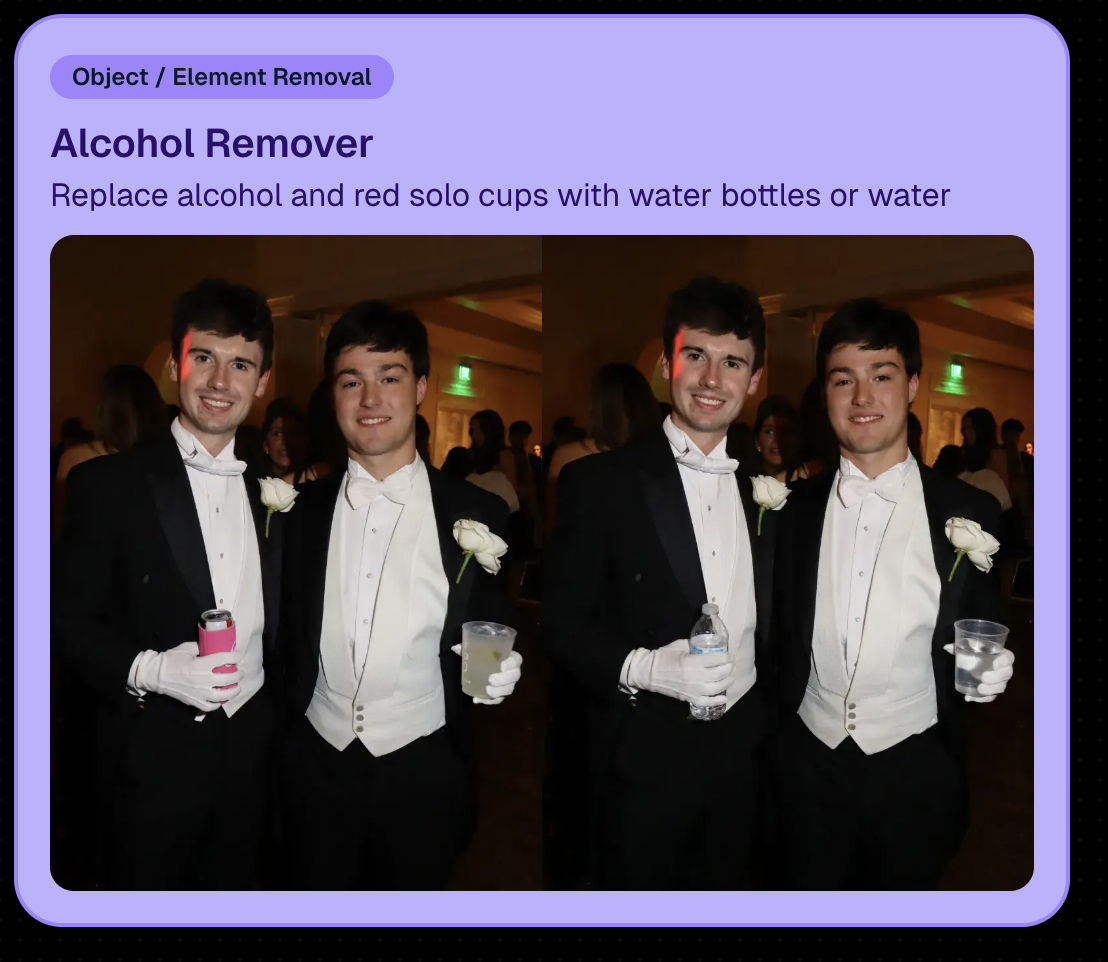
  • • New node: Alcohol Remover is now available in Candy Image Editor.
  • • Replace uploaded images more easily (non-event images): you can drag a new image onto the one you already uploaded to replace it, instead of starting over.
  • • New “Preview Original” option on Manage Images lightbox for AI-edited images uploaded from Candy Image Studio
    • • You can also toggle this view using \.
  • • Manage Images search is faster (image searching performance improved).
New Alcohol Remover Node

Preview Original Image Option

📣 Client Outreach: URL No Longer Required for Texts

Client Outreach texts no longer require a URL, but the system will show a warning if you try to send one without a link.

One important reminder: the number Client Outreach texts send from is different than the number used for automated event marketing—so recipients may not have any message history for context when they receive it.

🏷️ PhotoTags Page: Clearer Counts

The Event PhotoTags page now shows Contacts and Participants as separate columns for better clarity.

🛍️ Retail: Pay Later Badges (more visible financing options)

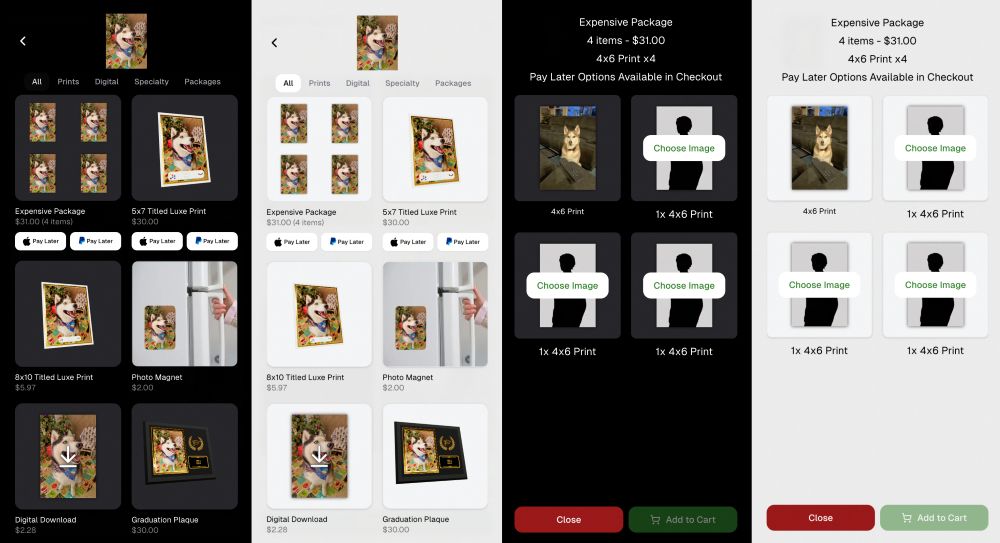
Retail now shows Apple Pay Later and PayPal Pay Later badges on the store sheet for items $30 or more.

A few notes:

  • • Pay Later options have always been available—this change just makes them more obvious to customers.
  • • This UI may be temporary and could be removed at any time.

Reminders on existing Pay Later availability:

  • • Klarna & Affirm are available through Apple Pay for orders $35+
  • • Some credit cards offer Pay Later through Apple Pay (eligibility varies)
  • • Klarna, Affirm, and Zip are available through Google Pay for orders $35+
  • • PayPal Pay Later (Pay in 4) is available for $30+
  • • PayPal Pay Later (Pay Monthly) is available for $49+

🤖 Android Capture App 5.5: Duplicate Image Fix

The Capture App on Android (v5.5, Google Play) now fixes an issue where some cameras were sending duplicate images to the app.

That’s the week! 💫

Between the new Auto Editor (Beta), smoother “preview original” review flows, and clearer Pay Later messaging on retail, this update is all about saving time and helping customers convert with less friction.

Keep creating magic,
— The NowCandid Team 🍬

Weekly Recap: Profile Logos, Faster Packages, and a Revamped Event Management Portal
Feature Updates
April 17, 2026

Weekly Recap: Profile Logos, Faster Packages, and a Revamped Event Management Portal

5
 minutes read

Hey photo friends! 👋

This week’s updates are all about cleaner branding, smoother selling, and better visibility across your workflows—from a new profile/business logo system to big package configurator performance improvements, plus a long-awaited refresh of the Event Management Portal (EMP) ahead of grad season.

Let’s jump in. 💫

🖥️ Dashboard Updates

📣 Client Outreach: Texts now require a URL

Client Outreach SMS messages now require a URL to be included—helping ensure every text has a clear destination and call-to-action.

🧾 Reports: “Participants” terminology restored for accuracy

The Events Report, Compare Report, and Faces Report now use Participants instead of Contacts.
Reminder: a Contact is someone with info; a Participant is a contact with at least one image in their gallery. This avoids deflating stats with unmarketable contacts.

🧰 Candy Culler usability win

  • Added a Download Image button to the Image Details lightbox on the Candy Culler page.

🖼️ Better controls in Participant lightboxes

  • Added a visibility toggle to the Image Details lightbox on the Participant Details page.

🔍 New Event List filters

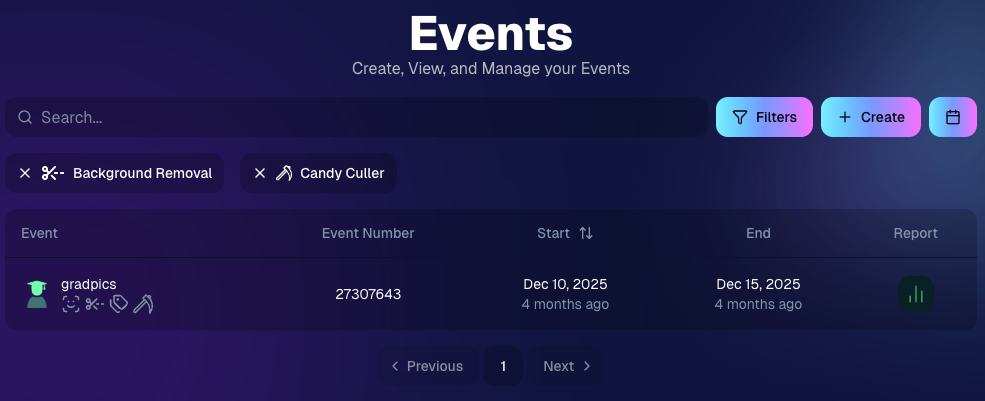
The Event List page now includes quick filters for:

  • Background Removal events
  • JerseyJotter events
  • Candy Culler events

🖼️ Offer background minimum lowered

You can now set your Offer background selection minimum to 5 (previously 20).

🚚 New flat-rate shipping option

Added $2.50 flat-rate shipping as an available shipping option.

📱 Mobile Dashboard

  • Fixed an issue where Friday weekly sales notifications were not sending.

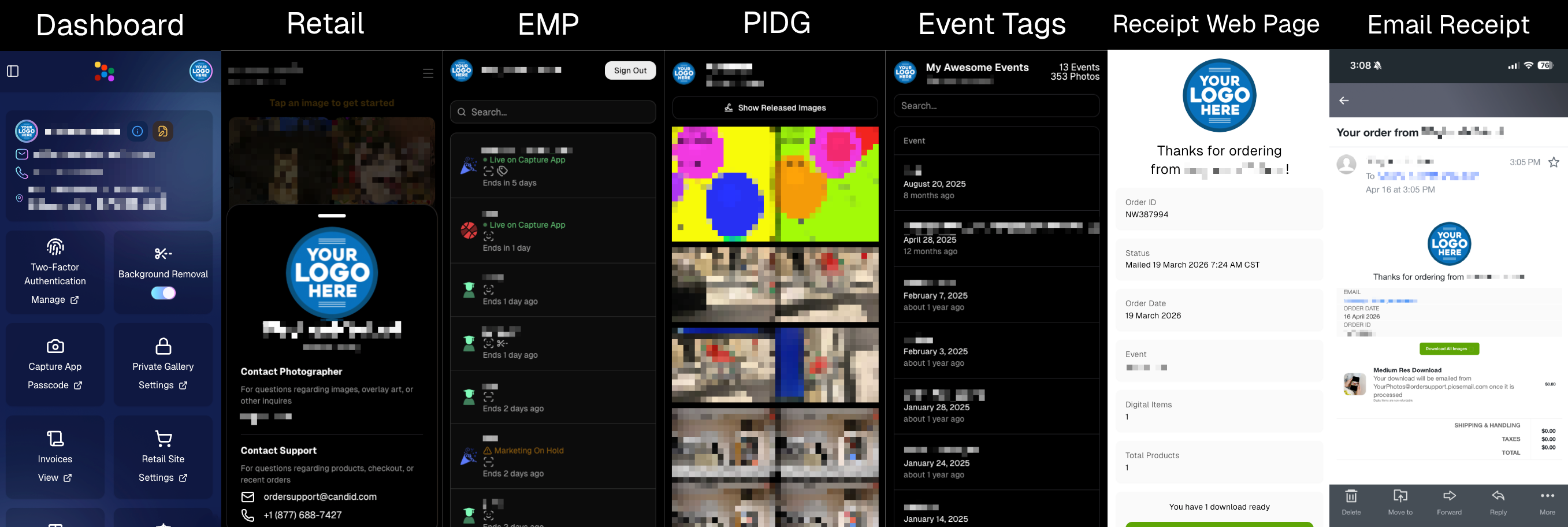
🏷️ New: Profile / Business Logos (Branding Upgrade)

You can now assign a business/profile logo—upload to your profile icon on the dashboard as a 650×650 image and automatically cropped to a circle.

Where it appears:

  • Dashboard profile page + navigation
  • Retail contact popup above your business name
  • Receipt emails, web receipt preview, and the web receipt download page
  • Event Management Portal (EMP) header beside your business name
  • Private Image Download Gallery (PIDG) header
  • Public Event Tag List page header

More placements are planned in the future—this is the first step toward a more consistent, professional brand presence everywhere your customers interact with you.

🏷️ Event Tag List Page

  • Improved UI for a cleaner, easier experience.

🔒 Private Image Download Gallery (PIDG)

  • Improved UI
  • Added a note to the landing popup regarding released images

🛍️ Retail Improvements (Big Week for Packages + Rendering)

🖼️ Captions render earlier for key products

Graduation Plaque and Titled Luxe Prints now render custom captions earlier in the process, rather than waiting until the captions step.

📦 Package configurator upgrades

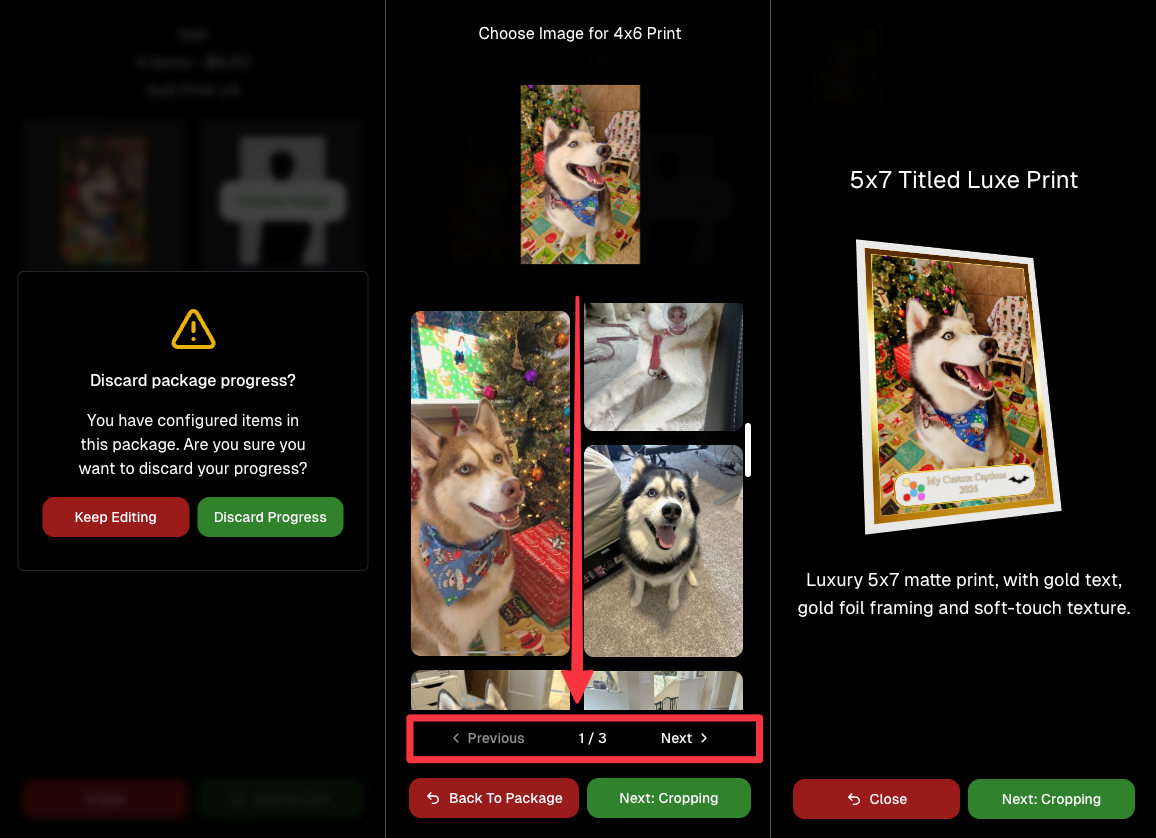
The package configurator received several improvements:

  • Added pagination to the All Gallery tab in the “Next Package Item Image Picker” step
  • Added a “Discard package progress?” popup when backing out after configuring at least one item to prevent accidental loss of progress
  • Fixed an edge-case crash on mobile when configuring large packages in offers with 3D items
  • Overall package configurating is now much more performant

🧩 Z-Crop improvements

Several improvements were made to ZCrop images to improve behavior and consistency.

🏷️ Group photo refresh fix

Fixed user-added dynamic gallery group photos showing as not group after refresh.

🎨 Background order consistency

Custom offer background order now matches the order in the offer details editor—drag and drop reordering on the dashboard offer editor.

📸 Capture App (iOS & Android OTA): 5.4.3 + 5.4.4

  • 5.4.3: Fixed a crash when toggling a Group Photo without any service
  • 5.4.4: Fixed a keypad popup issue on very large screens (like 13” iPad) where opt-in/cancel buttons were being cropped out

🧾 Event Management Portal (EMP) — Major Refresh (quic.pics/portal)

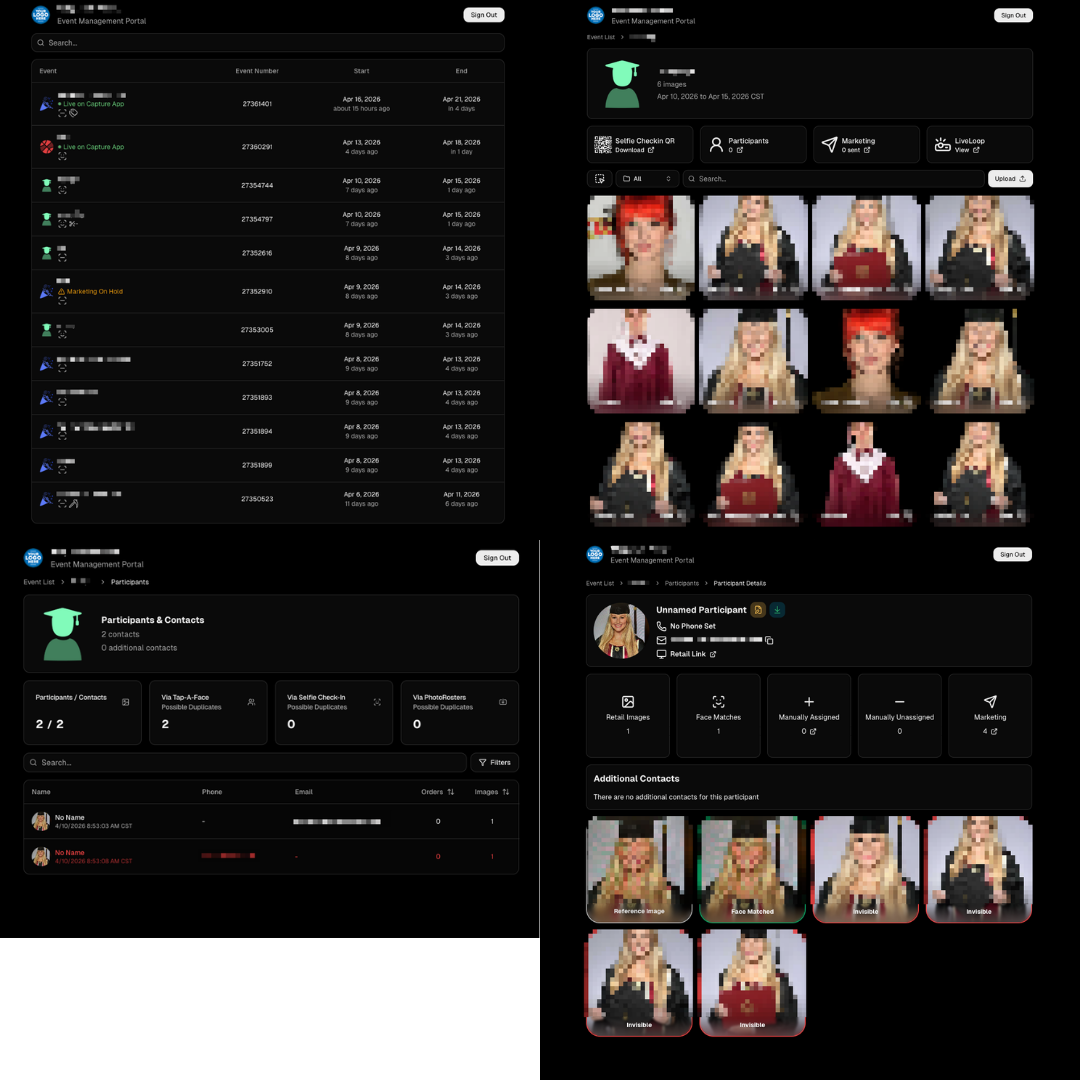
Quick reminder: the Event Management Portal (EMP) is a mini-dashboard on quic.pics that uses the Capture App login—so you can do “dashboard-like” tasks without downloading an app or using a full account login. It hasn’t been talked about much lately, but this week it got a big refresh in preparation for grad season.

What’s new:

  • Improved security
  • Tons of UI changes and a new dark-only theme
  • Event list page now includes a search bar
  • Event list page updated to “Live on Capture App” (instead of “Active”)
  • Event list page shows attributes like the main Dashboard + adds an Event Number column
  • Header now shows business name and logo
  • Fixed a crash on the Marketing History page
  • Added text/email filter on Marketing History
  • Images now use lightboxes with arrow key navigation
  • Participant Details now shows Additional Contacts
  • Participant Details now shows Invisible images

That’s the week! 💫

Between profile/business logos, a smoother package configurator, better report accuracy, and the EMP glow-up for grad season, this update should help you move faster, look more professional, and reduce friction across the whole customer experience.

Keep creating magic,
— The NowCandid Team 🍬

Weekly Recap: Titled Luxe Prints, Zoom Cropping, and Candy Image Studio “From Scratch”
Feature Updates
April 10, 2026

Weekly Recap: Titled Luxe Prints, Zoom Cropping, and Candy Image Studio “From Scratch”

5
 minutes read
Hey photo friends! 👋

This week’s updates are a fun mix of new products, new visual workflows, and small-but-important fixes that make day-to-day work smoother—especially across Candy Image Studio, retail packages, and PhotoRoster/PhotoTag downloads.

Let’s jump in. ✨

📣 Dashboard: Client Outreach + Workflow Quality-of-Life

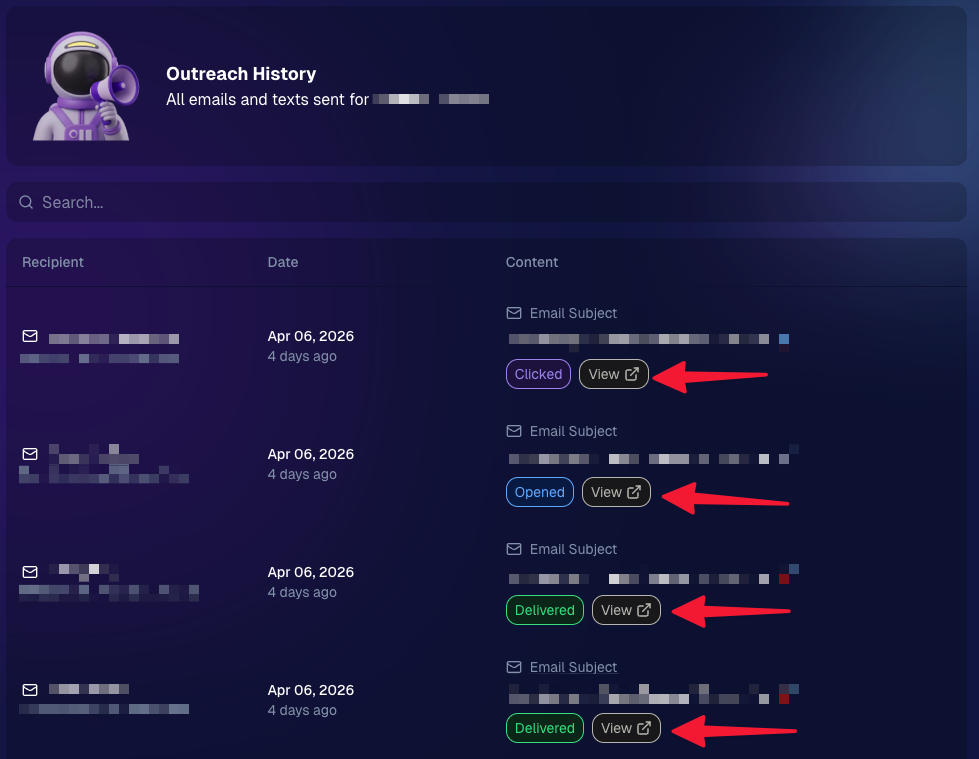
Client Outreach email history is easier to use and more reliable:

  • Added a “View” button in Client Outreach email history so you can open the sent email in a new tab (similar to how order receipts work).
  • Fixed an issue where email status didn’t always show for all emails in the status list.

More clarity when reviewing participant galleries:

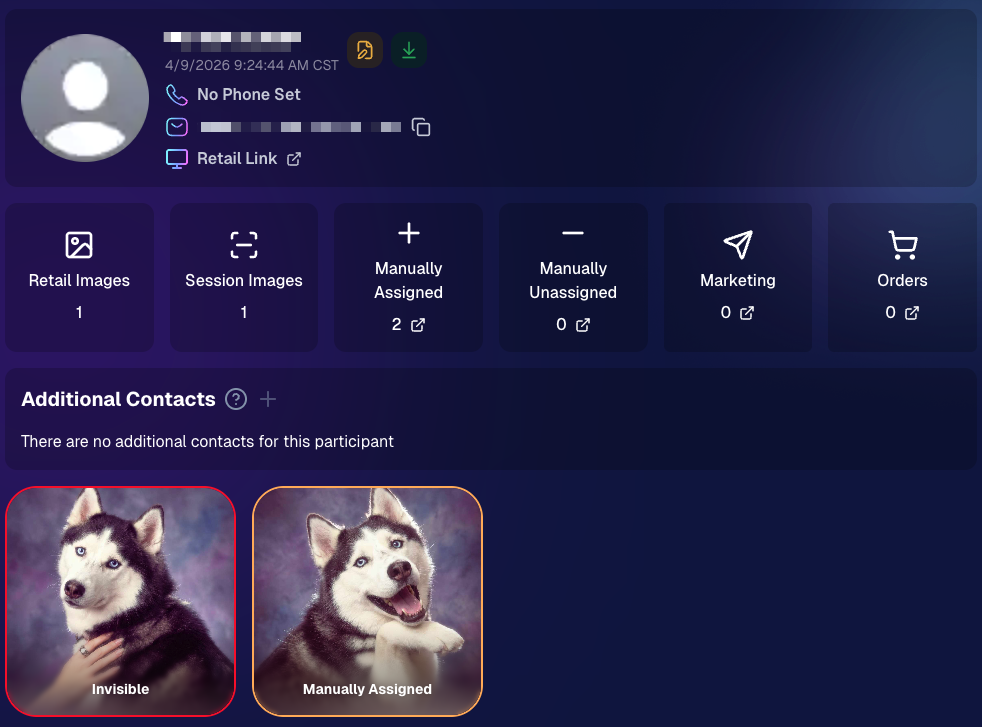
  • The Participant Details page now shows invisible images, clearly marked in red with an “Invisible” label—so you can understand what’s hidden without guessing.

PhotoTag participant gallery downloads got safer:

  • Fixed PhotoTag participant gallery downloads overwriting images when multiple files shared the same frame.
  • Fixed the download count displayed on the download button being off.

🎨 Candy Image Studio: Create Without an Input + A New Node

Candy Image Studio has two notable upgrades this week:

🧠 No input image required (generate from scratch!)
Candy Image Studio no longer requires an input image to get started. You can generate from scratch using the “From Scratch” node (at the very bottom), or by starting from custom text or a custom image—great for things like creating portrait backgrounds or creative assets.

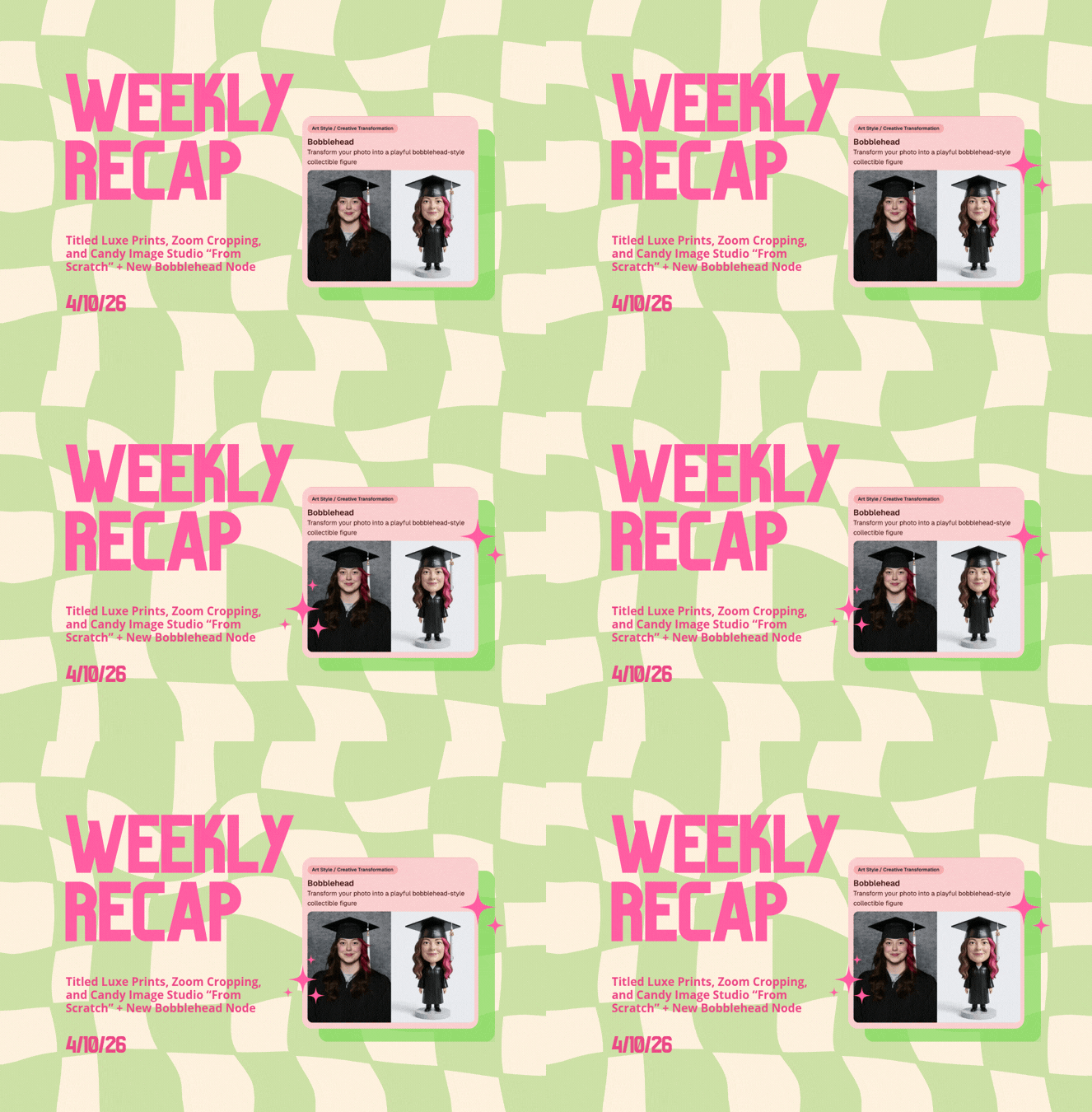
🆕 New “Bobblehead” node
A brand-new Bobblehead node is now available inside Candy Image Studio.

Disclaimer: This is not a new product. This is an image node in the Candy Image Studio.

🏈 Jersey Jotter + Event Settings Cleanup

Jersey Jotter settings were removed from the Create/Edit Event popup.
Since Jersey Jotter now has its own dedicated page, we pulled those settings out of the event popups to keep Create Event as minimal (and fast) as possible—and keep Edit Event aligned with Create.

New: “Auto Enhance” can be turned off in Create/Edit Event.
Important clarity here:

  • Auto Enhance isn’t new — it has always been enabled by default.
  • What’s new is the ability to turn it off from the Create/Edit Event popup.
  • It’s labeled “Auto Enhance” (not “Retail Enhancement”) because it affects more than retail, including things like LiveLoop, Dashboard previews, Shareable Download Gallery, and more.
  • Note: this setting only impacts images uploaded after you change it. (So anything already uploaded keeps whatever enhancement state it had at upload time.)

🛍️ Retail: Package Backgrounds + Fixes

A few retail improvements landed to reduce confusing edge cases:

  • When selecting a PNG (without a faux background render) during the “Next Package Item Image Picker” step, the chosen background will now default to the first background in the background picker list (instead of the purple default).
  • Fixed an issue where the background selector step didn’t always appear for non-faux BGR images.
  • Fixed a crash related to having Wall Clings in packages.
  • Updated the Free Download description to: “Free simple, full-resolution download of your image.” (Previously it implied lower resolution.)

🔍 NEW: Zoom Cropping “Z-Cropping” (Dashboard + Retail)

In Advanced Offer Settings, you can now enable Zoom Cropping, which automatically adds an additional image into the customer’s gallery that is zoom-cropped toward their face.

Details & rules:

  • ✅ Works on Face Matching Events
  • ✅ Works only on images with one face
  • ✅ All default graduation offers/price levels now have Zoom Cropping enabled
  • Behind the scenes, it applies a ~30% zoom toward the face, with an additional ~30% pull from the center of the image toward the face (clamped to avoid cropping beyond image bounds)

This is a great “quiet upgrade” for grads and portrait-style moments where customers love a tighter crop—without you needing to manually create it.

🖼️ New Products: Titled Luxe Prints (Dashboard + Retail)

Two new products just landed:

  • 5×7 Titled Luxe Print
  • 8×10 Titled Luxe Print

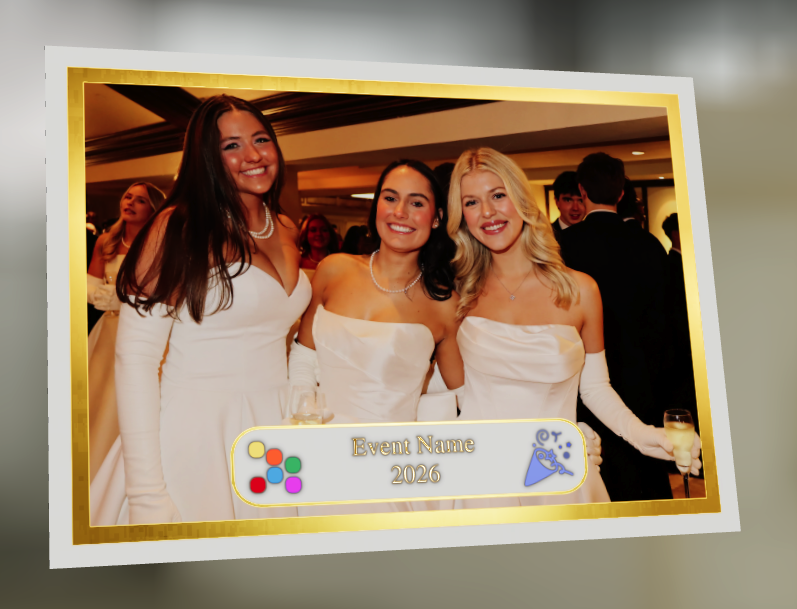
Want to see the 3D preview?
https://app.nowcandid.com/3d/titled-luxe-print

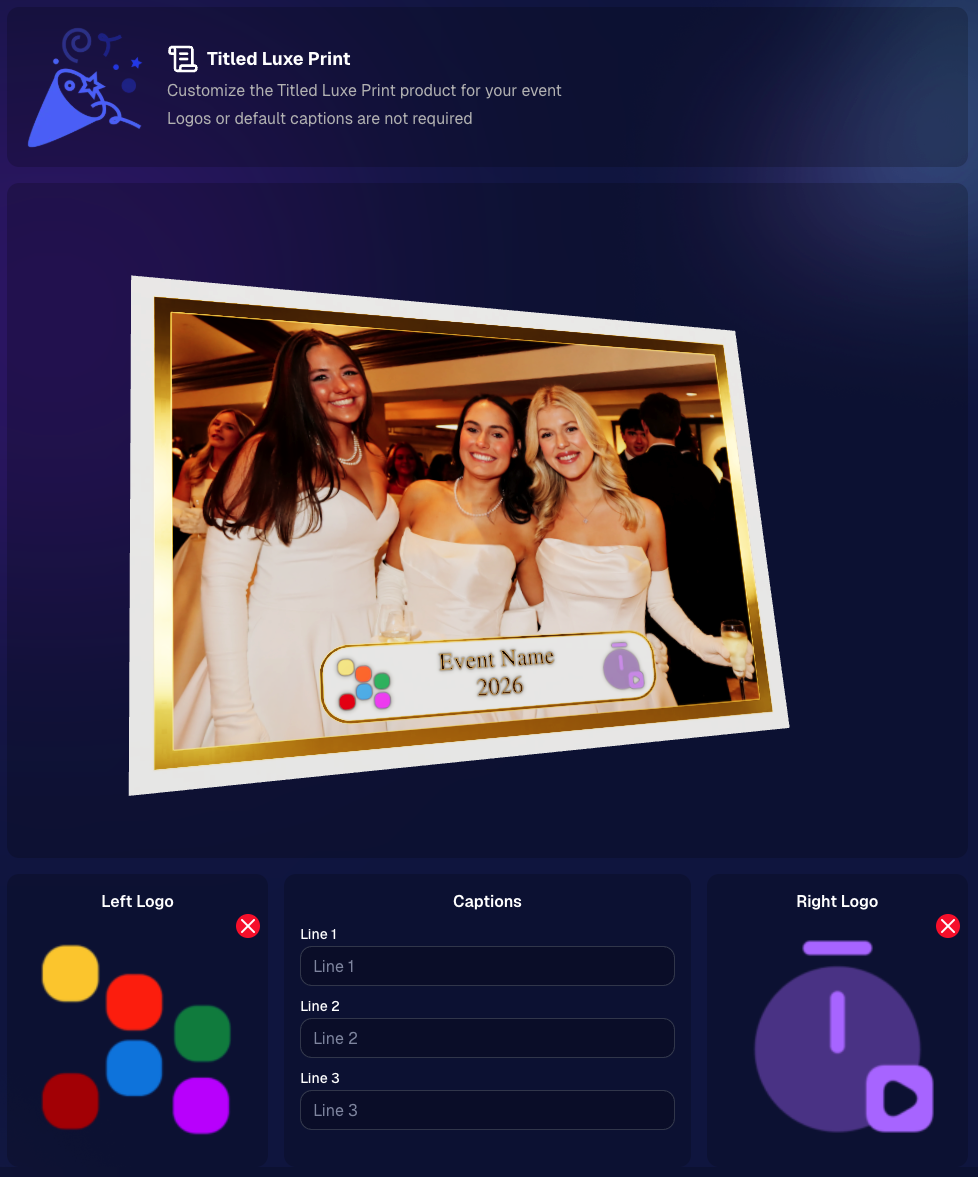
New: “Edit Titled Luxe Print” Page (per event)
There’s a new event-level page available in the Dashboard sidebar only if one of the new titled products is included in the event’s offer. From there, you can:

  • Set default captions
  • Select left/right logos
  • Preview the 3D render
  • (Easter egg: rotate the render and you can spot your business name on the backprinting.)

Notes:

  • Default captions and logos are optional
  • Retail shoppers can change captions when ordering
  • Logo requirements: upload/import a 650×650 transparent PNG
  • Retail supports both 2D + 3D renders, including your custom logos
  • Order Details pages now display the selected logos, similar to how we show captions and colors

That’s the week! 💫

Between Zoom Cropping, Titled Luxe Prints, and Candy Image Studio’s new From Scratch flow (plus a pile of cleanup across retail + downloads), this update adds a lot of power without adding extra complexity.

Keep creating magic,
— Candy 🍬

Let’s get in touch

If you’re a photographer looking to add NowCandid™ services to your wheelhouse, set up a call with us!

How to customize formatting for each rich text

How to customize formatting for each rich text

How to customize formatting for each rich text

How to customize formatting for each rich text

How to customize formatting for each rich text

What’s a Rich Text element?

The rich text element allows you to create and format headings, paragraphs, blockquotes, images, and video all in one place instead of having to add and format them individually. Just double-click and easily create content.

A rich text element can be used with static or dynamic content. For static content, just drop it into any page and begin editing. For dynamic content, add a rich text field to any collection and then connect a rich text element to that field in the settings panel. Voila!

Headings, paragraphs, blockquotes, figures, images, and figure captions can all be styled after a class is added to the rich text element using the "When inside of" nested selector system.

  • List One
  • List Two
  • List Three
  • List Four
  • List Five

This is a link

This is bold text