Candy here with your weekly dose of NowCandid™ updates!
We’ve rolled out some helpful new features to make check-ins smoother, shopping more intuitive, and checkouts faster. Let’s take a peek! 👀
🌍 ¡Check-In en Español!
We’ve added Spanish language support for all customer check-in pages, including:
• Selfie Check-In™
• Simple Check-In
• Scan Card Check-In
The system will auto-detect the user’s browser language and serve the Spanish version when appropriate.
More languages are planned in the future, so stay tuned! 🌐
Bonus: We also have added Spanish versions of the Privacy Policy & Terms of Use for end customers to use!
🛍 Easier Package Shopping 🖼️
Package selection just got a serious upgrade! 🎁
When a customer is picking images for each item in a Package, they’ll now see:
• Tabs to toggle between All Images and their Personal Gallery
• Pagination to easily flip through the All Images Tab
This is especially useful when customers are shopping for Packages directly from a link to the All Images Gallery — now it’s easier to browse and find their perfect shot! 💫
🛠 Miscellaneous Fixes & Tweaks
Here’s a quick roundup of other small (but mighty!) improvements this week:
🏷️ Empty PhotoTags™ no longer appear on the retail site — cleaner and simpler for your customers!
💸 Venmo now shows up more consistently as an express checkout option.
📅 Interested in attending Summer Seminar 2025 in OKC? Head to the Profile Page in your dashboard for the invite and sign-up link!
🐞 Tons of small bug fixes and polish across the platform. We’re always working to keep things speedy, intuitive, and delightful!
See you next week with more exciting improvements!
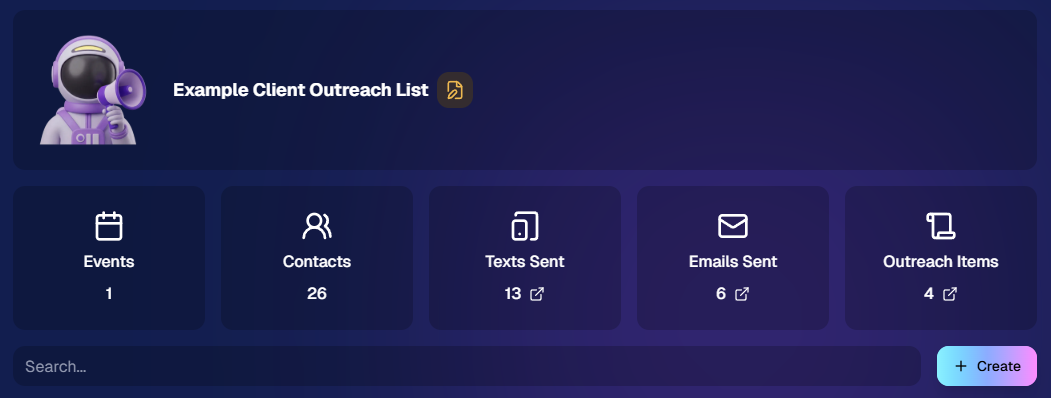
We’re excited to introduce Client Outreach — a brand-new tool that lets you reach your customers directly with one-off texts and emails, completely separate from your normal event marketing.
Whether you’re following up after an event, promoting future bookings, or nudging people who missed check-in… this gives you a simple, flexible way to stay connected.
Let’s break it down 👇
📣 What is Client Outreach?
Client Outreach lets you:
📩 Send one-off emails and texts
👥 Build contact lists from:
Existing events
Uploaded spreadsheets
Or both combined
🎯 Filter contacts based on:
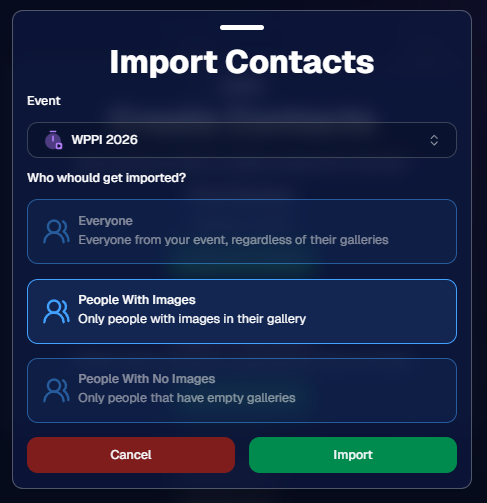
Contacts with matched images
Contacts without matched images
Or everyone
This is not automated campaign messaging — it’s intentional, targeted outreach when you need it.
👥 Build Your Audience, Your Way
When creating an outreach list, you’ve got flexibility:
Pull contacts from one event, multiple events, or none
Upload your own spreadsheet of contacts
Combine both sources into one list
And when using events, you can choose:
Only people with images
Only people without images
Or everyone
That opens the door to some really useful workflows (more on that below 👀).
💬 SMS Outreach (Simple & Familiar)
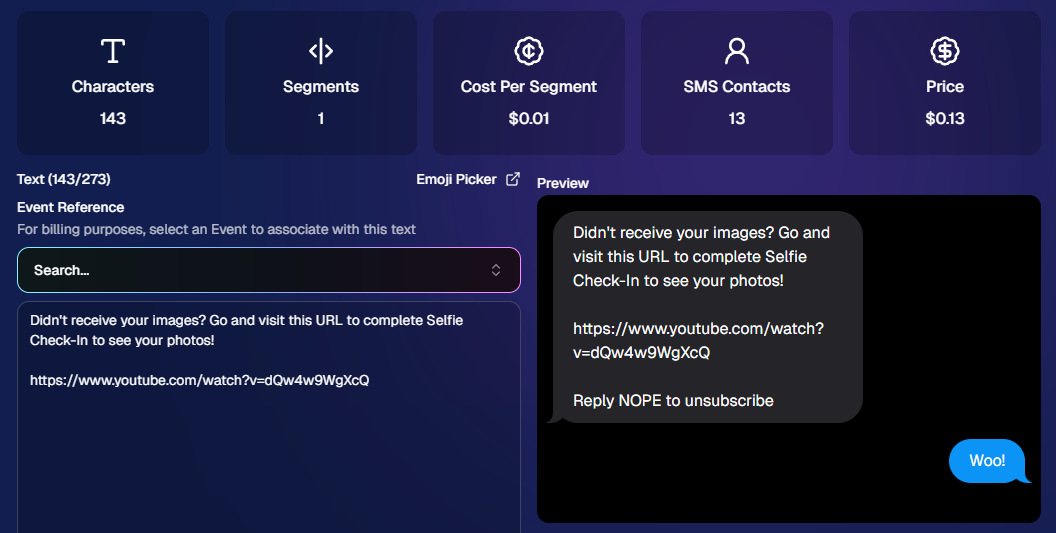
Sending texts is designed to feel easy and familiar.
🧾 Uses a FreePics-style editor + preview
✍️ Write your message and send to your list
🔗 Include links (galleries, check-in, etc.)
💵 Pricing:
$0.01 per segment, per text
A segment is roughly:
~140 characters (standard text)
~65 characters (if using emojis)
Longer messages may use multiple segments (typically 2–4).
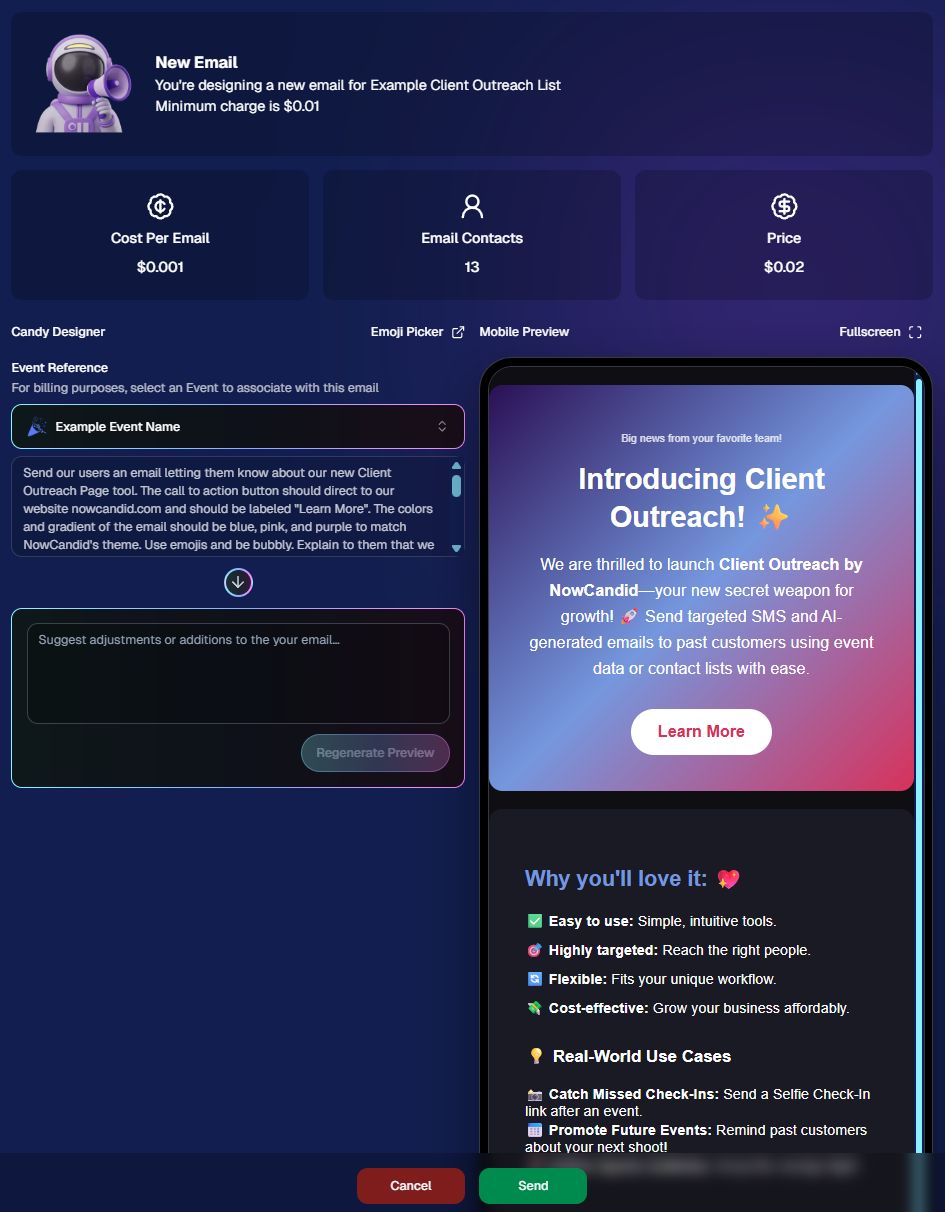
📧 Email Outreach (Powered by Candy 🤖)
This is where things get really fun.
Instead of building emails manually…
👉 You just describe what you want, and Candy builds the email for you.
✨ How it works:
Tell Candy things like:
What the email should say
What tone you want (fun, professional, urgent, etc.)
What your call-to-action button should say
Where that button should link
Candy will:
✍️ Write the email
🎨 Design the layout
🧠 Generate a subject line
🏷️ Pull in your business info automatically
No HTML. No formatting headaches. Just describe it.
🧠 Even Smarter with Events
Every outreach must be tied to an event (for billing/history), but that unlocks some extra power:
If your outreach is related to that event, Candy can pull in things like:
🔗 Check-in links
🖼️ Cover photos
🖼️ Gallery links
And more!
👉 You can still override this and use your own URLs — Candy will follow your instructions.
This week’s headline is a big one: Client Outreach is here. It’s a powerful new way to connect with your customers outside of event-based marketing—and it opens up a ton of new possibilities for growing your business.
We’ll keep this recap focused on what it does at a high level, and we’ll link out to a full deep-dive guide so you can see exactly how to use it.
📣 NEW: Client Outreach (SMS + Email)
Client Outreach is a brand-new messaging system that lets you send texts and emails outside of your event campaigns.
This week’s updates are all about clearer feedback, smoother retail rendering, and a few helpful fixes across the Dashboard, Check-In, and Capture App.
🖼️ Retail: Better Luxe 3D Renders
A few important improvements landed for Luxe products on retail:
✨ Luxe Prints 3D renders now work correctly for horizontal images
💡 Luxe render lighting improved so products look more natural and less over-bright
📱 Mobile cropping on 3D renders is much more stable and performant
Fixed an issue where gesture-based cropping could crash on mobile devices
If you’re selling Luxe products, this should make the preview experience feel more polished.
📤 Dashboard: Clearer Image Upload Errors
The Image Uploader now does a better job explaining what actually went wrong:
🚫 Oversized files now show the real reason
Instead of a vague “Error uploading,” files over the limit will correctly say the image is too large
📏 File size is now included in the error message
Example: File size is over 20 MB (25.3 MB)
🌐 Network issues now say “Network Error”
Much clearer than a generic upload failure
🔁 Automatic retry for network errors
The uploader will now retry up to 5 times before giving up
A small change, but a much better experience when uploads hit a snag.
🧾 Dashboard Fixes & Improvements
📄 Profile invoices fixed
Invoices from January onward should now load correctly
Invoices are also now easier to find through Sidebar Find and Candy navigation
👥 PhotoRosters wording updated
“Members” is now “Contacts” for better consistency across NowCandid
📊 Participant image counts fixed on the Event Participant List for certain Positive ID edge cases
🎨 Fixed an overlay importer edge case that could make Events appear twice in the list
🤳 Check-In Improvements
📋 Fixed the list of existing check-ins going off-screen for accounts with a lot of check-ins
✍️ Some check-in copy was updated for clarity
📱 Capture App 5.4.1 (iOS OTA)
🔒 Fixed PhotoBooth and Selfie Check-In Station close buttons not working on devices without a passcode set up
That’s the update for this week! Better Luxe previews, clearer upload feedback, and a handful of fixes to keep things running smoothly.
The rich text element allows you to create and format headings, paragraphs, blockquotes, images, and video all in one place instead of having to add and format them individually. Just double-click and easily create content.
A rich text element can be used with static or dynamic content. For static content, just drop it into any page and begin editing. For dynamic content, add a rich text field to any collection and then connect a rich text element to that field in the settings panel. Voila!
Headings, paragraphs, blockquotes, figures, images, and figure captions can all be styled after a class is added to the rich text element using the "When inside of" nested selector system.


.png)


.jpg)

.svg)


