
NowCandid 101
Webinars You Can't Miss

-(2).png)
Candy here with another weekly recap! This week’s biggest addition is a new Abandoned Cart Recovery marketing message designed to help bring shoppers back and complete purchases they already started.
We’ve also made Quick Candy Image Studio more powerful for editing a selected group of images, added shareable discount links, and made several improvements across participant tools, Virtual Groups, and the Capture App.
Let’s jump in!
Sometimes a customer gets all the way to building a cart... and then life happens.
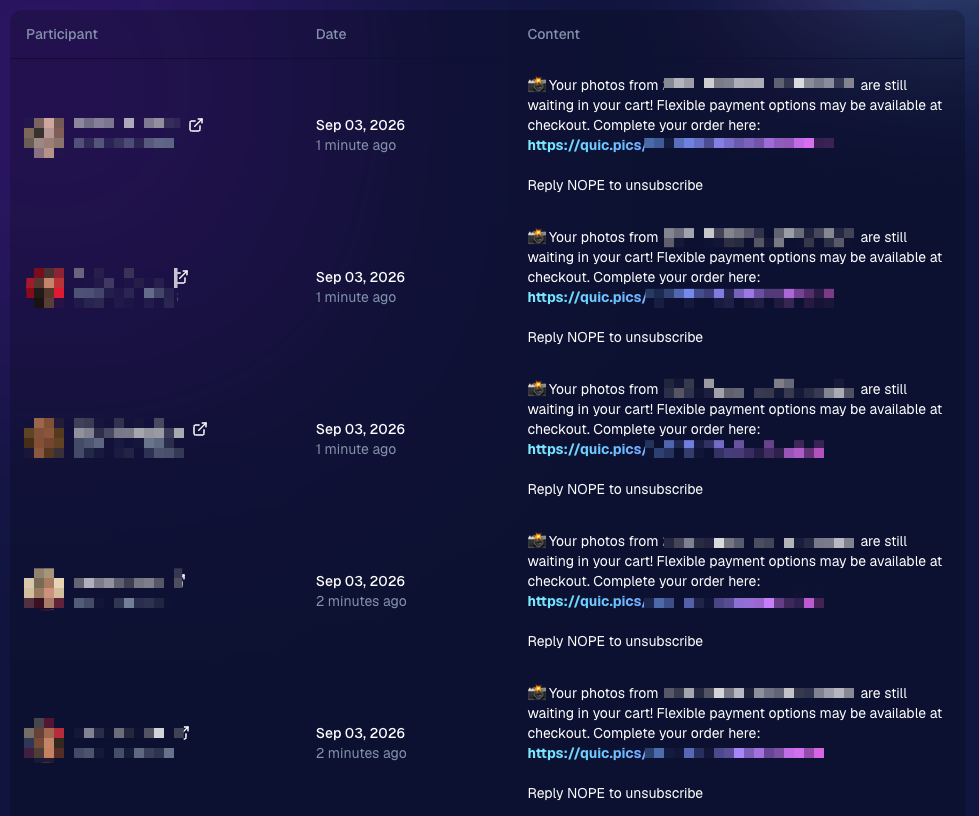
NowCandid will now automatically follow up with those shoppers via text + email to encourage them to come back and finish their order.
📅 Abandoned cart messaging will go out once a week!
🛍️ Targets participants who created a cart but did not complete their purchase
🚫 Participants who have already ordered are excluded
1️⃣ Each participant can only receive one abandoned-cart follow-up per Event
📊 Sends are still recorded on the Event’s Marketing History page
This gives shoppers a helpful nudge to return to something they were already interested in buying—and hopefully turns a few more unfinished carts into completed sales. 📈
Note: NowCandid's abandoned cart rate is already very low. Even so, we expect this to boost your overall sales by about 0.3% or more!
Quick Candy Image Studio on Manage Images continues to fill the gap between editing one image at a time and running Auto Editor across an entire folder or Event.
Select a handful of images, open Quick Candy Image Studio, and apply an AI edit across the selection.
This week, it also gained more of the controls available in the full Candy Image Studio:
👁️ Mark Original Invisible
✂️ Mark Destination Folder as Background Removal Folder
🖼️ Custom image-input nodes fixed
This makes it much easier to apply the same edit to a small, intentional group of images without setting up a larger Auto Editor workflow.
🏷️ PhotoTags now appear as badges
👨👩👧 Merged participants are easier to understand
🙈 Hidden PhotoTags stay hidden
↩️ Better Undo behavior for sliders
🖱️ Better drag-and-drop with large groups
🖼️ Full-resolution render consistency fix
🙈 Hide Originals now handles BGR originals correctly
The same behavior now applies in Candy Image Studio.
iOS & Android OTA — September 1
📋 Shooting mode selector fixed on tablets
📸 Photo Booth fix on iOS
Abandoned Cart Recovery is the big addition here, giving NowCandid another way to help turn existing shopper interest into completed orders. And with the improvements to Quick Candy Image Studio, you’ve got more flexibility for those “edit these five photos, not the entire folder” situations too.
Keep creating magic,
Candy 🍬
Candy here with another weekly recap! This week’s biggest addition is a major upgrade to Client Outreach: you can now schedule texts and emails to send later. We’ve also added smarter Virtual Group tools, new Candy Image Studio looks, and a few useful retail and Dashboard fixes.
Let’s jump in!
You can now schedule Client Outreach messages to send at a future date and time instead of having to send everything immediately.
⏰ Schedule texts or emails up to 60 days in advance
📋 New Scheduled page to see upcoming sends
❌ Cancel a scheduled outreach before it goes out
💰 See estimated sends and cost before the scheduled time
🔔 Get notified when it sends
This makes Client Outreach much more useful for planned reminders, follow-ups, announcements, and other messages you already know you’ll want to send later.
When building a Client Outreach list from Event contacts, you can now select multiple Events in a single import instead of adding them one at a time.
Virtual Group Builder picked up several new controls this week:
🔢 New Auto Order By Jerseys button
🧠 Improved Auto Headsize
👤 Less disruptive participant additions
🌈 New Saturation slider
🌑 Drop Shadow can now be disabled
🌫️ Simplified Cutout Fade
↕️ More vertical positioning freedom
🎛️ New Effects category
Two new low-cost styles are available:
🌸 Mayfair — 4¢
🌈 Lively
✨ Fixed some nodes not working through Quick Candy Image Studio on Manage Images
🖼️ Fixed the Retouch node failing on especially large image files
📣 Event Marketing History links are more visible
🏷️ Remove PhotoTags in bulk
No app update required:
Both options are now available from the logo button / Quick Actions menu at the top of the Mobile Dashboard.
📦 Group package visibility fixed
🤖 Auto Edited FreePics/FreePortraits images fixed
Scheduled Client Outreach opens up a lot more ways to plan customer communication ahead of time, while the new Virtual Group tools should make sports layouts quicker and easier to fine-tune.
Keep creating magic,
Candy 🍬
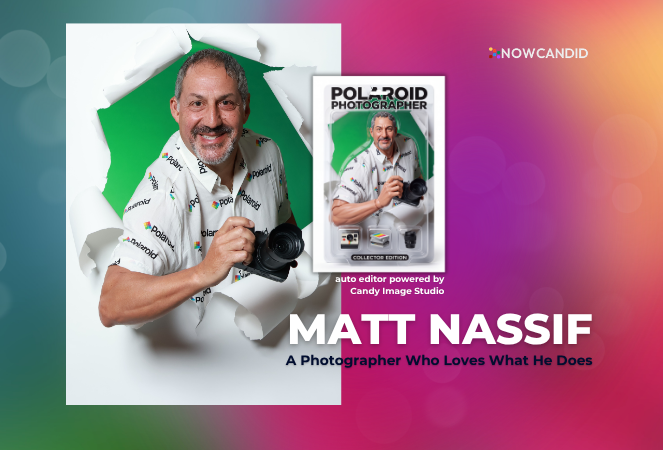
But every once in a while, a new tool comes along that changes the game.
For Matt Nassif of Joe Photo Tampa, that tool has been NowCandid's Auto Editor.
Joe Photo Tampa has been photographing events across Florida for almost 20 years. Matt credits much of that journey to his longtime friend and mentor, Ed Kempf of Impact Photography/Joe Photo Iowa.
Back in 2007, Ed introduced Matt to Candid Color Systems, inviting him to visit Oklahoma and see everything CCS had to offer firsthand. That visit marked the beginning of a partnership that continues nearly two decades later.
"I'll be going into my 20th year this fall and feel incredibly blessed to have CCS as my lab. I'm also grateful for my mentor Ed, who has guided me throughout the years."
When NowCandid was just getting started, Matt was there from the beginning. After reconnecting with Jack at a photography conference in Las Vegas in early 2020, he became one of the platform's original beta testers, working closely with the development team to help shape the software.
Today, Matt has been using NowCandid for six years and believes Joe Photo Tampa is one of the platform's largest users.
When Matt first learned about the Auto Editor through a NowCandid newsletter, he immediately saw an opportunity.
One of his long-time clients was celebrating their 20th anniversary, with more than 600 guests expected to attend. Rather than offering another standard event experience, Matt wanted to surprise attendees with something they'd never seen before.
The result?
A huge success.
More than 180 guests participated in the Auto Editor experience.
"It was a TOTAL hit."
Like many photographers, Matt admits he was initially hesitant because of the AI component.
"My biggest hesitation was simply not knowing anything about AI."
Fortunately, a little guidance helped turn uncertainty into excitement.
By his third Auto Editor event, Matt had found his rhythm.
"What surprised me the most is how fun, different, and interactive the Auto Editor is."
Guests weren't just participating. They were bringing their friends back to experience it themselves.
"Guests would receive their character on their phone, then come back with more friends so they could try it too. That's a win-win for Joe Photo Tampa!"
The response from event hosts has been equally enthusiastic.
"My customers loved the product, and their guests were showing off their images and posting them online."
While the guest experience has been exciting, the business results have been just as impressive.
At Matt's second Auto Editor event, one guest loved the experience so much that she booked Joe Photo Tampa on the spot for another event just 72 hours later.
"The product sells itself."
Matt also sees Auto Editor opening doors in an increasingly competitive market.
"This is an upsell product that can definitely compete with the photo booth world."
Instead of simply taking another picture, photographers can offer clients an interactive experience that guests talk about long after the event ends.
Matt's advice for photographers considering Auto Editor is simple:
"If not now, when?"
He encourages photographers to spend some time experimenting before introducing it to clients.
"Try it at the office. Test it. Learn what prompts work best for your style and events."
He also offers one important reminder:
"AI isn't perfect. It takes some patience to learn what works best. Once you get your prompts dialed in, it becomes an incredible product."
Whether it's corporate events, parties, or celebrations, Matt simply loves photographing people.
His photography style?
Fun. Outgoing. Professional.
And when it comes to camera gear...
"I bleed Nikon."
Matt has been an incredible partner to NowCandid from the very beginning! From helping beta test the platform to embracing new features like Auto Editor and sharing honest feedback along the way.
We're incredibly grateful for photographers like Matt who continue to push the platform forward while creating unforgettable experiences for their clients.
Thank you, Matt, for being part of the NowCandid family. We can't wait to see what you create next.
If you’re a photographer looking to add NowCandid™ services to your wheelhouse, set up a call with us!
.svg)


What’s a Rich Text element?
The rich text element allows you to create and format headings, paragraphs, blockquotes, images, and video all in one place instead of having to add and format them individually. Just double-click and easily create content.
A rich text element can be used with static or dynamic content. For static content, just drop it into any page and begin editing. For dynamic content, add a rich text field to any collection and then connect a rich text element to that field in the settings panel. Voila!
Headings, paragraphs, blockquotes, figures, images, and figure captions can all be styled after a class is added to the rich text element using the "When inside of" nested selector system.
This is bold text
