HomeNavigation arrowBlogNavigation arrow
Current page
Feature Updates

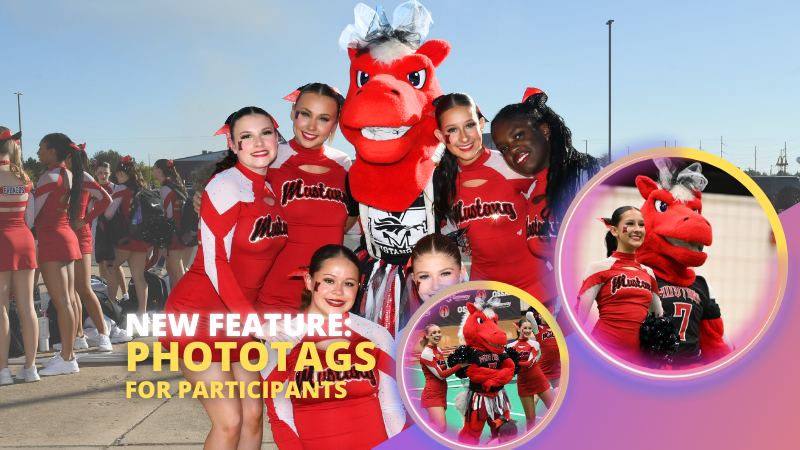
Big News: PhotoTags for Participants 🏷️👤

Big News: PhotoTags for Participants 🏷️👤
Hey there, photo friends!

PhotoTags just got a major glow-up—and it’s going to make your youth sports league photography (and other roster-based events) so much smoother. ✨

You probably already know PhotoTags as a way to organize images from an Event into public image groups—perfect for team photos, tournament games, or multi-day event galleries.

But now? PhotoTags can also be assigned to Contacts. Let’s break down what’s new and how it all works together.

📋 Assign PhotoTags in Your Rosters

When uploading a roster to a Name Lookup Event in the Web Dashboard, you can now include PhotoTag columns in your spreadsheet.

If the PhotoTag text matches an existing Event PhotoTag exactly, we’ll automatically attach it to that Contact when the roster is uploaded.

👀 View & Edit PhotoTags for Contacts

On the Participant Details page, you can now:

  • • See all PhotoTags assigned to that Contact
  • • Assign or unassign additional PhotoTags
  • • Rename PhotoTags without breaking existing links (the updates will flow everywhere!)

🖨️ PhotoTags on Scan Cards

Using the Scanner ID Workflow? Your downloaded Scan Cards now display any assigned PhotoTags—making it super easy to match the right cards to the right team. ⚽🏀🏈

🖼️ Group Photos in Galleries

If Group Photos are attached to a PhotoTag, they’ll automatically appear at the end of every personal gallery for subjects with that same PhotoTag. (Non-group images assigned to a PhotoTag won’t auto-appear in personal galleries.)

📱 Sort Name Lookup by PhotoTag (Capture & Upload App v4.20.1)

This one’s a game-changer for on-site shooting:

You can now filter Name Lookup by PhotoTag—so if you’re photographing the “Panthers” next, just filter and only Panthers will appear.

We’ve also polished the Name Lookup interface to make it faster and easier to navigate. You’re welcome. 😉

That’s the scoop on PhotoTags for Participants! 🏷️💪

Together, these changes mean:

  • • Faster on-site team photography
  • • Better organization from roster upload to final gallery
  • • Cleaner communication with coaches, parents, and teams
  • • Happier clients (and fewer mix-ups!)

Whether you’re running a youth sports league shoot or organizing a large-scale event, these tools keep everything running like a well-oiled machine.

Keep tagging like a pro,

Candy 🍬

Related articles

📸 Candy’s 12 Days of Christmas: Day 4 – Capture & Upload App Version 4 🎄✨
Feature Updates
December 17, 2024

📸 Candy’s 12 Days of Christmas: Day 4 – Capture & Upload App Version 4 🎄✨

3
 minutes read
Hello, my holly-jolly photographers! 🎅

Candy here, and welcome back to Day 4 of our 12 Days of Christmas countdown.

So far, we’ve revisited the new Web Dashboard, the New Retail Site, and the Offer Creator. Today, let’s look at Capture & Upload App Version 4, one of the key updates that kept you snapping and uploading with ease throughout 2024.

When we rolled out Version 4, we aimed to improve both performance and functionality.

Here’s what made it stand out:

  • Face Boxes on iOS:

    Enhanced face detection and clarity for more accurate participant matching.
  • Performance Improvements:

    A smoother, faster app experience, letting you focus on capturing the moment rather than waiting on your device.
  • Dark Mode for OLED Screens:

    Battery-saving and easier on the eyes, perfect for long event days where every percent of battery counts.
  • Foundation for Future Tools:

    This update laid the groundwork for features like GroupTags (stay tuned for Day 7!), ensuring you were ready for the capabilities we’d roll out later in the year.

The Capture & Upload App Version 4 played a crucial role in optimizing your Workflow, and helping you handle busy events with confidence. 🎉

Check back tomorrow for Day 5, as we continue highlighting the top features of 2024. And remember, something extra special awaits on December 25th!

Candy 🍬

📸 Candy’s 12 Days of Christmas: Day 3 – The Offer Creator 🎄🎁
Feature Updates
December 16, 2024

📸 Candy’s 12 Days of Christmas: Day 3 – The Offer Creator 🎄🎁

3
 minutes read
Hello again, my festive photographers! 🎅

Candy here, and welcome to Day 3 of our 12 Days of Christmas countdown. Over the past two days, we revisited the new Web Dashboard and Retail Site—both big hits in 2024. Today, let’s highlight the Offer Creator, a powerful tool that put you firmly in the driver’s seat of your photography business.

When we introduced the Offer Creator, our goal was to give you total flexibility and control, while maintaining simplicity and ease of use!

Note: We did keep the original NowCandid Default Price Levels around! So those are still an option to use, however you now have the option to create your own as well! Woo!

Here’s what made it shine:

  • Custom Product Lineups & Pricing:

    Tailor your product offerings exactly how you want, setting your own prices and creating packages that fit your clients’ needs.
  • Upsells & Shipping Fees:

    Configure upsell products and shipping costs to match the value of your work and the nature of the event—no more one-size-fits-all.
  • Themed Retail Experiences:

    Change your retail theme to align with your brand, the event’s vibe, or even the holiday spirit. Think of the Candy Cane theme for this festive season!
  • Easy Event Selection:

    Once you’ve created an Offer, simply select it whenever you’re setting up a new Event. Quick, organized, and ready to roll.

The Offer Creator allowed you to fine-tune your selling strategy, ensuring that every event’s storefront matched your vision and delighted your customers. 🎉

Check back tomorrow for Day 4, where we’ll continue highlighting the best of 2024. And remember, something extra special awaits on December 25th!

Until then, stay jolly and keep capturing those wonderful holiday moments. 🎄

Candy 🍬

📸 Candy’s 12 Days of Christmas: Day 2 – The New Retail Site 🎄✨
Feature Updates
December 15, 2024

📸 Candy’s 12 Days of Christmas: Day 2 – The New Retail Site 🎄✨

3
 minutes read
Hello, my jolly photographers! 🎅

Candy here, welcoming you to Day 2 of our 12 Days of Christmas countdown. Yesterday, we revisited the new NowCandid Web Dashboard. Today, let’s talk about another game-changer from 2024: our New Retail Site!

When we introduced this updated retail experience, our goal was to give your clients a smoother, more delightful way to browse, customize, and purchase their images.

Here’s what made it shine:

  • Product Gallery Renders:

    Customers see instant previews of their chosen photos on various products, helping them visualize exactly what they’re buying.
  • Customer Accounts & Order History:

    Clients can log in to review past orders, keep track of events they participated in, and find their images more easily—turning first-time buyers into loyal fans.
  • AI Background Generation:

    With background removal in place, clients can type in prompts to create custom AI-generated backgrounds, adding a unique and personalized flair to their images.
  • Tons of Express Checkout Options:

    From Apple Pay and Google Pay to PayPal and beyond, we added multiple fast, convenient checkout methods, ensuring a hassle-free shopping experience.

The New Retail Site helped your customers feel more engaged, inspired, and confident when ordering.

It was one of the many ways we leveled up your business this year! 🎁

Check back tomorrow for Day 3, as we continue reviewing the best of 2024.

And don’t forget—on December 25th, we’ll unveil something truly special. Until then, keep capturing the magic of the season! 🎄

Candy 🍬

Let’s get in touch

If you’re a photographer looking to add NowCandid services to your wheelhouse – set up a call by clicking the button below.

How to customize formatting for each rich text

How to customize formatting for each rich text

How to customize formatting for each rich text

How to customize formatting for each rich text

How to customize formatting for each rich text

What’s a Rich Text element?

The rich text element allows you to create and format headings, paragraphs, blockquotes, images, and video all in one place instead of having to add and format them individually. Just double-click and easily create content.

A rich text element can be used with static or dynamic content. For static content, just drop it into any page and begin editing. For dynamic content, add a rich text field to any collection and then connect a rich text element to that field in the settings panel. Voila!

Headings, paragraphs, blockquotes, figures, images, and figure captions can all be styled after a class is added to the rich text element using the "When inside of" nested selector system.

  • List One
  • List Two
  • List Three
  • List Four
  • List Five

This is a link

This is bold text