HomeNavigation arrowBlogNavigation arrow
Current page
Feature Updates

LiveLoop: Our New Live-Slideshow Feature! 🎉

LiveLoop: Our New Live-Slideshow Feature! 🎉

Hey there, it's Candy! 🍭

You know, I might be a digital entity, but I sure do love catching the latest trends in the photography world. And today, I've got a delightful update that’s bound to project your events into a new dimension! 📷✨

Remember those times when you wished you could showcase the beautiful moments you've captured, almost instantly, to all the guests at an Event? Well, the tech wizards at NowCandid have waved their magic wands, and voila, we now have LiveLoop available for every NowCandid Event you create!

🎞 Live and Lively!


So, what is this "LiveLoop"? It's a game-changer! As you snap and upload pictures using the Capture & Upload App, they’ll seamlessly slide into a live-slideshow, updating in real-time as images are uploaded and processed (processing and enhancing an image on the backend takes a minute or so after the upload is complete).

That's right! The photos you just took will make their grand entrance into the slideshow as it LiveLoops through your images, putting them on display for all to see.

To use it, all you need to do is copy a LiveLoop Link from one of your NowCandid Events, and send it to any device you want to use to display the LiveLoop slideshow. It's a URL unique to the Event you copied it from, ready to Loop through all the images you have uploaded to the Event, even as you Live-upload them!

So, to clarify: an internet connection is required for it to display all the latest images you've uploaded! Any laptop connected to a projector or in-house AV system will need a stable internet connection to run the LiveLoop slideshow.

🔄 The Smooth Flow:


The image appearing isn't just a one-and-done deal. Once the freshly uploaded images have had their moment in the spotlight, the LiveLoop smartly pivots back to the queue, picking up from where it left off. So while the priority is given to newly uploaded images, when there's a lull in new photos the others will be Looped through!

🖼 Sleek and Simple:


Aiming for elegance? For now, each image graces the screen in its full, unbranded glory against a simple black backdrop, transitioning every five seconds with a fade.

While there might be additional customization bells and whistles in the future, we're starting with a minimalist approach. Because sometimes, simplicity is the key to sophistication.

💰 An Upselling Powerhouse:


There’s more to this feature than meets the eye. Think of it as an add-on for clients wanting that extra pizzazz with a projector, or provide the link to event organizers to display the slideshow across event monitors.

This is not just a feature; it's an opportunity. Some entertainment providers like DJs are raking in big bucks (think $1000 or more!) just for similar services. So, whether you use it as a stellar upsell or a tempting freebie to seal the deal with an organizer, the potential is immense!

📸 Boosted Participation:


Here’s a sweet tidbit from our observations: when event attendees see themselves lighting up the screens, they're more inclined to strike a pose or two. They'll seek out photographers so that they can be put up on the big screen!

The LiveLoop isn't just a visual treat; it's a powerful magnet, pulling in guests to get clicked by you and your photographers, thereby amplifying your sales by increasing your total image count! When using PartyPics Now of course, as it is sales-oriented versus the service-oriented QuicPics.

🍿View LiveLoop in Action:

💻 Pro-Tip:


Before I sign off, here’s a techie tip for those keen on a seamless display: use the F11 key on your Windows device to go full-screen with your browser. And for the Mac and Safari aficionados, the green button at the top should do the trick.

Happy snapping, dear photographers!

Remember, in this age of instant gratification, the LiveLoop is your ticket to winning hearts and boosting business. Keep those shutters clicking and slides rolling! 🎥🍿

Stay sweet!

Candy 🍬

Related articles

Jowdy Photography Scores Big with NowCandid 🏈📸
Success Stories
September 26, 2024

Jowdy Photography Scores Big with NowCandid 🏈📸

5
 minutes read
Hey there, photography enthusiasts!

We've got an exciting success story that combines the thrill of NFL action with the power of NowCandid's innovative software. 📷✨

Touchdown for Jowdy Photography and NowCandid!

Jowdy Photography, the Official Photographers of the Dallas Cowboys, recently took their game day photography to the next level by integrating NowCandid into their operations.

The result? An astounding 103% increase in sales per image at their very first game day event using our platform! 🏆

"We saw a huge increase in sales per image at our first game with NowCandid, and we're planning to continue using it for every game moving forward," said Jeff Jowdy, Founder of Jowdy Photography. "The software has completely changed our approach to game day photography."

Game-Changing Technology

By leveraging NowCandid's cutting-edge features, Jowdy Photography streamlined their workflow and delivered a seamless experience for fans.

Our platform's real-time image delivery and flexible workflows gave fans instant access to their photos through private, user-friendly galleries.

Not only did this enhance the fan experience, but it also significantly reduced post-event labor costs. Talk about a win-win! 🎉

Unlocking New Opportunities

With NowCandid, Jowdy Photography has opened doors to new ventures that were previously off the table. "There were business opportunities that we didn’t pursue before because they weren’t profitable or photographable," Jeff explained. "Now, with NowCandid's tools and workflows, those ventures have become entirely possible."

From high school graduations to corporate events, our flexible and intuitive platform allows photographers to handle events of all sizes and types. This versatility is what drew Jowdy Photography to integrate NowCandid into more aspects of their business.

Looking Ahead

We're thrilled to see Jowdy Photography's continued success as they capture unforgettable moments at game days and beyond. Their partnership with NowCandid highlights the power of innovative photography solutions in revolutionizing the fan experience while driving business growth. 🚀

Join the Winning Team!

Are you ready to elevate your photography business like Jowdy Photography did?

Discover how NowCandid can transform your workflow, boost your sales, and delight your clients.

Visit NowCandid.com to learn more!

About Jowdy Photography

Founded in 1987, Jowdy Photography has become a leader in digital photography for corporations, associations, special events, and large venues.

Their extensive knowledge of photography, coupled with their utilization of the latest technology, enables them to deliver a unique blend of quality, creativity, and personalization to their customers' finished products.

Stay tuned for more success stories and tips on how NowCandid can help you capture life's best moments while growing your business.

Happy shooting! 📸💕

Big News: Introducing GroupTags for SportsPics! 🌟
Feature Updates
September 12, 2024

Big News: Introducing GroupTags for SportsPics! 🌟

5
 minutes read
Hey, sports photographers!

Candy here, and I’m super excited to share a brand-new feature designed to make your SportsPics Events even easier to manage—introducing GroupTags! 🎉⚽🏀⚾

So, what exactly are GroupTags? 🤔


GroupTags is a feature made specifically for our SportsPics Program!

When you’re managing a big sports shoot with group photos, GroupTags helps you stay organized and deliver a smoother experience for your clients.

Here’s how it works:

1. Before your Event

You can set up as many GroupTags as you need within an Event. These GroupTags could be team names, league divisions, or even different sports if you're covering all of one school's teams over the same weekend. 🏆

2. Once you’ve started photographing

Anytime you mark a photo as a Group Photo (either on the Capture & Upload App, or on the Web Dashboard), you’ll have the option to assign a GroupTag to it. 📸

3. Once They Visit the Retail Site

Your subjects will be able to choose from the GroupTags you set up, and easily find their group shots!

As soon as they arrive to the retail site via their person gallery link, they'll be prompted to choose a GroupTag.

4. Mission Accomplished!

And once they select a GroupTag, they'll see their personal images, in addition to their Group Photos!

How does this help your clients?

To recap:


When your customers open the link to their personal gallery, they’ll be prompted to select their GroupTag—whether that’s a team name, division, or whatever you’ve set up for the Event.

With their GroupTag selected, their Group Photos will show up right alongside their individual images, making it super easy for them to see everything at once! 🖼️

Plus! GroupTags automatically fill in the GroupTag Name on products like Memory Mates, Bag Tags, and more when ordering. How cool is that? ✨

Need to make changes? No problem!


GroupTags are easy to edit after the Event if you need to fix a mistake or assign a Group Photo to multiple GroupTags. And don’t worry—if there’s ever a typo or minor error, your customers can still browse and shop while you fix it in the background! 🛍️

Works with all Workflows!


Whether you’re using Face Matching or Positive ID Workflows, GroupTags are a fantastic way to organize your Group Photos for large sports leagues or any big SportsPics Event. ⚡

Quick Recap:

As a reminder, marking a photo as a Group Photo will only allow it to be purchased on Group Photo Products, allowing you to sell them on different prints at different prices, prevent the sale of digital downloads for Group Photos, and allow them to be selected on multi-image products like Memory Mates.

We hope GroupTags makes your next SportsPics Event even smoother!

As always, feel free to reach out with any questions. 💌

Until next time, happy shooting! 🏅📸

Cheers and sparkles,


Candy 🍬

Big News: Introducing QuicPics GO! 🌟
Feature Updates
August 30, 2024

Big News: Introducing QuicPics GO! 🌟

4
 minutes read
Hey, fabulous photographers! 🎉

Candy here with some sparkling news about a brand-new program that's just been added to the NowCandid family—introducing QuicPics GO! 🚀

You all know and love our QuicPics program, where you get paid upfront by an event organizer and deliver free downloads to your photo subjects throughout the event, all while still offering them the option to purchase physical products. It’s a fan favorite for those looking to provide an engaging, modern experience!

So, what’s new with QuicPics GO? 🤔

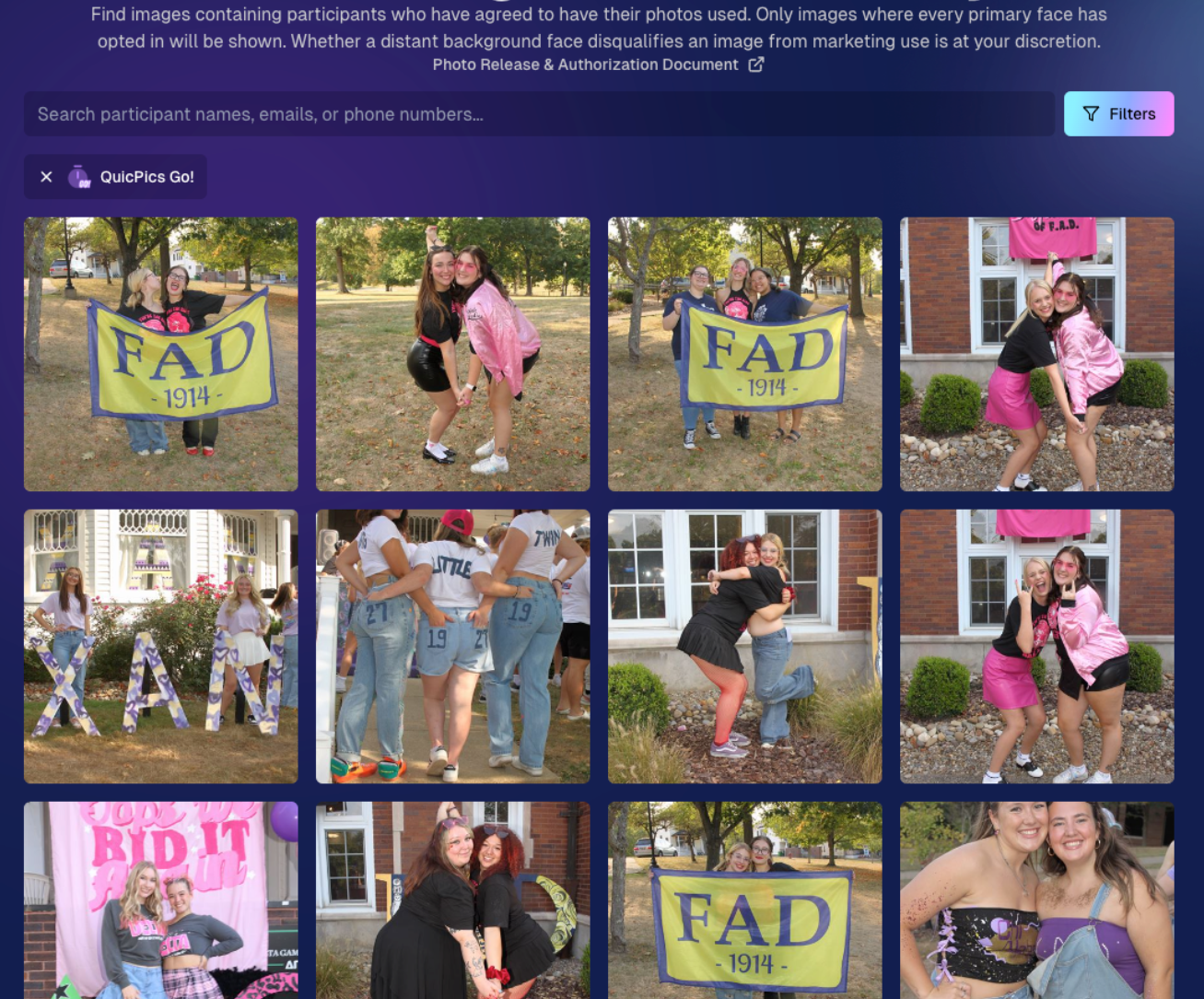
Well, the “GO” in QuicPics GO stands for Gallery Only! That’s right, this new program is designed to streamline the process by delivering just the image gallery link to your subjects—no individual MMS image files sent directly to them.

The QuicPics GO Gallery provides multiple ways for your subjects to download their free images, as well as the opportunity to purchase optional photo products, making sure they still have plenty of options to enjoy and share their favorite moments! 🎁

While this may be a less flashy approach, it’s perfect for those who are looking for a more cost-conscious solution, while still utilizing NowCandid's convenient Workflows & technologies to deliver free downloads to guests. 📷✨

Why choose QuicPics GO?

Affordable Pricing:

QuicPics GO offers a budget-friendly option with a fee of only 6 cents per image at this time of launch — that’s significantly lower than the 20 cents per image fee for standard QuicPics. Perfect for events where cost-conscious clients are looking for a great value!

Simple Experience:

While QuicPics provides that cool, interactive experience of receiving images via MMS throughout the event, QuicPics GO keeps it simple with just one link to the image gallery. It’s less flashy, but it gets the job done!

So whether you're working with a budget-conscious client or just looking for a way to offer a simpler service, QuicPics GO is here to provide that perfect middle ground. 🎈

Important Note:

Just like with QuicPics, you’ll need to have a credit card on file with your NowCandid account to use QuicPics GO. This ensures a smooth, hassle-free experience for everyone involved. 💳

Streamlined Free Checkout for QuicPics GO! 🚀

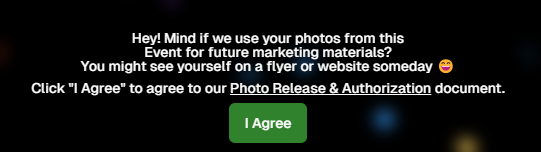
We’ve made grabbing your free QuicPics images easier than ever! While easy downloads are available directly from the site, we’ve also simplified the checkout process for those who prefer it. 🎉

Now, instead of filling out billing and shipping info for a $0 cart, all your subjects need is a cell phone number and email address to complete the free checkout.

Quick, convenient, and hassle-free—just the way it should be! 🖼️📲

We’re thrilled to bring you this new addition, and we can’t wait to see how you’ll make the most of it!

As always, if you have any questions or need a little help, just reach out. We’re here for you! 💌

Cheers and sparkles,


Candy 🍬

Let’s get in touch

If you’re a photographer looking to add NowCandid services to your wheelhouse – set up a call by clicking the button below.

How to customize formatting for each rich text

How to customize formatting for each rich text

How to customize formatting for each rich text

How to customize formatting for each rich text

How to customize formatting for each rich text

What’s a Rich Text element?

The rich text element allows you to create and format headings, paragraphs, blockquotes, images, and video all in one place instead of having to add and format them individually. Just double-click and easily create content.

A rich text element can be used with static or dynamic content. For static content, just drop it into any page and begin editing. For dynamic content, add a rich text field to any collection and then connect a rich text element to that field in the settings panel. Voila!

Headings, paragraphs, blockquotes, figures, images, and figure captions can all be styled after a class is added to the rich text element using the "When inside of" nested selector system.

  • List One
  • List Two
  • List Three
  • List Four
  • List Five

This is a link

This is bold text