HomeNavigation arrowBlogNavigation arrow
Current page
Feature Updates

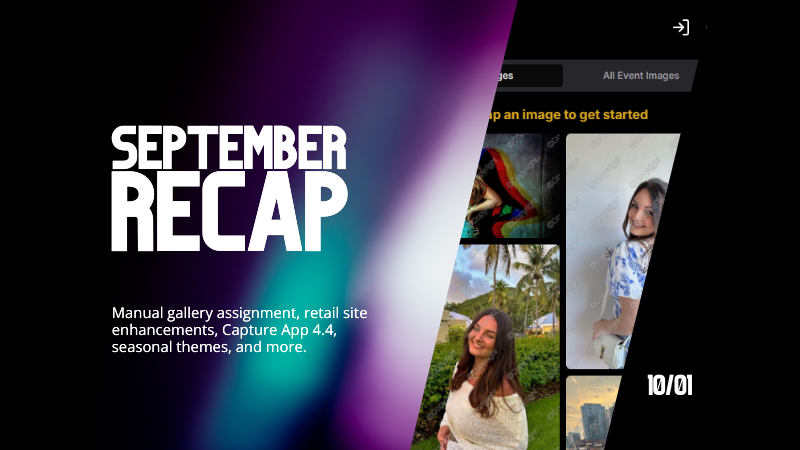
Candy's September Recap: New Features from Last Month!📸🎉

Candy's September Recap: New Features from Last Month!📸🎉
Hello, wonderful photographers!

Candy here, bringing you the first edition of our Recap series! 🌟

This blog post will cover alllllll of September's new features and changes worth mentioning! But going forward, we will be doing Weekly Recaps to keep you in the loop even faster.

We've been busy bees these past few weeks, and I can't wait to share all the fantastic new features and improvements we've made to help you shine even brighter. ✨

Psst... since this is our inaugural recap, we're covering updates from all of September, so grab a comfy seat—it's a bit longer than usual! Going forward, these recaps will be weekly and shorter, but just as sweet. 😉

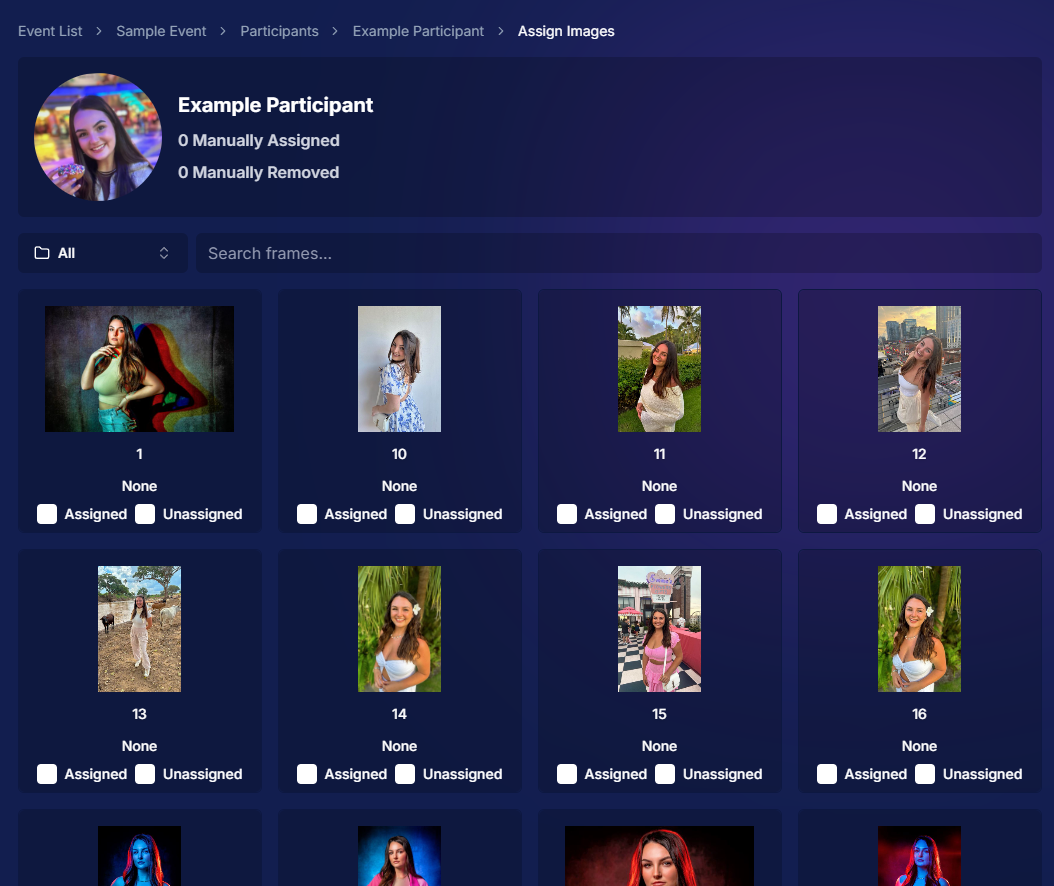
1. Manual Gallery Assignment & Participant Creation 🛠️

We're thrilled to announce that manual gallery assignment and participant creation are now live! This means you can:

  • ○ Assign images to someone's personal gallery manually—perfect for those shots where the subject wasn't facing the camera, and face recognition didn't pick them up.
  • ○ Create participants manually, either one at a time or by uploading a spreadsheet.
  • ○ Instantly trigger marketing campaigns to individuals when you assign images to them, ensuring they receive their photos promptly.

We believe this will greatly enhance your workflow and support needs. Let us know how it helps you during your next event!
2. Tweaks to the Retail Site for a Smoother Experience 🛍️

We've made several improvements to our retail site to enhance the shopping experience for your clients:

  • ○ "Tap image to get started" text now shimmers on the initial gallery screen to guide users who aren't sure what to do next.
  • ○ Package creation improvements make it more intuitive for customers to customize their packages and select photos.
  • ○ Product renders in the cart: The view cart screen now displays product images next to every item, including items within multi-item packages, for increased clarity.
  • ○ Updated header and footer: Clear guidance on when to contact our retail support or reach out to you, the photographer, for assistance.

These tweaks aim to make the purchasing process as seamless and enjoyable as possible for your clients!
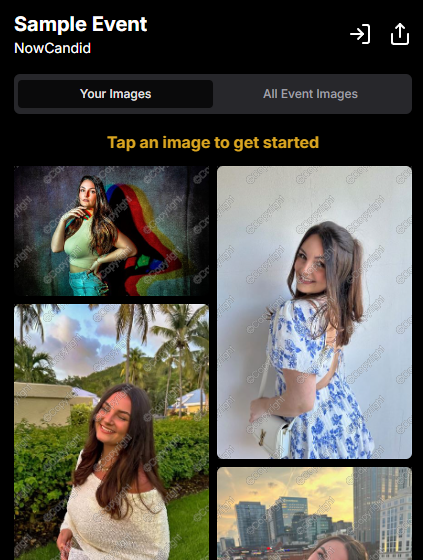
Theme: Liquorice - Watermarking: Default

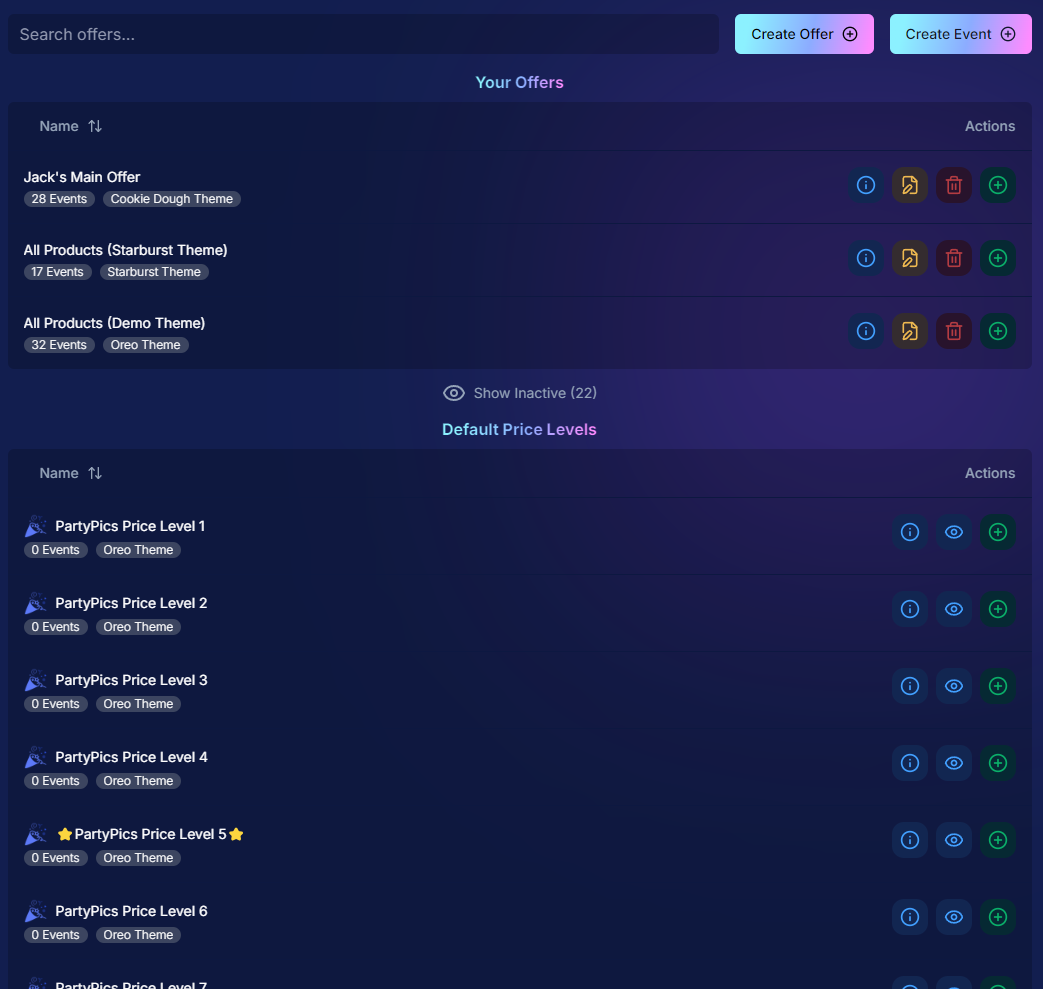
3. Default Price Levels Are Back! 💰

Great news! The Default Price Levels from our previous NowCandid system are back and better than ever.

While you can still create custom offers, these ready-made Price Levels are optimized to help you maximize sales in various situations.

  • ○ Optimized for success: Designed to boost your sales potential.
  • ○ Versatile options: Suitable for a wide range of events and client needs.
  • ○ Easy to access: Gives you good Offer options in a pinch or when entering a new market.

For a detailed breakdown, click here.
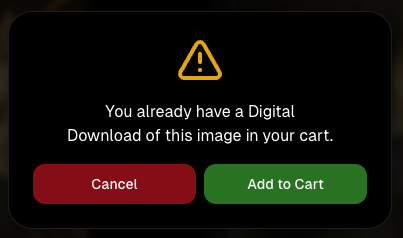
4. New Image Notifications for Previous Purchasers 🛎️

We've improved our marketing system to better serve your clients and help keep those sales up:

  • ○ If someone purchases on Day 1 and is photographed again on Day 2, they will now receive a notification about the new images added to their gallery.
  • ○ Enhances customer engagement: Keeps clients informed and encourages additional purchases.
  • ○ Prevents missed opportunities: Even early buyers stay in the loop for new content.

This ensures your clients never miss out on their special moments!

5. Google Pay Added to Express Checkout Options 💳

We're excited to introduce Google Pay as a new express checkout option!

Our available payment methods now include:

  • ○ Traditional credit/debit card checkout
  • ○ Apple Pay
  • ○ Google Pay
  • ○ PayPal (and PayPal Pay Later)
  • ○ Venmo

And guess what? We have one more express checkout option coming soon! Stay tuned. 📢

Theme: Liquorice - Watermarking: Default

6. Capture App Version 4.4 for iOS & Windows 📱💻

The latest Capture App Version 4.4 is now available for both iOS and Windows, featuring:

  • ○ Keyboard support for Windows: Windows laptop users can now input phone numbers using the keyboard when using the Tap-A-Face Workflow.
  • ○ Performance improvements: Smoother and faster app experience.
  • ○ sRGB color checking: The app now ensures images are in sRGB format, preventing issues caused by Adobe RGB images.
  • ○ Event Selfie Check-In QR code display: Access the QR code directly from your device when needed.

Upgrade now to enjoy these enhancements!

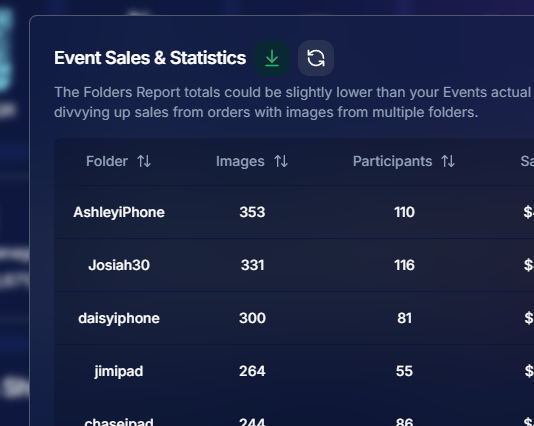
7. Enhanced Folders Report 📊

Our Folders Report (which you can find using the Graph button on an Event's Management Page) just got more powerful:

  • ○ Sortable columns: Organize by images, participants, sales, and more.
  • ○ Real-time insights: Works live during events, allowing you to identify your best-performing photographers, mid-event.
  • ○ Actionable data: Mid-event reporting helps you provide immediate feedback to your team to boost performance.
  • ○ Download button: This report is now downloadable via the green button in the screenshot below as well!

Optimize your event management like never before!
8. Bulk Visibility Control for Image Folders 📁

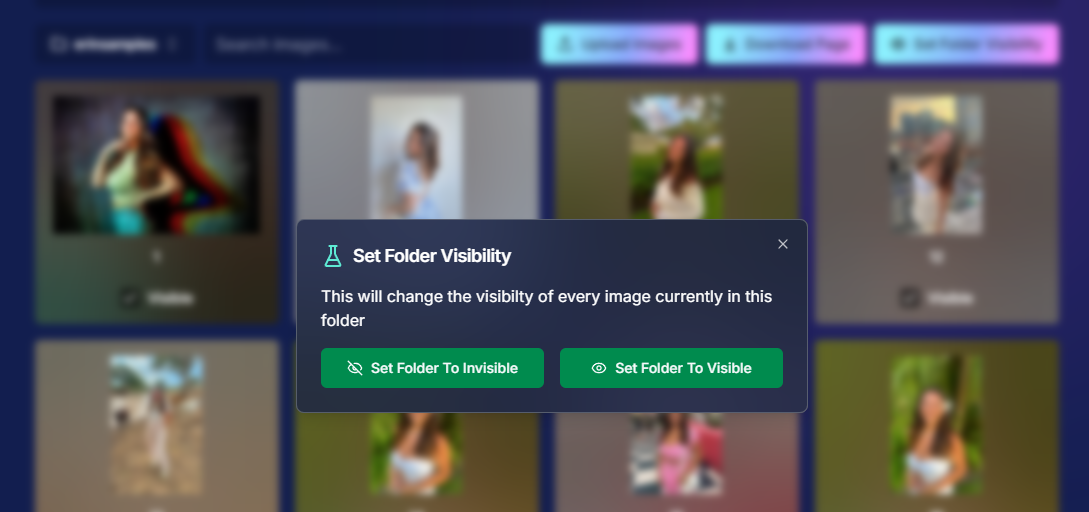
We've added a handy button in the Manage Images page, when you have a folder selected:

  • ○ Mark entire folders as visible or invisible with one click.
  • ○ Use cases: Quickly hide a batch of images that need reworking, such as a blurry set.
  • ○ Saves time: Streamlines the process of managing large numbers of images.

Sometimes, mistakes happen! Now you can use this button to quickly hide images in bulk as you work to correct issues.
9. Customize "All Event Images" Gallery Settings 🖼️

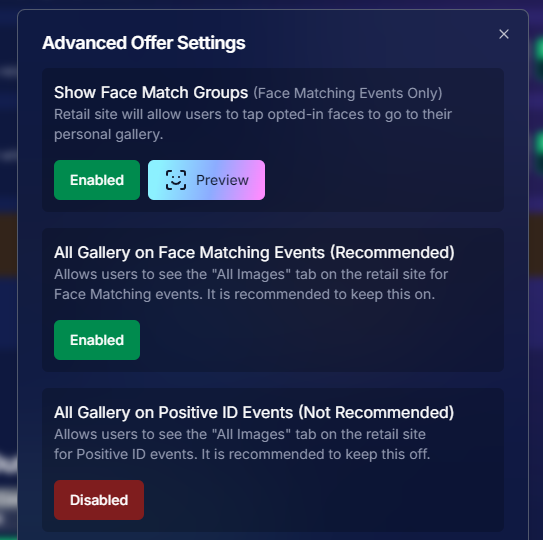
You now have more control over the All Event Images gallery:

  • ○ Override default settings at the Offer level.
  • ○ Options:
    • Turn off the All Event Images gallery for Face Matching Events.
    • Turn on the All Event Images gallery for Positive ID Events.
  • ○ Recommendation: We suggest sticking with the defaults, but if you'd like to explore the pros and cons, click here to schedule a chat with us!

Tailor the gallery experience to suit any event's needs!
10. Simplified Selfie Check-In 📲

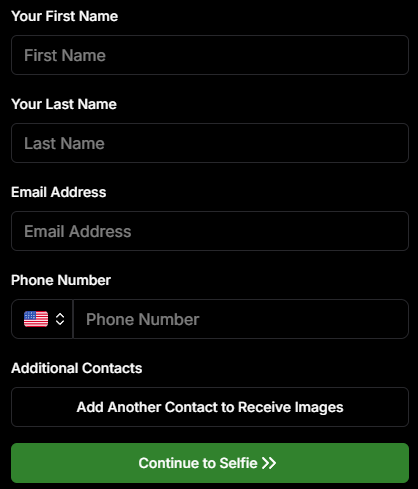
We've made the Selfie Check-In process even more user-friendly:

  • ○ Only requires a cell number OR email address.
  • ○ Encourages participation: Even though neither field says "optional," most people still provide both.
  • ○ Addresses Fringe Issues: Every now and then, someone doesn't have (or refuses to provide) a cell or email address. This change will account for those individuals!

Enhances guest engagement and reduces fringe support issues, with no changes on your part!
Theme: Liquorice

11. New Unsubscribe Keyword: "NOPE"! 🚫

We've introduced a new, fun way for clients to manage their marketing preferences:

  • "NOPE": Clients can reply with this word to opt out of marketing for a specific event.
  • Future communications: They will still receive messages for future events unless they opt out again.
  • Accidental "STOP" replies: If someone replies "STOP" though, they'll need to send "START" to our marketing number to resume receiving texts.

This gives your clients more control while still keeping communication lines open for future events.

12. Seasonal Retail Themes: Apple Crumble & Candy Corn 🍂🎃

Get into the festive spirit with our new retail site themes:

  • Apple Crumble:
    • Autumn colors: Warm and inviting hues.
    • Falling leaves: Adorable "leaves falling" animation upon gallery arrival, check-in completion, and after checkout.
  • Candy Corn:
    • Halloween vibes: Shades of black and bright orange.
    • Candy corn confetti: Fun "candy corn toss" animation to celebrate the spooky season upon gallery arrival, check-in completion, and after checkout.
    • Haunted Retail Site: A few ghosts frequently fly across your customer's screens as they shop!

Delight your clients with these charming themes!

Note: the Leaves & Candy Corn only fall across the screen upon gallery arrival, check-in completion, and after checkout - these GIFs are simply showing it in a loop :)

Theme: Apple Crumble - Watermarking: Off

Theme: Candy Corn - Watermarking: Off

We hope these updates make your experience with NowCandid even more enjoyable and efficient.

Your success is our top priority, and we're always here to support you. 💖

As always, if you have any questions or feedback, don't hesitate to reach out. We're all ears! 👂

Until next week, keep capturing those amazing moments!

Cheers and sparkles,

Candy 🍬
Related articles

Weekly Recap: Titled Luxe Prints, Zoom Cropping, and Candy Image Studio “From Scratch”
Feature Updates
April 10, 2026

Weekly Recap: Titled Luxe Prints, Zoom Cropping, and Candy Image Studio “From Scratch”

5
 minutes read
Hey photo friends! 👋

This week’s updates are a fun mix of new products, new visual workflows, and small-but-important fixes that make day-to-day work smoother—especially across Candy Image Studio, retail packages, and PhotoRoster/PhotoTag downloads.

Let’s jump in. ✨

📣 Dashboard: Client Outreach + Workflow Quality-of-Life

Client Outreach email history is easier to use and more reliable:

  • Added a “View” button in Client Outreach email history so you can open the sent email in a new tab (similar to how order receipts work).
  • Fixed an issue where email status didn’t always show for all emails in the status list.

More clarity when reviewing participant galleries:

  • The Participant Details page now shows invisible images, clearly marked in red with an “Invisible” label—so you can understand what’s hidden without guessing.

PhotoTag participant gallery downloads got safer:

  • Fixed PhotoTag participant gallery downloads overwriting images when multiple files shared the same frame.
  • Fixed the download count displayed on the download button being off.

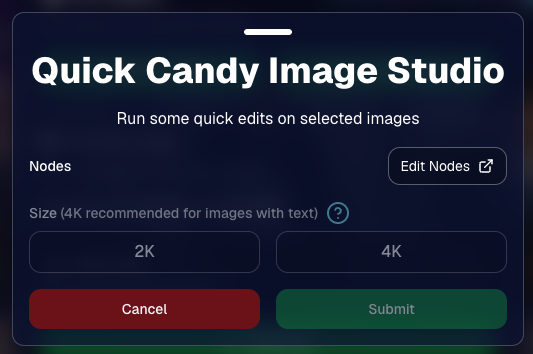
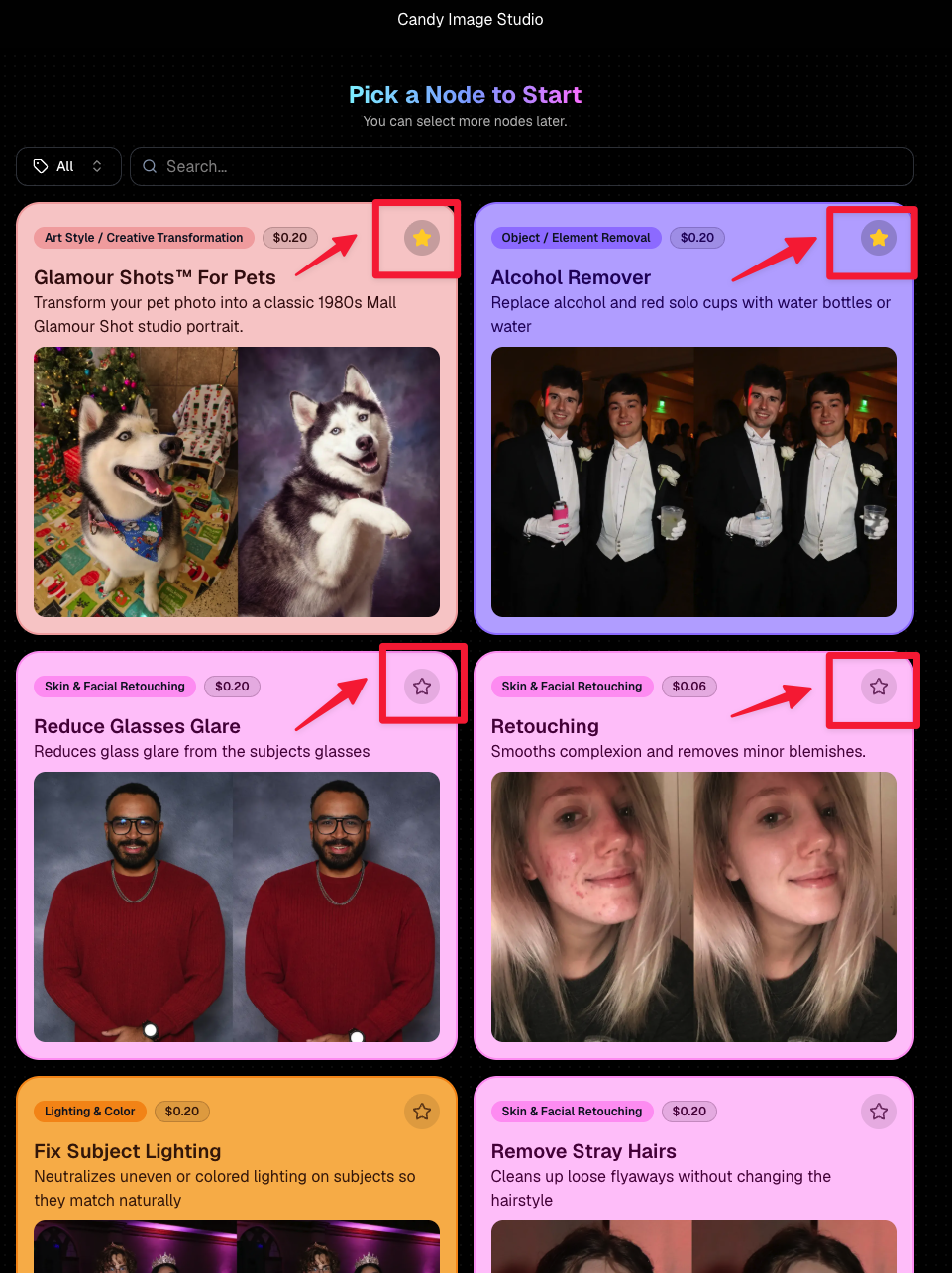
🎨 Candy Image Studio: Create Without an Input + A New Node

Candy Image Studio has two notable upgrades this week:

🧠 No input image required (generate from scratch!)
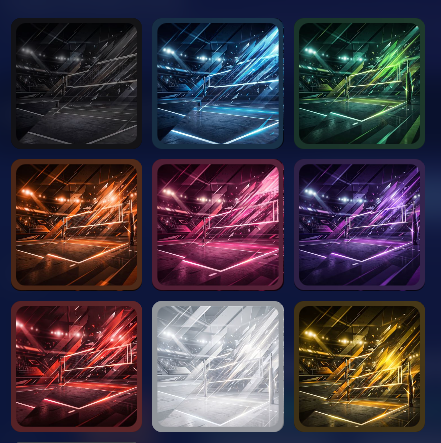
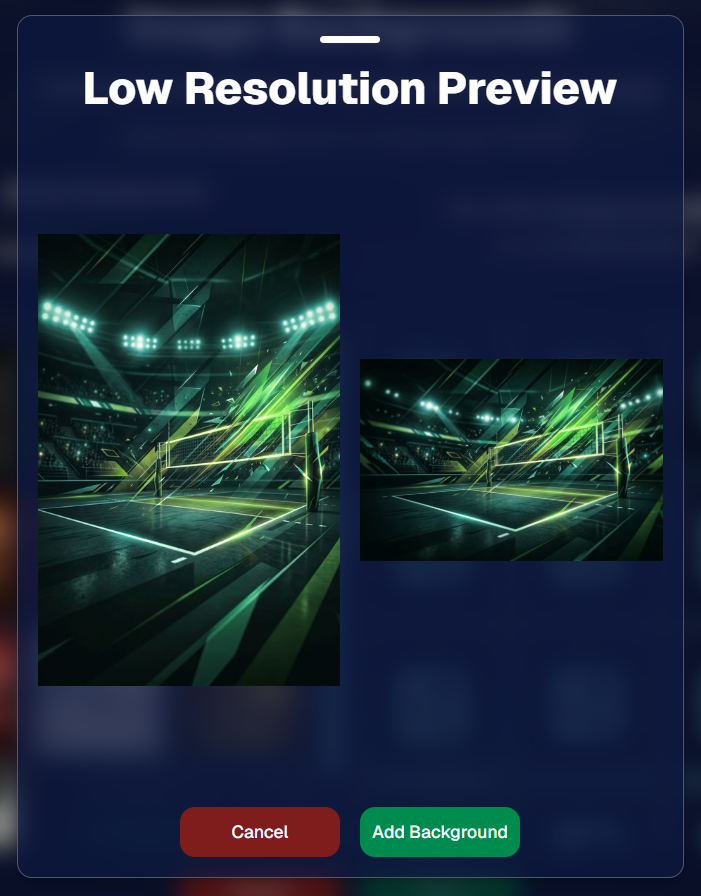
Candy Image Studio no longer requires an input image to get started. You can generate from scratch using the “From Scratch” node (at the very bottom), or by starting from custom text or a custom image—great for things like creating portrait backgrounds or creative assets.

🆕 New “Bobblehead” node
A brand-new Bobblehead node is now available inside Candy Image Studio.

Disclaimer: This is not a new product. This is an image node in the Candy Image Studio.

🏈 Jersey Jotter + Event Settings Cleanup

Jersey Jotter settings were removed from the Create/Edit Event popup.
Since Jersey Jotter now has its own dedicated page, we pulled those settings out of the event popups to keep Create Event as minimal (and fast) as possible—and keep Edit Event aligned with Create.

New: “Auto Enhance” can be turned off in Create/Edit Event.
Important clarity here:

  • Auto Enhance isn’t new — it has always been enabled by default.
  • What’s new is the ability to turn it off from the Create/Edit Event popup.
  • It’s labeled “Auto Enhance” (not “Retail Enhancement”) because it affects more than retail, including things like LiveLoop, Dashboard previews, Shareable Download Gallery, and more.
  • Note: this setting only impacts images uploaded after you change it. (So anything already uploaded keeps whatever enhancement state it had at upload time.)

🛍️ Retail: Package Backgrounds + Fixes

A few retail improvements landed to reduce confusing edge cases:

  • When selecting a PNG (without a faux background render) during the “Next Package Item Image Picker” step, the chosen background will now default to the first background in the background picker list (instead of the purple default).
  • Fixed an issue where the background selector step didn’t always appear for non-faux BGR images.
  • Fixed a crash related to having Wall Clings in packages.
  • Updated the Free Download description to: “Free simple, full-resolution download of your image.” (Previously it implied lower resolution.)

🔍 NEW: Zoom Cropping “Z-Cropping” (Dashboard + Retail)

In Advanced Offer Settings, you can now enable Zoom Cropping, which automatically adds an additional image into the customer’s gallery that is zoom-cropped toward their face.

Details & rules:

  • ✅ Works on Face Matching Events
  • ✅ Works only on images with one face
  • ✅ All default graduation offers/price levels now have Zoom Cropping enabled
  • Behind the scenes, it applies a ~30% zoom toward the face, with an additional ~30% pull from the center of the image toward the face (clamped to avoid cropping beyond image bounds)

This is a great “quiet upgrade” for grads and portrait-style moments where customers love a tighter crop—without you needing to manually create it.

🖼️ New Products: Titled Luxe Prints (Dashboard + Retail)

Two new products just landed:

  • 5×7 Titled Luxe Print
  • 8×10 Titled Luxe Print

Want to see the 3D preview?
https://app.nowcandid.com/3d/titled-luxe-print

New: “Edit Titled Luxe Print” Page (per event)
There’s a new event-level page available in the Dashboard sidebar only if one of the new titled products is included in the event’s offer. From there, you can:

  • Set default captions
  • Select left/right logos
  • Preview the 3D render
  • (Easter egg: rotate the render and you can spot your business name on the backprinting.)

Notes:

  • Default captions and logos are optional
  • Retail shoppers can change captions when ordering
  • Logo requirements: upload/import a 650×650 transparent PNG
  • Retail supports both 2D + 3D renders, including your custom logos
  • Order Details pages now display the selected logos, similar to how we show captions and colors

That’s the week! 💫

Between Zoom Cropping, Titled Luxe Prints, and Candy Image Studio’s new From Scratch flow (plus a pile of cleanup across retail + downloads), this update adds a lot of power without adding extra complexity.

Keep creating magic,
— Candy 🍬

Big News: Introducing Client Outreach 🚀📣
Feature Updates
April 3, 2026

Big News: Introducing Client Outreach 🚀📣

6
 minutes read
Hey photo friends! 👋

This is a big one.

We’re excited to introduce Client Outreach — a brand-new tool that lets you reach your customers directly with one-off texts and emails, completely separate from your normal event marketing.

Whether you’re following up after an event, promoting future bookings, or nudging people who missed check-in… this gives you a simple, flexible way to stay connected.

Let’s break it down 👇

📣 What is Client Outreach?

Client Outreach lets you:

📩 Send one-off emails and texts

👥 Build contact lists from:

  • Existing events
  • Uploaded spreadsheets
  • Or both combined

🎯 Filter contacts based on:

  • Contacts with matched images
  • Contacts without matched images
  • Or everyone

This is not automated campaign messaging — it’s intentional, targeted outreach when you need it.

👥 Build Your Audience, Your Way

When creating an outreach list, you’ve got flexibility:

  • Pull contacts from one event, multiple events, or none
  • Upload your own spreadsheet of contacts
  • Combine both sources into one list

And when using events, you can choose:

  • Only people with images
  • Only people without images
  • Or everyone

That opens the door to some really useful workflows (more on that below 👀).

💬 SMS Outreach (Simple & Familiar)

Sending texts is designed to feel easy and familiar.

🧾 Uses a QuicPics-style editor + preview

✍️ Write your message and send to your list

🔗 Include links (galleries, check-in, etc.)

💸 Pricing:

$0.01 per segment, per text

A segment is roughly:

  • ~140 characters (standard text)
  • ~65 characters (if using emojis)

Longer messages may use multiple segments (typically 2–4).

📧 Email Outreach (Powered by Candy 🤖)

This is where things get really fun.

Instead of building emails manually…

👉 You just describe what you want, and Candy builds the email for you.

✨ How it works:

Tell Candy things like:

  • What the email should say
  • What tone you want (fun, professional, urgent, etc.)
  • What your call-to-action button should say
  • Where that button should link

Candy will:

✍️ Write the email

🎨 Design the layout

🧠 Generate a subject line

🏷️ Pull in your business info automatically

No HTML. No formatting headaches. Just describe it.

🧠 Even Smarter with Events

Every outreach must be tied to an event (for billing/history), but that unlocks some extra power:

If your outreach is related to that event, Candy can pull in things like:

🔗 Check-in links

🖼️ Cover photos

🖼️ Gallery links

And more!

👉 You can still override this and use your own URLs — Candy will follow your instructions.

📬 Sending Details

Emails are sent from:
your-business-name@quic.pics

Your business name is prominently shown in the inbox

You can edit the subject line Candy generates before sending

💸 Email Pricing

$0.01 per 10 emails (rounded up)

Examples:

  • 10 emails = $0.01
  • 11–19 emails = $0.02

🖼️ Bonus Tip: Include Images in Emails

If you have direct image URLs, you can give them to Candy and ask her to include them in the email.

Not sure how to get those? Google is your friend on this one 😄

📊 Track Performance

Just like order receipts, you can see:

👀 Opens

🖱️ Clicks

❌ Bounces

So you know what’s working.

💡 Real-World Use Cases

Here are just a few ideas:

📸 Catch Missed Check-Ins

Send a Selfie Check-In link after an event using a roster from a school or organizer.

📅 Promote Future Events

Reach past customers and say:
“Hey, we’re photographing again next week!”

🏈 Action Sports Galleries

Send All Images Gallery links when using Jersey Jotter (where face matching isn’t ideal).

🧑‍🤝‍🧑 New Group Photos Added

Let people know:
“Your group photos are now live!”

📝 Post-Event Surveys

Send feedback forms to improve your next event.

🔔 Picture Day Reminders

Get ahead of the event with reminders to increase participation.

And that’s just scratching the surface.

🎯 Simple, Flexible, Powerful

Client Outreach is designed to be:

✅ Easy to use

🎯 Highly targeted

🔄 Flexible for different workflows

💸 Cost-effective

You’re in control of when, who, and what you send.

This is one of those tools that grows with you — whether you’re running small events or large-scale operations.

We can’t wait to see how you use it! 👀

More soon,

Candy 🍬

Weekly Recap: Client Outreach, Better Renders & Faster Tools 🍬📣
Feature Updates
April 3, 2026

Weekly Recap: Client Outreach, Better Renders & Faster Tools 🍬📣

5
 minutes read
Hey photo friends! 👋

This week’s headline is a big one: Client Outreach is here. It’s a powerful new way to connect with your customers outside of event-based marketing—and it opens up a ton of new possibilities for growing your business.

We’ll keep this recap focused on what it does at a high level, and we’ll link out to a full deep-dive guide so you can see exactly how to use it.

📣 NEW: Client Outreach (SMS + Email)

Client Outreach is a brand-new messaging system that lets you send texts and emails outside of your event campaigns.

👉 Learn more here: www.nowcandid.com/blogs/big-news-introducing-client-outreach-sms-email

What it can do:

📩 Send one-off emails and texts to past customers

📊 Track engagement (opens, clicks, bounces, etc.)

📂 Build contact lists from:

  • Events (with or without matched images)
  • Uploaded spreadsheets
  • Or both combined

🤖 Candy-powered email creation

  • Candy can write and design your outreach emails for you—including subject lines—so you don’t have to mess with formatting or HTML.

Why it matters:

This unlocks a ton of real-world use cases, like:

  • Sending Selfie Check-In links after an event
  • Promoting future bookings to past customers
  • Sharing All Images Galleries for action/sports events
  • Notifying customers about new uploads (like group photos)
  • Sending surveys or follow-ups

💸 Pricing is simple:

  • $0.01 per 10 emails
  • $0.01 per SMS (per segment, and longer texts may be 2–4 segments)

This is one of the most powerful tools we’ve added in a while!

🛍️ Retail: Better Products & Previews

✨ The following products will now always have the SoftTouch finish

  • Premium Prints
  • Premium Plaques
  • Luxe Prints
  • Titled Luxe Prints (coming soon)

🖼️ Improved 2D & 3D renders (especially Luxe)

  • More accurate lighting and better overall presentation.

🎯 3D renders prioritized in store sheet

  • The first three supported products now show as 3D when available.
  • Premium products take priority, but Luxe can now appear too depending on your offer.

Faster, higher-quality background generation

  • Better results, quicker turnaround.

📝 Caption fields no longer require every line

  • Customers can fill what you want, skip what they don’t.

🖥️ Dashboard Improvements

🔎 Smarter search across events & reports

  • Partial matches now work helping you search your events when you can't remember their exact names.
  • E.g. “mustang prom” will let you find “Mustang High School Prom 2025”.

Faster reports & charts

  • Reports pages and dashboard landing load quicker and use fewer resources.

🎨 New “Green Screen” node in Candy Image Studio

  • Instantly convert backgrounds into a green screen for use with your other editing workflows.

🧾 More flexible Offer creation

  • You can now duplicate any existing Price Level when creating an Offer, not just your own or prebuilt ones.

💳 Accounts must now have ACH set up before creating events

  • This has been a point of confusion for some users for some time.
  • By simply requiring ACH info, we can avoid a lot of accounting confusion for photographers down the line!

💰 New “Payout Breakdown” on Order Details

  • Visual, color-coded breakdown of order totals for better clarity.

📱 Capture App 5.4.2 (iOS & Android)

🛠️ Fixed an issue where the background removal popup would reappear after confirming and exiting shooting mode.

That’s the week!

Client Outreach is the star of the show here—it gives you a whole new way to stay connected with your customers beyond the event itself.

Pair that with better product presentation and faster tools, and you’ve got a strong upgrade across the board.

More coming soon! 👀

Candy 🍬

Let’s get in touch

If you’re a photographer looking to add NowCandid services to your wheelhouse – set up a call by clicking the button below.

How to customize formatting for each rich text

How to customize formatting for each rich text

How to customize formatting for each rich text

How to customize formatting for each rich text

How to customize formatting for each rich text

What’s a Rich Text element?

The rich text element allows you to create and format headings, paragraphs, blockquotes, images, and video all in one place instead of having to add and format them individually. Just double-click and easily create content.

A rich text element can be used with static or dynamic content. For static content, just drop it into any page and begin editing. For dynamic content, add a rich text field to any collection and then connect a rich text element to that field in the settings panel. Voila!

Headings, paragraphs, blockquotes, figures, images, and figure captions can all be styled after a class is added to the rich text element using the "When inside of" nested selector system.

  • List One
  • List Two
  • List Three
  • List Four
  • List Five

This is a link

This is bold text