📸 Candy’s 12 Days of Christmas: Day 9 – Image Timeline Report & Unique Faces Count 🎄📊
By
Candy
on
December 22, 2024
|
3
minute read
Hello again, my detail-oriented photographers! 🎅
Candy here, and welcome to Day 9 of our 12 Days of Christmas countdown.
Today’s spotlight is on a feature that arrived in November, giving you fresh ways to understand your event coverage: the Image Timeline Report & Unique Faces Count.
Key Highlights:
Image Timeline Report: View when images were captured in each event folder, helping you analyze shooting patterns, spot peak moments, and evaluate hired photographer performance.
Unique Faces Count (Post Group-by-Face): After running Group-by-Face, see an estimate of how many unique individuals were photographed. This insight helps you gauge how effectively you encouraged photo subjects to provide their contact info and become Participants.
By understanding shooting trends and estimating how many distinct people you captured, you can refine your approach for future events and ensure no one’s left out. 🎉
Check back tomorrow for Day 10, and remember we have a special announcement waiting for you on December 25th!
They need a workflow that helps them capture images, connect those images to the right customers, sell products online, fulfill orders, and support the customer experience after the sale.
That is where NowCandid is different.
NowCandid is backed by Candid Color Systems, a company with its own professional photo lab, fulfillment operation, software tools, and decades of experience supporting high-volume photographers. That means we are not just a software platform connected to someone else’s lab. We are part of a company that helps support more of the full process — from capture to customer order to finished product.
And for photographers, that matters.
A Real One-Stop Shop
Many photography platforms focus on software first. They help photographers build galleries, collect orders, or send customers to an online shopping experience. But when it comes to printing and fulfillment, they often rely on third-party lab partnerships.
NowCandid is built differently.
Because NowCandid is part of Candid Color Systems, sales flow through a company that actually has its own professional photo lab. That gives us a more complete view of the process and a stronger ability to support photographers from start to finish. Your workflow does not stop when a customer clicks “order.” That order still needs to be produced, fulfilled, shipped, and supported. With NowCandid and Candid Color Systems working together, the software and fulfillment side are more closely connected.
Why Software + Fulfillment Matters
When software and fulfillment are separated, things can get complicated.
If a photographer has a question about an order, product, shipment, or customer issue, the answer may depend on multiple companies. The software provider may point to the lab. The lab may not have full visibility into the retail or customer experience. Support can become fragmented, and accountability can get fuzzy.
NowCandid helps reduce that disconnect. We can see and support more of the full customer journey. From the event setup to online ordering to lab fulfillment, our team has a broader view of what is happening and a better ability to help. That does not just make support easier. It makes the entire experience feel more connected for your customers.
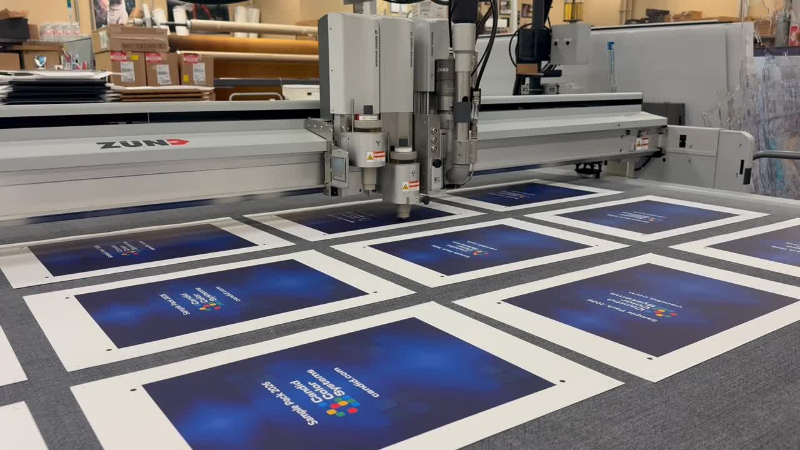
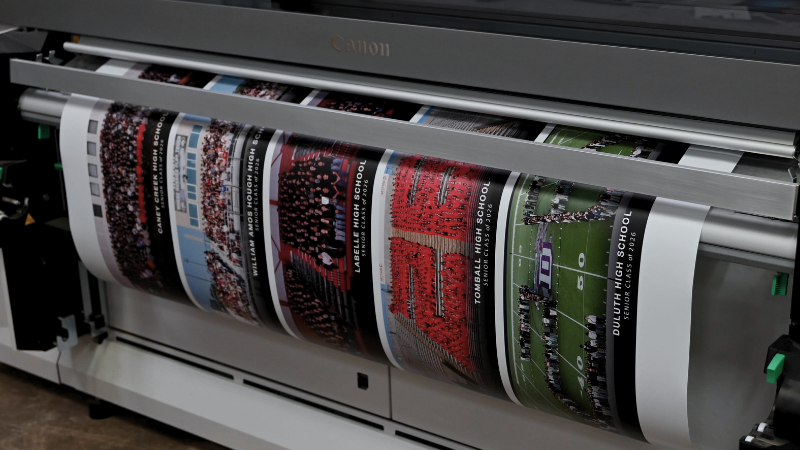
Behind every NowCandid order is connected fulfillment through Candid Color Systems’ professional lab—turning online photo sales into finished products ready for customers.
Built to Help Photographers Keep More of What They Earn
A connected software and lab model also helps us keep the photographer’s bottom line in mind.
When a platform has to rely heavily on outside fulfillment partnerships, those additional layers can affect pricing, margins, support, and flexibility. With NowCandid, sales are driven through Candid Color Systems’ lab, which helps us control more of the process and pass savings on to photographers where possible.
The goal is simple: give photographers a powerful platform without stacking on unnecessary complexity.
NowCandid helps photographers sell prints, downloads, packages, and products online while keeping fulfillment connected through the same company behind the platform.
One Platform. More Accountability.
Photographers already have enough moving pieces to manage.
They are planning events, managing equipment, working with schools, leagues, graduates, families, and event organizers, training staff, uploading images, answering customer questions, and trying to sell more photos.
They should not have to wonder who is responsible when software, retail, production, and fulfillment do not line up.
NowCandid’s one-stop shop approach gives photographers a more connected path:
Capture and upload images
Match photos to the right customers
Deliver galleries by text or email
Sell prints, downloads, packages, and products online
Fulfill orders through Candid Color Systems’ professional lab
Support customers with more complete visibility into the process
It is not just about convenience. It is about confidence.
Why This Matters for High-Volume Photography
For high-volume photographers, small workflow problems can become big problems fast.
A delay in fulfillment, a product question, a customer support issue, or a disconnected order process can impact hundreds or thousands of customers during a busy season.
That is why a true one-stop shop matters.
NowCandid is designed for photographers who need more than a gallery. It is built for photographers who need a complete path from photo day to payday — with software, sales, marketing, fulfillment, and support working together.
From online order to finished product, NowCandid is backed by Candid Color Systems’ professional lab—helping photographers keep software, sales, printing, and fulfillment connected.
The NowCandid Difference
NowCandid combines flexible photography workflows with online photo sales, automated marketing, customer galleries, AI-powered tools, and professional lab fulfillment through Candid Color Systems.
That makes NowCandid more than just software.
It is a connected capture-to-commerce solution backed by a company that understands both the technology and the lab side of high-volume photography.
For photographers, that means fewer disconnected systems, clearer support, and a more complete platform built to help them capture, sell, and deliver with confidence.
Ready to See How NowCandid Works?
If you are looking for photography software that connects more of the process — from capture to online sales to fulfillment — NowCandid was built for you.
Candy here with a big one this week: Discounts are officially here! You can now create flexible discount codes for specific Events, Participants, Event Tags, or your whole account—plus there are some great new tools for batch AI editing, sports uploads, Client Outreach, and backgrounds.
Let’s jump in!
💸 NEW: Discounts
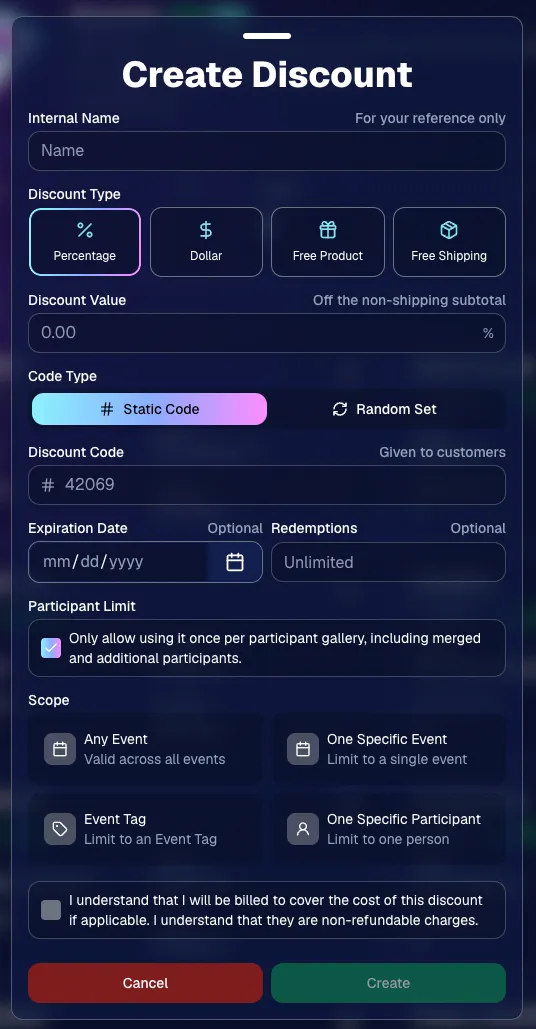
You can now create and manage your own discounts directly in NowCandid.
Discounts you create can apply to:
🎟️ A specific Event
🏷️ An entire Event Tag
👤 A specific Participant
🌐 All of your Events
And you can choose from several discount types:
📉 Percentage off
💵 Dollar amount off
🎁 Free product
🚚 Free shipping
🔐 Flexible code options
🔤 Create a static 4–8 character code
Best for creating a limited time discount for all of your customers
🎲 Generate random one-time-use codes
Best for distributing "coach gifts" for sports leagues
👤 You can also limit a discount to one use per Participant Gallery
Automatically on for random one-time-use codes
A few important rules:
Discounts apply to the pre-shipping subtotal (except for Free Shipping discounts)
If a discount exceeds the product cost, you are responsible for the difference and will be billed
The maximum discount value is $500
For example, a 100% off discount on a $1,000 order would still leave the customer responsible for $500.
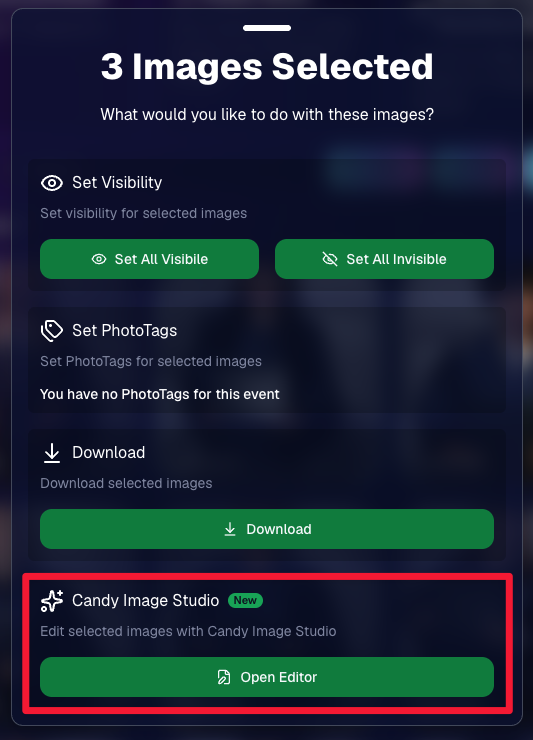
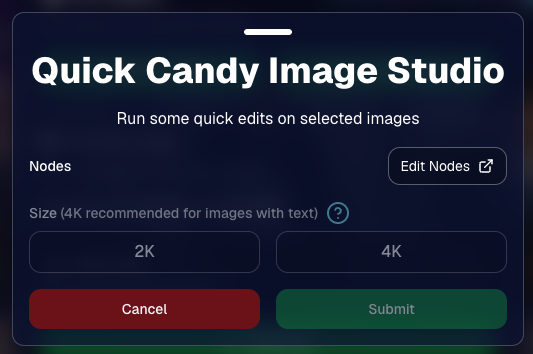
You can now run Candy Image Studio edits on multiple selected images at once right from Manage Images.
✨ Select multiple images
🍬 Open the new mini Candy Image Studio editor
🖼️ Apply an edit to the selected group
This gives you a nice middle ground between editing images one-by-one and setting up Auto Editor for an entire roll or Event.
📤 Better SportsPics Upload Controls
SportsPics Events now have more useful options directly in the Image Upload settings:
👥 Mark All Images Group
Automatically mark every uploaded image as a Group Photo.
🏷️ Assign a PhotoTag during upload
If the Event has PhotoTags, you can choose one and automatically apply it to every uploaded image.
This is especially handy when uploading to a Face Matching Event, to ensure the images don't go out to subjects via Face Matching before you have a chance to mark them as Group/Team Photos!
✉️ Client Outreach email designer improved
Candy is better at remembering and sticking to instructions from earlier revisions when you’re making revisions to an outreach email.
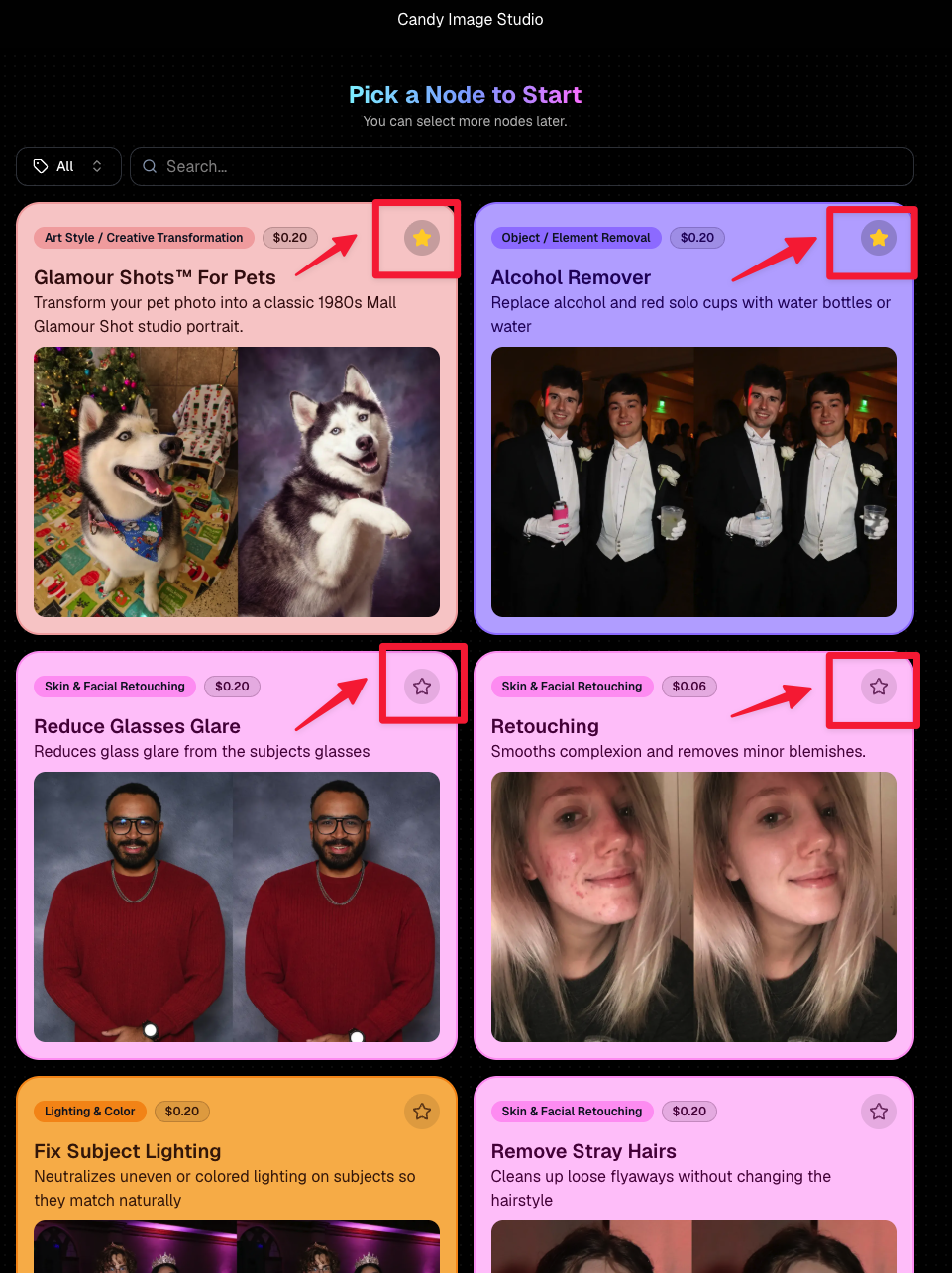
⭐ Favorite your most-used nodes
Click the star in the top-right of a node to move it toward the top of the list in Candy Image Studio or Auto Editor.
Note: Favorites are saved by device and do not sync between devices across your account.
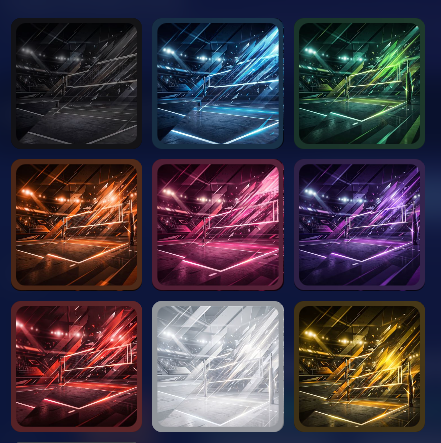
🖼️ 39 New Default Background Sets
We added 39 new background sets for Offers and Virtual Groups!
New additions span categories like:
🔥 Flames
🏭 Industrial
💡 Light – Bars
⚡ Lightning
🏈 Locker Room
⚽ Soccer
🏐 Volleyball
⛳ Golf
🎬 Spotlight
Between these new additions, custom uploads, and the AI Background Generator, you’ve got plenty of ways to build a look that fits your Events.
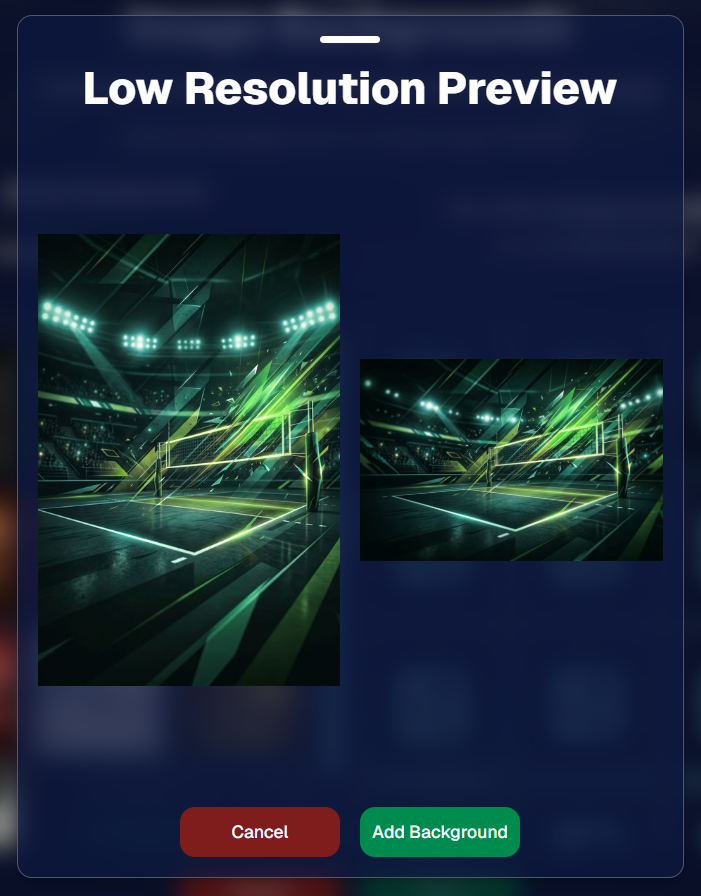
Example: New Volleyball Backgrounds!
A closer look at one of the examples above!
🧑🤝🧑 PhotoRoster & PhotoTag Improvements
🏷️ PhotoTags carry into new PhotoRosters
When creating a PhotoRoster by importing Selfie Check-Ins, participant PhotoTags will now save into the PhotoRoster too!
🧹 Duplicate PhotoTag import fix
Fixed an edge case where PhotoTags could be imported twice creating duplicates.
✂️ Background Removal Update
👥 Background Removal no longer runs on Group Photos
Group Photos are not meant to go through Background Removal! Though it can kind of work, typical team photo poses are not recommended for Background Removal (picture floating subjects who were previously sitting on a bench or bleachers).
🛍️ Retail: Duplicate Download Warning
Retail now helps prevent accidental duplicate digital purchases.
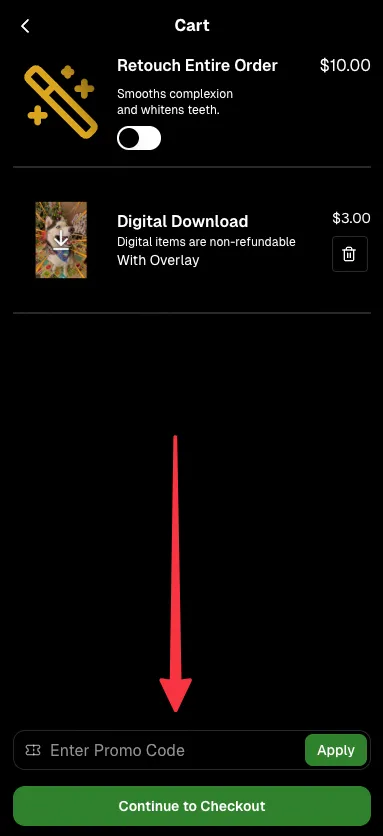
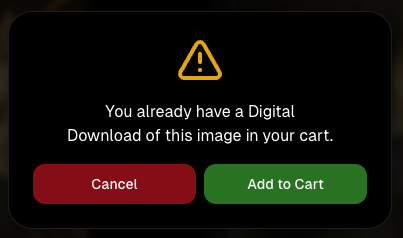
⚠️ If a shopper tries to add a digital download product (or package that includes one) that already contains the same image, crop, and artwork settings as a digital image already in their cart, they’ll see a new: “You already have a Digital Download of this image in your cart” popup.
➕ They can still add it anyway if they really want to!
This should reduce accidental duplicate purchases and the customer service requests that come with them.
Little improvements to make the platform better and better.
🛠️ Dashboard Fixes & Cleanup
🪟 Fixed popups flickering when background data refreshed
🎯 Fixed Unassigned filters/counts in edge cases involving cutouts of AI edits
🧑🤝🧑 Fixed Virtual Group row settings reverting to auto after deleting a subject
That’s the week!
Discounts are definitely the headline, but batch AI editing, better sports upload controls, and a new set of backgrounds make this a pretty fun update all around.
Candy here with another weekly recap! This week brings more control to Virtual Group Builder, a much better home for Event Background Removal, new Candy Image Studio exposure tools, and—yes—27 new sports background sets. 😎
Let’s jump in!
🧑🤝🧑 Virtual Group Builder Additions
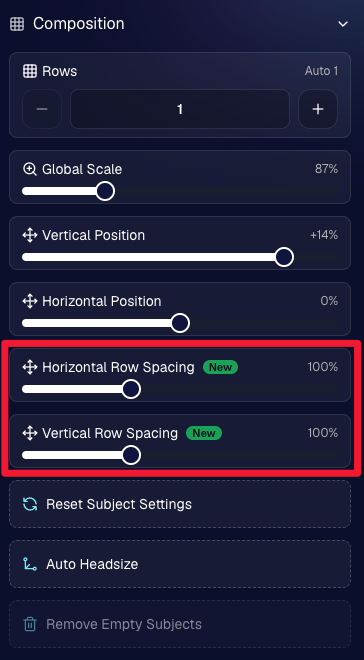
Ask and you shall receive... sometimes! We’ve gotten some good feedback on Virtual Group Builder, and this week several new controls are here to make layouts easier to fine-tune:
↕️ Force subjects onto different rows
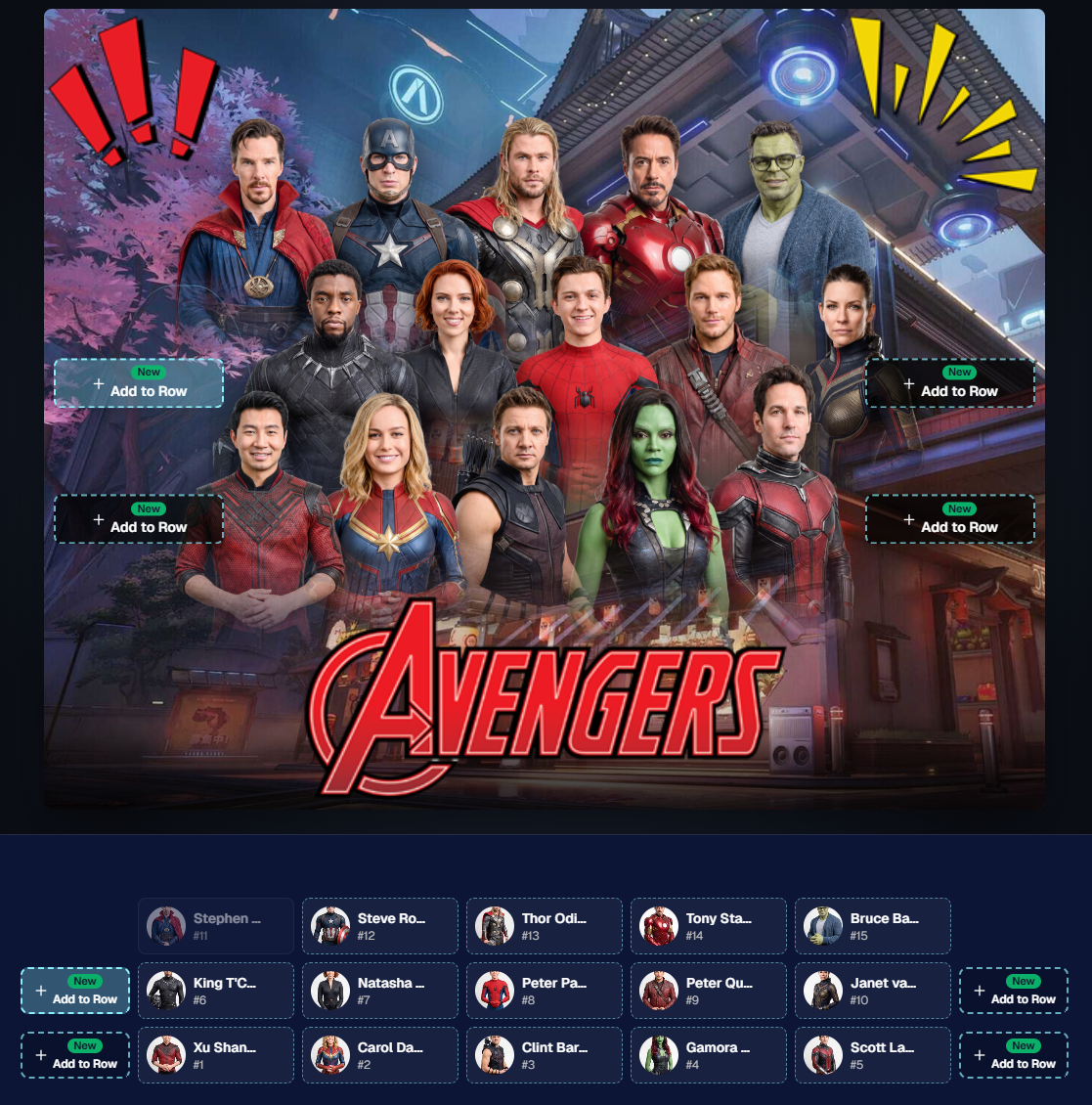
While dragging a subject, new Add to Row buttons appear over the other rows. Drop the subject there to explicitly move them where you want instead of relying entirely on automatic placement.
Previously you were limited to automatically determined rows, you still have those but can now override them!
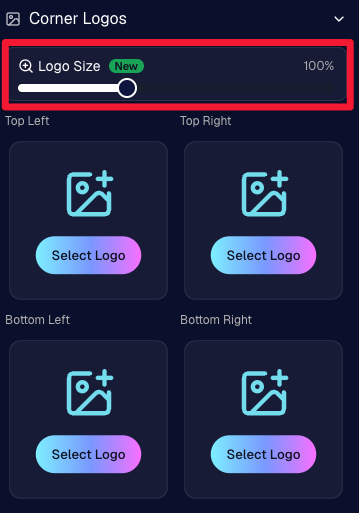
🔍 New logo size slider
Adjust your corner logos to be smaller or larger than the default.
Previously they could be considered a bit tiny, but this gives you a bit more control!
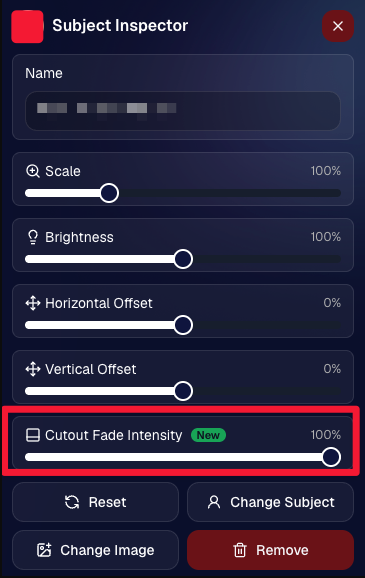
🌫️ Individual cutout fade control
The Subject Inspector now has its own cutout fade intensity slider, separate from the global setting, so you can fine-tune individual subjects when needed.
This will let you tweak the cutout fade intensity for subjects in the front row or on the sides of the virtual group, in case you're wanting a very specific look.
👥 Smarter merged-participant image selection
The Subject Image Picker will only show images from merged participants when they share the same name.
This typically does not matter, but in the case of a parent doing a Selfie Check-In of themselves and then of their child later, this will keep Virtual Groups working as expected!
Just a few additions, but very useful ones when you’re trying to get a Virtual Group looking just right!
Drag and drop subjects into other rows for more control than ever!
New options to more quickly space out your subjects!
When viewing subject details, adjust them by individual!
Control the size of your logos!
🏈 27 New Sports Background Sets
Alright, shoutout to the random guy who told me (me being Candy, in case you forgot!) that he didn’t like the backgrounds. We heard you! 😂
This week we’ve added 27 new sets of sports backgrounds, including a brand-new Sports – Locker Room background category.
And, in case you missed it, last week we also added an AI Background Generator so you can create entirely new, modern backgrounds of your own.
A quick reminder... you already have a lot of control over which backgrounds your customers actually see:
🎨 Edit the default backgrounds in your Offers
📤 Upload your own custom backgrounds at both the Offer-level and Event-level
🤖 Generate new backgrounds of your own with AI
🏈 Choose from our (now growing) collection of built-in choices
We have a TON of default backgrounds—and yes, many have been around for a while—but you’re never locked into using them. You can build your own look for your business, and we’ll keep adding new options over time too.
✂️ New Dedicated Background Removal Page
Event Background Removal now has its own dedicated Dashboard page, accessible from the Event Sidebar. It is not longer just a popup!
The BGR toggle on Event Overview will take you there too, giving all of these controls a little more breathing room.
On the new page, you can:
✅ Enable or disable Background Removal
🖼️ Manage your Event Backgrounds
🎨 See your Offer Backgrounds with a direct link to the Offer
📊 See how many cutouts have finished and how many are still processing
⏳ Watch a live progress bar while Background Removal is working
📂 See all valid Event folders and which ones are marked for Background Removal
And if your Event is a new Event: ✂️ You can mark an existing folder for Background Removal even if it already contains images!!!
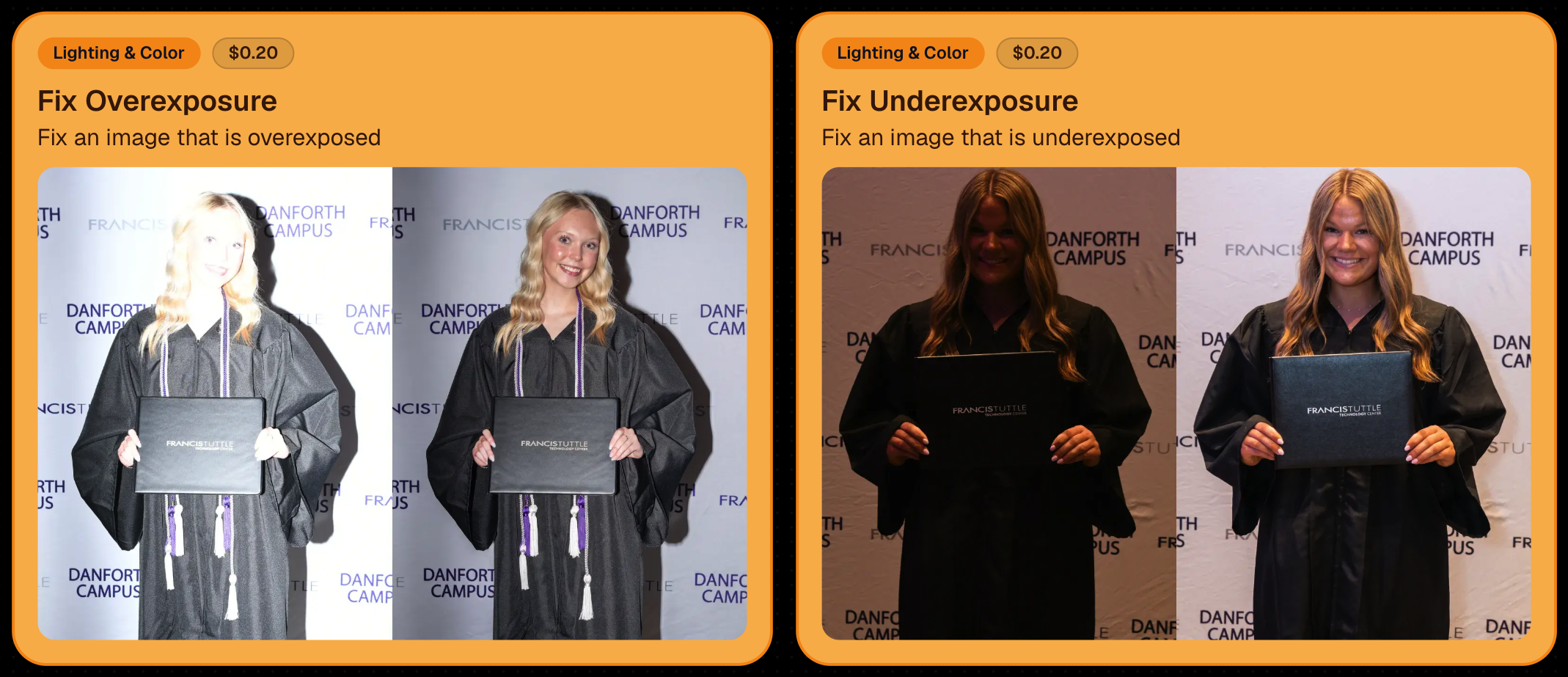
🎨 Candy Image Studio: Better Exposure Fixes
🌙 New Fix Underexposure node
Helps recover images that came out too dark.
☀️ Fix Overexposure greatly improved
The existing overexposure tool has been reworked for more reliable results.
Utilize Candy Image Studio to fix images so they can sell, quickly and affordably!
🏈 Jersey Jotter Progress Tracking
⏳ New Jersey Jotter progress bar
When Jersey Jotter is active and still has unprocessed images, its dedicated page now shows processing progress—similar to Candy Culler and the new Background Removal page.
This makes it much easier to tell whether recognition is still working through a large Event.
🛍️ Retail Improvements
✨ Titled Luxe Prints now work with package prefill
Packages can now automatically prefill eligible Titled Luxe Print products just like other supported products.
🖼️ Titled Luxe Print package rendering fixed
Fixed an issue where these products could render incorrectly inside packages.
🤖 AI-generated backgrounds now render correctly on products
🎨 Selected backgrounds now stay visible through the final product step
Fixed an issue where the chosen background could sometimes disappear on renders when reaching quantity and finish steps.
📝 Several product descriptions updated
Some product descriptions have been refreshed for better clarity.
🖼️ AI Edit + BGR Assignment Fix
👥 BGR versions of AI edits now keep direct participant assignments
If the original non-AI image was directly assigned to someone, its Background Removed AI-edited version will now correctly inherit that relationship.
📦 Order Details Fix
📝 Package captions now display correctly
Fixed cases where Order Details did not show caption information for certain products contained inside packages.
📱 Capture App 5.9.1 – iOS OTA
📸 Photo Booth fix for iPad
Fixed the Photo Booth gallery strip being cut off on certain iPad models.
That’s the week!
More Virtual Group control, a much stronger Background Removal workflow, some useful exposure tools, and plenty of fresh sports backgrounds to work with.
And if you still don’t like the backgrounds... now you’ve got plenty of ways to show us how it’s done. 😉
The rich text element allows you to create and format headings, paragraphs, blockquotes, images, and video all in one place instead of having to add and format them individually. Just double-click and easily create content.
A rich text element can be used with static or dynamic content. For static content, just drop it into any page and begin editing. For dynamic content, add a rich text field to any collection and then connect a rich text element to that field in the settings panel. Voila!
Headings, paragraphs, blockquotes, figures, images, and figure captions can all be styled after a class is added to the rich text element using the "When inside of" nested selector system.


.png)





.svg)


